You can download Microsoft Office on a Windows PC or Mac by signing in with the Microsoft account connected to your Microsoft 365 subscription, Office 2024 purchase, work account, or school account. Microsoft provides desktop versions of Word, Excel, PowerPoint, Outlook, and OneNote, although the included apps depend on your licence.
Microsoft Office is not permanently free as a complete desktop suite for most users. Microsoft provides free browser versions of Word, Excel, PowerPoint, Outlook, and OneNote, while the installed desktop applications require a licence, an eligible education account, or an active trial.
Every download link below goes to an official Microsoft page. The same Microsoft 365 Apps portal serves Windows 11, Windows 10, 64-bit, 32-bit and ARM64 PCs, Intel and Apple silicon Macs, and Office 2024; only the free, trial, school and offline routes differ.
Download Microsoft Office for PC and Mac
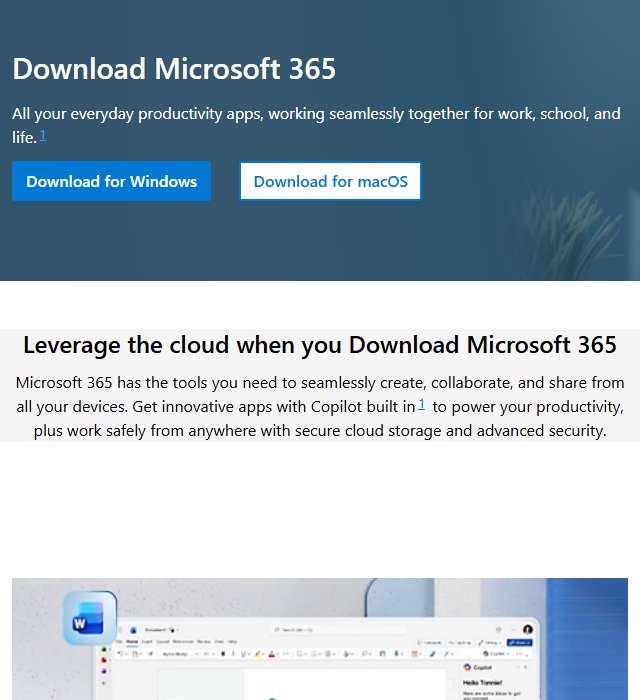
Use the Microsoft 365 Apps portal to download Microsoft Office when you already own Office 2024, subscribe to Microsoft 365, or have a licence supplied by your employer or school.
Official desktop download: Download Microsoft Office for Windows or Mac
Sign in with the account associated with your licence, select Install apps, and choose the Microsoft 365 or Office installation option. Microsoft will provide the correct Windows or macOS installer for the computer you are using.
| Download option | Cost | What you receive |
|---|---|---|
| Microsoft 365 desktop apps | Subscription required | Current desktop apps, feature updates, cloud services, and multi-device installation |
| Office Home 2024 | One-time purchase | Word, Excel, PowerPoint, and OneNote for one PC or Mac |
| Office Home & Business 2024 | One-time purchase | Word, Excel, PowerPoint, Outlook, and OneNote for one PC or Mac |
| Microsoft 365 for the web | Free | Browser versions of Word, Excel, PowerPoint, Outlook, and OneNote |
| Microsoft 365 trial | Free for the trial period | Desktop and mobile apps included with the selected trial plan |
| Office 365 Education | Free for eligible users | Web apps and services supplied through an eligible school account |
Download Microsoft Office only from Microsoft. Websites advertising cracked Office installers, pre-activated versions, activation scripts, or free product keys can distribute malware and stolen licences.
Which Microsoft Office version should you download?
The name “Microsoft Office” now covers several products. Choosing the correct one prevents you from buying a subscription or edition that does not include the apps you need.
Microsoft 365
Microsoft 365 is the subscription version. It receives ongoing feature, security, and compatibility updates and can be installed on multiple supported PCs, Macs, tablets, and phones, subject to the limits of your plan.
Personal and Family subscriptions commonly include Word, Excel, PowerPoint, Outlook, and OneNote, along with OneDrive storage and other Microsoft services.
Office Home 2024
Office Home 2024 is a one-time purchase for one Windows PC or Mac. It includes the classic 2024 versions of Word, Excel, PowerPoint, and OneNote and is intended for home or school use.
It does not include Outlook, ongoing feature additions, or an automatic upgrade to the next major Office release.
Office Home & Business 2024
Office Home & Business 2024 adds Outlook and permits commercial use. It remains tied to one PC or Mac and does not include the continuing feature upgrades supplied through Microsoft 365.
Microsoft 365 for the web
The free web version is suitable when you need basic document, spreadsheet, presentation, email, and note-taking tools without installing desktop software. It runs inside a browser and saves files through OneDrive.
Legal and safe ways to get Microsoft Office features for free
There are three legitimate ways to use Microsoft Office without immediately purchasing a desktop licence.
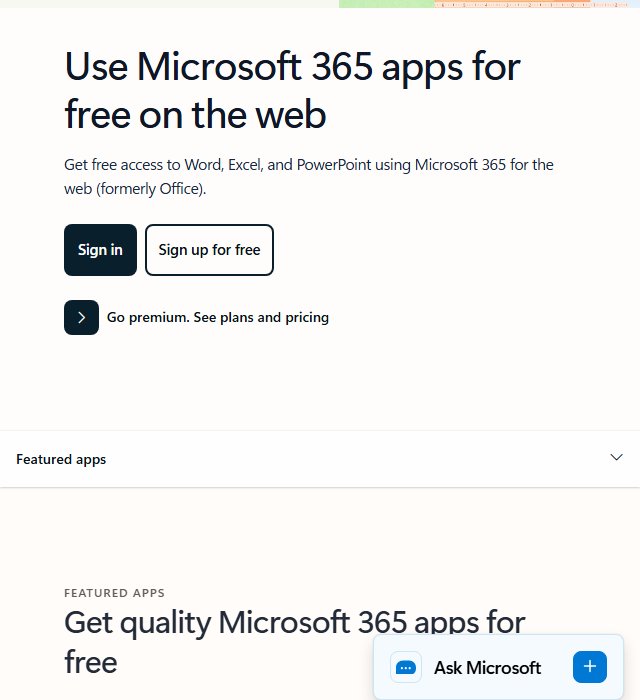
Use Office Online in a browser; it’s free
Anyone with a free Microsoft account can use the browser versions of Word, Excel, PowerPoint, Outlook, and OneNote.
Free Office web apps: Open Microsoft 365 for the web
The browser apps can create, edit, save, download, and share common Office file formats. They do not contain every advanced feature found in the Windows and Mac desktop applications.
The free web version works well for:
- Writing and editing Word documents.
- Opening and creating Excel spreadsheets.
- Building basic PowerPoint presentations.
- Reading Outlook.com email.
- Working with files stored in OneDrive.
- Collaborating on documents with other users.
No installer is required because the apps run in Chrome, Edge, Firefox, Safari, or another supported browser.
Sign up for a free one-month trial
Microsoft offers a one-month Microsoft 365 trial in eligible regions. The trial provides the desktop apps included with the selected plan, but Microsoft normally requires a payment method and converts the trial into a paid subscription unless you cancel it before renewal.
Official trial page: Check Microsoft 365 trial availability
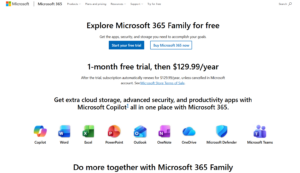
Review the displayed renewal date and subscription price before starting the trial because availability and terms can vary by country.
Get Office free as a student or teacher
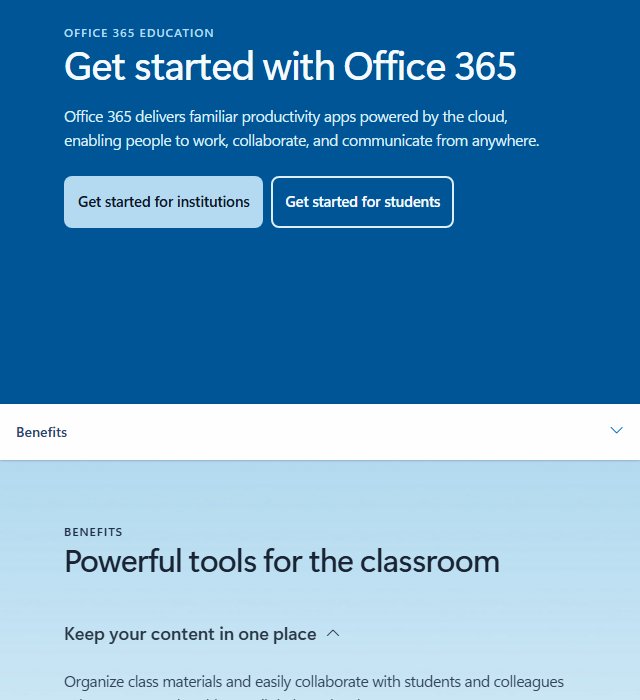
Students and educators with an eligible education email address can receive Office 365 Education through their institution.
Education eligibility: Check Office 365 Education access
The free A1 education plan focuses on the web versions of Office apps. Desktop-app availability depends on the licence purchased or assigned by the school.
Join someone’s Microsoft 365 Family plan
The owner of a Microsoft 365 Family subscription can share it with up to five other people. Each person signs in with their own Microsoft account, accepts the invitation, and downloads the desktop apps from the same Microsoft 365 Apps portal, with their own OneDrive storage.
Ask the plan owner to send the invitation from the sharing page of their Microsoft account, then accept it with the account you will use for Office.
Try the mobile apps on phones and small iPads
The Microsoft 365 app for Android and iPhone opens, creates and edits Word, Excel and PowerPoint files with a free Microsoft account. Install it only from Google Play or the Apple App Store. Larger tablets and some premium editing features need a Microsoft 365 subscription.
How to open and edit Microsoft Office files without installing Office
To read or edit a single Word, Excel or PowerPoint file without installing anything:
- Sign in to Microsoft 365 for the web with a free Microsoft account.
- Select Upload and choose the file, or drag it into OneDrive.
- Open it in the browser app, edit it, and download it again in the original format if needed.
Free Microsoft Office alternatives
If you would rather not use Microsoft’s apps at all, free office suites such as LibreOffice from The Document Foundation and Google Docs, Sheets and Slides open and save Word, Excel and PowerPoint files. Complex formatting, macros and some Excel features may not carry over exactly, so keep Microsoft 365 for the web for files that must stay fully compatible.
The real risks: why cracked MS Office downloads are not worth it
“Free full version” Office downloads, activators and cracked ISOs on third-party sites are a common way to spread malware. They can also install an edition different from the one advertised, fail to update, and stop working when activation is checked. Use only the Microsoft pages linked in this guide; the free web apps cover most home needs without the risk.
Download Microsoft Office for Windows 11 64-bit
Microsoft installs the 64-bit version by default on most Windows 11 PCs. This is the correct choice for regular home, school, and business use, particularly when you work with large Excel workbooks, media-heavy PowerPoint files, or large datasets.
- Open the Microsoft 365 Apps portal.
- Sign in with the Microsoft account, work account, or school account connected to Office.
- Select Install apps.
- Select Microsoft 365 apps or the Office product displayed for your account.
- Open the downloaded setup file.
- Select Yes when Windows asks for permission.
- Wait while Office downloads and installs the selected applications.
- Open Word or another Office app and sign in to activate it.
The small setup file is an online installer. It downloads the required Office application files during installation, so keep the PC connected to the internet until setup finishes.
How to check if Office is 32-bit or 64-bit
- Open Word, Excel, or PowerPoint.
- Select File > Account.
- Select About Word, About Excel, or the equivalent option.
- Look for 64-bit beside the version and build number.
Download Microsoft Office for Windows 10
Microsoft 365 and Office 2024 can continue running on Windows 10, but Windows 10 reached the end of support on October 14, 2025. Microsoft no longer treats Windows 10 as a fully supported Microsoft 365 configuration and recommends moving to Windows 11.
Microsoft plans to provide Microsoft 365 security updates on Windows 10 until October 10, 2028, which gives existing users time to move their files and applications to a supported PC. Windows 10 itself still requires Extended Security Updates to receive continuing operating-system security fixes.
To install Office on Windows 10:
- Sign in to the Microsoft 365 Apps portal.
- Select Install apps.
- Download the Windows setup file.
- Run the installer and complete activation.
Office 2024 can also install on Windows 10, although running it on an unsupported operating system can limit the help Microsoft provides for compatibility or reliability problems.
Microsoft Office ARM64 download for Windows 11
Microsoft 365 provides 64-bit Office apps for Windows 11 computers with ARM processors, including PCs powered by supported Qualcomm Snapdragon chips.
You do not need to locate a separate public ARM64 installer. Sign in to the normal Microsoft 365 Apps portal from the ARM-based PC and install the 64-bit edition associated with your account.
Microsoft provides ARM-compatible versions of major apps including:
- Word
- Excel
- PowerPoint
- Outlook
- OneNote
- OneDrive
The 64-bit Microsoft 365 edition for ARM-based PCs requires Windows 11. Microsoft is ending support for 32-bit Microsoft 365 Apps on Windows ARM devices, so ARM users should install the current 64-bit edition.
How to check if your PC has an ARM processor
- Open Settings.
- Select System > About.
- Find System type under Device specifications.
- Look for wording such as ARM-based processor. Other ways to tell AMD64 from ARM64 work too.
Microsoft Office 32-bit download for Windows
The 64-bit version is suitable for most users, but Microsoft still lets eligible Windows users install 32-bit Office when they depend on older add-ins, Access databases, ActiveX controls, VBA code, or business software that does not work with 64-bit Office.
To select the 32-bit installer:
- Sign in to the Microsoft 365 Apps portal.
- Select Install apps.
- Open the language and version options.
- Select 32-bit.
- Download and run the installer.
You cannot mix 32-bit and 64-bit Office applications on the same Windows installation. For example, a 32-bit version of Visio or Project can prevent the 64-bit Office suite from installing.
To change architectures, uninstall all existing Office, Project, and Visio applications, restart Windows, and install the required version.
Download Microsoft Office for Mac
Microsoft provides one Office for Mac installer package for supported Intel and Apple silicon Macs. Current versions run natively on Apple silicon processors, including the M-series chips used in recent MacBook, iMac, Mac mini, Mac Studio, and Mac Pro models.
- Open the Microsoft 365 Apps portal on the Mac.
- Sign in with the account connected to your Office licence.
- Select Install apps.
- Download the Microsoft Office installer package.
- Open Finder and select Downloads.
- Double-click the file named similar to Microsoft Office installer.pkg.
- Follow the installation prompts.
- Enter the Mac administrator password when requested.
- Open Word and sign in to activate Office.
Office for Mac includes Word, Excel, PowerPoint, Outlook, and OneNote when those applications are part of your licence. Microsoft Access, Project, and Visio do not have standard Mac desktop versions.
Microsoft Office download for Apple silicon Macs
You do not need a separate M1, M2, M3, M4, or later Apple silicon download. The current Mac installer supports both Apple silicon and compatible Intel Macs.
Office for Mac supports the three most recent major macOS releases. When Apple releases a new major macOS version, Microsoft generally stops supporting the oldest version previously included in that three-version window.
Download Microsoft Office 2024 for PC or Mac
Office 2024 is the current one-time-purchase version for users who do not want a recurring Microsoft 365 subscription.
After purchasing Office 2024, the licence must be connected to a Microsoft account. You can then download it from the same Microsoft 365 Apps portal used by subscription customers.
Office Home 2024 download
Office Home 2024 includes:
- Microsoft Word 2024
- Microsoft Excel 2024
- Microsoft PowerPoint 2024
- Microsoft OneNote
It is licensed for one PC or Mac and intended for non-commercial home or school use.
Office Home & Business 2024 download
Office Home & Business 2024 includes Word, Excel, PowerPoint, Outlook, and OneNote. It is licensed for one PC or Mac and permits business use.
Office 2024 receives security and quality updates, but it does not continually receive the new features added to Microsoft 365 subscription apps.
Download Microsoft Office with a product key
A product key must be redeemed before it becomes available in your Microsoft account. If you have lost it, see where to find a Microsoft Office product key. You normally complete this step only once.
Official product-key setup: Redeem a Microsoft Office product key
- Open the Microsoft Office setup page.
- Sign in with the Microsoft account you want to connect to the licence.
- Enter the 25-character product key.
- Select the country or region and language when requested.
- Complete the redemption process.
- Open the Microsoft 365 Apps portal.
- Select Install apps to download Office.
Keep using the same Microsoft account when reinstalling Office. After redemption, the Microsoft account usually becomes more important than the printed key because it stores the licence and installation access.
Microsoft Office offline installer download
Microsoft provides an offline installer for licensed Microsoft 365 and Office users on Windows. You must connect to the internet once to download the installation image, but you can then use the downloaded files to install Office without maintaining an internet connection throughout setup.
Official instructions: Download the Microsoft Office offline installer
Office offline installer for a personal Microsoft account
- Sign in to the Microsoft account connected to Microsoft 365 or Office.
- Open the installation options for your product.
- Select the offline installer option when available.
- Choose a language.
- Download the offline installation image.
- Open the downloaded image in File Explorer.
- Open the Office folder.
- Run Setup64.exe for 64-bit Office or Setup32.exe for 32-bit Office.
Office still requires internet access for activation after installation. Microsoft 365 subscriptions also connect periodically to confirm that the subscription remains active.
Download MS Office using Deployment Tool
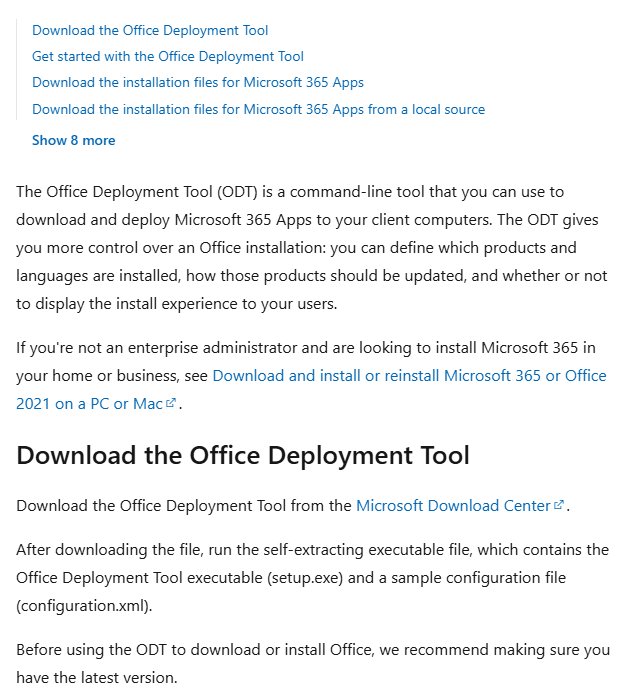
Businesses and administrators can use the Office Deployment Tool, commonly called ODT, to download Microsoft 365 installation files once and deploy them from a local folder or network location.
The tool supports settings such as:
- 32-bit or 64-bit architecture.
- Office product and licence type.
- Installation language.
- Apps to include or exclude.
- Update channel.
- Local installation source.
ODT requires an XML configuration file and Command Prompt commands, so the normal account-based installer is simpler for home users.
Microsoft Office ISO download
Microsoft does not provide one unrestricted Office ISO that activates every edition. The official offline download is normally supplied as an installation image linked to your Microsoft account, product, or deployment configuration.
After downloading the official offline image, Windows mounts it as a virtual drive. You can then open the Office folder and run the 32-bit or 64-bit setup file.
Avoid third-party Office ISO downloads because they can contain modified executables, outdated builds, unofficial activation tools, or a different Office edition from the one your licence covers.
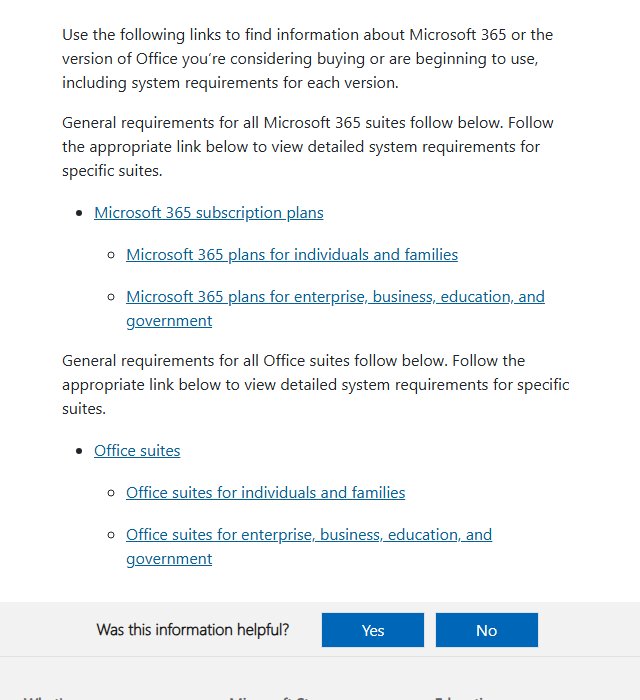
Microsoft Office system requirements
| Component | Windows | Mac |
|---|---|---|
| Supported operating system | Windows 11 for current Microsoft 365 support | One of the three most recent major macOS versions |
| Processor | 1.6GHz or faster, 2-core processor | Supported Intel or Apple silicon processor |
| Memory | 4GB RAM for 64-bit or 2GB for 32-bit | 4GB RAM |
| Storage | At least 4GB available | At least 10GB available |
| Display | 1280 × 768 or higher | 1280 × 800 or higher |
| Internet | Required for downloading, activation, updates, and online services | Required for downloading, activation, updates, and online services |
Large Outlook mailboxes, Excel models, PowerPoint media files, OneDrive folders, and Office updates require additional storage beyond the listed installation minimum.
Fix Microsoft Office not downloading or installing
Install apps button missing in your Microsoft 365 account
Confirm that you signed in with the account connected to the Office licence. A personal purchase will not appear under an unrelated work, school, or secondary Microsoft account.
For a work or school account, your administrator must assign a licence that includes desktop applications. Plans limited to web and mobile apps do not display a desktop installation option.
Office installation stuck or not progressing
Restart Windows or macOS, download a fresh installer, and try again. A slow connection, firewall, proxy, VPN, security product, or damaged setup file can interrupt the Click-to-Run installation.
The offline installer is useful when an unstable connection repeatedly stops the normal download.
Office 32-bit and 64-bit conflict error
Uninstall existing Office applications that use the opposite architecture. This includes stand-alone copies of Visio, Project, Access Runtime, and older Office components.
Restart the PC after uninstalling them, then run the required 32-bit or 64-bit installer again.
Office installed but not activating
Open Word and select File > Account. Sign out of an incorrect account and sign in with the account that owns the licence.
Also check the following:
- The Microsoft 365 subscription has not expired.
- The Office 2024 product key was redeemed successfully.
- The PC has a working internet connection.
- The system date, time, and time zone are correct.
- The licence has not reached its device or activation limit.
Office won’t install on Windows 10
Windows 10 is no longer a supported Microsoft 365 operating system, although existing installations can continue to run and receive temporary security updates. Upgrade to Windows 11 for a fully supported configuration.
Office installer won’t open on Mac
Move the downloaded .pkg file from Downloads to the desktop and open it again. Confirm that your macOS version is supported and that your user account has permission to install software.
Download a fresh copy through Safari when the original installer remains damaged or incomplete.
Download Microsoft Office FAQ
Can I download Microsoft Office for free?
You can use Word, Excel, PowerPoint, Outlook, and OneNote online for free with a Microsoft account. The complete desktop suite requires a Microsoft 365 subscription, Office 2024 licence, eligible education licence, or active trial.
What is the official Microsoft Office download page?
The official installation portal is m365.cloud.microsoft/apps. Sign in with the account connected to your Office product.
Is Microsoft Office the same as Microsoft 365?
Microsoft 365 is a subscription that includes current Office desktop apps and connected services. Office 2024 is a one-time purchase containing classic desktop apps for one PC or Mac.
Is Office 365 still available?
Microsoft renamed most consumer and business Office 365 products as Microsoft 365. The Office 365 name remains in some education and enterprise products.
Can I download Microsoft Office without a product key?
Yes, when your licence is already connected to a Microsoft account or supplied through work or school. You can also use the free web apps without a product key. The paid desktop apps still require a valid licence for activation.
Can I install Microsoft Office without a Microsoft account?
Consumer Microsoft 365 and Office 2024 purchases normally require a Microsoft account for redemption, downloading, installation management, and activation. Some organisation-managed volume licences use different deployment and activation methods.
Should I download 32-bit or 64-bit Office?
Choose 64-bit Office for most modern PCs. Choose 32-bit only when you depend on older add-ins, controls, Access files, or business software that specifically requires it.
Is there a separate Microsoft Office ARM64 download?
No separate public download page is required. Open the standard Microsoft 365 Apps portal on a Windows 11 ARM PC and install the current 64-bit edition.
Can I download Microsoft Office on Windows 10?
Office can continue to install and run on many Windows 10 PCs, but Windows 10 is no longer a fully supported Microsoft 365 operating system. Microsoft recommends upgrading to Windows 11.
Can I download Microsoft Office on a Chromebook?
Chromebooks cannot install the Windows or Mac desktop suite. Use the free Microsoft 365 web apps through a browser or install supported Android apps when the Chromebook provides Google Play access.
Can I download only Microsoft Word or Excel?
Some stand-alone Office products are available, but Microsoft 365 normally installs the included desktop suite together. Administrators can exclude selected applications by using the Office Deployment Tool.
Does Office Home 2024 include Outlook?
No. Office Home 2024 includes Word, Excel, PowerPoint, and OneNote. Office Home & Business 2024 includes Outlook.
Does Microsoft Office for Mac include Access?
No. Microsoft Access does not have a standard Mac desktop version. Access is available only through supported Windows Office editions and licences.
Can I use the Office offline installer on several computers?
The installation files can be reused, but each computer still needs a valid licence and activation. Your Microsoft 365 or Office 2024 terms determine the number of permitted devices.
Does Microsoft Office work without internet access?
Installed Word, Excel, PowerPoint, and OneNote applications can perform many tasks offline after activation. Microsoft 365 needs occasional internet access to verify the subscription, receive updates, synchronize OneDrive files, and use online features.
Can I download an old Microsoft Office version?
You can reinstall an older Office version when it remains connected to your Microsoft account or your organisation provides the installer and licence. Older releases can be unsupported and should not be downloaded from unofficial archives.
How do I reinstall Microsoft Office after resetting my computer?
Open the Microsoft 365 Apps portal, sign in with the account that owns the licence, and select Install apps. You do not need to buy Office again when the existing licence still permits installation on that device.






![SharePoint event list [add, create, and edit event list]](https://techdows.com/wp-content/uploads/2026/10/SharePoint-event-list-add-create-and-edit-event-list-1-600x338.jpg)
Download Microsoft 365 for PC, Windows 11/10 & Mac (Free Trial) - Techdows
[…] install, open Downloads in Finder and double-click Microsoft Office installer.pkg. Select Continue, agree to the licence, enter your Mac password, then open Microsoft […]
Download Microsoft Word for PC, Windows 11/10 & Mac - Techdows
[…] desktop app starts at $99.99 a year with Microsoft 365 Personal, or $179.99 once for Word alone. Office Home 2024 costs the same $179.99 and adds Excel, PowerPoint and OneNote, which makes buying Word alone the […]