Techdows

Windows how-to guides, fixes and software downloads

  • Home
  • Settings and hardware

    • Printers
    • Sound and microphone
    • Wi-Fi and network
    • Bluetooth
    • Display and monitors
    • Drivers
    • Keyboard shortcuts and symbols

    Using Windows

    • File Explorer
    • Storage and disk space
    • Taskbar, Start and desktop
    • Apps and default programs
    • Accounts and sign-in
    • Copilot in Windows
    • Command Prompt and PowerShell

    Updates and fixes

    • Windows Update
    • Windows 11 26H2
    • Error codes and BSOD
    • Boot, BIOS and recovery
    • Security and Defender
    • Task Manager and performance
    • DLL and runtime errors

    Popular fixes

    • Get help in Windows 11
    • Connect a wireless printer
    • Re-pair Bluetooth earbuds for stereo sound
    • Cancel a stuck print job
    • Change default programs

    All Windows guides →

  • Browse by type

    • Web browsers
    • Office and productivity apps
    • PC games and launchers
    • Phone and media apps
    • Developer tools
    • Creative apps
    • CAD software
    • System utilities and drivers

    Popular downloads

    • GTA V for PC
    • YouTube app for PC
    • Google Meet for PC
    • Cisco Packet Tracer
    • TikTok for PC

    Windows tools

    • PC Health Check app
    • HEVC Video Extension
    • DirectX 12
    • Cinebench R23

    All download guides →

  • Browser guides

    • Microsoft Edge
    • Google Chrome
    • Firefox
    • Web browsers for PC

    Microsoft Edge

    • Fix WebView2 using too much memory
    • Internet Explorer mode in Edge
    • Manage Edge favorites
    • Set or remove Edge as default

    Chrome and Firefox

    • Make Chrome the default browser
    • Restore closed tabs
    • Change the default web browser

    All browser guides →

  • Office guides

    • Outlook
    • Excel
    • Word and PowerPoint
    • OneDrive
    • Install Microsoft 365

    Meetings and other tools

    • Teams, Zoom and Google Meet
    • Google Docs and Sheets
    • PDF tools

    Office apps

    • Office product key
    • Office Deployment Tool
    • What is OneDrive?
    • Turn off OneDrive in Windows 11

    Outlook and Teams

    • Outlook inbox view changed
    • Schedule an email in Outlook
    • Outlook dark mode
    • Teams breakout rooms

    All Office and productivity guides →

  • PHP security

    • PHP2Shell patch download
    • PHP critical RCE security update
    • CVE-2026-109618 fix
    • CVE-2026-109619 explained
    • Mitigations if you can't update

    Update PHP

    • Update PHP to the latest version
    • Check your PHP version
    • Update PHP on Ubuntu and Debian
    • Restart PHP-FPM

    Hosting and local servers

    • Update PHP in XAMPP
    • Change PHP version in cPanel
    • Update PHP in Laragon and WampServer
    • Update PHP Docker images
    • WordPress PHP version check

    PHP downloads

    • PHP 8.5.12 download
    • PHP 8.4.27 download
    • PHP 8.3.36 and 8.2.35 download
    • Download PHP for Windows

    PHP2Shell by platform

    • PHP 8.3 fix on Ubuntu 24.04
    • PHP 8.1 fix on Ubuntu 22.04
    • PHP 8.2 and 8.4 fix on Debian
    • Update PHP on IIS
    • Cloudflare PHP2Shell WAF rule

    All PHP guides →

  • Sections

    • Gaming
    • Apple
    • Android
    • Apps and services
    • Developer and IT

    Apple

    • iPhone tips and fixes
    • Reset and restore iPhone
    • iPad
    • Mac and macOS
    • Apple Account and iCloud
    • Apple devices on Windows

    Apps, Android and gaming

    • Gmail and Google account
    • YouTube
    • Social media accounts
    • Streaming TV
    • Android and Samsung Galaxy
    • PC gaming and Xbox
    • Roblox and Minecraft on PC

    Developer and IT

    • WSL and developer setup
    • Virtual machines
    • Group Policy and Intune
    • Windows Server
    • Website error codes
  • News
Home›MS Office

MS Office

10 articles

Microsoft
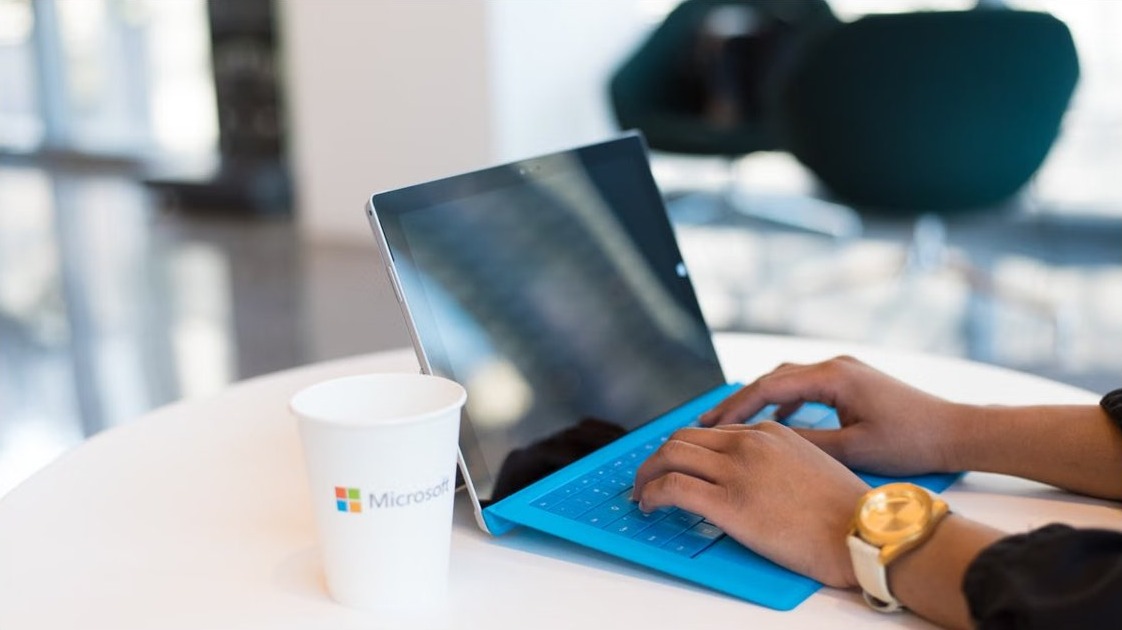
Download Microsoft Office for PC & Mac, Windows 11/10, 64-bit, Free & Offline Options
Download Microsoft Office for PC & Mac, Windows 11/10, 64-bit, Free & Offline Options

October 27, 2026 by Philip Celasco 2 Comments
Download Microsoft Office for PC & Mac, Windows 11/10, 64-bit, Free & Offline Options

Download Microsoft Office for PC or Mac from official Microsoft pages: Microsoft 365, Office 2024, 64-bit, 32-bit, ARM64, free web apps and offline installer.


Posted in: Microsoft, MS Office, Office and productivity, Windows, Windows 11
Microsoft Edge
Microsoft Edge settings, extensions and clear cache on a Windows laptop browser

OneNote Web Clipper for Chromium Edge is now available on Microsoft Edge extensions store

October 15, 2019 by Venkat Eswarlu
Microsoft Edge settings, extensions and clear cache on a Windows laptop browser

The OneNote Web Clipper, Microsoft’s extension for saving web pages straight into your OneNote notebooks, is available for the Chromium-based Microsoft Edge from the … [Read more…]


Posted in: Microsoft Edge, MS Office
Microsoft
Microsoft Office and productivity apps for PC

Microsoft adds dictation to OneNote Online

December 15, 2018 by Venkat Eswarlu
Microsoft Office and productivity apps for PC

Microsoft added voice dictation to OneNote Online, the browser version of OneNote now called OneNote for the web. Instead of typing, you can speak … [Read more…]

Posted in: Microsoft, MS Office
MS Office

Download Microsoft Office 2010 Service Pack 2 (SP2)

July 1, 2013 by Venkat Eswarlu Leave a Comment

If you’re using Microsoft Office 2010 on your computer, its time to update it with service Pack 2. Microsoft has released Service Pack 2 final for Office 2010 and SharePoint 2010 and is available for download from its Download center

Posted in: MS Office, News
MS Office
Microsoft Office 2010 logo

Download Microsoft Office 2010 Service Pack 2 (SP2) Public Beta

April 1, 2013 by Venkat Eswarlu Leave a Comment
Microsoft Office 2010 logo

Public Beta for Service Pack 2 of Office 2010 has been released by Microsoft and is available for download for testing via their Connect site. You need to log into connect site with Microsoft account username and password to grab

Posted in: MS Office, News
MS Office
Office 2013 Trial extender program

Office 2013 Trial Can be Extended from 30 to 180 Days Legally

March 1, 2013 by Venkat Eswarlu 1 Comment
Office 2013 Trial extender program

Have you installed Microsoft Office 2013 trial version on your computer? if the 30-day trial period is coming to an end and if you’re looking for ways to use it for more period of time legally  then you should know

Posted in: MS Office, Tips and Tricks
MS Office
Quick Start Guide for Microsoft Word 2013

Download Microsoft Office 2013 Quick Start Guides in PDF Format

February 1, 2013 by Venkat Eswarlu 2 Comments
Quick Start Guide for Microsoft Word 2013

When Office 2010 was released Microsoft has offered interactive guides and product guides and getting started EBook for their Office 2010 applications to get used to by users, this year with launch of Office 2013 final Microsoft is offering similar

Posted in: MS Office, News
MS Office
Troubleshooter launched by Office 2013 Fix it tool

Remove Office 2013 or Office 365 Completely with Fix It Released by Microsoft

January 1, 2013 by Venkat Eswarlu Leave a Comment
Troubleshooter launched by Office 2013 Fix it tool

If you were not able to uninstall Microsoft Office 2013 from your Computer in regular fashion from Programs and Features then use the Fix It tool released by Microsoft instead to completely remove it from your Computer. We’ve already covered

Posted in: MS Office, Tips and Tricks
How to

How to Deactivate and Uninstall Office 2013 from Your Computer

July 27, 2012 by Venkat Eswarlu

Few days back, Microsoft has released Consumer Preview of Office 2013 for public testing and if you don’t know- Office 2013, or office 15 … [Read more…]

Posted in: How to, MS Office, Tips and Tricks Tagged: deactivation, Office 2013, uninstall
MS Office

Office 2013 Consumer Preview Expiration Date?

July 17, 2012 by Venkat Eswarlu

By this time you might have heard the news about public release of Office 2013 consumer Preview, have you installed Office 15 beta on … [Read more…]

Posted in: MS Office, Tips and Tricks Tagged: Expiry date, Microsoft, Office 15, Office 2013

More from Techdows

Install and use FFmpeg on Windows 11 - video editing timeline on a PC screen
How to install and use FFmpeg on Windows 11
How to · 5 hours ago
Type hyphen, en dash and em dash in Word - hands typing on a keyboard
How to type hyphen, en dash, and em dash in Word
How to · 5 hours ago
Set up X or Twitter sharing on Xbox One - Xbox One S console and controller
How to set up X or Twitter sharing on Xbox One
How to · 5 hours ago
Bridge File Explorer and Terminal in Windows 11 - Windows 11 laptop desktop
Bridge File Explorer and Terminal in Windows 11 for faster workflows
How to · 5 hours ago
Find computer username and password in Windows 11 - combination lock dial
How to find computer username and password in Windows 11
How to · 5 hours ago
Change where downloads are saved in Windows 11 - Windows laptop on a desk
How to change where downloads and new content are saved in Windows 11
How to · 4 hours ago
Repair iPad screen - tablet being repaired with specialized tools
How to repair iPad screen: A step-by-step guide to fix your device
How to · 4 hours ago
Install WhatsApp on an older iPad - iPad home screen with app icons
How to install WhatsApp on an iPad that runs an older iOS version
How to · 4 hours ago

© 2009–2026 Techdows · About · Contact · Privacy Policy

Copyright © 2026 Techdows.

Techdows WordPress Theme by Techdows