You can download Microsoft Word for PC free only as part of the one-month Microsoft 365 trial; the permanent free option is Word for the web, which runs in your browser with a free Microsoft account, plus the free iPhone and Android apps. The full Microsoft Word download for Windows 11, Windows 10 and Mac comes from m365.cloud.microsoft/apps after you sign in with an account that holds a Microsoft 365 or Office licence.
Microsoft publishes no free standalone desktop installer, so any site offering a free Word .exe is not Microsoft. Below: which download fits your device, every free route, installing on Windows and Mac, installing Word without the rest of Office, the offline installer, and fixes when setup stalls.
Microsoft Word download options for PC and Mac
Word is not one file. What you download depends on the device and on the licence attached to your account.
| Your situation | What to get | Price or size |
|---|---|---|
| Windows 11 or 10 PC, Microsoft 365 subscriber | Sign in and select Install apps | Included |
| Windows PC, no subscription, buy Word once | Word one-time purchase | $179.99 |
| Windows PC, want Word plus Excel and PowerPoint | Office Home 2024 | $179.99 |
| Mac, with a licence already | Microsoft_Word_Installer.pkg | about 1.3 GB |
| Any browser, nothing to pay | Word for the web | Free |
| iPhone or iPad | Word on the App Store | Free, about 557 MB |
| Android phone or tablet | Word on Google Play | Free |
| Want the desktop app free for a month | Microsoft 365 free trial | Free for 1 month, then paid |
| Student or teacher at an eligible school | Office 365 A1 | Free, web apps only |
Every route above ends on a Microsoft domain. No page on microsoft.com hands out a Word setup file that installs without a licence behind it.
Download Microsoft Word from the official Microsoft sources
Microsoft distributes Word from four places: the account portal, the product pages, the Office content delivery network, and the mobile app stores.
- Microsoft 365 install instructions — sign in at m365.cloud.microsoft/apps, then select Install apps
- Word product page — one-time purchase $179.99 for 1 PC or Mac
- Word for the web — free with a Microsoft account, plus 5 GB of OneDrive storage
- Word for Mac installer package — about 1.3 GB · Microsoft_Word_Installer.pkg from the Office CDN, always the newest build
- Mac suite package without Teams — about 2.8 GB · Word, Excel, PowerPoint, Outlook and OneNote in one .pkg
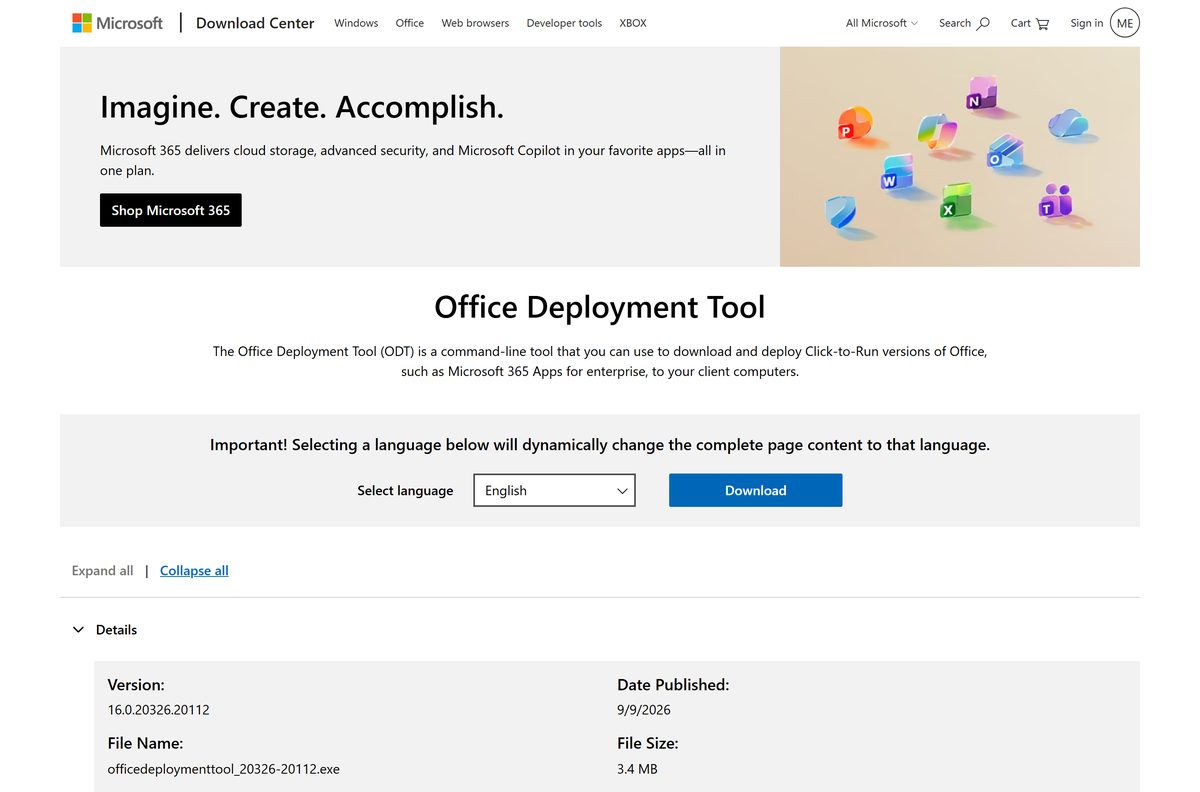
- Office Deployment Tool — 3.4 MB · version 16.0.20326.20112, for installing Word on its own
- Word for iPhone and iPad — free, about 557 MB, published by Microsoft Corporation
- Word for Android — free, published by Microsoft Corporation
Windows has no standalone Word .exe on microsoft.com. The setup file is generated for your account after sign-in, or assembled locally by the Office Deployment Tool.
Is Word free on a PC and Mac?
Not as a permanent desktop app. Microsoft’s own Word page answers “Is there a free version of Microsoft Word?” with Word for the web, and its US plan pages list no free desktop edition. What you can get free on a PC is:
- Word for the web: free for good in Edge, Chrome, Firefox or Safari with a Microsoft account.
- The Microsoft 365 trial: the real desktop download, free for one month, then billed unless you cancel.
- A school licence: free web apps through Office 365 A1, or the desktop app if your school pays for A3 or A5.
- A web app shortcut: Edge can install Word for the web as an app with its own Start menu entry (steps below).
Is Microsoft Word free?
Word for the web is free. The Word desktop app is not. A Microsoft account gets Word, Excel and PowerPoint in a browser at no cost, with 5 GB of OneDrive storage. The desktop app starts at $99.99 a year with Microsoft 365 Personal, or $179.99 once for Word alone. Office Home 2024 costs the same $179.99 and adds Excel, PowerPoint and OneNote, which makes buying Word alone the weaker deal. Any site selling a discounted Word product key is not selling a licence Microsoft recognises.
Microsoft Word online
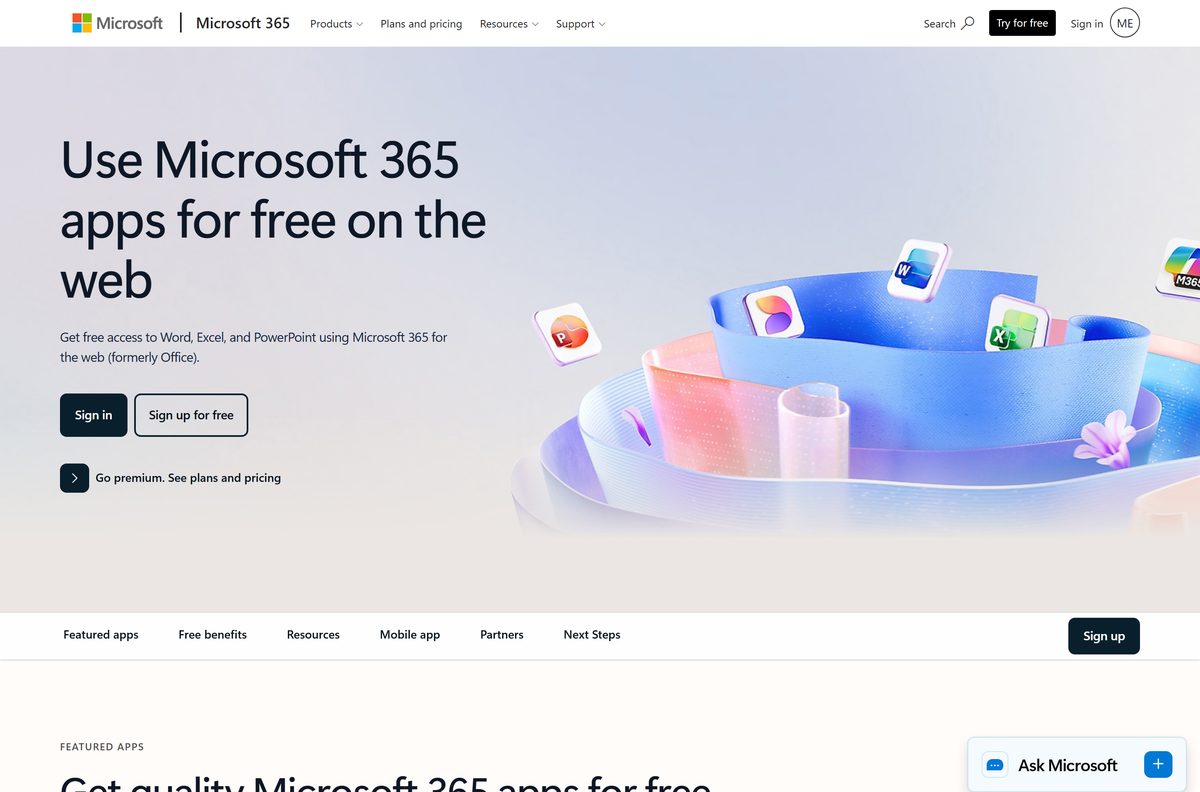
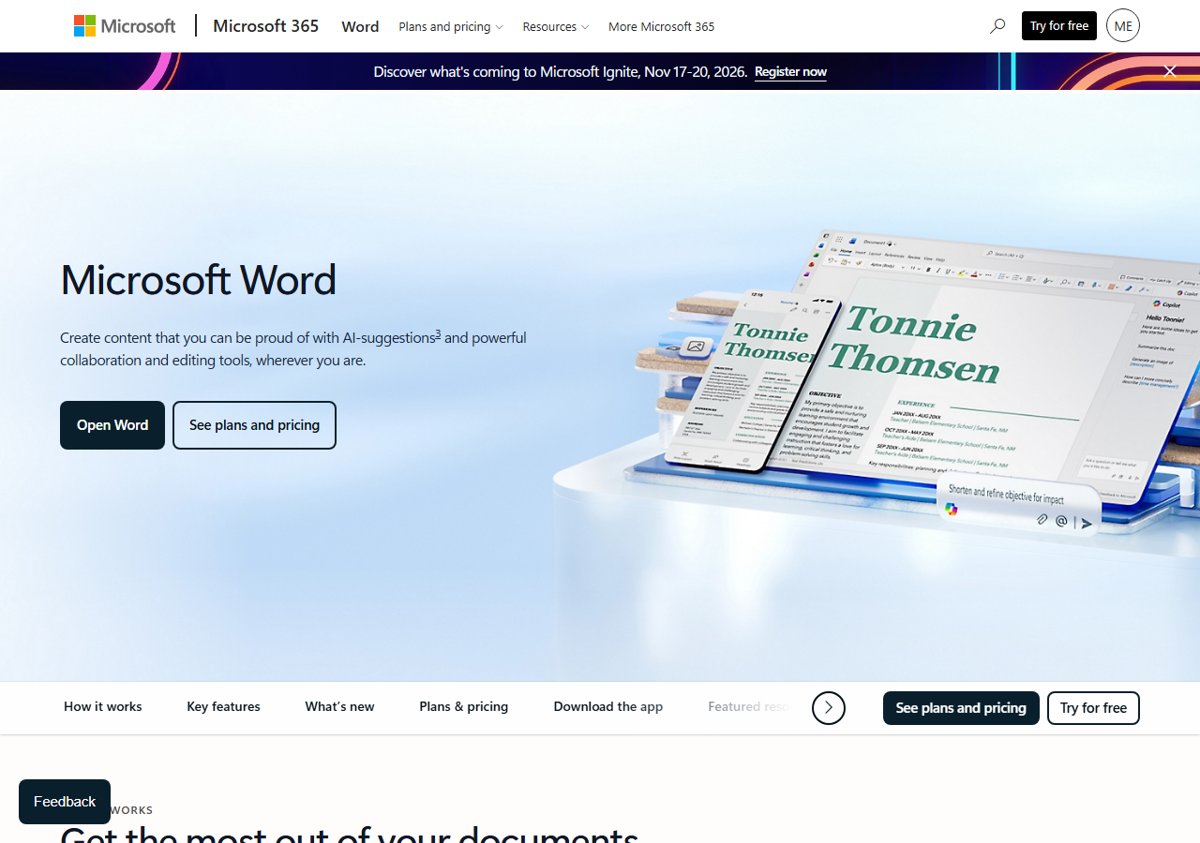
Word for the web runs in Edge, Chrome, Firefox or Safari, so nothing is installed and the Windows version does not matter.
- Open the Microsoft Word page and select Open Word.
- Sign in with a Microsoft account, or select Sign up for free to create one with any email address.
- Select Blank document, or pick one of the free templates.
- Type as normal. Word saves the file to OneDrive automatically.
- To edit a file from your PC, select Upload and choose the .docx file.
- Select File, then Save as and Download a copy to keep a local .docx or PDF.
The free plan Microsoft lists for Word covers one person, real-time sharing, basic spelling and grammar, basic templates, dictation and 5 GB of cloud storage.
Create a Word web app shortcut on Windows
Edge can install Word for the web as an app, which gives it its own window and a Start menu entry without the paid desktop download.
- Open Word for the web in Microsoft Edge and sign in.
- Select the three-dot menu in the top-right corner.
- Select Apps, then Install this site as an app.
- Name it Microsoft Word and select Install.
- Choose whether to pin it to Start or the taskbar.
The shortcut still opens the web version, so it needs an internet connection.
Other ways to use Microsoft Word for free
Four routes give you Word without paying, and only two of them include the desktop app.
| Free route | Desktop Word? | What to know |
|---|---|---|
| Word for the web | No | Free for good with a Microsoft account, needs an internet connection |
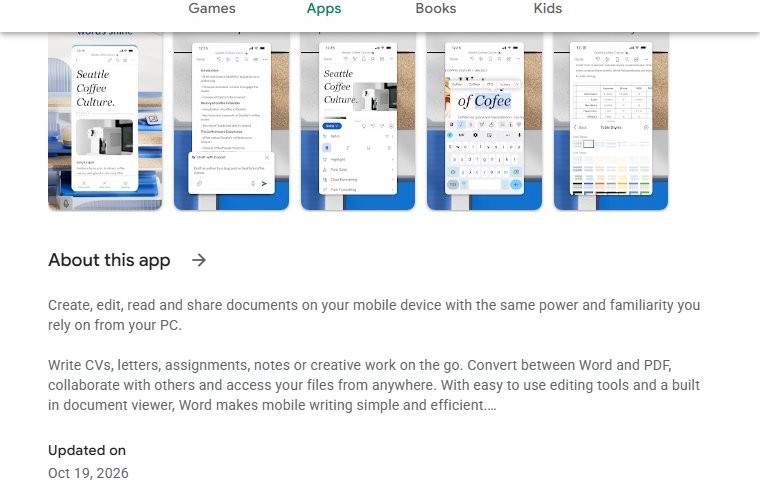
| Word for iPhone, iPad and Android | No | Free from the App Store and Google Play |
| Microsoft 365 free trial | Yes | One month of Personal, Family or Premium, then it renews at the full price unless cancelled in your Microsoft account |
| Office 365 A1 for schools | No | Free for eligible schools, web versions of Word, Excel, PowerPoint, Outlook and OneNote |
| Office 365 A3 or A5 through a school | Yes | Paid by the school, installs on up to five PCs or Macs per user |
| Microsoft 365 Premium college offer | Yes | Microsoft’s education page offers 12 months of Premium with a college email, for a limited time |
The trial asks for a payment method and renews automatically, so cancel it in your Microsoft account before the month ends if you do not want to pay. Word for the web keeps working on the same OneDrive files after that.
Microsoft Word can be free, but know the limitations
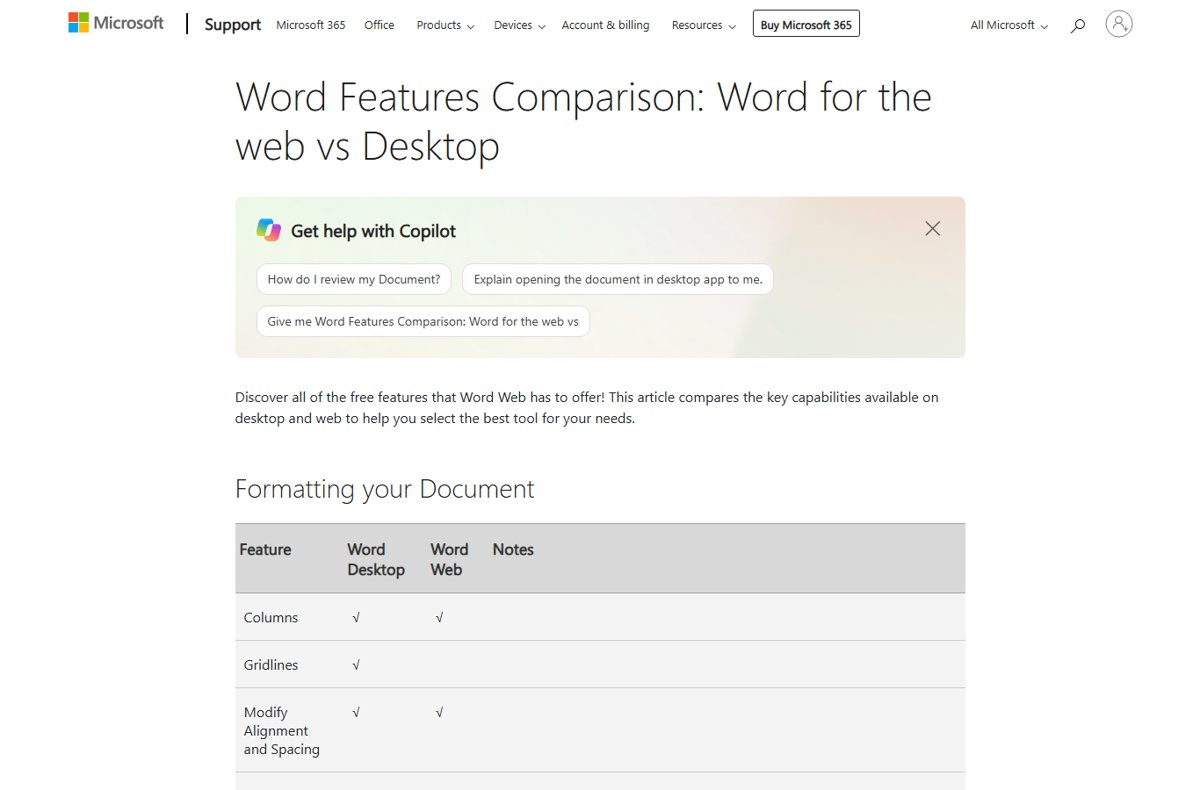
Both open and save .docx files with the same formatting. Microsoft’s own feature comparison shows where the free web version stops.
| Feature | Word desktop | Word for the web (free) |
|---|---|---|
| Styles, templates, tables, headers and footers | Yes | Yes |
| Track changes, comments, real-time co-authoring | Yes | Yes |
| Table of contents, footnotes, Export as PDF | Yes | Yes |
| Citations, bibliography and captions | Yes | No |
| Mail merge, envelopes and labels | Yes | No |
| Macros and ActiveX controls | Yes | No |
| Section breaks, cover pages, SmartArt and charts | Yes | No |
| Compare and merge revisions | Yes | No |
| Password-protected documents | Open and edit | Read-only |
| Offline viewing and editing | Yes | No |
Letters, essays, CVs and shared drafts work fine in the browser. Theses with citations, mail-merged letters and macro-driven templates need the desktop app.
Microsoft Word price: Microsoft 365 plans
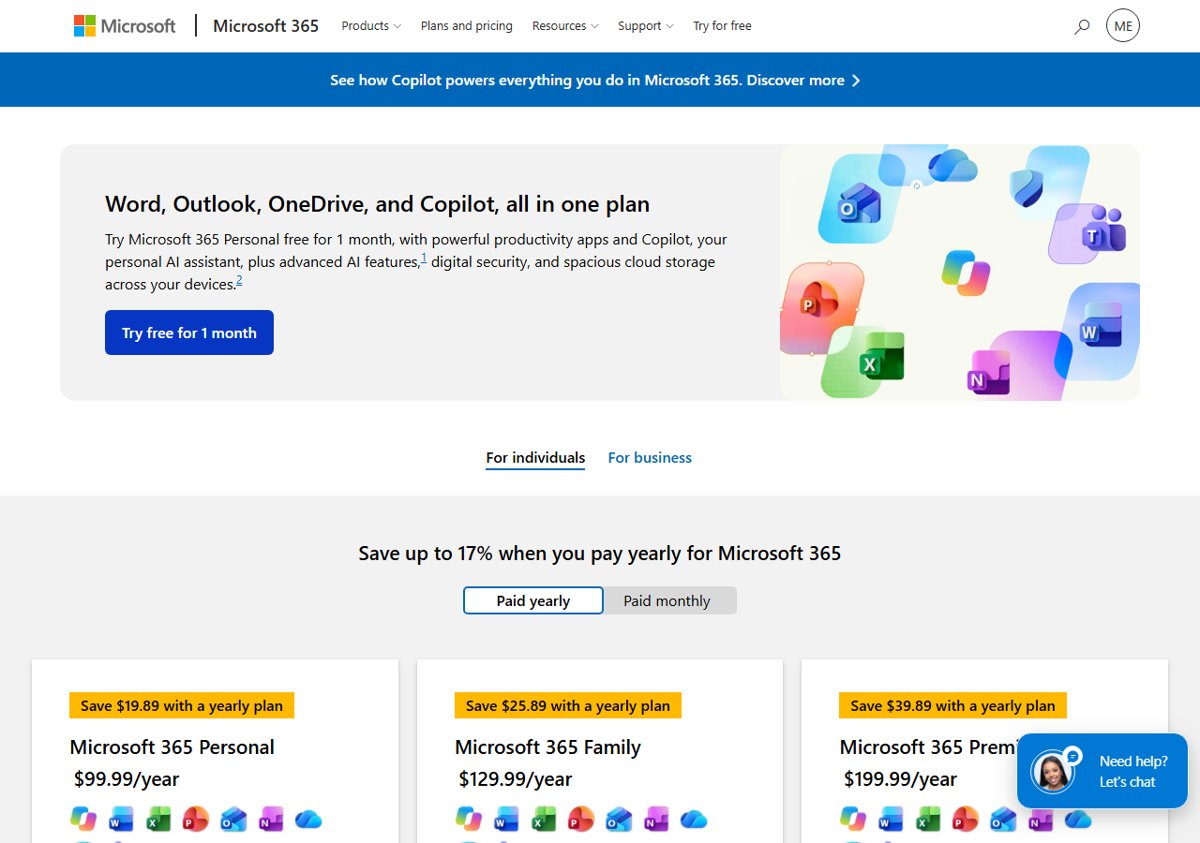
No. Word for the web needs only a free Microsoft account, and Word can be bought once without a subscription. These are Microsoft’s US prices on 25 October 2026.
| Plan | Price | Word desktop app? |
|---|---|---|
| Microsoft Word Free | $0 | No, Word for the web and mobile |
| Microsoft 365 Basic | $19.99 a year or $1.99 a month | No, web and mobile apps plus 100 GB of OneDrive storage |
| Microsoft 365 Personal | $99.99 a year or $9.99 a month | Yes, 1 person on up to 5 devices at once |
| Microsoft 365 Family | $129.99 a year or $12.99 a month | Yes, up to 6 people |
| Microsoft 365 Premium | $199.99 a year or $19.99 a month | Yes, Family plus higher Copilot limits |
| Word, one-time purchase | $179.99 | Yes, 1 PC or Mac |
| Office Home 2024 | $179.99 | Yes, with Excel, PowerPoint and OneNote, 1 PC or Mac |
Office 2024 is supported until 9 October 2029. Office 2021 reached end of support on 13 October 2026, so a copy of Word 2021 still runs but gets no more security updates. Business buyers get the same Word app through Office LTSC 2024 or Microsoft 365 Business Standard.
Microsoft Word system requirements
Microsoft publishes one requirements list for Word on the product page. These are the figures the installer enforces.
| Field | Value |
|---|---|
| Developer | Microsoft Corporation |
| Latest version | 2610 (Build 20527.20088) on Windows, 16.113 on Mac |
| License | Paid, with a free browser version |
| Supported OS | Windows 11 and Windows 10; macOS 27, macOS Tahoe 26 and macOS Sequoia 15 |
| Processor | 1.6 GHz, 2-core |
| Memory | 4 GB RAM on 64-bit, 2 GB on 32-bit; 4 GB on a Mac |
| Disk space | 4 GB free on a PC, 10 GB on a Mac |
| Display | 1024 x 768 on a PC, 1280 x 800 on a Mac |
| Graphics | DirectX 10 card for hardware acceleration |
| Architecture | x64, x86 and ARM64 on Windows; Universal 2 on Mac |
| Mac installer size | About 1.3 GB for Word alone, 2.8 GB for the suite |
| Offline installer | Yes, on both Windows and Mac |
| Also required | Internet access and a Microsoft account |
| Last verified | 2026-10-25 |
Windows 10 support ended on 14 October 2025. Microsoft 365 Apps keeps delivering security updates on Windows 10 until 10 October 2028, but Windows 10 PCs stay on Version 2608 and get no new features.
How to check if Microsoft Word is installed
Some new PCs ship with Microsoft 365 preinstalled, sometimes as a trial. Check before you download anything.
- Press the Windows key and type Word . A Word result with the blue icon means the app is on the PC.
- Press Windows + I, open Apps, then Installed apps.
- Search the list for Microsoft 365 or Office.
- Open Word, select File, then Account, and read Product Information to see whether it is licensed, a trial, or unlicensed.
A Word icon on a new PC does not prove a licence. When a manufacturer trial expires, Word drops into reduced functionality mode: it opens and prints documents but will not create, edit or save them until it is activated. If Word is installed but asks for activation, a second download will not fix it. Sign in with the account that holds the licence instead.
How to install Microsoft Word on Windows 11 and 10
The download starts from your account, not from a product page. Sign in with the account that holds the Microsoft 365 or Office licence.
- Go to m365.cloud.microsoft/apps and select Sign in.
- Sign in with the Microsoft account or work account that owns the licence.
- Select Install apps, then Install.
- Select Run in Edge, Setup in Chrome, or Save File in Firefox.
- Select Yes at the Do you want to allow this app to make changes to your device? prompt.
- Leave the installer running until it reports You’re all set! Office is installed now, then select Close.
- Open the Start menu, search for Word, and open it.
- Accept the licence agreement the first time Word opens.
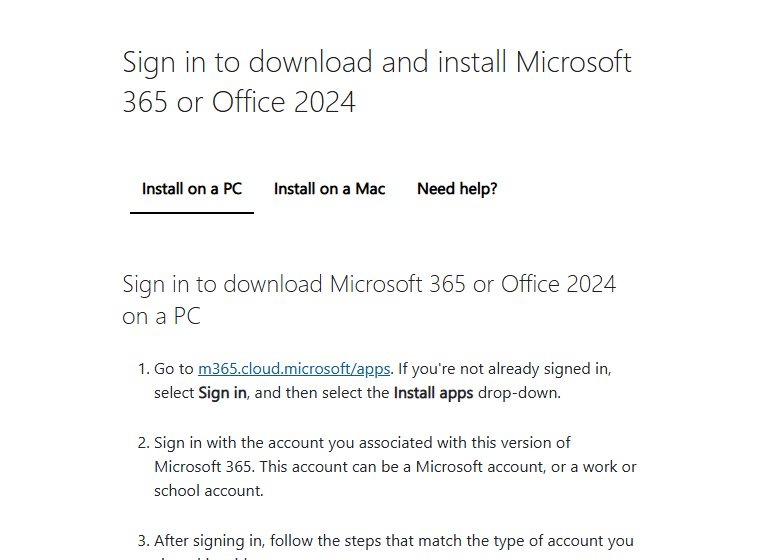
Setup installs the whole suite, so Excel, PowerPoint, OneNote and OneDrive land alongside Word. Keep 4 GB of disk space free for it.
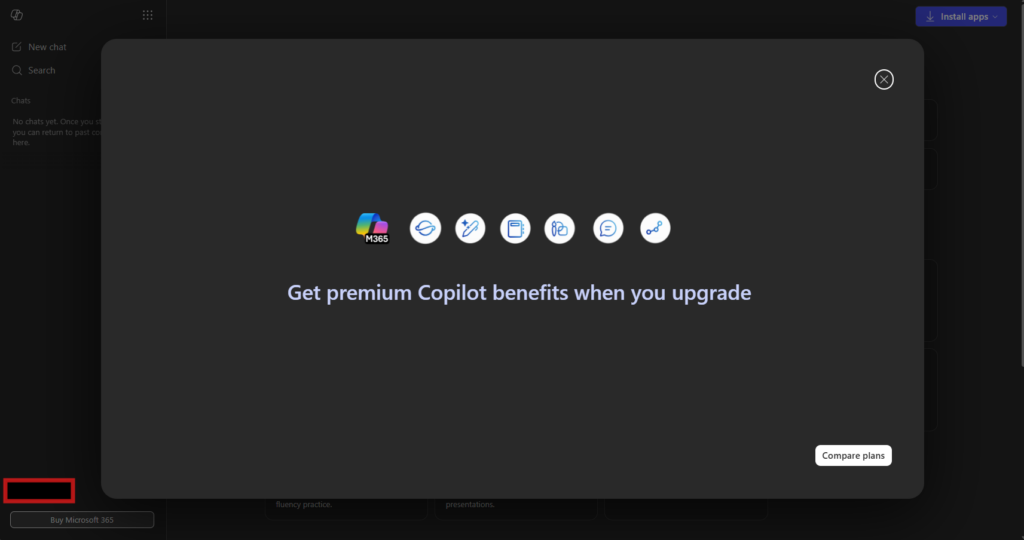
Microsoft Word download for Windows 11
Windows 11 gets every new Word feature on Current Channel, now Version 2610. It is also the only option on Arm-based PCs, where the 64-bit installer adds the Arm-optimised components.
Microsoft Word download for Windows 10
The same installer works on Windows 10, and Word activates normally. Microsoft holds Windows 10 PCs on Version 2608 with security updates only until 10 October 2028, so move to Windows 11 before then.
Reinstall Word you already paid for
You do not buy Word again after a reset or on a new PC. Sign in at m365.cloud.microsoft/apps with the same Microsoft account, select Install apps, and the licence follows the account. A one-time purchase such as Word or Office Home 2024 installs on one PC at a time, so remove it from the old machine first when moving Office to a new computer. A product key that was never redeemed goes in at microsoft365.com/setup first; if you have lost it, these steps help you find the Office product key on the old PC.
Install Office Home 2024 or Word with a product key
A boxed copy or a retail card carries a product key that has to be tied to a Microsoft account before anything downloads.
- Go to microsoft365.com/setup and sign in with the Microsoft account you want the licence on.
- Enter the 25-character product key and finish the redemption.
- Go to m365.cloud.microsoft/apps, select Install apps, and run the installer.
- Open Word and sign in with the same account to activate it.
The key is redeemed once, and every later reinstall comes from the account with no key. Office Home 2024 is a one-time purchase, so it keeps its 2024 feature set and gets security fixes, but not the new features Microsoft 365 subscribers receive.
Download Word with a work or school account
Sign in at m365.cloud.microsoft/apps with the work or school address, open Apps if the home page has no install option, then select Install apps and Microsoft 365 apps. The button appears only when an administrator has assigned a licence that includes the desktop apps. Microsoft 365 Business Basic and Office 365 A1 are web and mobile only, so a missing Install apps button usually means a question for the IT department, not a fault in the download.
Install Microsoft Word with winget or from the Microsoft Store
Neither route supplies a licence. Both fetch the same Click-to-Run package Microsoft serves from its own network.
- Open Terminal as an administrator on Windows 11.
- Run winget install –id Microsoft.Office –source winget to pull Microsoft’s setup from officecdn.microsoft.com.
- Read the package name before accepting it: winget installs Microsoft 365 Apps for enterprise, which activates only against a business licence, so a home subscriber should use the account route instead.
- For the free companion app, open Microsoft Store and search for Microsoft 365 Copilot, product 9WZDNCRD29V9.
- Select Get. The app opens Word for the web, and switches to the desktop app once one is installed.
The Microsoft Store carries no Word desktop listing. The old Word Mobile touch app is no longer available there, and Microsoft ended its support on 14 October 2025, so uninstall it if a PC still has it.
Install Word without the rest of Office using the Office Deployment Tool
You can buy Word on its own for $179.99, but the consumer installer has no app picker, so it still writes the full suite. The Office Deployment Tool does have one, and Microsoft gives it away.
Exclusion is subtractive. Name the product your licence covers, then exclude every app you do not want.
| What you need | What to use |
|---|---|
| The tool itself | Office Deployment Tool 16.0.20326.20112 |
| Microsoft 365 Personal or Family | Product ID O365HomePremRetail |
| Office Home 2024 | Product ID Home2024Retail |
| Word bought on its own | Product ID Word2024Retail |
| Microsoft 365 Apps for enterprise | Product ID O365ProPlusRetail |
| Apps you can exclude | Access, Excel, Groove, Lync, OneDrive, OneNote, Outlook, OutlookForWindows, PowerPoint, Publisher, Teams |
| Fetch the installation files | setup.exe /download word.xml |
| Install from those files | setup.exe /configure word.xml |
A configuration file for Word alone sets OfficeClientEdition=”64″ , names your product ID, and adds one
Both commands need local administrator rights. The command prompt prints Products configured successfully when the install finishes.
Run the Microsoft 365 offline installer when the download stalls
A slow line, a proxy or a firewall can stop the normal setup part way. Microsoft publishes an offline installer for that case.
- Open Microsoft’s offline installer page and select the download button.
- In the Install window, open Choose a version and select Offline installer.
- Select your language, then select Install.
- Save the file and wait for O365HomePremRetail.img to arrive in Downloads.
- Double-click the .img file to mount it as a virtual drive.
- Open the drive, open the Office folder, then run Setup64.exe on a 64-bit PC or Setup32.exe on a 32-bit PC.
- Wait for the You’re all set message.
- Connect to the internet and open Word once so it can activate.
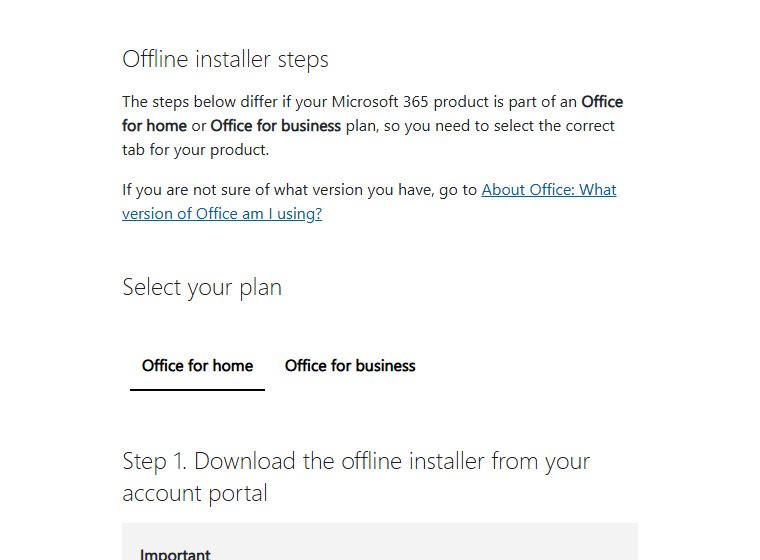
The .img file carries the installation files, so the install itself runs without a connection. Activation does not.
Download Microsoft Word for Mac
Microsoft ships Word for Mac as an Apple installer package. Every package is Universal 2, so one file covers Apple silicon and Intel.
| What you want | Package | Size |
|---|---|---|
| Word on its own | Microsoft_Word_Installer.pkg | about 1.3 GB |
| Word, Excel, PowerPoint, Outlook and OneNote, no Teams | Microsoft_365_and_Office_Installer.pkg | about 2.8 GB |
| The same suite with Teams included | Microsoft_365_and_Office_BusinessPro_Installer.pkg | about 3 GB |
| Word on an iPad | Word on the App Store | about 557 MB |
Installing needs an administrator account on the Mac. Word for Mac supports the three most recent major versions of macOS, which in October 2026 are macOS 27, macOS Tahoe 26 and macOS Sequoia 15. Macs on macOS Sonoma still receive Word updates, and a new install of Office 2024 for Mac needs Sonoma or later.
- Sign in at m365.cloud.microsoft/apps and select Install apps, or open a package from the table above.
- Open the downloaded .pkg file from Downloads in Finder.
- Select Continue on the first screen and accept the licence agreement.
- Enter your Mac administrator password and select Install Software.
- Select Close at The installation was successful.
- Open Word from Launchpad or Applications and sign in to activate it.
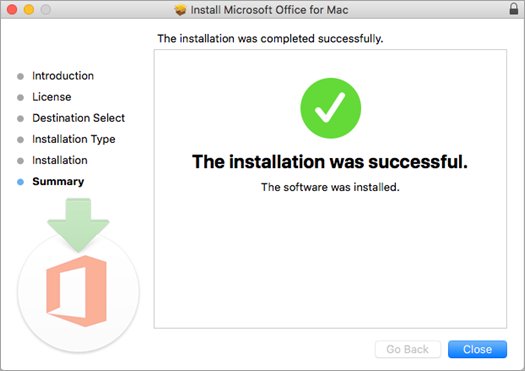
The suite package is smaller than the individual app packages added together, because the apps share one set of fonts, frameworks and proofing tools. To skip apps you do not want, select Customize in the suite installer and clear them before selecting Install.
Download Word from the Mac App Store
- Open the App Store on the Mac and search for Microsoft Word.
- Confirm the developer is Microsoft Corporation.
- Select Get, then Install.
- Open Word and sign in with a Microsoft 365 account.
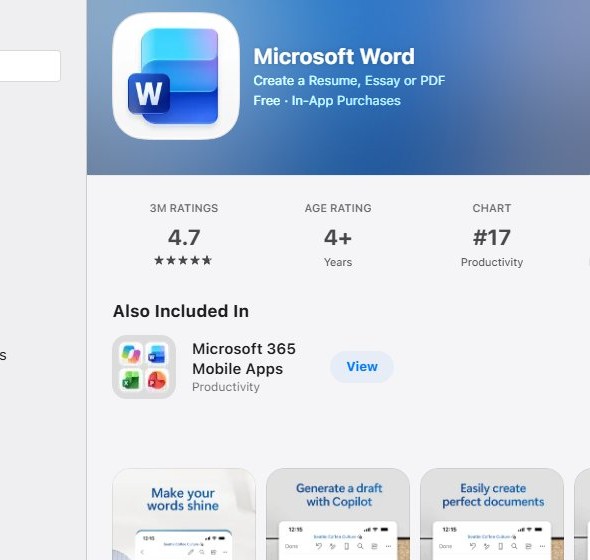
The App Store copy is free to download, but creating and editing documents needs a Microsoft 365 subscription. One-time licences such as Office Home 2024 or a Word purchase do not activate it, so remove the App Store version and install the package from Microsoft instead. App Store installs update through the App Store, not Microsoft AutoUpdate.
Microsoft Word 64-bit or 32-bit: which to install
Install 64-bit Word. Microsoft 365 installs the 64-bit edition unless you pick 32-bit before setup starts. Choose 32-bit only for a dependency with no 64-bit replacement: a 32-bit COM add-in, a 32-bit ActiveX control, VBA Declare statements that call 32-bit APIs, a 32-bit MAPI application for Outlook, or a legacy Word Equation Editor or WLL file. On an Arm-based PC the choice disappears. Arm devices need Windows 11, the 32-bit build is unsupported on them, and the 64-bit installer carries the Arm-optimised components. Mixed architectures fail, so a 64-bit install cannot sit beside a 32-bit one. To switch, uninstall every Office app first, then reinstall from Install apps and pick the other version under the language and install options.
How to check your Word version and update it
Word carries the version of the whole Microsoft 365 installation, not a number of its own.
- Open Word and select File.
- Select Account.
- Read the version and build under Product Information.
- Select About Word to confirm whether the install is 64-bit or 32-bit.
- Select Update Options, then Update Now.
- On a Mac, open the Word menu and select About Word to read the version.
- On a Mac, open Help, select Check for Updates, then select Update in Microsoft AutoUpdate.
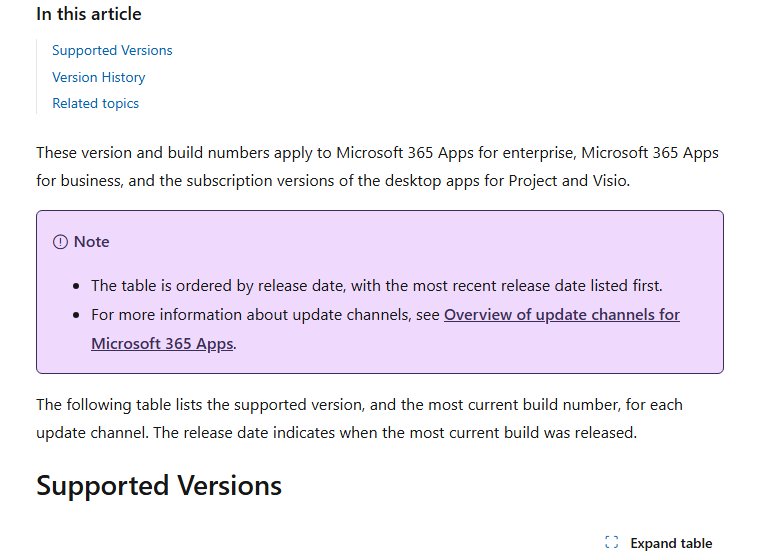
Current Channel on Windows is on Version 2610, build 20527.20088, released on 21 October 2026, and Word for Mac is on the 16.113 line. The same steps check for Office updates across Excel and PowerPoint too.
How to check a Microsoft Word installer is genuine
Word is one of the most impersonated downloads on the web. The signature on the file settles the question in about ten seconds.
- Check the address first. Genuine files come from microsoft.com, go.microsoft.com, officecdn.microsoft.com or download.microsoft.com.
- On Windows, right-click the downloaded file and select Properties.
- Open the Digital Signatures tab, select the signature in the list, then select Details.
- Confirm the signer name reads Microsoft Corporation. No Digital Signatures tab means the file did not come from Microsoft.
- On a Mac, open Terminal and run pkgutil –check-signature ~/Downloads/Microsoft_Word_Installer.pkg .
- Confirm the certificate chain in the output names Microsoft Corporation.
- Close any page offering a Word licence key far below Microsoft’s price, or offering Word as a small .exe.
A full Word installation is measured in gigabytes. A 5 MB Word setup file is a different program wearing the name.
Microsoft Word not downloading or installing on Windows 11 or 10: fixes
The download never starts
The browser, the network or the account is blocking the setup file before it reaches the PC.
- Confirm you are signed in at m365.cloud.microsoft/apps with the account that holds the licence.
- Check the browser’s downloads list for a blocked or cancelled file, and allow it.
- Try a different browser, or turn off a VPN or proxy for the download.
- Restart the PC and run Windows Update before trying again.
The install fails part way through
A damaged or partial installation from an earlier attempt is blocking the new one.
- Restart the PC and start the install again.
- If it fails a second time, run Microsoft’s uninstall troubleshooter to strip the old installation out.
- Restart again once the troubleshooter finishes.
- Sign in and install from Install apps again.
- For Office 2024, skip the troubleshooter and uninstall from Control Panel, because the tool does not handle that release.
Setup runs for hours and never finishes
A slow connection, a proxy or a firewall is throttling the stream from the Office network.
- Confirm at least 4 GB of free disk space on the system drive.
- Pause other downloads and streaming on the network.
- Switch to the offline installer and run Setup64.exe from the mounted .img file.
- Retry on a network without a corporate proxy if the offline route also stalls.
Windows reports an unsupported operating system
Microsoft 365 and Office 2024 need Windows 11 or Windows 10. Older releases stop with that error or with a KERNEL32.dll error.
- Press Windows + I and open System > About.
- Read the Edition and Version lines.
- Upgrade the PC to a supported Windows version.
- Use Word for the web in the meantime, which has no Windows requirement.
The Install button is greyed out
The subscription on that account has lapsed, or the sign-in used a different account.
- Sign out and sign back in with the account that bought the licence.
- Open Services & subscriptions in your Microsoft account.
- Renew the subscription if it shows as expired.
- Return to Install apps and try again.
Word installs but will not activate
Activation is a separate step from installation, and it needs an internet connection.
- Connect the PC to the internet.
- Open Word and select File > Account.
- Read Product Information to see which account the copy is tied to.
- Sign in with the licensed account if a different one is listed.
- Run Microsoft’s setup troubleshooter if activation still fails, or work through the fixes for the Office Something went wrong error if that message appears.
How to uninstall Microsoft Word
Windows cannot remove Word on its own. Uninstalling takes out the whole Microsoft 365 or Office installation.
- Press the Windows key and type control panel .
- Select Control Panel from the results.
- Select Programs, then Programs and features.
- Select your Microsoft 365 or Office product, then select Uninstall.
- If the entry refuses to go, run Microsoft’s uninstall troubleshooter.
- To drop Word alone and keep the rest, run the Office Deployment Tool again with an
line in the configuration file. - On a Mac, follow Microsoft’s complete removal steps, which move the apps and their support files to the Bin by hand.
The uninstall troubleshooter does not cover Office 2024, and no automatic uninstaller exists for Office on a Mac.
Consider powerful free Office alternatives
Check what the device already has before paying for a licence. Several of these cost nothing and open .docx files, and the free web and mobile versions of Word are covered in our overview of the Office suite.
| Tool | Where it comes from | Best for |
|---|---|---|
| Word for the web | Microsoft, free with an account | Editing .docx with Word formatting intact |
| Word for iPhone and Android | App Store and Google Play, free | Reading and light edits away from a desk |
| Notepad | Windows, built in | Plain .txt files |
| WordPad | Removed from Windows 11 version 24H2 | Nothing, Microsoft retired it |
| Pages | Apple, free on a Mac | Documents on a Mac with no subscription |
| Google Docs | Google, free with an account | Browser editing with live sharing |
| LibreOffice Writer | The Document Foundation, free | An offline desktop editor at no cost |
Microsoft removed WordPad from every edition of Windows starting with Windows 11 version 24H2 and Windows Server 2025. Its guidance points .doc and .rtf files at Word, and .txt files at Notepad.
Microsoft Word download FAQ
Is Microsoft Word free?
Word for the web is free with a Microsoft account, and so are the iPhone and Android apps. The Windows and Mac desktop app is paid: Microsoft 365 from $99.99 a year, or a one-time Word licence at $179.99.
What is the official Microsoft Word download page?
The Word product page on microsoft.com for buying, and m365.cloud.microsoft/apps for installing after you sign in. Mac installer packages come from Microsoft’s Office content delivery network through go.microsoft.com links.
Does Microsoft Word work on Windows 11?
Yes. Microsoft 365 and Office 2024 both support Windows 11 and Windows 10. Windows 10 machines keep getting security updates for Word until 10 October 2028 but stay on Version 2608 with no new features.
How big is the Microsoft Word download?
The Word for Mac installer package is about 1.3 GB, and the Mac suite without Teams is about 2.8 GB. On Windows the installer streams the suite, and Microsoft requires 4 GB of free disk space.
Is there a Microsoft Word offline installer?
Yes. Microsoft’s offline installer downloads an O365HomePremRetail.img file that you mount as a virtual drive and install from Setup64.exe or Setup32.exe. On a Mac the .pkg is already a full offline installer.
Is there a Microsoft Word download for Mac?
Yes. Microsoft publishes a Word-only installer package of about 1.3 GB and a full suite package of about 2.8 GB. Both are Universal 2, so one file runs on Apple silicon and Intel Macs.
Is Microsoft Word 64-bit, and does it run on ARM?
Microsoft 365 installs 64-bit Word by default, and a 32-bit build exists for legacy add-ins. Arm-based PCs need Windows 11 and the 64-bit build, which carries the Arm-optimised components.
Is it safe to download Microsoft Word from other sites?
No. A genuine Word file comes from microsoft.com, go.microsoft.com, officecdn.microsoft.com or download.microsoft.com and is signed by Microsoft Corporation. A full Word install is gigabytes, so a small setup .exe is a different program.
Which Microsoft Word version is current?
Current Channel is on Version 2610, build 20527.20088, released on 21 October 2026. Word for Mac is on the 16.113 line. Check yours under File, then Account, then Product Information.
Why will Microsoft Word not install?
The usual causes are a damaged earlier installation, too little disk space, an unsupported Windows version, or a lapsed subscription that greys out the Install button. Microsoft’s uninstall troubleshooter clears the first case.
How do I install Word without the rest of Office?
Use the Office Deployment Tool. Name your product ID in a configuration file, add an ExcludeApp line for each app you do not want, then run setup.exe /configure with that file. Administrator rights are required.
Is Microsoft Word free for students?
Office 365 A1 is free for students and teachers at eligible schools, but it grants the web apps rather than the desktop app. Desktop Word comes with A3 or A5 if the school pays for it, and Microsoft currently offers college students 12 months of Microsoft 365 Premium with a college email for a limited time.
Can I use Microsoft Word without downloading it?
Yes. Open Word for the web from microsoft.com or microsoft365.com, sign in with a free Microsoft account, and edit documents in the browser. Files save to OneDrive, which includes 5 GB free.
Is Word 2021 still supported?
No. Office 2021, including Word 2021, reached end of support on 13 October 2026. It still opens and runs, but receives no further security updates, so move to Microsoft 365 or Office 2024.
Can I use Microsoft Word without internet?
Yes, the installed desktop app works offline once it is activated. Microsoft 365 still needs to go online now and then to confirm the subscription, install updates and sync OneDrive files. Word for the web always needs a connection.
Can I download Microsoft Word without a Microsoft account?
Not for home use. Microsoft 365 and one-time Office purchases need a Microsoft account to redeem the key, download, install and activate Word. Organisations with volume licences deploy it through their own tools instead.
Does Windows 11 include Microsoft Word?
No. Windows 11 has no Word licence built in. A new PC may carry a Microsoft 365 trial, a shortcut, or an Office licence bundled by the manufacturer, and File, then Account, then Product Information shows which one you have.
Where is Microsoft Word installed on Windows?
64-bit Microsoft 365 puts WINWORD.EXE in C:\Program Files\Microsoft Office\root\Office16. A 32-bit install on 64-bit Windows uses C:\Program Files (x86)\Microsoft Office\root\Office16. Searching Start for Word is quicker than browsing there.
Where is Microsoft Word installed on Mac?
In the Applications folder. Open Finder, select Applications, and double-click Microsoft Word, or drag its icon to the Dock for quicker access.
Is Office Home 2024 a subscription?
No. Office Home 2024 is a one-time $179.99 purchase for one PC or Mac, with Word, Excel, PowerPoint and OneNote. It is supported until 9 October 2029 but does not get the new features that come with Microsoft 365.
Can I download an old version of Word, such as Word 2007 or Word 2016?
No. Microsoft does not distribute retired releases. Office 2016 and Office 2019 left support on 14 October 2025, and Office 2021 on 13 October 2026. Sites offering those installers are not Microsoft, and the files carry no security updates.

Microsoft Word Ribbon Basics (Word for Beginners) - Techdows
[…] pays off once you know which buttons you actually use. If Word is not installed yet, start with how to download Microsoft Word for PC. Happy document […]
How Much Does Microsoft Word Cost - Techdows
[…] sure which one you want? Download Microsoft Word for PC, Windows 11/10 & Mac walks through the […]
How to find word count in Microsoft Word [updated 2026] - Techdows
[…] a desktop copy, you can install Microsoft Word for Windows or Mac, or open the file in Word for the web. The word count feature is not available […]
How to download & install WordPad on Windows 11 (2026) - Techdows
[…] is no official standalone WordPad installer for 24H2 and later. Microsoft recommends Microsoft Word for rich text documents such as .doc and .rtf, and Notepad for plain text files such as […]