The Dell Support Assist download for Windows 11 and Windows 10 is a free 1.6 MB installer from Dell Support. Run it on a Dell home PC and it checks hardware health, installs software updates and clears unwanted files from one dashboard.
Dell PCs ship with SupportAssist pre-installed. Download it again when you have reset Windows, removed the app, or installed a clean copy of Windows.
This guide covers the official download, the install steps, system requirements, installation error codes, removal, and when a business PC needs a different Dell tool.
Which Dell SupportAssist download do you need?
Dell ships three update tools with similar names. Match your PC to the right one before you download anything.
| Your PC | Download | Notes | |
|---|---|---|---|
| Dell home PC on Windows 11 or 10 | SupportAssist for Home PCs | 1.6 MB installer, free | |
| A fleet of Dell business PCs managed centrally | SupportAssist for Business PCs | Connected through Dell TechDirect | |
| Latitude, OptiPlex or Precision PCs where IT scripts BIOS and driver updates | [Dell Command | Update](https://www.dell.com/support/kbdoc/en-us/000177325/dell-command-update) | Separate app for commercial systems |
| A PC still running Dell Update or Alienware Update | Dell Update end-of-support notice | Support ended 31 December 2024 |
SupportAssist is the consumer tool, with a dashboard for scans, software updates and malware removal. Dell Command Update targets commercial systems and adds a command line for IT admins.
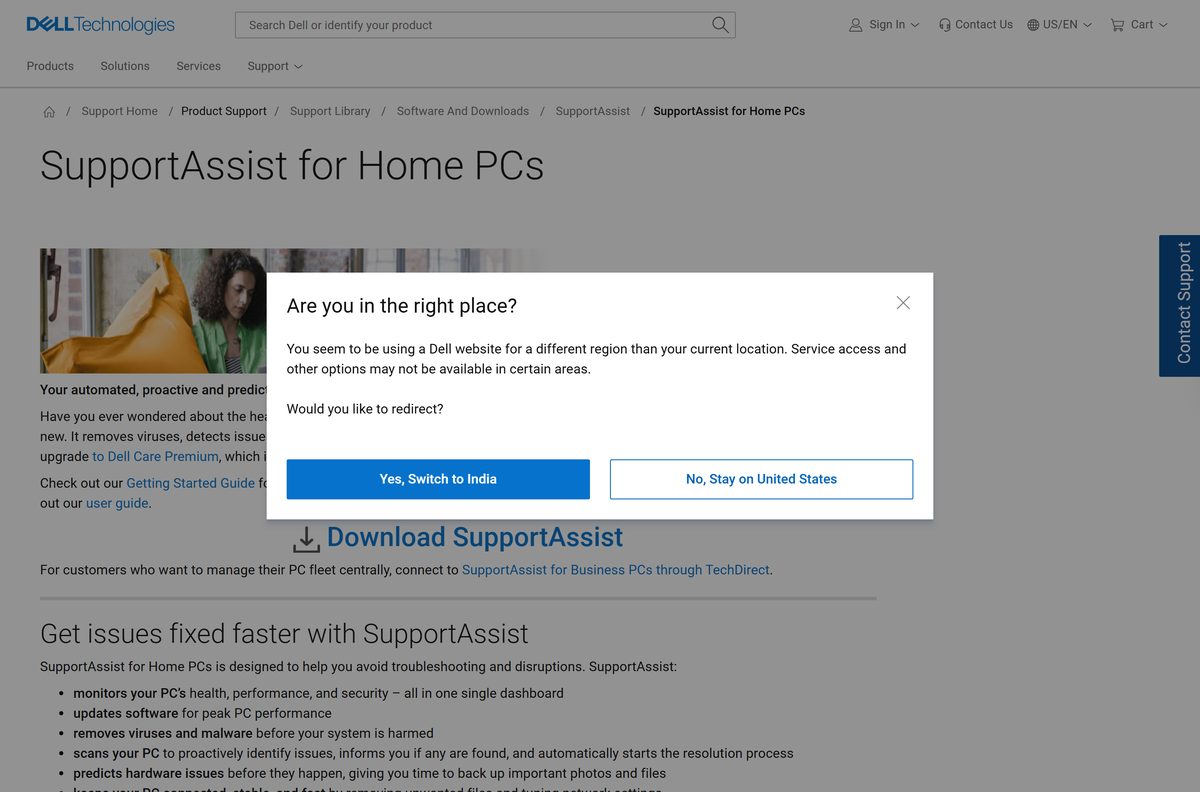
Download Dell SupportAssist from the official Dell page
Dell publishes SupportAssist on dell.com and serves the installer from downloads.dell.com. The file is named SupportAssistInstaller.exe. A copy with any other name, or from any other host, is not the Dell file.
- SupportAssist for Home PCs download page — click Download SupportAssist
- SupportAssistInstaller.exe — 1,645,208 bytes, 64-bit Windows
- SupportAssist for Home PCs overview and common questions — Dell knowledge base article 000130387
- Microsoft .NET Desktop Runtime 10.0 — prerequisite listed in the user guide
The installer is small because it is not the whole application. Keep the PC online while setup runs.
How to install Dell SupportAssist on Windows 11 and 10
Sign in with an administrator account first. Dell requires administrator rights to download and install SupportAssist.
- Open the SupportAssist for Home PCs page in Microsoft Edge or Google Chrome.
- Click Download SupportAssist and save SupportAssistInstaller.exe.
- Open the downloaded file from your Downloads folder.
- Select Yes at the User Account Control prompt.
- Choose Install when the notification window asks whether to install the application.
- Leave the PC connected to the internet until setup completes.
- Restart the computer so all changes take effect.
- Open SupportAssist from the Start menu after the restart.
If setup stops with a numbered error, jump to the error code fixes further down.
Which Dell SupportAssist download do you need for your Mac?
SupportAssist for Home PCs is a Windows application. Dell lists only Windows 11 and Windows 10 as supported systems, and it has no macOS package.
| Your machine | What to use | Notes |
|---|---|---|
| A Mac on macOS | Apple’s macOS update guide | Open System Settings > General > Software Update |
| A Dell PC on 64-bit Windows 11 or 10 | SupportAssist for Home PCs | 1.6 MB installer |
Is Dell SupportAssist free?
Yes. SupportAssist for Home PCs is free on Dell PCs. Dell pre-installs it and offers the installer on dell.com at no cost. The free app monitors PC health, updates software and removes viruses and malware. Dell sells Dell Care Premium as a paid upgrade that includes SupportAssist technology and adds extra protection and predictive issue detection. A site charging for the SupportAssist installer itself is not Dell.
Should you update an older SupportAssist version?
Yes. Move any 4.x copy to the current release, SupportAssist 5.2.0. Dell’s user guide sets a support end date for each release. Version 4.0 was valid until 30 April 2024 and version 4.8 until 31 July 2026, so both are out of support. Versions 4.10.6, 5.0.0 and 5.1.0 are listed as valid until 31 May 2027. Dell recommends updating to the latest version to keep support.
Check the Dell SupportAssist system requirements
The .NET runtime and free disk space are what block most installs. Check both before running the installer.
| Field | Value |
|---|---|
| Software | SupportAssist for Home PCs |
| Developer | Dell Inc. |
| Latest version | 5.2.0 |
| Licence | Free; Dell Care Premium is a paid upgrade |
| Supported Windows | Windows 11 in the current user guide; the download page also lists Windows 10 version 1809 or later (64-bit) |
| Architecture | 64-bit Windows |
| Memory | 4 GB for Windows 11, 2 GB for Windows 10 |
| Free disk space | 1 GB |
| Prerequisite | .NET Desktop Runtime 10.0.x (user guide) |
| Browser | Latest Google Chrome or Microsoft Edge |
| Network | Active internet connection; ports 5700, 9012, 8883 to 8886, 28283 and 28100 to 28700 |
| Installer size | 1.6 MB (SupportAssistInstaller.exe) |
| Offline installer | No |
| macOS version | None |
| Official source | dell.com |
| Last verified | 2026-09-13 |
Open Settings > System > About and read System type to confirm a 64-bit operating system. The full list of ports and Dell endpoints is in the SupportAssist prerequisites guide.
Fix Dell SupportAssist not installing on Windows 11 or 10
SupportAssist 4.0 and later shows a numbered code when setup fails. Dell documents each code in knowledge base article 000216283.
Error 1638: another version of this product is already installed
An older SupportAssist copy is still on the PC.
- Open Control Panel > Programs and Features.
- Right-click the existing SupportAssist entry and select Uninstall.
- Restart the PC, then run SupportAssistInstaller.exe again.
Error 3010: installation done, reboot required
Setup finished but needs a restart before the app runs.
- Save your work.
- Restart the computer.
- Open SupportAssist from the Start menu.
Error 1633: this installation package is not supported on this platform
The PC or operating system is outside Dell’s supported list.
- Open Settings > System > About and confirm 64-bit operating system.
- Check your model against the SupportAssist user guide.
- Use Dell Command Update instead on a supported Latitude, OptiPlex or Precision.
Error 9504: not enough space is available in storage
Drive C: has less than the 1 GB SupportAssist needs.
- Open Settings > System > Storage.
- Remove files or apps until drive C: has more than 1 GB free.
- Run the installer again.
Error 1603: a fatal error occurred during installation
Setup failed and stopped before completing.
- Restart the computer and wait five minutes after signing in.
- Run SupportAssistInstaller.exe again as an administrator.
- Contact Dell Technical Support if the error returns.
How to uninstall Dell SupportAssist
Removing and reinstalling SupportAssist is also one of Dell’s own fixes when the app misbehaves.
- Close SupportAssist if it is open.
- Select Start, then Settings.
- Go to Apps > Installed apps.
- Find Dell SupportAssist in the list.
- Select the three-dot menu, then Uninstall.
- Follow the on-screen instructions.
- Restart the computer.
To reinstall, download a fresh SupportAssistInstaller.exe from dell.com rather than reusing an old copy.
What to use instead of Dell SupportAssist
The right replacement depends on whether the PC is a Dell home model, a managed business model, or not a Dell.
| Tool | Publisher | Best for | |
|---|---|---|---|
| [Dell Command | Update](https://www.dell.com/support/kbdoc/en-us/000177325/dell-command-update) | Dell | Latitude, OptiPlex and Precision PCs where IT scripts BIOS and driver updates |
| SupportAssist for Business PCs | Dell | Business fleets managed centrally through TechDirect | |
| Windows Update | Microsoft | Any Windows PC, including non-Dell models |
Keep SupportAssist on a Dell home PC. Dell Update, its older companion, lost support on 31 December 2024, and Dell points those users to SupportAssist.
Other system utilities and drivers for Windows include DJI Assistant 2 and Wacom Tablet Driver.
Frequently asked questions
Is Dell SupportAssist free?
Yes. SupportAssist for Home PCs comes pre-installed on Dell PCs and downloads free from dell.com. Dell Care Premium is a separate paid upgrade that adds extra protection and predictive issue detection, but the standard app costs nothing.
Where is the official Dell SupportAssist download?
The official download is the SupportAssist for Home PCs page on dell.com. Click Download SupportAssist there, and the file SupportAssistInstaller.exe downloads from downloads.dell.com. Business fleets use SupportAssist for Business PCs through Dell TechDirect instead.
How big is the Dell SupportAssist download?
SupportAssistInstaller.exe is 1.6 MB. It is a small installer rather than the full application, so keep the PC online while setup runs. Dell asks for 1 GB of free disk space for the installed app.
Does Dell SupportAssist work on Windows 11?
Yes. The current SupportAssist user guide lists Windows 11 with 4 GB of RAM and the .NET Desktop Runtime 10.0.x. Dell’s download page also lists Windows 10 version 1809 or later in 64-bit form.
Is there a Dell SupportAssist offline installer?
No. Dell publishes one 1.6 MB installer, and SupportAssist requires an active internet connection. It also needs access to Dell services such as saservices.dell.com and dl.dell.com.
Is there a Dell SupportAssist for Mac?
No. SupportAssist for Home PCs supports Windows 11 and Windows 10 only, and Dell publishes no macOS version. On a Mac, use Software Update in System Settings to install Apple’s system updates.
Is Dell SupportAssist 64-bit or 32-bit?
SupportAssist runs on 64-bit Windows. Dell’s download page lists Windows 10 version 1809 or later in 64-bit form, plus Windows 11. Dell does not list a 32-bit build.
What is the latest version of Dell SupportAssist?
Version 5.2.0 is the newest release in Dell’s SupportAssist for Home PCs user guide. Older releases carry support end dates, and version 4.8 reached its end on 31 July 2026, so update any 4.x copy.
Is Dell SupportAssist safe to download?
Yes, when it comes from dell.com. Dell serves SupportAssistInstaller.exe from downloads.dell.com. Avoid copies from download portals or renamed files, and never pay a third party for the installer.
Why can’t I install Dell SupportAssist?
Read the error code first. Error 1638 means an older copy is installed, 9504 means less than 1 GB of free space, and 1633 means an unsupported platform. For error 1603, restart the PC and run the installer again.
How do I uninstall Dell SupportAssist?
Select Start, then Settings, then Apps and Installed apps. Find Dell SupportAssist, select Uninstall, follow the on-screen instructions, and restart the computer. Download a fresh installer from dell.com if you want it back.
What is the difference between SupportAssist and Dell Command Update?
SupportAssist for Home PCs is Dell’s consumer app for health scans, software updates and malware removal. Dell Command Update is built for commercial systems such as Latitude, OptiPlex and Precision, and adds a command line for scripted updates.







Download Dell Command Update for PC, Windows 11 and Windows 10 (Free) - Techdows
[…] client systems such as Latitude, OptiPlex, Precision and XPS. For Dell home PCs, Dell points to SupportAssist for Home PCs, since Dell Update support ended in December […]
Download Dell Display Manager for PC, Windows 11/10 & Mac (Free) - Techdows
[…] Dell SupportAssist […]
How to find your Dell Service Tag - Techdows
[…] on its home screen, so it is the quickest route if the app is already on the PC. If it is missing, Dell SupportAssist for Windows is a free download from Dell. Once you have the tag, you can use it to keep your Dell drivers […]