Netflix allows movie downloads on a laptop only through the Netflix app on a Chromebook that has the Google Play Store, so open that app, select Downloads, and save the title to the device.
This guide covers the Chromebook route step by step, what Netflix documents for Windows laptops and MacBooks, download quality and storage settings, the limits on every download, and fixes for the errors that stop one.
The fastest way to save a Netflix movie to a laptop
Netflix names five download devices: Android phones and tablets, iPhone, iPad, Amazon Fire tablets, and Google Chromebooks with the Google Play Store installed. A Chromebook is the only laptop on that list.
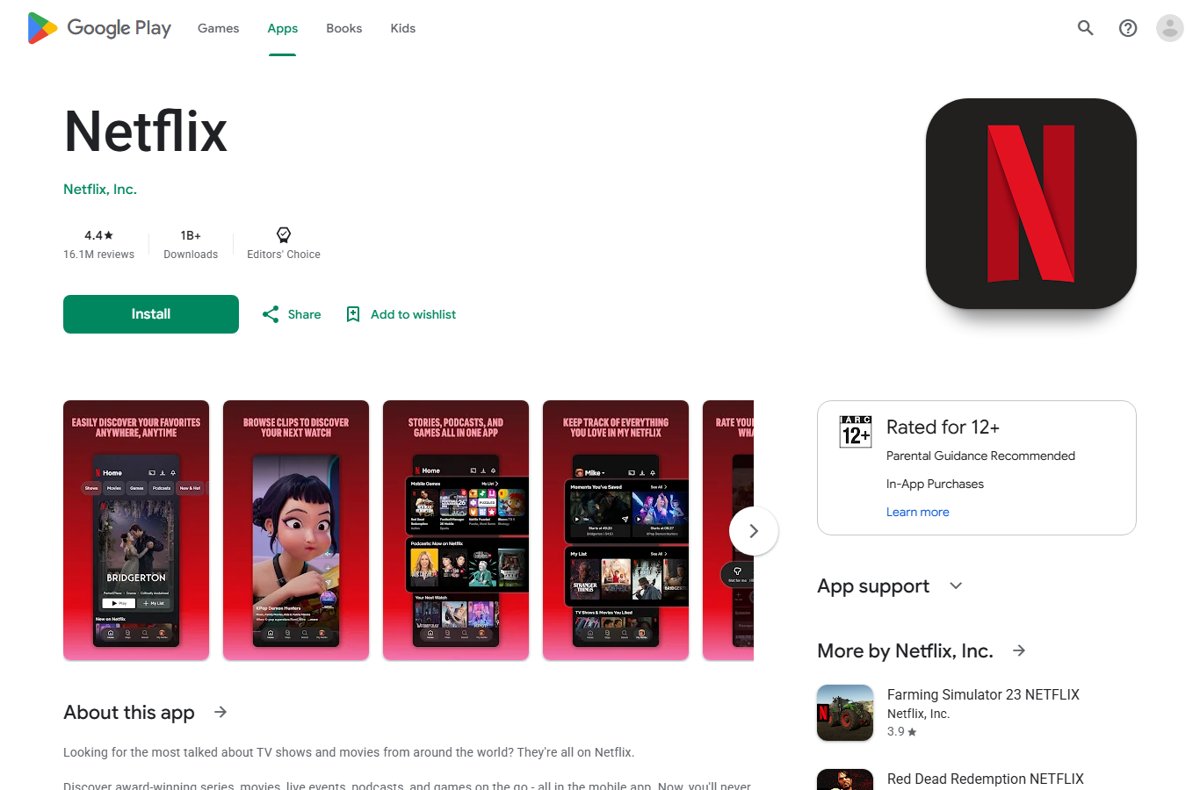
- Install Netflix from the Google Play Store on your Chromebook and open it.
- Sign in with your Netflix email address or phone number and password.
- Click Downloads, then click Find More to Download.
- Select the movie you want, then select Download.
- When the download finishes, click Downloads and select Play.
Stay on Wi-Fi while the file transfers. Downloads live on the Chromebook that made them and play from any profile on your account.
Can You Download Netflix Movies on a Laptop?
Netflix states that titles "can be downloaded on our Android, iPhone, iPad, Google Chromebook, and Amazon Fire apps". Windows and macOS are absent from that list, and no web browser offers a download button.
| Your laptop | Offline downloads | What you get instead |
|---|---|---|
| Chromebook with the Google Play Store | Yes, in the Netflix Android app | Full Downloads section, Smart Downloads, quality setting |
| Chromebook without the Google Play Store | No | Streaming in Chrome 117 or later, up to 4K |
| Windows 10 or Windows 11 laptop | No | Streaming in the Netflix app for Windows or a supported browser |
| MacBook running macOS 10.15.5 or later | No | Streaming in Safari 14 or later, up to Ultra HD |
| Any laptop using netflix.com in a browser | No | Streaming only, an internet connection required throughout |
What You Need Before Downloading Netflix Movies
| Requirement | Detail |
|---|---|
| A Netflix plan that supports downloads | Every plan allows downloads, but the plan sets how many devices can hold them at once. Check the Plans and Pricing page for your country, and How To Get Netflix Free Trial In 2025 (Full Guide) if you have no account yet. |
| A supported device | A Chromebook with the Google Play Store, or a phone or tablet running Android, iOS, iPadOS or Fire OS. |
| The official Netflix app | Install it from the Google Play Store. See Download Netflix for PC, Windows 11/10, iPhone & Android for the store links. |
| The latest app version | Netflix warns that older operating system versions on these devices may not support downloads. |
| Free storage space | Standard quality uses less space per title, High or Higher uses more. Delete watched titles to free space. |
| A Wi-Fi connection | Netflix advises downloading over Wi-Fi to save on data usage. |
How to Download Netflix Movies on a Chromebook
Android app support is not universal: Google notes that some Chromebooks cannot run Android apps, and work or school Chromebooks often block the Play Store.
- Open Settings on the Chromebook, select Apps, then select Manage Google Play preferences and accept the terms of service.
- Open the Google Play Store, search for Netflix and install it.
- Launch Netflix from the Launcher and sign in with your email address or phone number and password.
- Click Downloads, then click Find More to Download to list every title available offline.
- Select a movie, then select Download. For a TV show, select the download button next to an episode or select Download Season.
- Wait for the progress indicator to finish while the Chromebook stays on Wi-Fi.
- Click Downloads and select Play to start the movie without an internet connection.
Look for the Downloads icon on a title's page to tell whether it can be saved. Titles without that icon cannot be downloaded on any device.
How to Change Netflix Download Quality
Netflix offers two settings. Standard takes less time and less space and plays in SD. High or Higher takes more time and space and plays in up to 1080p.
- Open the Netflix app.
- In the lower right, tap My Netflix.
- At the top, tap the profile name.
- Tap App Settings.
- Tap Download Video Quality or Video Quality.
- Select Standard or High/Higher.
Netflix documents these steps for Android phones and tablets, iPhone and iPad. The setting cannot be changed on Android and Fire devices that do not support HD playback, and not every title is offered in HD.
How to Delete Downloaded Netflix Movies
Deleting a download frees the storage and releases nothing else: the title stays on your account and can be saved again while it remains on Netflix.
- To remove one title, tap Downloads in the upper right, tap the download status icon next to the movie, then tap Delete Download.
- For a single episode, open the TV show first, then tap the status icon next to that episode.
- To clear everything, tap My Netflix in the lower right, tap the profile name, then tap App Settings.
- Under Downloads, select Delete All Downloads and tap Delete on the confirmation screen.
- To wipe a device you no longer have, open your Manage download devices page in a browser and select Remove device.
- On a phone or tablet, the same control sits under My Netflix > profile name > Account > Devices > Mobile download devices.
Why You Cannot Download Netflix Movies on a Windows Laptop
The Netflix app for Windows 10 and later still exists in the Microsoft Store, and Netflix documents how to install it. Its help page for Windows describes browsing, playback, subtitles and resolution, with no Downloads section, and Windows is not among the devices Netflix lists for downloads.
| Windows option | What Netflix documents | Offline downloads |
|---|---|---|
| Netflix app for Windows 10 and later | Installed from the Store; requires Microsoft Edge to be installed | Not listed as a download device |
| Microsoft Edge 118 or later | Streaming up to Ultra HD (4K) with HDR on supported hardware | No |
| Google Chrome 117 or later | Streaming up to Ultra HD (4K) | No |
| Mozilla Firefox 129 or later | Streaming up to Full HD (1080p) | No |
| Opera 92 or later | Streaming up to Full HD (1080p) | No |
Windows 10 or Windows 11 is required for playback at all. Netflix says Windows 8 and 8.1 machines might still work but play in standard definition only.
Why You Cannot Download Netflix Movies on a MacBook
There is no Netflix app for macOS. A MacBook reaches Netflix through a browser, and a browser session streams rather than stores, so the Downloads section never appears.
| MacBook requirement | Netflix's minimum | Offline downloads |
|---|---|---|
| Operating system | macOS 10.15.5 or later | Not supported |
| Safari | Version 14 or later, up to Ultra HD (2160p) | No |
| Google Chrome | Version 117 or later, up to Full HD (1080p) | No |
| Microsoft Edge | Version 118 or later, up to HD (720p) | No |
| Mozilla Firefox or Opera | Firefox 129 or later, Opera 92 or later, up to Full HD (1080p) | No |
Best Alternatives If Your Laptop Cannot Download Netflix
| Your situation | Do this | Why |
|---|---|---|
| You own a phone or tablet | Download in the Netflix app on it before you leave | Android, iPhone, iPad and Fire tablets are all download devices |
| You want offline playback on the laptop itself | Use a Chromebook with the Google Play Store | It runs the same Netflix Android app, with a real Downloads section |
| You only have a Windows laptop or MacBook | Watch over Wi-Fi before you travel, and queue what is left for the trip on a phone | Netflix on Windows and macOS is streaming only |
| You want offline video from another service | Check that service's own help pages for laptop download support | Offline rules are set per service and change without notice |
| You want to keep a specific film permanently | Rent or buy it from a store whose player supports offline playback | A purchase is not bound by Netflix's licensing window |
Understanding Netflix Download Limits
| Limit | What Netflix states | Effect on you |
|---|---|---|
| Titles per device | Up to 100 active downloads at a time per device | The 101st download fails until you delete something |
| Devices per account | Based on the number of devices included in your plan | A further device triggers the 'downloads on too many devices' error |
| Expiry | Downloads expire after a period of time | An old file shows Expired and will not play |
| Downloads per year | Some titles limit how many times they can be downloaded or renewed | A repeat download can be refused; stream it instead |
| Country | An offline title may not be playable in a country where you could not stream it | A download can go dark the moment you land |
| Cancelled membership | Downloads on your device are deleted if you cancel | Restarting the membership means downloading again |
Billing changes do not touch downloads. If a failed payment is the reason your account lapsed, How To Change Payment Method on Netflix walks through fixing the card first.
How to Use Smart Downloads
Smart Downloads covers two separate toggles. Download Next Episode deletes a watched episode and fetches the next one. Downloads for You fills spare storage with titles matched to the profile.
- Open the Netflix app.
- In the lower right, tap My Netflix.
- At the top, tap the profile name.
- Tap App Settings.
- Under Downloads, tap Smart Downloads.
- Toggle Download Next Episode or Downloads for You on or off.
- With Downloads for You on, use the plus and minus buttons to set the storage in GB allowed per profile.
Neither feature is available on an ad-supported Netflix plan. Both run only over Wi-Fi, and Netflix documents them for Android phones and tablets, iPhone and iPad. The last episode of a series is never deleted automatically.
How to check the download really plays offline
A progress bar reaching 100 percent is not proof. The test is playback with the network off.
- Wait until the title's status icon in Downloads changes from a progress ring to a completed mark.
- Turn off Wi-Fi on the Chromebook, or switch the device to airplane mode.
- Open Netflix, click Downloads and select Play on the movie.
- Confirm the movie starts and scrubs forward without buffering.
- Check the audio and subtitle tracks you want are selectable, then reconnect to Wi-Fi.
Downloads with higher maturity ratings may not appear at all while a Kids profile is in use. Switch profiles before concluding a file is missing.
Troubleshooting Netflix Downloads on a Laptop or Chromebook
Why can't I download Netflix movies on my laptop?
Netflix lists Android, iPhone, iPad, Chromebook and Fire tablets as download devices. A Windows laptop or MacBook is not one of them.
- Confirm which laptop you have. On a Chromebook, open Settings > About ChromeOS to check the version.
- On a Chromebook, open Settings > Apps > Manage Google Play preferences and turn the Play Store on.
- Install Netflix from the Play Store rather than using netflix.com in Chrome.
- On Windows or macOS, stream the title before you go offline, and download it on a phone or tablet instead.
The download button is missing on a title
Not every title can be saved. Rights can be exclusive to another company, unavailable to license, or withheld by the studio behind a co-produced original.
- Open Downloads and click Find More to Download to see only titles that allow it.
- Look for the Downloads icon on the title's detail page before opening the player.
- Update the Netflix app from the Google Play Store, then reopen it.
- If the icon never appears, stream the title instead; the restriction is on the title, not your device.
"You have downloads on too many devices"
Error 10016-23000 or NQL.23000 means the number of devices holding downloads has hit your plan's limit.
- Open your Manage download devices page in a browser to see the current limit.
- Select Remove device next to a device you no longer use.
- Alternatively, open Netflix on that device and use Delete All Downloads under App Settings.
- Retry the download, or change to a plan that allows more download devices.
A downloaded title says "Expired"
Downloads expire after a set period, and some titles cap how many times they can be downloaded or renewed in a year.
- Connect the device to the internet and open Downloads.
- Delete the expired title with Delete Download.
- Download it again while it is still on Netflix.
- If the repeat download is refused, watch the title online; titles that have left Netflix cannot be renewed or downloaded again.
Smart Downloads never downloads anything
The feature is switched off, blocked by an ad-supported plan, or waiting for Wi-Fi and free storage.
- Open App Settings > Downloads > Smart Downloads and confirm the toggles are on.
- Connect the device to a Wi-Fi network rather than mobile data.
- Free up storage by deleting watched downloads.
- Check the series still has later episodes to fetch. On an ad-supported plan, neither toggle is offered.
Can You Save Netflix Downloads to an External Drive?
No. Leave downloads where the Netflix app puts them. The only storage choice Netflix documents is an installed SD card on an Android or Fire device, set under App Settings > Downloads > Download Location, and it applies to future downloads only. Downloads stay tied to the device that made them, so copying the files to an external drive gives you nothing playable.
Avoid Unofficial Netflix Downloaders and Screen Recorders
Use the Netflix app and nothing else. Netflix's Terms of Use forbid any attempt to "circumvent, remove, alter, deactivate, degrade, block, obscure or thwart any of the content protections or other elements of the Netflix service", and state that Netflix may terminate or restrict use of the service if the terms are broken. Third-party rippers and capture tools exist to defeat exactly those protections.
Quick Reference: What Works and What Does Not
| Task | Supported | Where |
|---|---|---|
| Save a movie for offline playback | Yes | Netflix app on a Chromebook, phone or tablet |
| Save a movie from netflix.com in a browser | No | Any laptop, any browser |
| Choose Standard or High download quality | Yes | App Settings > Download Video Quality |
| Move a download to an external drive | No | Netflix documents SD card storage only, on Android and Fire |
| Automatic downloads with Smart Downloads | Yes, except on ad-supported plans | App Settings > Downloads > Smart Downloads |
| Play a download on a second device | No | Downloads stay on the device that saved them |
| Play a download from another profile | Yes | Any profile on the same device |
| Keep downloads after cancelling | No | Cancellation deletes them |
Tips Before Traveling with Netflix Downloads
- Download over Wi-Fi the night before, not at the airport, so no mobile data is spent.
- Set Download Video Quality to Standard when storage is tight, or High/Higher for a long flight on a large screen.
- Spread titles across the devices your plan allows rather than filling one past 100 active downloads.
- Check each download plays with the network off before you leave the house.
- Remember that a title may not play in a country where you could not stream it, so pack a second option.
- Stay signed in to the Netflix app for the whole trip; signing out removes access to the downloads.
- Delete finished titles as you go to make room for the return leg.
Frequently Asked Questions
How do you download Netflix movies on a laptop?
Use a Chromebook with the Google Play Store. Install the Netflix app, sign in, click Downloads, then Find More to Download, pick a movie and select Download. It then plays from the Downloads section with no internet connection.
Why can't I download Netflix movies on my laptop?
Netflix supports downloads on its Android, iPhone, iPad, Chromebook and Amazon Fire apps only. A Windows laptop or MacBook is not on that list, and netflix.com in a browser streams rather than stores, so no download button appears.
Can I download Netflix movies on a PC?
No. Netflix does not list Windows PCs among its download devices, and its Windows help page describes streaming only. Watch online on the PC, and download on a Chromebook, phone or tablet for offline viewing.
How do you download Netflix movies on Windows 11?
You cannot. Windows 11 runs the Netflix app from the Microsoft Store and every supported browser, but Netflix documents no offline downloads on Windows. Edge 118 or later streams up to 4K with HDR on supported hardware.
How do you download Netflix movies on a MacBook?
There is no way to do it. macOS has no Netflix app, and Safari 14 or later streams Netflix without an offline option. Download on an iPhone or iPad signed in to the same account instead.
How do you download Netflix movies on a Surface Pro?
A Surface Pro runs Windows, so downloads are not available. It streams Netflix through the Windows app or a supported browser. Offline viewing needs a Chromebook, an Android or iOS device, or a Fire tablet.
How do you download Netflix movies on an HP or Dell laptop?
The brand makes no difference. What matters is the operating system: a Windows or macOS laptop cannot download from Netflix, while an HP or Dell Chromebook with the Google Play Store can, using the Netflix app.
How do you download Netflix movies on an iPad?
Open the Netflix app, tap Downloads, then See What You Can Download, select a title and tap Download on its detail page. The saved movie plays from Downloads on that iPad from any profile on your account.
How do you watch downloaded movies on Netflix?
Open the Netflix app on the device that saved the file, select Downloads, find the title and select Play. Downloads only play on the device that made them, and titles above a Kids profile's rating stay hidden there.
Why can't I download some movies on Netflix?
Licensing decides it. Rights can be exclusive to another company, unavailable to buy from the provider, or held back by the studio on a co-produced original. Titles without the Downloads icon cannot be saved on any device.
How many Netflix movies can I download at once?
Up to 100 active downloads per device. How many devices can hold downloads at the same time depends on your plan, and exceeding it returns error 10016-23000 or NQL.23000.
Do Netflix downloads expire?
Yes. Every download expires after a period of time, and some titles limit how often they can be downloaded or renewed. Cancelling the membership deletes all downloads on your devices straight away.