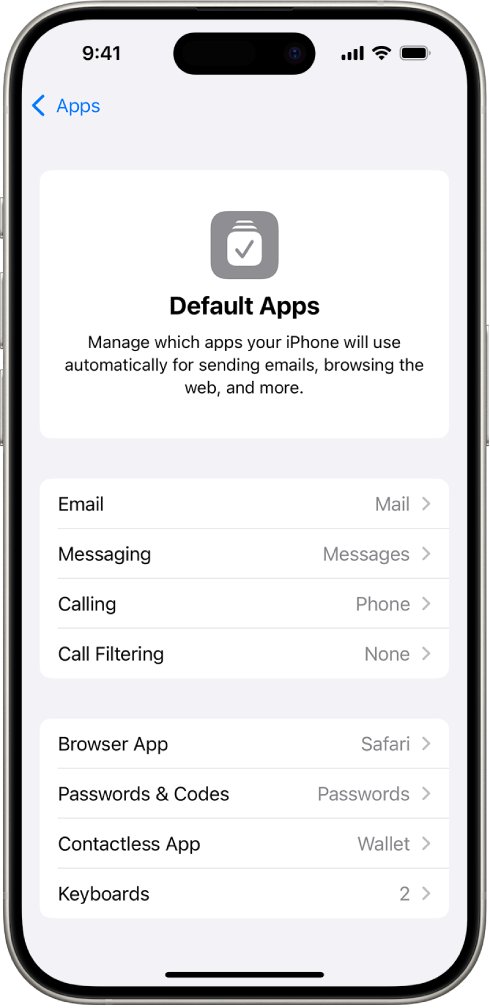
To set Safari as the default browser on an iPhone 15 Pro, open Settings, tap Apps, tap Default Apps, tap Browser App and select Safari.
This guide covers where that setting sits in each recent iOS version, how to open Safari settings, how to change the Safari search engine, and what to do when Safari or the option is missing.
Set Safari as default browser on iPhone 15 Pro
Safari comes preinstalled as the default browser on every new iPhone. You only need these steps if you, or a browser's setup screen, switched links to another app such as Chrome or Firefox.
- Open the Settings app on your iPhone 15 Pro.
- Scroll down and tap Apps.
- Tap Default Apps at the top of the list of your apps.
- Tap Browser App.
- Select Safari so a checkmark appears next to it.
- Return to the Home Screen. Links you tap in Mail, Messages and other apps now open in Safari.
Only one app at a time can be the default browser, so choosing Safari replaces whichever browser held the setting before.
Where is the default browser setting on iPhone by iOS version
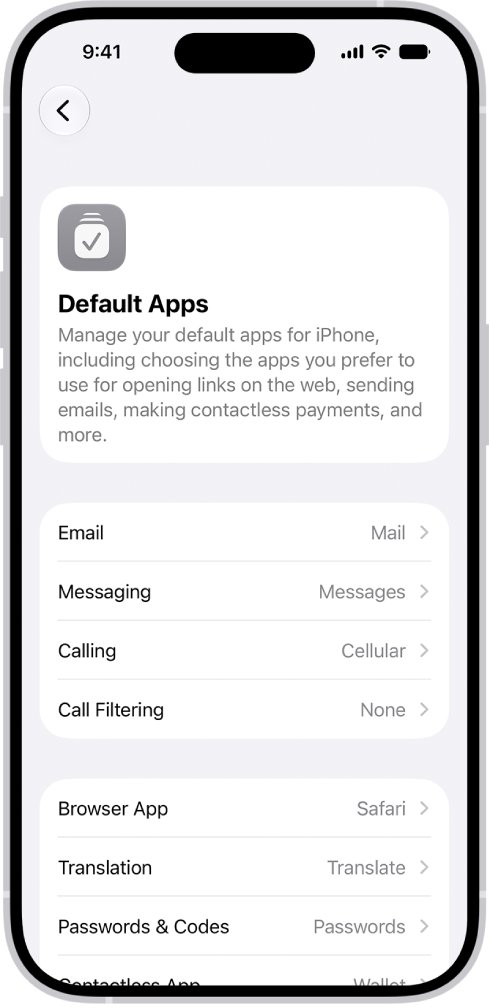
The iPhone 15 Pro can run iOS 27, so the current path applies once the phone is up to date. Apple's iOS 18 guide puts the same setting under Default Apps from iOS 18.2.
| iOS version on your iPhone 15 Pro | Path to the default browser setting | What to do |
|---|---|---|
| iOS 27 | Settings > Apps > Default Apps > Browser App | Select Safari |
| iOS 26 | Settings > Apps > Default Apps > Browser App | Select Safari |
| iOS 18.2 or later | Settings > Apps > Default Apps > Browser App | Select Safari |
| Older than iOS 18.2 | No Default Apps page | Update iOS in Settings > General > Software Update, then use the path above |
To see which version you have, open Settings, tap General, then tap About.
Why Safari is not the default browser on my iPhone
| What happened | Result | Fix |
|---|---|---|
| You chose another browser in Default Apps | Links open in that browser instead of Safari | Pick Safari again under Browser App |
| A browser app asked to become the default and you accepted | That app holds the Browser App setting | Pick Safari again under Browser App |
| You picked a browser on the web browser choice screen (EU and Japan) | The browser you chose became the default | Change it later under Browser App, as Apple describes |
| Your iOS version predates the Default Apps page | Browser App is not where this guide shows it | Update iOS first |
How to open Safari settings on iPhone
Safari settings do not live inside the Safari app on iPhone. They sit in the Settings app, grouped with every other installed app since iOS 18.
- Open the Settings app.
- Tap Apps.
- Scroll the alphabetical list, or use the search field at the top, and tap Safari.
- Change the Safari options you need on that page.
How do I set Safari as my search engine default
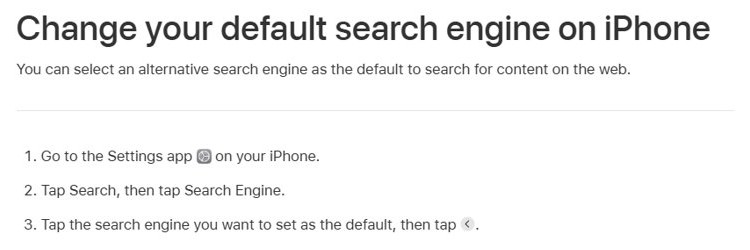
Safari is a browser, not a search engine, so this setting picks which search engine Safari uses when you type in the address bar. In iOS 26 and iOS 27 it moved to a dedicated Search page in Settings.
- Open the Settings app on your iPhone.
- Tap Search, then tap Search Engine.
- Tap the search engine you want to use as the default.
- On iOS 18, open Settings, tap Apps, tap Safari, then tap Search Engine instead.
On iOS 27, the same choice also applies to web searches in Spotlight.
How to find and open Safari on iPhone
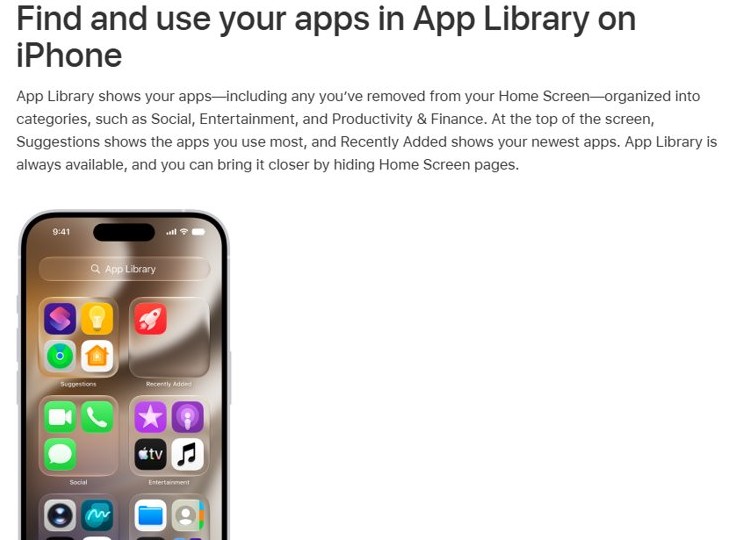
If the Safari icon is gone from your Home Screen, the app is still on the phone. App Library keeps every app, including those removed from the Home Screen.
- Go to the Home Screen, then swipe left past all your Home Screen pages to reach App Library.
- Tap the search field at the top and type Safari.
- Tap Safari to open it.
- To put it back on the Home Screen, touch and hold the Safari icon until the icons jiggle and it moves to the Home Screen, then lift your finger.
Check Safari opens links by default on iPhone
- Open Settings, tap Apps, tap Default Apps and confirm Browser App shows Safari.
- Open Messages or Mail and tap any web link.
- Confirm the page opens in Safari rather than the browser you used before.
Why is Safari not in Settings on iPhone
Safari is not in the main Settings list
Since iOS 18, app settings sit under the Apps page instead of the main Settings list.
- Open Settings and tap Apps.
- Find Safari in the alphabetical list, or type its name in the search field at the top.
- Tap Safari to see its settings.
Default Apps or Browser App is missing
The iPhone is running a version of iOS older than the Default Apps page.
- Open Settings, tap General, then tap Software Update.
- Install the update that is offered.
- Open Settings > Apps > Default Apps again and tap Browser App.
Safari icon disappeared from the Home Screen
The icon was removed from a Home Screen page, or the page holding it is hidden.
- Swipe left past your last Home Screen page to open App Library.
- Search for Safari and drag it back to the Home Screen.
- To show hidden pages, touch and hold the wallpaper, tap the dots at the bottom and add the checkmarks back.
Safari is dimmed and will not open on a child's iPhone
A parent blocked Safari in Screen Time; a blocked app stays on the phone but is dimmed on the Home Screen.
- On the parent's iPhone, open Settings, tap Family, then tap the child's name.
- Tap Apps & Websites and enter the Screen Time passcode if asked.
- Select Safari and unblock it.
Set Safari as default browser on Mac
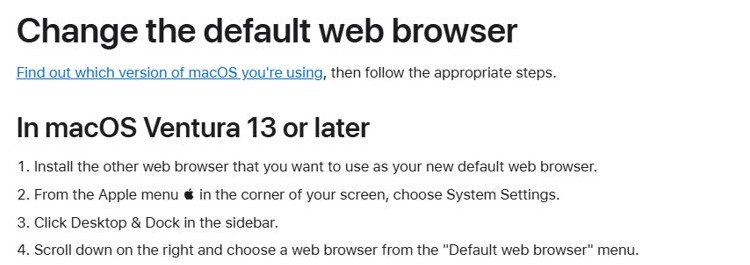
Safari is also the default browser on a Mac until another browser takes over. The setting lives in System Settings, not in Safari.
- Choose Apple menu > System Settings.
- Click Desktop & Dock in the sidebar.
- Scroll down and choose Safari from the Default web browser menu.
- On macOS Monterey or earlier, choose Apple menu > System Preferences, click General, then pick Safari from the same menu.
Safari default browser on iPhone FAQ
How do I set up Safari on iPhone?
Safari comes installed and ready on every iPhone, so there is nothing to download. Open it from the Home Screen or App Library, then adjust its options in Settings > Apps > Safari. To make it open your links, select it under Settings > Apps > Default Apps > Browser App.
How do I open Safari settings on iPhone?
Open the Settings app, tap Apps, then tap Safari. The settings are not inside the Safari app itself. If the list is long, type Safari into the search field at the top of the Apps page to jump straight to it.
Why is Safari not in Settings?
Since iOS 18, Apple moved app settings to the Apps page inside Settings. Safari is not missing; it sits in that alphabetical list. Open Settings, tap Apps, and scroll or search for Safari to find every Safari option.
How do I set Safari as my search engine?
Safari is a browser, so you set the search engine it uses rather than Safari itself. On iOS 26 and later, open Settings, tap Search, then tap Search Engine and pick one. On iOS 18, the option is under Settings > Apps > Safari > Search Engine.
How do I open Safari if the icon is gone?
Swipe left past your last Home Screen page to reach App Library, then type Safari in the search field at the top and tap it. Touch and hold the icon there to move it back to the Home Screen.
How do I enable Safari on a child's iPhone?
If Safari is dimmed, a parent blocked it in Screen Time. On the parent's iPhone, open Settings, tap Family, tap the child's name, tap Apps & Websites, then select Safari and unblock it. The app was never deleted, only blocked.