Windows Server 2025 Standard and Datacenter share almost every role, and differ mainly in virtualization rights, Storage Spaces Direct, the Network Controller for SDN, shielded VM hosting and Storage Replica limits.
This guide compares Standard, Datacenter and Datacenter: Azure Edition, then covers hardware requirements, new features, removed features and how to switch editions.
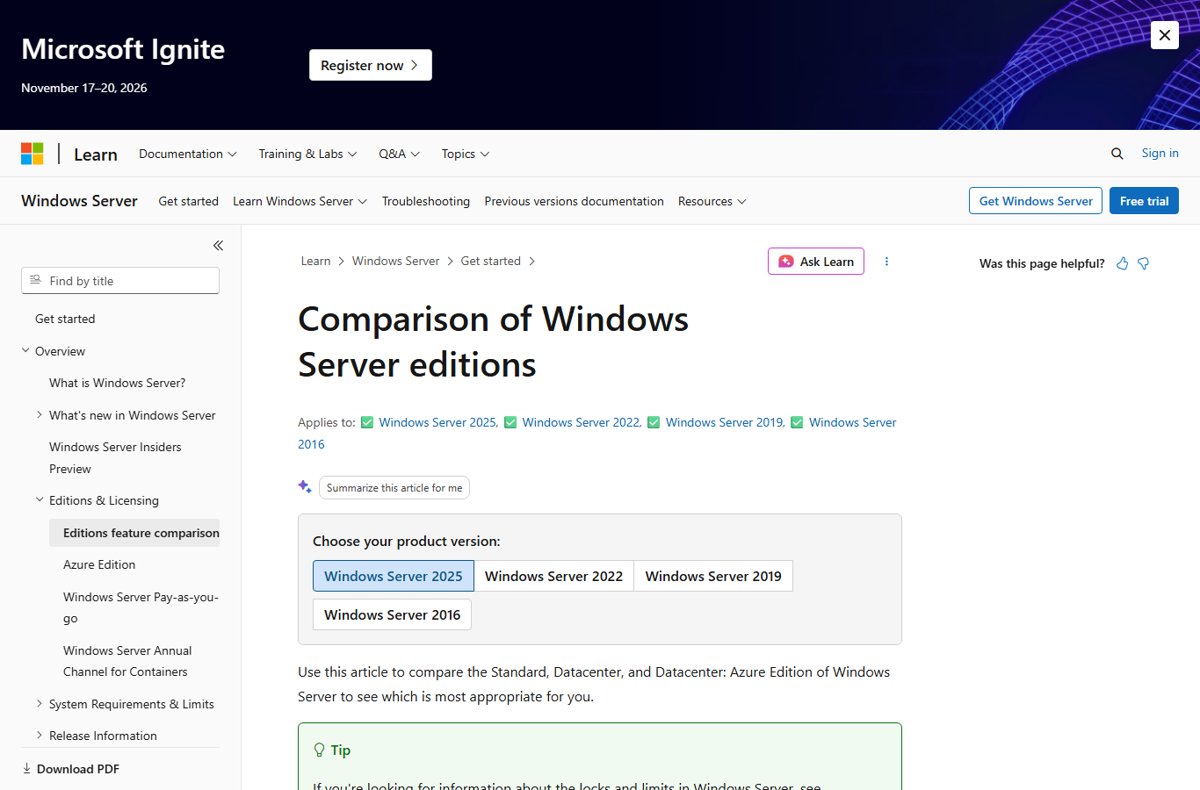
Windows Server 2025 edition comparison table
These are the rows where the three editions actually differ. Everything else, from Active Directory to Hyper-V, Failover Clustering and IIS, is available in all three.
| Capability | Standard | Datacenter | Datacenter: Azure Edition |
|---|---|---|---|
| Virtual machines per license | 2 VMs plus one Hyper-V host | Unlimited VMs plus one Hyper-V host | Unlimited VMs plus one Hyper-V host |
| Hyper-V isolated containers | 2 | Unlimited | Unlimited |
| Windows Server containers | Unlimited | Unlimited | Not supported |
| Storage Spaces Direct | No | Yes | Yes |
| Storage Replica | 1 partnership, 1 resource group, single 2 TB volume | Unlimited | Unlimited |
| Network Controller (SDN) | No | Yes | Yes |
| Host Guardian Hyper-V Support (shielded VMs) | No | Yes | Yes |
| GPU partitioning | Standalone servers only | Yes, including clusters | Yes |
| Automatic Virtual Machine Activation | Only as a guest on a Datacenter host | Yes | Yes |
| KMS host | Yes | Yes | No, activated by Azure |
| Hotpatching | Through Azure Arc | Through Azure Arc | Built in |
| Azure Extended Networking | No | No | Yes |
| Maximum logical processors | Unlimited cores | Unlimited cores | 2,048 logical processors |
Windows Server 2025 editions
Microsoft's release information lists Standard and Datacenter as the Windows Server 2025 editions, with Datacenter: Azure Edition as a third, virtual-only edition. Windows Server 2025 became available on November 1, 2024.
| Edition | Who can use it | Where it runs | Installation options |
|---|---|---|---|
| Standard | All customers through all channels | Physical or virtual | Server Core or Server with Desktop Experience |
| Datacenter | All customers through all channels | Physical or virtual | Server Core or Server with Desktop Experience |
| Datacenter: Azure Edition | Software Assurance, Windows Server subscription and cloud customers only | Virtual only, on Azure or Azure Local VMs | Server Core or Server with Desktop Experience |
Azure Edition gets yearly product updates through Windows Update, while Standard and Datacenter get new features only with a new release. All three follow the same 10-year support lifecycle. Once Azure Edition is installed, you cannot switch that server back to a non-Azure edition without reinstalling.
Windows Server 2025 Standard vs Datacenter limits
Both editions license users through Client Access Licenses (CALs) and share the same connection limits.
| Lock or limit | Standard | Datacenter | Datacenter: Azure Edition |
|---|---|---|---|
| Maximum users | Based on CALs | Based on CALs | Based on CALs |
| Maximum SMB connections | 16,777,216 | 16,777,216 | 16,777,216 |
| Maximum RDS connections | 65,535 | 65,535 | 65,535 |
| Maximum RRAS connections | Unlimited | Unlimited | Unlimited |
| Maximum 64-bit sockets | 64 | 64 | 64 |
| Maximum RAM | 4 PB with 5-level paging, 256 TB with 4-level paging | 4 PB with 5-level paging, 256 TB with 4-level paging | 240 TB in a generation 2 VM, 1 TB in a generation 1 VM |
SMB over QUIC, which was exclusive to Azure Edition in Windows Server 2022, is available in all Windows Server 2025 editions. Hotpatching also moved from Azure Edition only to Standard and Datacenter as an Azure Arc-enabled service.
Which Windows Server 2025 edition should you choose?
| Your situation | Choose | Why |
|---|---|---|
| Physical server running roles directly, or one or two VMs | Standard | Covers every core role and two virtual OSEs per license |
| Hyper-V host running many VMs | Datacenter | Unlimited VMs per licensed host |
| Hyperconverged cluster with local disks | Datacenter | Storage Spaces Direct is Datacenter only |
| Software-defined networking with Network Controller | Datacenter | Network Controller is not in Standard |
| Shielded VMs on a guarded host | Datacenter | Host Guardian Hyper-V Support is Datacenter only |
| Replicating more than one 2 TB volume | Datacenter | Standard limits Storage Replica to one partnership and one 2 TB volume |
| VMs in Azure or Azure Local with yearly feature updates | Datacenter: Azure Edition | Gets annual updates and built-in hotpatching, but no containers |
Minimum hardware requirements for Windows Server 2025
These minimums apply to Standard and Datacenter, in both Server Core and Desktop Experience. Windows Server 2025 adds SSE4.2 and POPCNT to the processor requirements, so some older CPUs that ran Windows Server 2022 will not install it.
| Component | Minimum for Windows Server 2025 |
|---|---|
| Processor | 1.4 GHz 64-bit, x64 instruction set, NX and DEP, CMPXCHG16b, LAHF/SAHF, PrefetchW, SLAT (EPT or NPT), SSE4.2 and POPCNT |
| RAM, Server Core | 2 GB |
| RAM, Desktop Experience | 2 GB, 4 GB recommended |
| RAM type | ECC or similar technology for physical hosts |
| Storage | 32 GB absolute minimum on a PCI Express-compliant storage adapter; no PATA, ATA, IDE or EIDE boot drives |
| Network | Ethernet adapter with at least 1 gigabit per second throughput, PCI Express compliant |
| For certain features | UEFI 2.3.1c firmware with Secure Boot, TPM 2.0, 1024 x 768 display |
A VM with only 1,024 MB of RAM fails setup. Allocate at least 1,280 MB during installation, then reduce it afterwards if the workload allows.
What is new in Windows Server 2025
| Area | What changed |
|---|---|
| Upgrades | In-place upgrade up to four versions at a time, directly from Windows Server 2012 R2, so servers facing the Windows Server 2019 end of life can move straight to 2025 |
| Desktop | Windows 11-style desktop shell, Bluetooth devices, Wi-Fi service installed by default, Windows Terminal and WinGet included |
| Hotpatch | Security updates without a restart on Azure Arc-connected servers |
| Active Directory | Optional 32k database page size, new schema files, object repair and DC locator improvements |
| Security | Credential Guard on by default on capable hardware, OpenSSH server installed by default, hypervisor-enforced paging translation |
| Hyper-V scale | Up to 4 PB memory and 2,048 logical processors per host; 240 TB and 2,048 virtual processors per generation 2 VM |
| GPU partitioning | Share one GPU across VMs, with live migration and cluster high availability |
| Clustering | Workgroup clusters for Hyper-V without Active Directory, plus dynamic processor compatibility |
| Storage | Faster NVMe, Storage Replica compression, ReFS deduplication and compression, thin provisioned Storage Spaces Direct volumes |
| SMB | SMB over QUIC in every edition and LZ4 compression support |
| Licensing | Azure Arc pay-as-you-go subscription licensing as an alternative to perpetual licenses |
Removed or not further developed features in Windows Server 2025
Removed features are gone from the image. Deprecated features still ship and get security updates, but Microsoft may remove them in a later release.
| Feature | Status in Windows Server 2025 | Replacement |
|---|---|---|
| Internet Explorer 11 | Removed | IE mode in Microsoft Edge |
| WordPad | Removed | Microsoft Word or Notepad |
| SMTP Server | Removed | Exchange Server or a non-Microsoft SMTP server |
| IIS 6 Management Console | Removed | Current IIS management tools |
| NTLMv1 and DES | Removed | Negotiate and Kerberos; stronger ciphers |
| Windows PowerShell 2.0 | Removed from the September 2025 update | PowerShell 5.0 or later |
| WMIC | Deprecated, now a Feature on Demand | PowerShell for WMI |
| VBScript | Deprecated, Feature on Demand | PowerShell |
| WSUS | No longer actively developed | Existing capabilities continue |
| Network Load Balancing | Deprecated | Software Load Balancer |
| Windows Internal Database | Deprecated | SQL Server |
| TLS 1.0 and 1.1 | Deprecated and disabled by default | TLS 1.2 or later |
| Computer Browser, Remote Mailslots, WebDAV Redirector, RC4 in Kerberos | Deprecated | Modern protocols and AES encryption |
Windows Server 2025 change edition from Standard to Datacenter
You can move up from Standard to Datacenter at any time without reinstalling. Moving down from Datacenter to Standard is not supported. Run these from an elevated Command Prompt or PowerShell window, and first confirm Datacenter appears in the output of DISM /online /Get-TargetEditions.
DISM /online /Set-Edition:ServerDatacenter /ProductKey:<product key> /AcceptEulaConverts the running Standard installation to Datacenter using your Datacenter retail product key. To convert an evaluation copy to retail, use the edition name from Get-TargetEditions instead. An evaluation domain controller cannot be converted this way.
You should see: DISM reports the operation completed and asks to restart. After the restart, DISM /online /Get-CurrentEdition returns ServerDatacenter.
Check which Windows Server 2025 edition is installed
DISM /online /Get-CurrentEditionShows the short edition name of the running installation from an elevated prompt.
You should see: The output shows ServerStandard or ServerDatacenter. A name ending in Eval, such as ServerDatacenterEval, means an evaluation copy that needs converting before production use.
Windows Server 2025 editions FAQ
What is Windows Server 2025?
Windows Server 2025 is Microsoft's current Long-Term Servicing Channel server operating system, build 26100. It ships in Standard and Datacenter editions, plus Datacenter: Azure Edition for VMs, and is supported until November 14, 2034.
Is Windows Server 2025 available now?
Yes. Windows Server 2025 became generally available on November 1, 2024. Mainstream support runs until November 13, 2029, and extended support until November 14, 2034.
What's new with Windows Server 2025?
Highlights include hotpatching through Azure Arc, an optional 32k Active Directory database page, Credential Guard on by default, SMB over QUIC in all editions, GPU partitioning with live migration, and Hyper-V hosts with up to 4 PB of memory.
How do I download Windows Server 2025?
Licensed installation media comes from an OEM, a retail channel, a Visual Studio subscription or the Microsoft 365 admin center. Microsoft also offers evaluation versions, which you can later convert to a retail edition with DISM.
What is the main difference between Windows Server 2025 Standard and Datacenter?
Datacenter allows unlimited virtual machines per licensed host, while Standard allows two. Datacenter also adds Storage Spaces Direct, the SDN Network Controller, shielded VM hosting and unlimited Storage Replica.
Can I change a Windows Server 2025 edition after installation?
Yes, upwards. Run DISM /online /Set-Edition:ServerDatacenter with a Datacenter product key to convert Standard to Datacenter. You cannot convert Datacenter back to Standard.
Does Windows Server 2025 Standard support Hyper-V?
Yes. Hyper-V is included in Standard, and each Standard license covers two virtual machines plus the Hyper-V host. Datacenter covers unlimited VMs.
How do I start using Windows Server 2025?
Choose Server Core for a smaller, headless install or Desktop Experience for the Windows 11-style desktop, then add roles from Server Manager or PowerShell. Check the processor supports SSE4.2 and POPCNT before installing.
Bottom line: Windows Server 2025 Standard or Datacenter?
Buy Standard for physical servers and light virtualization, and Datacenter for dense Hyper-V hosts or hyperconverged storage. The role list is nearly identical, so the decision comes down to VM count, Storage Spaces Direct, SDN and Storage Replica size. Standard can be upgraded to Datacenter later with one DISM command, but Datacenter cannot be moved back down.