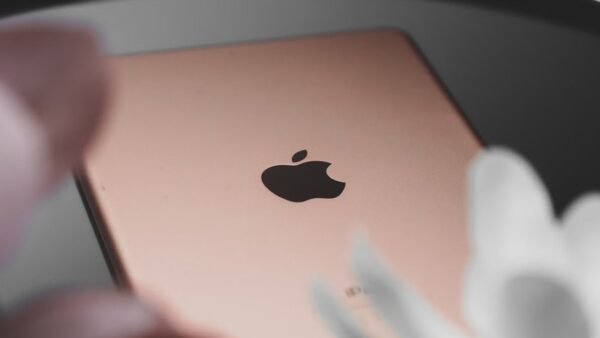
Model number A1566 is the iPad Air 2 (Wi-Fi), the second-generation iPad Air, released in late 2014; the Wi-Fi + Cellular version of the same iPad is A1567.
This guide shows how to confirm the model number on your iPad, what the iPad Air 2 can and cannot run today, and which generations the A1652 and A16 model names refer to.
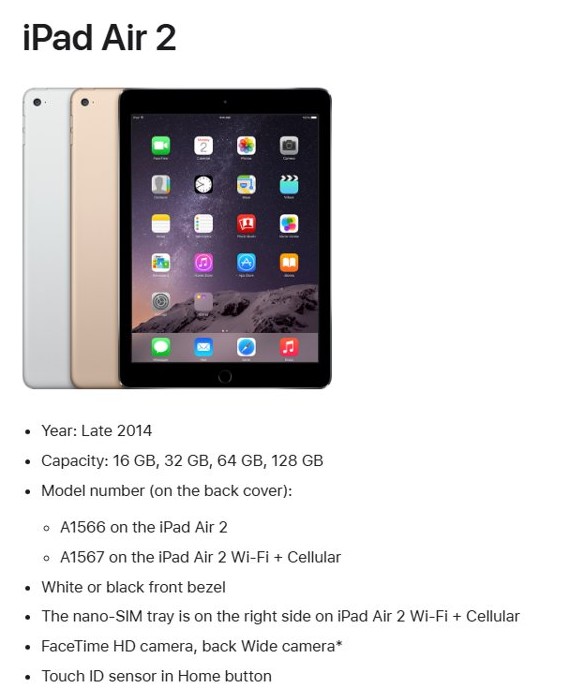
What generation is iPad A1566?
Apple's own model list puts A1566 under iPad Air 2, year late 2014. The next model in that line is called iPad Air (3rd generation), which makes the iPad Air 2 the second generation of iPad Air.
A1566 is the iPad Air 2 Wi-Fi (2nd-generation iPad Air, late 2014), with an A8X chip, Touch ID in the Home button and a 9.7-inch Retina display. Apple lists A1566 on the back cover of the iPad Air 2 and A1567 on the iPad Air 2 Wi-Fi + Cellular, and no other iPad uses either number.
iPad A1566 vs A1567
Both numbers are the same iPad Air 2 design. The only difference is cellular support, which you can spot from the side of the iPad.
| Model number | Apple model name | Connectivity | How to tell |
|---|---|---|---|
| A1566 | iPad Air 2 | Wi-Fi only | No SIM tray on the side |
| A1567 | iPad Air 2 Wi-Fi + Cellular | Wi-Fi and cellular data | Nano-SIM tray on the right side |
Both came in 16 GB, 32 GB, 64 GB and 128 GB, with a white or black front bezel. The cellular model weighs 444 g against 437 g for the Wi-Fi model.

How to find the model number on your iPad
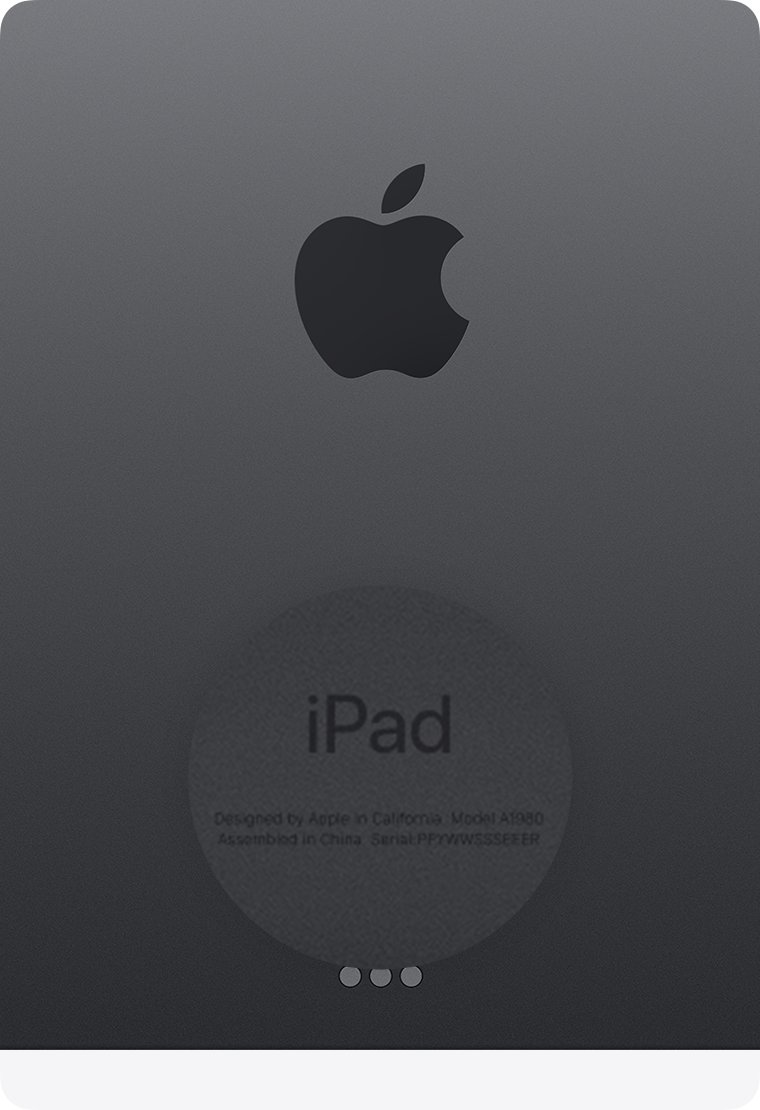
The A-number is printed on the back cover of the iPad Air 2, but the text is small and often worn. Settings shows it too, behind one extra tap.
- Open the Settings app.
- Tap General.
- Tap About.
- Find Model Number; at first it shows a part number.
- Tap the part number once to switch it to the model number that starts with A.
- Match that number to the table in this guide, or to Apple's Identify your iPad model list.
If the iPad will not start, turn it over and read the model number printed on the back cover. A number that is not A1566 or A1567 belongs to another model, which you can match in this list of every iPad generation.
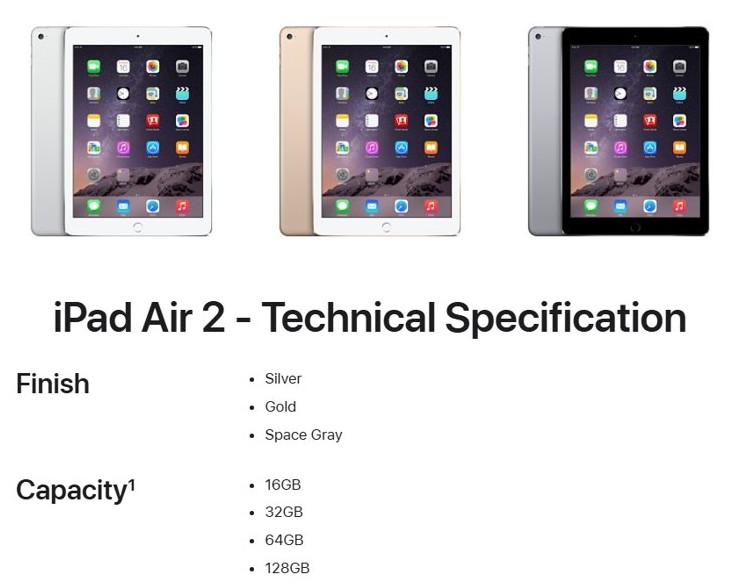
Apple iPad A1566 specs
These are the iPad Air 2 specifications Apple publishes for both A1566 and A1567.
| Spec | iPad Air 2 (A1566) |
|---|---|
| Chip | A8X with 64-bit architecture, M8 motion coprocessor |
| Display | 9.7-inch Retina, LED-backlit with IPS, 2048 x 1536 at 264 ppi, fully laminated, antireflective coating |
| Storage | 16 GB, 32 GB, 64 GB, 128 GB |
| Colors | Silver, gold, space gray |
| Size | 240 x 169.5 x 6.1 mm (9.4 x 6.6 x 0.24 inches) |
| Weight | 437 g (0.96 pound) Wi-Fi; 444 g (0.98 pound) Wi-Fi + Cellular |
| Rear camera | 8MP iSight, f/2.4, 1080p HD video at 30 fps, slo-mo at 120 fps |
| Front camera | 1.2MP FaceTime HD, 720p video |
| Security | Touch ID sensor in the Home button |
| Ports | Lightning connector, 3.5 mm headphone jack |
iPad A1566 iOS version
The iPad Air 2 appears in Apple's list of iPads compatible with iPadOS 15.5. It is missing from the iPadOS 16 list, which starts the iPad Air line at the 3rd generation.
| Software | Runs on A1566? | What it means |
|---|---|---|
| iPadOS 15 (15.5) | Yes | The last major iPadOS version for the iPad Air 2 |
| iPadOS 16 | No | Needs iPad Air (3rd generation) or later |
| iPadOS 17 and later | No | Not available for the iPad Air 2 |
| Apps | Only versions that still support iPadOS 15 | New apps that require a later iPadOS will not install |
To check for any remaining update, open Settings > General > Software Update on the iPad.
A1566 iPad model year and repair status
Apple released the iPad Air 2 in late 2014. Apple now lists both the iPad Air 2 Wi-Fi and the iPad Air 2 Wi-Fi + Cellular as obsolete worldwide.
Do not expect Apple or an Apple Authorized Service Provider to repair an A1566 iPad. Apple treats a product as obsolete once it stopped selling it more than 7 years ago, discontinues all hardware service for obsolete products, and its service providers cannot order parts for them.
What generation is iPad A1652 and the A16 iPad?
These numbers look alike but point to very different iPads. A1652 is a model number, while A16 is the chip in the name of a 2025 iPad.
| Number you searched | Apple model name | Year | Related model numbers |
|---|---|---|---|
| A1566 | iPad Air 2 | Late 2014 | A1567 (Wi-Fi + Cellular) |
| A1567 | iPad Air 2 Wi-Fi + Cellular | Late 2014 | A1566 (Wi-Fi) |
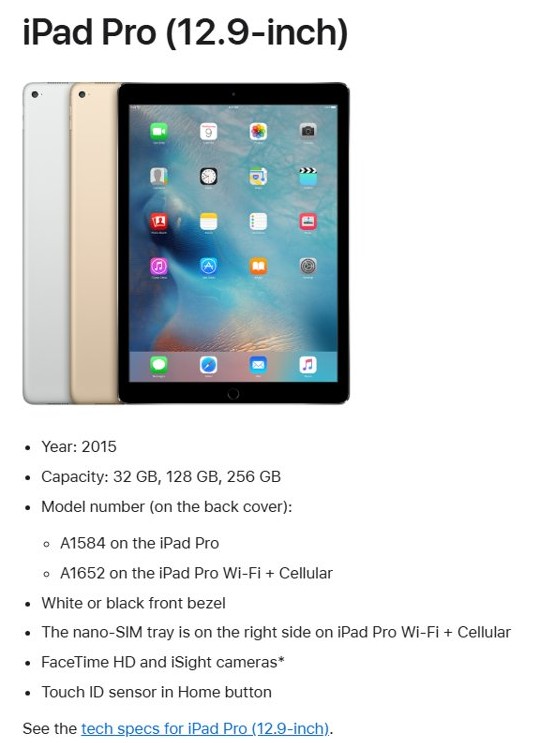
| A1652 | iPad Pro (12.9-inch) Wi-Fi + Cellular, the 1st-generation 12.9-inch iPad Pro | 2015 | A1584 (Wi-Fi) |
| A16 iPad | iPad (A16), the standard iPad model that follows iPad (10th generation) | 2025 | A3354, A3355, A3356 |
Apple calls the 2025 iPad (A16) by its chip rather than giving it a generation number. It has a black front bezel, a 12MP Center Stage front camera on the landscape edge, Touch ID in the top button and, on cellular models, eSIM only.
iPad A1566 FAQ
What model iPad is A1566?
A1566 is the iPad Air 2 Wi-Fi model that Apple released in late 2014. It has an A8X chip, a 9.7-inch Retina display, Touch ID in the Home button and a Lightning connector, and came in 16 GB to 128 GB.
What generation iPad is model A1566?
It is the second-generation iPad Air, sold under the name iPad Air 2. Apple calls the model that replaced it in 2019 the iPad Air (3rd generation), so the A1566 sits between the original iPad Air and that model.
What generation is iPad A1567?
A1567 is the iPad Air 2 Wi-Fi + Cellular, the same second-generation iPad Air as A1566 with a nano-SIM tray on the right side for cellular data. It shares the A1566's specs apart from a slightly higher weight of 444 g.
What iOS version can the iPad A1566 run?
The iPad Air 2 can run iPadOS 15, and Apple lists it as compatible with iPadOS 15.5. It cannot install iPadOS 16 or later, because the iPadOS 16 list starts the iPad Air line at the 3rd generation.
What year is the A1566 iPad?
Apple dates the iPad Air 2 to late 2014. Both its Wi-Fi model (A1566) and Wi-Fi + Cellular model (A1567) are now on Apple's obsolete products list, so Apple no longer provides hardware service for them.
What generation is iPad A1652?
A1652 is the Wi-Fi + Cellular version of the first 12.9-inch iPad Pro from 2015, listed by Apple as iPad Pro (12.9-inch). Its Wi-Fi-only twin is A1584, and both have Touch ID in the Home button.
What generation is the A16 iPad?
The A16 iPad is the 2025 standard iPad, named iPad (A16) after its chip. Apple lists it directly after iPad (10th generation) and does not give it a generation number. Its model numbers are A3354, A3355 and A3356.
How do I find my iPad model number without the back cover?
Open Settings > General > About and look at Model Number. It first shows a part number, so tap it once to switch to the model number that starts with A, then compare it with Apple's Identify your iPad model list.