The Microsoft Exchange Server download is a free 6.0 GB ISO image on the Microsoft Download Center, and the current release is Exchange Server Subscription Edition. Anyone can download it without a licence agreement or a partner account.
Exchange Server is server software. It installs on Windows Server 2025, Windows Server 2022 and Windows Server 2019, and there is no macOS build. A Windows 11 or Windows 10 PC can run the management tools, not the server itself.
This guide covers the official download, the setup wizard, the unattended command, licensing and the 180-day trial, requirements, fixes and removal.
Which Microsoft Exchange Server download do you need?
Microsoft ships one installation ISO for the whole product. What you download next depends on whether you are building a server, patching one, or only managing one from your desk.
| What you are doing | What to get | Notes |
|---|---|---|
| Building a new on-premises mail server | Exchange Server SE RTM (KB5047155) | ExchangeServerSE-x64.iso, 6.0 GB, version 15.02.2562.017 |
| Upgrading an Exchange Server 2019 CU14 or CU15 server | The same Subscription Edition ISO | An in-place upgrade from CU14 or CU15 is supported |
| Patching a server you already run | September 2026 security update, KB5121608 | Build 15.2.2562.49, released 8 September 2026 |
| Administering Exchange from a Windows 11 or Windows 10 PC | Management tools from the same ISO | 64-bit Windows 11 or Windows 10 with Desktop Experience |
Every cumulative update is a full installation, so a new server never needs the older media first.
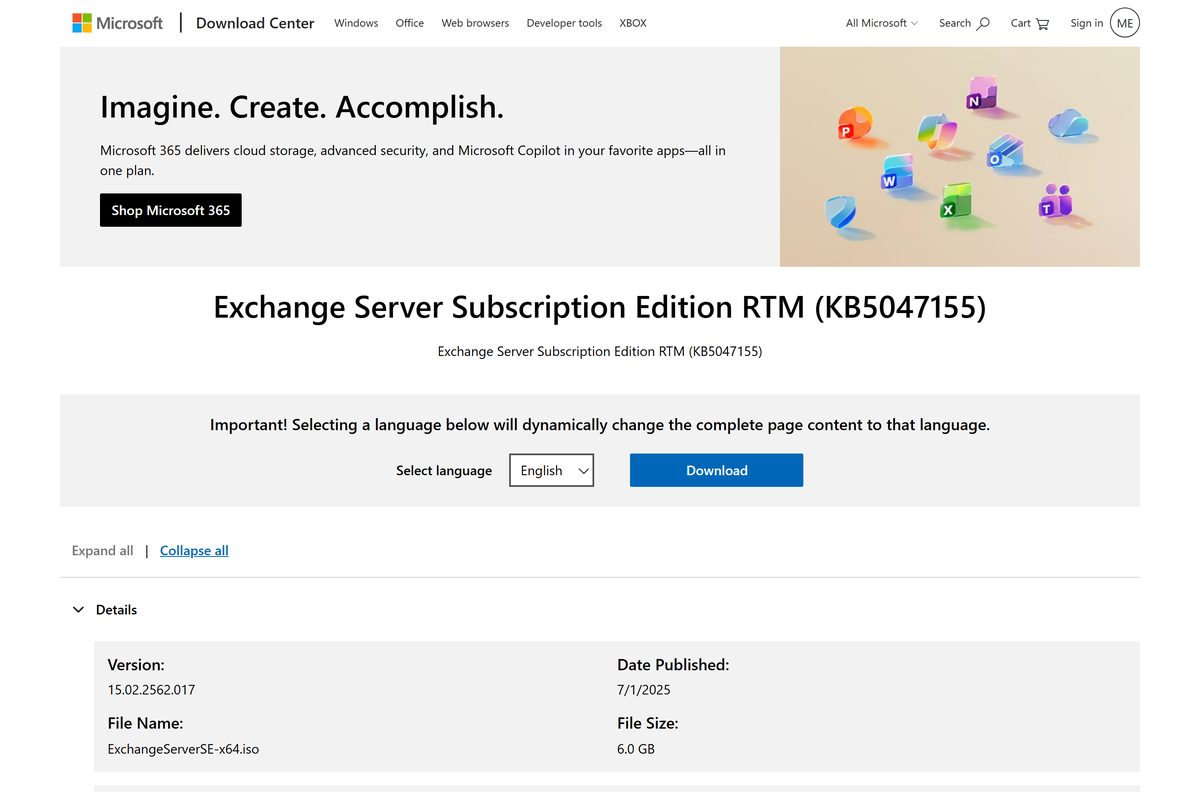
Download Microsoft Exchange Server from the official Microsoft page
Microsoft publishes the media on the Download Center under the title Exchange Server Subscription Edition RTM (KB5047155). Select the language, then select Download to get the ISO.
- Exchange Server Subscription Edition RTM (KB5047155) — 6.0 GB · ExchangeServerSE-x64.iso, published 1 July 2025
- Build numbers and release dates — every build, its date and the update that matches it
- Updates for Exchange Server — which media to install and how cumulative updates are delivered
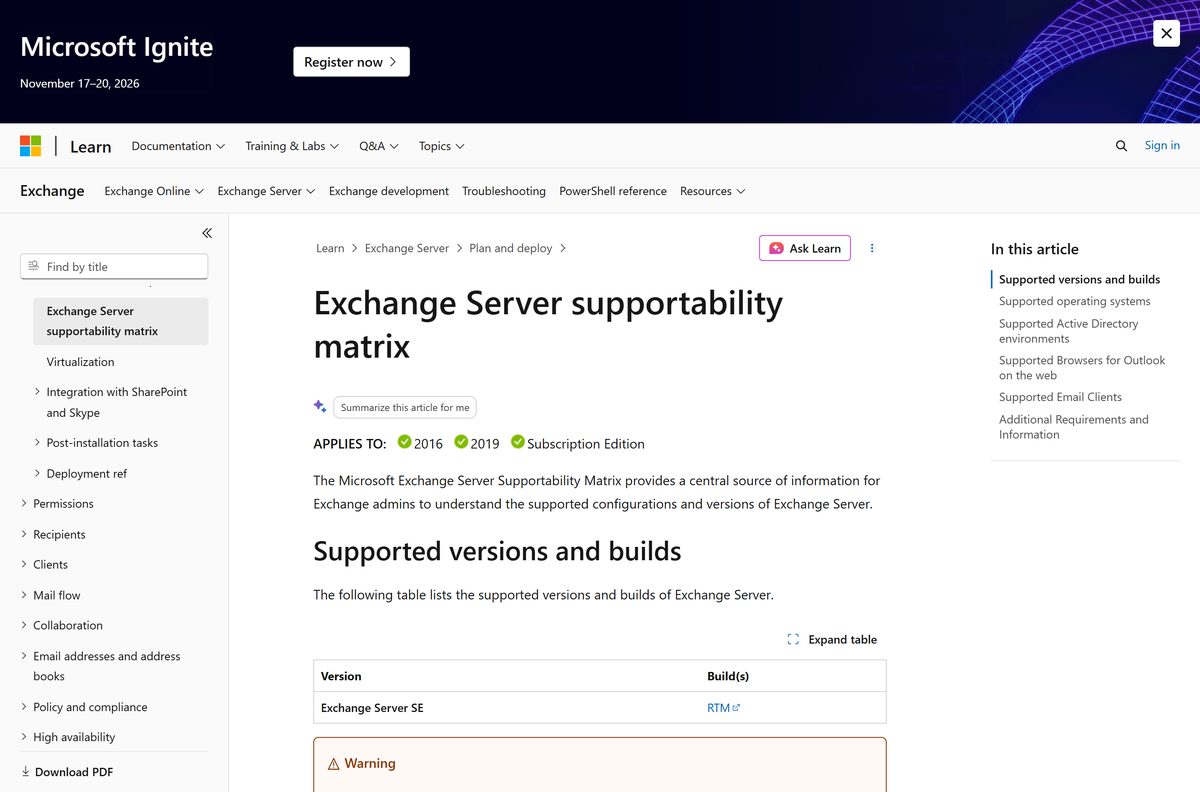
- Supportability matrix — supported builds, operating systems and clients in one table
Nothing else is an Exchange installer. A file offered under this name from any host other than the Download Center is not Microsoft’s.
How to install Exchange Server on Windows Server 2025, 2022 or 2019
Install the prerequisites first: .NET Framework 4.8.1, the Visual C++ Redistributable for Visual Studio 2012 and 2013, the IIS URL Rewrite Module, and Unified Communications Managed API 4.0 from the \UCMARedist folder on the media.
The account needs Enterprise Admins and Schema Admins membership for the first server in the organisation. Set the Remote Registry service to Automatic before you start, and never install Exchange on a domain controller.
- Run Install-WindowsFeature Server-Media-Foundation in an elevated Windows PowerShell session, then install Unified Communications Managed API 4.0.
- Right-click ExchangeServerSE-x64.iso in File Explorer, select Mount, then run Setup.exe from the virtual DVD drive.
- On the Check for Updates? page, pick an option and select Next.
- On the License Agreement page, select I accept the terms in the license agreement, then select Next.
- On the Server Role Selection page, select Mailbox role and Automatically install Windows Server roles and features that are required to install Exchange.
- On the Installation Space and Location page, keep C:\Program Files\Microsoft\Exchange Server\V15 or select Browse to move it.
- Type the organisation name on the Exchange Organization page. It cannot be changed afterwards and cannot exceed 64 characters.
- Decide whether to keep malware scanning on, then select Next.
- Clear every error on the Readiness Checks page until Retry turns into Install, then select Install.
- Select Finish and restart the server.
Setup takes about an hour on a Mailbox server. Never rename the server afterwards, because a rename is not supported once a role is installed.
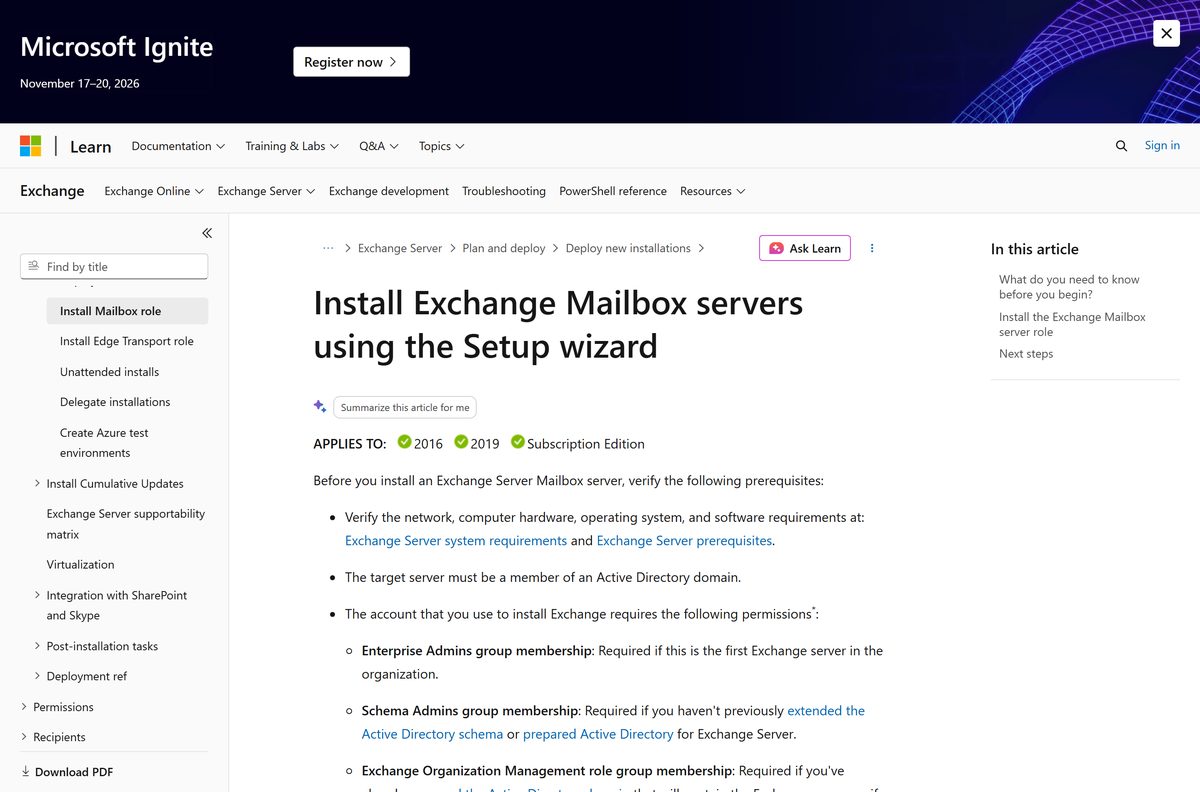
Install Exchange Server unattended from the command line
Server Core has no setup wizard, and Microsoft recommends Server Core for Exchange. Mount the ISO, open a command prompt, and drive Setup.exe with switches instead.
Setup.exe /IAcceptExchangeServerLicenseTerms_DiagnosticDataON /Mode:Install /Roles:Mailbox /InstallWindowsComponents Run it from the mounted DVD drive letter. /InstallWindowsComponents adds the Windows roles and features that Exchange needs, and Setup resumes where it stopped if a reboot is required. Prepare the forest first with Setup.exe /IAcceptExchangeServerLicenseTerms_DiagnosticDataON /PrepareAD /OrganizationName:”Contoso Corporation” , and add /TargetDir:”D:\Exchange Server” to move the installation off the system drive. The full switch list is in Microsoft’s unattended Setup reference.
Use /Roles:EdgeTransport for a perimeter Edge Transport server, and /Roles:ManagementTools for an administrator workstation.
Which Exchange Server download do you need for your Mac?
None of them, because the server has no macOS build. A Mac connects to Exchange as a client, and the mail server keeps running on Windows Server.
| What you want on the Mac | What to use | Notes |
|---|---|---|
| Run the mail server itself | Windows Server 2025, 2022 or 2019 | Standard or Datacenter, Desktop Experience or Server Core |
| Read mail in a desktop client | Outlook for Mac | Microsoft 365 and 2019 versions are supported clients |
| Use a browser instead | Outlook on the web | Current release of Safari, Chrome, Firefox or Edge |
| Administer the organisation | Exchange management tools | Windows only; install on a 64-bit Windows 11 or Windows 10 PC |
S/MIME works in Edge and Chrome on the web client. Safari and Firefox do not support it.
Is Microsoft Exchange Server free?
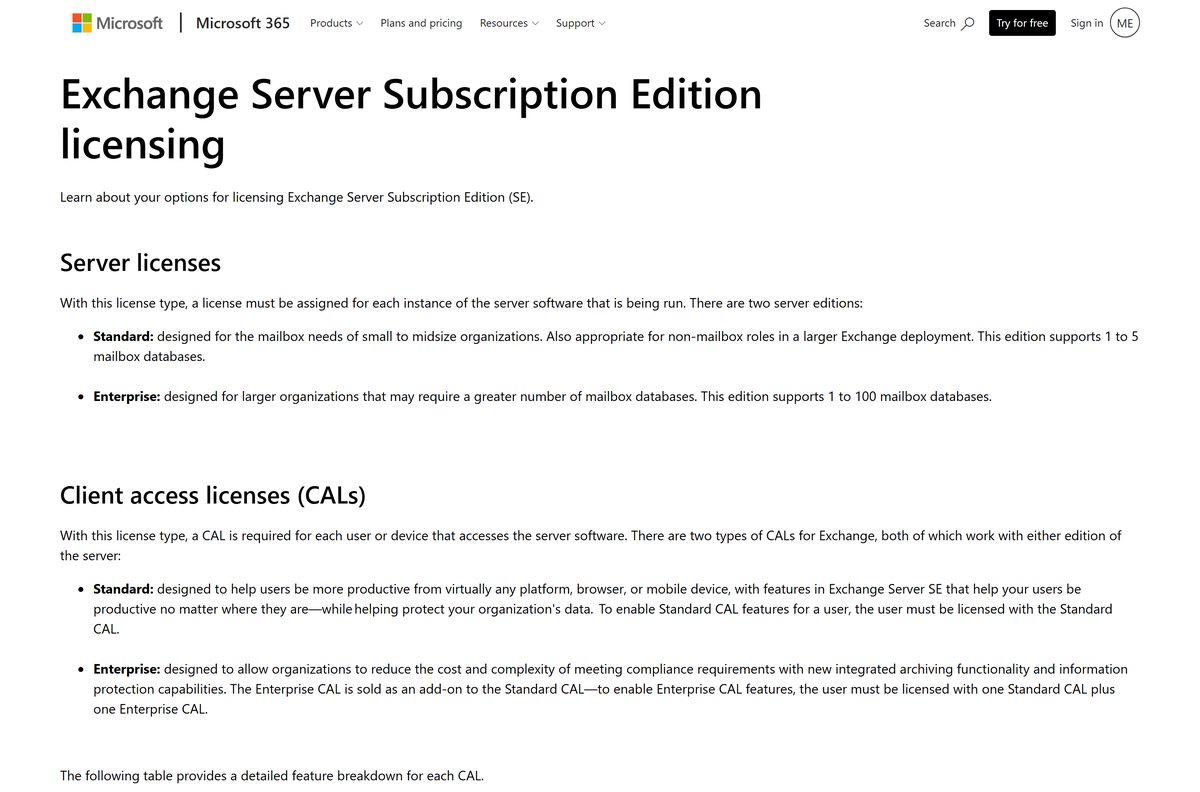
The download is free and the licence is not. Microsoft charges per running server instance and per person who connects to it.
The ISO costs nothing, but running Exchange Server in production needs a paid Server licence plus a Client Access Licence for every user or device. Standard Edition covers one to five mailbox databases per server and Enterprise Edition covers one to 100. A Standard CAL licenses everyday mail, calendar and Outlook on the web use, and the Enterprise CAL is an add-on that unlocks In-Place Archive, In-Place Hold, per-user journaling and information rights management. A server with no product key runs as the Trial Edition for 180 days and behaves exactly like Standard Edition, which makes it legitimate for lab and demo work.
No functionality is lost when the 180 days end, so a test server keeps running. Enter a key with Set-ExchangeServer
Exchange Server SE or Exchange Server 2019: which should you install?
Both carry the same 15.2 version family, and only one of them is still supported.
Install Exchange Server Subscription Edition on every new server, and upgrade any 2016 or 2019 server to it. Exchange Server 2016 and Exchange Server 2019 both reached end of support on 14 October 2025. Subscription Edition RTM is code-equivalent to Exchange Server 2019 CU15 apart from the licence agreement, the product name and the build number, so the upgrade changes almost nothing operationally. New features arrive from Subscription Edition CU1 onward.
An in-place upgrade works from Exchange Server 2019 CU14 or CU15. Exchange 2016 servers need a legacy upgrade first, and Exchange 2016 CU23 is required on every server during coexistence.
How to check your Exchange Server build and update it
Two numbers matter: the cumulative update and the security update on top of it. The shell reports them differently, so pick the command that shows both.
- Open the Exchange Management Shell on the server.
- Run Get-Command ExSetup.exe | ForEach-Object {$_.FileVersionInfo} and read FileVersion.
- Compare that number against the build numbers table to name the release.
- Run Get-ExchangeServer | Format-List Name,Edition,AdminDisplayVersion if you only need the cumulative update level and the licensed edition.
- Download the security update that matches your build from its Microsoft support article.
- Put the databases on another server or accept downtime, because the update restarts Exchange services.
- Run the update package from an elevated command prompt, then restart the server.
- Re-run the ExSetup.exe command to confirm the new build number.
Security updates apply to the latest cumulative update and the one before it. A server further back has to take a cumulative update first.
Check the Exchange Server system requirements before you install
Memory is the number that surprises people. Microsoft’s recommended minimum for a Mailbox server is 128 GB.
| Item | Requirement |
|---|---|
| Software | Microsoft Exchange Server Subscription Edition |
| Developer | Microsoft Corporation |
| Latest version | 15.2.2562.49, the September 2026 security update, released 8 September 2026 |
| Installation media | ExchangeServerSE-x64.iso, version 15.02.2562.017, published 1 July 2025 |
| File size | 6.0 GB |
| License / Price | Paid: Server licence plus a CAL per user or device. Trial Edition runs 180 days without a key |
| Supported OS | Windows Server 2025, 2022 and 2019, Standard or Datacenter, Desktop Experience or Server Core |
| Architecture | 64-bit x64 only. Intel 64 or AMD64. Itanium IA64 is not supported |
| Memory | 128 GB recommended minimum for Mailbox, 64 GB for Edge Transport, up to 256 GB supported |
| Disk space | 30 GB free on the installation drive, 200 MB on the system drive, 500 MB on the queue database drive |
| File system | NTFS for binaries and logs; ReFS supported for mailbox databases and transaction logs |
| .NET Framework | 4.8.1 recommended, or 4.8, on Windows Server 2025 and 2022 |
| Active Directory | Forest functional level Windows Server 2016 or 2012 R2, with a writeable global catalog in the site |
| Official download source | Microsoft Download Center |
| Offline installer | Yes, the ISO is the complete product |
| Last verified | 22 September 2026 |
Set the paging file minimum and maximum to the same value, 25% of installed memory. Physical servers are supported up to two processor sockets.
What connects to Exchange Server
Check the client and directory side before you commit to a build. Outlook 2013 and older are not on the list.
| Component | What is supported |
|---|---|
| Outlook on Windows | Microsoft 365 Apps for enterprise, Outlook 2024, Outlook 2021, Outlook 2019, Outlook 2016 |
| Outlook on Mac | Outlook for Mac in Microsoft 365 and Outlook for Mac 2019 |
| Mobile | Outlook for iOS and Outlook for Android |
| Outlook on the web | Chromium Edge, Edge in Internet Explorer mode, current release of Chrome, Firefox and Safari |
| Active Directory servers | Windows Server 2025, 2022, 2019, 2016 and 2012 R2, writeable domain controllers only |
| Coexistence | Exchange 2016 CU23 on every server in the organisation, Edge Transport servers included |
| Encryption | TLS 1.2 and TLS 1.3 on by default; TLS 1.3 needs Windows Server 2022 or 2025 and does not yet cover SMTP |
| PowerShell | Only the version included with the host Windows Server. Windows Management Framework add-ons are unsupported |
Unified Messaging is gone, and Outlook on the web Light was switched off in the August 2026 security update.
Fix Exchange Server setup failing on Windows Server
Setup writes every decision to C:\ExchangeSetupLogs\ExchangeSetup.log . Read the last error there before you change anything.
Readiness Checks fails and only Retry is available
A prerequisite is missing. Setup will not continue until the check passes.
- Read the error text on the page, which names the exact missing component.
- Install .NET Framework 4.8.1, the Visual C++ 2012 and 2013 redistributables, and the IIS URL Rewrite Module.
- Run Install-WindowsFeature Server-Media-Foundation , then install Unified Communications Managed API 4.0 from \UCMARedist on the media.
- Set the Remote Registry service to Automatic and start it.
- Select Retry, and restart the server if the error asked for a reboot.
PrepareAD fails or Active Directory replication breaks afterwards
A Windows Server 2025 domain controller holds the schema master without the November 2025 cumulative update.
- Identify the schema master and check its Windows build.
- Install the November 2025 cumulative update, KB5068861, or a later one on that domain controller.
- Confirm the forest functional level is Windows Server 2016 or 2012 R2.
- Re-run Setup.exe /IAcceptExchangeServerLicenseTerms_DiagnosticDataON /PrepareAD and point /DomainController at the schema master.
The Exchange admin center nags that the server is unlicensed
No product key was entered, so the server is running as the Trial Edition.
- Run Set-ExchangeServer
-ProductKey in the Exchange Management Shell. - Run Restart-Service MSExchangeIS on that Mailbox server.
- Run Get-ExchangeServer | Format-Table -Auto Name,Edition,Trial and check the edition value.
Setup warns about installing on a domain controller
Exchange is supported only on member servers, and the role cannot be changed later.
- Cancel Setup and build a new member server in the same Active Directory site.
- Confirm the site holds at least one writeable domain controller that is also a global catalog.
- Install Exchange on the member server instead.
Setup copies its files to %WinDir%\Temp\ExchangeSetup before it starts, so a full system drive stops the installation early.
How to uninstall Exchange Server from a machine
Removal is a Setup mode, not a Control Panel entry. Empty the server first, or Setup refuses.
- Move every mailbox, archive and public folder mailbox off the server.
- Remove the mailbox databases that belong to the server, and take it out of any database availability group.
- Remove send connectors, receive connectors and any Edge Subscription that names the server.
- Mount ExchangeServerSE-x64.iso and open an elevated command prompt on the virtual DVD drive.
- Run Setup.exe /mode:Uninstall and let it remove the server’s configuration from Active Directory.
- Restart the server when Setup finishes.
- Delete the leftover C:\Program Files\Microsoft\Exchange Server\V15 folder if anything remains.
To drop a provisioned server object that never received an installation, run Setup.exe /rprs:
Pick an Exchange Server alternative that fits your mailboxes
Running mail on-premises is a choice with a licence bill and a patching calendar attached. Two of these remove one or both.
| Option | What you get | Best for |
|---|---|---|
| Exchange Server Subscription Edition | Full control of mailbox data on your own hardware, Server licence plus CALs | Regulated data, offline sites, existing Exchange skills |
| Exchange Online | Mailboxes as a subscription with no server to patch | Organisations that want the hardware and updates gone |
| Hybrid deployment | Mailboxes split between on-premises servers and Microsoft 365 | Staged migrations and mixed compliance requirements |
| Exchange Server 2019 | Out of support since 14 October 2025, security updates only through the paid extended programme | Nobody starting fresh |
A hybrid organisation still needs a licensed Exchange server for management, even when every mailbox lives online.
Frequently asked questions
Short answers to the questions that come up before the first install.
Is Microsoft Exchange Server free?
The download is free and needs no account. Production use is paid: a Server licence for each running instance, plus a Standard CAL for every user or device, with the Enterprise CAL sold as an add-on. A server without a product key runs as Trial Edition for 180 days.
What is the official Microsoft Exchange Server download page?
The Microsoft Download Center entry titled Exchange Server Subscription Edition RTM (KB5047155), at microsoft.com. Microsoft’s own supportability matrix links that page as the supported build. No other host distributes the media.
Can I install Microsoft Exchange Server on Windows 11 or Windows 10?
No. The server installs only on Windows Server 2025, 2022 or 2019, Standard or Datacenter. Windows 11 and Windows 10 64-bit can run the Exchange management tools, which administer a server elsewhere on the network.
How big is the Microsoft Exchange Server download?
6.0 GB. The file is ExchangeServerSE-x64.iso and it carries the complete product, so the server needs 30 GB free on the installation drive plus room for databases and logs.
Is there an offline installer for Exchange Server?
Yes. The ISO is a full offline installer and installs without an internet connection. Setup offers to check online for updates, and you can decline that step and still complete the installation.
Is there a Mac version of Exchange Server?
No. Microsoft ships no macOS build of the server. Mac users connect as clients through Outlook for Mac in Microsoft 365 or the 2019 version, or through Outlook on the web in Safari, Chrome or Edge.
Does Exchange Server have a 32-bit or ARM64 build?
No. It is 64-bit x64 only and needs an Intel 64 or AMD64 processor. Intel Itanium IA64 is not supported, and Microsoft publishes no 32-bit or ARM64 edition of the server.
Is the Microsoft Exchange Server download safe?
It is safe when it comes from the Microsoft Download Center. Install the newest security update straight after setup, because Exchange is internet-facing and Microsoft ships fixes on a monthly cadence.
What is the latest Microsoft Exchange Server version?
Build 15.2.2562.49, the September 2026 security update for Exchange Server Subscription Edition, released 8 September 2026. The installation media on the Download Center is RTM version 15.02.2562.017 from 1 July 2025.
Why does Exchange Server setup fail on Readiness Checks?
A prerequisite is missing. Install .NET Framework 4.8.1, the Visual C++ 2012 and 2013 redistributables, the IIS URL Rewrite Module and Unified Communications Managed API 4.0, set Remote Registry to Automatic, then select Retry.
How long does the Exchange Server trial last?
180 days. The Trial Edition behaves like Standard Edition, and nothing stops working when the period ends, so lab servers keep running. Entering a product key converts the same installation to Standard or Enterprise Edition.






