To create a group text on iPhone 12, open Messages, tap the Compose button, enter two or more names or numbers in the To field, type your message and tap Send.
This guide covers starting the group, the difference between group iMessage, MMS, SMS and RCS, naming the group, adding and removing people, leaving or muting a thread, and fixes when replies arrive one by one.
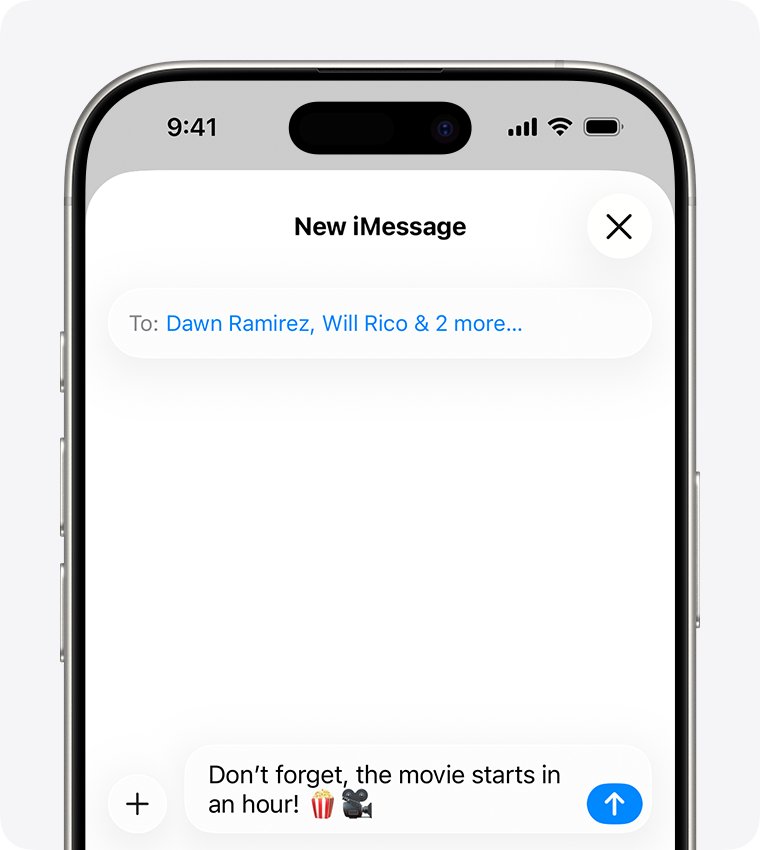
Step by step tutorial on creating a group text on iPhone 12
These steps are the same on iPhone 12, iPhone 12 mini, iPhone 12 Pro and iPhone 12 Pro Max. They also match newer models such as iPhone 16 and iPhone 17.
- Open the Messages app on your iPhone 12.
- In the conversation list, tap the Compose button.
- Tap the To field, then enter the phone number, contact name or Apple Account of the first person.
- Keep typing to add more people, or tap the Add button in the To field to pick group members from Contacts.
- Tap the text field and type your message. To send a photo, video or poll instead, tap the Plus button to the left of the text field.
- Tap the Send button.
The new thread appears at the top of your conversation list with every member's name or picture. If one or more people are not using iMessage, the bubbles turn green instead of blue.
Group iMessage vs group MMS vs group SMS on iPhone
Messages picks the type of group text for you, based on who is in the group, your settings, your network connection and your carrier plan. The type decides what everyone in the thread can do.
| Group type | Bubble colour | Who is in it | What members can do |
|---|---|---|---|
| Group iMessage | Blue | Everyone uses an Apple device with iMessage turned on | Send photos, videos and audio messages, see all replies, use message effects, share location, name the group, add or remove people, mute or leave |
| Group MMS | Green | At least one person is not using iMessage | Send photos and videos, see all replies, mute notifications |
| Group SMS | Green | Not using iMessage, and MMS is off or not supported | Text only; every reply arrives as a separate text and members cannot see each other's replies |
| Group RCS | Green | Not using iMessage, on iOS 18 or later with a carrier that supports RCS | Send texts, high resolution photos and videos and links, with read receipts and typing indicators |
Group iMessage goes through Apple and is end-to-end encrypted. MMS, SMS and RCS go through your carrier, so they count against your text-messaging plan.
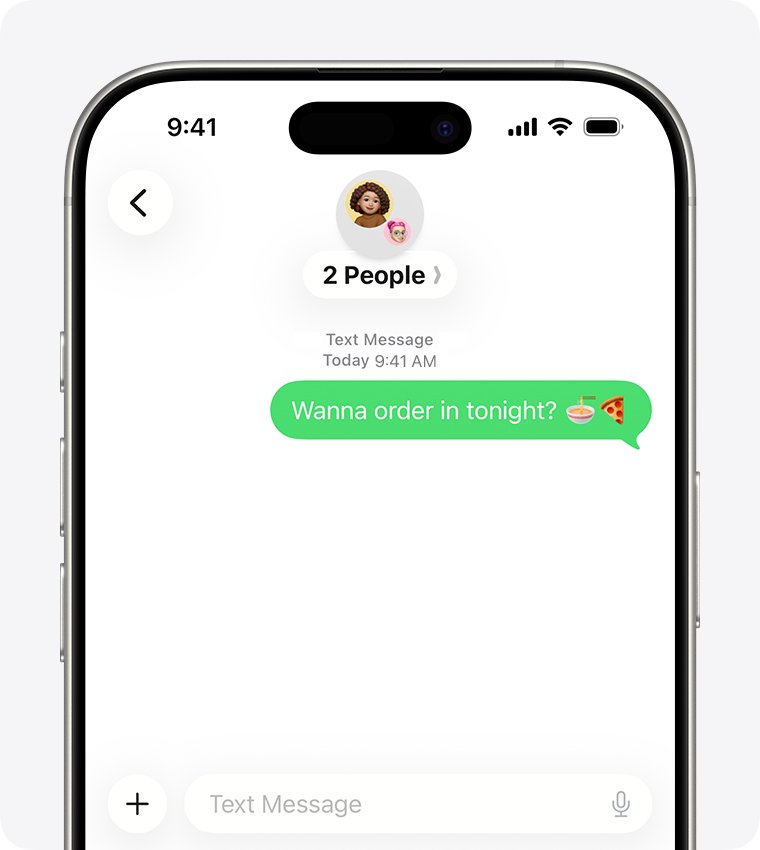
How to name a group text on iPhone 12
A group name and photo make the thread easier to find in a long conversation list. You can name a group iMessage only; SMS and MMS groups cannot be named, and neither can a chat with one person.
- Open the group conversation in Messages.
- Tap the group icons at the top of the thread.
- On iOS 26, tap Edit, then tap Edit Name & Photo. On iOS 18 and earlier, tap Change Name and Photo in blue text under the group icons.
- Type a name for the group.
- Tap the Camera button to take a photo, or choose an existing photo, an emoji or a Memoji.
- Tap Done.
Everyone in the group who uses iMessage sees the new name and icon.
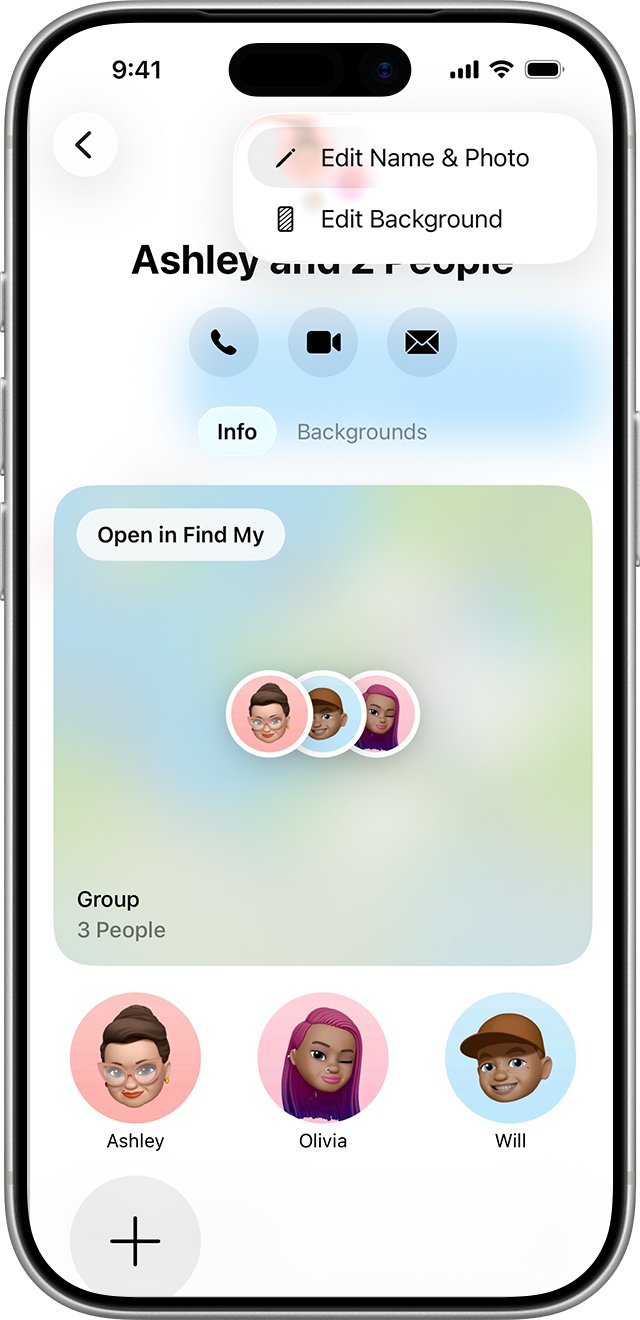
How to add someone to a group text on iPhone
You can add a person to a group iMessage that already includes three or more people, as long as the new person uses an Apple device. A one-to-one chat cannot be turned into a group; start a new message with everyone instead.
- Open the group conversation in Messages.
- Tap the group icons at the top of the thread.
- Tap Add.
- Enter the phone number, contact name or Apple Account of each new person, or tap the Add button to choose from Contacts.
- Tap Done to save the change.
If the person you want to add uses an Android phone, create a new group text that includes them. That new group uses SMS, MMS or RCS.
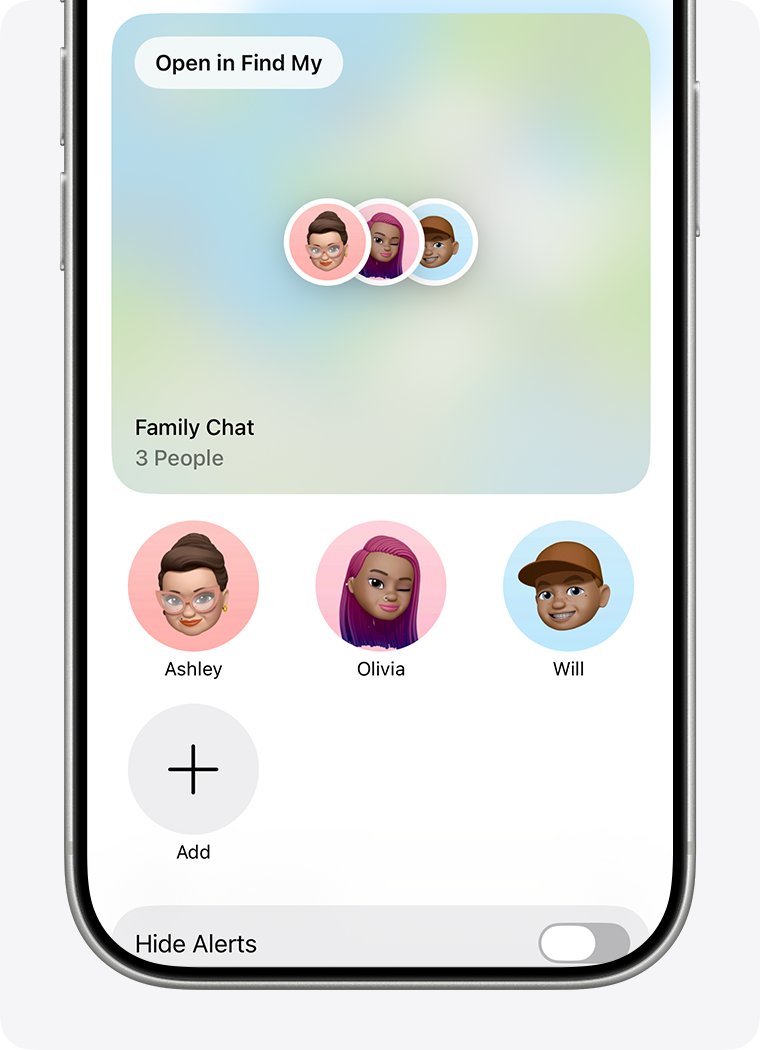
How to remove someone from a group text on iPhone
Removing a person works only in a group iMessage with four or more people, where everyone uses an Apple device.
- Open the group conversation in Messages.
- Tap the group icons at the top of the thread.
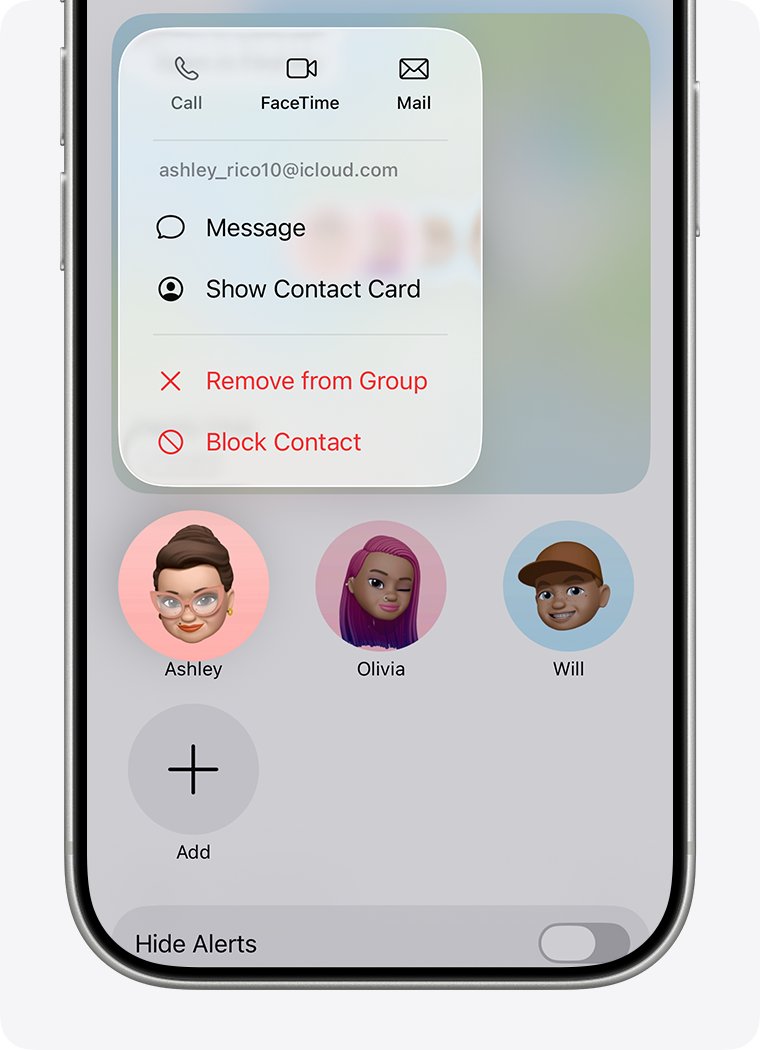
- In the list of members, touch and hold the person you want to remove.
- Tap Remove from Group, then tap Remove to confirm.
A removed person may keep access to projects shared in the thread. The app that hosts each shared project controls that access.
How to leave a group text on iPhone 12
You can leave a group text when there are at least three other people in it and everyone uses iMessage. In a green-bubble group, mute the thread instead.
- Open the group conversation you want to leave in Messages.
- Tap the group icons at the top of the thread.
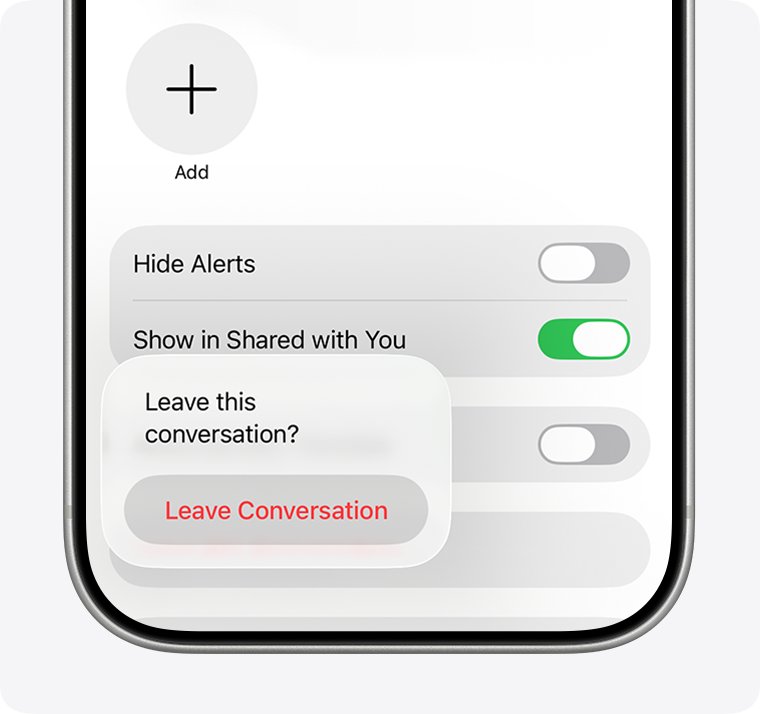
- Scroll down and tap Leave this Conversation.
- Tap Leave Conversation to confirm.
For spam in an MMS or RCS group, tap the group name at the top of the thread and tap Delete and Block this Conversation. Blocked threads move to Recently Deleted, where you can still recover them.
How to mute a group text on iPhone 12
Muting stops alerts from one group text while its messages keep arriving, unlike Do Not Disturb on iPhone, which silences every app. It works in every group type, including SMS and MMS groups you cannot leave.
- In the Messages conversation list, swipe left on the group text.
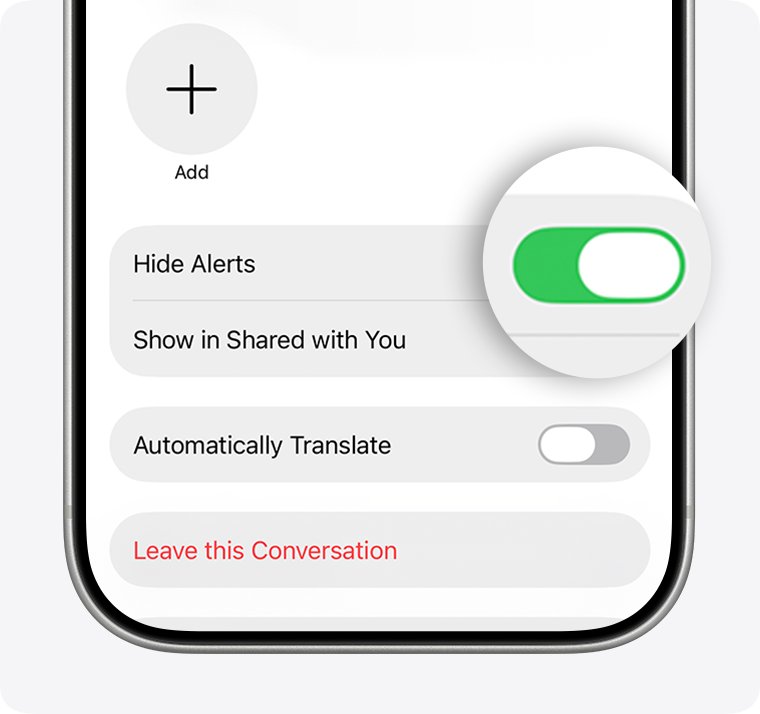
- Tap the Alerts button. The Hide Alerts icon now appears next to the conversation.
- Or open the group, tap the group icons at the top, scroll down and turn on Hide Alerts.
- To get alerts again, turn Hide Alerts off the same way.
Someone who mentions you by name in a group can still notify you, depending on your settings. Turn Notify Me on or off in Settings > Apps > Messages to control that.
How to turn on MMS messaging for group texts on iPhone
A group with Android users needs MMS Messaging turned on, or replies arrive as separate texts. RCS, on iOS 18 and later, also covers green-bubble groups when your carrier supports it.
- Open the Settings app.
- Tap Apps, then tap Messages. On iOS 17 and earlier, tap Messages directly in Settings.
- Turn on MMS Messaging.
- On iOS 18 or later, tap RCS Messaging and turn it on if your carrier offers it.
- Go back to Messages and start the group text again.
If MMS Messaging does not appear, contact your carrier to ask whether your plan supports group MMS.
Tips for creating a group text on iPhone 12
| Tip | Why it helps |
|---|---|
| Name the group as soon as you create it | A name and icon make the group iMessage easier to find in a long conversation list |
| Check the bubble colour before sending photos | Green SMS groups cannot carry photos or videos at all |
| Start a new group to add an Android user | Existing group iMessages accept only people on Apple devices |
| Mention people with @ and their name | The person mentioned gets a notification, which helps in a busy thread |
| Use Hide Alerts rather than leaving a family or work thread | You keep the history and stay reachable without constant alerts |
| Turn off Show in Shared with You for chatty groups | Photos and links from that group stop appearing in the Shared with You sections of other apps |
You can also forward a text from a group thread to someone outside it without adding them to the group.
How to tell if a group text is iMessage or SMS on iPhone
The colour of your own sent bubbles shows which service the group uses.
- Open the group conversation in Messages.
- Look at the messages you sent. Blue bubbles mean group iMessage; green bubbles mean SMS, MMS or RCS.
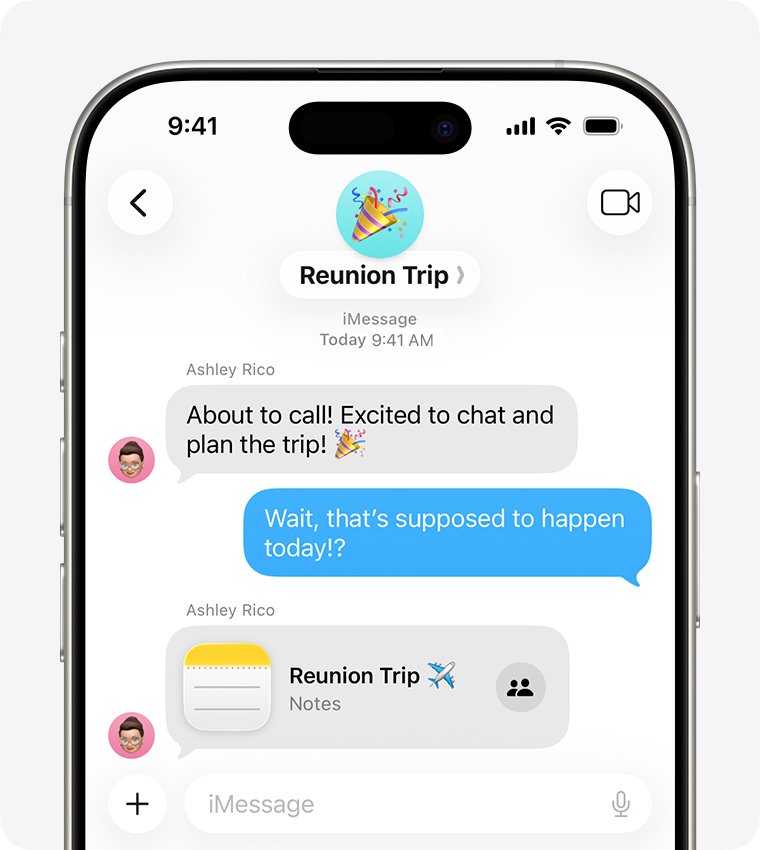
- Tap the group icons at the top of the thread. A group iMessage shows options to add people, rename the group and leave the conversation.
- In an MMS or RCS group, look for Delete and Block this Conversation instead of the leave option.
Group text not working on iPhone 12
Group text replies come individually
The group is sending as SMS, where each reply is a separate text and nobody sees the others' replies.
- Open Settings > Apps > Messages and turn on MMS Messaging.
- On iOS 18 or later, turn on RCS Messaging if your carrier supports it.
- Start a fresh group text with the same people.
- If MMS Messaging is missing, ask your carrier whether your plan includes group MMS.
Can't add someone to a group text on iPhone
The group has fewer than three people, or the new person does not use an Apple device.
- Check the bubble colour; adding people works only in blue group iMessages.
- Count the members; a chat with one other person cannot gain a third member.
- Start a new group text that includes everyone, including the new person.
No Leave this Conversation option in a group text
The group has fewer than three other people, or someone is not using iMessage.
- Open the group, tap the group icons and turn on Hide Alerts to silence it.
- For an unwanted MMS or RCS group, tap Delete and Block this Conversation.
Can't name a group text on iPhone
Only group iMessages can be named; the group includes someone on a non-Apple device.
- Check that every bubble in the group is blue.
- If the group is green, it cannot take a name. Use the members' contact names to find it instead.
Group text sends as green instead of blue
iMessage is off on your iPhone, or at least one recipient is not using iMessage.
- Open Settings > Apps > Messages and make sure iMessage is on.
- Tap Send & Receive and confirm your phone number is selected.
- If one member uses an Android phone, the group stays green; that is expected.
iPhone 12 group text FAQ
Can everyone in a group text see each other's responses?
Yes, in group iMessage, group MMS and group RCS everyone sees every reply in one thread. In a group SMS, replies go out as separate texts, so members cannot see each other's responses.
Is there a limit to how many people I can add to a group text on iPhone 12?
Apple does not state a fixed member limit for group texts in its iPhone documentation. For a green-bubble MMS group, ask your carrier what your text-messaging plan supports.
Can I leave a group text?
Yes, if the group is an iMessage group with at least three other people. Tap the group icons, scroll down and tap Leave this Conversation. In SMS or MMS groups, turn on Hide Alerts instead.
What's the difference between a group text and a group chat in iMessage?
A group chat in iMessage uses blue bubbles, goes through Apple and supports names, effects and adding or removing people. A group text through your carrier uses green bubbles and offers fewer features.
Will I be notified when someone responds in a group text?
Yes, you get a normal Messages notification for each reply unless you turn on Hide Alerts for that group. Mentions by name can still notify you, depending on your Notify Me setting.
How do I create a group text on iPhone 16 or iPhone 17?
Use the same steps as on iPhone 12. Open Messages, tap Compose, enter two or more recipients in the To field, type your message and tap Send.
Can I create a group text with Android users on iPhone?
Yes. Add their phone numbers in the To field as usual. The group sends as MMS, SMS or RCS in green bubbles, so turn on MMS Messaging to keep everyone's replies in one thread.
How do I create a group name on a text message on iPhone?
Open the group iMessage, tap the group icons at the top, then tap Edit and Edit Name & Photo on iOS 26. Type the name and tap Done. Green SMS or MMS groups cannot be named.
Can I see a group text on my Mac or iPad?
Yes. Turn on Messages in iCloud on each device with the same Apple Account to sync group iMessages. For green-bubble groups, forward SMS texts to your Mac or iPad with Text Message Forwarding in Settings > Apps > Messages.