To hide your active status, open the app's privacy or status menu and choose who can see you online: Nobody for last seen and online in WhatsApp, a restricted audience in Telegram, Appear offline in Microsoft Teams, or Set yourself as away in Slack.
This guide covers where each control lives, what each status label means, why the green dot is sometimes wrong, and what to change when someone still sees you online.
How do you hide your online status?
Every app puts the switch in a different place, but each one has a setting that stops other people from seeing you as active. Match your app to a row and make the change.
| If you use | Change this | What other people then see |
|---|---|---|
| Settings > Privacy > last seen and online > Nobody | No last seen time and no online label | |
| Telegram | Settings > Privacy and Security > last seen setting, limited to the people you choose | An approximate value such as "last seen recently" instead of an exact time |
| Microsoft Teams | Profile picture > current status > Appear offline | You show as Offline, but messages still reach you |
| Slack | Profile picture in the sidebar > Set yourself as away | The away dot instead of the active dot next to your name |
Quick platform decision guide
Pick the setting by what you are trying to achieve, not just by the app. Hiding from one person needs a different tool than going quiet for an afternoon.
| Your goal | Best setting | Why |
|---|---|---|
| Hide from everyone on WhatsApp | Last seen and online set to Nobody | No one can see when you were last active or that you are online |
| Hide from a few WhatsApp contacts only | My contacts except… and pick those people | Everyone else keeps seeing your status as normal |
| Hide from one specific person on Telegram | Leave them out of your last seen audience, or block them | Telegram never shows you online to a person you do not share last seen with, unless you message or type to them |
| Look offline at work while still reading chats | Appear offline in Microsoft Teams | Teams keeps delivering messages and notifications while you show as Offline |
| Signal that replies will be slow in Slack | Set yourself as away, or add a status with Pause notifications | Colleagues see the away dot and your status message |
| Go quiet for a set time in Teams | Status Duration with Reset status after | Teams switches you back automatically when the time ends |
Hide last seen and online on WhatsApp
By default, any WhatsApp user can see when you are online, and your contacts can see your last seen time. The privacy menu controls both, on your phone or under Settings > Privacy in WhatsApp Web on a computer.
- Open WhatsApp and go to Settings > Privacy.
- Select the last seen and online setting.
- Choose who can see your last seen: Everyone, My contacts, My contacts except…, or Nobody.
- Set who can see when you are online to the same audience if you want both hidden.
- Go back to Privacy and turn off Read receipts if you also want to hide when you have read messages.
If you share neither last seen nor online, you also lose the ability to see other people's last seen and online. Choosing Everyone for online also counts you in the group online count for groups you belong to.
Hide last seen and online status on Telegram
On Telegram, the last seen rule also decides who can see you online. People you do not share last seen with never see the online label, with a few short exceptions.
- Open Telegram and go to Settings > Privacy and Security.
- Open the last seen setting.
- Choose who can see your last seen time and add exceptions for specific people if needed.
- Block a person if you never want them to see you online; blocked users always see "last seen a long time ago".
- Avoid messaging, reading or typing to someone you want to stay hidden from, because each action shows you online to them for about 30 seconds.
Appear offline in Microsoft Teams
Teams calls this status Appear offline. You look signed out, yet chats in Microsoft Teams still arrive and you still get notifications.
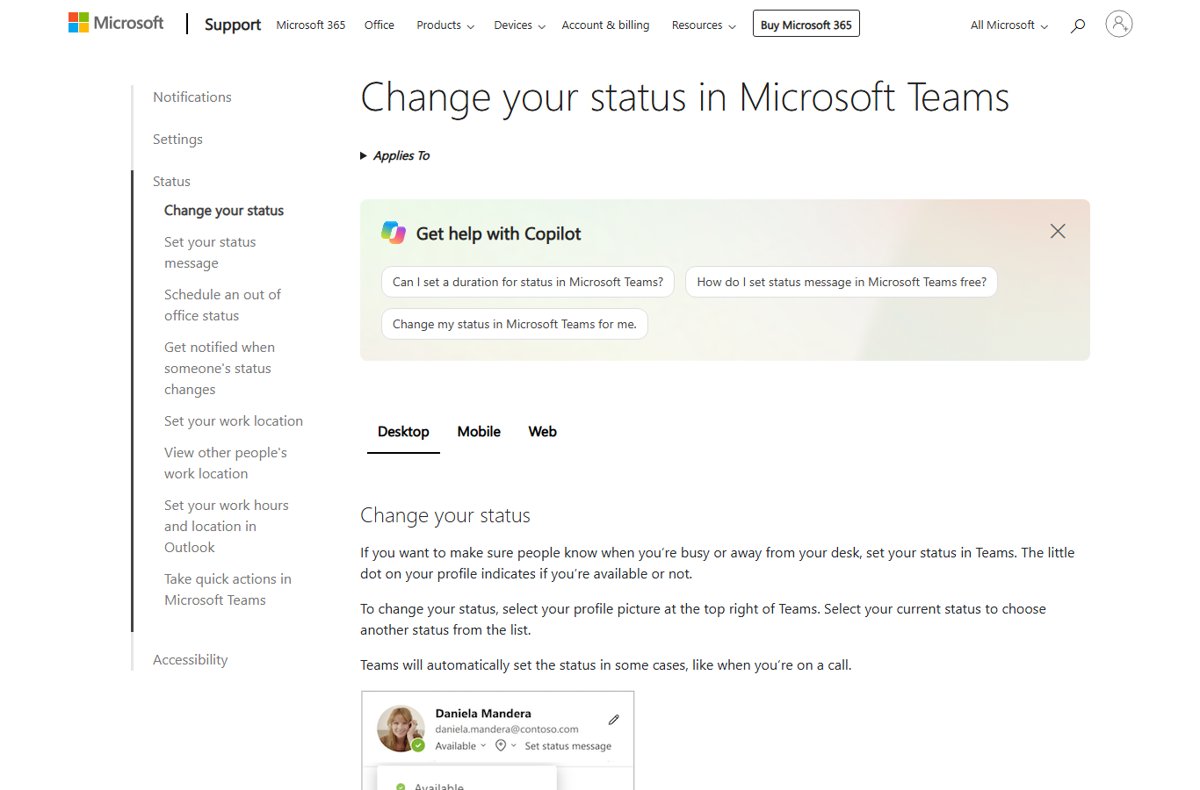
- Select your profile picture at the top right of Teams.
- Select your current status to open the status list.
- Choose Appear offline.
- To set a time limit, select your profile picture > current status > Duration instead.
- Under Status, pick Appear offline, then choose a time under Reset status after, or Custom for a date and time.
- Select Done.
You can also type /offline in the Teams search box. Without a duration, Appear offline stays on indefinitely until you pick another status or select Reset status.
Set yourself as away in Slack
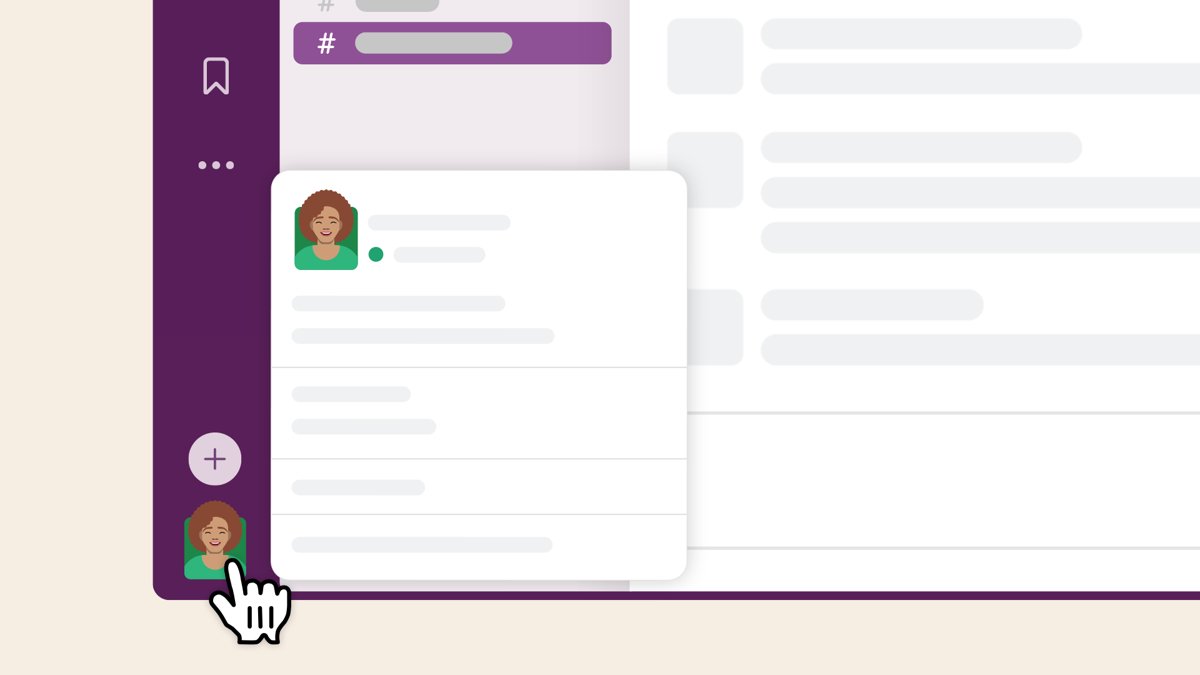
Slack sets your availability dot automatically, but you can override it at any time. There is no invisible mode; away is the setting that hides active use, and on a computer, including the Slack desktop app, you set it by clicking your profile picture in the sidebar.
- Click your profile picture in the Slack sidebar.
- Click Set yourself as away.
- To add context, click your profile picture again and click the Update your status field.
- Enter a status, tick Pause notifications if you want silence, and choose a time under Clear after.
- Click Save.
- When you want to look available again, click your profile picture and click Set yourself as active.
Where are the online-status controls on major platforms?
Use this as a map when you switch between apps. The audience options differ: consumer messengers let you pick people, while workplace tools only let you pick a status.
| Platform | Where the control lives | Options you get | Hides from specific people? |
|---|---|---|---|
| Settings > Privacy | Everyone, My contacts, My contacts except…, Nobody | Yes, with My contacts except… | |
| Telegram | Settings > Privacy and Security | Who sees last seen, plus exceptions | Yes, per person or by blocking |
| Microsoft Teams | Profile picture > current status | Available, Busy, Do not disturb, Be right back, Appear away, Appear offline | No, the status shows to everyone who can see your presence |
| Microsoft Teams (admin) | Teams PowerShell privacy mode | Presence shared or never shared outside the organization | Only external organizations as a group |
| Slack | Profile picture in the sidebar | Set yourself as away or active, status message, scheduled status | No |
How to check that you appear offline
- In Teams, select your profile picture and confirm the status under your name reads Appear offline.
- In Slack, click your profile picture and confirm the menu now offers Set yourself as active, which means you are currently away.
- In WhatsApp, open a chat with a contact; if you set last seen to Nobody, their last seen time disappears for you too.
- In Telegram, open a contact you excluded and note that your own view shows them only as an approximate value, such as "last seen recently".
- Ask a trusted contact to open your chat and confirm they see no online label or exact time.
Online status and visibility: What does the indicator mean?
The online indicator is a signal that your app is open and in use, not proof that you are reading a specific chat. Each platform draws it differently.
| Indicator | Where you see it | What it means |
|---|---|---|
| "online" under a name | WhatsApp, Telegram | The app is open on one of that person's devices right now |
| "last seen" with a time | WhatsApp, Telegram | When the person last had the app open, shown only to the audience they allow |
| "last seen recently" | Telegram | The person hides exact times from you; the real time is between 1 second and 2-3 days ago |
| Green circle with a check mark | Microsoft Teams | The person is Available: active in Teams and free on their calendar |
| Active or away dot | Slack | Whether Slack is open and in use, or idle, closed on mobile or set to away |
What is the difference between online, active, away, invisible, and last seen?
| Status | What it tells other people | Example |
|---|---|---|
| Online | You have the app open at this moment | WhatsApp and Telegram show "online" under your name |
| Active / Available | You are using the app and can respond | Slack's active dot; Teams' Available |
| Away | You are signed in but idle, or chose to look idle | Slack after 10 minutes of desktop inactivity; Teams when the computer locks |
| Invisible / Appear offline | You look signed out while you keep using the app | Teams' Appear offline |
| Last seen | The time you last had the app open | WhatsApp and Telegram, if you share it |
| Do not disturb | You are online but notifications are silenced | Teams' Do not disturb sends calls to voicemail |
Can people see when you are online after you close the app?
Closing an app usually moves you to away or offline, but rarely instantly. The delay depends on the platform and device.
| Platform | What happens after you close or leave the app |
|---|---|
| Slack | You switch to away when you close the mobile app, or after ten minutes of desktop inactivity |
| Teams on a computer | Away after a few minutes of inactivity or when the computer locks; Offline when it sleeps |
| Teams on a phone | Away as soon as Teams runs in the background; Offline after 24 hours of inactivity |
| Teams on several devices | The device you used most recently decides your status |
| Telegram | No online label once the app is closed; people you share last seen with see your last seen time instead |
Does hiding your online status also hide everyone else’s status?
On some apps, privacy works both ways. If you hide your activity, you lose the matching view of other people.
| Platform | Does hiding yours hide theirs? |
|---|---|
| Yes. If you do not share last seen or online, you cannot see other users' last seen or online | |
| WhatsApp read receipts | Yes. Turn them off and you also stop seeing other people's read receipts and who viewed your statuses |
| Telegram | Partly. You lose exact last seen times for people you hide from, but still see an approximate value |
| Microsoft Teams | No. Appear offline changes only how others see you; the green check marks of colleagues still show |
Why is online status not always accurate or real-time?
Status indicators are estimates built from device activity, timers and settings. Several rules make them lag or mislead.
| Reason | Where it applies | Effect |
|---|---|---|
| Inactivity timers | Slack, Teams | You stay active for minutes after you stop using the app |
| Multiple signed-in devices | Teams | A phone or second PC can keep you looking available |
| Approximate values | Telegram | "last seen recently" covers anything from seconds to 2-3 days |
| Brief online flashes | Telegram | Sending, reading or typing shows you online for about 30 seconds |
| On-premises mailboxes | Teams | Presence can lag by up to one hour |
| Manual status lifetime | Teams | Busy and Do not disturb last 1 day and other manual statuses 7 days unless you set a duration |
| Status priority | Teams | A more available status such as Busy does not override a less available one such as Away |
What should you do if someone still sees you online?
Someone still sees me online after I closed the app
Another signed-in device, or an inactivity timer that has not run out yet, still reports you as active.
- Sign out of the app on devices you are not using, such as a second PC or a tablet.
- In Teams, remember the most recently used device sets your presence.
- In Slack, click your profile picture and click Set yourself as away rather than waiting ten minutes.
- In Teams, choose Appear offline instead of relying on Away.
A Telegram contact saw me online even though I hide my last seen
Messaging, reading or typing to that person shows you online for about 30 seconds regardless of settings.
- Do not open or reply to their chat while you want to stay hidden.
- Check Settings > Privacy and Security and confirm that person is not in your last seen audience.
- Block the person if they must never see you online.
A WhatsApp user who is not a contact can still see me online
Online is set to Everyone, which shows it to anyone you have called or messaged before.
- Go to Settings > Privacy.
- Open the last seen and online setting.
- Set last seen to My contacts or Nobody, and restrict who can see you online to match.
- Block the person if you do not want any contact from them.
My Teams status keeps changing back to Available
The status you set had a duration that expired, or you selected Reset status.
- Select your profile picture > current status > Duration.
- Pick Appear offline under Status.
- Set Reset status after to the time you need, or use Custom, then select Done.
How should online-status privacy fit into broader digital safety?
An online label tells other people when you are awake, at work or free to reply. That pattern is useful to friends and equally useful to someone tracking you.
| Situation | Setting to use | Why it helps |
|---|---|---|
| Someone is watching when you are active | Block them on WhatsApp or Telegram | Blocked Telegram users always see "last seen a long time ago" |
| You do not want contacts to know when you read their messages | Turn off WhatsApp Read receipts | Your reads stop being reported in one-on-one chats; group chats always send read receipts |
| Strangers in large groups | WhatsApp online not set to Everyone | You are left out of the group online count |
| Your organization shares presence externally | Admin enables Teams privacy mode with Set-CsPrivacyConfiguration -Identity global -EnablePrivacyMode $True |
Presence is never shared outside the organization |
| You hide status but stay reachable | Teams Appear offline | Messages still arrive, so nothing urgent is missed |
Hiding a status does not hide your phone number on WhatsApp, which stays visible to anyone you message. Treat status settings as one layer alongside blocking and careful sharing.
Online status and visibility FAQ
How do I set my online status to invisible?
Choose the app's offline or hidden option. In Microsoft Teams, select your profile picture, select your current status and choose Appear offline. In WhatsApp, set last seen and online to Nobody. Slack has no invisible mode, so use Set yourself as away.
How can I view status without being seen on WhatsApp?
Turn off read receipts in WhatsApp under Settings > Privacy. When a contact has read receipts off, the person who posted the status cannot see that they viewed it. The trade-off is that you also cannot see who viewed your own statuses.
Why does someone still see me online after I closed the app?
Another device is usually still signed in, or an inactivity timer has not expired. Slack waits ten minutes on desktop before showing away, and Teams on a phone shows Away in the background but only goes Offline after 24 hours of inactivity.
If I turn off active status, can I still see other people's status?
It depends on the app. On WhatsApp, no: if you do not share last seen or online, you cannot see other users' last seen or online. On Telegram, you see only approximate values such as "last seen recently" for people you hide from.
Does Appear offline in Teams stop messages?
No. Appear offline makes you look signed out, but Teams still delivers chat messages and you still receive notifications. Only Do not disturb sends incoming calls to voicemail and hides banner notifications. If you only need pop-ups gone while presenting, hide Teams notifications during screen sharing in Notifications and activity.
How long does a manual status last in Microsoft Teams?
Without a duration, Appear offline lasts indefinitely, Busy and Do not disturb last one day, and other manual statuses last seven days. Set a duration under your profile picture > current status > Duration to choose the exact end time.
What does "last seen recently" mean on Telegram?
It means the person does not share their exact last seen time with you and was active between one second and about two to three days ago. Other approximate values are within a week, within a month and a long time ago.
Can I hide my online status from just one person?
Yes on WhatsApp and Telegram. In WhatsApp, choose My contacts except… and pick that person. On Telegram, leave them out of your last seen audience or block them. Workplace tools such as Teams and Slack apply one status to everyone. On Messenger, you can restrict someone in Messenger so that one person no longer sees your active status or read receipts.
Why does my Slack status show away when I am working?
Slack sets you to away after ten minutes of desktop inactivity, or when you leave or close the mobile app. Click your profile picture and select Set yourself as active to switch back manually.
The bottom line on hiding your online status
Use the narrowest setting that solves your problem: an excluded contact or a block for one person, Nobody for everyone on WhatsApp, and Appear offline with a duration in Teams. Hiding status on WhatsApp also hides other people's status from you, and Telegram still shows you online briefly when you message someone, so a targeted setting keeps the features you want while removing the visibility you do not.