To create a new Spotify account when you already have one, log out of the current account and sign up at spotify.com/signup with an email address, Google account or Apple ID that is not already linked to any Spotify account.
This guide covers each sign-up route, the Premium, Family and trial rules that apply to a second account, how to reuse your old email by closing the old account, and fixes for the errors people hit.
The fastest way to make a second Spotify account
Spotify has no "add account" button inside an existing account. A second account is simply a fresh sign-up with different login details.
- In the Spotify web player or desktop app, click your profile picture at the top and select Log out.
- Open spotify.com/signup in your browser.
- Type an email address that has never been used on Spotify into Email address and select Next.
- Follow the prompts to set a password and your profile details, such as your display name and date of birth.
- Finish the sign-up and open Spotify, which now plays on the new, free account.
Your old account is untouched. Its playlists, plan and payment details stay exactly where they were.
Which sign-up route should you use?
Every Spotify login detail can belong to one account only. Pick a route based on which login you have free.
| Your situation | Use this | Why |
|---|---|---|
| You have a spare email address | spotify.com/signup with that email | The simplest route, and the email doubles as your login |
| Your Google account is not on Spotify yet | Sign up with Google | One tap to log in later; the Google email must not already be a Spotify login |
| You use an iPhone or iPad | Sign up with Apple | Logs in with Face ID or Touch ID and can hide your real email |
| You only want a phone number login | Sign up from the login screen of the mobile app | Spotify's getting-started page lists phone number as a sign-up option |
| The new account is for a young child | A managed account under Parental controls | Parent-controlled, music-only, and no separate email needed |
| You want to reuse the email on your old account | Close the old account first, then wait 14 days | Spotify blocks an email from a closed account for 14 days |
| You want to publish a podcast, not listen | creators.spotify.com and select Sign up | Spotify for Creators is the podcast dashboard, separate from a listener sign-up |
Facebook is no longer a sign-up route. Spotify states that Facebook cannot be added as a login method, so the sign-up page only offers email, Google and Apple.
Understanding Spotify Accounts
A Spotify account is defined by its login methods, not by the person or device. That is why one person can hold two accounts, and why two accounts can never share a login.
| Rule | What it means for a second account |
|---|---|
| One login detail, one account | An email, Google account or Apple ID already on Spotify cannot be added to another account |
| Several login methods per account | Each account can hold email, Google and Apple logins at once, visible under Current login methods |
| At least one login method is required | You cannot strip every login off the old account to free them up |
| Username login ends September 1, 2026 | Accounts must log in with an email or another linked method after that date |
| Playlists and Liked Songs belong to one account | A new account starts with an empty library |
| The plan belongs to one account | Premium on the old account does not cover the new one |
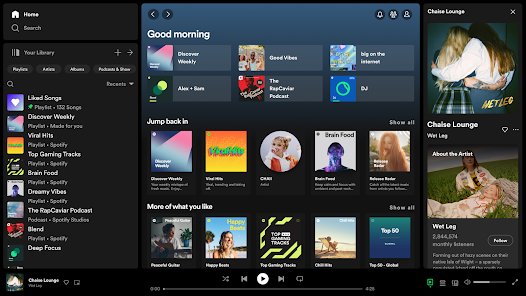
Reasons to Create a New Spotify Account
Some reasons genuinely need a second account. Others are solved faster inside the account you already have.
| Reason | Need a new account? | Better route if not |
|---|---|---|
| Separate recommendations for a partner or family member | Yes | Put both accounts on Premium Duo or Family to share one bill if you live together |
| A child needs their own listening | Usually a managed account instead | Create it under Parental controls on your own account |
| You lost access to the old account's email | Only if the email cannot be recovered | Spotify's own advice is to regain the email first, or create a new account and start fresh |
| You want to start your recommendations over | Yes | A new account has no listening history |
| You want to change your login email | No | Change it under Edit personal info on your account page |
| You want another Premium free trial | No | The trial is only offered if you have not tried Premium before |
| You want to switch Premium plans | No | Use Change plan on the current account; playlists and settings carry over |
What you need before you start
| Requirement | Detail |
|---|---|
| A free login detail | An email, Google account or Apple ID not linked to any Spotify account |
| For Apple sign-up | iOS 14 or later, an Apple ID with two-factor authentication, and iCloud signed in |
| Access to the new email inbox | Spotify sends verification and password reset links there |
| The old account logged out | Otherwise invites and sign-ups can attach to the wrong account on a shared device |
| A payment method, only for Premium | The free plan needs no card |
Want to use a new Gmail address as the login? Create a Google account first, then come back to the sign-up page.
Steps to Create a New Spotify Account
These steps use the website, which works the same on Windows, Mac and phone browsers. On a phone, you can also start from the app.
- Log out of the current account: on mobile, tap your profile picture, tap Settings and privacy, scroll to the bottom and tap Log out.
- On desktop or the web player, click your profile picture and select Log out, or press Ctrl + Shift + W on Windows or Cmd + Shift + W on a Mac.
- Open spotify.com/signup, or tap Sign up on the login screen of the Spotify app.
- Enter the new email address and select Next, or choose Sign up with Google or Sign up with Apple.
- Complete the remaining sign-up screens; gender, date of birth and display name are the profile details Spotify asks for.
- Open the Spotify app and log in with the new details to start listening on the free plan.
To add Premium to the new account, go to spotify.com/premium while logged in to it and pick a plan.
Sign up with Google or Apple without hijacking your old account
Spotify warns that signing in with Google creates a new account when the Google email differs from your Spotify email. That behaviour is useful here, and confusing when it happens by accident.
- Check your old account's Current login methods list to see whether Google or Apple is already connected to it.
- If your Google or Apple ID is already connected, stop and use a different email instead; it cannot be moved to a second account.
- Log out of Spotify on the device you are using.
- Open spotify.com/signup and select Sign up with Google or Sign up with Apple.
- Choose the Google account or Apple ID you want the new Spotify account to use.
- On Apple, choose to hide your email if you want Apple to relay Spotify's emails from a random address.
If you hide your Apple email, note it down. You need that relay address to reset the password later.
Reuse your old email by closing the old account
Closing an account deletes its playlists, library and data permanently. Do this only if you truly want the new account to replace the old one.
- If the old account has Premium, open Manage your plan on its account page and select Cancel subscription.
- Open the Spotify support article Closing your account and deleting your data and select Close your account and delete your data.
- Follow the confirmation steps and watch your inbox for the reactivation email.
- Wait out the 7-day reactivation window; after it, the old account cannot be restored.
- Wait until 14 days have passed since the closing date.
- Sign up at spotify.com/signup with the same email address.
Closing the account also removes access to purchased audiobooks and tickets for future live events.
Create a managed account for a child instead
A managed account is the Spotify-approved way to give a young listener their own account. It lives under your login, so the child needs no email of their own.
- Open the Spotify app on your phone and tap your profile picture at the top.
- Tap Settings and privacy, then tap Parental controls.
- Tap Create next to Create a managed account.
- Give parental consent with a photo of your ID and a selfie, or with a credit or debit card.
- Choose a parental controls PIN, then enter the child's name and date of birth.
- Set the parental controls, then log in to the managed account on the child's device.
On Premium Family, the managed account takes one of the 6 plan slots and gets Premium. On any other plan it is free and ad-supported, and a parent can manage up to 10 of them.
Add the new account to a Family plan
Premium Family covers up to 6 accounts, including the manager, for people who live at the same address. Every member keeps a separate account and login.
- The plan manager logs in, opens Manage members on the Family page and sends an invite or copies the invitation link.
- The plan manager logs out if the new account will accept on the same device.
- Log in to the new Spotify account and open the invite link.
- Click Accept invite, then select Yes, continue to confirm the right account is signed in.
- Enter the same home address as the plan manager and select Confirm.
A manager of a Duo or Family plan cannot join another plan, and members can only switch plans once every 12 months.
How to check the new account worked
- Log in to the account page with the new details and open Edit personal info; the new email should appear under Email.
- Open Edit login methods and confirm Current login methods lists only the login you chose for the new account.
- Open Your Library in the app; a new account shows no playlists from the old one.
- Check the plan on the account page; a new account is on the free plan until you add Premium or join a Family plan.
- Log out, log back in to the old account, and confirm its playlists and plan are unchanged.
Best Practices for Managing Multiple Accounts
Spotify has no quick account switcher, so moving between accounts means logging out and in again. These habits prevent the common mix-ups.
| Practice | How to do it | What it prevents |
|---|---|---|
| Switch accounts cleanly | Tap your profile picture, Settings and privacy, Log out, then log in with the other details | Playing or saving music on the wrong account |
| Log out everywhere at once | Use Sign out everywhere on the account page | The old account staying signed in on phones, desktop and web |
| Remove partner devices separately | Choose Remove Access on your apps page | Speakers, consoles and TVs still using the old login |
| Give each account its own email | Keep a password saved for each in a password manager | Locking yourself out after the September 1, 2026 username change |
| Log out before opening Family invites | The manager logs out on a shared device first | The invite attaching to the manager's account |
| Know which account pays | Check Manage your plan on each account page | Being charged for Premium on an account you no longer use |
What happens to Premium, trials and playlists on a second account
| Item | What happens |
|---|---|
| Premium on the old account | Stays on the old account and keeps billing until you cancel it |
| Free Premium trial | Offered only if you have not tried Premium before |
| Old playlists and Liked Songs | Stay on the old account; the new account starts empty |
| Old account after cancelling Premium | Switches to free on the next billing date and keeps its playlists |
| Cancelling during a $0 trial | The account drops to free immediately, and the trial cannot be reactivated |
| Premium bought through a phone or internet provider | Must be cancelled with that partner, found under Payment on the account page |
Troubleshooting Common Issues
The email or Google account is already connected to an account
Spotify does not allow the same login details on more than one account.
- Use a different email address, or sign up with Google or Apple instead.
- If you do not remember the old account, go to the password reset page and enter the email to reach it.
- To free the email, close the old account and sign up again after 14 days.
Continue with Google made a new account you did not want
Google sign-in creates a new Spotify account when the Google email differs from your Spotify email.
- Log out and log in to your original account with its email and password.
- Open Edit login methods and select Add next to Google to connect it to the original account.
- If the accidental account holds Google, set a password on it through password reset, disconnect Google on its Manage login methods page, then add Google to the original.
The Family invite opens on the wrong account
The plan manager was still logged in on the shared device.
- Have the plan manager log out of Spotify on that device.
- Log in to the new account and open the invite link again.
- If the link has expired, open it in a private or incognito window, or ask the manager for a new invite.
The verification or reset email never arrives
The message is filtered, or the email on the account is wrong.
- Check spam, junk and filtered folders such as Promotions.
- Check your inbox rules for anything blocking mail from @spotify.
- Restart the app and tap SEND EMAIL again.
- If the email is wrong, tap Edit email address and correct it.
You are still charged but the new account is on the free plan
Premium is active on the other account.
- Log out and log in with the old account's details.
- Open Manage your plan and select Cancel subscription if you no longer want it.
- If there is no option to change the plan, cancel with the partner listed under Payment.
Too many requests when resetting the password
Several reset attempts were made in a short time.
- Wait before trying again.
- Try a different browser or device.
- Open the emailed reset link in a private or incognito window if it says the link is invalid.
Conclusion
Log out, sign up at spotify.com/signup with an email that has never touched Spotify, and keep the old account open unless you are certain you will not need its library. Closing is permanent after 7 days and locks the email for 14, while a spare email gives you a working second account in minutes with both libraries intact.
Frequently Asked Questions
How do I create a new Spotify account?
Go to spotify.com/signup, or tap Sign up on the login screen of the Spotify app. Sign up with an email address, Google account or Apple ID, then follow the prompts. Spotify also lists a phone number as a sign-up option in the app.
Can I have two Spotify accounts?
Yes. Each account just needs its own login details, because Spotify does not allow one email, Google account or Apple ID on more than one account. Switch between them by logging out and logging back in.
Can I make a new Spotify account with the same email?
Not while the old account exists. Close the old account first; Spotify lets you use the same email address for a new account 14 days after the closing date.
Does a new Spotify account get a Premium free trial?
Only if you have not tried Premium before. Spotify's Individual and Student trial offers state they are available only to people who have not tried Premium, so a second account is not a route to another trial.
How do I create a new Spotify account for my family?
Each family member signs up for their own account, then the plan manager invites them from Manage members on the Premium Family page. Premium Family covers up to 6 accounts at the same address, including the manager.
How do I create a Spotify account for kids?
Create a managed account: tap your profile picture, then Settings and privacy, then Parental controls, and tap Create next to Create a managed account. You give parental consent with an ID and selfie or a card, then set a PIN and controls.
Is a new Spotify account free?
Yes. Every new account starts on the free, ad-supported plan and needs no payment card. You only pay if you choose a Premium plan at spotify.com/premium.
Can I create a new Spotify account with Facebook?
No. Spotify states that Facebook can no longer be added as a login method, and the sign-up page offers only email, Google and Apple. Older accounts that still list Facebook can keep using Continue with Facebook.
How do I make a Spotify creator account?
Go to creators.spotify.com and select Sign up. Spotify for Creators is the dashboard for publishing and managing a podcast, and it is separate from signing up to listen on spotify.com.
Will my playlists move to my new Spotify account?
No. Playlists and Liked Songs stay on the account that created them, and a new account starts empty. If a playlist seems missing, Spotify suggests logging in with your other account details to find it.
Where can I get help with a new Spotify account?
Start with the Can't log in to Spotify and Spotify login methods articles at support.spotify.com. For anything they do not solve, use the Contact us page on the same site.







How to Easily Pair and Use Spotify with Your Devices - Techdows
[…] Spotify's Connect help page does not list Connect as a Premium-only feature. If several people in your home want separate playback, each needs a separate account; see how to create a new Spotify account if you already have one. […]
How to make a new Facebook account from your old one - Techdows
[…] you signed in to Spotify with Facebook, you may need to create a new Spotify account or contact Spotify before the old Facebook account […]