The Windows Calculator download is free from the Microsoft Store, and on most PCs the app is already there. Press Windows, type Calculator and press Enter to open it.
If Calculator has gone missing, you can put it back in about a minute from the Store listing, with winget, or with a single PowerShell command.
This guide covers the official Microsoft source, install and repair steps for Windows 11 and Windows 10, the size and system requirements, what Mac users open instead, and fixes when Calculator will not open.
Which Calculator download do you need?
Match your machine to a row. On a healthy Windows install the answer is usually that nothing needs downloading.
| Your situation | What to get | Size |
|---|---|---|
| Windows 11 or Windows 10, Calculator opens | Nothing. Update it from the Store Library | 0 |
| Windows 11 or Windows 10, Calculator is missing | Windows Calculator on the Microsoft Store | 20.6 MB bundle |
| Windows 10 older than version 2004 | Update Windows first, then install from the Store | 20.6 MB bundle |
| You want to read or build the code | Source code on GitHub, MIT licensed | Source only |
| Mac | Calculator, built into macOS | 0 |
The Store package lists a minimum of Windows 10 build 19041, which is version 2004 from May 2020. Anything older has to take a Windows update first.
Download Windows Calculator from the official Microsoft source
Microsoft ships Calculator through the Microsoft Store and through Windows itself. There is no separate setup file on microsoft.com.
- Windows Calculator on the Microsoft Store, product 9WZDNCRFHVN5 — publisher Microsoft Corporation, free
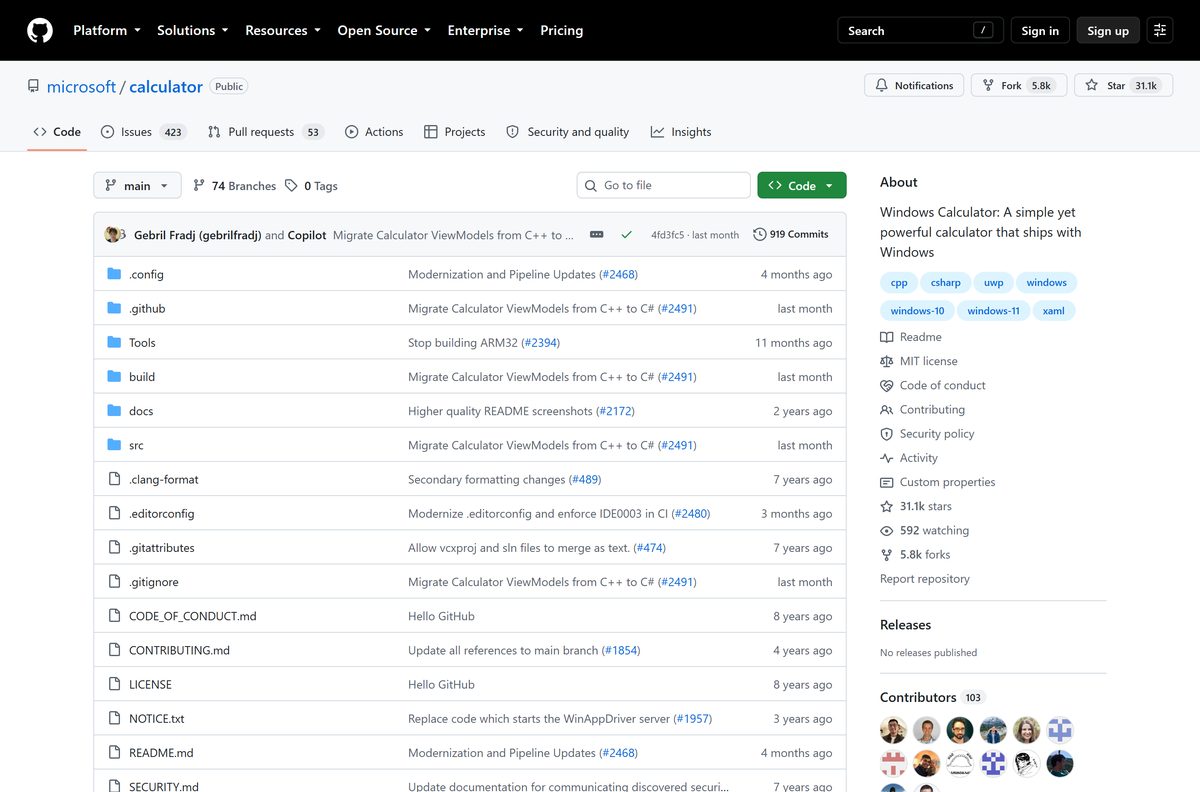
- Calculator source code on GitHub — MIT License, C++ and C#, no binary releases
- winget install documentation — for the command-line route below
The US listing is rated 4.5 out of 5 from 503,151 ratings. Check that the publisher line reads Microsoft Corporation before you select Get, because dozens of unrelated calculators sit on the same Store search page.
Install Calculator from the Microsoft Store or with winget
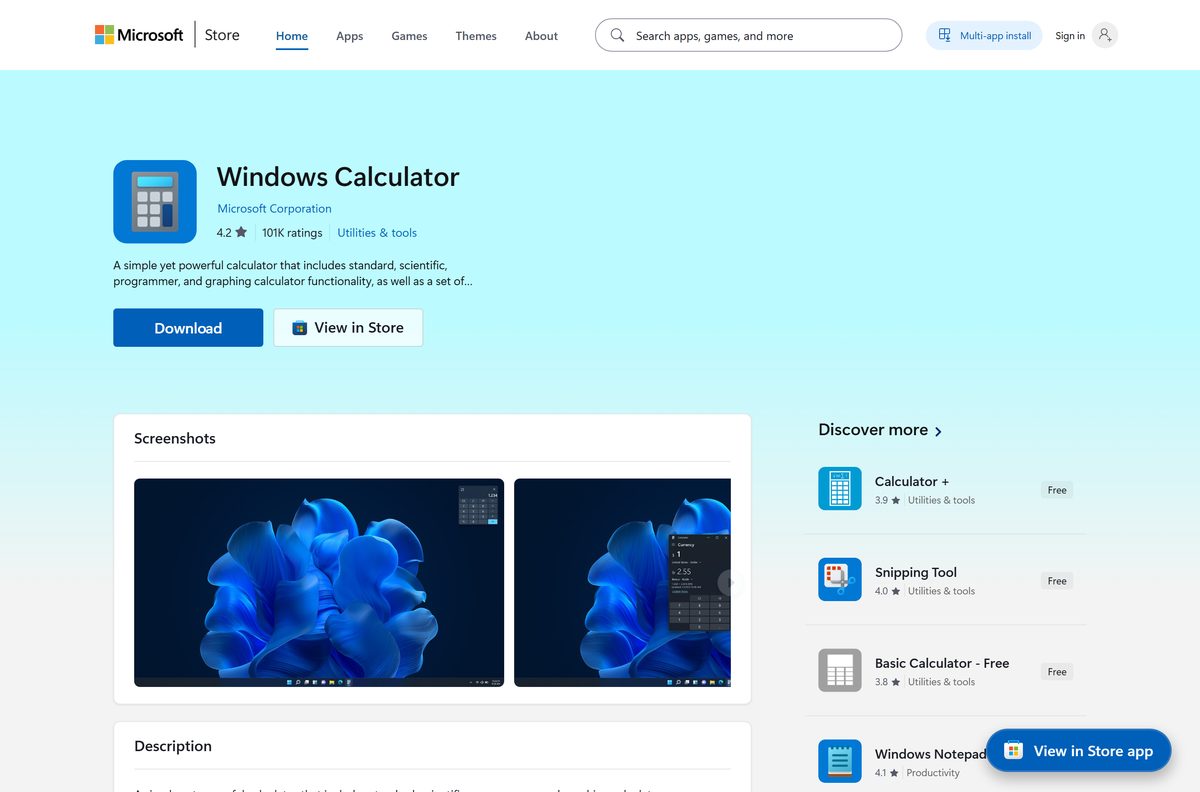
Use this route first. The Store installs the app and then keeps it updated on its own.
- Open Microsoft Store from the Start menu.
- Search for Windows Calculator, or open the listing for product 9WZDNCRFHVN5 directly.
- Confirm the publisher reads Microsoft Corporation.
- Select Get, or Install if the app was on this PC before.
- Wait for the button to change to Open, then select it.
- For a command line instead, open Terminal and run winget install 9WZDNCRFHVN5 –source msstore .
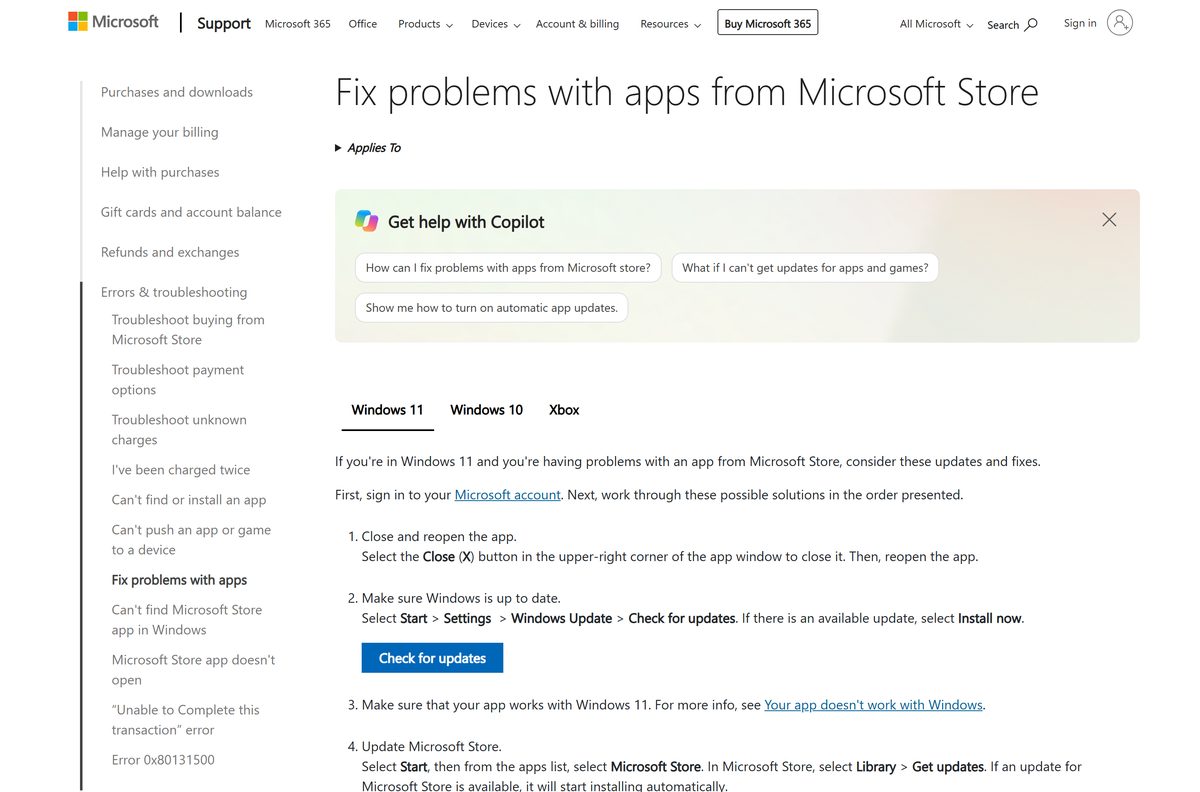
The current package is a 20.6 MB bundle covering x64, x86 and ARM64. It settles at about 21 MB on disk once Windows keeps only the build your CPU needs.
How to restore Calculator with PowerShell on Windows 11 and 10
Take this route when the Store itself is broken or blocked. Windows keeps the app payload on disk, so the command re-registers it rather than downloading anything.
- Right-click Start and select Terminal (Admin).
- Run Get-AppxPackage -AllUsers Microsoft.WindowsCalculator to see whether the package is still on the PC.
- If it is listed, run Get-AppxPackage -AllUsers Microsoft.WindowsCalculator | Foreach {Add-AppxPackage -DisableDevelopmentMode -Register “$($_.InstallLocation)\AppXManifest.xml”} .
- If nothing is listed, run Get-AppxProvisionedPackage -Online | Format-Table DisplayName, PackageName and look for Microsoft.WindowsCalculator.
- Close Terminal and press Windows, then type Calculator.
- If the app still does not appear, install it from the Store listing linked above.
Provisioned apps install the first time a new user account signs in, which is why a fresh profile sometimes fixes Calculator on its own.
How to deploy Calculator across managed PCs
Microsoft publishes no Calculator MSI or offline setup. Deployment works from the package identity instead, either through the Store source in winget or through a management service.
| Field | Value | Source |
|---|---|---|
| Store product ID | 9WZDNCRFHVN5 | Microsoft Store listing |
| Package family name | Microsoft.WindowsCalculator_8wekyb3d8bbwe | Microsoft Store listing |
| Package identity | Microsoft.WindowsCalculator | Get-AppxPackage reference |
| Install command | winget install 9WZDNCRFHVN5 –source msstore | winget install reference |
| Source code | MIT licensed, C++ and C# | microsoft/calculator on GitHub |
Run Get-AppxProvisionedPackage -Online | Format-Table DisplayName, PackageName on a reference image to confirm the app is still provisioned before you push anything.
Test the winget command on one machine first. The msstore source needs the Store to be reachable, which some locked-down images block.
Check the Windows Calculator system requirements
Calculator asks for nothing beyond the Windows version it runs on.
| Field | Value |
|---|---|
| Software | Windows Calculator |
| Developer | Microsoft Corporation |
| Latest version | 2021.2607.0.0 |
| Store product ID | 9WZDNCRFHVN5 |
| Package family name | Microsoft.WindowsCalculator_8wekyb3d8bbwe |
| Price | Free, included with Windows |
| Source licence | MIT |
| Supported OS | Windows 10 version 2004 (build 19041) or later, and Windows 11 |
| Architecture | x64, x86 and ARM64 |
| Download size | 20.6 MB bundle, about 21 MB installed |
| Offline installer | No |
| Mac version | None |
| Last verified | 2026-09-22 |
Is Windows Calculator free?
Yes. Calculator costs nothing, has no paid tier and carries no ads. The Microsoft Store lists the app at $0 with no purchase required, and Windows 11 and Windows 10 include it out of the box. The source code is published under the MIT License, so even the code is free to read and reuse. Any page charging for a Calculator setup file, or bundling it with a downloader, is not Microsoft.
Currency conversion inside the app pulls live rates over the internet. The rates cost nothing, but they need a connection.
Which calculator do you need on a Mac?
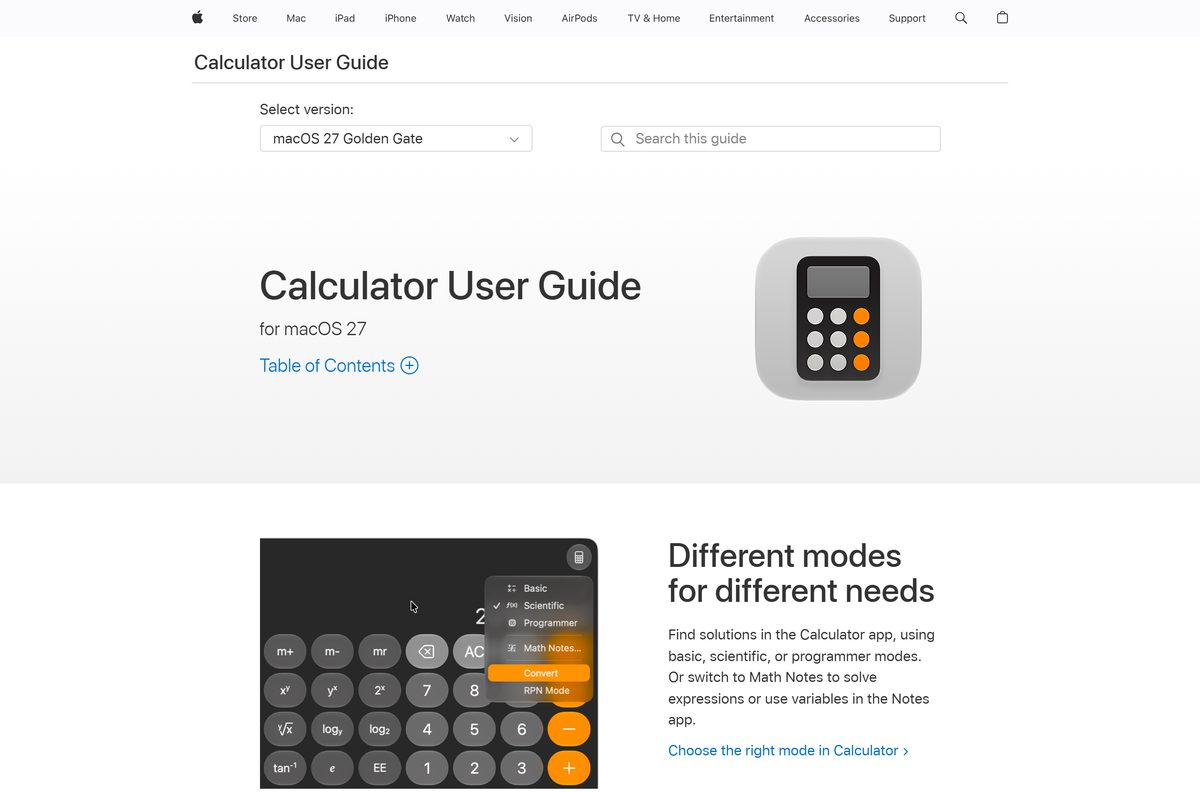
Microsoft publishes Calculator for Windows only. macOS ships its own Calculator, and it covers the same three main modes.
| What you want on the Mac | What to open | Where it comes from |
|---|---|---|
| Everyday arithmetic | Calculator in Basic view | Built into macOS |
| Trigonometry and logarithms | Calculator in Scientific view | Built into macOS |
| Hex, octal and binary | Calculator in Programmer view | Built into macOS |
| The Microsoft app itself | Run Windows on the Mac, then install from the Store | Windows only |
Graphing mode has no macOS counterpart in Apple’s Calculator. Use the Windows app or a web graphing tool for that.
Which Calculator mode handles your problem?
Switch modes from the hamburger menu at the top left. The app keeps memory and history separately for each one.
| Mode | What it does | Use it for |
|---|---|---|
| Standard | Evaluates each operation as you press it | Tips, totals and quick sums |
| Scientific | Applies operator precedence across the whole expression | Trigonometry, logarithms and powers |
| Graphing | Plots equations and analyses the curve | Algebra homework and function shapes |
| Programmer | Converts between decimal, hex, octal and binary | Bitwise work and byte maths |
| Date calculation | Counts the difference between two dates | Deadlines, ages and notice periods |
| Converters | Converts units and currencies | Length, volume, temperature and money |
Standard mode gives basic arithmetic infinite precision, so long division does not drift into rounding errors.
Currency rates refresh over the internet. Offline, the app reuses the last rates it downloaded.
How to check your Calculator version and update it
The Store handles updates. Check the version when a feature you read about is missing.
- Open Calculator.
- Select the hamburger menu, then About.
- Read the version line and compare it with 2021.2607.0.0.
- Open Microsoft Store, select your profile picture, then Settings.
- Turn on App updates so Windows refreshes it automatically.
- Select Library, then Get updates, and wait for Calculator to finish.
Microsoft ships the app on its own schedule, separate from Windows Update, so a fully patched PC can still hold an older build.
How to pin Calculator and keep it on top
Always on Top shrinks the window to a compact keypad that stays above other windows.
- Open Calculator and switch to Standard mode.
- Select the Keep on top arrow beside the mode name.
- Drag the small window to a corner of the screen.
- Select the arrow again to return to the full window.
- Right-click the taskbar icon and select Pin to taskbar.
- Press Windows + number for its taskbar position to reopen it later.
Keep on top is available in Standard mode only. Scientific, Graphing and Programmer stay in the full window.
Fix Calculator not opening, missing or not installing
Calculator opens and closes instantly
The app package is damaged. Windows repairs it without touching your history or memory.
- Select Start > Settings > Apps > Installed apps.
- Select the three dots beside Calculator, then Advanced options.
- Select Repair.
- If that does not help, select Reset.
- Reopen Calculator.
Calculator is missing from the Start menu
The app was uninstalled, or removed from the Windows image before deployment.
- Open Microsoft Store and select Library.
- Find Windows Calculator and select Install.
- If the Store is unavailable, use the PowerShell re-register command shown above.
- Sign out and back in so provisioned apps register for your account.
The Store says the app is not compatible
The current package needs Windows 10 build 19041 or later.
- Press Windows + R, type winver and select OK.
- Read the build number in the dialog.
- If it is below 19041, open Settings > Windows Update and install everything offered.
- Restart, then try the Store listing again.
The Store download stalls or fails
A stuck Store cache or a pending restart is blocking the install.
- Restart the PC if updates installed recently.
- Press Windows + R, type wsreset.exe and select OK.
- Wait for the Store to reopen on its own.
- Check that the date, time and region on the PC are correct.
- Select Install again.
Currency conversion shows old rates
The app could not reach the rate service and fell back to its cached figures.
- Open Calculator and select Currency under Converter.
- Select Update rates.
- If nothing changes, check that the PC is online.
- Confirm that a firewall or proxy is not blocking the Store apps.
How to uninstall Calculator
Removing Calculator also removes its history and memory entries. Reinstalling brings back the app, not the data.
- Select Start > Settings > Apps > Installed apps.
- Search for Calculator and select the three dots beside it.
- Select Uninstall, then Uninstall again to confirm.
- To remove it for every account, run Get-AppxPackage -AllUsers Microsoft.WindowsCalculator | Remove-AppxPackage -AllUsers from an elevated terminal.
- Reinstall at any time from the Store listing linked above.
Which calculator should you use instead?
Stay with Calculator for everyday maths, conversions and quick graphs. Move on only when the work outgrows it.
| Tool | Where it comes from | Best for |
|---|---|---|
| Windows Calculator | Microsoft, free with Windows | Arithmetic, graphing, unit and currency conversion |
| Excel | Microsoft 365 or a standalone licence, paid | Long calculations you need to keep and audit |
| Calculator for Mac | Apple, built into macOS | The same job on a Mac |
| A build from source | GitHub, MIT licensed | Developers who want to change the app |
A build from source leaves out graphing. Microsoft licenses that engine from a third party and cannot ship it in the open-source project.
Frequently asked questions
Is Windows Calculator free to download?
Yes. The Microsoft Store lists the app at no cost, and Windows 11 and Windows 10 include it out of the box. There is no paid tier, licence key or advertising to remove.
What is the official Windows Calculator download page?
The Microsoft Store listing for product 9WZDNCRFHVN5, published by Microsoft Corporation. Microsoft hosts no separate setup file, so any .exe offered elsewhere came from somebody else.
Does Calculator work on Windows 11?
Yes. Windows 11 ships with the app preinstalled and updates it through the Microsoft Store. The same package also covers Windows 10 from version 2004 onwards.
How big is the Windows Calculator download?
The Store download is a 20.6 MB bundle covering x64, x86 and ARM64 machines, and it takes about 21 MB once installed. Your PC keeps only the build it needs.
Is there a Windows Calculator offline installer?
No. Microsoft publishes no standalone setup file. On a PC with no internet, restore the app with the PowerShell re-register command, which uses the package files already on disk.
Is there a Windows Calculator for Mac?
No. Microsoft builds the app for Windows only. macOS includes its own Calculator with Basic, Scientific and Programmer views, which cover most of the same ground.
Does Calculator run on 64-bit and ARM64 PCs?
Yes. The current package is built for x64, x86 and ARM64, so it runs natively on Intel, AMD and Snapdragon Windows PCs from the same Store listing.
Is it safe to download Calculator from other sites?
Use the Microsoft Store listing instead. Third-party pages wrap the name around an unrelated program or a downloader, and a copy from them receives no Store updates.
What is the latest version of Windows Calculator?
Microsoft’s Store catalog listed version 2021.2607.0.0 in September 2026. Check yours by opening the app, selecting the hamburger menu and then About.
Why won’t Calculator install from the Microsoft Store?
The two usual causes are a Windows 10 build older than 19041 and a stuck Store cache. Check your build with winver, then run wsreset.exe and try the install again.
Is Windows Calculator open source?
Yes. Microsoft publishes the code at github.com/microsoft/calculator under the MIT License. Developer builds leave out graphing, because that engine is licensed from a third party.
Can Calculator convert currencies without the internet?
It converts using the last rates it downloaded, so the figures go stale offline. Select Update rates once the PC is back online to refresh them.






