The Java SE download for Windows 11, Windows 10 and Mac is free from java.com. Pick the installer for your computer, run it, and Java programs such as desktop tools and older business apps start working.
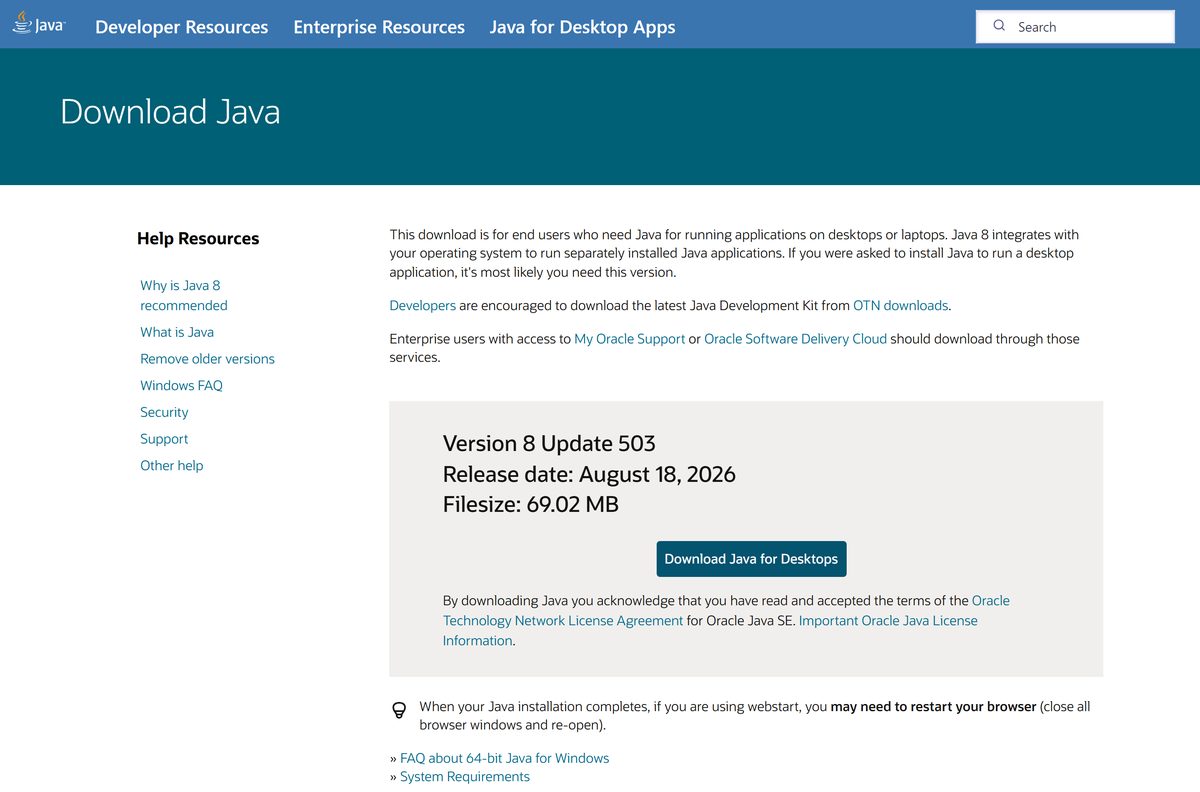
java.com ships Java 8 Update 503, the Java Runtime Environment that ordinary users need. Developers who write Java code need the JDK from oracle.com instead.
This guide covers the right file for your PC or Mac, setup, updates, the free and paid licence terms, fixes for install errors and clean removal.
Which Java SE download do you need for Windows?
Open Settings > System > About and read System type. Then match your PC and the software you run to a row.
| Your PC | Download | Size |
|---|---|---|
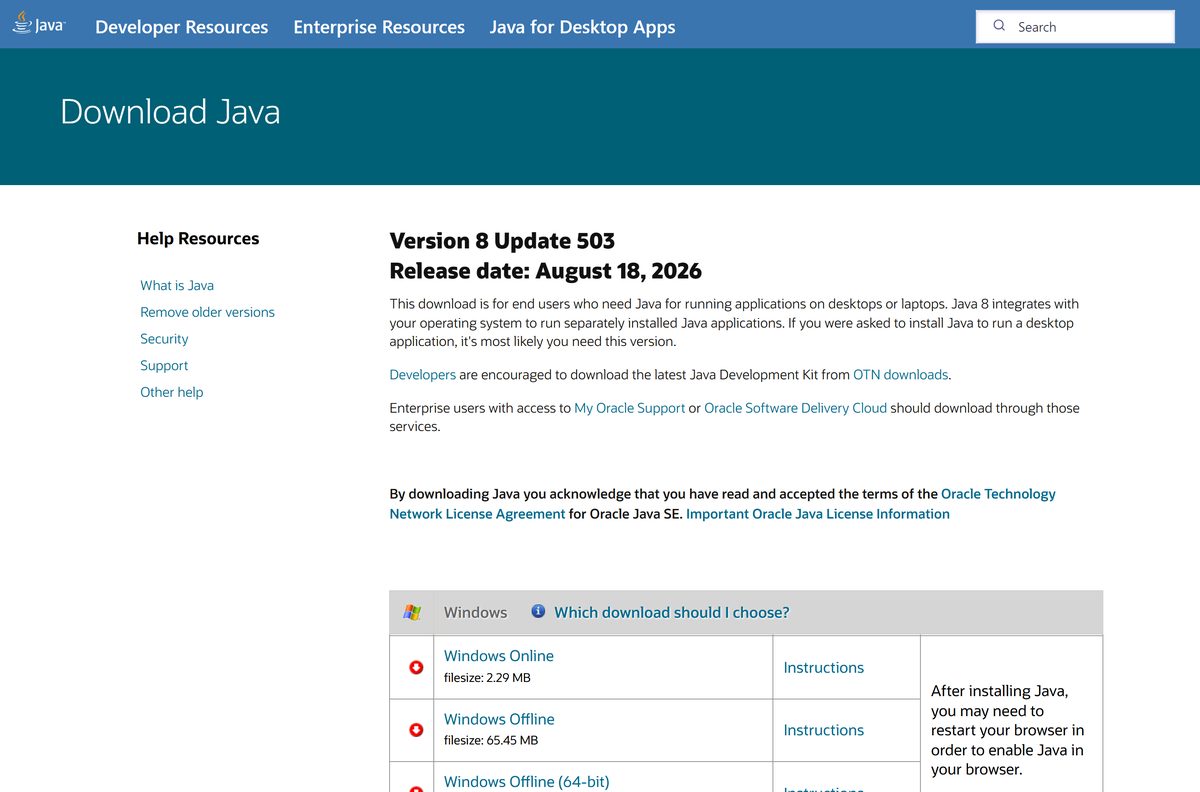
| 64-bit Windows 11 or Windows 10 (most PCs) | Windows Offline (64-bit) | 69.02 MB |
| 32-bit Windows, or a 32-bit program that needs Java | Windows Offline (32-bit) | 65.45 MB |
| Fast connection and you want the smallest file | Windows Online | 2.29 MB |
The Windows Online file is a small downloader. It fetches the 32-bit runtime during setup, so it needs a working connection the whole time.
A 32-bit program only finds 32-bit Java. Install both runtimes if you use 32-bit and 64-bit Java software on the same PC.
Download Java SE from the official java.com and Oracle pages
Oracle runs java.com for end users and oracle.com for developers. Both serve the same Java 8 runtime, so use whichever page you trust.
- Java download page on java.com — Detects your system and offers Java 8 Update 503
- All Java Downloads on java.com — Every Windows, Mac, Linux and Solaris installer with sizes
- Java SE Runtime Environment 8u503 on oracle.com — JRE 8 installers and zip archives, plus the Oracle JDK
Clicking a download on java.com means you accept the Oracle Technology Network License Agreement for Oracle Java SE.
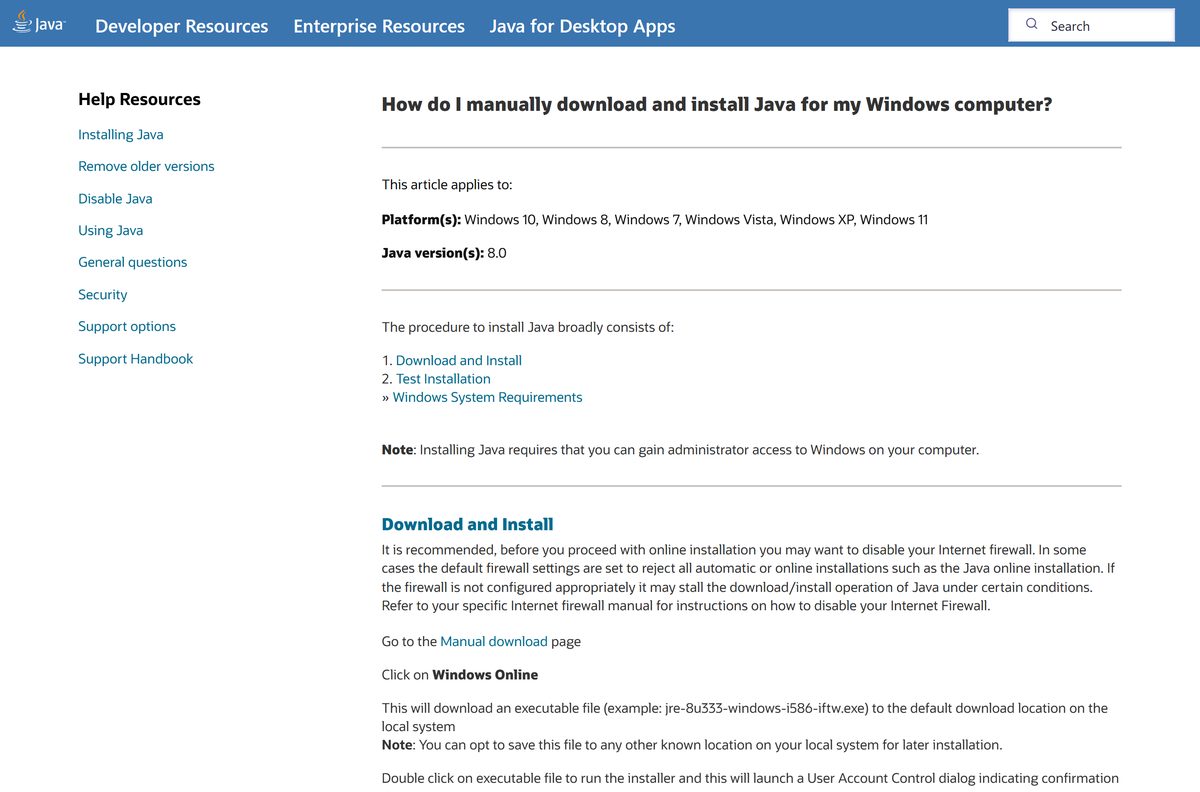
How to install Java SE on Windows 11 and 10
You need administrator access to Windows. Close any browser or program that uses Java before you start.
- Open the All Java Downloads page on java.com.
- Click Windows Offline (64-bit), or Windows Offline for 32-bit Java.
- Double-click the downloaded file, such as jre-8u503-windows-x64.exe , in your Downloads folder.
- Click Yes when User Account Control asks for permission.
- Click Install on the Java Setup – Welcome screen.
- Click Next if the installer offers optional third-party software you want to skip.
- Wait for the progress bar to finish.
- Click Close on the Java Setup – Complete screen.
- Restart your browser or the Java program so it picks up the new runtime.
Since Java 8 Update 20, the installer checks for outdated Java versions and offers to remove them. Accept it unless an app needs an exact older release.
Run Java SE from a zip archive without installing it
Oracle also publishes JRE 8 as compressed archives. They suit locked-down PCs and apps that expect Java in their own folder.
- Open the Java Downloads page on oracle.com and scroll to JRE 8.
- Select the Windows tab and click jre-8u503-windows-x64.zip (86.70 MB).
- Right-click the downloaded zip and choose Extract All.
- Pick a folder such as C:\Tools and click Extract.
- Open Command Prompt, go to the extracted bin folder and run java -version to test it.
- Point your app’s Java path setting at that bin\java.exe file.
An archive does not register with Windows and never updates itself. Replace the folder by hand when a new update ships.
Which Java SE download do you need for your Mac?
Click the Apple menu and choose About This Mac. The Chip or Processor line tells you which file to take.
| Your Mac says | Download | Size |
|---|---|---|
| Chip: Apple M1 or later | macOS ARM64 | 93.20 MB |
| Processor: Intel | macOS x64 | 95.72 MB |
Double-click the DMG, then double-click the installer icon inside it. Click Open if macOS warns that the app came from the internet.
Click Install, enter your Mac password when asked, and click Close when setup ends.
Is Java SE free for home and business use?
Oracle changed the Java licence for releases from April 16, 2019. Java 8 from java.com now ships under the Oracle Technology Network License Agreement for Oracle Java SE.
That licence allows personal use and development use at no cost. Running it in a business, on company PCs or in production needs a paid Java SE Universal Subscription, which Oracle prices per employee.
Two free routes cover commercial use. Oracle JDK 25 is free for production under the Oracle No-Fee Terms and Conditions, and Oracle’s OpenJDK builds at jdk.java.net use the open source GPL licence.
Yes for home use. Install Java 8 from java.com at no cost on your own PC or Mac. Companies need a Java SE Universal Subscription for Java 8, or a switch to Oracle JDK 25 or OpenJDK. Any site asking a home user to pay, or offering a Java activator, is not Oracle.
Should you install Java 8 or Oracle JDK 25?
Java SE is the platform, and Oracle ships it in two forms. The java.com download is the Java 8 runtime for running apps. The JDK on oracle.com adds the compiler and tools for writing them.
Install Java 8 from java.com if a program or website asks you to install Java. That is the runtime end users need, and it updates itself. Install Oracle JDK 25 only if you write Java code, or a tool’s documentation names Java 11, 17, 21 or 25.
How to check your Java version and update it
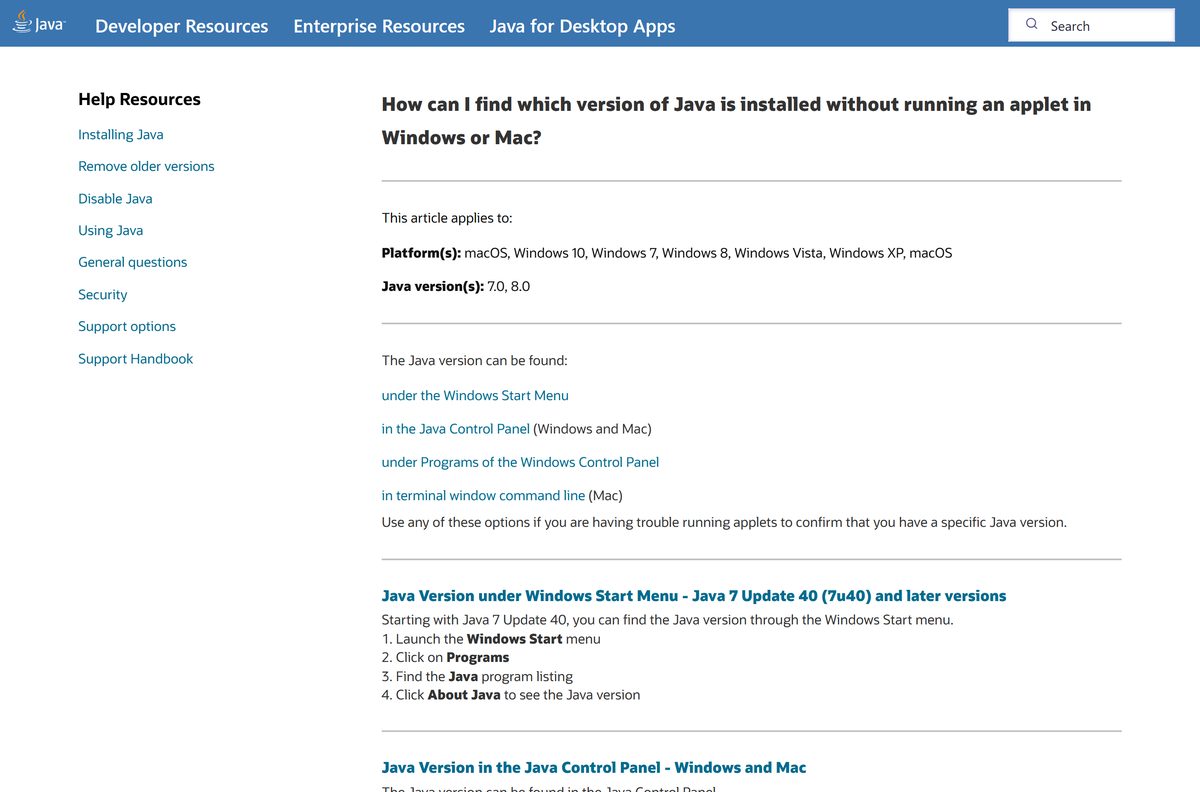
- Click Start, open the Java folder in All apps and click About Java.
- Read the version line, for example Version 8 Update 503.
- Or open Command Prompt on Windows or Terminal on Mac and run java -version .
- Click Configure Java in the same Java folder to open the Java Control Panel.
- Select the Update tab and tick Check for Updates Automatically.
- Click Update Now to install a newer release straight away.
When a new update arrives on Windows, a notification appears on the desktop. Click it to install the update.
Check the Java SE system requirements for Windows and Mac
Check your system against this table before you download.
| Field | Value |
|---|---|
| Software | Java SE Runtime Environment (Oracle Java 8) |
| Developer | Oracle Corporation |
| Latest version | Java 8 Update 503 (August 18, 2026) |
| Licence | Free for personal and development use; business use needs a Java SE Subscription |
| File size | 69.02 MB (Windows 64-bit offline); 2.29 MB online installer |
| Windows | Windows 11 x64 certified; Windows 10 installs but is no longer certified |
| macOS | macOS 14, 15 and 26 on Apple silicon; macOS 14 and 15 on Intel |
| Architecture | Windows x64 and x86; macOS ARM64 and x64; Linux x64 and x86 |
| Permissions | Administrator account on Windows and Mac |
| Offline installer | Yes, 32-bit and 64-bit for Windows |
| Official source | java.com |
| Last verified | 2026-09-25 |
Oracle stopped supporting Java applets in browsers in April 2019. Java now runs desktop programs and Web Start applications.
Fix Java SE not installing or not running on Windows
Find your symptom, then work through its fix in order.
The Windows Online installer stops or fails
A firewall or proxy blocks the files it downloads during setup.
- Download Windows Offline (64-bit) from the All Java Downloads page.
- Run the offline file. It needs no connection during setup.
- Click Yes at the User Account Control prompt.
Setup says you need administrator rights
Java writes to Program Files and the registry.
- Right-click the installer and choose Run as administrator.
- Sign in with an administrator account if Windows asks.
- On a work PC, ask IT to run the installer.
A program still says Java is not installed
The program is 32-bit and only looks for 32-bit Java, or it has not reloaded.
- Install Windows Offline (32-bit) alongside the 64-bit runtime.
- Close the program and your browser completely, then reopen them.
- Run java -version in Command Prompt to confirm Java answers.
An old Java version keeps running
Several Java versions are installed side by side.
- Run the Java Uninstall Tool and remove out-of-date versions.
- Reinstall Java 8 Update 503 from java.com.
- Check About Java to confirm the new version.
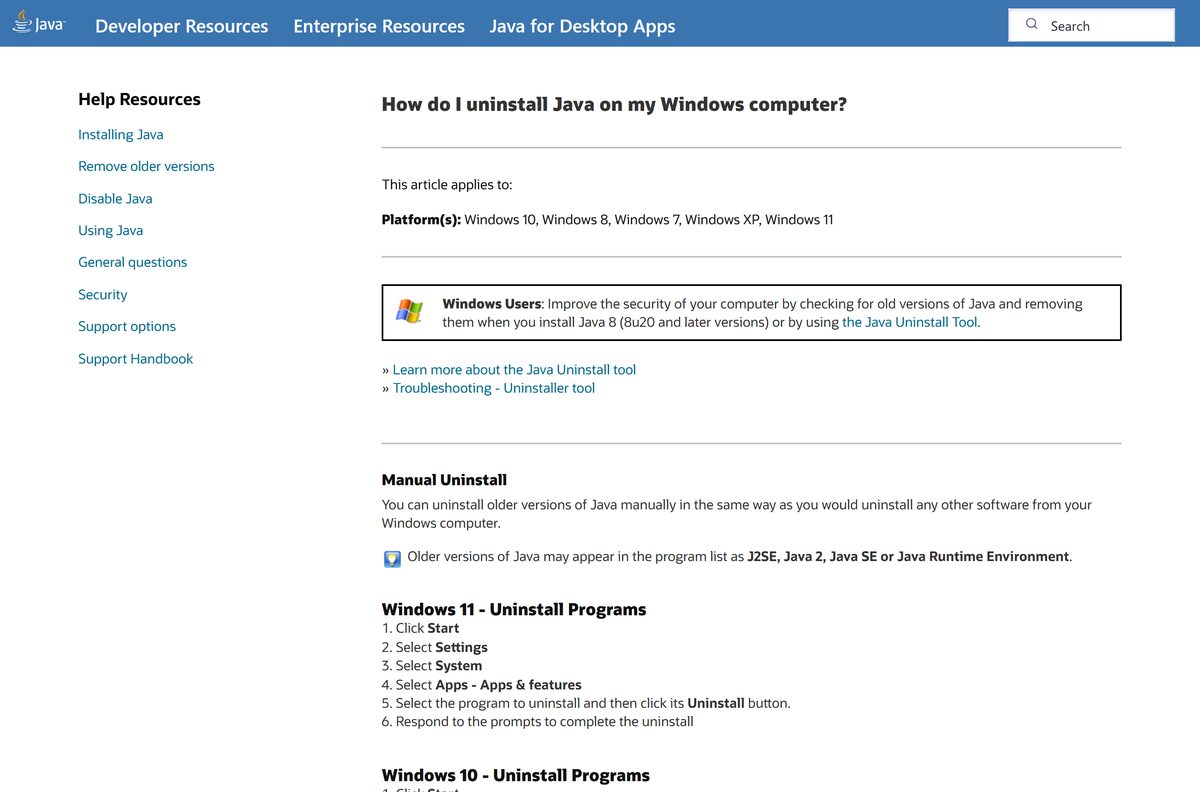
How to uninstall Java SE on Windows 11, Windows 10 and Mac
- On Windows 11, click Start, open Settings and go to Apps > Installed apps.
- On Windows 10, open Settings > Apps > Apps & features.
- Select each Java 8 Update entry, click Uninstall and confirm the prompts.
- To clear several old versions at once, run the Java Uninstall Tool, which works on Windows only.
- On a Mac, open Finder > Applications > Utilities > Terminal.
- Run sudo rm -fr /Library/Internet\ Plug-Ins/JavaAppletPlugin.plugin and enter your password.
- Run sudo rm -fr /Library/PreferencePanes/JavaControlPanel.prefPane .
- Run sudo rm -fr ~/Library/Application\ Support/Oracle/Java to remove the settings.
Do not delete the Java tools in /usr/bin on a Mac. They belong to macOS, and system updates restore them.
Which Java download should you use instead of Java 8?
Pick by who uses Java and how.
| Download | Best for | Licence |
|---|---|---|
| Java 8 from java.com | Home users running Java desktop programs | OTN, free for personal use |
| Oracle JDK 25 | Developers and business production use | NFTC, free including production |
| OpenJDK builds | Developers who want an open source build | GPL, free |
| Java SE Universal Subscription | Companies that must stay on Java 8 | Paid, priced per employee |
Many modern Java programs bundle their own runtime. If an app ships with Java inside it, you do not need a separate install.
Other developer tools for Windows include Homebrew and Microsoft Intune.
Frequently asked questions
Is Java SE free to download?
Yes. Java 8 from java.com is free for personal use and development use under the Oracle Technology Network License. Business and production use needs a paid Java SE Universal Subscription, which Oracle prices per employee.
Where is the official Java SE download page?
The official end-user page is java.com/en/download, run by Oracle. The All Java Downloads page on java.com lists every Windows, Mac, Linux and Solaris installer with its file size.
Does Java SE work on Windows 11?
Yes. Oracle certifies Java 8 on Windows 11 x64. Install the Windows Offline 64-bit package from java.com, click Yes at the User Account Control prompt and then click Install.
Can I still install Java on Windows 10?
Yes. The java.com installers run on Windows 10 in both 32-bit and 64-bit editions. Oracle lists Windows 10 as no longer supported by Microsoft, so Oracle no longer certifies new Java 8 updates on it.
How big is the Java SE download?
Java 8 Update 503 is 69.02 MB for the Windows Offline 64-bit installer and 65.45 MB for the 32-bit one. The Windows Online installer is 2.29 MB, and the Mac DMGs are 93.20 MB and 95.72 MB.
Is there a Java offline installer?
Yes. The All Java Downloads page on java.com offers Windows Offline and Windows Offline (64-bit). Both install without an internet connection, so you can copy them to a USB stick for another PC.
Is there a Java SE download for Mac?
Yes. java.com offers a macOS ARM64 DMG for Apple silicon Macs and a macOS x64 DMG for Intel Macs. Oracle certifies Java 8 on macOS 14, macOS 15 and macOS 26.
Should I get the 64-bit or 32-bit version of Java?
Get 64-bit on a 64-bit Windows PC unless a program needs 32-bit Java. A 32-bit application or browser only sees the 32-bit runtime, so install both when you use both kinds of software.
Is Java from java.com safe?
Yes, when you download it from java.com or oracle.com, which Oracle runs. Each update carries security fixes, so keep automatic updates on and remove old versions with the Java Uninstall Tool on Windows.
What is the latest version of Java for end users?
Java 8 Update 503 is the current version on java.com, released on August 18, 2026. Developers who need newer Java should install Oracle JDK 25, the current long-term support release.
Why won’t Java install on my PC?
The usual causes are missing administrator rights, a firewall blocking the online installer, or an old Java version in the way. Use the offline installer, run it as an administrator and remove old versions first.
What is the difference between Java SE, the JRE and the JDK?
Java SE is the platform. The JRE is the runtime that runs Java programs, and java.com ships it as Java 8. The JDK adds compilers and developer tools, and Oracle ships it from oracle.com.






