The HP Image Assistant download for Windows 11 and Windows 10 is a free 6.8 MB SoftPaq from HP. Extract it on an HP EliteBook, business desktop or workstation, and it finds the BIOS, driver, firmware and HP software updates that PC is missing.
HP Image Assistant, or HPIA, is an IT administrator tool. It runs from a folder rather than a traditional install, works from the command line, and supports HP business PCs only.
This guide covers the official file, extracting and running a first analysis, silent commands for fleets, updating the tool, and fixes for its common error codes.
Which HP Image Assistant download do you need?
HP ships one 64-bit HPIA package for every supported model. What changes is the route, and whether your PC is on HP’s supported list at all.
| Your situation | What to get | Size |
|---|---|---|
| HP business notebook, desktop or workstation on Windows 11 or 10 | hp-hpia-5.3.7.exe (SoftPaq sp174326) | 6.8 MB |
| HP business PC on Windows 11 24H2 ARM64 | The same hp-hpia-5.3.7.exe package | 6.8 MB |
| Admin who scripts with PowerShell | Install-HPImageAssistant cmdlet (HP CMSL) | Fetches the latest SoftPaq |
| Not sure your model is covered | HPIA supported platform list | Check before you deploy |
| HP home PC not on the supported list | HP Support Assistant | Separate HP app |
Download HP Image Assistant from HP’s official page
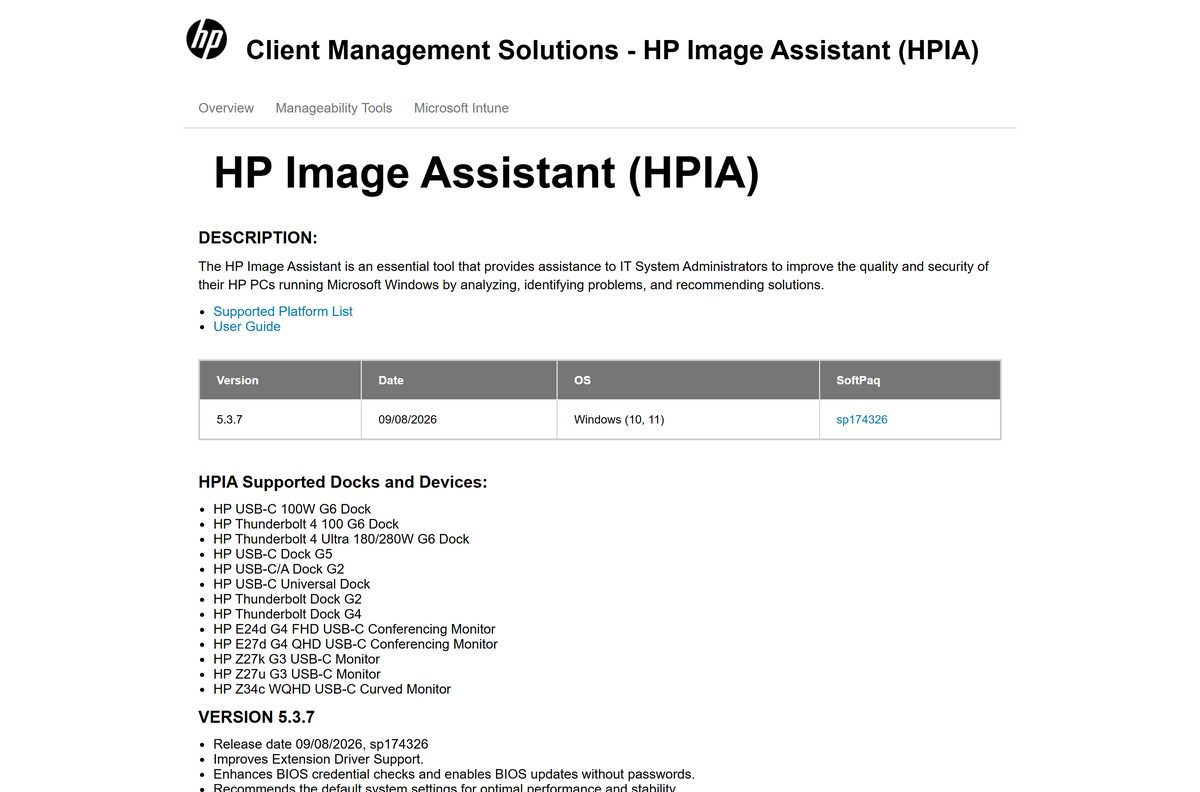
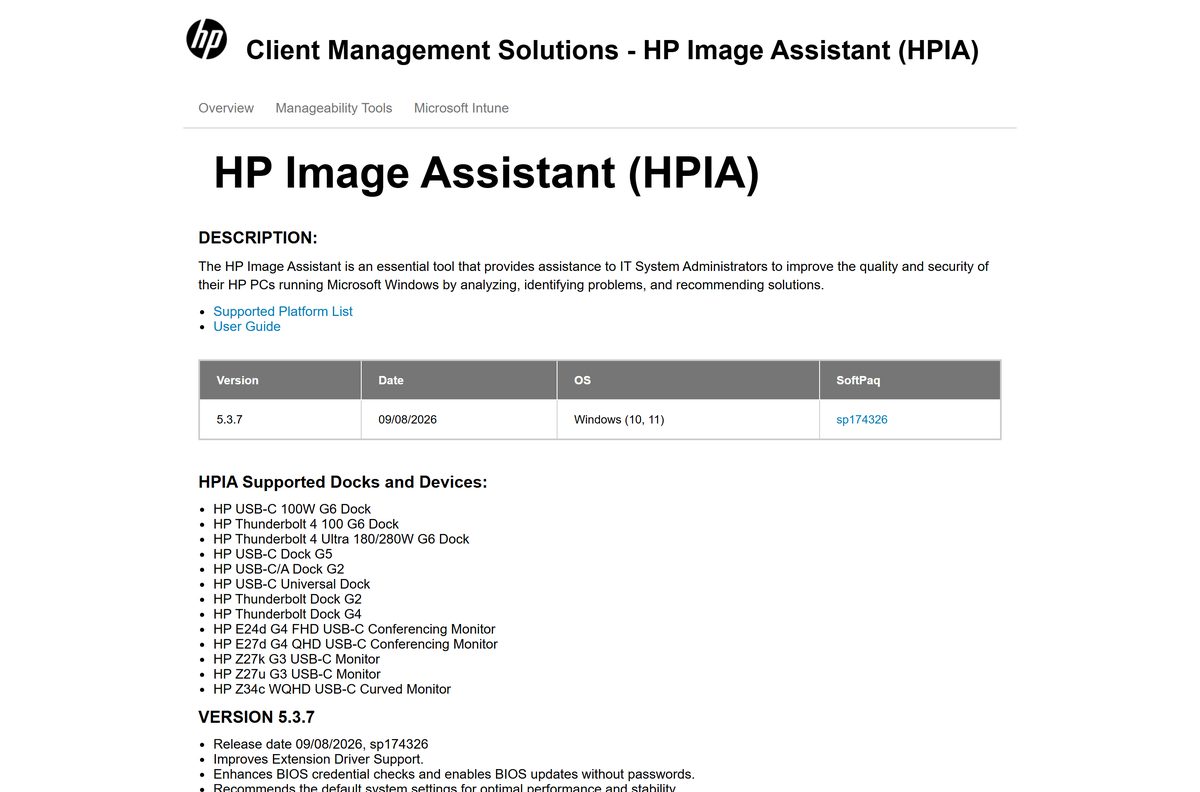
HP publishes HPIA on its Client Management Solutions site and serves the SoftPaq from hpia.hpcloud.hp.com. The file name carries the version, so hp-hpia-5.3.7.exe is release 5.3.7.
- HP Image Assistant page (release notes and download) — Version 5.3.7, released 09/08/2026
- hp-hpia-5.3.7.exe — 6.8 MB (7,140,216 bytes), SoftPaq sp174326
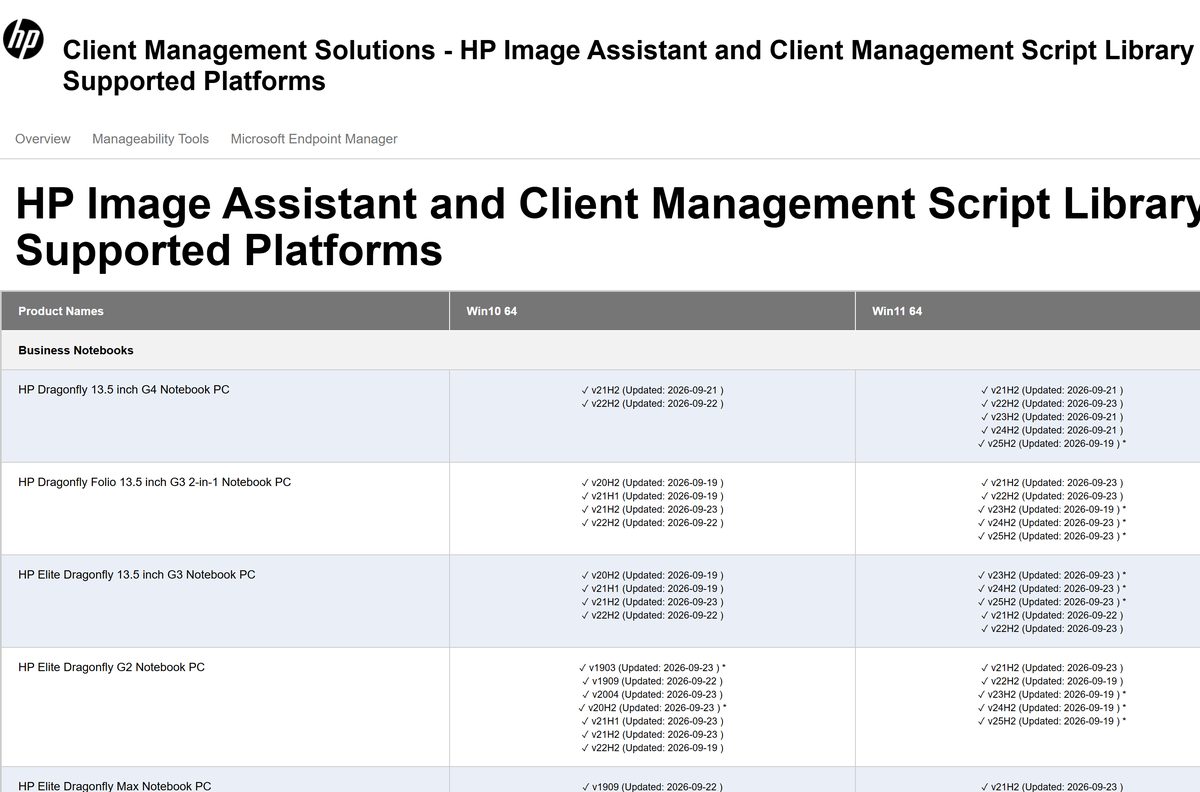
- HPIA supported platform list — Every supported model and Windows release
- HP Image Assistant User Guide — PDF with every command-line option
How to extract and run HP Image Assistant on Windows 11 and 10
The SoftPaq unpacks the tool into a folder, and you run HPImageAssistant.exe from there.
- Download hp-hpia-5.3.7.exe from HP’s HPIA page and save it to C:\HPIA.
- Right-click Start and select Terminal (Admin) or open Command Prompt as administrator.
- Run cd C:\HPIA to switch to the folder.
- Run hp-hpia-5.3.7.exe /s /e /f C:\HPIA to extract the tool silently into the same folder.
- Open C:\HPIA in File Explorer and confirm HPImageAssistant.exe is there.
- Double-click HPImageAssistant.exe to open the tool.
- Choose Analyze Image to compare the PC against HP’s current reference file for that model and Windows version.
- Review the recommended BIOS, driver, firmware and software SoftPaqs, then install the ones you want and restart when asked.
Keep the PC connected to the internet during analysis. HPIA downloads a reference file from HP that HP updates daily.
Run HP Image Assistant silently on many PCs
HP ships HPIA as a SoftPaq .exe, not an MSI. Deployment tools such as Intune push the SoftPaq with its extract switches, then call HPImageAssistant.exe with command-line options.
| Task | Command | Source |
|---|---|---|
| Extract the tool silently | hp-hpia-5.3.7.exe /s /e /f C:\HPIA | HP Intune guide |
| Analyze and install every recommended update | C:\HPIA\HPImageAssistant.exe /Operation:Analyze /Category:All /Selection:All /Action:Install /Silent /ReportFolder:C:\HPIAReport /Softpaqdownloadfolder:C:\HPIASoftpaqs | HP Intune guide |
| Install everything from an offline repository | HPImageAssistant.exe /Force /OfflineMode:\\myServer\HPIARepo | HP /Force switch notes |
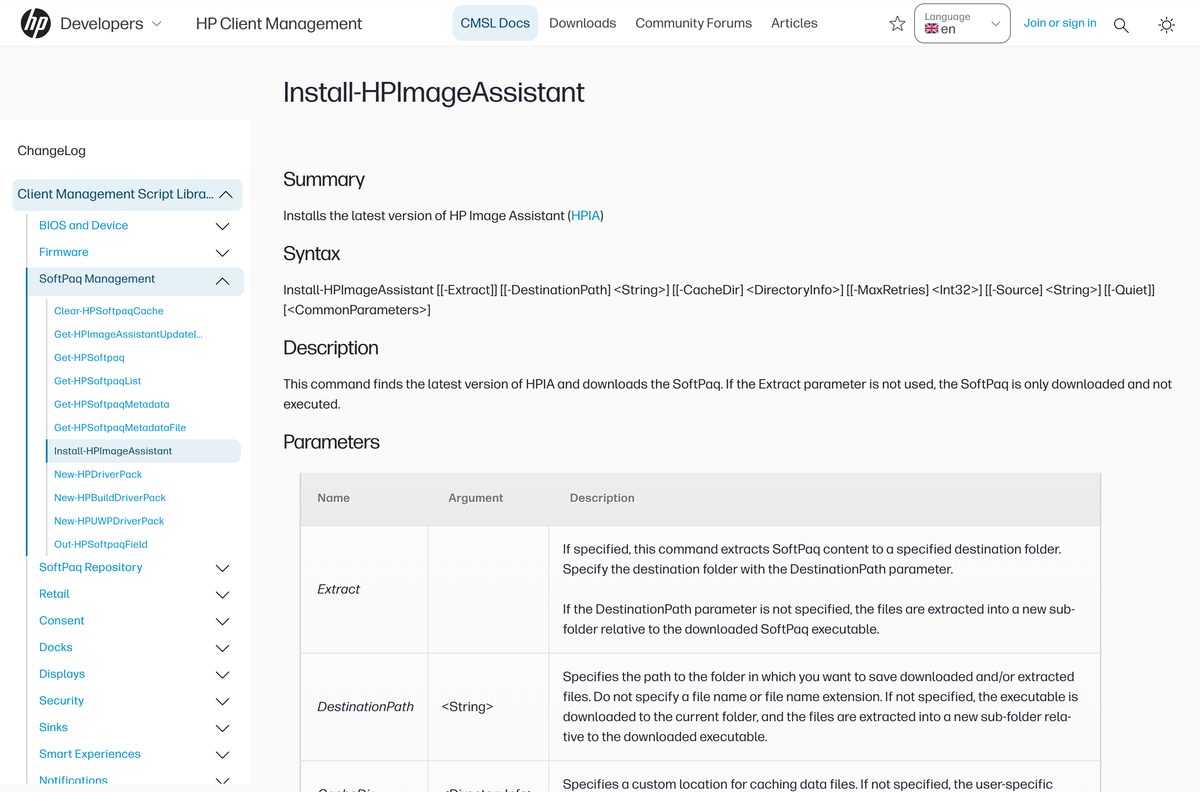
| Fetch and extract the latest HPIA with PowerShell | Install-HPImageAssistant -Extract -DestinationPath “c:\staging\hpia” | Install-HPImageAssistant reference |
Test the command on one PC of each model before a fleet-wide run. The /Force switch skips hardware analysis and reinstalls every BIOS SoftPaq in the repository, so curate the repository first.
In Intune, HP’s guide treats return code 3010 as a soft reboot and 259, 1602 and 1603 as failures.
Which HP Image Assistant download do you need for your Mac?
HP Image Assistant is Windows-only. HP lists Windows 10 and Windows 11 as its operating systems, and it manages HP BIOS and drivers that a Mac does not have.
| Your machine | What to use | Notes |
|---|---|---|
| A Mac on macOS | Apple’s macOS update guide | Open System Settings > General > Software Update |
| An HP business PC on Windows 11 or 10 | hp-hpia-5.3.7.exe | 6.8 MB |
| An HP home PC on Windows | HP Support Assistant | Requires Windows 10 RS4 or later |
Is HP Image Assistant free?
Yes. HP Image Assistant costs nothing. HP links the SoftPaq directly from its Client Management Solutions page with no purchase, trial period or account. Any site selling an HPIA licence, or hosting the .exe outside hp.com, is not HP.
How to check your HP Image Assistant version and update it
HPIA does not update itself in place. You replace the extracted folder with a newer SoftPaq.
- Open the folder that holds HPImageAssistant.exe, for example C:\HPIA.
- Right-click HPImageAssistant.exe, select Properties, then open the Details tab.
- Read Product version and compare it with the top entry on HP’s HPIA page.
- Download the newer hp-hpia SoftPaq if HP lists a higher version.
- Close HPIA, then run hp-hpia-5.3.7.exe /s /e /f C:\HPIA from an administrator prompt to overwrite the old files.
- On managed PCs, run Install-HPImageAssistant -Extract -DestinationPath “C:\HPIA” from HP CMSL to fetch the latest release automatically.
Check the HP Image Assistant system requirements
The PC model matters more than the hardware. HPIA only recommends updates for platforms on HP’s supported list.
| Field | Value |
|---|---|
| Software | HP Image Assistant (HPIA) |
| Developer | HP Inc. |
| Latest version | 5.3.7 (SoftPaq sp174326) |
| Released | 8 September 2026 |
| Licence | Free download from HP |
| Supported Windows | Windows 11 and Windows 10, 64-bit |
| Architecture | 64-bit only since 5.1.5; Windows 11 24H2 ARM64 supported since 5.3.0 |
| Supported PCs | HP Business Notebooks, Business PCs, Workstations and Retail Solutions on the supported platform list |
| Framework | Targets .NET Framework 4.8 |
| Network | Internet access with TLS 1.2 or higher, unless you use an offline repository |
| Download size | 6.8 MB |
| Offline installer | Yes, the SoftPaq holds the full tool |
| macOS | Not available |
| Official source | ftp.ext.hp.com HP Client Management Solutions page |
| Last verified | 2026-09-19 |
Fix HP Image Assistant errors and failed updates
Return code 4102 or a secure connection error
HPIA needs TLS 1.2 or higher to reach HP’s servers.
- Confirm the PC can open hp.com in a browser.
- Ask your network team whether a proxy or TLS inspection blocks TLS 1.2 traffic to HP.
- Allow HP’s servers through the proxy. HPIA supports NTLM, Kerberos and Negotiated proxy authentication.
Return code 4104 on an unsupported Windows version
HP has no reference file for that platform and Windows release, so HPIA falls back to a generic one.
- Look up the model on the supported platform list and check its Windows versions.
- Upgrade Windows to a listed release if you can.
- Add /IgnoreGenericOsError to the command to get the normal 3010 or 3020 return code instead.
Return code 3011 during a scripted install
Some SoftPaqs are not built for silent installation and cannot install from a script.
- Open the debug log and find the line naming the SoftPaq that cannot be installed via a script.
- Check the AutoInstallable column in the /AutoReport CSV, where FALSE marks these packages.
- Install those SoftPaqs manually from the HPIA window.
Return code 16389 when using /ReferenceFile
HPIA cannot find the reference file named on the command line.
- Check the path and file name after /ReferenceFile.
- Use a full path rather than a relative one when running from a deployment tool.
- Make sure the reference file matches the target PC’s System ID and Windows version, or HPIA returns 16387.
HPIA recommends nothing on an HP home PC
HPIA covers HP business PCs only.
- Confirm the model is missing from the supported platform list.
- Install HP Support Assistant instead for HP home PCs.
How to remove HP Image Assistant
Because HPIA runs from a folder, removing it means deleting that folder. HP’s own Intune uninstall script does exactly that.
- Close HP Image Assistant if it is open.
- Open File Explorer and go to the folder you extracted it to, such as C:\HPIA.
- Delete the folder, and select Continue if Windows asks for administrator permission.
- Delete any report or SoftPaq download folders you set with /ReportFolder or /Softpaqdownloadfolder.
- To remove it silently, run powershell -executionpolicy bypass -command “remove-item c:\hpia -recurse” from an administrator prompt.
What to use instead of HP Image Assistant
Pick by audience. HPIA suits IT staff managing HP business fleets, and HP has separate tools for home users and for scripting.
| Tool | Publisher | Best for |
|---|---|---|
| HP Support Assistant | HP | HP PC owners who want automatic driver and firmware updates, plus troubleshooters; not supported on ARM PCs |
| HP Client Management Script Library | HP | PowerShell control of HP BIOS settings and SoftPaq repositories |
| HPIA supported platform list | HP | Checking whether HPIA covers a model before you choose a tool |
Other system utilities and drivers for Windows include 1Password and LastPass.
Frequently asked questions
Is HP Image Assistant free?
Yes. HP offers HP Image Assistant as a free download from its Client Management Solutions page, with no licence key, trial or account. Avoid any site that charges for it or hosts the file outside hp.com.
What is the official HP Image Assistant download page?
HP’s HPIA page at ftp.ext.hp.com/pub/caps-softpaq/cmit/HPIA.html lists every release with its SoftPaq number. The current file, hp-hpia-5.3.7.exe, downloads from hpia.hpcloud.hp.com.
How big is the HP Image Assistant download?
The hp-hpia-5.3.7.exe SoftPaq is 6.8 MB, or 7,140,216 bytes. SoftPaqs that HPIA later downloads for drivers and BIOS updates are separate and vary by model.
Does HP Image Assistant work on Windows 11?
Yes. HP lists Windows 10 and Windows 11 for version 5.3.7, and the supported platform list shows which Windows 11 releases, up to 25H2, each HP model covers.
Is there an HP Image Assistant offline installer?
Yes. The 6.8 MB SoftPaq contains the whole tool and extracts without an internet connection. Analysis needs HP’s reference file, unless you run HPIA against an offline repository with /OfflineMode.
Is there an HP Image Assistant for Mac?
No. HP Image Assistant runs on Windows 10 and Windows 11 only, and it updates HP BIOS, drivers and firmware that a Mac does not have. Macs update through Software Update in System Settings.
Is HP Image Assistant 64-bit, and does it support ARM64?
HPIA has been fully 64-bit since version 5.1.5. Version 5.3.0 added support for Windows 11 24H2 ARM64, and the same package covers both.
What is the latest version of HP Image Assistant?
Version 5.3.7, SoftPaq sp174326, released on 8 September 2026. It improves extension driver support, enhances BIOS credential checks and enables BIOS updates without passwords.
Is HP Image Assistant safe to download?
Yes, when it comes from HP. HP publishes it on its own Client Management Solutions site and uses it to deliver HP-signed SoftPaqs. Avoid copies from third-party download sites.
Why won’t HP Image Assistant install updates?
The most common causes are an unsupported model or Windows version, which returns code 4104, and blocked TLS 1.2 traffic, which returns 4102. Code 3011 means a SoftPaq cannot install from a script.
How do I run HP Image Assistant from the command line?
Open an administrator prompt in the HPIA folder and run HPImageAssistant.exe /Operation:Analyze /Category:All /Selection:All /Action:Install /Silent. Add /ReportFolder to save a report of what it installed.
Is HP Image Assistant the same as HP Support Assistant?
No. HP Image Assistant is an IT administrator tool for HP business PCs and scripted fleet updates. HP Support Assistant comes on new HP PCs and adds troubleshooters, automatic updates and the HP Virtual Agent.