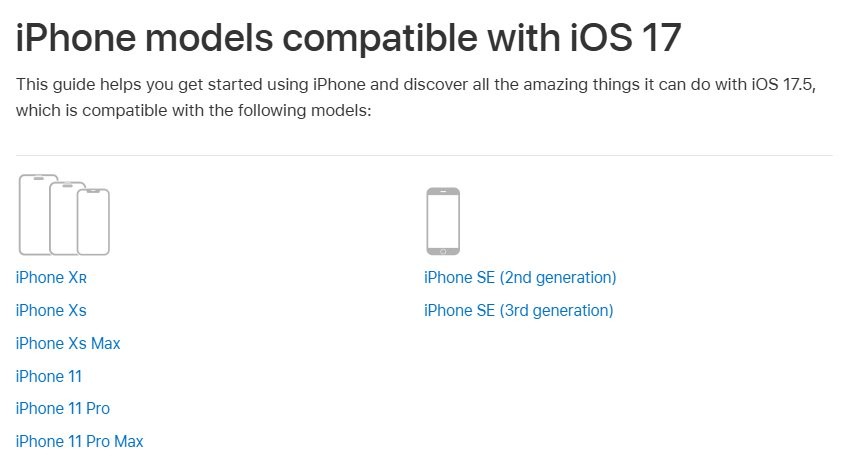
No, you cannot install iOS 17 on iPhone X, because Apple's iOS 17 compatibility list starts at iPhone XR and iPhone XS. The newest version Apple offers iPhone X is iOS 16.7.16, released on 11 May 2026.
This guide shows how to put iPhone X on that version, how to tell it apart from an iPhone XS, what happens with IPSW files, and which iPhones and iPads do run iOS 17.
Can iPhone X get iOS 17?
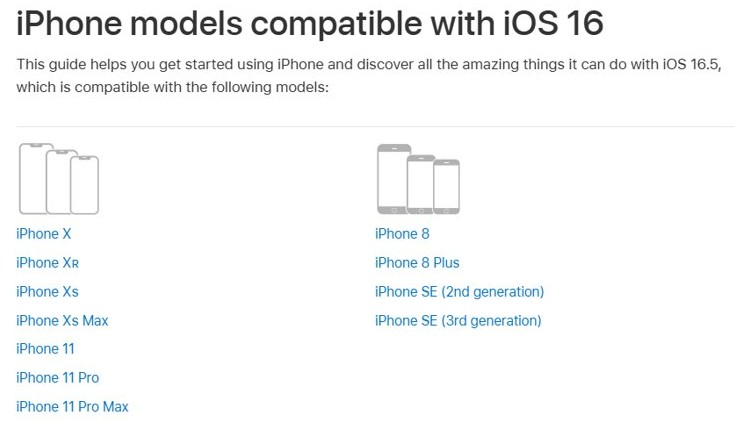
No. iPhone X cannot run iOS 17, and no setting changes that. Apple lists iPhone X for iOS 16 but not for iOS 17, 18, 26 or 27. Your iPhone X stays on the iOS 16.7 line, and iOS 16.7.16 is the release to install.
Go to Settings > General > Software Update on the phone. Tap Download and Install if iOS 16.7.16 is offered, and you are finished.
How to get iOS 17 if you own iPhone X
The only way to use iOS 17 or later is on a different device. Match what you want to the row below.
| What you want | Do this | Why |
|---|---|---|
| Keep using iPhone X | Stay on iOS 16.7.16 | It is the newest release Apple publishes for this model |
| Use iOS 17 specifically | Use an iPhone XR, iPhone XS or iPhone XS Max | These are the oldest iPhones on the iOS 17 list |
| Use the current iOS | Move to iPhone 11 or later | iPhone 11 is the oldest model on the iOS 27 list |
| Use iOS 17 on a tablet | Check the iPad table further down | iPads run iPadOS, with their own model list |
Apple lists iPhone X as obsolete on its service page, which covers products it stopped distributing more than seven years ago. If repairs are part of your decision, you can move to a newer iPhone and carry your data across.
How to update iPhone X to iOS 16.7.16
This is the route Apple gives for updating on the phone itself. You can set up iCloud on the iPhone first if you have no backup yet, or back up iPhone to your PC instead.
- Back up iPhone X using iCloud or your computer.
- Plug the phone into power and connect to Wi-Fi.
- Open Settings, tap General, then tap Software Update.
- Tap Download and Install and follow the onscreen prompts.
- Tap Continue if a message says apps must be removed temporarily to make room. They reinstall automatically after the update.
How to update iPhone X from a Windows PC
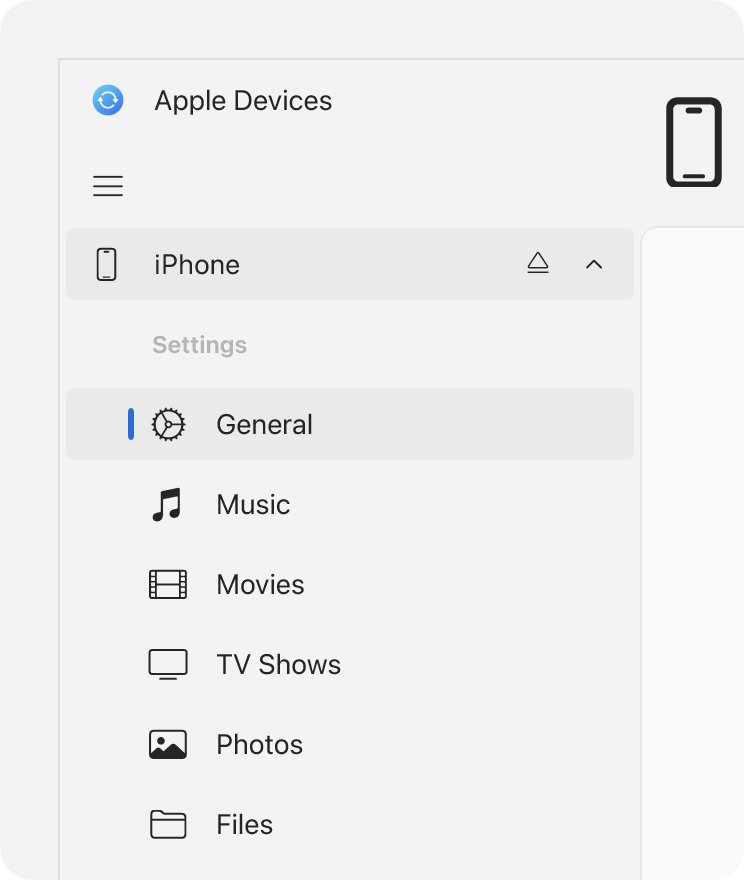
Apple points you to a computer when the update does not appear on the phone. On Windows, that means the Apple Devices app. On a Mac with macOS Catalina or later, Finder does the same job.
- Install the Apple Devices app from Microsoft Store if you do not have it.
- Connect iPhone X to the PC with a USB cable.
- Tap Trust on the phone if the Trust This Computer? alert appears.
- Select your iPhone in the Apple Devices sidebar, then select General.
- Select Check for Update if no Update button is showing.
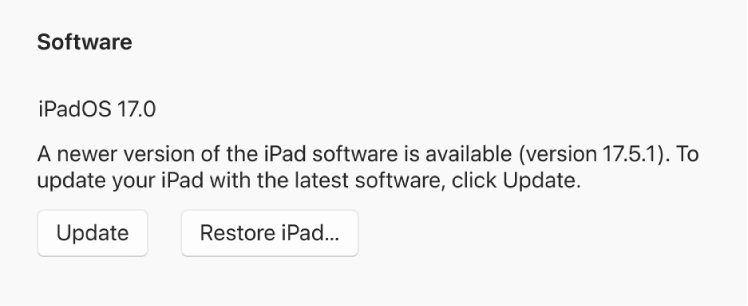
- Select Update, which sits next to the Restore button.
How to find the iOS version on iPhone X
- Open Settings and tap General.
- Tap About.
- Read the number next to iOS Version. It should say 16.7.16 once the update finishes.
iPhone X model numbers vs iPhone XS and iPhone XR
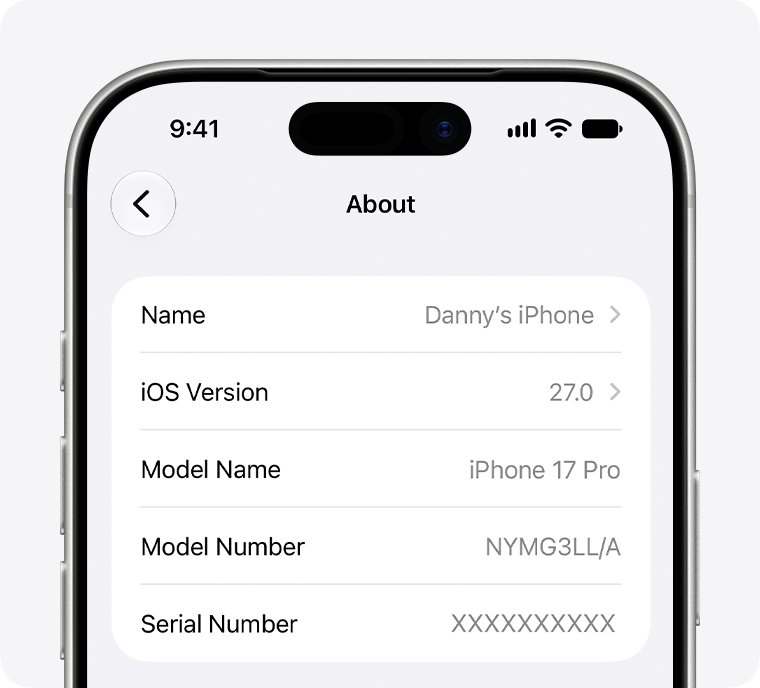
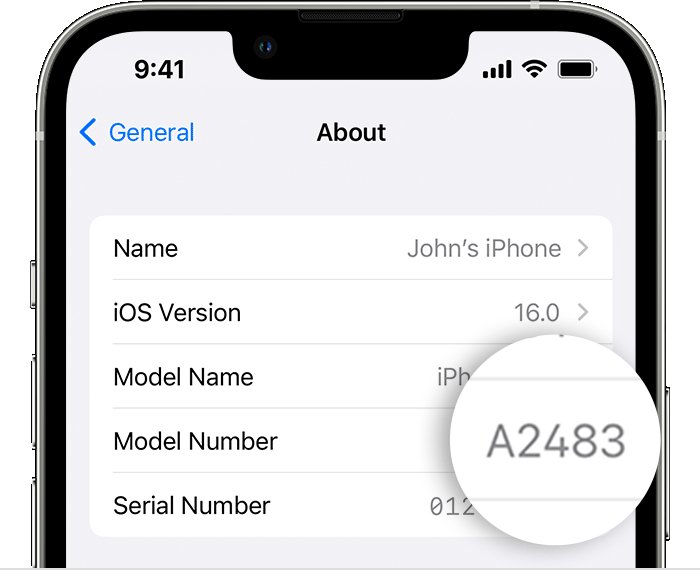
The names look alike, and the answer changes between them. Open Settings > General > About, then tap the part number next to Model Number to reveal the number that starts with A.
| iPhone | Model numbers | iOS 17? |
|---|---|---|
| iPhone 8 | A1863, A1905, A1906 | No |
| iPhone 8 Plus | A1864, A1897, A1898 | No |
| iPhone X | A1865, A1901, A1902 | No |
| iPhone XR | A1984, A2105, A2106, A2107, A2108 | Yes |
| iPhone XS | A1920, A2097, A2098, A2099, A2100 | Yes |
| iPhone XS Max | A1921, A2101, A2102, A2103, A2104 | Yes |
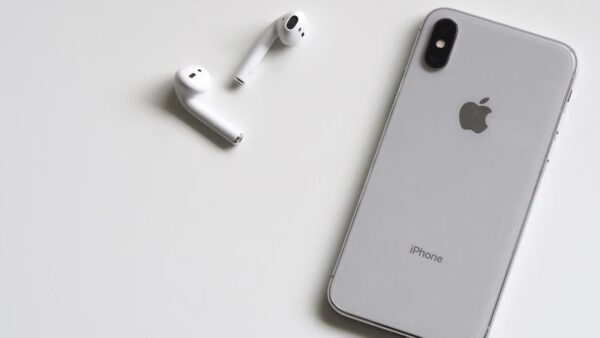
Color can help too. iPhone X came in silver and space gray, while iPhone XS added gold.
iPhone models compatible with iOS 17
| iPhone | On the iOS 17 list? | Newest iOS list it appears on |
|---|---|---|
| iPhone 8, iPhone 8 Plus, iPhone X | No | iOS 16 |
| iPhone XR, iPhone XS, iPhone XS Max | Yes | iOS 18 |
| iPhone 11 series, iPhone SE (2nd generation) | Yes | iOS 27 |
| iPhone 12, 13 and 14 series, iPhone SE (3rd generation) | Yes | iOS 27 |
| iPhone 15 series | Yes | iOS 27 |
| iPhone 16 series and later | No, they are newer than this list | iOS 27 |
The same logic answers the common question about iPhone 7. It is missing from the iOS 16 list as well, because that list starts at iPhone 8.
Is Apple still supporting iOS 17?
Apple's security releases page shows when each version last received an update. The iOS 17 line has no entry after November 2024, while iPhone X has kept receiving iOS 16.7 updates into 2026.
| Release | Date | Available for |
|---|---|---|
| iOS 16.7.16 | 11 May 2026 | iPhone 8, iPhone 8 Plus, iPhone X |
| iOS 16.7.15 | 11 March 2026 | iPhone 8, iPhone 8 Plus, iPhone X |
| iOS 16.7.12 | 15 September 2025 | iPhone 8, iPhone 8 Plus, iPhone X |
| iOS 17.7.2 | 19 November 2024 | iPhone XS and later |
| iOS 17.7.1 | 28 October 2024 | iPhone XS and later |
How to get iOS 17 on iPad: supported models
iPads run iPadOS, so the search for iOS 17 on iPad really means iPadOS 17. Update on a supported iPad from Settings > General > Software Update.
| iPad family | On the iPadOS 17 list |
|---|---|
| iPad | 6th generation through 10th generation |
| iPad mini | 5th and 6th generation |
| iPad Air | 3rd, 4th and 5th generation, 11-inch (M2), 13-inch (M2) |
| iPad Pro 11-inch | 1st through 4th generation, M4 |
| iPad Pro 12.9-inch and 13-inch | 12.9-inch 2nd through 6th generation, 13-inch (M4) |
| iPad Pro 10.5-inch | Yes |
| Not on the list | iPad (5th generation), iPad Pro 9.7-inch, iPad Pro 12.9-inch (1st generation), which receive iPadOS 16.7.16 instead |
Why can't I install iOS 17 on iPhone?
iOS 17 never appears on iPhone X
Apple does not list iPhone X for iOS 17, so this is expected and not a fault.
- Open Settings > General > About and read iOS Version.
- Go back to General and tap Software Update.
- Tap Download and Install if iOS 16.7.16 is offered.
- Stop there if the version already reads 16.7.16, because the phone is current.
iOS update says there is not enough space
The download needs free storage, and iOS can make room for you.
- Tap Continue on the message so apps are removed temporarily.
- Let the update finish. The apps reinstall automatically afterward.
- Delete content manually if you tapped Cancel, then open Software Update again.
iOS download problems or no update showing
Apple notes that some updates are not available wirelessly, and that VPN or proxy connections can block access to its update servers.
- Disconnect from any VPN or proxy connection.
- Open Software Update again and wait for it to check.
- Update through the Apple Devices app or Finder if the update still does not appear.
iPhone X update will not finish
A failed update can leave the phone unable to install normally. Recovery mode gives you a way to retry from a computer.
- Install the latest Apple Devices app on your PC, or update macOS on your Mac.
- Connect iPhone X by USB and open Apple Devices or Finder.
- Press and release Volume Up, press and release Volume Down, then hold the side button until the Connect to computer screen appears.
- Choose Update first when the computer offers Update or Restore.
- Choose Restore only if Update fails, because restoring erases all data on the phone.
iOS 17 IPSW install on iPhone X
Do not try to force iOS 17 onto iPhone X with an IPSW file. A computer restore installs the latest iOS for your device and removes all information and settings from it. It does not let you pick a version Apple never listed for that model.
The same limit applies to unsigned IPSW files on any iPhone. Keep your backup and stay on iOS 16.7.16.
iOS 17 on iPhone X FAQ
Can I install iOS 17 on iPhone 8?
No. iPhone 8 and iPhone 8 Plus are on Apple's iOS 16 list and missing from the iOS 17 list, exactly like iPhone X. Their newest release is iOS 16.7.16, dated 11 May 2026.
How do I install iOS 17 on iPhone?
You need an iPhone XR, iPhone XS or a later model on Apple's iOS 17 list. Back up, connect to power and Wi-Fi, then open Settings, General, Software Update and tap Download and Install on whatever version your model is offered.
Why can't I install iOS 17?
The usual reason is that your device is not on Apple's iOS 17 list. iPhone X, iPhone 8 and iPhone 8 Plus all stop at iOS 16, so no update appears for them. Storage and network problems affect supported models instead.
Is iOS 17 supported?
iOS 17 runs on iPhone XR, iPhone XS and later models up to the iPhone 15 series. Apple's security releases page shows iOS 17.7.2 from 19 November 2024 as its last entry for that version, so newer iOS versions are the better target.
Is Apple still supporting iOS 17?
Apple's security releases page lists no iOS 17 update after iOS 17.7.2 on 19 November 2024. Apple has kept publishing iOS 16.7 updates for iPhone X, the latest being iOS 16.7.16 on 11 May 2026, so an older iOS line can keep receiving updates after a newer one stops.
How do I download iOS 17?
On a supported iPhone, the update comes through Settings, General, Software Update, or through the Apple Devices app or Finder on a computer. iPhone X has no iOS 17 download, because Apple does not list it for that version.
How do I get iOS 17 on iPad?
iPads use iPadOS, so check your model against the iPadOS 17 list, which starts at iPad (6th generation), iPad mini (5th generation) and iPad Air (3rd generation). Then open Settings, General, Software Update on the iPad.
Is there an iOS 17?
Yes. Apple released iOS 17 for iPhone XS and later, and its last listed update was iOS 17.7.2 in November 2024. Apple's guides have since moved on through iOS 18 and iOS 26 to iOS 27.