To export a podcast episode as an MP3 file on Mac, save the episode's audio file from the show's RSS feed with Safari, because the Apple Podcasts app has no export or save-as-MP3 command.
This guide covers that route, saving files straight into a folder such as an Obsidian vault, converting AAC episodes to MP3 in the Music app, exporting your own show from GarageBand, and moving podcasts to an MP3 player.
How to download a podcast to MP3 on Mac
Every episode in a podcast's RSS feed has an enclosure tag with the URL of its audio file. Apple Podcasts accepts MP3 or AAC audio in feeds, so that file is usually an .mp3 or .m4a file.
- Open the podcast's own webpage in Safari and find the link to its RSS feed. Podcasts usually list it there.
- Open the RSS feed URL in Safari.
- Find the episode by its title, then find the
enclosureURL listed with it. - Copy that URL and open it in a new Safari tab.
- Control-click the audio player or link and choose Download Linked File.
- Click the downloads button near the top-right of the Safari window, then click the button next to the filename to find the file on your Mac.
Some webpage items cannot be downloaded. If Download Linked File is missing, look for a download link on the show's own episode page instead.
Podcast to MP3: the right route for your podcast
How you get an MP3 depends on who made the podcast and where you want the file. Match your case to a row.
| Your situation | Use this | Why |
|---|---|---|
| Free show you follow in Apple Podcasts | Save the audio file from the show's RSS feed | The feed links to the real MP3 or AAC file |
| Episode downloaded in the Podcasts app | Use the RSS feed route for a file copy | Podcasts downloads are for offline listening inside the app |
| Subscriber-only or early-access episode | Listen in Apple Podcasts | Subscriber-only audio comes with a paid subscription in Podcasts |
| The file you saved is .m4a, and you need .mp3 | Convert it in the Music app | Music creates an MP3 copy and keeps the original |
| You made the podcast in GarageBand | Share > Export Song to Disk as MP3 | GarageBand exports AAC, MP3, AIFF or WAVE |
| iPhone, iPad or iPod | Sync podcasts in the Finder | The Finder syncs selected podcasts to the device |
Can you export Apple Podcasts episodes as MP3?
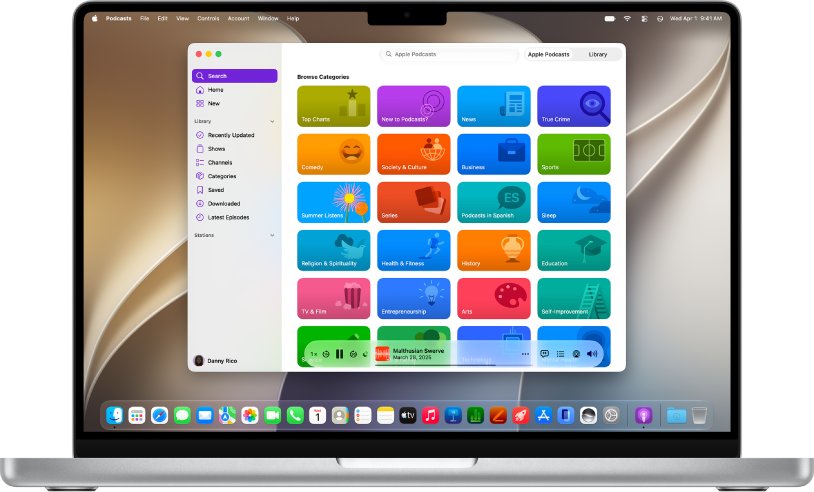
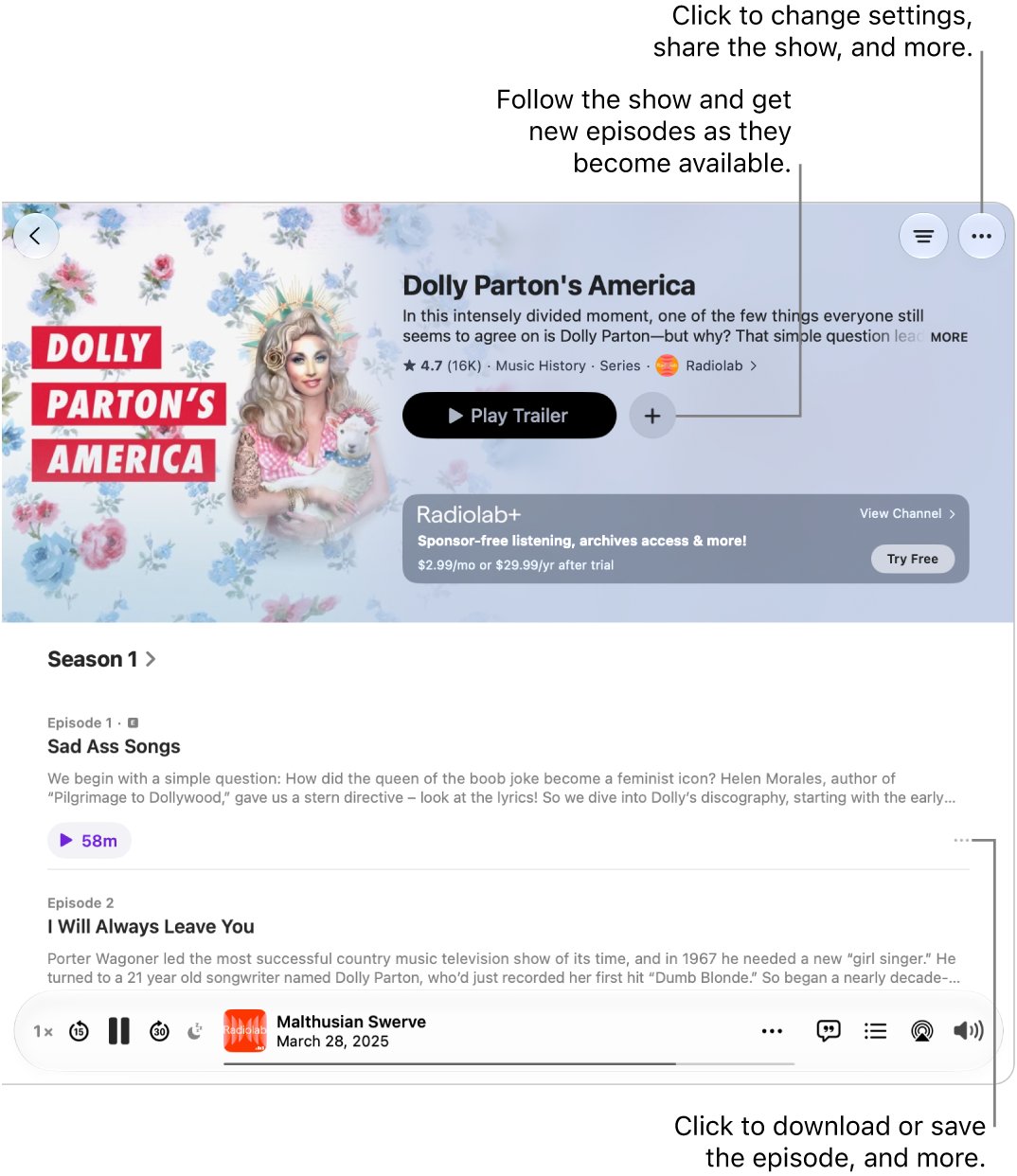
No. The Podcasts app on Mac offers Save, Download, Share and Copy Link for an episode, but no command that exports the audio as an MP3 file to a folder you choose. A download in Podcasts stores the episode on your Mac so you can listen offline in the app. Copy Link gives a link that opens the episode in Podcasts, not an audio file. To get a file you can move, use the show's RSS feed.
Downloaded episodes can also vanish on their own. If Remove Played Downloads is on in Podcasts > Settings > General, the app deletes an episode 24 hours after you play it.
How to find a podcast's RSS feed URL
The feed URL is the address that apps use to follow a show. The Podcasts app can follow a show from this same address, which is a quick way to check you have the right one.
- Open the podcast's official webpage in Safari.
- Find the RSS feed link on the page and copy it.
- Open the Podcasts app and choose File > Follow a Show by URL.
- Paste the RSS feed URL and click Follow.
- Check that the right show appears in Shows in the sidebar, then use the same URL in Safari to find the episode's audio link.
A feed that Apple Podcasts accepts must be publicly addressable and not password-protected, so it opens in a browser without a sign-in.
Save podcast MP3 files to a specific folder on Mac
Point Safari's downloads at the folder you want, such as an Obsidian notes vault, so each saved episode lands there directly.
- Open Safari and choose Safari > Settings.
- Click General.
- Click the File download location pop-up menu and choose a location.
- Pick the folder you want, such as your Obsidian vault, then close Settings.
- Download the episode's audio file as described above.
If you move a file after downloading it, Safari can no longer find it from its downloads list, and you have to search your Mac for the file instead. Set the folder first rather than moving files later.
How to convert podcast to MP3 on Mac with the Music app
Use this when the episode file you saved is AAC (.m4a) and the app or player you use needs MP3. Converting between compressed formats can lower sound quality slightly.
- Open the Music app and drag the episode file from the Finder into the Music window.
- Choose Music > Settings, click Files, then click Import Settings.
- In the Import Using pop-up menu, choose the MP3 option, then click OK.
- Click Songs in the sidebar and select the episode.
- Choose File > Convert > Create MP3 Version.
- Select the new copy, then choose File > Show in Finder to get the MP3 file.
The original file and the MP3 copy both stay in your library. By default Music keeps its files in the Music folder in your home folder.
Export a podcast in MP3 from GarageBand
If you recorded the podcast yourself in GarageBand for Mac, export the finished project straight to MP3.
- Open the project in GarageBand.
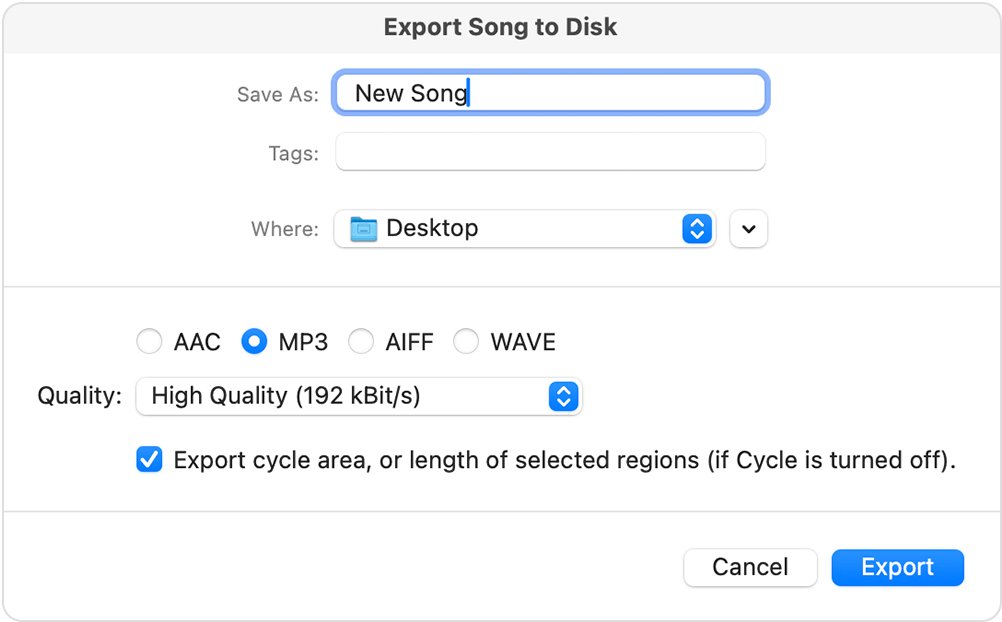
- Choose Share > Export Song to Disk.
- Type a file name in the Save As field.
- Choose a folder from the Where pop-up menu.
- Select MP3 as the format.
- Choose a setting from the Quality pop-up menu, then click Export.
GarageBand exports the whole project as a stereo file and trims silence at the start and end. To export only part, select the cycle area option before you click Export.
Audio files for podcast: MP3, AAC and other formats
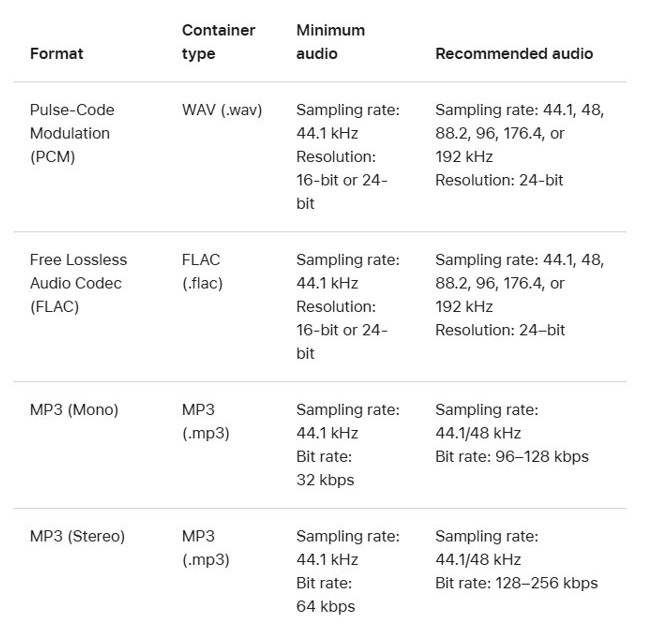
These are the formats Apple Podcasts takes from creators, which is also what you will find in most feeds.
| Where the audio goes | Accepted formats | Recommended stereo bitrate |
|---|---|---|
| RSS feed episodes | MP3 or AAC (Apple recommends AAC) | 128-256 kbps at 44.1 or 48 kHz |
| Apple Podcasts Connect uploads | WAV, FLAC or MP3 | MP3: 128-256 kbps; WAV and FLAC are lossless |
| GarageBand export | AAC, MP3, AIFF or WAVE | Set in the Quality pop-up menu |
| Obsidian notes | FLAC, M4A, MP3, OGG, WAV, WEBM, 3GP | Depends on the codecs on your device |
Obsidian plays .m4a as well as .mp3, so an AAC episode can go into a vault without conversion. Drag the file into a note on desktop to embed it.
How to transfer podcast to MP3 player or iPod
An iPod classic, iPod nano or older iPod shuffle gets podcasts only by syncing with your Mac. The Finder handles this for iPhone, iPad and iPod.
- Connect the device to your Mac with a USB or USB-C cable.
- Open a Finder window and select the device in the sidebar.
- Click Podcasts in the row near the top.
- Select Sync Podcasts onto [device name].
- Select each podcast to sync, or click Automatically copy and choose how many recent or unplayed episodes to include.
- Click Apply, then click the eject icon next to the device in the Finder sidebar before you unplug it.
For an MP3 player from another maker, save the episode MP3 with the RSS feed route above, then copy it using the player maker's instructions. On Windows, you can also get Apple Podcasts on a PC for listening.

Podcast to MP3 FAQ
Can you download podcasts to MP3?
Yes, for most free shows. Each episode in a podcast's RSS feed links to its audio file, which is usually MP3 or AAC. Open the feed, find the episode's enclosure URL, and save that file with your browser. Subscriber-only episodes stay in Apple Podcasts.
How do I download a podcast to MP3?
Find the show's RSS feed URL on its webpage, open it in Safari, and locate the episode's enclosure URL. Open that link, then Control-click and choose Download Linked File. Set Safari's download location first if you want the file in a specific folder.
How do I convert a podcast to MP3?
On Mac, add the episode file to the Music app, set Import Using to MP3 in Music > Settings > Files > Import Settings, then choose File > Convert > Create MP3 Version. Music keeps the original and adds an MP3 copy.
Can I download podcasts to an MP3 player?
Yes. Save the episode's MP3 file from the show's RSS feed, then copy it to the player. An iPod classic, nano or shuffle gets podcasts by syncing with your Mac in the Finder, under the Podcasts tab for that device.
How do I put a podcast on an MP3 player?
Get the episode as an MP3 file first, from the podcast's RSS feed or its website. Then copy it to the player using the maker's instructions. For an Apple iPod, connect it to your Mac and sync podcasts from the device's Podcasts tab in the Finder.
Where can I download MP3 podcasts?
Download them from the podcast's own RSS feed or official webpage, where each episode links to its audio file. Apple Podcasts requires feeds to be public and not password-protected, so the feed opens in a normal browser.
How do I get podcasts on MP3 from Apple Podcasts?
The Apple Podcasts app has no MP3 export. Its downloads are for offline listening inside the app. Follow the show in the app, then get the episode's MP3 from the show's RSS feed, which you can also add with File > Follow a Show by URL.
How do I release a podcast with music?
Export the finished episode from your editor as an audio file. In GarageBand on Mac, choose Share > Export Song to Disk and pick MP3 or AAC. Apple Podcasts accepts MP3 or AAC in RSS feeds and recommends AAC. Only use music you have the rights to publish.