When your bank rejects an Apple Cash transfer, contact an Apple Cash Specialist at Green Dot Bank, the bank that holds Apple Cash, because only Green Dot can trace and return the funds.
This guide covers how to check the transfer in Wallet, when to escalate, how to reach Green Dot through Apple, and how to avoid a second rejection.
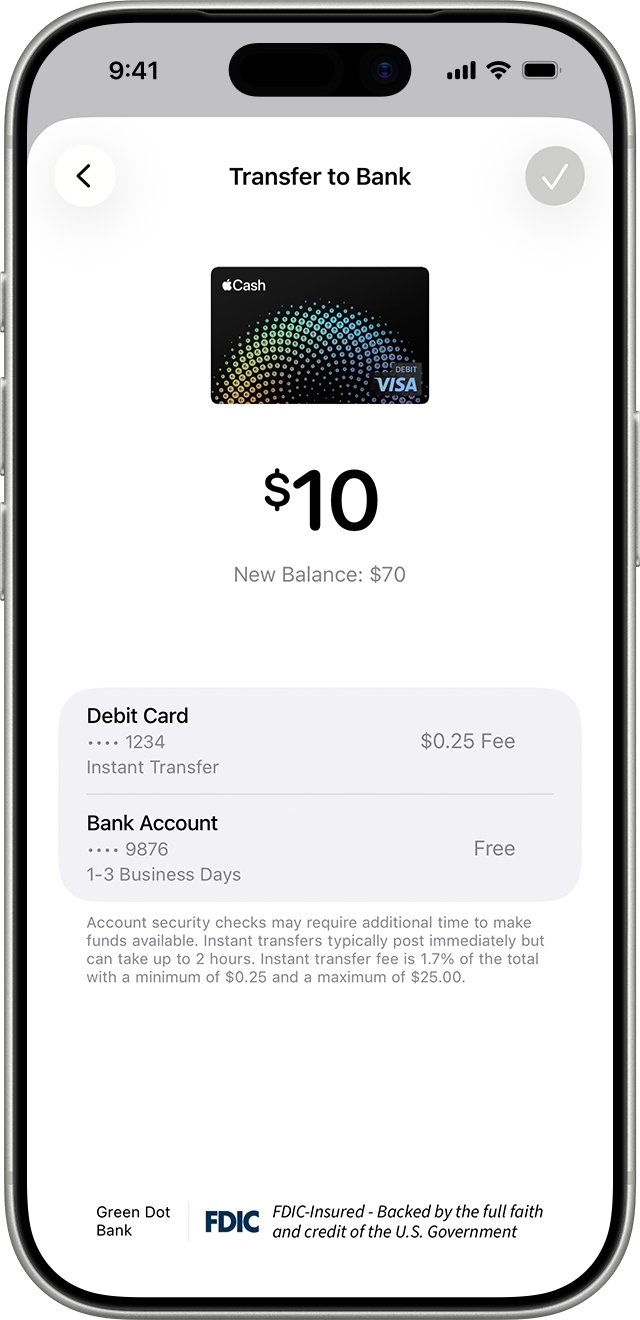
How to get a rejected Apple Cash transfer back
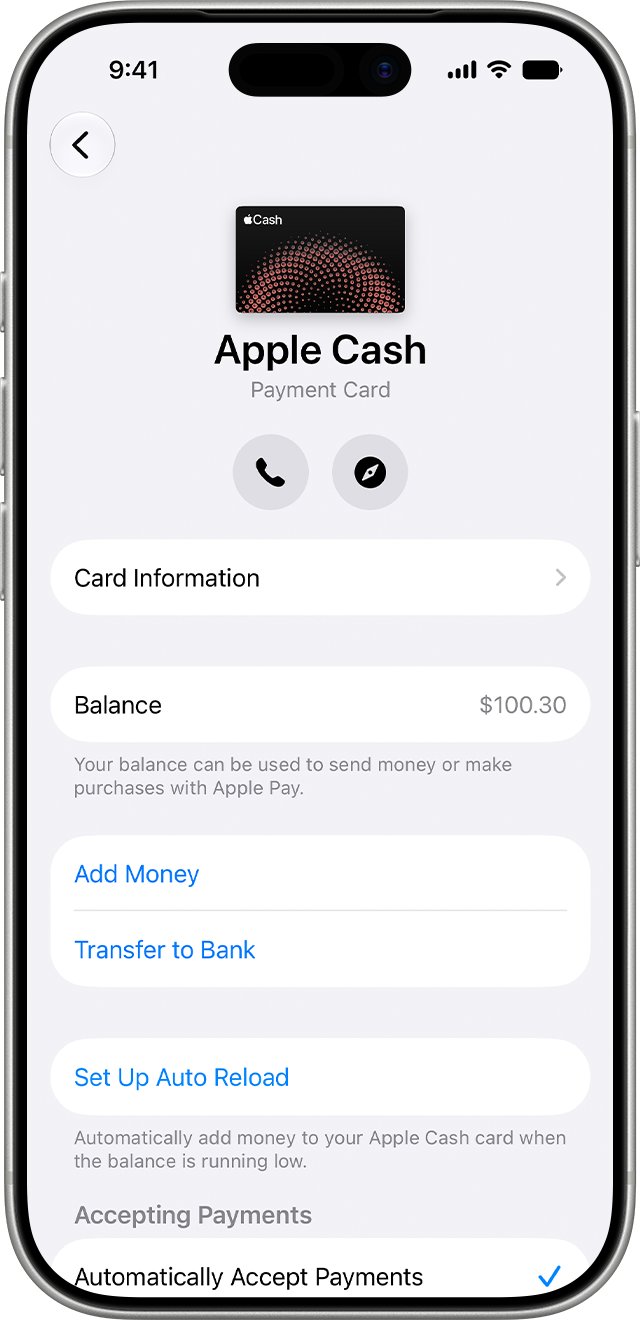
- Open the Wallet app and tap your Apple Cash card.
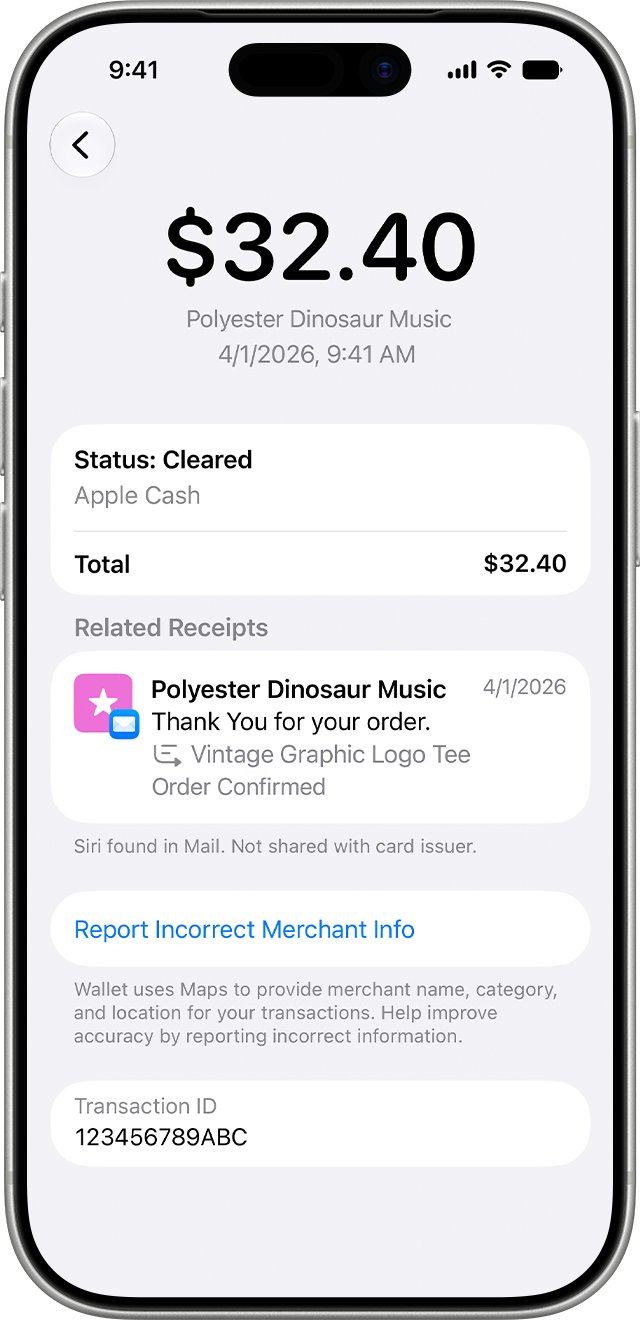
- Under Latest Transactions, tap the transfer to see its status and details.
- Wait the normal window: up to 30 minutes for Instant Transfer, or 3 business days for a bank transfer.
- If the money is still missing after 2 hours for an Instant Transfer, or 3 business days for a bank transfer, go to getsupport.apple.com.
- Ask to be connected to an Apple Cash Specialist at Green Dot Bank and give the transfer date, amount and destination.
- Ask your own bank whether it returned the deposit, and request a reference for the return.
Apple Inc. is not a bank. Apple Cash services are provided by Green Dot Bank, Member FDIC, so transaction disputes go to Green Dot specialists.
What does Green Dot do on Apple Cash?
| Party | Role in Apple Cash | Contact it for |
|---|---|---|
| Green Dot Bank | Holds your Apple Cash balance and processes transfers | Missing or rejected transfers, wrong account numbers, unrecognized charges |
| Apple Payments Services LLC | Service provider to Green Dot for Apple Cash | Device, Wallet and setup problems through Apple Support |
| Your bank or card issuer | Receives the transfer or declines it | Why a deposit was refused and whether it was returned |
A charge or deposit labelled Green Dot on your bank statement is your Apple Cash activity, not a separate service.
Apple Cash instant transfer vs bank transfer
| Transfer type | Speed | Fee | Escalate to Green Dot after |
|---|---|---|---|
| Instant Transfer to an eligible US debit card | Immediate, up to 30 minutes | 1.7% (minimum $0.25, maximum $25) | 2 hours |
| Bank transfer to a US bank account | 1 to 3 business days | Free | 3 business days |
Security checks can hold either type for longer before the money becomes available.
Why a bank rejects an Apple Cash deposit
| Cause | What to check |
|---|---|
| Wrong routing or account number | Card Details > Bank Account in Wallet |
| Debit card not eligible for Instant Transfer | Ask your card issuer; only US-issued debit cards qualify |
| Account outside the United States | Apple Cash sends only to US bank accounts |
| Amount outside the limits | Minimum $1, maximum $10,000 per transfer and $20,000 per seven days |
| Apple Cash account locked | A locked account cannot transfer money to a bank |
Update your bank account in Apple Cash
Fix a wrong number before you try again. Apple warns that money sent to the wrong account might not be recoverable.
- Open Wallet, tap your Apple Cash card, tap the More button, then tap Card Details.
- Scroll down and tap Bank Account, then tap the account you want to change.
- Tap the routing or account number, enter the correct number, confirm it and tap Next.
- To start over, tap Delete Bank Account Information and tap Delete again.
- Add the account again with numbers copied from your bank's app or a check.
Transfer Apple Cash to your bank again
- Update iOS to the latest version.
- Open Wallet, tap your Apple Cash card, tap the More button, then tap Transfer to Bank.
- Enter an amount, tap the Close button, then tap Continue.
- Tap 1-3 Business Days for a free bank transfer, or Instant Transfer for an eligible debit card, then tap Done.
- Double-click the side button and confirm with Face ID, Touch ID or your passcode.
On iPad, start from Settings > Wallet & Apple Pay, tap your Apple Cash card, then tap Transfer to Bank.
Check that Apple Cash refunded the money
- Open Wallet, tap your Apple Cash card and check the balance.
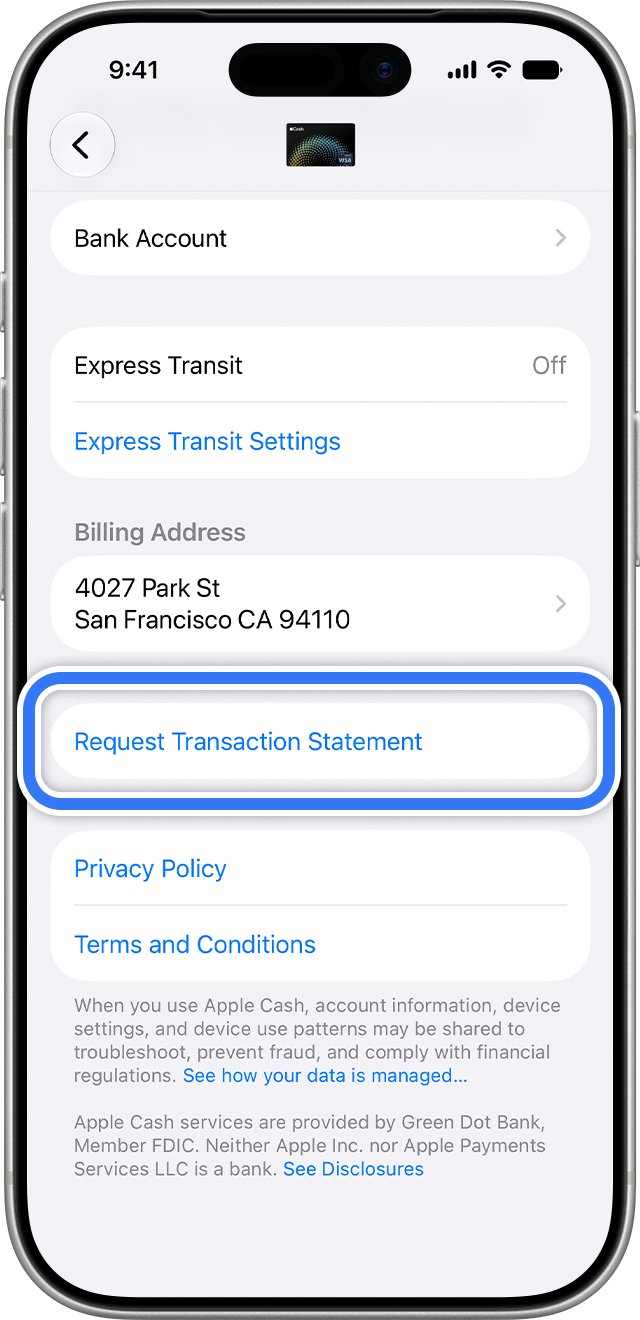
- Tap the original transfer and the newest entries in Latest Transactions.
- Tap the More button, tap Card Details, then tap Request Transaction Statement and Send.
- Open the PDF sent to your Apple Account email and confirm the return is listed.
Apple Cash transfer to bank not working
An error appears when you tap Transfer to Bank
Outdated iOS, an ineligible card or an amount outside the limits.
- Update iOS or iPadOS.
- Confirm the debit card is a US-issued eligible card.
- Keep the amount between $1 and $10,000.
Account in review, restricted or locked
Green Dot is running fraud or identity checks.
- Tap your Apple Cash card in Wallet and tap Verify Identity if it appears.
- Wait up to 2 business days for a review to finish.
- If no instructions appear, contact an Apple Cash Specialist at Green Dot Bank.
Money went to the wrong bank account
A routing or account number was entered incorrectly.
- Contact an Apple Cash Specialist at Green Dot Bank straight away.
- Give the transfer date, amount and the numbers you entered.
- Correct the bank details in Card Details before any new transfer.
Green Dot and Apple Cash FAQ
What does Green Dot do on Apple?
Green Dot Bank, Member FDIC, provides Apple Cash. It holds your balance, processes transfers and handles transaction problems through its Apple Cash Specialists.
Is Green Dot Cash App?
No. Green Dot Bank is the bank behind Apple Cash, which lives in the Wallet app on iPhone. Cash App is a separate service from a different company.
Is Green Dot Bank legit for Apple Cash?
Yes. Apple names Green Dot Bank, Member FDIC, as the provider of Apple Cash services, with Apple Payments Services LLC acting as its service provider.
How do I contact Apple Cash support at Green Dot Bank?
Start at getsupport.apple.com and choose the Apple Cash topic. Apple's support pages route transaction problems to an Apple Cash Specialist at Green Dot Bank.
How long does an Apple Cash Instant Transfer take?
An Instant Transfer usually arrives immediately and can take up to 30 minutes. Contact Green Dot if the money has not arrived after 2 hours.
How much does Apple Cash Instant Transfer cost?
Instant Transfer costs 1.7% of the amount, with a minimum fee of $0.25 and a maximum of $25. A standard bank transfer is free and takes 1 to 3 business days.
What happens if I send Apple Cash to the wrong person?
Ask the person to send the money back. You can cancel the payment until they accept it, and if they do not accept it within 7 days, the money returns to your Apple Cash balance automatically.
Can I transfer Apple Cash to a bank outside the US?
No. Apple Cash transfers only go to bank accounts in the United States, and Instant Transfer works only with US-issued eligible debit cards.

![Blue Screen of Death Causes and Solutions [Guide]](https://techdows.com/wp-content/uploads/2026/10/Blue-Screen-of-Death-Causes-and-Solutions-Guide-600x338.jpg)