If you want to download the PC Health Check app for Windows 10 or Windows 11, you can get it directly from Microsoft’s official website. The app lets you check your PC’s overall health, see whether your device meets Windows 11 system requirements, monitor storage and backup status, and access other useful system details in one place.
It comes preinstalled on many Windows 11 PCs, while Windows 10 users usually need to install it manually.
How to download the Windows PC Health app?
Since it’s an official app, Microsoft hosts the download link on its website. Here’s how to download it:
- Open a web browser and download PC Health Check by visiting the official page.
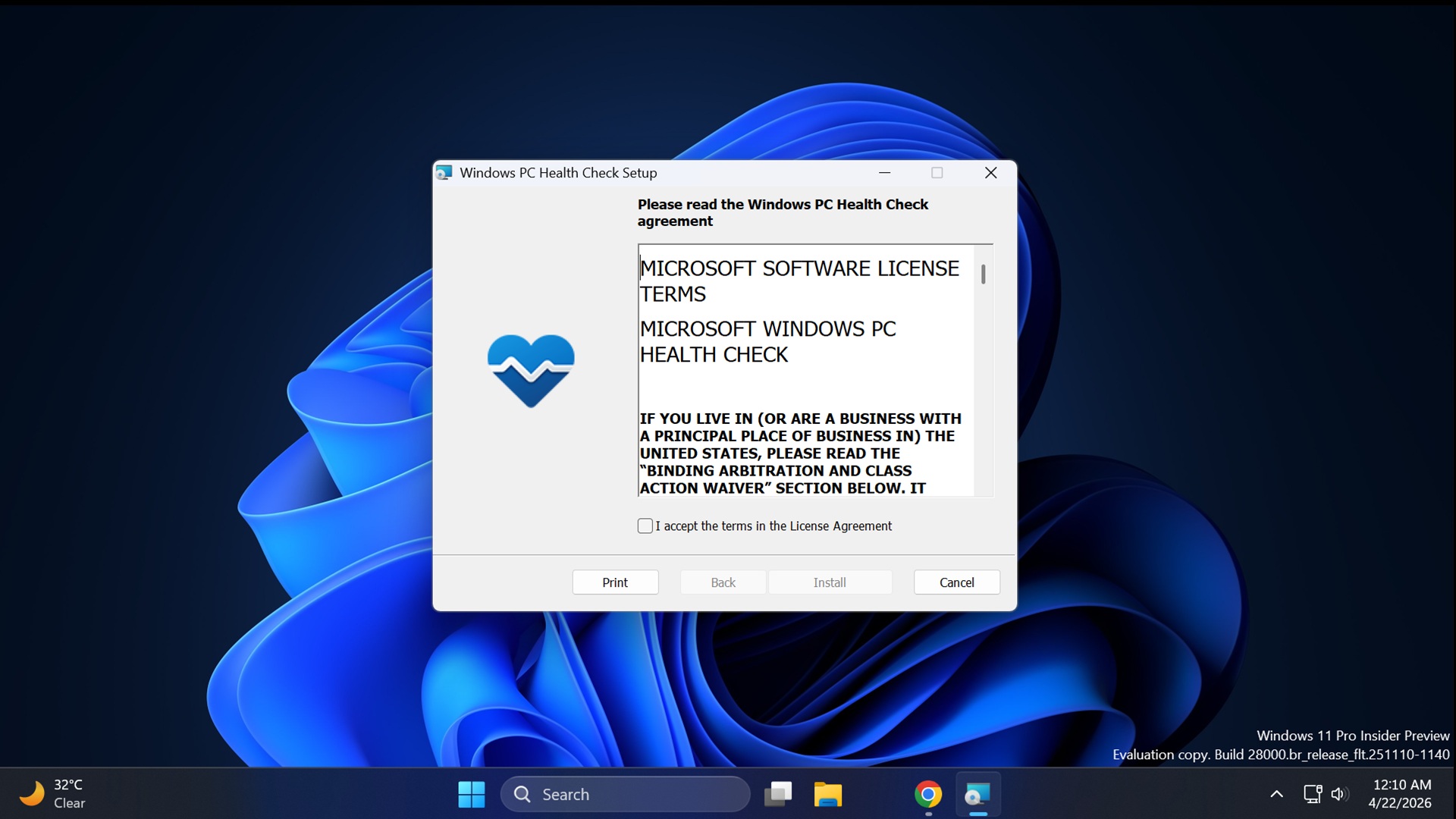
- Double-click on the installed file in your browser’s download section to open the setup.
- Click on “I accept the terms in the License Agreement” check box and then select Install.
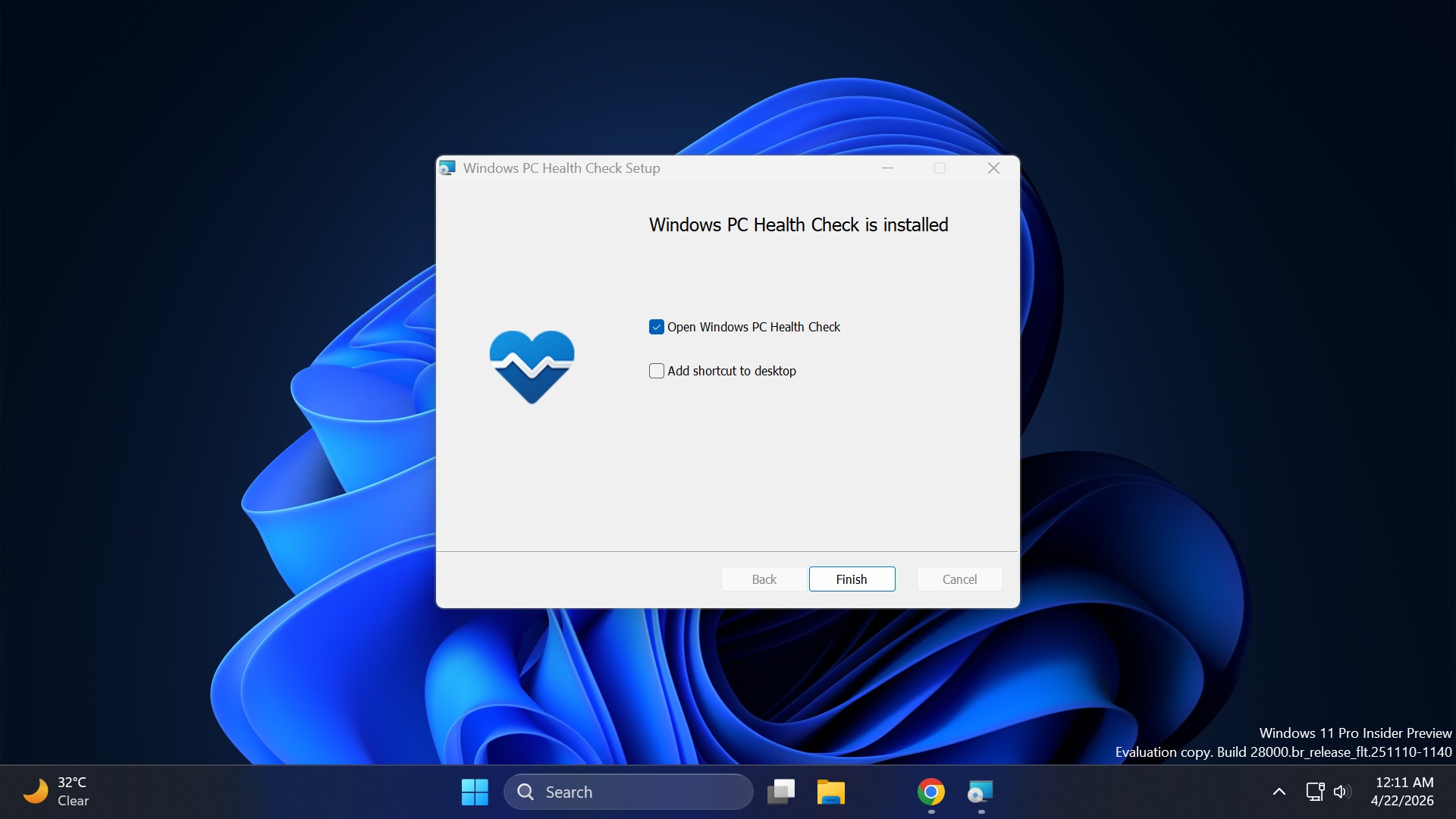
- Click on Finish to finalize the installation and launch the PC Health Check app.
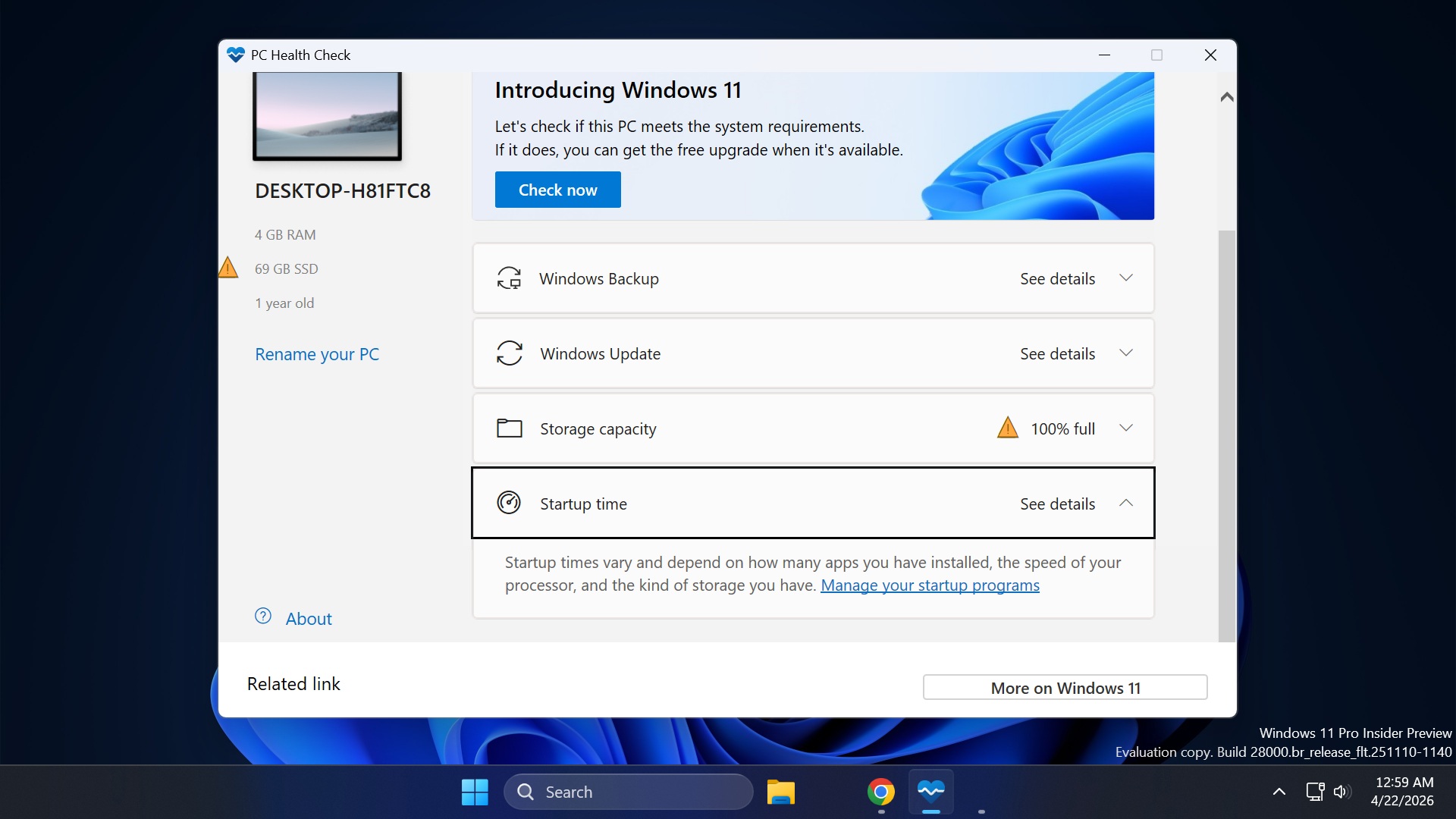
- Now, click on the Check Now button to determine Windows 11 eligibility (if you are on Windows 10).
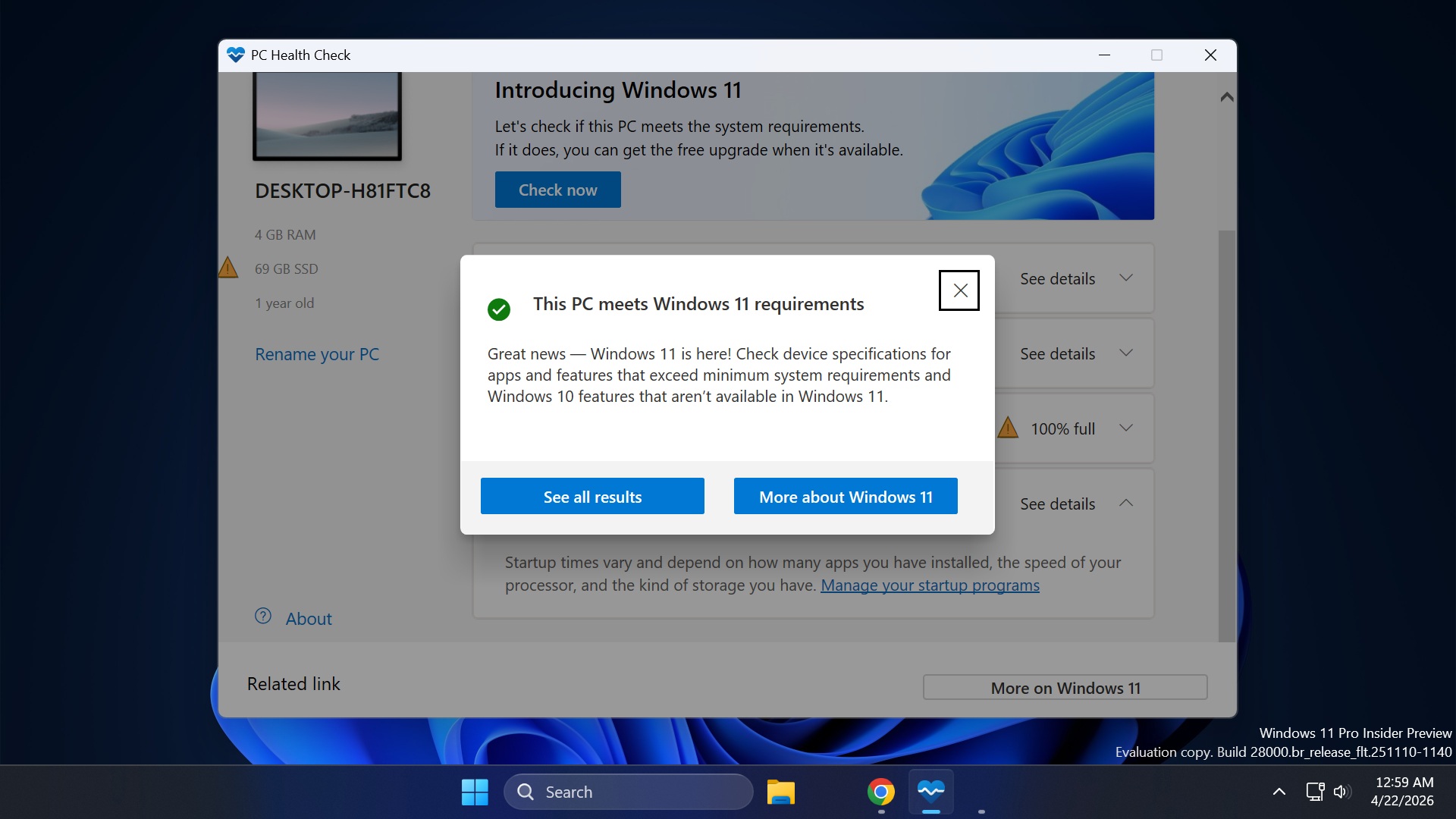
- The “This PC meets Windows 11 requirements” message means you can upgrade to Windows.
- If you get the “This PC can’t run Windows 11” message, it means your PC cannot run Windows 11.
- To learn more about missing hardware, click on the See results button.
You might have to switch to a Linux distro or bypass system requirements to use Windows 11 on an unsupported PC.
What should you do if the PC Health Check App is not opening?
I haven’t encountered any problems with running the PC Health Check App on multiple Windows PCs. But if the app doesn’t launch from the Start menu or desktop shortcut, you can fix it.
- Press the Win key, type appwiz.cpl, and press Enter.
- Find the PC Health Check app in the list of installed programs and right-click on it.
- Select the Repair option. It will try to fix the app by replacing corrupted files, reinstalling missing components, and repairing registry entries.
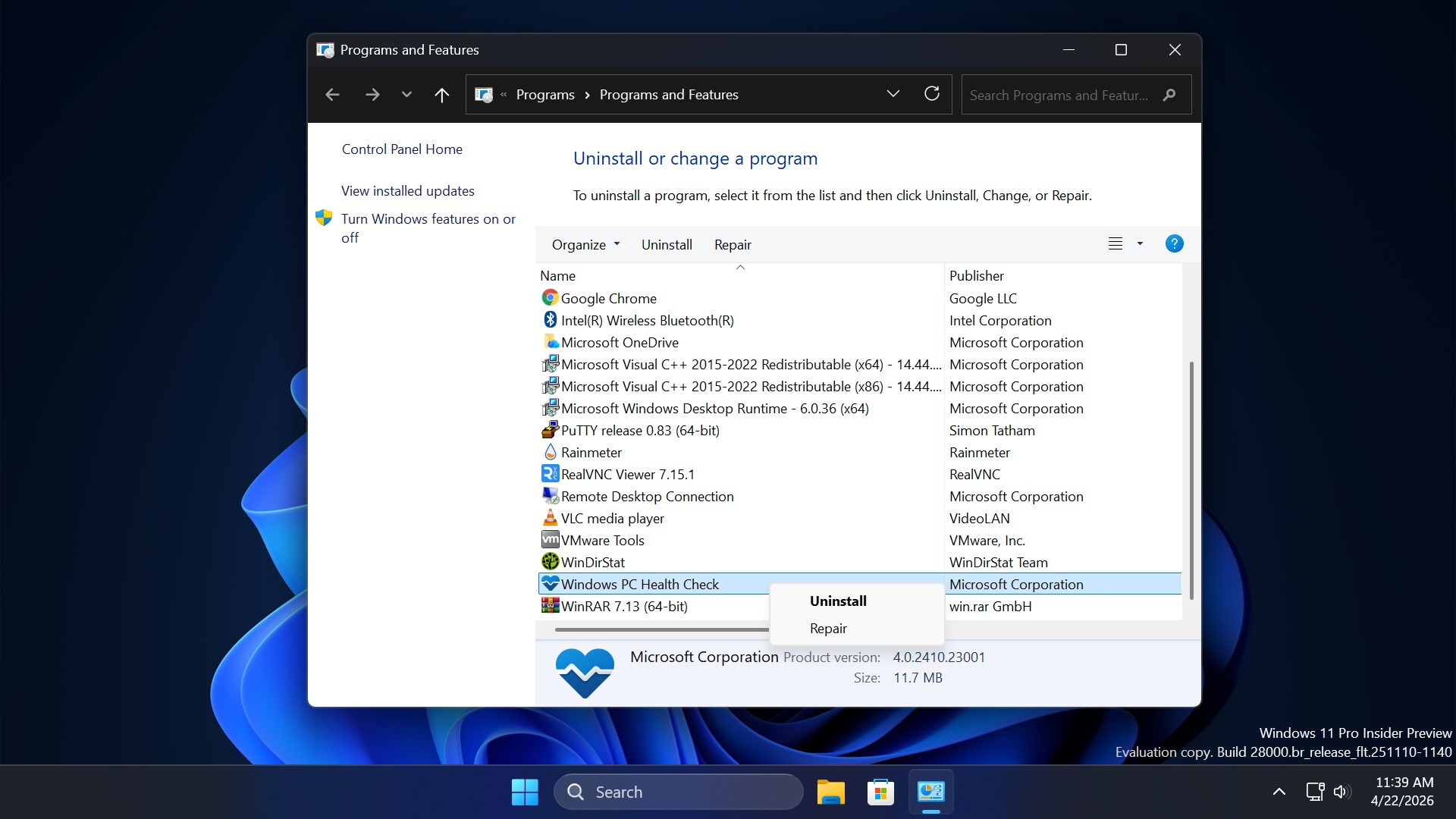
- Try launching PC Health Check from the Start menu.
How do I remove PC Health Check?
PC Health Check is easily removable via the Settings app or Control Panel. Here’s how:
- Press the Windows key, type Installed Apps, and press Enter.
- Find PC Health Check in the list and click on the three-dots button.
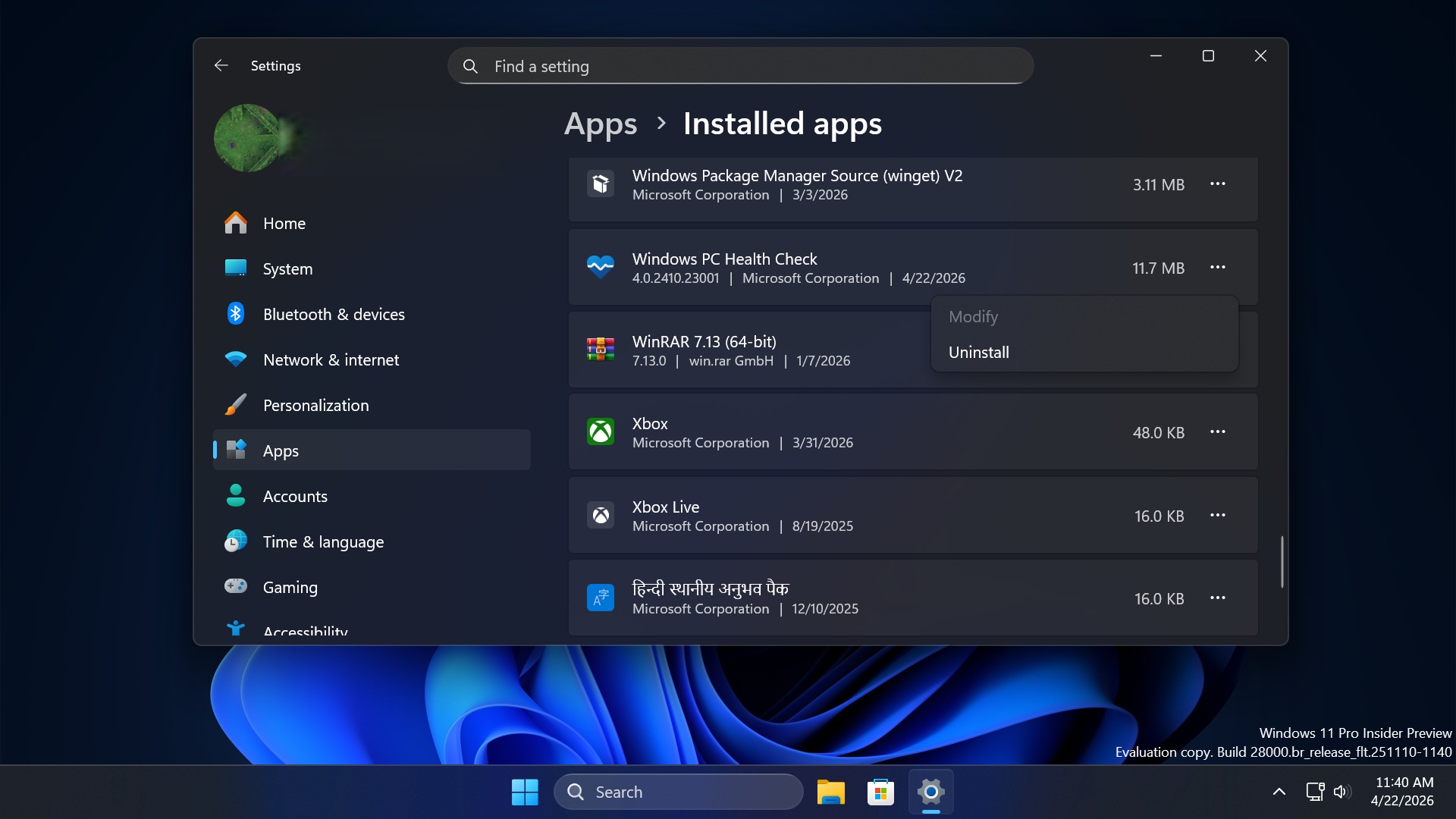
- Select the Uninstall option.
To remove it via Control Panel, do the following:
- Press the Win key, type appwiz.cpl, and press Enter.
- Find the PC Health Check app in the list of installed programs and right-click on it.
- Select Uninstall and follow the on-screen steps to remove the app.
What to do if PC Health Check says that your PC isn’t ready for Windows 11?
Windows 11 needs Secure Boot and TPM to work. If those components are missing or you have an old version of TPM, the app will deem your system ineligible for a Windows 11 upgrade.
Here’s how to check if you have TPM and Secure Boot:
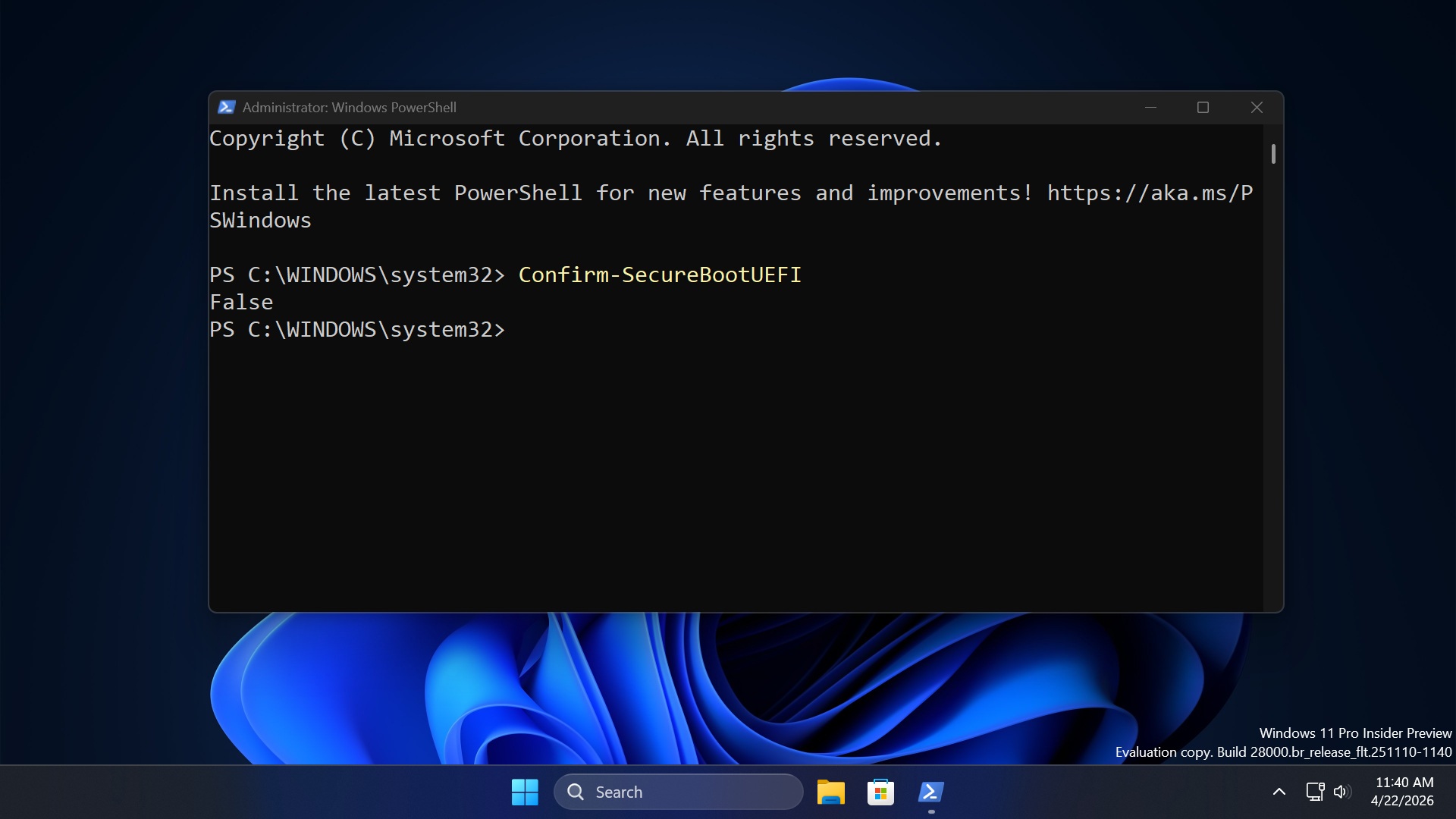
- Press the Win key, type PowerShell, and click on Run as administrator.
- Click OK to launch PowerShell.
- Type Confirm-SecureBootUEFI and press Enter. If your PC supports it, the console will show True. Otherwise, it will show False.
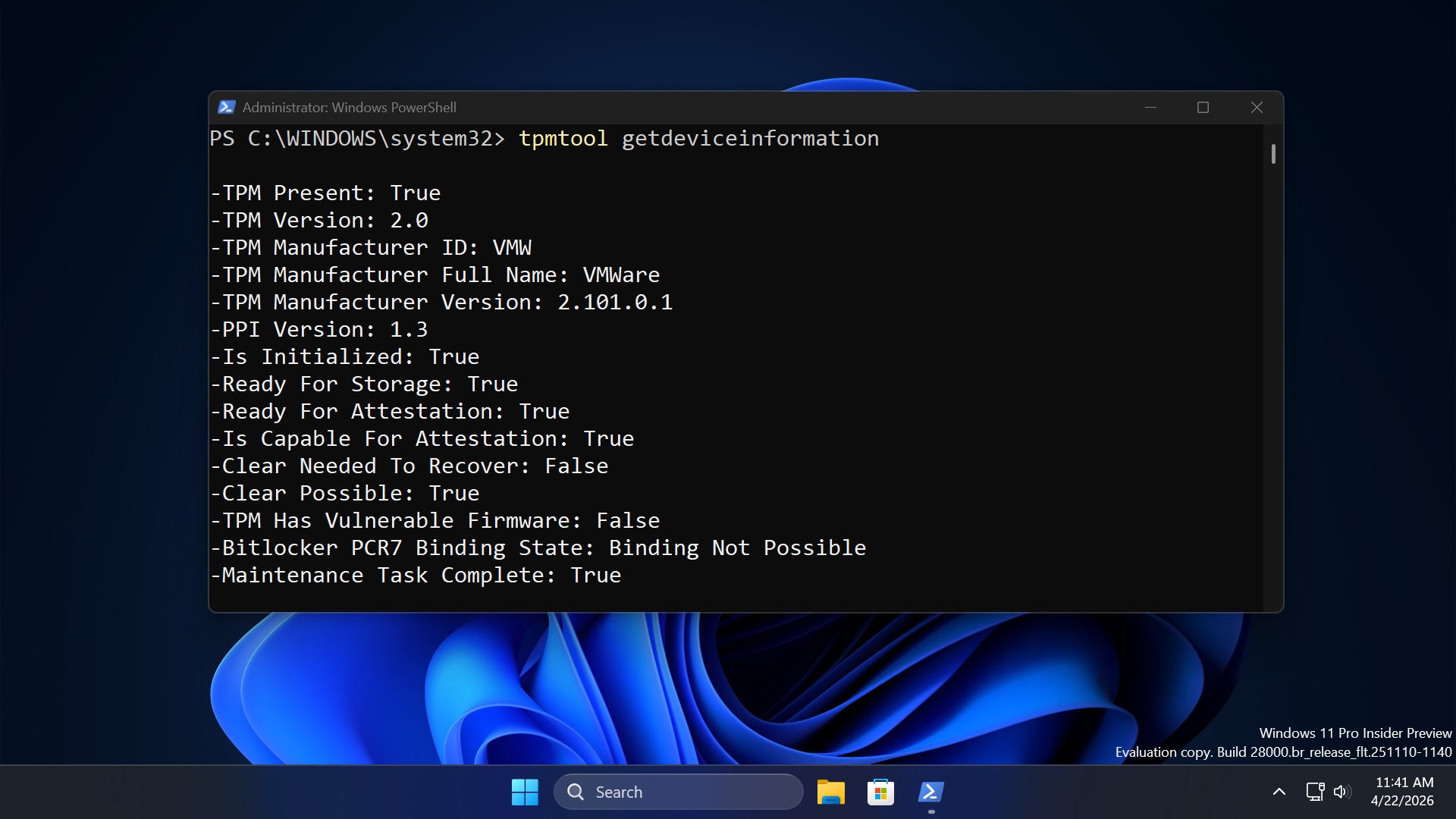
- Then type tpmtool getdeviceinformation and press Enter. If the result doesn’t show “TPM Present: True” and “TPM Version: 2.0,” your system doesn’t have it.
Don’t be sad because there are many ways to bypass these two requirements. You can use Rufus to create a bootable USB with the bypass pre-applied, or you can take matters into your own hands and edit the registry while installing Windows 11.
I recommend using the PC Health Check app because it can help you check if your PC meets Windows 11 eligibility criteria. Windows 10 will stop getting updates after 2026, and the PC Health Check app can help you upgrade early on.
Frequently asked questions (FAQ):
What is Windows PC Health Check on my computer?
Windows PC Health Check is an app that can check if your system is compatible with running Windows 11 and meets the minimum requirements.
Beyond that, it’s a great tool that offers simple checks and direct links to the related settings. Here’s what you can do with the app options:
- Backup & Sync – You can check whether your PC is backing up data, files, and settings to your Microsoft account.
- Status update – Shows the current update version with a link to open the update settings page.
- Storage – Tells you the currently occupied storage capacity in percentage. If its 100%, you must move or remove some apps to ensure the PC runs smoothly.
- Startup info – Redirects you to edit startup apps
- Quickly rename your PC – Redirects to the new Rename PC dialog box.
Is Windows PC Health Check a virus?
No, Windows PC Health Check is not a virus or malware and is an official tool developed and maintained by Microsoft. You should download it from only the official links I mentioned in the post and not from random, sketchy, third-party download websites. Otherwise, you may expose your system to ransomware and other threats.
