Windows 11 26H2 is usually missing from Windows Update because Microsoft is rolling it out in stages: on day one it is offered only to PCs on version 24H2 or 25H2 that have Get the latest updates as soon as they're available turned on, and some of those are held back by a safeguard hold.
This guide shows how to put your PC first in line, how to find which of the seven common blocks applies to you, and how to install 26H2 another official way when Windows Update will not offer it.
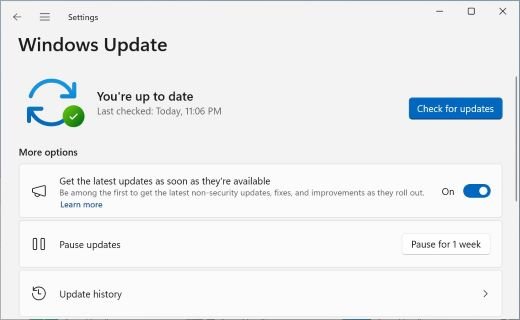
The fastest way to make Windows 11 26H2 show up
Microsoft released version 26H2 on September 29, 2026, as a small enablement package for PCs already on Windows 11, version 24H2 or 25H2. These steps are the route Microsoft itself gives for getting it early.
- Select Start > Settings > Windows Update.
- Turn on Get the latest updates as soon as they're available.
- Select Check for updates and install everything it finds, including the September 2026 cumulative update.
- Restart the PC if Windows asks, then open Windows Update again and select Check for updates.
- If Windows 11, version 26H2 is available appears, select Download & install.
- Restart once when the download finishes; the switch to 26H2 completes with a single restart.
If the 26H2 entry still does not appear, your PC is either not eligible yet or blocked by one of the causes below. The rollout is phased and Microsoft says it will expand over the next few months, so an eligible PC with no block simply receives it later.
Why Windows 11 26H2 is not showing up on your PC
Match what you see on the Windows Update page to a row, then jump to the section that fixes it.
| What you see or know | Most likely cause | What to do |
|---|---|---|
| Up to date, no 26H2 entry, early-updates toggle off | The staged rollout reaches toggle-on PCs first | Turn the toggle on and check again |
| Up to date, toggle on, still nothing | The prerequisite cumulative update is missing, or the rollout has not reached the PC yet | Install KB5124010 or a later cumulative update, then wait |
| A message that the update is on its way, with a Learn more link | A safeguard hold for a known compatibility issue | Read the hold, fix the named driver or app if possible, or wait |
| Updates are paused | Pause blocks the offer until it ends | Resume updates |
| "Some settings are managed by your organization" | Work or school policy controls feature updates | Ask IT; admins set a target version |
| The PC runs Windows 10 or Windows 11 23H2 | Only 24H2 and 25H2 are listed as eligible for the 26H2 enablement package | Use the Installation Assistant or move to 24H2/25H2 first |
| Checking for updates fails with an error code | A damaged update cache, low disk space or a driver problem | Run the troubleshooter and repair steps in the fix section |
Check your Windows version before anything else
The 26H2 enablement package only installs on top of Windows 11, version 24H2 or 25H2. Confirm which version you have first, because no Windows Update setting can offer it to other versions.
| Your current version | OS build family | Offered 26H2 through Windows Update? |
|---|---|---|
| Windows 11, version 25H2 | 26200 | Yes, as the KB5121794 enablement package during the phased rollout |
| Windows 11, version 24H2 | 26100 | Yes, as the KB5121794 enablement package during the phased rollout |
| Windows 11, version 26H1 | 28000 | Not listed as eligible; 26H1 is a separate release for new devices launched in early 2026, and Microsoft has not published a 26H2 path for it |
| Windows 11, version 23H2 | 22631 | Not listed as eligible; Home and Pro editions of 23H2 have already reached end of updates |
| Windows 10 | Not applicable | No enablement package; a full upgrade to Windows 11 is required |
To read your version, right-click Start, select Settings > System > About, and look under Windows specifications. Windows 11 24H2 Home and Pro reach end of updates on October 13, 2026, and Windows Update automatically starts a feature update on consumer PCs that are approaching end of servicing.
Install the prerequisite cumulative update (KB5124010 or later)
Microsoft's KB5121794 page lists one prerequisite: the September 22, 2026 preview update KB5124010, or any later cumulative update. A 24H2 or 25H2 PC that skipped that optional preview is not offered 26H2 until it has it or a newer cumulative update.
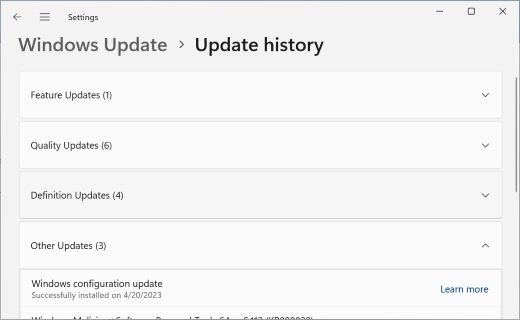
- Open Settings > Windows Update > Update history.
- Look for KB5124010 or a cumulative update released after September 22, 2026.
- If neither is listed, go back to Windows Update and select Advanced options > Optional updates.
- Download and install KB5124010 from the list of optional updates available.
- Restart the PC.
- Select Check for updates again and look for Windows 11, version 26H2 is available.
Check whether a safeguard hold is blocking 26H2
A safeguard hold stops Windows Update from offering a feature update to a PC with a known compatibility issue, such as a driver or app that breaks after the upgrade. Microsoft has confirmed it places these holds during the 26H2 rollout and lifts each one once the issue is fixed.
- Open Settings > Windows Update and select Check for updates.
- Look for a message saying the update is on its way and there is nothing that needs your attention.
- Select Learn more under that message to open the page that lists the safeguard holds affecting your device.
- Note the named driver, app or device, and check its maker's website for an update that addresses it.
- Compare the issue with the open items on the Windows 11, version 26H2 release health page.
- Wait for the hold to lift if no fix exists yet; Windows Update offers 26H2 automatically afterwards.
Microsoft does not always disclose holds caused by third-party software or drivers, so a PC can be held back without a named reason. The known 26H2 issues and their fixes are tracked separately as Microsoft adds them.
Resume paused updates and remove metered-connection limits
A pause holds back every update until the chosen end date, and Windows 11 lets you pause for up to 35 days at a time. A connection set as metered also stops some updates from installing automatically.
- Open Settings > Windows Update.
- If the page says updates are paused, resume them from the same page.
- Connect to a network that is not set as metered, such as home Wi-Fi or Ethernet, for the download.
- Make sure the PC is plugged into power.
- Select Check for updates.
Get 26H2 on a work or school PC
Microsoft offers automatic feature updates only to consumer devices and business devices that are not managed. On a managed PC, the organization decides when 26H2 appears, and the early-updates toggle itself is controlled by the AllowOptionalContent policy.
- Open Settings > Windows Update and look for a note that some settings are managed by your organization.
- If it is there, contact your IT department instead of changing settings yourself.
- Admins using Windows Update client policies set a target version through the TargetReleaseVersion CSP, an Intune feature update profile, or the Select target Feature Update version Group Policy.
- Admins using WSUS approve the Windows 11, version 26H2 feature update; WSUS clients on 24H2 or 25H2 receive the KB5121794 enablement package through it.
- Once the policy reaches the PC, select Check for updates again.
The 26H2 enterprise deployment options cover WSUS, Intune and Autopatch in detail.
Install 26H2 with the Installation Assistant when Windows Update will not offer it
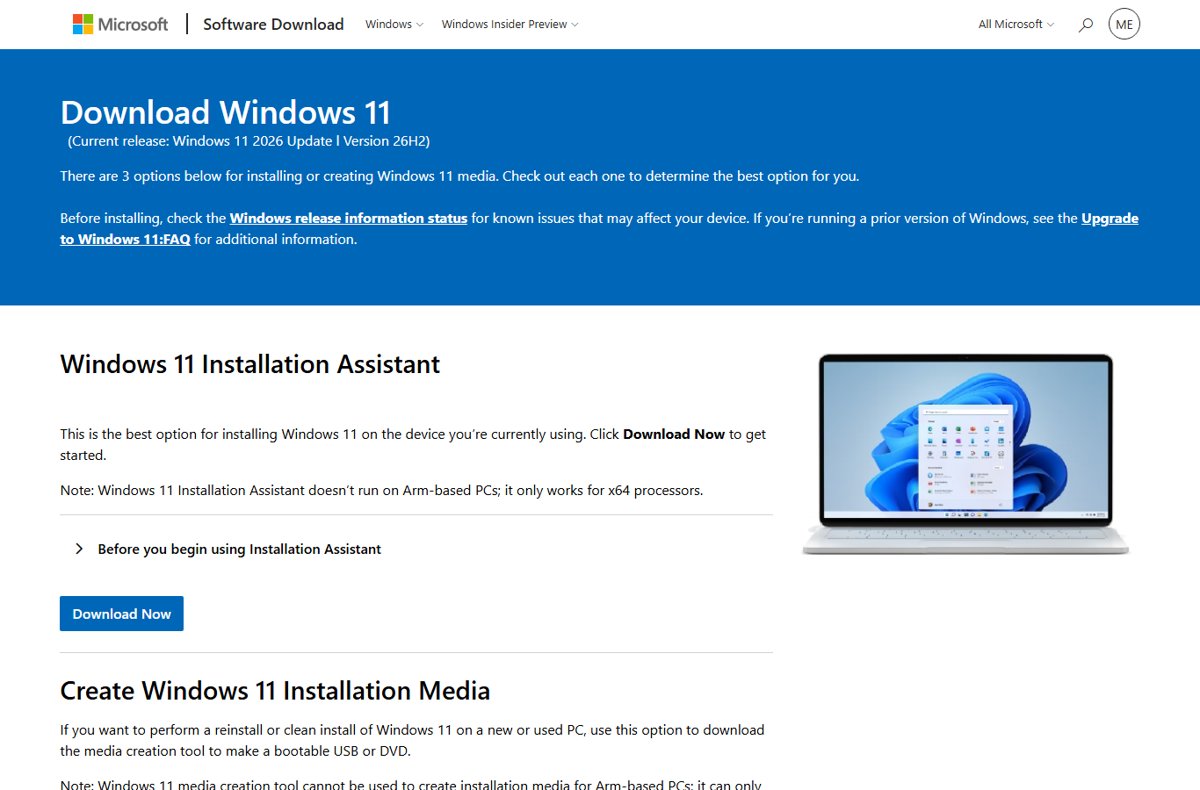
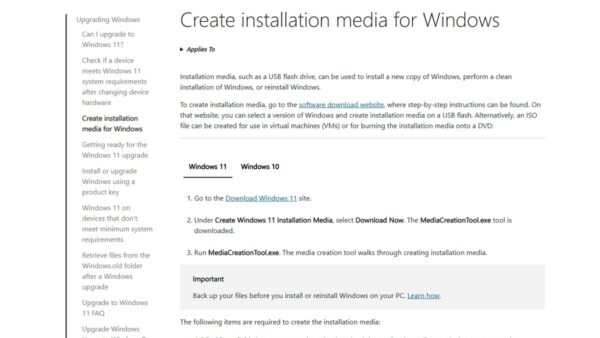
Microsoft's Windows 11 download page now lists the Windows 11 2026 Update, version 26H2, as the current release. The Installation Assistant upgrades the PC you run it on, which suits Windows 10 PCs that meet Windows 11 requirements and 23H2 PCs outside the enablement-package path.
- Check the Windows 11, version 26H2 release health page for issues that match your hardware.
- Back up your files.
- Open microsoft.com/software-download/windows11 in your browser.
- Under Windows 11 Installation Assistant, select Download Now and run the file.
- Follow the prompts to accept the license terms and start the upgrade.
- Leave the PC on and plugged in until it restarts into Windows 11, version 26H2.
The Installation Assistant runs only on x64 processors, not Arm-based PCs. A safeguard hold exists to protect a PC from a known problem, so forcing the upgrade on a held device can bring that problem with it; the other official ways to install 26H2, including the ISO and Media Creation Tool, carry the same risk.
How to check that Windows 11 26H2 installed
- Right-click Start and select Settings > System > About.
- Under Windows specifications, confirm the version reads 26H2.
- Confirm the OS build starts with 26300; the build Microsoft listed on September 29, 2026 was 26300.9550.
- Open Settings > Windows Update > Update history and look for the feature update to Windows 11, version 26H2 (KB5121794).
Fix Windows Update errors that stop 26H2 appearing or installing
These symptoms and fixes come from Microsoft's own Windows Update troubleshooting guidance. Work through them in order within each group.
Check for updates fails or finds nothing at all
The Windows Update service or its cached files are damaged.
- Select Start > Settings > System > Troubleshoot > Other troubleshooters.
- Next to Windows Update, select Run and follow the prompts.
- Check that Settings > Time & language > Date & time has Set time automatically turned on.
- Select Check for updates again.
Update stuck at 0% or 100%
The download was interrupted or the update cache holds a corrupt file.
- Restart the PC and confirm it is online.
- Press Win + R, type
services.mscand press Enter. - Right-click Windows Update and select Stop.
- Delete everything inside
C:\Windows\SoftwareDistribution. - Right-click Windows Update and select Start, then check for updates again.
Error 0x800f0922
Not enough free disk space, or a VPN is interfering with the download.
- Free up space until the system drive has at least 20 GB available on 64-bit Windows.
- Disconnect from any VPN.
- Select Check for updates again.
Error 0xC1900101
An incompatible driver, usually for the network or graphics adapter.
- Open Device Manager and expand Network adapters or Display adapters.
- Right-click the adapter and select Update driver > Search automatically for drivers.
- Check the device maker's website for a newer driver if Windows finds none.
- Disconnect external drives, docks and other hardware you do not need, then retry.
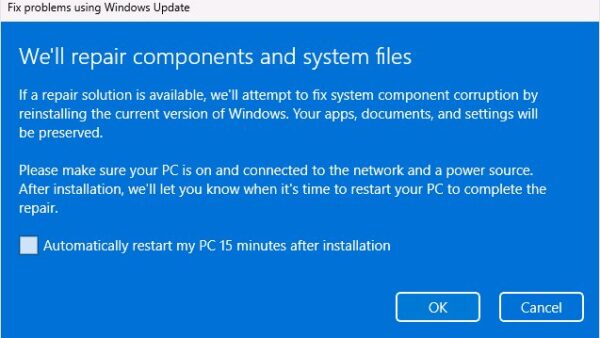
Errors 0x80070057 or 0x80080005, or repeated failures
Corrupted Windows system files.
- Open Command Prompt as administrator.
- Run
DISM.exe /Online /Cleanup-image /Restorehealthand wait for "The restore operation completed successfully". - Run
sfc /scannowand wait for it to reach 100%. - Restart and check for updates again.
Frequently asked questions
Where is Windows 11 26H2?
Windows 11 26H2 appears in Settings > Windows Update as "Windows 11, version 26H2 is available" with a Download & install button. It shows only on eligible 24H2 and 25H2 PCs that the phased rollout has reached, starting with those that have the early-updates toggle turned on.
Why is Windows 11 26H2 not showing up in Windows Update?
The most common reason is the staged rollout: Microsoft offers 26H2 first to PCs with Get the latest updates as soon as they're available turned on, then expands over several months. A missing prerequisite update, a safeguard hold, paused updates or work policies also hide it.
When will every PC get Windows 11 26H2?
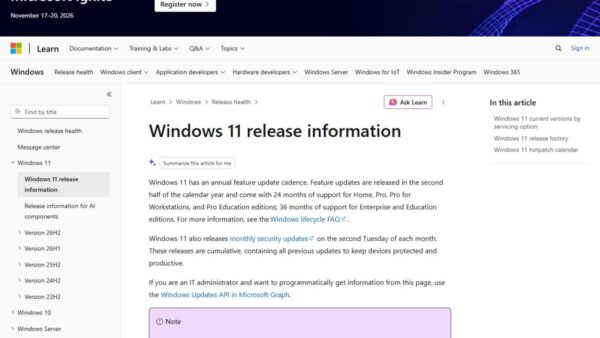
Microsoft has not published a date for full availability. Its release health page says the phased rollout started on September 29, 2026, and will expand over the next few months, with progress posted on the Windows release health hub.
Do I need KB5124010 before 26H2 appears?
Yes. Microsoft lists the September 22, 2026 update KB5124010, or any later cumulative update, as the prerequisite for the KB5121794 enablement package. Without one of them installed, a 24H2 or 25H2 PC is not offered Windows 11, version 26H2.
Can I get Windows 11 26H2 on Windows 10?
Not through the enablement package, which is only for Windows 11, versions 24H2 and 25H2. A Windows 10 PC that meets Windows 11 requirements can upgrade with the Installation Assistant, whose current release on Microsoft's download page is version 26H2.
Is it safe to bypass a safeguard hold?
It is not recommended. A safeguard hold exists because Microsoft has found a compatibility problem on PCs like yours. Installing 26H2 another way does not remove that problem, so waiting for the hold to lift, or updating the named driver or app, is the safer route.
Does Windows 11 26H2 need a full reinstall?
No. On PCs running version 24H2 or 25H2, 26H2 installs as a small enablement package that switches on features already delivered by monthly updates. The download is small and a single restart completes the move to the new version.
How do I know if my PC already has 26H2?
Open Settings > System > About and check Windows specifications. Version 26H2 with an OS build starting 26300 means the update is installed. The KB5121794 feature update also appears in Update history.
Bottom line
Turn on the early-updates toggle, install KB5124010 or a newer cumulative update, and let Windows Update offer 26H2 when your PC's turn comes. The phased rollout and safeguard holds are deliberate, and a held PC is being protected from a known problem; the Installation Assistant is the right tool mainly for Windows 10 and 23H2 PCs that the enablement package does not cover.
For the full list of what changes once it installs, the Windows 11 26H2 overview has the details.

Windows 11 26H2 known issues and how to fix them - Techdows
[…] these in order and check for updates after each one. If the version simply never appears, the 26H2 not showing in Windows Update fix covers eligibility and rollout causes in […]
How to download Windows 11 26H2 ISO file - Techdows
[…] the offer never shows, a safeguard hold may be blocking your PC; the guide to 26H2 not showing in Windows Update covers the […]