The iPhone SE 2020 is not obsolete: Apple lists the iPhone SE (2nd generation) as compatible with iOS 27, and it is not on Apple's vintage or obsolete product lists.
This guide explains how Apple decides when a phone becomes vintage or obsolete, how to confirm you have the 2020 model, how to keep it updated, and when replacing it makes sense.
Is the iPhone SE 2020 still supported?
Yes. Support has two separate parts, software updates and hardware service, and the iPhone SE (2nd generation) still has both.
| Support type | iPhone SE 2020 status | What it means |
|---|---|---|
| iOS updates | Compatible with iOS 27 | New features and security fixes still arrive |
| Apple vintage list | Not listed | Full repair service from Apple and service providers |
| Apple obsolete list | Not listed | Parts can still be ordered for repairs |
Apple names models only when they cross a threshold, so the phone stays fully supported until it appears on one of those lists.
When does the iPhone SE 2020 become vintage or obsolete?
Apple counts from the date it stopped distributing a model for sale, not from the year it was introduced.
| Apple status | Rule | Service you get |
|---|---|---|
| Supported | Still sold, or stopped less than 5 years ago | Service and parts for a minimum of 5 years after last sale |
| Vintage | Stopped more than 5 and less than 7 years ago | Service may continue for up to 7 years, subject to parts availability |
| Obsolete | Stopped more than 7 years ago | Apple discontinues all hardware service, and providers cannot order parts |
For the iPhone SE 2020, the vintage clock starts on the day Apple stopped selling it, and obsolete status follows two years after vintage. Until Apple adds it to the vintage list, the phone counts as fully supported.
Software support follows a separate schedule. Apple publishes which models each new iOS version supports when that version is announced.
Is my iPhone SE 2020 or 2022?
Both models look almost identical, with a 4.7-inch display and a Touch ID Home button, so check the model number.
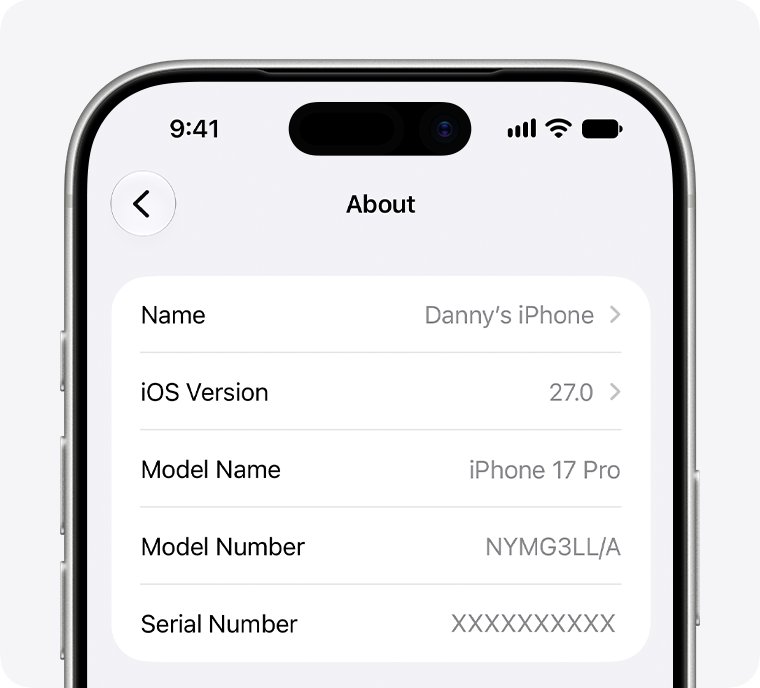
- Open Settings and tap General.
- Tap About.
- Tap the Model Number field until it shows a number that starts with A.
- Compare it with the table below.
iPhone SE (2nd generation), introduced in 2020: A2275 (US and Canada), A2298 (China mainland), A2296 (other regions).
iPhone SE (3rd generation), introduced in 2022: A2595 (US, Canada and others), A2782, A2783, A2784 and A2785 for other regions.
What is the iPhone SE 2020?
| Detail | iPhone SE (2nd generation) |
|---|---|
| Generation | Second-generation iPhone SE |
| Year introduced | 2020 |
| Display | 4.7 inches (diagonal), flat glass front |
| Storage | 64, 128 or 256 GB |
| Colors | White, black, (PRODUCT)RED |
| Home button | Solid-state Home button with Touch ID |
| SIM | Physical nano-SIM tray on the right side |
Apple's own name for it is iPhone SE (2nd generation). The first iPhone SE from 2016 is already on Apple's obsolete list, which is a common source of confusion.
Does the iPhone SE 2020 still update?
It does. Updating keeps your data and settings in place, but back up first, and force restart the iPhone if it freezes during the install.
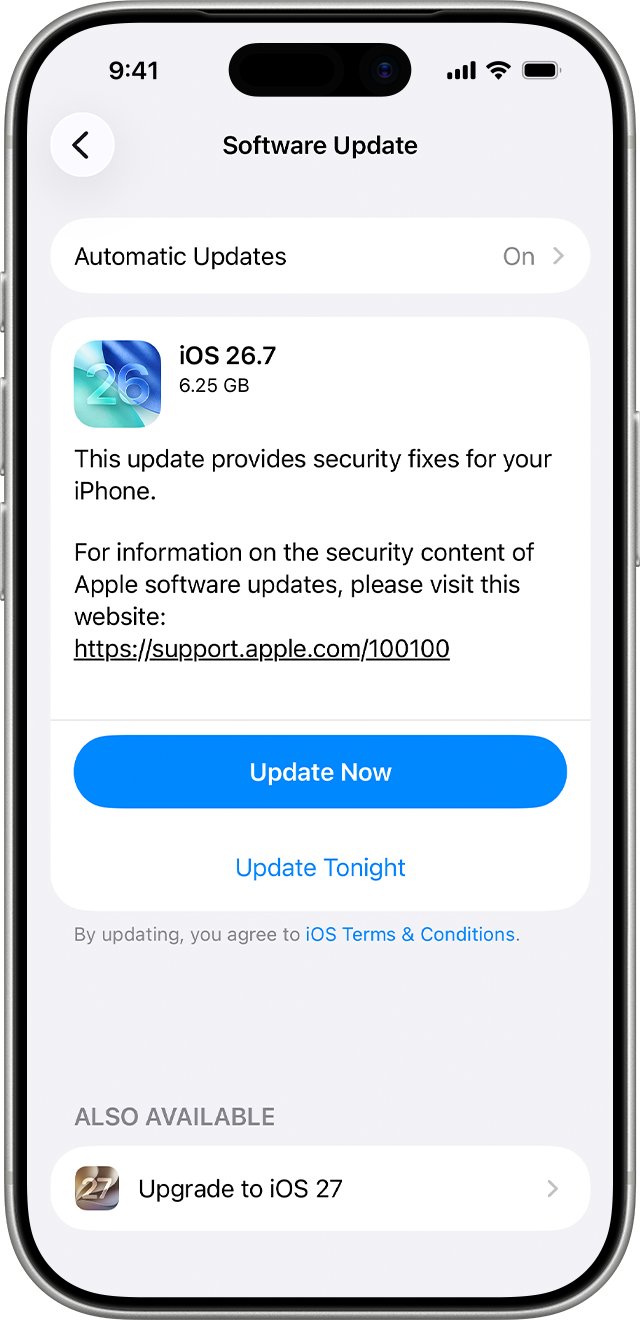
- Open Settings and tap General.
- Tap Software Update to see the installed version and any available update.
- Tap Download and Install if an update is listed, then follow the onscreen instructions.
- Tap Automatic Updates and turn on Automatically Install so future updates install overnight while charging on Wi-Fi.
Check iOS version on iPhone SE 2020
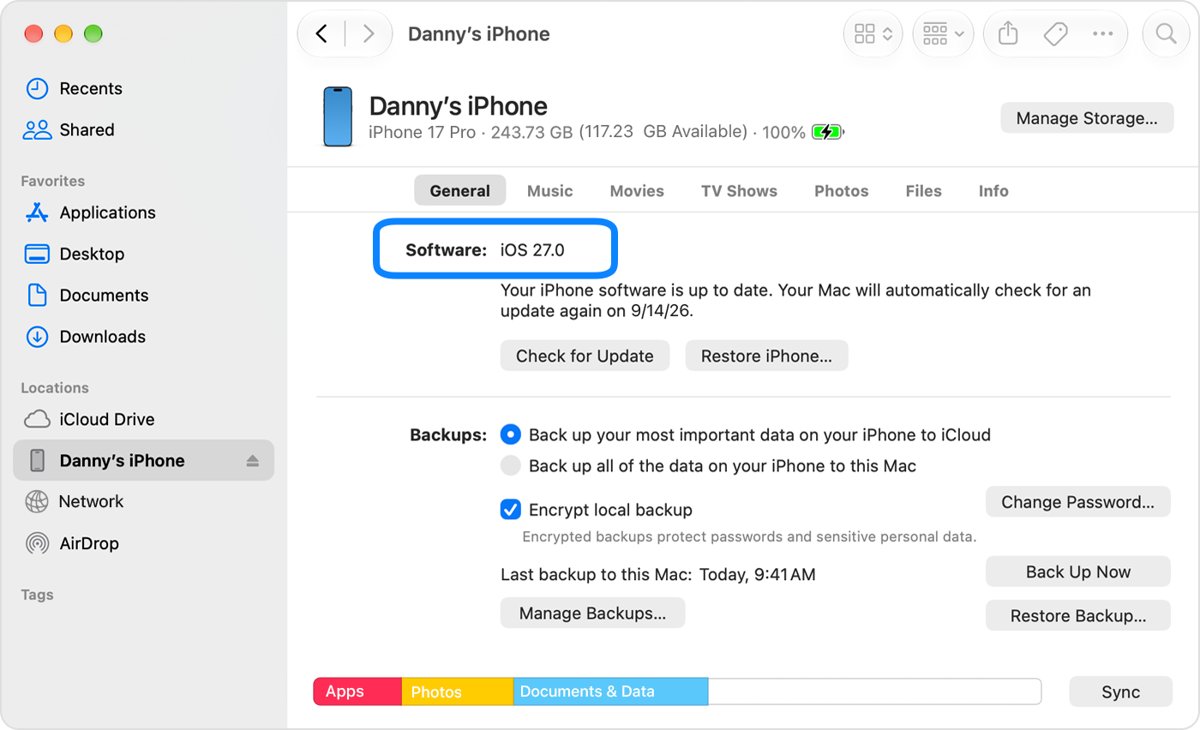
- Open Settings > General > About.
- Read the iOS Version line.
- Confirm it shows iOS 27 or later, or that Software Update says your iPhone is up to date.
Why does my iPhone SE 2020 keep turning off?
iPhone SE 2020 shuts down unexpectedly, often in the cold or at low charge
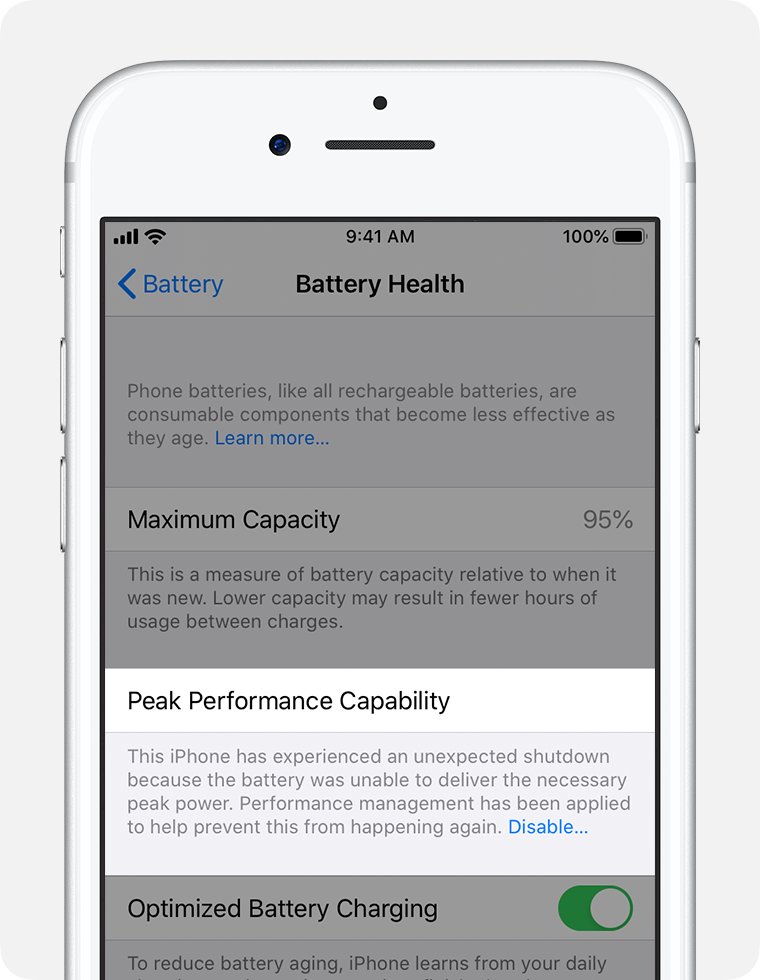
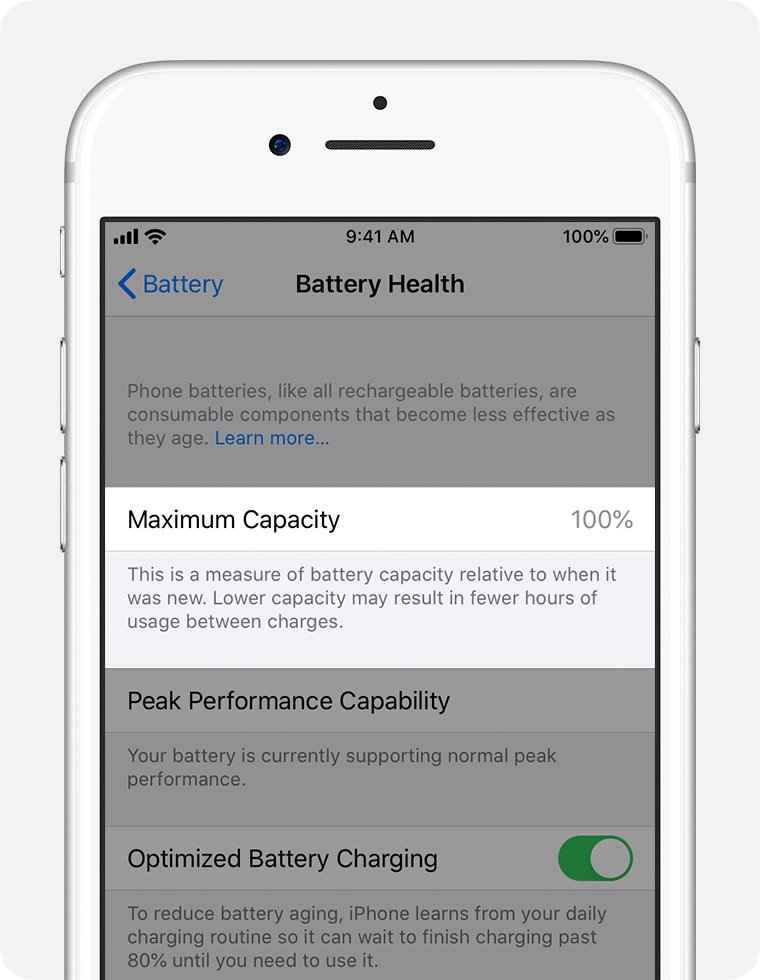
An aged battery cannot deliver the peak power the phone needs, so iOS shuts down to protect components.
- Open Settings and tap Battery.
- Tap Battery Health and read Maximum Capacity and Peak Performance Capability.
- If it says the battery is significantly degraded, book a battery replacement with Apple or an Apple Authorized Service Provider.
- Keep the phone charged above a low level and out of cold temperatures until it is serviced.
iPhone SE 2020 does not show the latest iOS update
The update has not been offered yet, or the phone is not on Wi-Fi with enough charge.
- Connect to Wi-Fi and plug in the charger.
- Open Settings > General > Software Update again.
- Connect the iPhone to a Mac (Finder) or a Windows PC (iTunes) with a cable and update from there, or put it into DFU mode on the iPhone if the update keeps failing.
Should I replace my iPhone SE 2020?
Keep the iPhone SE 2020 while it receives iOS updates and only replace its battery if Battery Health reports degradation. It is compatible with the current iOS release and still gets full Apple repair service; the strongest reason to upgrade is when Apple's iOS compatibility list drops it, which ends new security updates. A refurbished phone is a cheaper replacement then.
iPhone SE 2020 support FAQ
Which generation is the iPhone SE 2020?
The iPhone SE 2020 is the second generation. Apple calls it iPhone SE (2nd generation). The first generation came out in 2016 and the third generation in 2022.
Which iPhone SE came out in 2020?
The iPhone SE (2nd generation) came out in 2020. It has a 4.7-inch display, a Touch ID Home button and storage options of 64, 128 or 256 GB, with model numbers A2275, A2296 and A2298.
How old is the iPhone SE 2020?
Apple introduced the iPhone SE (2nd generation) in 2020, so it is about six years old in 2026. Age alone does not make it obsolete, because Apple counts from when it stopped selling the model.
Is the iPhone SE 2020 still supported?
Yes. Apple lists the iPhone SE (2nd generation) as compatible with iOS 27, and it does not appear on Apple's vintage or obsolete product lists, so updates and repairs are still available.
Does the iPhone SE 2020 still update?
Yes. It can install iOS 27. Go to Settings > General > Software Update to install the latest version, or turn on Automatic Updates so new releases install overnight.
Is my iPhone SE 2020 or 2022?
Check the model number in Settings > General > About. A2275, A2296 and A2298 are the 2020 model. A2595, A2782, A2783, A2784 and A2785 are the 2022 model.
What happens when an iPhone becomes obsolete?
Apple discontinues all hardware service for an obsolete product, and service providers cannot order parts. A product becomes obsolete when Apple stopped distributing it for sale more than 7 years ago.
Why does my iPhone SE 2020 keep turning off?
An aged battery is the usual cause. Open Settings > Battery > Battery Health. If it reports significant degradation, a battery replacement restores full performance and capacity.