Error 502 Bad Gateway is caused by a server acting as a gateway or proxy, such as a CDN, load balancer or nginx reverse proxy, receiving an invalid response from the upstream server behind it.
Most of the time that upstream server crashed, refused the connection, dropped it mid-request or sent back something the gateway could not use.
This guide covers what a visitor can do in two minutes, the nine common causes, and how site owners trace a 502 to the exact hop that failed.
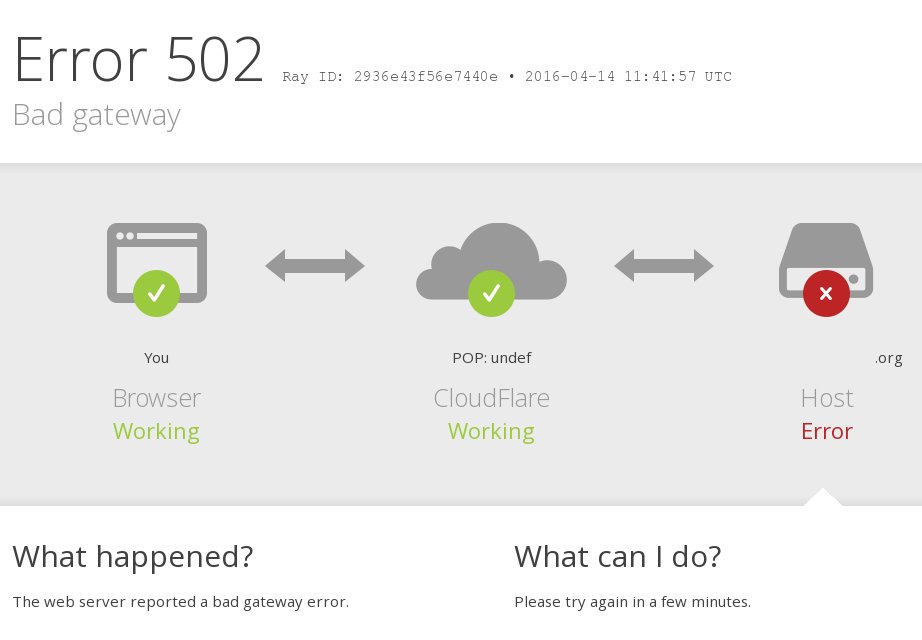
What should website visitors do when they see a 502?
A 502 is a server-side error, so a visitor can rarely fix it. MDN notes one exception: client network problems, especially when the site works for other people or you use a VPN or a custom network setup. Run these checks in order and stop when the page loads.
- Wait about a minute, then press F5 or select the reload button.
- Check the URL for typos and try a different page on the same site.
- Load the page on another device, or on mobile data instead of your Wi-Fi.
- If it works elsewhere, disconnect your VPN or custom proxy and reload.
- Open the page in an Incognito or InPrivate window to rule out extensions and cached data.
- Clear the site's cookies and cached files, then flush the Windows DNS cache by running
ipconfig /flushdnsin Command Prompt. - If the page still fails on every device and network, the fault is on the website's side. Try again later, or send the site owner the URL and the time you saw the error.
Keep your antivirus and firewall switched on. If you suspect one of them, check its log or allow list for the site rather than turning protection off.
What does error 502 mean?
Most websites do not answer you from one machine. Your request reaches a gateway first, and the gateway forwards it to an upstream (origin) server that builds the page.
A 502 is the gateway reporting that the answer it got back from upstream was unusable. MDN defines it as a server acting as a gateway or proxy that "received an invalid response from the upstream server", and the code is part of the HTTP Semantics standard.
| Stage in the request | What happens | Where a 502 starts |
|---|---|---|
| 1. Your browser | Sends the request to the site's public address | Not here; the browser only displays the status |
| 2. Gateway (CDN, load balancer, reverse proxy, tunnel) | Accepts the request and opens a connection upstream | Returns the 502 to you |
| 3. Upstream or origin server | Runs the application and sends back a response | Crashes, refuses the connection, resets it or sends a broken response |
| 4. Gateway judges the reply | Checks the response it received | Invalid or missing response becomes 502 Bad Gateway |
The page wording varies: "502 Bad Gateway", "HTTP Error 502" and "Error 502" all report the same status code.
Why does a gateway return “Bad Gateway”?
Every gateway has its own rules for what counts as a bad upstream reply. MDN adds one rule they share: if the origin sends a valid HTTP error, the gateway should pass that error through instead of a 502, so the real reason stays visible.
| Gateway type | Example | When it answers with a 502 |
|---|---|---|
| Reverse proxy | nginx with proxy_pass |
The upstream returns an empty or invalid response, or a response header bigger than proxy_buffer_size (4K or 8K by default), which nginx considers invalid |
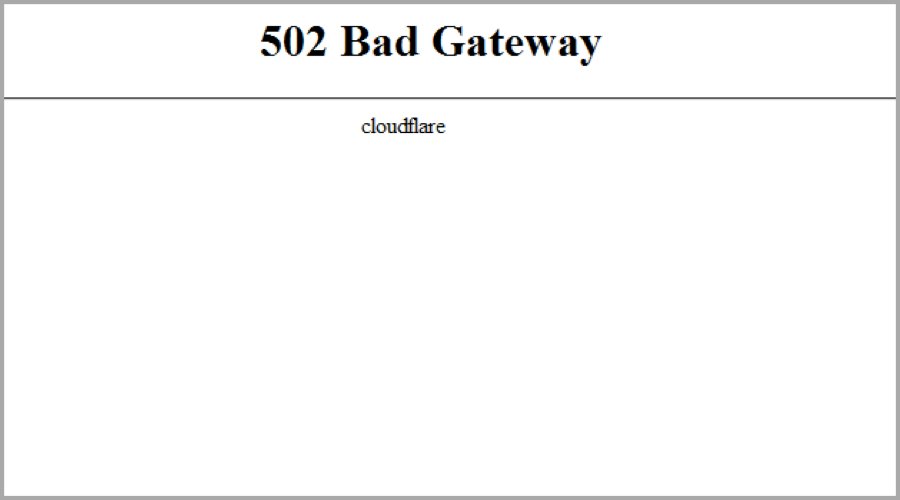
| CDN | Cloudflare | Your origin returned a 502 (Cloudflare-branded page), or the failure happened inside Cloudflare (blank, unbranded page) |
| Load balancer | AWS Application Load Balancer | The target sends a TCP reset, a malformed response, headers over 32K in total, or fails the SSL handshake |
| Application gateway | Azure Application Gateway | Health probes fail, the backend pool is empty, or the backend certificate does not match the host name |
| Tunnel | Cloudflare Tunnel (cloudflared) |
The tunnel is connected but cannot reach the origin service named in its ingress rule |
What causes error 502?
Nine causes account for nearly every 502. Each row names the cause, what the vendor documentation says triggers it, and the first thing to check.
| Cause | What triggers it | First check |
|---|---|---|
| 1. The upstream application or server is unavailable | The app crashed, is not deployed, every backend instance is unhealthy, or the backend pool is empty | Is the app process running and answering on its port? |
| 2. The gateway cannot reach the backend | Connection refused (TCP reset on connect), host unreachable, or the wrong port in the gateway configuration | Can the gateway host open a connection to the backend address and port? |
| 3. The backend resets or closes the connection | The target closes the connection with a TCP RST or FIN while a request is still outstanding, often because its keep-alive is shorter than the load balancer's idle timeout | Compare backend keep-alive with the gateway idle timeout |
| 4. The upstream response is malformed | Invalid HTTP headers, or a response header block too large for the gateway's buffer or limit | Inspect the raw response headers and their total size |
| 5. TLS or protocol negotiation fails | SSL handshake errors, an expired backend certificate, a certificate name that does not match the host header, or an origin with only partial HTTP/2 support | Test the HTTPS connection to the origin with the real host name |
| 6. DNS, firewall, or routing configuration is wrong | A firewall or network security group blocks the gateway, a route sends traffic elsewhere, or a custom DNS server cannot resolve the backend name | Check firewall rules, routes and DNS from the gateway's network |
| 7. The backend is overloaded | Excessive load crashes the app or slows it past the gateway's limit; Azure Application Gateway v1 returns 502 when its 20-second request time-out passes | Look at CPU, memory and worker usage at the time of the errors |
| 8. A CDN, tunnel, or load balancer has its own failure | Cloudflare data-centre traffic shifts, tunnel ingress errors, egress port exhaustion, an AWS deregistration delay that ends mid-request, or a Lambda target that errors or is throttled | Did the error page come from the edge or from your origin? |
| 9. Compression or response transformation is broken | The origin serves gzip content without updating the content-length header, or serves broken gzip data | Disable compression at the origin briefly and retest |
What is the difference between 502, 500, 503, and 504?
The four codes look alike on screen, but each points at a different place in the request chain. A 503 has its own causes and fixes for a 503 Service Unavailable error, mostly maintenance and overload.
| Code | Meaning | Who usually sends it | Key difference from 502 |
|---|---|---|---|
| 500 Internal Server Error | The server hit an unexpected condition; a generic catch-all | The application server itself | No gateway involved; the app failed while handling the request |
| 502 Bad Gateway | A gateway or proxy received an invalid response from upstream | CDN, load balancer or reverse proxy | The upstream replied, or tried to, with something unusable |
| 503 Service Unavailable | The server is not ready to handle the request, often maintenance or overload | The app server or a load balancer with no healthy targets | A deliberate, temporary refusal, ideally with a Retry-After header |
| 504 Gateway Timeout | A gateway or proxy got no response from upstream in time | CDN, load balancer or reverse proxy | Nothing usable arrived before the gateway's timer ran out |
A 4xx code is a different family. A 403 Forbidden, for example, is a permission refusal rather than a gateway failure, and fixing a 403 Forbidden error follows its own path.
How do developers diagnose a 502?
Work from the edge inward. Each step narrows the failure to one hop between the visitor and your application.
- Identify who generated the response. On Cloudflare, a branded 502 page came from your origin and a blank, unbranded one came from Cloudflare. On an AWS Application Load Balancer, a rise in
HTTPCode_ELB_5XX_Countmeans the load balancer generated it, whileHTTPCode_Target_5XX_Countmeans your target did. - Determine whether the failure is global or selective. Note whether every URL fails or one endpoint, every visitor or one region, every backend or one instance.
- Inspect the gateway and proxy logs. On nginx, read
error.login/var/log/nginxor/usr/local/nginx/logs, for entries at the time of the 502. - Inspect load-balancer telemetry. Check backend health in Azure Application Gateway, or the AWS access logs and 5xx metrics, for the exact minute of the errors.
- Test the upstream directly. Send a request to the origin, bypassing the CDN or load balancer, with the curl command in the next section.
- Validate response framing and headers. Check that header size stays under the gateway's limit and that
Content-Lengthmatches the body actually sent. - Correlate the timing with infrastructure events. Line the errors up against deployments, scaling events, certificate renewals, configuration reloads and traffic spikes.
Test the 502 origin server directly with curl
The --resolve option sends the request straight to an IP address you choose, while keeping the real host name for TLS and the Host header. That lets you skip the CDN or load balancer and see what the origin itself returns. Replace the host name and the address with your own.
curl -v -o /dev/null --resolve www.example.com:443:192.0.2.10 https://www.example.com/-v prints the connection, TLS handshake and response headers. -o /dev/null discards the page body. --resolve pins www.example.com on port 443 to the origin address 192.0.2.10 instead of the public DNS answer.
You should see: A healthy origin shows a response line such as < HTTP/2 200 or < HTTP/1.1 200 OK with normal headers. A connection refused message, a TLS error or a 5xx line from the origin tells you the gateway is passing on a real upstream problem.
How should you interpret common 502 symptoms?
The pattern of failures usually points at the cause before you open a single log.
| What you observe | Most likely cause | Where to look |
|---|---|---|
| Every page fails for every visitor | Upstream down, backend pool empty, or all instances unhealthy | Application process, backend health page |
| Only one URL or endpoint fails | Oversized response headers, a malformed response, or one slow request | That endpoint's response headers and duration |
| Errors come and go under load | Overloaded backend, keep-alive mismatch, or connection or port exhaustion | Resource graphs and gateway timeouts |
| Errors start right after a deploy | App not ready yet, failing health checks, or requests cut off by deregistration | Deploy log, health probe results |
| Only HTTPS to the origin fails | Expired certificate, name mismatch, or missing SNI | Origin certificate and gateway TLS settings |
| Blank, unbranded 502 page on a Cloudflare site | A Cloudflare-side issue, often broken gzip or a wrong content-length | Origin compression settings |
| Only you see the error | Your VPN, proxy, firewall or DNS settings | Another network or device |
Can a healthy application still cause a 502?
Yes. The app can pass every health check and still produce 502s, because the gateway judges the connection and the response format, not just whether the app is running.
| Healthy-looking app, but… | Why the gateway rejects it | Fix |
|---|---|---|
| Keep-alive shorter than the load balancer's idle timeout | The app closes an idle connection just as the gateway reuses it | Set the backend keep-alive longer than the gateway idle timeout |
| Large cookies or many headers | Response headers exceed the gateway limit, 32K on an AWS Application Load Balancer | Trim headers, or raise proxy_buffer_size on nginx |
| Certificate name does not match the host header | The TLS handshake to the backend fails | Issue the backend certificate for the host name the gateway sends |
| nginx proxies to an HTTPS backend that needs SNI | proxy_ssl_server_name is off by default, so no server name is sent |
Set proxy_ssl_server_name on; |
Gzip output with a stale Content-Length |
The body does not match its declared length | Fix the compression layer so it updates the header |
| Health probe hits the wrong host or path | The gateway marks a working backend as down | Point the probe at a URL that returns 200 |
Why are some 502 errors intermittent?
An intermittent 502 means some requests take a bad path while most do not. Large services hit this too; even Gmail has thrown brief 502 errors at its users.
| Intermittent pattern | Documented cause |
|---|---|
| A few requests fail on otherwise idle connections | The target closed a kept-alive connection while the load balancer still had a request on it (AWS) |
| Errors only on one of several backends | One instance is unhealthy or missing the application; nginx marks a server unavailable after max_fails failures (default 1) within fail_timeout (default 10 seconds) |
| Brief bursts during traffic spikes on Cloudflare | Cloudflare shifts traffic between data centres, and some clients see temporary 502s during the move |
| Bursts at high concurrency on Cloudflare Dedicated CDN Egress IPs | Source-port exhaustion: each egress IP supports up to 40,000 concurrent connections per origin IP and port |
| Errors during deployments or scale-in | The deregistration delay ended while a target was still handling a request (AWS) |
| Errors only for slow requests on Azure Application Gateway v1 | The backend missed the request time-out, 20 seconds by default |
Fix a 502 Bad Gateway on nginx, Cloudflare, AWS ALB and Azure Application Gateway
"502 Bad Gateway" page from nginx in front of your app
nginx could not get a valid response from the proxied server: the connection failed or the reply was empty, invalid or had oversized headers.
- Read the entries in nginx's
error.logfrom the time of the failed request. - Confirm the backend app is running and listening on the address and port in
proxy_pass. - If the log points to an oversized header, raise
proxy_buffer_sizein thehttp,serverorlocationblock. - For an HTTPS backend, add
proxy_ssl_server_name on;so nginx sends the server name. - Run
nginx -tto test the configuration, thennginx -s reloadto apply it.
Cloudflare-branded 502 error page
Your origin web server returned a standard 502, and Cloudflare passed it on.
- Make sure the origin responds to requests for the host name in the failing URL.
- Investigate excessive server load, crashes or network failures at the origin.
- Identify applications or services on the origin that timed out or were blocked.
- Give your hosting provider the error code, the time with its time zone, and the URL.
Blank 502 page with no branding on a Cloudflare site
The error came from Cloudflare, sometimes because the origin serves broken gzip or a content-length that no longer matches the compressed body.
- Disable compression at the origin and check whether the error stops.
- Browse to
yourdomain/cdn-cgi/traceand save the output. - Send Cloudflare Support that output, the failing URL and the timestamp with its time zone.
"Unable to reach the origin service" through Cloudflare Tunnel
The tunnel is connected to Cloudflare, but cloudflared cannot reach the origin service in your ingress rule.
- Check that the origin service is running.
- Confirm the service address and port in the ingress rule match what the service listens on.
- Test the service from the machine that runs
cloudflared.
502 from an AWS Application Load Balancer
The target reset or refused the connection, sent a malformed response, exceeded 32K of headers, or failed the SSL handshake.
- Check whether
HTTPCode_ELB_502_CountorHTTPCode_Target_5XX_Countis rising, to see which side generated the error. - Allow traffic from the load balancer subnets to the targets on the target port.
- Make the target's keep-alive duration longer than the load balancer's idle timeout.
- Raise the deregistration delay so long requests can finish during deployments.
- For Lambda targets, check for errors, throttling, timeouts and response bodies over 1 MB.
"Server Error: 502 – Web server received an invalid response while acting as a gateway or proxy server" on Azure Application Gateway
The gateway cannot reach a healthy backend: probes fail, the pool is empty, a network rule blocks traffic, or the backend certificate does not match.
- Check the network security group and user-defined routes on the gateway subnet for anything blocking the backend.
- If the virtual network uses custom DNS, make sure it resolves each backend pool member's name.
- Confirm the backend pool is not empty and its instances are healthy.
- Make sure the health probe URL returns 200 within its time-out.
- For end-to-end TLS, match the backend certificate name to the host header the gateway sends.
How to confirm a 502 Bad Gateway is fixed
- Load the failing URL in a private browser window so no cached error page appears.
- Open the browser's developer tools, select the Network tab and reload.
- Confirm the page request now shows status 200 instead of 502.
- Repeat the curl test against the origin and check that it returns 200 as well.
- Watch your gateway's 5xx metric or error log for at least one traffic peak; an intermittent 502 needs a busy period to prove it is gone.
How can site owners prevent recurring 502 errors?
Most recurring 502s come from a single failing backend or a mismatch between layers. These changes remove both.
- Run at least two backend instances behind health checks, so the gateway can route around one that fails.
- On nginx, tune
max_failsandfail_timeouton each upstream server, and keepproxy_next_upstreamat its default oferror timeoutor wider. nginx retries the next server only if nothing has been sent to the client yet. - Set backend keep-alive timeouts longer than the gateway's idle timeout.
- Give deployments a deregistration or draining period longer than your slowest normal request.
- Keep response headers small and cookies few, well under the gateway's header limit.
- Track backend certificate expiry, and send the correct host name for TLS.
- Alert on the gateway's 5xx count, not only on whether the app process is up.
When should you consider a CDN, load balancer, or managed platform?
Extra layers prevent some 502s and add places where others can start. Choose the layer that matches the failure you keep seeing.
| Your situation | Consider | Why |
|---|---|---|
| One server, and every restart or crash shows visitors a 502 | A load balancer with health checks and two or more backends | Health checks take a failing instance out of rotation while the other keeps serving |
| Mostly cacheable pages and short origin outages | A CDN or nginx caching with proxy_cache_use_stale |
nginx can serve a stale cached copy when the upstream returns error, timeout or http_502 |
| No one on the team manages servers, load balancers or certificates | A managed platform | The provider runs the gateway layer; your code still has to start and respond correctly |
| You already use a CDN and the 502 page is branded | Fix the origin, not the CDN | A branded Cloudflare 502 means the origin produced the error |
| The 502 appeared only after adding a CDN, tunnel or load balancer | Check that layer's settings first | TLS, keep-alive, header limits and ingress rules are new failure points |
How Google crawling handles a 502 Bad Gateway
Short 502 outages are not a search disaster, but persistent ones are. Google documents how its crawlers treat 5xx responses, including 502.
| While the site returns 502 | What Google does |
|---|---|
| Crawling | Google's crawlers temporarily slow down, in proportion to the number of URLs returning server errors |
| Page content | Any content sent with the 502 response is ignored |
| Already indexed URLs | Preserved in the index at first, but eventually dropped if the errors persist |
| After the fix | Once the server returns 2xx again, Google gradually increases the crawl rate |
What is the fastest rule for diagnosing a 502?
Find out which layer wrote the 502 page, then test the next hop behind it directly. A 502 always means the layer that returned it got a bad answer from the layer behind it. Knowing the author of the error page tells you which connection failed, and a direct request to the next hop shows whether that hop is down, unreachable or sending a broken response.
Error 502 bad gateway FAQ
What is a 502 error?
A 502 error is the HTTP status code 502 Bad Gateway. It means a server acting as a gateway or proxy, such as a CDN or load balancer, received an invalid response from the upstream server behind it. The fault is almost always on the website's side.
What does error code 502 mean?
Error code 502 means the website's gateway could not get a usable reply from its own backend server. The backend may have crashed, refused the connection, dropped it, or sent a malformed response. It is a 5xx server error, not a problem with your device.
How do you fix error 502?
As a visitor, reload after a minute, try another network, and disconnect any VPN or proxy. If the page fails everywhere, only the site owner can fix it. Site owners should check that the backend app is running and reachable, then read the gateway's error log.
What is a 502 error message?
It is the page a gateway shows when it gets an invalid upstream response. Common wordings are "502 Bad Gateway", "HTTP Error 502" and, on Azure, "Server Error: 502 – Web server received an invalid response while acting as a gateway or proxy server". All report the same status.
What is meant by a 502 error on a website?
It means one server in the website's chain failed to get a proper answer from the next server along. Your request reached the site, but the site's backend could not deliver the page. Waiting and reloading often works once the backend recovers.
Is a 502 Bad Gateway caused by my browser?
Rarely. The 502 is generated by a server, not the browser. MDN notes that client network settings can be involved when the site works for others, especially with a VPN, proxy, firewall or unusual DNS setup. Test another network to rule that out.
Is a 502 error the same as a 504 error?
No. A 502 means the gateway received an invalid response from the upstream server. A 504 means it received no response at all before its timeout. Both come from a gateway or proxy, and both point to a problem behind it. Site owners fix a 504 Gateway Timeout by finding why the upstream server is too slow to answer before the gateway gives up.
The bottom line on error 502
As a visitor, retry once and test another network; as a site owner, identify which layer returned the 502 and check the server directly behind it before changing any setting. A 502 only says that one gateway got an unusable answer from upstream. The nine causes all live on the connection between two layers, so tracing that one connection is faster than guessing at timeouts or restarting everything.




![Java JRE latest version: Download & Install [32-bit, 64-bit]](https://techdows.com/wp-content/uploads/2026/10/Java-JRE-latest-version-Download-Install-32-bit-64-bit-1-600x338.jpg)