The MacBook Air M4 comes in four colors: Sky Blue, Silver, Starlight and Midnight, and both the 13-inch and 15-inch models are offered in all four.
This guide shows how each shade differs, which one hides fingerprints best, why Space Gray is gone, and how the M4 palette compares with the M3 and M5 models.
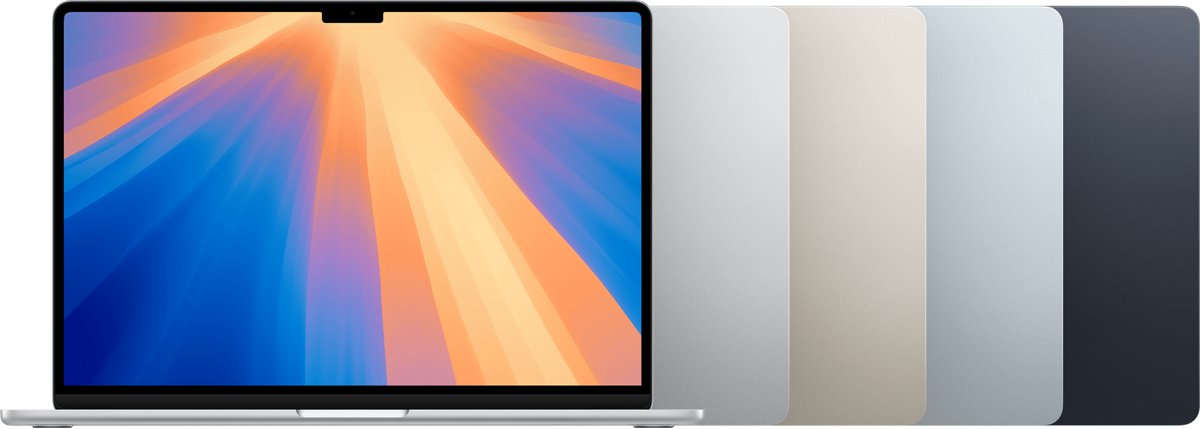
Every MacBook Air M4 color available
Apple lists the same four finishes on the tech specs pages for the 13-inch and 15-inch MacBook Air (M4, 2025).
Every color ships with a color-matched USB-C to MagSafe 3 cable, so the charging cable matches the laptop you pick. The cable connects to the MagSafe 3 port, one of the MacBook Air ports alongside two Thunderbolt 4 ports and a headphone jack.
| Color | How Apple describes it | Pick it if you want |
|---|---|---|
| Sky Blue | New for M4: a metallic light blue that shifts in a gradient as light hits it | The only shade with visible color |
| Silver | The classic bare-aluminum finish | A neutral laptop that matches almost any desk |
| Starlight | A pale, light finish carried over from the M2 and M3 models | A light laptop with a softer, warmer tone than Silver |
| Midnight | The darkest finish in the range | A dark laptop that looks discreet in meetings |
At launch, the 13-inch model started at $999 ($899 for education) and the 15-inch at $1,199 ($1,099 for education), with no price difference between colors.
MacBook Air M4 Sky Blue: the new standout shade
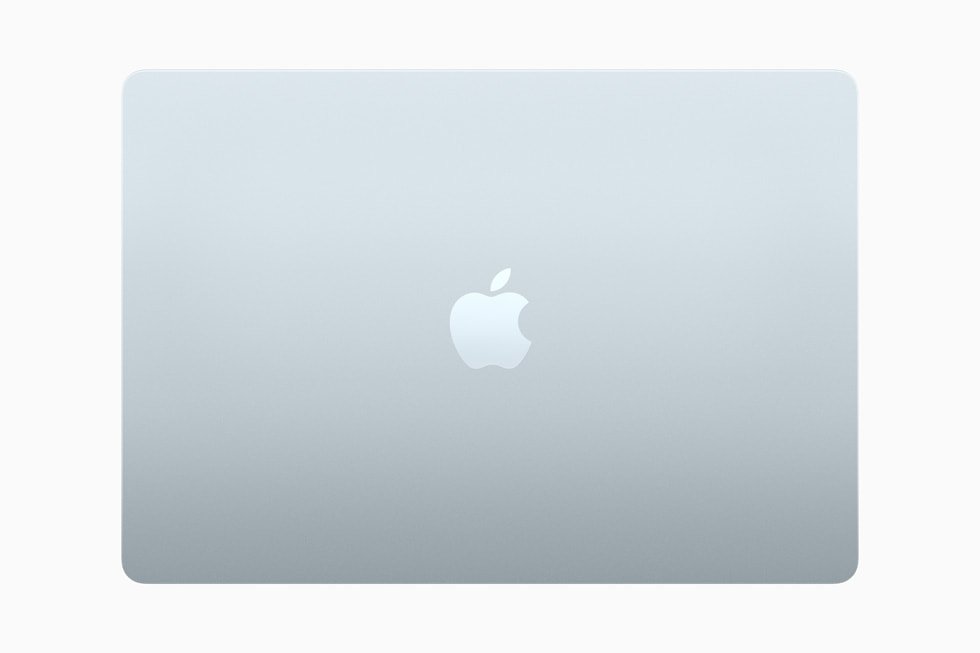
Sky Blue is the one new color Apple added with the M4 chip, announced on March 5, 2025.
Apple calls it a metallic light blue, so expect a pale tint rather than a saturated blue like a phone case.
| Detail | Sky Blue MacBook Air M4 |
|---|---|
| Introduced | March 2025, with the M4 MacBook Air |
| Sizes | 13-inch and 15-inch |
| Finish type | Metallic light blue on the aluminum enclosure |
| Light behavior | Apple says it creates a dynamic gradient when light reflects off the surface |
| Charging cable | Color-matched MagSafe 3 cable in the box |
| Replaced | Space Gray, which the M4 lineup no longer offers |
| Still sold on | MacBook Air M5, which keeps Sky Blue |
In daily use, Sky Blue reads as the most distinctive option on the lid while the keyboard deck stays a light, quiet tone.
MacBook Air M4 Midnight vs Starlight vs Silver vs Space Gray
Space Gray is not an M4 color, even though many shoppers still search for it.
Apple sold Space Gray on the M2 and M3 MacBook Air, then swapped it for Sky Blue on the M4 model.
| Finish | Tone | Offered on M4? | Good to know |
|---|---|---|---|
| Midnight | Darkest, close to black with a blue cast | Yes | Apple added an anodization seal to reduce fingerprints when it launched the M3 Midnight model |
| Starlight | Light with a warm, champagne-like tint | Yes | Looks different next to Silver Apple accessories |
| Silver | Light, cool, plain aluminum | Yes | The most neutral choice for resale and shared offices |
| Space Gray | Mid-to-dark gray | No | Only on M2 and M3 MacBook Air; buy an older model if you want it |
If you liked Space Gray, Midnight is the closest dark option in the M4 range, and Silver is the closest neutral one.
Which MacBook Air M4 color shows fingerprints the most?
Midnight shows fingerprints and skin oil the most, because smudges contrast more against a dark surface.
Apple does not publish a fingerprint rating for any color, so the table below ranks them by how visible marks are against each tone.
| Color | How visible fingerprints are | Why |
|---|---|---|
| Midnight | Most visible | Dark finish shows oil and smudges clearly, even with the anodization seal Apple introduced for Midnight on the M3 model |
| Sky Blue | Moderate | The metallic tint can show smudges at an angle under bright light |
| Starlight | Low | Pale warm tone hides light smudges |
| Silver | Lowest | Bare aluminum tone hides most marks |
Apple's cleaning guidance applies to every color, and the fix section below covers it step by step.
How MacBook Air M4 colors look in different lighting
Color names on a product page are taken under studio light, so expect each shade to shift at home, in an office and outdoors.
See the laptop in person at a store before you order if the exact tone matters to you.
| Color | Daylight | Warm indoor light | Cool office light |
|---|---|---|---|
| Sky Blue | Blue tint is most visible | Blue fades toward silver | Reads as a pale blue-gray |
| Silver | Bright, neutral aluminum | Picks up the warm tint of the room | Cool and neutral |
| Starlight | Pale with a gold tint | Warmer, closer to champagne | Can look almost silver |
| Midnight | Blue cast can show | Looks near black | Dark blue-gray |
MacBook Air M4 colors vs M3 and M2 colors
Apple's MacBook Air identification page lists the finishes for every model, and the M4 is the first in the current design to drop Space Gray.
| Model | Colors | Model identifier |
|---|---|---|
| MacBook Air (13-inch, M4, 2025) | Silver, Starlight, Sky Blue, Midnight | Mac16,12 |
| MacBook Air (15-inch, M4, 2025) | Silver, Starlight, Sky Blue, Midnight | Mac16,13 |
| MacBook Air (13-inch and 15-inch, M3, 2024) | Silver, Starlight, Space Gray, Midnight | Mac15,12 / Mac15,13 |
| MacBook Air (M2, 2022) and (15-inch, M2, 2023) | Silver, Starlight, Space Gray, Midnight | Mac14,2 / Mac14,15 |
| MacBook Air (M1, 2020) | Space Gray, Gold, Silver | MacBookAir10,1 |
MacBook Air M5 colors vs M4 colors
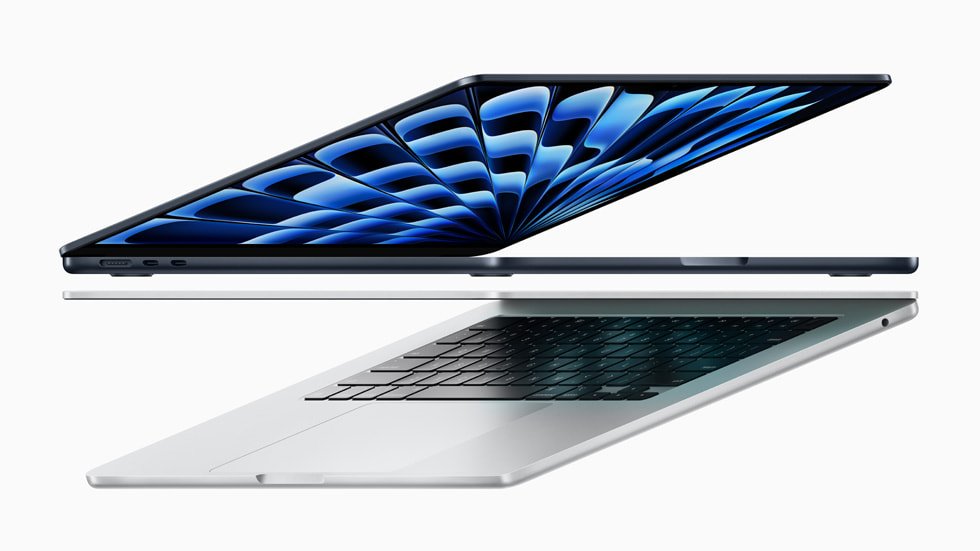
The MacBook Air M5, introduced in 2026, keeps exactly the same four colors as the M4 model.
Apple's MacBook Air page now sells the M5 version in Sky Blue, Silver, Starlight and Midnight, still with a color-matched MagSafe cable.
| Color | MacBook Air M4 (2025) | MacBook Air M5 (2026) |
|---|---|---|
| Sky Blue | Yes | Yes |
| Silver | Yes | Yes |
| Starlight | Yes | Yes |
| Midnight | Yes | Yes |
| Space Gray | No | No |
Choosing a color therefore does not tie you to one chip generation, and the same advice applies to both.
Best MacBook Air M4 color for your style and setup
Match the color to where the laptop will spend most of its time, not to how it looks in a product photo.
| Your situation | Best color | Why |
|---|---|---|
| You want the safest pick for most people | Silver | Neutral, hides fingerprints, matches most accessories |
| You want a modern look that stands out | Sky Blue | The only colored finish and the newest shade |
| You want a premium-looking dark laptop | Midnight | Darkest option, but needs wiping more often |
| You like a warm neutral tone | Starlight | Lighter than Midnight and warmer than Silver |
| Client meetings and a professional setup | Silver or Midnight | Both look understated on a conference table |
| You plan to resell in a few years | Silver | The broadest-appeal finish |
| You want something close to Space Gray | Midnight | Space Gray is not offered on the M4 |
How to check which MacBook Air model and color you have
Confirm the model before you buy a used or open-box unit, because an M3 in Midnight looks almost identical to an M4 in Midnight.
- Choose the Apple menu in the top-left corner of the screen.
- Select About This Mac.
- Read the model name under the image, for example MacBook Air (13-inch, M4, 2025).
- For more detail, hold Option and choose Apple menu > System Information, then select Hardware.
- Check that the model identifier reads Mac16,12 (13-inch) or Mac16,13 (15-inch) for an M4 model.
- Compare the finish with the four colors Apple lists for that model; a Space Gray unit cannot be an M4.
How to clean fingerprints off a MacBook Air M4
Fingerprints and smudges on the Midnight or Sky Blue lid
Skin oil sits on the anodized aluminum and shows most on darker or metallic finishes.
- Shut down the MacBook Air and unplug the power adapter.
- Dampen a soft, lint-free cloth with water.
- Wipe the lid and palm rest gently, keeping moisture out of the ports and openings.
- For marks that stay, moisten the cloth with a 70-percent isopropyl alcohol solution and wipe again.
- Never spray liquid directly on the laptop, and avoid aerosol sprays, solvents, abrasives and hydrogen peroxide cleaners.
Smudges on the display after closing the lid
Oil from the keyboard transfers to the screen when the lid is shut.
- Shut down the MacBook Air and unplug the power adapter.
- Dampen a soft, lint-free cloth with water only.
- Wipe the screen gently from one edge to the other.
- Use a cloth moistened with 70-percent isopropyl alcohol only for marks water will not lift.
MacBook Air M4 colors FAQ
What colors does the MacBook Air M4 come in?
The MacBook Air M4 comes in Sky Blue, Silver, Starlight and Midnight. Apple lists those four finishes for both the 13-inch and 15-inch M4 models, and each one ships with a color-matched MagSafe charging cable.
Does the Sky Blue MacBook Air M4 look very blue in person?
No, Sky Blue is a pale metallic blue rather than a bright one. Apple describes it as a light blue that forms a gradient as light reflects off it, so the tint is clearest in daylight and fades toward silver under warm indoor lights.
Which MacBook Air M4 color shows fingerprints the most?
Midnight shows fingerprints the most because oil and smudges contrast against its dark finish. Silver and Starlight hide marks best. Apple's advice is to wipe the enclosure with a damp lint-free cloth, or 70-percent isopropyl alcohol for stubborn smudges.
Does the MacBook Air M4 come in Space Gray?
No, the MacBook Air M4 is not available in Space Gray. Apple replaced Space Gray with Sky Blue on the M4 model. Space Gray was last offered on the M2 and M3 MacBook Air; Midnight is the closest dark alternative.
Which MacBook Air M4 color is best for a professional setup?
Silver is the best fit for most professional setups because it is neutral and hides fingerprints. Midnight also looks understated in meetings, but it needs wiping more often. Sky Blue is the most noticeable choice on a conference table.
Should I choose Starlight, Silver, or Sky Blue if I want a lighter color?
Choose Silver for a cool, neutral light finish, Starlight for a warmer tint, and Sky Blue if you want a hint of color. All three are lighter than Midnight and hide everyday smudges better than the dark finish.
Do the 13-inch and 15-inch MacBook Air M4 come in the same colors?
Yes, the 13-inch and 15-inch MacBook Air M4 come in the same four colors. Apple's tech specs pages for both sizes list Sky Blue, Silver, Starlight and Midnight, so screen size does not limit your color choice.
Are the MacBook Air M5 colors different from the M4 colors?
No, the MacBook Air M5 uses the same four colors as the M4: Silver, Starlight, Sky Blue and Midnight. Apple's identification page lists identical finishes for both generations, so color is not a reason to choose one chip over the other.
Does the MacBook Pro M4 come in the same colors as the MacBook Air M4?
No, the MacBook Pro with M4, M4 Pro or M4 Max comes only in Silver and Space Black. Sky Blue, Starlight and Midnight are MacBook Air finishes, so Silver is the only color the two lines share.
Does the MacBook Air M4 charging cable match the laptop color?
Yes, every MacBook Air M4 color, including Sky Blue, comes with a color-matched USB-C to MagSafe 3 cable. Apple notes the matching cable on its MacBook Air page and in the M4 launch announcement.
Does the color change the MacBook Air M4 price?
No, the MacBook Air M4 costs the same in every color. At launch, the 13-inch model started at $999 and the 15-inch at $1,199 in the U.S., with education pricing $100 lower for each size.
Bottom line: which MacBook Air M4 color should you buy?
Buy Silver if you want the safest, most neutral MacBook Air M4, and Sky Blue if you want the one finish that looks new. Silver hides fingerprints and suits any setup, while Sky Blue is the only colored shade in the range; Midnight looks the most premium but shows smudges, and Starlight suits buyers who prefer a warm light tone.