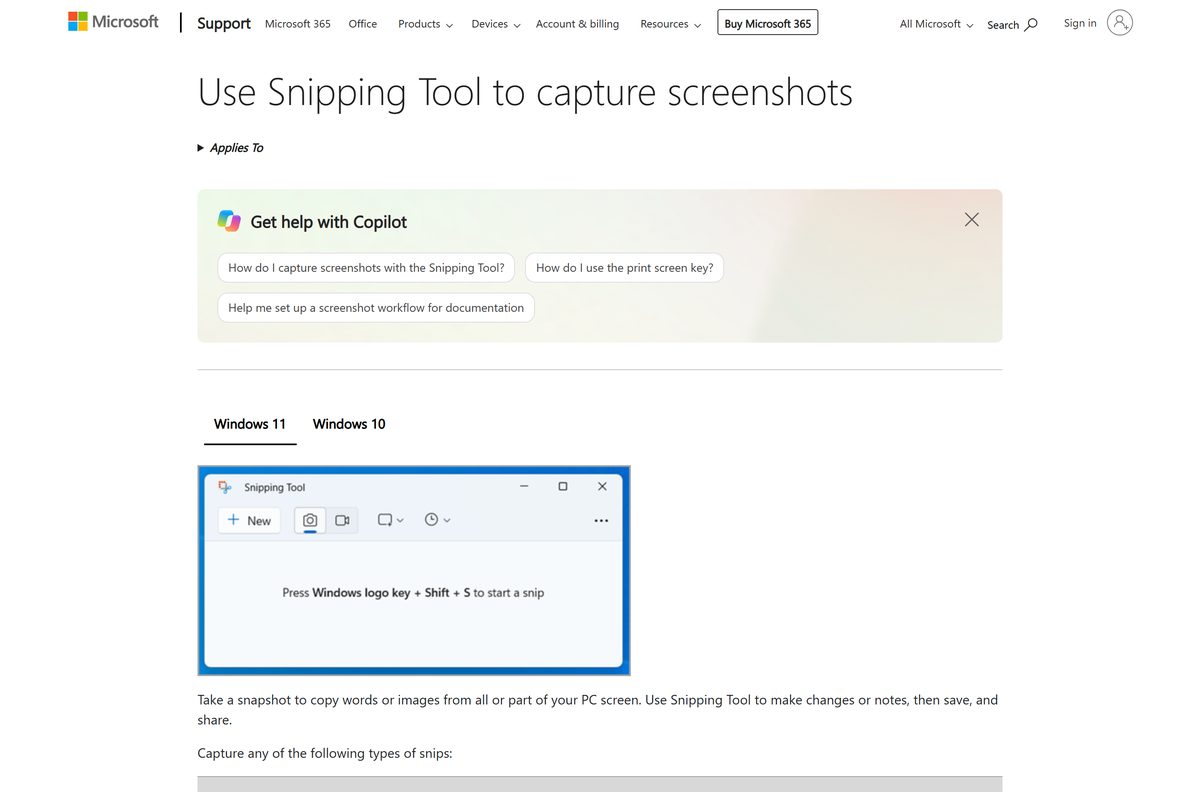
Is Snipping Tool free? Yes. Microsoft lists it at $0.00 on the Microsoft Store, and Windows 11 and Windows 10 both ship with it installed.
There are no paid plans to explain. Microsoft publishes one Snipping Tool, product 9MZ95KL8MR0L, with no subscription, no licence key and no in-app purchases. The paid apps beside it in Store search results cost $1.19 to $3.49 and belong to other publishers.
This guide covers what the free app includes, which features need Windows 11 or a Copilot+ PC, how to install it without paying, how to spot a paid look-alike, and the one cost that is real.
Is Snipping Tool free?
Yes, and Microsoft sells no paid version of it. The Microsoft Store lists the app at $0.00 with no add-ons and no in-app purchases, and Windows 11 and Windows 10 22H2 install it for you. The only price attached to it is the Windows licence underneath, which Microsoft sells at $139.00 for Windows 11 Home and $199.99 for Windows 11 Pro. On a PC that already runs Windows, the app adds nothing to the bill.
No feature unlocks with a payment. Text actions, Video snip and the editing tools are part of the free app on Windows 11.
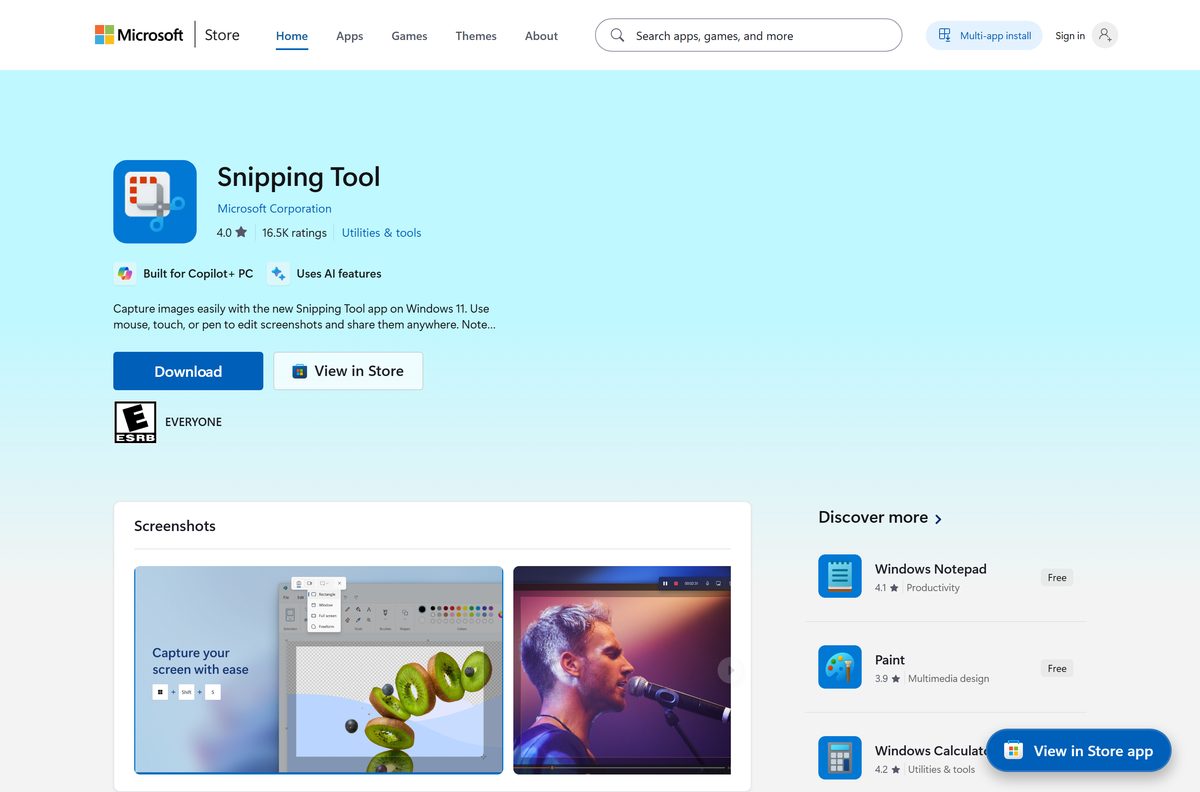
Check what Snipping Tool costs, runs on and needs
The app has no requirements of its own beyond the Windows version underneath it.
| Field | Value |
|---|---|
| Developer | Microsoft Corporation |
| Latest version | 11.2605.38.0 |
| Store price | $0.00, listed as Free |
| In-app purchases | None |
| Licence | Free, included with Windows |
| Supported OS | Windows 11 build 22000 or later, and Windows 10 22H2 |
| Architecture | x64 and ARM64, plus a 32-bit x86 setup |
| Setup file size | 254 KB x64, 198 KB x86, 238 KB ARM64 |
| Store bundle size | 822 MB download, 586 MB installed, for x64 and ARM64 together |
| Offline installer | No, the setup needs an internet connection |
| Hardware-gated features | Perfect screenshot and Color picker, on a Copilot+ PC |
| Official source | Microsoft Store, product 9MZ95KL8MR0L |
| Mac version | None |
| Windows 11 licence price | $139.00 Home, $199.99 Pro |
| Last verified | 2026-09-10 |
The bundle figure covers every architecture and language in one package, so a single PC pulls a fraction of it.
Which free Snipping Tool do you get on your PC?
Windows decides which build lands on your machine. Every row below costs nothing.
| Your PC | What you get | Cost |
|---|---|---|
| Windows 11, build 22000 or later | The current Snipping Tool, already installed | Free |
| Windows 10 22H2 | Snip & Sketch, from the same Store listing | Free |
| Windows 10 21H2 or older | The desktop Snipping Tool built into Windows | Free |
| Windows 8.1 or Windows 7 | The desktop version that shipped with it, both now out of support | Free |
| Mac | Apple’s Screenshot app, Shift + Command + 5 | Free |
To read your build number, press Windows + R, type winver and select OK.
On a Mac the same job needs no download at all: the Screenshot toolbar covers full screen, window and selection.
Download Snipping Tool free from Microsoft
Microsoft distributes the app in two places. Neither asks for money.
- Microsoft Store listing, product 9MZ95KL8MR0L — publisher Microsoft Corporation, price Free
- Signed setup files on Microsoft’s reinstall page — 254 KB x64, 198 KB x86, 238 KB ARM64 · for putting the app back after an uninstall
- Microsoft’s own Snipping Tool page — no download button, because the app ships with Windows
There is no offline installer. The signed setup is 254 KB, fetches the package over the internet, and falls back to the Microsoft Store.
Every route to the file, including the reinstall setups, sits in the full Snipping Tool download guide.
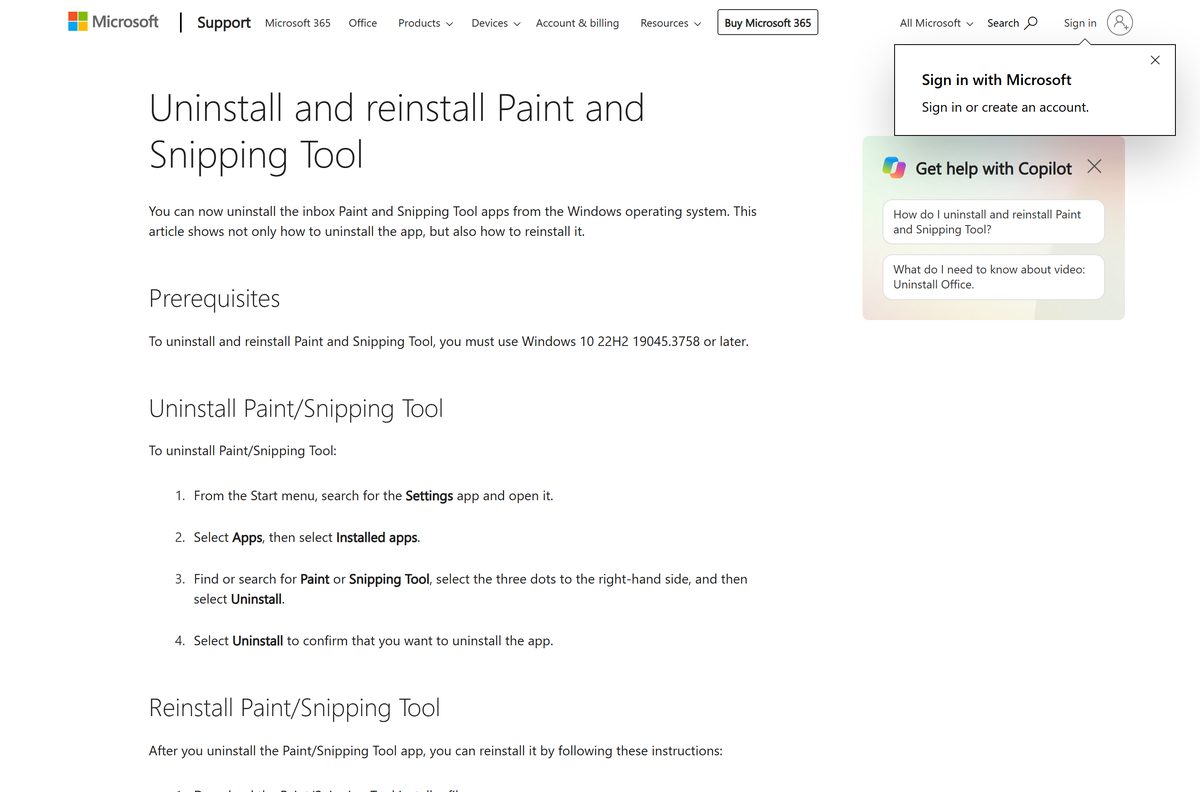
Install Snipping Tool free from the Microsoft Store or with winget
The Store route takes about a minute and needs no card on file.
- Open Microsoft Store from the Start menu.
- Search for Snipping Tool and open the listing published by Microsoft Corporation.
- Check the price line reads Free, with no in-app purchase note under it.
- Select Get, or Install if the app was on this PC before.
- Select Open when the download finishes.
- Press Windows + Shift + S to confirm the capture overlay appears.
- For a command line instead, run winget install 9MZ95KL8MR0L –source msstore .
The Store product ID doubles as the winget identifier. Microsoft publishes no friendlier name for it.
How to tell Microsoft’s free app from a paid look-alike
Store search returns twenty apps with similar names and icons. A few checks separate them.
- Read the publisher line under the title. Microsoft’s app reads Microsoft Corporation.
- Check the address of the listing ends in 9mz95kl8mr0l.
- Check the price shows Free, with no price tag and no In-app purchases label.
- Right-click any downloaded setup file and select Properties.
- Open the Digital Signatures tab and confirm the signer reads Microsoft Corporation.
- Close any page that asks for a licence key or card details for Snipping Tool.
A setup file with no Digital Signatures tab did not come from Microsoft. Delete it.
What the free app includes, and what needs a Copilot+ PC
Nothing here sits behind a payment. The gates are the Windows version and, for two features, the hardware.
| Feature | Cost | Requirement |
|---|---|---|
| Rectangle, freeform, window and full-screen snips | Free | Windows 10 or Windows 11 |
| Delayed capture, Alt + D | Free | Windows 10 or Windows 11 |
| Video snip with audio, Windows + Shift + R | Free | Windows 11 |
| Text actions: copy or redact text in a capture | Free | Windows 11 |
| Shapes and emoji on a screenshot | Free | Windows 11 |
| Visual Search with Bing | Free | Windows 11 |
| Perfect screenshot | Free | Copilot+ PC |
| Color picker | Free | Copilot+ PC |
A Copilot+ PC means an NPU rated 40+ TOPS, 16 GB of RAM and a 256 GB drive. That is a hardware bar, not a paywall.
The Windows 11 app can also save every capture automatically once the setting is on.
Which one do you get, Snipping Tool or Snip & Sketch?
Take the one Windows installs. Both cost $0.00. A single Store listing serves both. On Windows 11 it installs the current Snipping Tool. On Windows 10 the same listing delivers Snip & Sketch instead, which Microsoft states on the listing itself. The publisher, the product ID and the price stay the same.
The older desktop Snipping Tool still ships inside Windows 10. It is a Windows component, so it never appears in the Store at all.
How to check your Snipping Tool version and update it
Updates arrive through the Microsoft Store, not through Windows Update, and they cost nothing.
- Open Snipping Tool.
- Select See more, then Settings.
- Scroll to About this app and read the version number.
- Open Microsoft Store and select Library.
- Select Get updates.
- Let any Snipping Tool update install.
The Store listing carried 11.2605.38.0 in September 2026. An older number on your PC means the Store has an update waiting.
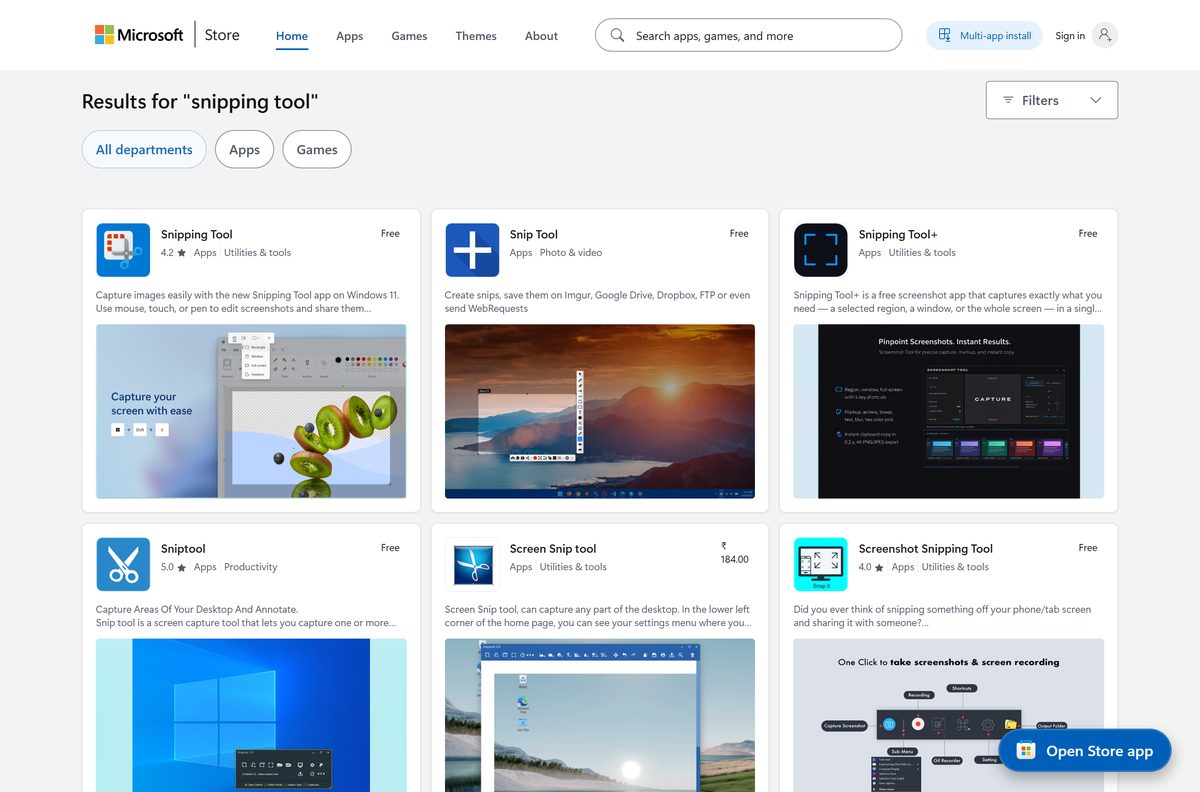
What the paid snipping apps in Store search actually are
A Store search for Snipping Tool returns twenty apps. Microsoft publishes exactly one of them.
| Store result | Publisher | Price | What it is |
|---|---|---|---|
| Snipping Tool | Microsoft Corporation | Free | The app built into Windows |
| Snipping Tool+ | DATABAL, LLC | Free | A separate app with a similar name |
| Screen Snip tool | Gentle Dan | $3.39 | A third-party paid app |
| Screenshot Powerful Tool PRO | Yellow Elephant Productions | $3.49 | A third-party paid app |
| EasySnipping | MSDev_NilTor | $1.19 | A third-party paid app |
| Snagit | TechSmith Corporation | Paid | A commercial capture suite from TechSmith |
None of those is a paid edition of Microsoft’s app. They are separate products from separate publishers, and buying one changes nothing about the app already on your PC.
Two free tools go further than Snipping Tool without a price: ShareX, which is open source and carries no ads, and Greenshot, also open source, for quick annotation on Windows.
Fix a Snipping Tool that asks you to pay or will not open
The app is asking for a licence key or a payment
Microsoft’s app asks for neither. A different publisher’s app is open on the screen.
- Open Settings > Apps > Installed apps.
- Find the app that prompted you and read the publisher name under it.
- Select the three dots and then Uninstall if the publisher is not Microsoft Corporation.
- Install the Store listing for product 9MZ95KL8MR0L.
- Press Windows + Shift + S to confirm the free app opens.
Snipping Tool is missing from the Start menu
It was uninstalled. Windows has allowed that since Windows 10 22H2 build 19045.3758.
- Open Microsoft Store and select Library.
- Find Snipping Tool and select Install.
- Download the signed setup for your architecture if the Store cannot find it.
- Run the setup and let it finish.
The Store shows an error instead of the Get button
The Store cache or a pending restart is blocking the install.
- Restart the PC if Windows installed updates recently.
- Press Windows + R, type wsreset.exe and select OK.
- Wait for the blank window to close and the Store to reopen.
- Check the date, time and region settings on the PC.
- Select Get again.
Perfect screenshot and Color picker are not there
Both run on the NPU, so they appear only on a Copilot+ PC.
- Press Windows + I and open System > About.
- Read the Processor and Installed RAM lines.
- Compare them with the Copilot+ bar of 40+ TOPS, 16 GB RAM and 256 GB storage.
- Use Text actions and Video snip instead on a standard PC.
How to remove a paid screenshot app and ask for a refund
Uninstalling stops the app. Getting the money back is a separate request, and Microsoft limits it.
- Open Settings and select Apps > Installed apps.
- Search for the app name and select the three dots beside it.
- Select Uninstall, then Uninstall again to confirm.
- Open Microsoft’s refund page for Store apps and games.
- Sign in with the account that bought the app and follow the request form.
Microsoft’s policy states that digital goods are not refundable unless the offer or local law says otherwise. Read the publisher line before paying, not after.
Other system utilities and drivers for Windows include HitmanPro and Mullvad VPN.
Frequently asked questions
Is Snipping Tool free?
Yes. Microsoft lists it at $0.00 on the Microsoft Store with no add-ons and no in-app purchases, and it comes preinstalled on Windows 11 and Windows 10 22H2. There is no paid tier and no licence key to buy.
Is Microsoft Snipping Tool free on Windows 10 as well?
Yes. Windows 10 22H2 includes it at no cost. The Store listing installs Snip & Sketch on Windows 10 rather than the Windows 11 app, and that download is also free.
Does Snipping Tool have a paid version or in-app purchases?
No. Microsoft publishes one Snipping Tool, product 9MZ95KL8MR0L, with no add-ons recorded against it. Paid apps with similar names in Store search, priced $1.19 to $3.49, come from other publishers.
What is the official Snipping Tool download page?
The Microsoft Store listing for product 9MZ95KL8MR0L, published by Microsoft Corporation. The signed setup files sit on Microsoft’s page for uninstalling and reinstalling Paint and Snipping Tool.
Does the free Snipping Tool work on Windows 11?
Yes. The current package needs Windows 11 build 22000 or later, and every supported Windows 11 release ships with it installed. Windows + Shift + S opens the capture overlay.
How big is the Snipping Tool download?
The signed setup is 254 KB for x64, 198 KB for x86 and 238 KB for ARM64. Microsoft lists the Store package at 822 MB, which covers x64 and ARM64 together rather than one PC.
Is there a free Snipping Tool offline installer?
No. The 254 KB setup is a bootstrapper that resolves and installs the package over the internet, and falls back to the Microsoft Store. It carries no application package inside it.
Is there a free Snipping Tool for Mac?
No. Microsoft does not publish Snipping Tool for macOS. The Screenshot app is built into macOS at no cost, and Shift + Command + 5 opens its toolbar.
Which architectures does the free download cover?
The current Store package covers x64 and ARM64. Microsoft also publishes a 32-bit x86 setup on its reinstall page, so older Windows 10 machines are covered.
Is Snipping Tool safe to download?
From Microsoft it is. Check the publisher line reads Microsoft Corporation, the product ID is 9MZ95KL8MR0L, and the setup file carries a Microsoft signature on its Digital Signatures tab.
Which Snipping Tool version is current?
The Store listing carried 11.2605.38.0 in September 2026. Check your own copy under See more, then Settings, then About this app, and update from the Store Library.
Why will Snipping Tool not install?
Reinstalling needs Windows 10 22H2 build 19045.3758 or later. If the build is fine, restart the PC, run wsreset.exe to clear the Store cache, and try the install again.





Download Older Versions of Snipping Tool (Version History) - Techdows
[…] The Microsoft Store lists it at no cost, with no in-app purchases and no trial. No Snipping Tool build has ever carried a price, so a paid […]
Download Snipping Tool 64-bit, 32-bit and ARM64 Setups - Techdows
[…] Store lists the app at no cost with no in-app purchases and no trial, and the three setup files are free downloads from Microsoft. No architecture carries a licence key, a subscription or a paid tier. A page charging for a 64-bit […]