Yes, 99% battery health at 86 cycles is normal for an iPhone 17 Pro Max, and it is better than the pace Apple's own rating allows.
This guide explains how that number compares with Apple's 1000-cycle design target, where to read it, what the Battery Health messages mean and how to slow the wear.
Is 99% battery health at 86 cycles normal on iPhone 17 Pro Max?
Apple designs batteries in iPhone 15 and later models to keep 80% of their original capacity at 1000 complete charge cycles under ideal conditions.
Spread evenly, that allows a loss of about 1% every 50 cycles, so roughly 98% is the expected floor at 86 cycles.
Treat 99% at 86 cycles as healthy and take no action. The battery has lost about 1% after under 9% of its 1000-cycle rated life, which is slower than the rate Apple's 80%-at-1000-cycles target permits.
iPhone 17 Pro Max battery health vs cycle count
The table spreads Apple's 80%-at-1000-cycles design target evenly across the battery's life. Real batteries do not fade in a straight line, so read it as a rough guide rather than an Apple figure.
| Cycle count | Even-pace reference | What your reading means |
|---|---|---|
| 0 to 100 | 100% to 98% | 99% or 100% is typical |
| 250 | About 95% | Above 95% is ahead of the target |
| 500 | About 90% | Above 90% is ahead of the target |
| 750 | About 85% | Above 85% is ahead of the target |
| 1000 | 80% | At or above 80% meets Apple's design target |
iPhone 14 and earlier models are rated at 80% after 500 cycles, so older advice that expects faster wear does not apply to the iPhone 17 Pro Max.
What counts as one iPhone battery charge cycle?
| Situation | Cycles counted |
|---|---|
| Use 100% of capacity in one day | 1 cycle |
| Use 75% one day and 25% the next | 1 cycle across two days |
| Top up from 60% to 100% twice | About 0.8 of a cycle |
A charge cycle counts discharged capacity, not the number of times you plug in. You do not need to drain the battery before charging.
How to check battery health and cycle count on iPhone 17 Pro Max
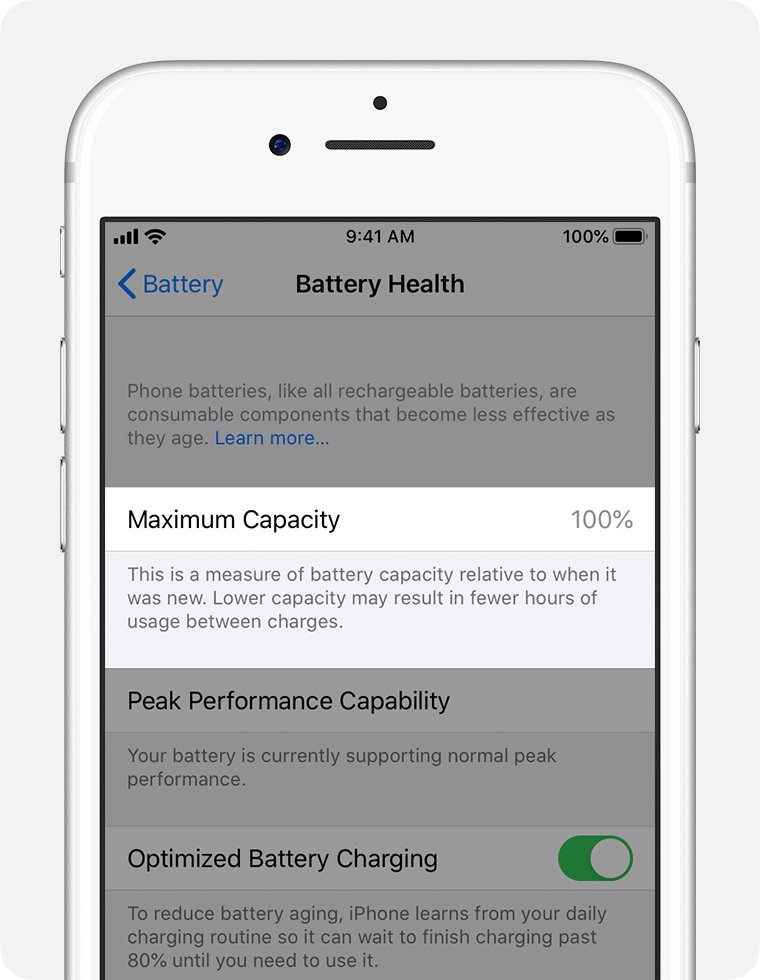
iPhone 15 and later models show battery health, cycle count, manufacture date and first use date on one screen.
- Open the Settings app.
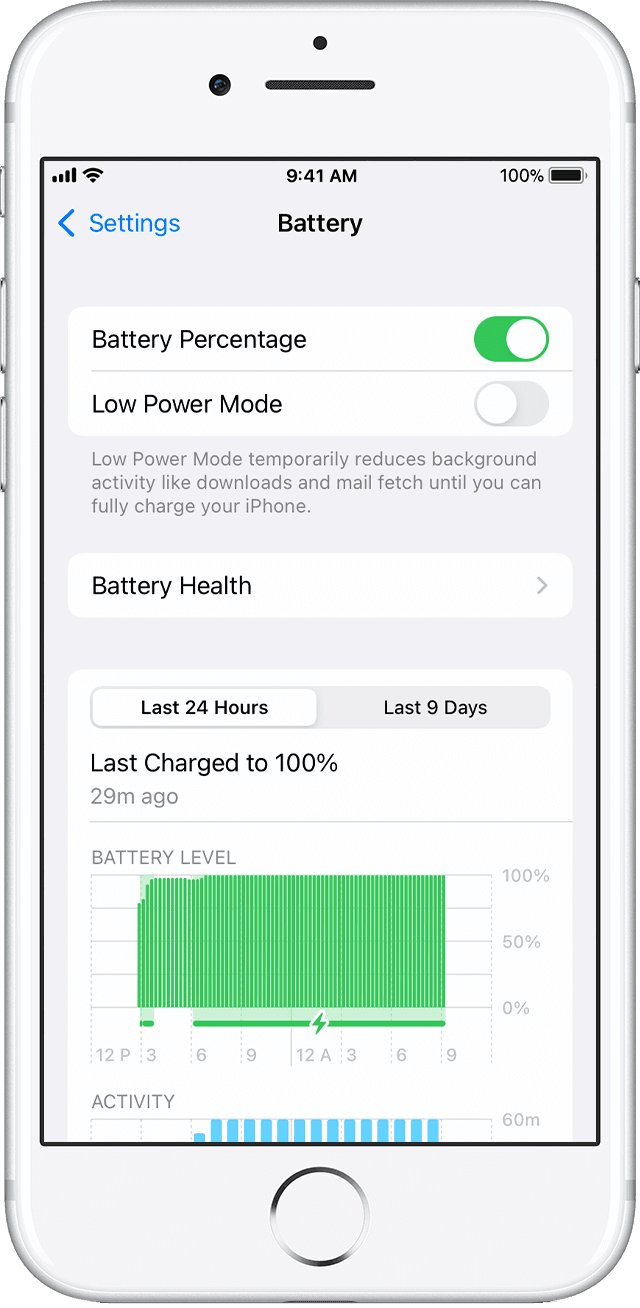
- Tap Battery.
- Tap Battery Health.
- Read Maximum Capacity for the health percentage and Cycle Count for the number of cycles.
- Check Manufacture Date and First Use to see the battery's age.
Maximum Capacity measures the battery against its capacity when new. Lower capacity means fewer hours of use between charges.
What iPhone Battery Health messages mean
| Message on the Battery Health screen | Meaning | What to do |
|---|---|---|
| Your battery is currently supporting normal peak performance | No performance management is applied | Nothing |
| This iPhone has experienced an unexpected shutdown because the battery was unable to deliver the necessary peak power | Performance management is applied to prevent another shutdown | Consider battery service; you can turn management off once |
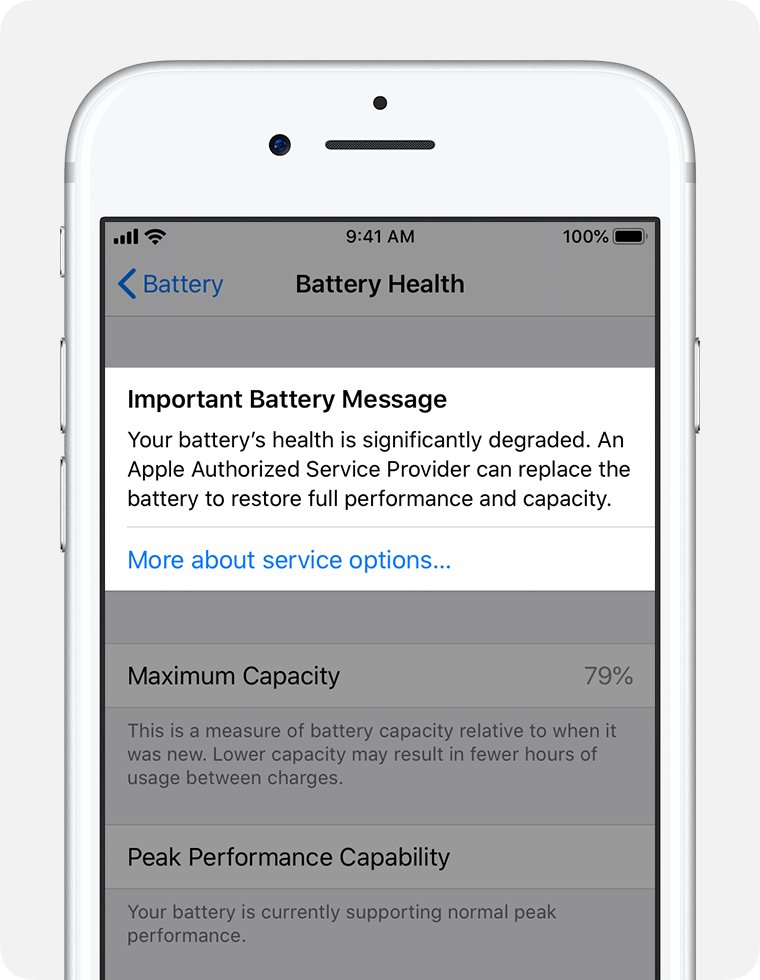
| Your battery's health is significantly degraded | Capacity is low; Apple says this is not a safety issue | Get the battery replaced by Apple or an Apple Authorized Service Provider |
| Unable to verify this iPhone has a genuine Apple battery | Health readings may be inaccurate | Have the battery checked through Apple service |
How to set an 80% charge limit on iPhone 17 Pro Max
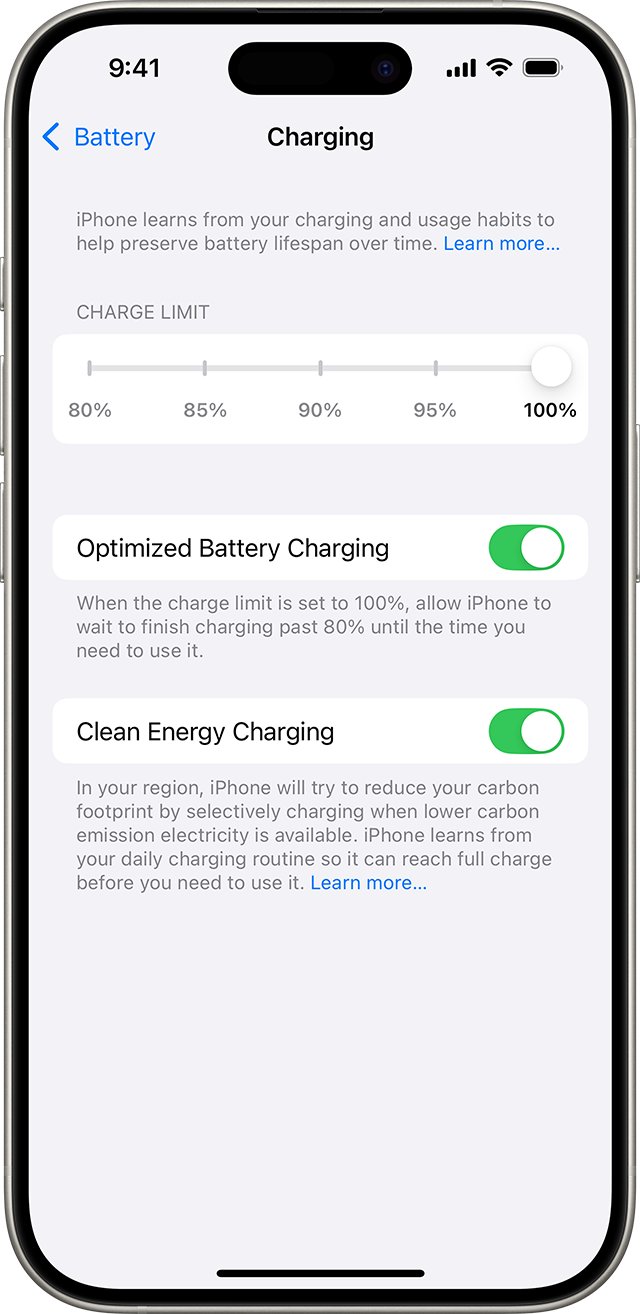
A lower charge limit reduces the time the battery spends near full, which is one of the settings Apple offers to extend lifespan.
- Open Settings and tap Battery.
- Tap Charging.
- Drag the charge limit slider to 80%, 85%, 90% or 95%.
- Leave it at 100% if you want Optimized Battery Charging instead, which delays charging past 80% when the phone predicts a long time on the charger.
With a limit set, iPhone stops within a few points of it and resumes if the level drops more than 5%. It occasionally charges to 100% to keep battery readings accurate.
iPhone 17 Pro Max battery draining fast or not charging
iPhone 17 Pro Max battery draining fast
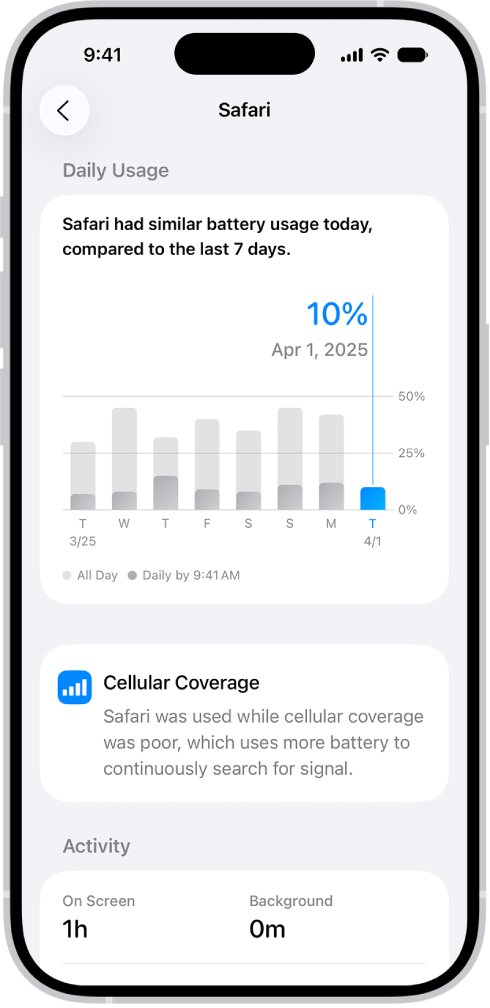
An app or system task is using more battery than usual, often in the background or in weak cellular coverage.
- Open Settings and tap Battery.
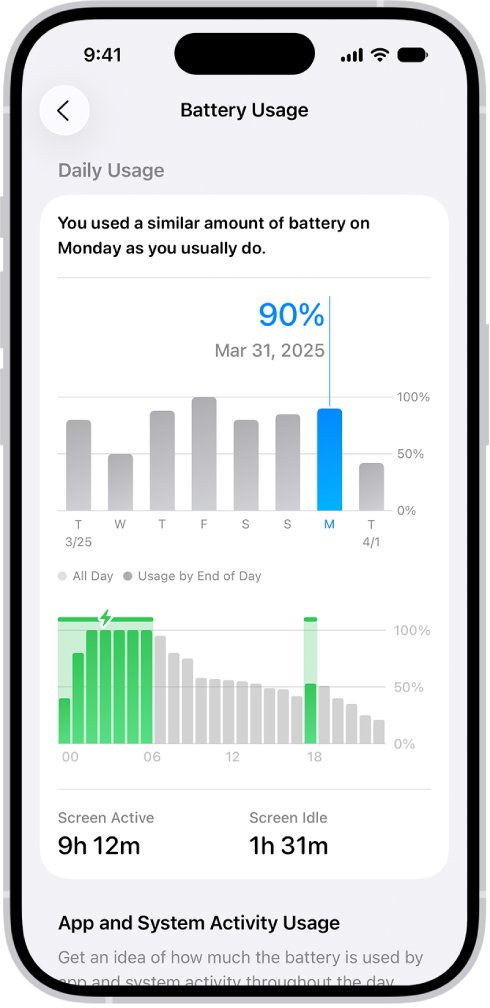
- Check Daily Usage for an orange Higher usage note and the top three apps it lists.
- Tap View All Battery Usage, then tap a day to compare it with earlier days.
- Tap the heaviest app and check its On screen and Background time.
- Reduce that app's notifications or background activity.
iPhone 17 Pro Max stops charging at 80% or another level
A charge limit or Optimized Battery Charging is holding the charge on purpose, or the battery is warm.
- Open Settings > Battery > Charging and check the charge limit.
- Move the slider to 100% if you need a full charge today.
- Let a warm phone cool down, because software can limit charging above 80% when the battery is too hot.
Why is my iPhone 17 Pro Max not charging or not responding?
The phone may be frozen rather than refusing to charge.
- Press and quickly release the volume up button.
- Press and quickly release the volume down button.
- Press and hold the side button.
- Release the side button when the Apple logo appears, then connect the charger again.
When should you replace an iPhone 17 Pro Max battery?
Replace the battery when Battery Health reports significantly degraded health, an unexpected shutdown, or when daily runtime no longer meets your needs. Apple's one-year warranty covers a defective battery, and Apple or an Apple Authorized Service Provider can restore full capacity and performance with a replacement.
iPhone 17 Pro Max battery health FAQ
How many cycles is the iPhone 17 Pro Max battery rated for?
Apple designs batteries in iPhone 15 and later models to retain 80% of original capacity at 1000 complete charge cycles under ideal conditions. Actual results depend on how the phone is used and charged.
Where do I see the cycle count on iPhone 17 Pro Max?
Open Settings, tap Battery, then tap Battery Health. The screen shows Maximum Capacity, Cycle Count, Manufacture Date and First Use on iPhone 15 and later models.
Why is my iPhone 17 Pro Max not charging past 80%?
A charge limit is usually set in Settings > Battery > Charging, or the battery is warm. Move the slider to 100% for a full charge, or let the phone cool so charging can resume.
Why is my iPhone 17 Pro Max battery draining fast?
Open Settings > Battery and check Daily Usage and App and System Activity. The screen names the apps using the most battery, including background time and use in weak cellular coverage.
How do I restart an iPhone 17 Pro Max?
To force restart the iPhone, press and release volume up, press and release volume down, then hold the side button until the Apple logo appears. Use this when the phone is frozen or will not respond.
How do I hard reset an iPhone 17 Pro Max?
A hard reset is the force restart: press volume up, press volume down, then hold the side button until the Apple logo appears. It restarts the phone without erasing any data.
Does charging to 100% hurt iPhone 17 Pro Max battery health?
Charging to 100% is supported, and Optimized Battery Charging delays the last 20% when the phone predicts a long charge. Setting a lower charge limit is optional for owners who want to reduce battery aging.






![Copilot not working in Teams [Fix]](https://techdows.com/wp-content/uploads/2026/10/Copilot-not-working-in-Teams-Fix-1-600x338.jpg)