Charge your iPhone or iPad whenever it is convenient, because Apple lithium-ion batteries do not need to run down to 0% before you recharge them.
This guide covers the best time to charge, overnight charging, the 80% limit settings, fast charging, long-term storage and what to do when charging stops.
When should you charge your iPhone or iPad?
Apple says you can charge your iPhone every night, even if the battery is not fully depleted. Partial top-ups during the day are fine too.
- Plug in whenever the battery is lower than you want it to be; there is no minimum level to wait for.
- Charge overnight if that fits your routine; iPhone stops charging when the battery is full.
- Keep the device somewhere cool while it charges, ideally a room at 62 to 72 °F (16 to 22 °C).
- Take the device out of its case if it gets hot while charging.
- Unplug it after it is fully charged when that is practical.
Heat does more harm to battery lifespan than the time of day you charge. Charging above 95 °F (35 °C) can permanently reduce capacity.
Best time to charge iPhone: situations compared
| Your situation | What to do | Why |
|---|---|---|
| Battery at 40% in the afternoon | Top up now if you need it | Partial charges only count as part of one charge cycle |
| Charging every night by the bed | Leave Optimized Battery Charging on | iPhone holds at 80% and finishes just before you usually unplug |
| You need 100% right now | Touch and hold the Lock Screen notification, then tap Charge Now | Skips the optimized delay for this charge |
| You rarely drain past half a day | Set a lower Charge Limit (iPhone 15 and later) | Less time spent near full charge reduces wear |
| Phone feels hot in its case | Remove the case while charging | Some cases trap heat that affects battery capacity |
| Storing an iPhone or iPad for months | Charge to about 50%, then power it off | Full or empty storage both damage the battery |
How iPhone charge cycles work
You complete one charge cycle when you have used an amount equal to 100% of the battery's capacity, not necessarily from one charge. Using 75% one day and 25% the next adds up to one cycle.
| Model | Designed to keep 80% of original capacity at |
|---|---|
| iPhone 14 models and earlier | 500 complete charge cycles under ideal conditions |
| iPhone 15 models | 1,000 complete charge cycles under ideal conditions |
Apple batteries fast charge to about 80%, then switch to slower trickle charging for the rest. That is why the last 20% takes longer than the first 80%.
Is it OK to charge your iPhone overnight?
Yes. iPhone automatically stops charging when the battery is full, and charging resumes when the level drops below 95%.
- Open Settings, then tap Battery.
- On iPhone 15 and later, tap Charging; on iPhone 14 and earlier, tap Battery Health & Charging.
- Confirm Optimized Battery Charging is on (on iPhone 15 and later it is available when the limit is set to 100%).
- Plug in at your usual bedtime so the phone can learn your routine.
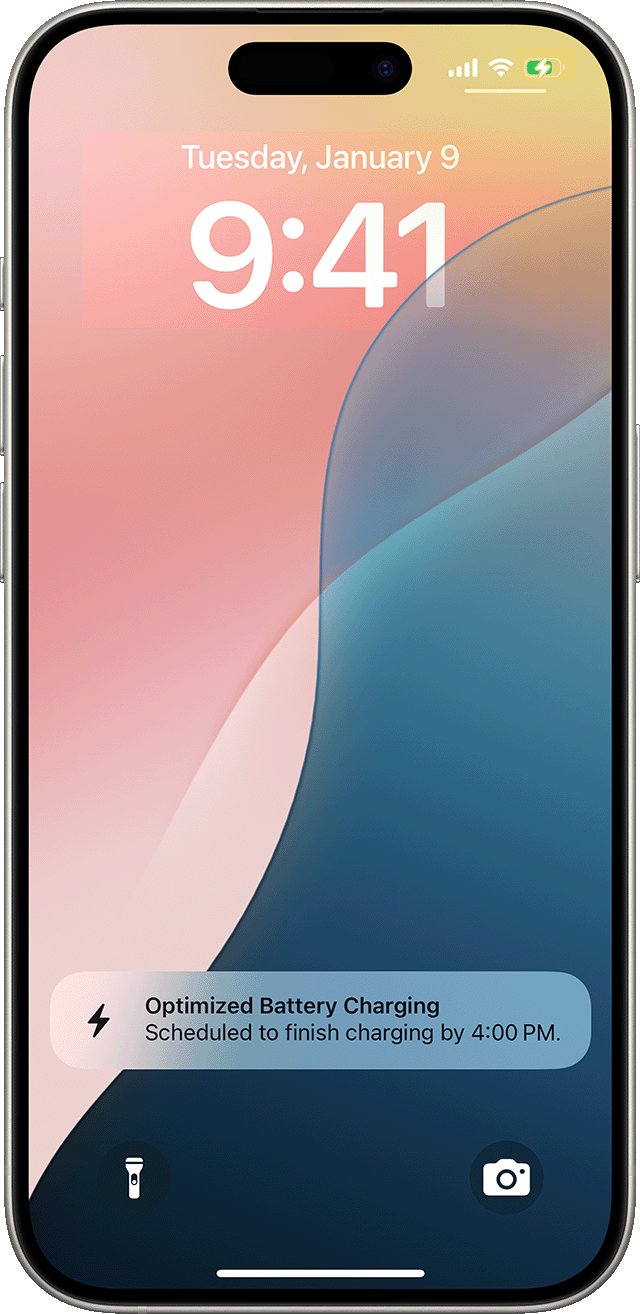
- Check the Lock Screen notification, which shows when the iPhone will be fully charged.
Optimized Battery Charging needs at least 14 days and at least nine charges of five hours or more in one location before it engages.
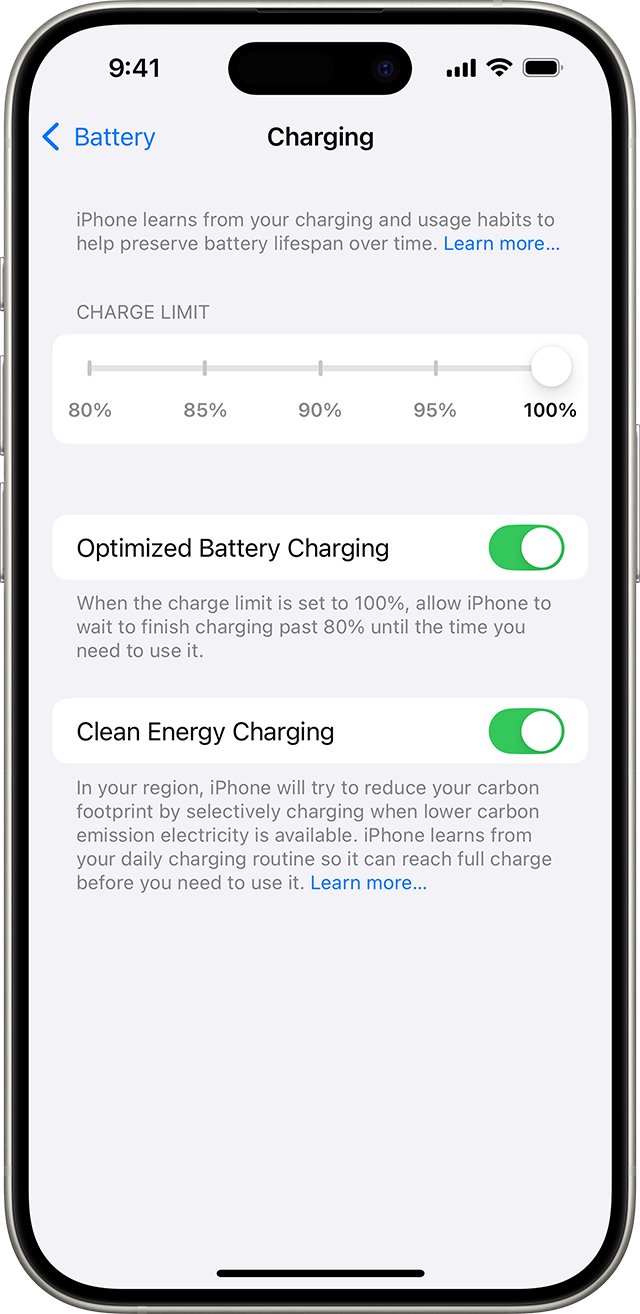
How to set an 80% charge limit on iPhone
iPhone 15 models and later let you cap charging between 80% and 100% in 5% steps.
- Open Settings.
- Tap Battery, then tap Charging.
- Choose a limit such as 80%, 85%, 90% or 95%.
- Plug in as usual; iPhone stops within a few points of the limit.
- Expect an occasional full charge to 100%, which keeps the battery percentage estimate accurate.
If the level drops more than 5% while connected, charging resumes up to the limit. iOS may also recommend a limit, for example 95%, based on your habits.
How to quickly charge an iPhone
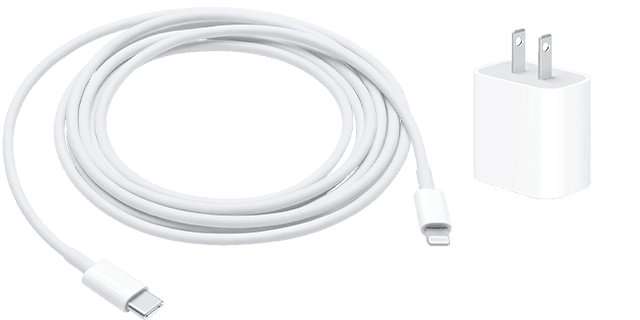
Fast charging needs a USB Power Delivery adapter of the right wattage. Times below are Apple's figures from a drained battery.
| Model | Adapter | Apple's figure |
|---|---|---|
| iPhone 17, 17 Pro, 17 Pro Max | 40W or higher | Up to 50% in around 20 minutes |
| iPhone 17e, iPhone Air | 20W or higher | Up to 50% in around 30 minutes |
| iPhone 18 Pro, 18 Pro Max | Apple 40W Dynamic Power Adapter or a 60W AVS USB-PD 3.2 adapter | Up to 50% in around 15 minutes |
| Earlier iPhone models | Apple 18W or greater USB-C, or USB-PD equivalent | Fast charging supported |
| iPhone 16, 17, Air on MagSafe | MagSafe Charger with 30W or greater adapter | Wireless fast charging |
| iPhone 15 and earlier on MagSafe | MagSafe Charger with 20W or greater adapter | Up to 15W |
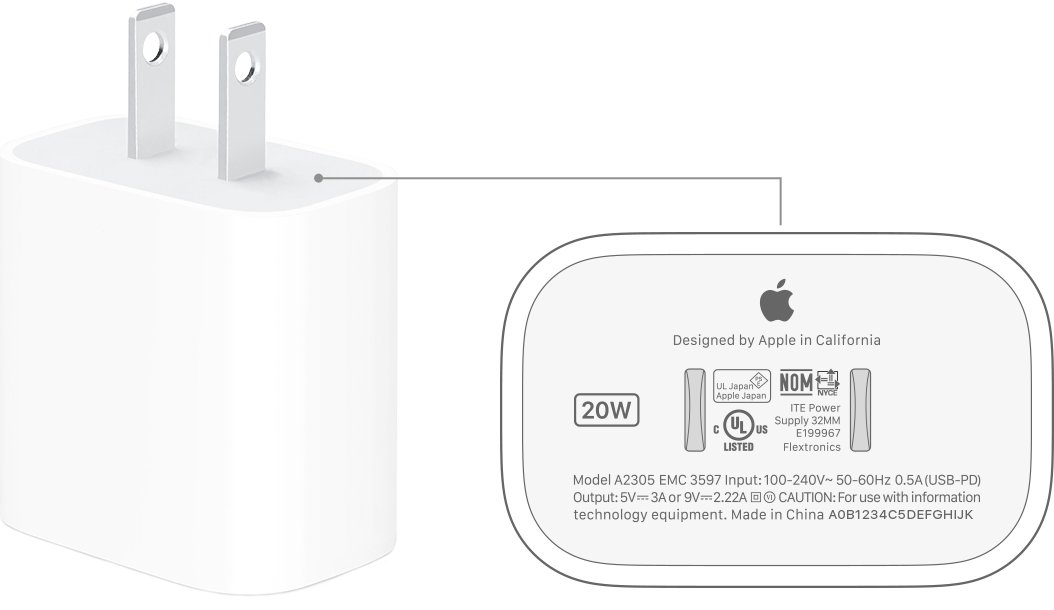
Fast charging might not work when the phone is too cold or too hot. The wattage is printed on the top or bottom of an Apple adapter.
How to store an iPhone or iPad long term
- Charge the device to around 50%; do not store it full or empty.
- Power it off; on an iPad, follow these steps to power down an iPad.
- Store it below 95 °F (35 °C); the storage range is -4 to 113 °F (-20 to 45 °C).
- Recharge it to 50% every six months if storage lasts longer than that.
- After storage, charge it for about 20 minutes with the original adapter before use.
A fully discharged battery can fall into a deep discharge state and stop holding a charge, and on an iPad that can leave you needing to replace the iPad battery.
How to see iPhone battery health and charging status
- Open Settings, then tap Battery.
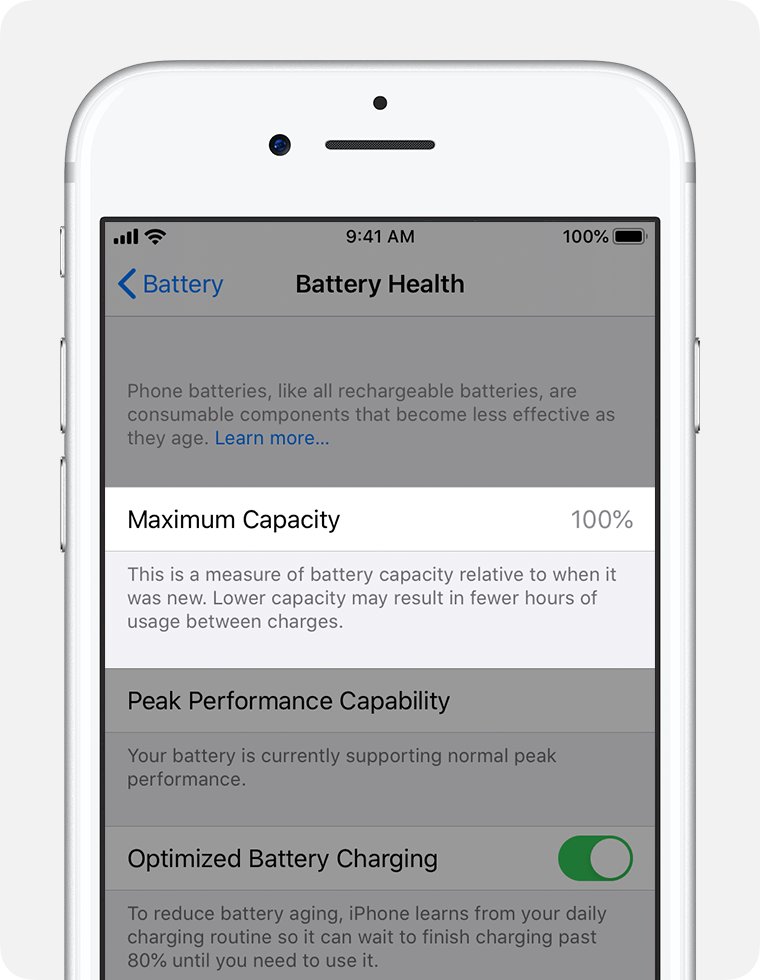
- Check Battery Health for Maximum Capacity, the capacity relative to when the battery was new.
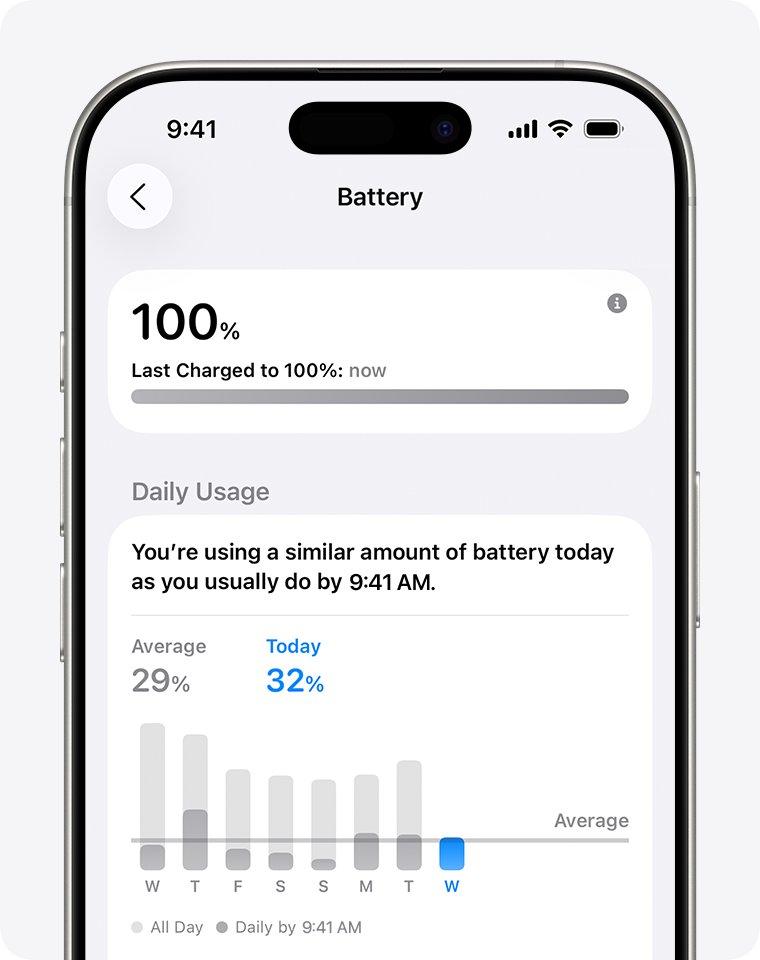
- Look at the Daily Usage chart to see how today's use compares with the last seven days.
- Watch for a Lock Screen notice that charging has paused or will finish later.
Why won't my iPhone charge when plugged in?
iPhone won't charge at all
A damaged cable or adapter, debris in the port, or a stuck system.
- Plug into a wall outlet and check the cable, adapter and outlet connections are firm.
- Inspect the cable and adapter for breakage or bent prongs, and stop using damaged ones.
- Remove debris from the charging port, then plug the cable in firmly.
- Restart the iPhone and let it charge for half an hour.
- If it still won't turn on, force restart it: press and release volume up, press and release volume down, then hold the side button until the Apple logo appears (iPhone 8 and later).
- Charge for another half hour, then contact Apple for service if nothing changes.
iPhone only charges to 80% or charges sometimes
Optimized Battery Charging, a Charge Limit, or high battery temperature.
- Touch and hold the Lock Screen charging notification and tap Charge Now if you need a full charge.
- On iPhone 15 and later, open Settings > Battery > Charging and raise the limit.
- Move the phone and charger to a cooler place; software may limit charging above 80% when the battery is too warm.
"Accessory Not Supported" message
A dirty port, a faulty accessory, or a USB charger not designed for devices.
- Connect the charger directly, without adapters in between.
- Clean the charging port.
- Try a different USB cable or charger.
- Update to the latest version of iOS.
iPhone always needs charging
Background activity, weak signal or high brightness draining the battery.
- Open Settings > Battery and read any suggestions or Insights above Daily Usage.
- Use Wi-Fi where you can, since it uses less power than cellular.
- Turn on Low Power Mode from Settings > Battery > Power Mode or from Control Center.
If the cable is not the problem, these fixes for an iPhone that won't charge go further.
iPhone and iPad charging FAQ
Is it okay to fully charge an iPhone?
Yes. Charging to 100% is safe and iPhone stops charging when full. To reduce wear, Optimized Battery Charging limits how long the phone sits at 100%, and iPhone 15 and later models can also set a charge limit between 80% and 100%.
How do you properly charge an iPhone?
Charge whenever it suits you, keep the phone cool, and leave Optimized Battery Charging on. Avoid charging above 95 °F (35 °C), remove a case that traps heat, and use an undamaged Apple or USB-PD adapter and cable.
When should you charge a new iPhone?
Charge a new iPhone whenever you like. Apple lithium-ion batteries need no full drain before recharging and no special first charge. Optimized Battery Charging is on by default and starts learning your routine from setup.
How long does an iPhone take to charge?
With a fast charger, recent iPhones reach 50% in about 15 to 30 minutes depending on the model and adapter. The last 20% charges more slowly because the battery switches to trickle charging after about 80%.
Why does my iPhone take so long to charge?
A low-wattage adapter, heat, or the trickle stage above 80% slows charging. Fast charging may not work when the phone is too hot or too cold. Optimized Battery Charging can also hold at 80% until shortly before you usually unplug.
Can I use my iPhone while charging?
Yes. You can use the iPhone while it charges, and apps used only on the charger show as Connected to Charger in battery usage. A battery warms as it charges, so heavy use on the charger adds heat.
Why does my iPhone only charge sometimes?
Charging can pause when the battery is too warm and resume once it cools. A charge limit, Optimized Battery Charging, a dirty port or a damaged cable can also stop charging partway, so check each in turn.
Why does my iPhone always need charging?
Background app activity, weak cellular signal, notifications and high brightness drain the battery faster. Open Settings, tap Battery and check the Daily Usage chart and suggestions. An aged battery with low Maximum Capacity also runs down sooner.
Why won't my iPhone charge or turn on?
Charge it for half an hour from a wall outlet, then force restart it if the screen stays dark or shows a battery icon. Charge for another half hour. If it still will not power on or charge, it needs service.