Apple's own identification list covers 45 iPad models, from the original iPad in 2010 to the iPad Air 11-inch and 13-inch (M4) in 2026.
Every year, model name and model number below comes from Apple's Identify your iPad model page, split by family, with the ways to match your own iPad to a row.
Complete iPad Generation Timeline from 2010 to 2026
Find the year your iPad was bought, then read across. Apple dates a few models to a season rather than a plain year, and those are marked.
| Year | iPad models Apple lists for that year | What changed |
|---|---|---|
| 2010 | iPad | The line starts. No cameras, standard SIM tray on the Wi-Fi + 3G model |
| 2011 | iPad 2 | First iPad with front and rear cameras |
| 2012 | iPad (3rd generation), iPad (4th generation), iPad mini | Two standard iPads in one year, and the iPad mini family begins |
| 2013 | iPad Air, iPad mini 2 | The iPad Air family begins; both were also sold into early 2014 |
| 2014 | iPad Air 2, iPad mini 3 | Touch ID arrives in the Home button |
| 2015 | iPad mini 4, iPad Pro (12.9-inch) | The iPad Pro family begins at 12.9 inches |
| 2016 | iPad Pro (9.7-inch) | A second iPad Pro size |
| 2017 | iPad (5th generation), iPad Pro (10.5-inch), iPad Pro 12.9-inch (2nd generation) | The standard iPad returns after a four-year gap |
| 2018 | iPad (6th generation), iPad Pro 11-inch, iPad Pro 12.9-inch (3rd generation) | First iPads with Face ID and no Home button |
| 2019 | iPad (7th generation), iPad Air (3rd generation), iPad mini (5th generation) | The Air and mini names return after a gap |
| 2020 | iPad (8th generation), iPad Air (4th generation), iPad Pro 11-inch (2nd generation), iPad Pro 12.9-inch (4th generation) | LiDAR Scanner on iPad Pro; Touch ID moves into the top button on iPad Air |
| 2021 | iPad (9th generation), iPad mini (6th generation), iPad Pro 11-inch (3rd generation), iPad Pro 12.9-inch (5th generation) | Liquid Retina XDR display on the 12.9-inch iPad Pro |
| 2022 | iPad (10th generation), iPad Air (5th generation), iPad Pro 11-inch (4th generation), iPad Pro 12.9-inch (6th generation) | The front camera moves to the landscape edge on iPad (10th generation) |
| 2023 | None | Apple's identification list shows no iPad dated 2023 |
| 2024 | iPad Air 11-inch (M2), iPad Air 13-inch (M2), iPad mini (A17 Pro), iPad Pro 11-inch (M4), iPad Pro 13-inch (M4) | Chip names replace generation numbers; cellular models go eSIM only |
| 2025 | iPad (A16), iPad Air 11-inch (M3), iPad Air 13-inch (M3), iPad Pro 11-inch (M5), iPad Pro 13-inch (M5) | The 12MP Center Stage front camera reaches iPad and iPad Air |
| 2026 | iPad Air 11-inch (M4), iPad Air 13-inch (M4) | The newest iPads Apple lists |
Apple's list dates the iPad mini to Late 2012 and the iPad Air, iPad mini 2, iPad Air 2, iPad mini 3 and iPad mini 4 to a late or early season.
Standard iPad Generations by Year
Eleven models carry the plain iPad name. Apple numbered them up to the 10th generation, then switched to the chip name with iPad (A16).
| Model | Year | Model numbers | How it unlocks |
|---|---|---|---|
| iPad | 2010 | A1219, A1337 | Home button, no Touch ID |
| iPad 2 | 2011 | A1395, A1396, A1397 | Home button, no Touch ID |
| iPad (3rd generation) | Early 2012 | A1416, A1430, A1403 | Home button, no Touch ID |
| iPad (4th generation) | Late 2012 | A1458, A1459, A1460 | Home button, no Touch ID |
| iPad (5th generation) | 2017 | A1822, A1823 | Touch ID sensor in Home button |
| iPad (6th generation) | 2018 | A1893, A1954 | Touch ID sensor in Home button |
| iPad (7th generation) | 2019 | A2197, A2198, A2200 | Touch ID sensor in Home button |
| iPad (8th generation) | 2020 | A2270, A2428, A2429, A2430 | Touch ID sensor in Home button |
| iPad (9th generation) | 2021 | A2602, A2603, A2604, A2605 | Touch ID sensor in Home button |
| iPad (10th generation) | 2022 | A2696, A2757, A2777, A3162 | Touch ID sensor in top button |
| iPad (A16) | 2025 | A3354, A3355, A3356 | Touch ID sensor in top button |
Apple lists no standard iPad between the 4th generation in late 2012 and the 5th generation in 2017. The iPad Air carried the full-size slot in those years.
iPad mini Generations by Year
Seven iPad mini models exist. The name went from a plain number to a written generation, then to the chip name with iPad mini (A17 Pro).
| Model | Year | Model numbers | How it unlocks |
|---|---|---|---|
| iPad mini | Late 2012 | A1432, A1454, A1455 | Home button, no Touch ID |
| iPad mini 2 | Late 2013 and early 2014 | A1489, A1490, A1491 | Home button, no Touch ID |
| iPad mini 3 | Late 2014 | A1599, A1600 | Touch ID sensor in Home button |
| iPad mini 4 | Late 2015 | A1538, A1550 | Touch ID sensor in Home button |
| iPad mini (5th generation) | 2019 | A2124, A2125, A2126, A2133 | Touch ID sensor in Home button |
| iPad mini (6th generation) | 2021 | A2567, A2568, A2569 | Touch ID sensor in the Touch ID button |
| iPad mini (A17 Pro) | 2024 | A2993, A2995, A2996 | Touch ID sensor in the Touch ID button |
The nano-SIM tray sits on the left side on iPad mini, iPad mini 2 and iPad mini 3, and on the right side on iPad mini 4 through iPad mini (6th generation). iPad mini (A17 Pro) has no tray at all and uses eSIM.
iPad Air Generations by Year
Apple lists eleven iPad Air entries. From 2024 the Air ships in two sizes each year, so one generation covers two model names.
| Model | Year | Model numbers | How it unlocks |
|---|---|---|---|
| iPad Air | Late 2013 and early 2014 | A1474, A1475, A1476 | Home button, no Touch ID |
| iPad Air 2 | Late 2014 | A1566, A1567 | Touch ID sensor in Home button |
| iPad Air (3rd generation) | 2019 | A2123, A2152, A2153, A2154 | Touch ID sensor in Home button |
| iPad Air (4th generation) | 2020 | A2072, A2316, A2324, A2325 | Touch ID sensor in top button |
| iPad Air (5th generation) | 2022 | A2588, A2589, A2591 | Touch ID sensor in top button |
| iPad Air 11-inch (M2) | 2024 | A2902, A2903, A2904 | Touch ID sensor in top button |
| iPad Air 13-inch (M2) | 2024 | A2898, A2899, A2900 | Touch ID sensor in top button |
| iPad Air 11-inch (M3) | 2025 | A3266, A3267, A3270 | Touch ID sensor in top button |
| iPad Air 13-inch (M3) | 2025 | A3268, A3269, A3271 | Touch ID sensor in top button |
| iPad Air 11-inch (M4) | 2026 | A3459, A3460, A3463 | Touch ID sensor in top button |
| iPad Air 13-inch (M4) | 2026 | A3461, A3462, A3464 | Touch ID sensor in top button |
Every iPad Air from the M2 models onward is eSIM only. The 3rd, 4th and 5th generation models still have a nano-SIM tray on the right side of the cellular version.
iPad Pro Generations by Year and Size
Sixteen iPad Pro models exist across five screen sizes. Apple numbers the 11-inch and 12.9-inch lines separately, so a 2021 iPad Pro is a 3rd generation at 11 inches and a 5th generation at 12.9 inches.
| Model | Year | Model numbers | Display and sensors |
|---|---|---|---|
| iPad Pro (12.9-inch) | 2015 | A1584, A1652 | Touch ID in Home button |
| iPad Pro (9.7-inch) | 2016 | A1673, A1674, A1675 | Touch ID in Home button |
| iPad Pro (10.5-inch) | 2017 | A1701, A1709, A1852 | Touch ID in Home button |
| iPad Pro 12.9-inch (2nd generation) | 2017 | A1670, A1671, A1821 | Touch ID in Home button |
| iPad Pro 11-inch | 2018 | A1934, A1979, A1980, A2013 | Face ID sensor, no Home button |
| iPad Pro 12.9-inch (3rd generation) | 2018 | A1876, A1895, A1983, A2014 | Face ID sensor, no Home button |
| iPad Pro 11-inch (2nd generation) | 2020 | A2068, A2228, A2230, A2231 | Face ID sensor, LiDAR Scanner |
| iPad Pro 12.9-inch (4th generation) | 2020 | A2069, A2229, A2232, A2233 | Face ID sensor, LiDAR Scanner |
| iPad Pro 11-inch (3rd generation) | 2021 | A2301, A2377, A2459, A2460 | Liquid Retina display, LiDAR Scanner |
| iPad Pro 12.9-inch (5th generation) | 2021 | A2378, A2379, A2461, A2462 | Liquid Retina XDR display, LiDAR Scanner |
| iPad Pro 11-inch (4th generation) | 2022 | A2435, A2759, A2761, A2762 | Liquid Retina display, LiDAR Scanner |
| iPad Pro 12.9-inch (6th generation) | 2022 | A2436, A2437, A2764, A2766 | Liquid Retina XDR display, LiDAR Scanner |
| iPad Pro 11-inch (M4) | 2024 | A2836, A2837, A3006 | Ultra Retina XDR display, eSIM only |
| iPad Pro 13-inch (M4) | 2024 | A2925, A2926, A3007 | Ultra Retina XDR display, eSIM only |
| iPad Pro 11-inch (M5) | 2025 | A3357, A3358, A3359 | Ultra Retina XDR display, eSIM only |
| iPad Pro 13-inch (M5) | 2025 | A3360, A3361, A3362 | Ultra Retina XDR display, eSIM only |
Measured diagonally, the 13-inch iPad Pro is 13 inches, the 12.9-inch iPad Pro is 12.9 inches, the 11-inch iPad Pro with M4 or M5 is 11.1 inches, and the 11-inch iPad Pro from the 1st to 4th generation is 11 inches.
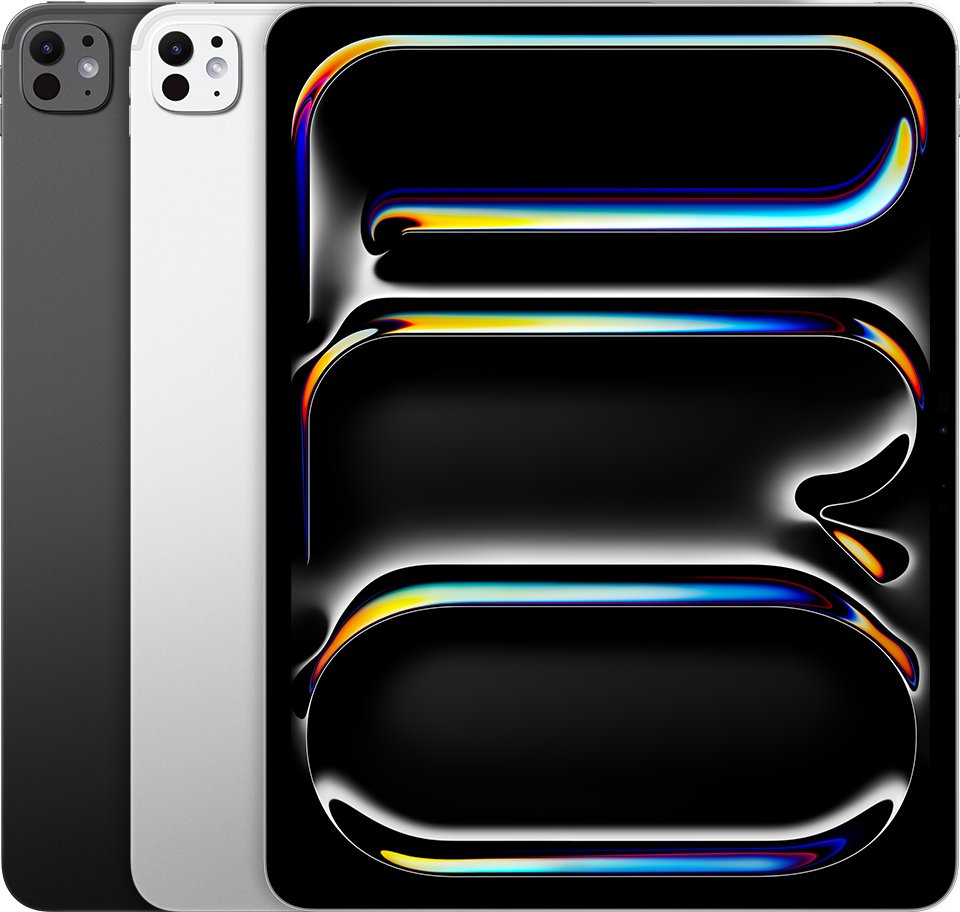
Major iPad Design and Performance Changes Over Time
Each row below is the first iPad that shipped with the feature, which makes it a quick way to date an unknown iPad from the hardware alone.
| Change | First iPad with it | Year |
|---|---|---|
| Front and rear cameras | iPad 2 | 2011 |
| Touch ID in the Home button | iPad Air 2 and iPad mini 3 | Late 2014 |
| Face ID and no Home button | iPad Pro 11-inch and iPad Pro 12.9-inch (3rd generation) | 2018 |
| LiDAR Scanner | iPad Pro 11-inch (2nd generation) and iPad Pro 12.9-inch (4th generation) | 2020 |
| Touch ID in the top button | iPad Air (4th generation) | 2020 |
| Liquid Retina XDR display | iPad Pro 12.9-inch (5th generation) | 2021 |
| Front camera on the landscape edge | iPad (10th generation) | 2022 |
| Ultra Retina XDR display | iPad Pro 11-inch (M4) and iPad Pro 13-inch (M4) | 2024 |
| Nano-texture display glass option | iPad Pro (M4) in 1 TB and 2 TB capacities | 2024 |
| eSIM only, no nano-SIM tray | iPad Pro (M4), iPad Air (M2) and iPad mini (A17 Pro) | 2024 |
| 12MP Center Stage front camera | iPad (A16) and iPad Air (M3) | 2025 |
On performance, the dividing line Apple draws today is the chip. Apple Intelligence runs on iPad mini (A17 Pro) and on iPad models with M1 and later, so no A-series iPad before the A17 Pro qualifies.
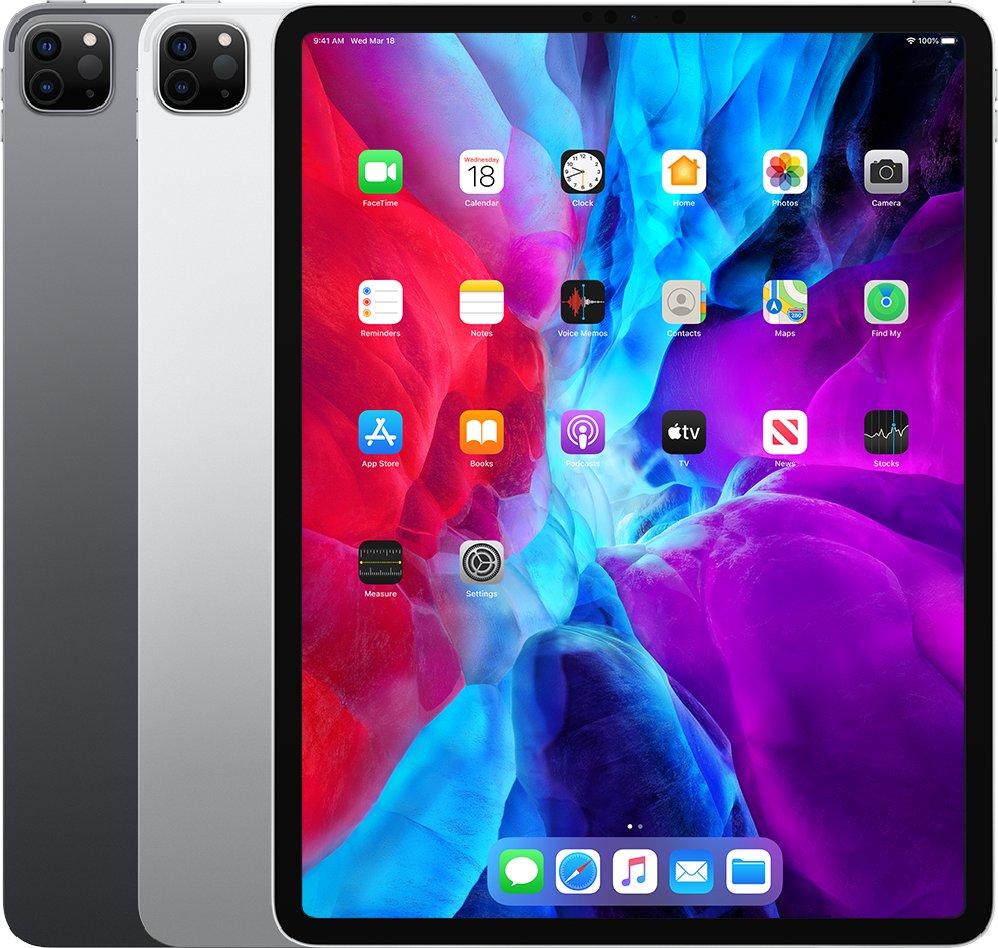
Quick Comparison Table of All iPad Models
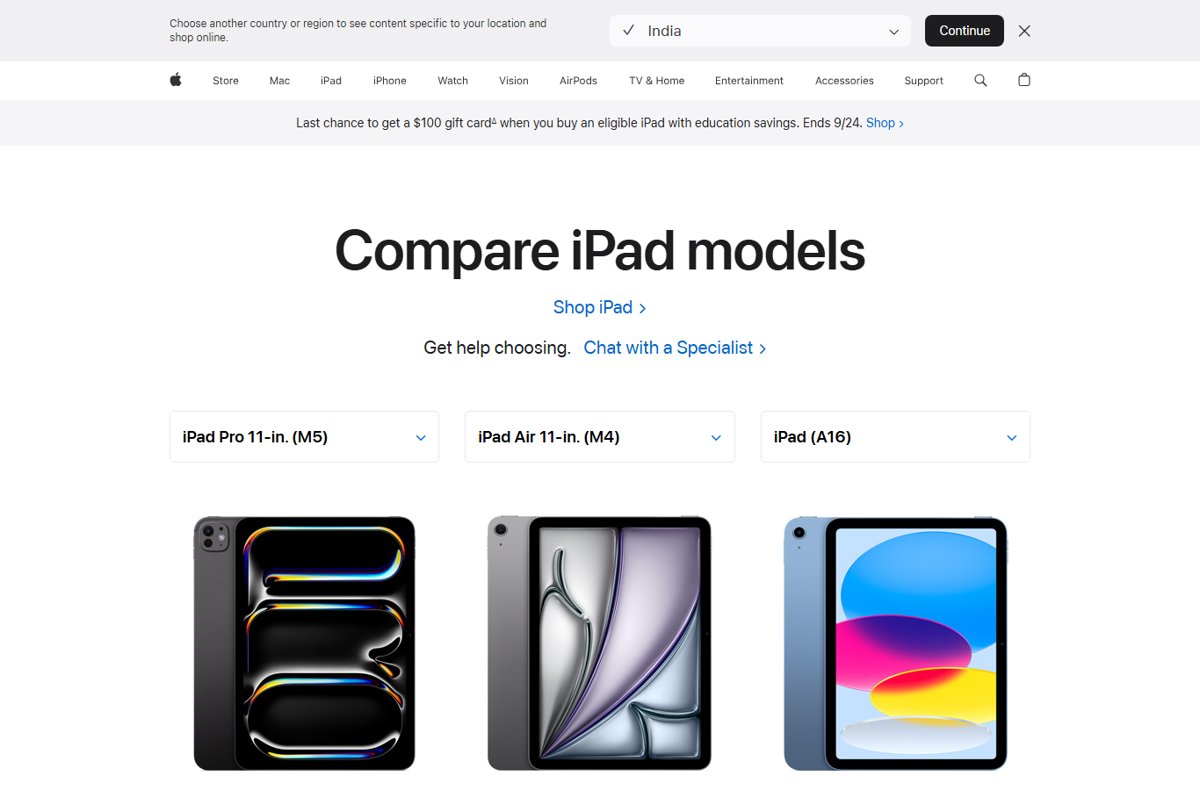
Four families are on sale in 2026. This is what separates them, using the current model in each.
| Family | Current model | Screen size | Chip | Unlock method |
|---|---|---|---|---|
| iPad mini | iPad mini (A17 Pro) | 8.3 inches | A17 Pro | Touch ID button |
| iPad | iPad (A16) | 10.86 inches | A16 | Touch ID in top button |
| iPad Air | iPad Air 11-inch (M4) and iPad Air 13-inch (M4) | 10.86 or 12.9 inches | M4 | Touch ID in top button |
| iPad Pro | iPad Pro 11-inch (M5) and iPad Pro 13-inch (M5) | 11.1 or 13 inches | M5 | Face ID |
Only iPad Pro has the Ultra Retina XDR tandem OLED display, ProMotion and the LiDAR Scanner. iPad Air and iPad Pro both support Apple Pencil hover; iPad (A16) does not.
How can I tell which iPad generation I have?
The model number is the only identifier that maps to exactly one row in Apple's list. Read it in Settings first, because that works without moving the iPad.
- Open the Settings app, then tap General.
- Tap About.
- Find Model Number. The value shown first is the part number.
- Tap the part number once. It changes to the model number, which starts with A and four digits.
- Match that number against the family table above to get the model name and year.
No access to Settings? On an iPad 2 through iPad (10th generation), the model number is printed on the back cover. On an iPad that does not show it there, look inside the USB-C or Lightning connector under bright overhead light, on the side facing the display.
How to check you matched the right generation
One model number can appear under only one model name, so three quick checks settle it.
- Confirm the number you read appears in exactly one row of the tables above.
- Check the unlock method. A Home button rules out every iPad Pro from 2018 onward and every iPad Air from the 4th generation onward.
- Check the SIM tray. No tray on a cellular iPad means an eSIM-only model, so 2024 or later.
- Open Apple's tech specs page for that model name and confirm the capacity you have is one Apple listed for it.
Which older iPad generations still receive iPadOS updates
Apple states compatibility by family and generation rather than by model number. This is the iPadOS 27 list.
| Family | Generations that run iPadOS 27 |
|---|---|
| iPad Pro | 4th generation and later, M1 and later |
| iPad Air | 4th generation and later, M2 and later |
| iPad | 9th generation and later, A16 |
| iPad mini | 6th generation, A17 Pro |
Anything older than those entries stops at an earlier iPadOS release. An iPad Pro 12.9-inch (3rd generation) from 2018 is outside the iPadOS 27 list, while an iPad (9th generation) from 2021 is inside it.
Fix it when the iPad generation will not line up
The back of the iPad shows no model number
Apple prints the number inside the connector on newer iPads instead of on the back cover.
- Move to a spot with bright light overhead.
- Look inside the USB-C or Lightning connector on the bottom edge.
- Read the number on the upper side of the connector, the side facing the display.
- Match it against the family tables above.
Settings shows a code like MPQ03LL/A instead of A2696
The About screen shows the part number first and reveals the model number only when tapped.
- Open Settings, tap General, then tap About.
- Tap the value next to Model Number once.
- Read the number that replaces it, which begins with A.
Two iPads with the same name have different model numbers
Apple ships Wi-Fi, Wi-Fi + Cellular and China mainland versions of one model, each with its own number.
- Treat every number in a single table row as the same generation.
- Check the right edge for a nano-SIM tray to tell a cellular unit from a Wi-Fi unit.
- Use the model name and year from that row, not the individual number, when checking software support.
The model name has a chip in it instead of a generation number
From 2024 Apple names new iPads after the chip, so there is no 7th generation iPad mini or 11th generation iPad on its list.
- Read the chip name as the generation marker: iPad mini (A17 Pro) follows iPad mini (6th generation).
- Use the year column to place it in sequence.
- For iPad Air and iPad Pro, pair the chip name with the screen size, because each chip covers two sizes.
Frequently Asked Questions
Which iPad generation is the newest in 2026?
The iPad Air 11-inch (M4) and iPad Air 13-inch (M4), which Apple dates to 2026, are the newest iPads on Apple's identification list. The newest iPad Pro is the M5 pair from 2025, and the newest standard iPad is iPad (A16) from 2025.
What generation are the latest iPads?
Each family sits at a different point. iPad Air is on its M4 models, iPad Pro on its M5 models, iPad on iPad (A16), and iPad mini on iPad mini (A17 Pro). Apple stopped using generation numbers for new iPads in 2024.
What is the current Apple iPad generation?
For the plain iPad line, iPad (A16) from 2025 is current. It follows iPad (10th generation) from 2022, which was the last standard iPad Apple gave a generation number to.
How many iPad generations are there?
Apple's Identify your iPad model page lists 45 iPad models. They split into 11 standard iPads, 7 iPad mini models, 11 iPad Air entries and 16 iPad Pro models.
What generation iPad do I have?
Open Settings, tap General, tap About, then tap the value next to Model Number to reveal a number starting with A. That number appears against exactly one model name and year in Apple's list.
How can I find out which generation iPad it is without switching it on?
Read the model number printed on the back cover. If the back has no number, look inside the USB-C or Lightning connector, on the side facing the display, under bright overhead light.
What generations of iPad are still supported?
iPadOS 27 runs on iPad Pro 4th generation and later plus M1 and later, iPad Air 4th generation and later plus M2 and later, iPad 9th generation and later plus iPad (A16), and iPad mini 6th generation plus iPad mini (A17 Pro).
What is the difference between iPad, iPad mini, iPad Air, and iPad Pro?
Size and chip separate them. iPad mini is 8.3 inches, iPad (A16) and iPad Air 11-inch are 10.86 inches, iPad Air 13-inch is 12.9 inches, and iPad Pro is 11.1 or 13 inches. Only iPad Pro uses Face ID and an Ultra Retina XDR display.
Are older iPad Pro models better than newer standard iPads?
An older iPad Pro keeps hardware the standard iPad never had, including Face ID, ProMotion and a LiDAR Scanner. It can still lose on software: iPad Pro models before the 4th generation are outside the iPadOS 27 compatibility list.
Bottom Line
Identify any iPad by its model number in Settings > General > About, then read the year from the family table rather than trusting the name on the box. Apple reused screen sizes, restarted generation numbering per size on iPad Pro, and replaced numbers with chip names in 2024, so the model number is the only identifier that points at one model and one year.


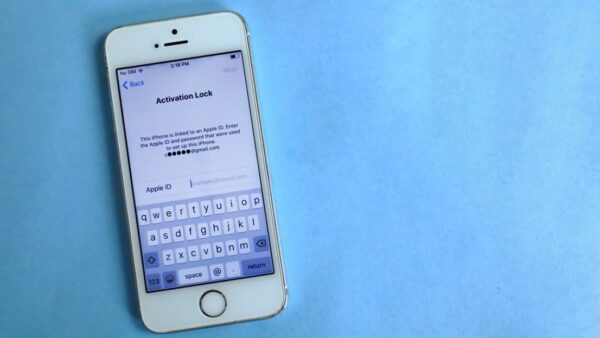



iPad (A16) vs. iPad Air (M4): what’s the difference? - Techdows
[…] from an older tablet? A full list of iPad generations shows where your current model sits against these […]