The iPad Air (M4) adds a much faster M4 chip with 12GB of memory, Apple Intelligence, Apple Pencil Pro support, a laminated P3 display, USB 3 and Wi-Fi 7, while the iPad (A16) keeps the same 11-inch resolution and battery life for $300 less.
This comparison uses Apple's own tech specs and U.S. store prices, and ends with a decision tree for picking the right one.
iPad (A16) or iPad Air (M4): the quick answer
Buy the iPad (A16) at $449 for streaming, reading, browsing, schoolwork and light notes. Buy the iPad Air (M4) from $749 if you need Apple Intelligence, Apple Pencil Pro, a 13-inch screen, fast USB transfers or headroom for video editing and demanding games. Both 11-inch models share the same 2360-by-1640 resolution, 500-nit brightness, 12MP cameras, Touch ID and 10-hour battery rating. The extra $300 pays for the chip, the display finish, the accessories it supports and newer wireless hardware, not for a sharper or brighter screen.
Which iPad models are being compared?
Apple sells both tablets new in the U.S. store today. The iPad (A16) is the entry model in one 11-inch size, and the iPad Air (M4) comes in 11-inch and 13-inch sizes.
| Model | Sizes | Finishes | Storage options | Starting price (Wi-Fi) |
|---|---|---|---|---|
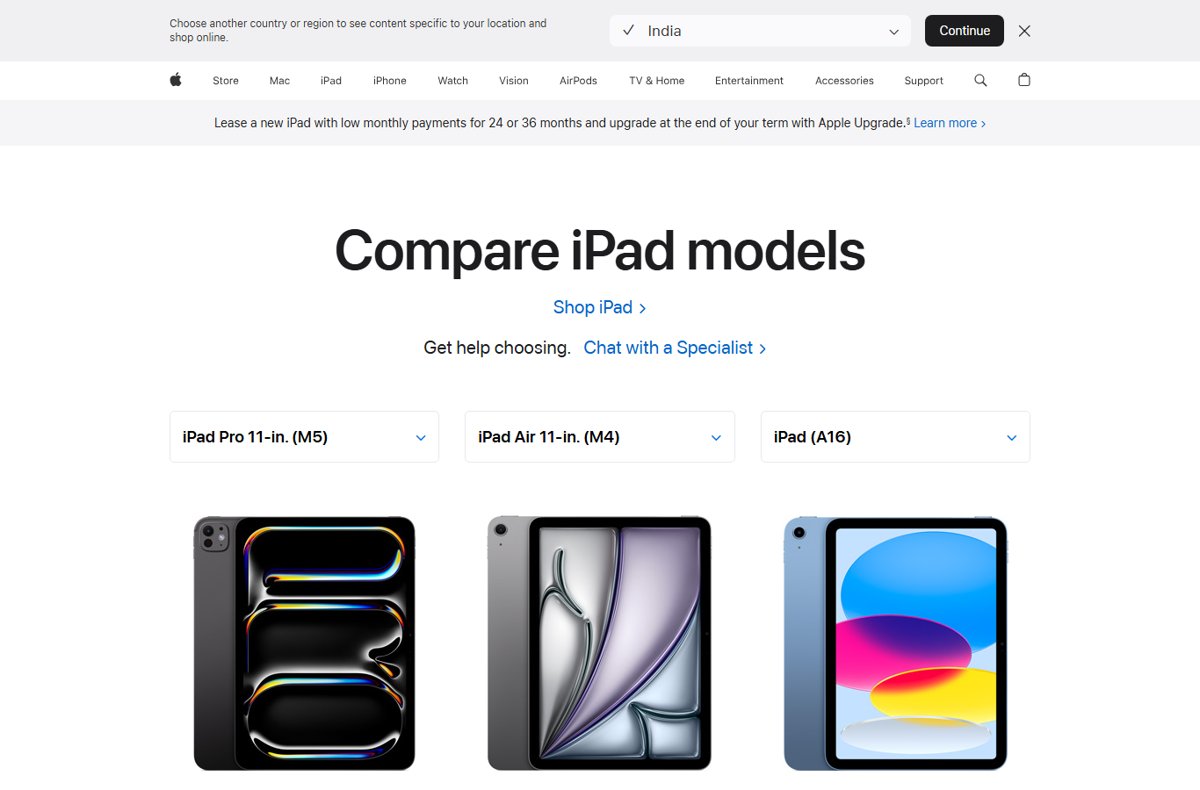
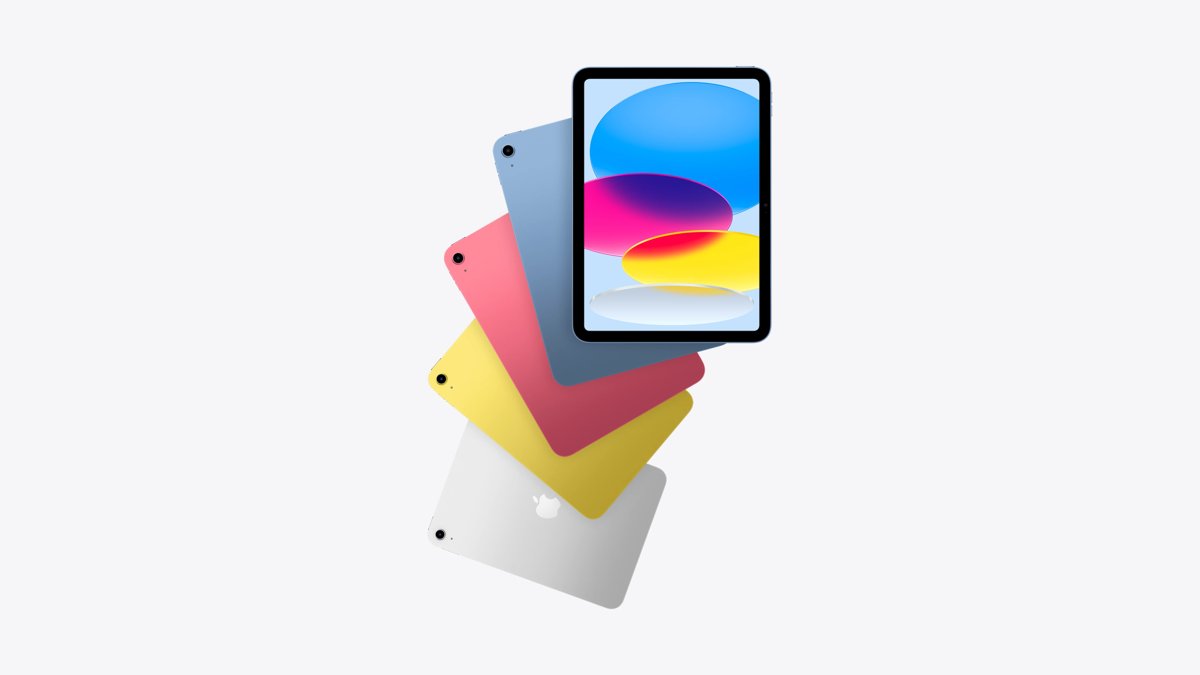
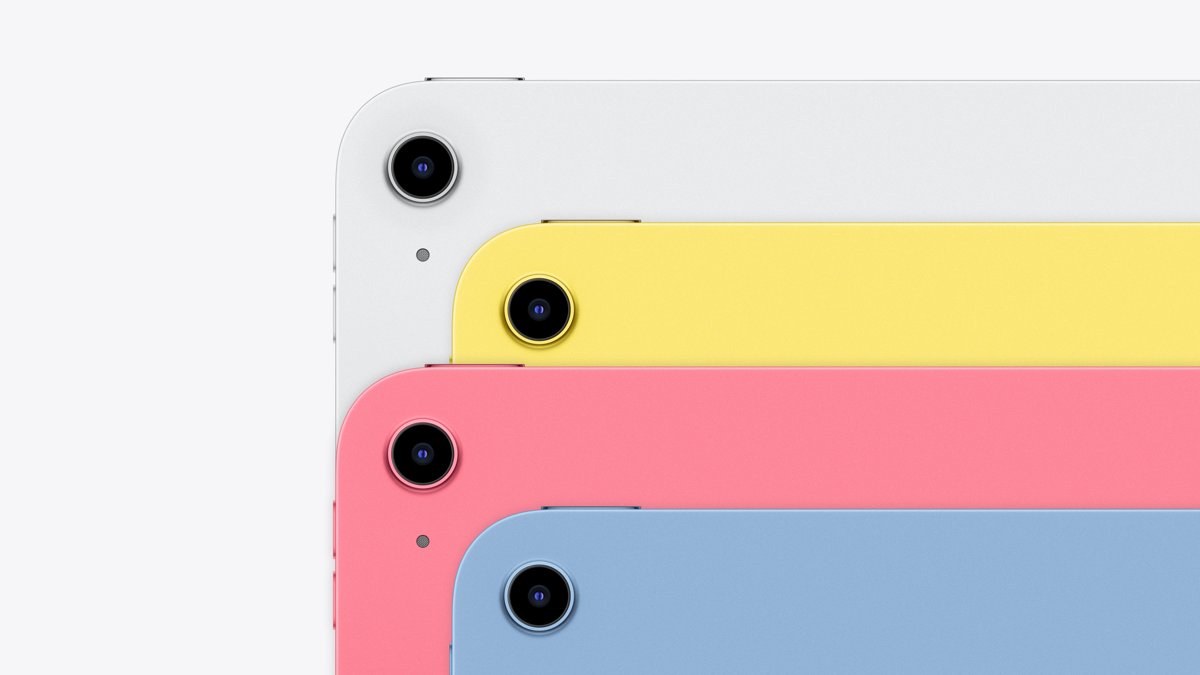
| iPad (A16) | 11-inch | Silver, Blue, Pink, Yellow | 128GB, 256GB, 512GB | $449 |
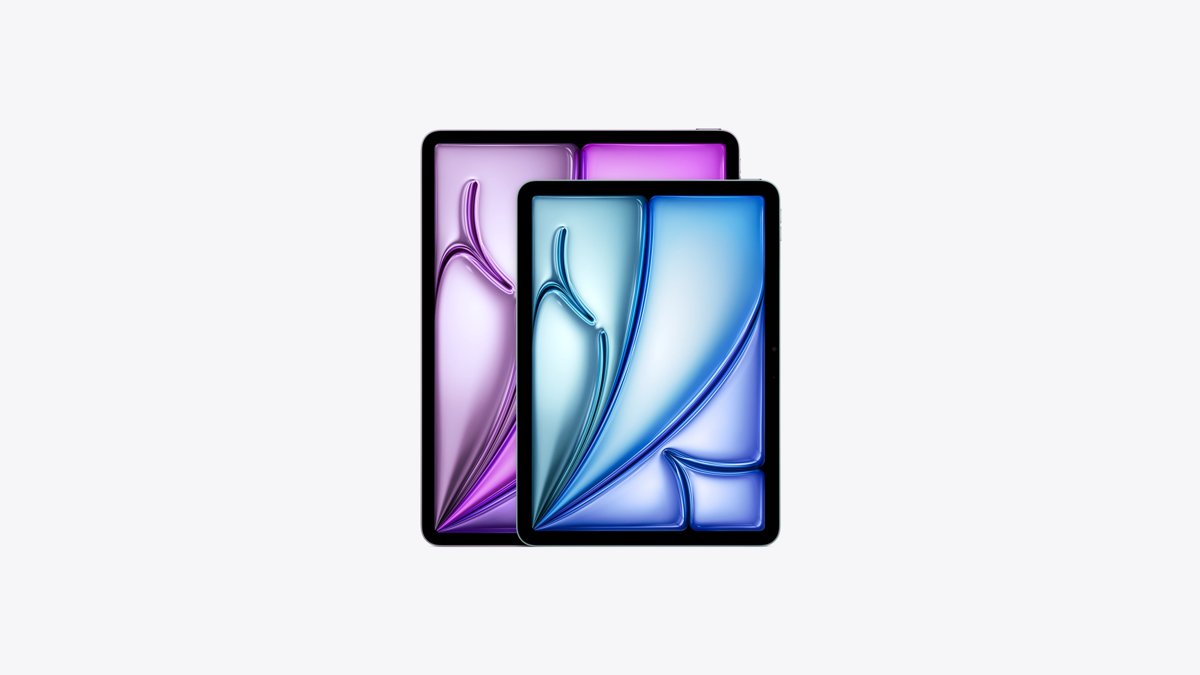
| iPad Air (M4) | 11-inch and 13-inch | Blue, Purple, Starlight, Space Gray | 128GB, 256GB, 512GB, 1TB | $749 (11-inch), $949 (13-inch) |
Coming from an older tablet? A full list of iPad generations shows where your current model sits against these two.
At a glance: iPad (A16) versus iPad Air (M4)
This table covers the 11-inch versions of both, which is the fair like-for-like match.
| Spec | iPad (A16) | iPad Air 11-inch (M4) |
|---|---|---|
| Chip | A16: 5-core CPU, 4-core GPU | M4: 8-core CPU, 9-core GPU, ray tracing |
| Memory | Not listed by Apple | 12GB unified memory |
| Display | 2360 x 1640, 264 ppi, 500 nits, sRGB | 2360 x 1640, 264 ppi, 500 nits, P3, laminated, antireflective |
| Apple Pencil | Apple Pencil (USB-C), 1st generation with adapter | Apple Pencil Pro, Apple Pencil (USB-C) |
| Keyboard | Magic Keyboard Folio | Magic Keyboard for iPad Air |
| Apple Intelligence | Not available | Available |
| USB-C speed | USB 2, up to 480Mb/s | USB 3, up to 10Gb/s |
| External display | One, up to 4K at 60Hz | One, up to 6K at 60Hz |
| Wireless | Wi-Fi 6, Bluetooth 5.3 | Wi-Fi 7, Bluetooth 6, Thread |
| Weight (Wi-Fi) | 477 g (1.05 lb) | 464 g (1.02 lb) |
| Battery | Up to 10 hours | Up to 10 hours |
| Price (Wi-Fi, 128GB) | $449 | $749 |
Current U.S. prices and the real storage trade-off
Apple's U.S. store prices for the Wi-Fi models are below. Cellular adds $150 to either tablet, so the iPad (A16) Wi-Fi + Cellular starts at $599 and the 11-inch Air at $899.
| Storage | iPad (A16) | iPad Air 11-inch (M4) | Price gap |
|---|---|---|---|
| 128GB | $449 | $749 | $300 |
| 256GB | $549 | $849 | $300 |
| 512GB | $749 | $1,049 | $300 |
| 1TB | Not offered | $1,349 | – |
The trade-off is plain at $749: that money buys a 512GB iPad (A16) or a 128GB iPad Air. If you store large video libraries or offline downloads, four times the storage can matter more than the faster chip. The 13-inch Air starts at $949, $200 above the 11-inch Air.
The biggest difference is performance: A16 versus M4
The M4 is the same chip family Apple uses in Macs and the iPad Pro, and Apple lists hardware it adds that the A16 lacks entirely.
| Component | A16 (iPad) | M4 (iPad Air) |
|---|---|---|
| CPU | 5-core: 2 performance, 3 efficiency | 8-core: 3 performance, 5 efficiency |
| GPU | 4-core | 9-core with hardware-accelerated ray tracing |
| Neural Engine | 16-core | 16-core |
| Memory | Not listed | 12GB unified, 120GB/s bandwidth |
| Media Engine | Not available | H.264, HEVC, ProRes and ProRes RAW encode and decode, AV1 decode |
The Media Engine and ray tracing matter for video editing on iPad and graphically heavy games. The 12GB of memory is also what Apple requires for some newer Apple Intelligence features on iPad.
Display: the Air is better, but not sharper at 11 inches
Both 11-inch screens are Liquid Retina IPS panels at 2360 by 1640 pixels, 264 ppi and 500 nits. The differences are in how the glass is built and the colors it shows.
| Display feature | iPad (A16) | iPad Air 11-inch (M4) |
|---|---|---|
| Resolution and density | 2360 x 1640, 264 ppi | 2360 x 1640, 264 ppi |
| Brightness | 500 nits | 500 nits |
| Color | sRGB | Wide color (P3) |
| Fully laminated | No | Yes |
| Antireflective coating | No | Yes |
| Apple Pencil hover | No | Yes |
| ProMotion (120Hz) | No | No |
A laminated screen has no air gap between the glass and the panel, so the Pencil tip sits closer to the line it draws. P3 color matters most for photo editing and illustration work.
The 13-inch Air is a different kind of buying decision
The 13-inch Air has no iPad (A16) equivalent. It competes with a laptop more than with the entry iPad.
| Spec | iPad Air 11-inch (M4) | iPad Air 13-inch (M4) |
|---|---|---|
| Starting price | $749 | $949 |
| Resolution | 2360 x 1640, 264 ppi | 2732 x 2048, 264 ppi |
| Brightness | 500 nits | 600 nits |
| Battery | 28.93 Wh, up to 10 hours | 36.59 Wh, up to 10 hours |
| Size | 247.6 x 178.5 x 6.1 mm | 280.6 x 214.9 x 6.1 mm |
| Weight (Wi-Fi) | 464 g (1.02 lb) | 616 g (1.36 lb) |
Pick the 13-inch if you run two apps side by side, read full PDF pages or draw on a larger canvas. Its bigger battery powers a bigger screen, so the rated battery life stays at 10 hours rather than increasing.
Apple Pencil compatibility can decide the purchase
Apple Pencil Pro works only with the Air in this pair. The iPad (A16) supports the cheaper Apple Pencil (USB-C) and the older 1st-generation model.
| Pencil (U.S. price) | iPad (A16) | iPad Air (M4) | Key features |
|---|---|---|---|
| Apple Pencil Pro ($129) | Not supported | Supported | Pressure sensitivity, squeeze, barrel roll, haptic feedback, wireless pairing and charging, Find My |
| Apple Pencil (USB-C) ($79) | Supported | Supported | Tilt sensitivity, attaches magnetically, pairs and charges over USB-C, no pressure sensitivity |
| Apple Pencil (1st generation) ($99) | Supported with USB-C to Apple Pencil Adapter | Not supported | Pressure and tilt sensitivity, pairs and charges via Lightning |
For handwriting notes, Apple Pencil (USB-C) on either tablet is enough. For pressure-sensitive drawing on the iPad (A16), the 1st-generation Pencil is the only option, and it needs the adapter.
Keyboard compatibility and accessory costs
The two tablets use different Apple keyboards, and neither keyboard fits the other model.
| Feature | Magic Keyboard Folio (iPad A16) | Magic Keyboard for iPad Air (M4) |
|---|---|---|
| U.S. price | $249 | $269 (11-inch) |
| Design | Two-piece design | Floating design |
| Trackpad | Yes | Yes |
| Function row | 14-key | 14-key |
| USB-C pass-through charging | No | Yes |
A full setup costs $777 for the iPad (A16) with Apple Pencil (USB-C) and Magic Keyboard Folio. The 11-inch Air with Apple Pencil Pro and Magic Keyboard for iPad Air costs $1,147, a gap of $370.
Apple Intelligence and iPadOS 27
Apple lists Apple Intelligence as not available on the iPad (A16). Its compatible iPad list covers iPad Air (M1 and later), iPad Pro (M1 and later) and iPad mini (A17 Pro).
| Feature | iPad (A16) | iPad Air (M4) |
|---|---|---|
| Apple Intelligence | Not available | Available |
| Siri powered by Apple Intelligence | Not available | Available |
| Siri AI (beta in iPadOS 27) | Not available | Available, English first |
| Features that need M4 and 12GB memory | Not available | Meets the requirement |
Both tablets run iPadOS and get the standard Siri, Type to Siri and built-in apps. Some Apple Intelligence features that use server-side models carry daily usage limits, and some are not available in every region or language.
Ports and external displays: a major difference for power users
Both tablets have a single USB-C port, but the Air's port moves data about 20 times faster on paper and drives a higher-resolution monitor.
| Port feature | iPad (A16) | iPad Air (M4) |
|---|---|---|
| USB standard | USB 2, up to 480Mb/s | USB 3, up to 10Gb/s |
| External display | One, up to 4K at 60Hz | One, up to 6K at 60Hz |
| DisplayPort over USB-C | Yes | Yes |
| Smart Connector | Left side | Back |
USB speed matters when you copy camera footage from an SSD or card reader. Both support VGA, HDMI and DVI output through adapters sold separately.
Wireless connectivity is newer on the Air
| Wireless feature | iPad (A16) | iPad Air (M4) |
|---|---|---|
| Wi-Fi | Wi-Fi 6 (802.11ax), 2×2 MIMO | Wi-Fi 7 (802.11be), 2×2 MIMO, Apple N1 chip |
| Bluetooth | 5.3 | 6 |
| Thread | No | Yes |
| Cellular modem | 5G sub-6 GHz | 5G sub-6 GHz, Apple C1X modem |
| SIM | eSIM only | eSIM only |
Wi-Fi 7 only helps with a Wi-Fi 7 router, and Apple notes it is available where supported. Neither tablet accepts a physical SIM card.
Size, weight, speakers, and battery life
| Spec | iPad (A16) | iPad Air 11-inch (M4) |
|---|---|---|
| Dimensions | 248.6 x 179.5 x 7 mm | 247.6 x 178.5 x 6.1 mm |
| Weight (Wi-Fi / cellular) | 477 g / 481 g | 464 g / 465 g |
| Speakers | Landscape stereo | Landscape stereo |
| Microphones | Two | Two |
| Battery | 28.93 Wh | 28.93 Wh |
| Rated battery life | 10 hours Wi-Fi web or video, 9 hours cellular | 10 hours Wi-Fi web or video, 9 hours cellular |
| In the box | USB-C cable, 20W adapter | USB-C cable, 20W adapter |
The Air is 0.9 mm thinner and 13 grams lighter. Speaker layout and rated battery life are identical on Apple's spec sheets.
Cameras are more alike than different
| Camera spec | iPad (A16) | iPad Air (M4) |
|---|---|---|
| Rear camera | 12MP Wide, f/1.8, 5x digital zoom | 12MP Wide, f/1.8, 5x digital zoom, sapphire lens cover |
| Rear video | 4K at up to 60 fps | 4K at up to 60 fps |
| Cinematic video stabilization (rear) | 1080p and 720p | 4K, 1080p and 720p |
| Front camera | Landscape 12MP Center Stage, f/2.4 | Landscape 12MP Center Stage, f/2.0 |
| Wide color capture | Not listed | Yes, photos and Live Photos |
Both put the front camera on the long edge, which centers your face in video calls held in landscape.
Which iPad should you buy?
| Your use | Buy this | Why |
|---|---|---|
| Casual tablet use | iPad (A16) | Same resolution, cameras and battery rating for $300 less |
| Students | Usually iPad (A16), sometimes the 11-inch Air | Apple Pencil (USB-C) and Magic Keyboard Folio cover notes and essays; the Air adds Apple Intelligence |
| Note-taking | Split decision | Apple Pencil (USB-C) works on both; Pencil Pro and the laminated screen need the Air |
| Drawing and illustration | iPad Air | Pencil Pro pressure sensitivity, hover, P3 color and laminated glass |
| Streaming and reading | iPad (A16) | Same 500-nit, 264 ppi screen and stereo speakers at 11 inches |
| Demanding gaming | iPad Air | 9-core GPU with hardware ray tracing |
| Video and photo editing | iPad Air | Media Engine with ProRes, P3 display, 10Gb/s USB |
| Laptop-style setup | iPad Air, especially 13-inch | Larger screen, floating keyboard with pass-through charging, 6K external display |
| Maximum storage per dollar | iPad (A16) | 512GB for $749, the price of a 128GB Air |
| Performance headroom | iPad Air | M4 chip and 12GB memory meet Apple's newest iPad feature requirements |
When the iPad Air is not worth the extra money
Skip the Air if the tablet is mainly for video, web, reading, email and light schoolwork, and you do not plan to use Apple Intelligence or Apple Pencil Pro. For those jobs the 11-inch screens share the same resolution and brightness, the battery rating is the same 10 hours, and the $300 saved buys a 512GB iPad (A16) or a keyboard plus Pencil.
Common buying mistakes
| Mistake | What goes wrong | Avoid it by |
|---|---|---|
| Using an old launch-price comparison | Older reviews quote prices that no longer match Apple's store | Checking the current U.S. prices: $449 for the iPad (A16), $749 for the 11-inch Air |
| Buying the wrong Pencil | Apple Pencil Pro does not work on the iPad (A16), and the 1st-generation Pencil does not work on the Air | Buying Apple Pencil (USB-C), which works on both, or matching the Pencil to the model |
| Assuming the keyboards are interchangeable | Magic Keyboard Folio fits only the iPad (A16); Magic Keyboard for iPad Air fits only the Air | Buying the keyboard named for your model and size |
| Ignoring USB speed | Large file copies run at USB 2 speed on the iPad (A16) | Choosing the Air if you move camera footage or big projects over USB-C |
| Assuming all Apple Intelligence features are available everywhere | The iPad (A16) has none, and some features vary by region, language or usage limits | Checking Apple's Apple Intelligence page for your language and region |
If you are trading in or selling your current tablet, factory reset the old iPad after you move your data to the new one.
Bottom-line decision tree
Answer these in order and stop at the first yes.
- Do you want a screen larger than 11 inches? Buy the iPad Air 13-inch (M4) from $949.
- Do you need Apple Intelligence or Siri AI? Buy the iPad Air (M4), because the iPad (A16) does not support it.
- Do you draw seriously or want Apple Pencil Pro? Buy the iPad Air (M4).
- Do you edit video, transfer large files over USB-C or use a 6K monitor? Buy the iPad Air (M4).
- Do you need more than 128GB on a budget under $750? Buy the iPad (A16) with 256GB or 512GB.
- None of the above? Buy the iPad (A16) at $449 and spend the difference on a Pencil or keyboard.
iPad (A16) vs iPad Air (M4) frequently asked questions
Is the iPad (A16) good enough for college?
Yes, for notes, essays, reading and video. It supports Apple Pencil (USB-C) and Magic Keyboard Folio, and costs $449. It does not support Apple Intelligence, so pick the 11-inch Air if those features matter for coursework.
Can I use Apple Pencil Pro with the iPad (A16)?
No. The iPad (A16) supports Apple Pencil (USB-C) and Apple Pencil (1st generation) with the USB-C to Apple Pencil Adapter. Apple Pencil Pro works with the iPad Air (M4) and iPad Pro.
Is the 13-inch iPad Air worth $200 more than the 11-inch Air?
It is if you use split-screen apps, read full-page documents or draw on a large canvas. The 13-inch Air gets a 2732-by-2048 screen at 600 nits and a 36.59 Wh battery, but weighs 616 grams instead of 464.
Does the iPad Air have a 120Hz display?
No. Apple lists ProMotion as not available on the iPad Air (M4) and the iPad (A16). On Apple's comparison page, ProMotion appears on the iPad Pro (M5) instead.
Does the iPad (A16) support Apple Intelligence?
No. Apple's comparison page lists Apple Intelligence and Siri AI as not available on the iPad (A16). The iPad Air (M4) supports both and meets the 12GB memory requirement for newer features.
Do the iPad (A16) and iPad Air (M4) have the same screen resolution?
Yes, at 11 inches. Both use a 2360-by-1640 Liquid Retina display at 264 ppi and 500 nits. The Air adds P3 color, full lamination, an antireflective coating and Apple Pencil hover.
Can the iPad (A16) connect to an external monitor?
Yes. Its USB-C port supports one external display at up to 4K and 60Hz. The iPad Air (M4) supports one external display at up to 6K and 60Hz.
Which iPad has better battery life, the iPad (A16) or the iPad Air (M4)?
Neither. Apple rates both at up to 10 hours of Wi-Fi web browsing or video and up to 9 hours on cellular. The 11-inch models carry the same 28.93 Wh battery.
The bottom line: iPad (A16) or iPad Air (M4)?
The iPad (A16) is the right buy for most people who want a tablet for media, reading and schoolwork. The iPad Air (M4) is the right buy for creative work, Apple Intelligence or a laptop-style setup. At 11 inches the two share resolution, brightness, cameras and battery life. The Air's $300 premium goes to the M4 chip, 12GB of memory, Pencil Pro support, a laminated P3 screen, 10Gb/s USB and Wi-Fi 7.