The Fedora Linux download is free from fedoraproject.org, and Fedora Workstation 44 is the current release. You write it to a USB flash drive with Fedora Media Writer on Windows 11, Windows 10, macOS or Linux, then boot your PC from it.
The live USB runs Fedora without touching your internal drive. When everything works, the installer copies Fedora to the hard drive in a few clicks.
Below are the official ISO links for Intel, AMD and ARM machines, the Media Writer steps, checksum verification, and fixes for the problems that stop a first boot.
Check the Fedora Workstation system requirements
Confirm your processor type first. On Windows, open Settings, then System, then About, and read System type. An x64-based processor needs the x86_64 ISO; an ARM-based one needs the aarch64 image.
| Specification | Detail |
|---|---|
| Software | Fedora Linux (Fedora Workstation edition, GNOME desktop) |
| Developer | Fedora Project, sponsored by Red Hat |
| Latest version | Fedora Workstation 44 (released April 28, 2026) |
| License / price | Free and open source, no ads |
| Processor | Intel or AMD x86_64, or ARM aarch64 |
| Recommended memory | 4 GB RAM |
| Recommended storage | 40 GB SSD |
| USB drive | 4 GB flash drive; everything on it is erased |
| Default file system | Btrfs, with swap on zram instead of a swap partition |
| Support period | About 13 months of updates per version |
| Official download source | fedoraproject.org Workstation download |
| Last verified | 2026-09-25 |
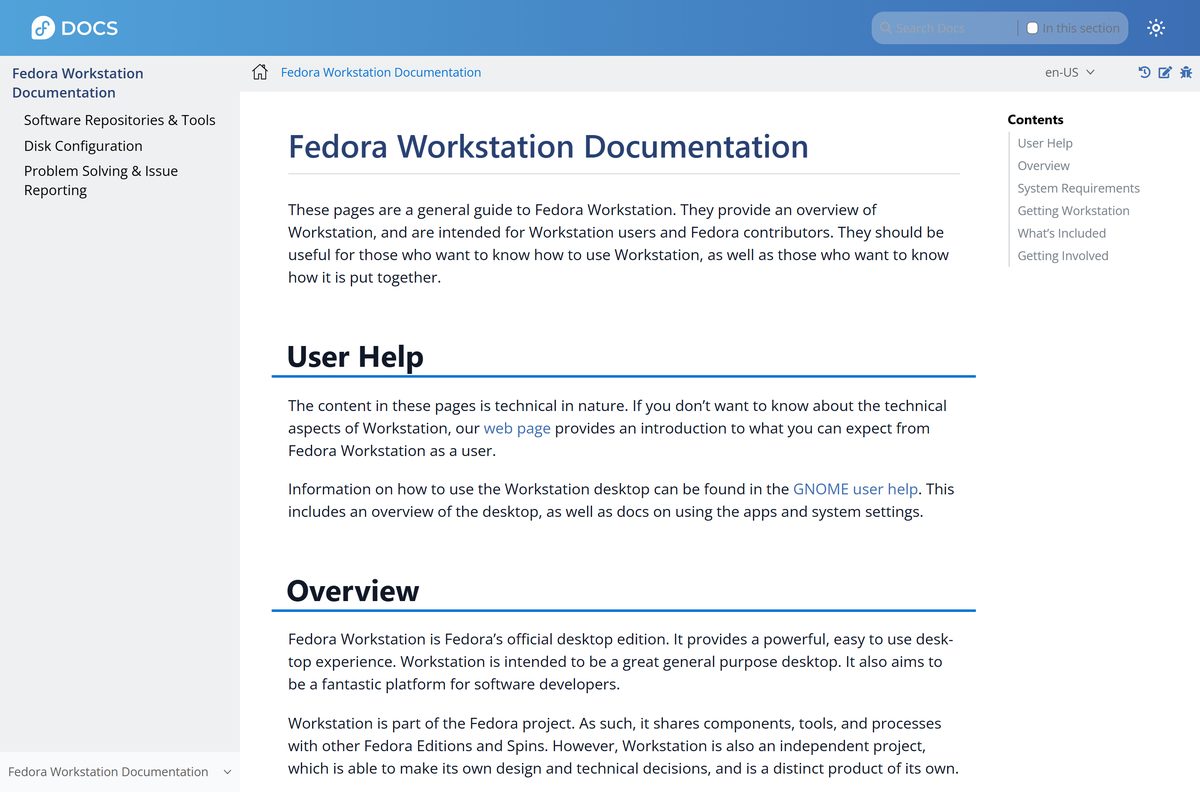
Fedora states that hardware below these recommendations can still run Workstation. The recommended figures give a smooth desktop, not a hard floor.
Which Fedora Linux download do you need?
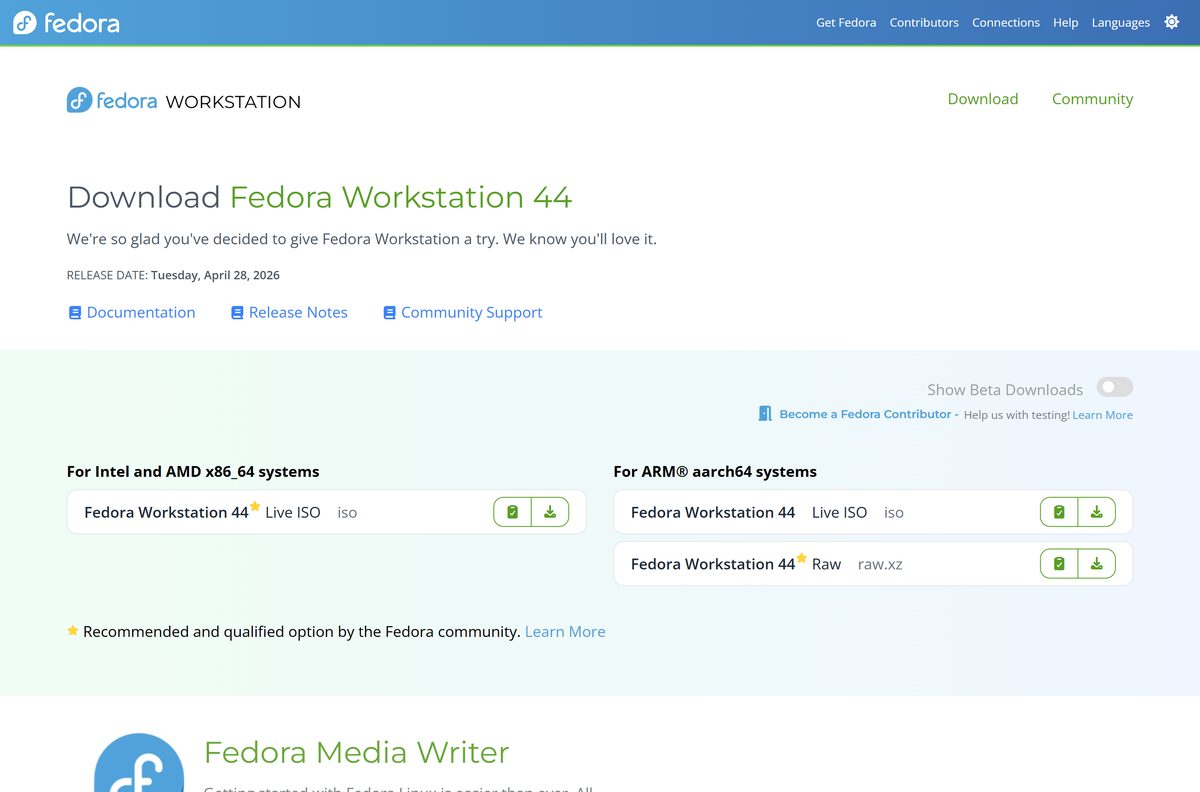
Match your hardware to the image. Most Windows laptops and desktops use Intel or AMD processors and need the x86_64 Live ISO.
| Your computer | Download | Link |
|---|---|---|
| Windows PC with an Intel or AMD processor | Live ISO (x86_64) | x86_64 Live ISO |
| Windows on ARM laptop or other ARM aarch64 system | Live ISO (aarch64) | aarch64 Live ISO |
| ARM board that boots from a disk image | raw.xz disk image (aarch64) | aarch64 raw image |
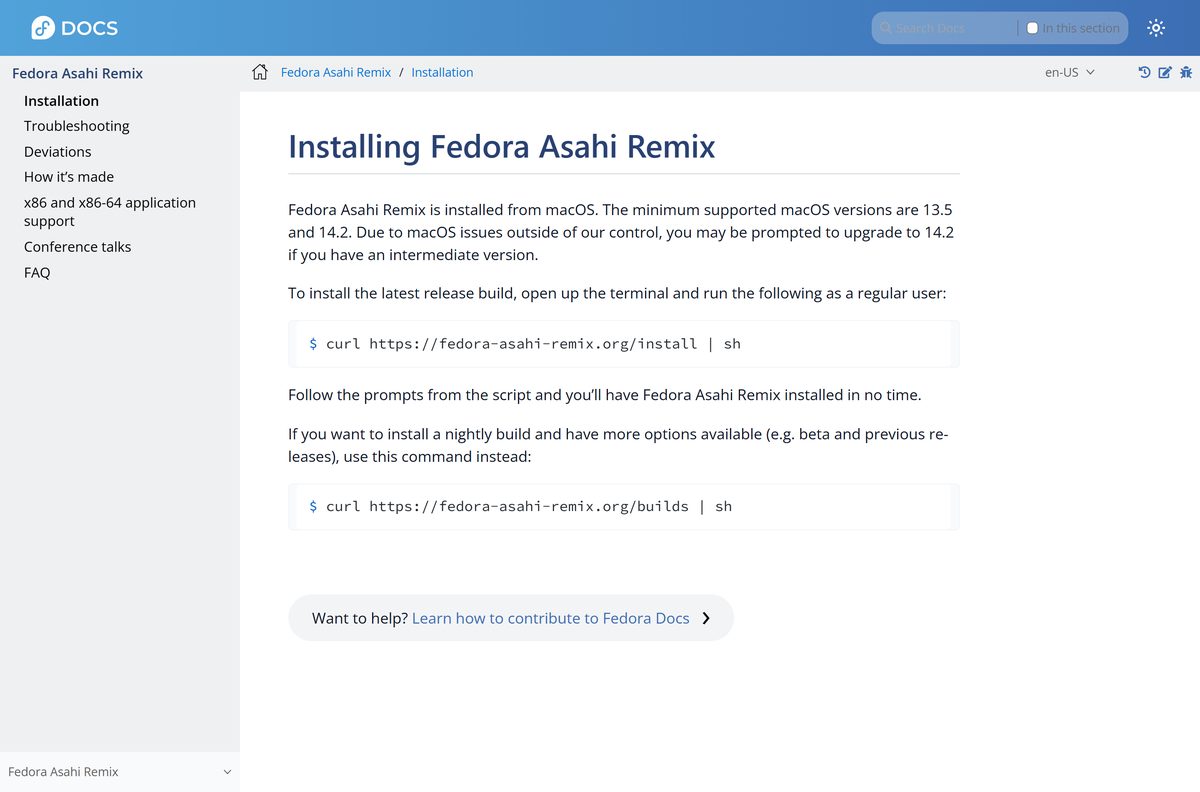
| Mac with Apple silicon | Fedora Asahi Remix, installed from macOS | Install Fedora Asahi Remix |
| You prefer the KDE Plasma desktop | Fedora KDE Plasma Desktop edition | Fedora KDE Plasma download |
If you use Fedora Media Writer, you do not need to pick a file at all. It downloads the right ISO for the edition you select.
Download Fedora Linux from fedoraproject.org
All official Fedora images start at fedoraproject.org. The ISO links hand you off to a nearby mirror, which is normal, and the checksum proves the file is intact.
- Fedora Workstation download page — Live ISOs, checksums and Fedora Media Writer
- Live ISO for Intel and AMD (x86_64) — SHA256 starts 1620295f
- Live ISO for ARM (aarch64) — SHA256 starts 162ba3c5
- raw.xz disk image for ARM (aarch64)
- Fedora 44 release notes
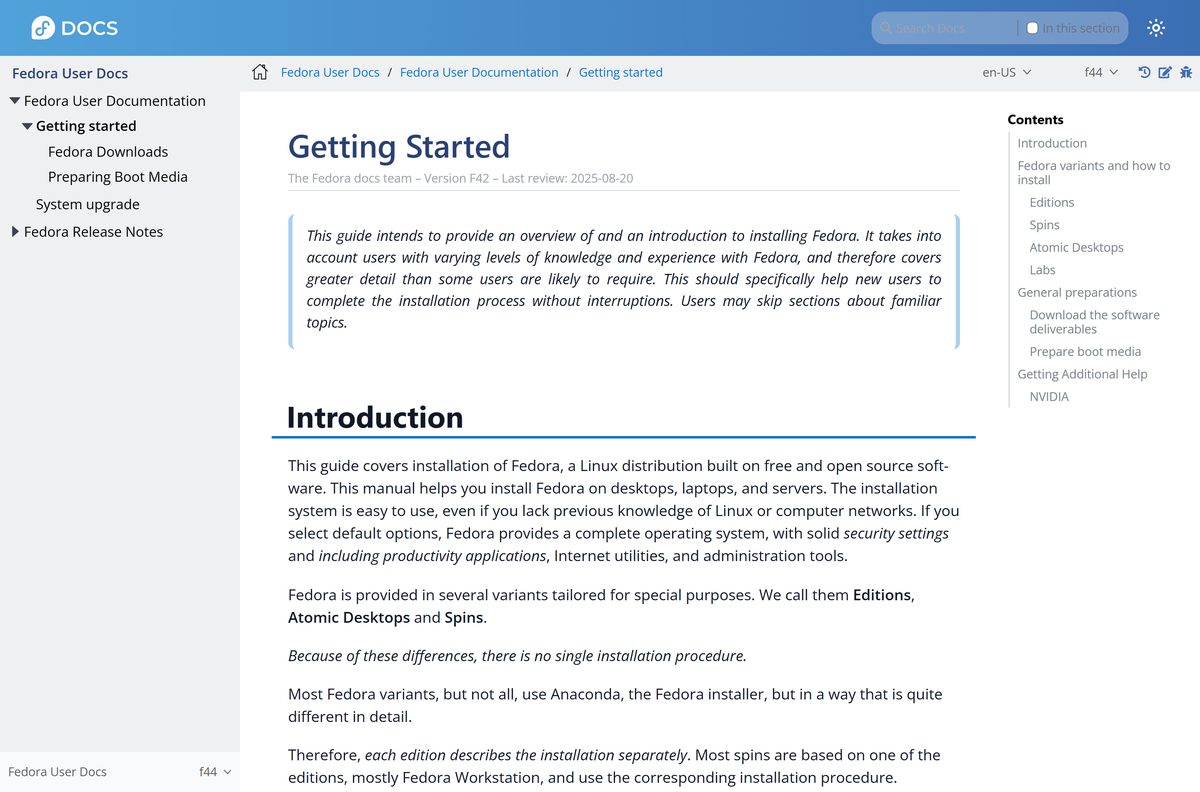
- Preparing Boot Media guide
How to make a Fedora live USB with Fedora Media Writer
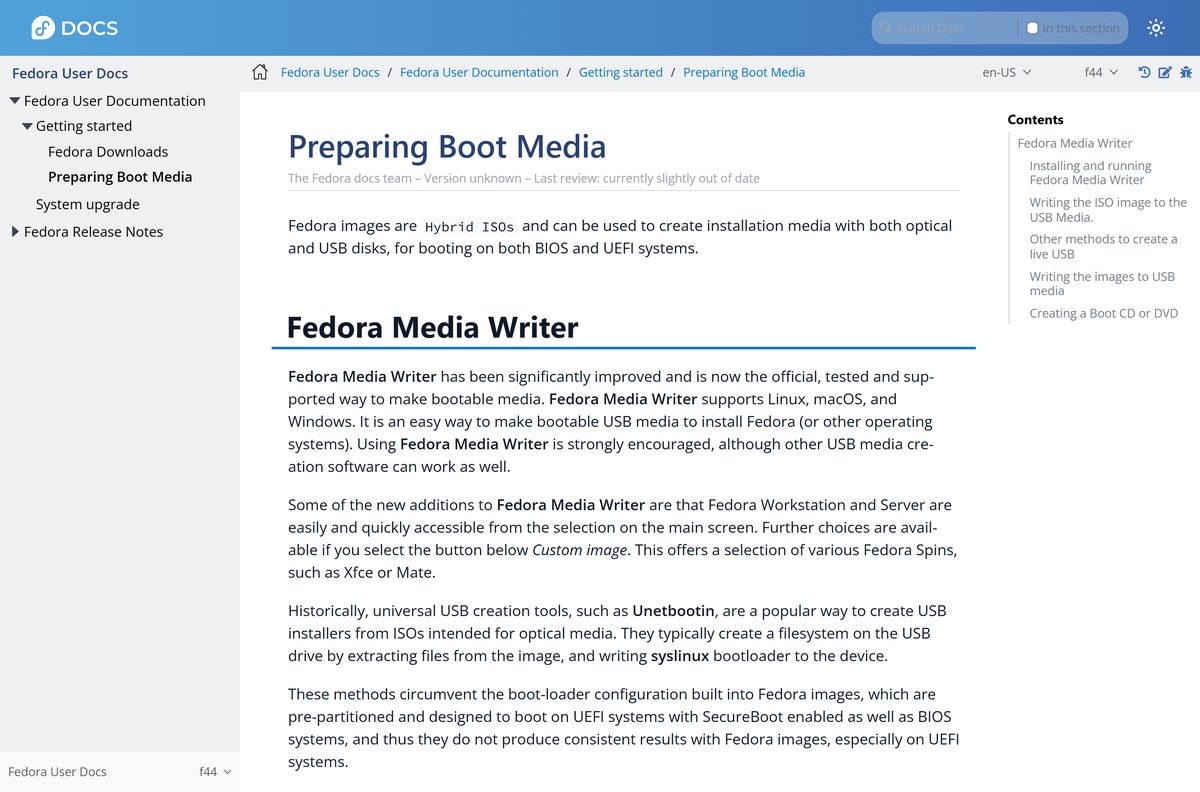
Fedora Media Writer is the official, tested and supported way to make bootable Fedora media. It runs on Windows, macOS and Linux, and it erases the USB drive, so copy off any files first.
- Open the Fedora Workstation download page and download Fedora Media Writer for Windows or macOS from the Fedora Media Writer section.
- On Windows, double-click the installer and finish the setup wizard. Launch the app from the Start menu under F, or type Fedora Media Writer in the taskbar search box.
- On macOS, open the .dmg file, hold Ctrl while you click Fedora Media Writer, and press Open. Click Open again if a confirmation dialog appears.
- Select Fedora Workstation on the main screen. Choose Other variants for a different architecture, or Custom image for a spin or an ISO you already downloaded.
- Select Create Live USB. The app downloads the ISO, or reuses one already in your Downloads folder.
- Plug in a USB flash drive of at least 4 GB and pick it from the device list.
- Click Write to disk and wait for the write to finish.
If Windows reports a missing .dll file when Media Writer starts, install the Microsoft Visual C++ Redistributable and run it again.
How to install Fedora Linux on a Windows 11 or Windows 10 PC
A full install writes to your internal drive. Back up your files first, and decide in the installer whether Fedora takes the whole disk or a layout you set yourself.
- Shut the PC down completely, then insert the Fedora USB drive.
- Power on and open the boot menu with your PC maker’s boot key, then select the USB drive. Fedora images boot on both UEFI and BIOS systems, with Secure Boot enabled.
- Start the live session from the GRUB menu and wait for the GNOME desktop to load.
- Test Wi-Fi, sound, the display and the touchpad from the live desktop.
- Launch the Fedora installer from the live session.
- At the disk partitioning step, keep the default layout to use the whole disk, or choose a custom layout to keep existing partitions.
- Wait for the copy to finish, restart, and remove the USB drive when the PC powers off.
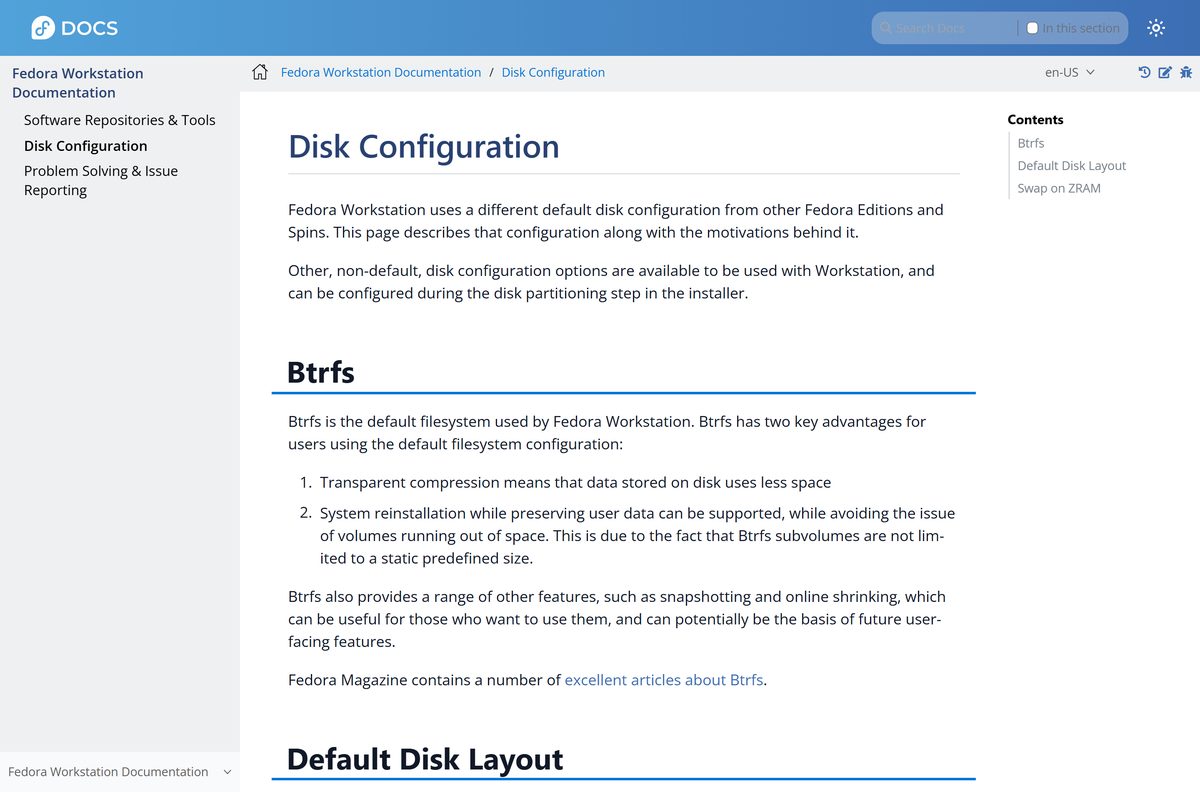
The default Workstation layout is a 600 MB EFI partition, a 2.0 GB /boot partition, and Btrfs subvolumes for / and /home. The Disk Configuration page explains each part.
How to verify the Fedora ISO checksum
Check the ISO before you write it to USB. A mismatch means a corrupted or altered download.
- Open PowerShell in the folder that holds the ISO.
- Run Get-FileHash .\Fedora-Workstation-Live-44-1.7.x86_64.iso -Algorithm SHA256 .
- Compare the result with 1620295f6a00c27c3208f0c00b8ece4eab1ec69b9002152d97488bf26a426ddf from the download page.
- For the ARM ISO, compare against 162ba3c552a2d241c7c63ec26777af0255ee1b5a135adc0be986ceed999933ef instead.
- For signature-level proof on Linux, download fedora.pgp and the CHECKSUM file from the download page, then run sq verify –cleartext –signer-file ./fedora.pgp Fedora-Workstation-44-1.7-x86_64-CHECKSUM | sha256sum -c –ignore-missing .
Fedora Media Writer handles its own downloads, so this check matters most when you fetch the ISO manually.
How to try Fedora Linux from USB without installing it
The live USB runs Fedora entirely from the flash drive. It makes no permanent changes to your computer, so it is the safe way to check hardware support before you commit.
- Make the USB drive with Fedora Media Writer from the Workstation download page, then boot the PC from it.
- Start the live session from the GRUB menu.
- Use the desktop, browser and settings as normal. Changes are lost when you shut down.
- Shut down and remove the USB drive to return to Windows.
Live sessions run slower than an installed system because everything loads from USB. Judge hardware support, not speed.
Which Fedora Linux download do you need for your Mac?
Open the Apple menu and select About This Mac to see whether your Mac has an Apple chip.
| Your Mac says | What to do | Link |
|---|---|---|
| Chip: Apple M-series | Install Fedora Asahi Remix from macOS 13.5 or 14.2 and later with the one-line Terminal command in the official guide | Fedora Asahi Remix install guide |
| You only want a USB installer for a PC | Run Fedora Media Writer on macOS and write Fedora Workstation to a 4 GB USB drive | Fedora Workstation download |
Fedora Asahi Remix is a variant of Fedora Linux built for Apple silicon. It looks and behaves like standard Fedora, and the regular Fedora documentation applies to it.
Is Fedora Linux free?
There is no paid edition of Fedora Workstation, no licence key, and no trial period.
Yes, Fedora Linux is free to download, install and use. Fedora is built from open source software, carries no ads, and your data stays yours. Any site that charges for a Fedora ISO or asks for an activation key is reselling a free download from fedoraproject.org.
Choose between Fedora Workstation and Fedora KDE Plasma
Both are official Fedora editions, share the same base, and install from a live USB. The difference is the desktop.
Install Fedora Workstation if you want Fedora’s flagship GNOME desktop. Pick KDE Plasma if you want a taskbar and Start-style menu closer to Windows. Workstation is Fedora’s official desktop edition, run by the Workstation Working Group. The KDE Plasma Desktop edition uses the same Live USB install, and more desktops sit on the Fedora Spins page.
Fix Fedora Linux not booting or installing
Black, frozen or garbled screen on an NVIDIA PC
The GPU does not work fully with the open source Nouveau driver.
- Press e at the GRUB boot menu.
- Find the line that begins with linux and add nouveau.modeset=0 to the end.
- Press Ctrl+X to continue booting.
The USB drive will not boot on a UEFI PC
The stick was made with a tool that extracts files instead of writing the image directly.
- Rewrite the drive with Fedora Media Writer, which writes the image unchanged.
- Avoid UNetbootin and similar extract-style tools for Fedora images.
- Try another USB port, then another flash drive.
Fedora Media Writer will not start on Windows
The Microsoft Visual C++ Redistributable is missing.
- Install the latest Visual C++ Redistributable from Microsoft.
- Launch Fedora Media Writer again from the Start menu.
macOS says Fedora Media Writer cannot be opened
Gatekeeper blocks the first launch of the app.
- Hold Ctrl and click Fedora Media Writer in the opened .dmg.
- Press Open, then Open in the confirmation dialog.
How to uninstall Fedora Media Writer from Windows
Once the USB drive is ready, you can remove Media Writer. The USB drive keeps working without it.
- Open Settings, then Apps, then Installed apps.
- Find Fedora Media Writer in the list.
- Click the three-dot menu next to it and select Uninstall.
- Confirm, and follow the uninstaller prompts.
Pick another official Fedora edition for your desktop
Fedora ships several desktops beyond Workstation, all from fedoraproject.org.
| Edition | Best for | Link |
|---|---|---|
| Fedora KDE Plasma Desktop | A Windows-like KDE Plasma desktop | KDE Plasma download |
| Fedora Silverblue | A read-only, atomic GNOME system for container-focused work | Fedora Silverblue |
| Fedora Spins | Xfce, Cinnamon, MATE and other desktops | Fedora Spins |
| Fedora Asahi Remix | Apple silicon Macs | Fedora Asahi Remix |
Frequently asked questions
Is Fedora Linux free?
Yes. Fedora Workstation is free to download, install and use, with no ads and no licence key. The Fedora Project builds it from open source software, and Red Hat sponsors the project.
Where is the official Fedora Linux download?
The official page is fedoraproject.org/workstation/download. It lists the Live ISO for Intel and AMD PCs, the ARM aarch64 ISO and raw image, the SHA256 checksums, and Fedora Media Writer.
Can I install Fedora Linux on a Windows 11 or Windows 10 PC?
Yes. Use Fedora Media Writer on Windows to make a bootable USB drive, then boot the PC from it. You can try Fedora from the USB drive first, then install it to the internal drive with the installer.
Can I try Fedora without removing Windows?
Yes. Booting the Live USB runs Fedora from the flash drive without making any permanent changes to your computer. Shut down, remove the drive, and Windows starts as before.
What is the latest version of Fedora Linux?
Fedora Workstation 44 is the current release, published on April 28, 2026. Each Fedora version receives updates for about 13 months, and upgrades between versions are quick.
What are the Fedora Workstation system requirements?
The Fedora docs recommend a 40 GB SSD and 4 GB of RAM for a good experience, though lower specifications can work. You also need a 4 GB USB flash drive to create the installer.
Does Fedora Linux run on a Mac?
Apple silicon Macs use Fedora Asahi Remix, which installs from macOS 13.5 or 14.2 and later with a single Terminal command. On any Mac you can run Fedora Media Writer to build a USB installer for a PC.
Is there a Fedora ISO for ARM computers?
Yes. The download page offers a Live ISO and a raw.xz disk image for ARM aarch64 systems, next to the Intel and AMD x86_64 ISO.
Do I need Rufus or another tool to make a Fedora USB?
No. Fedora Media Writer is the official, tested and supported tool, and it downloads the ISO for you. The docs also name balenaEtcher and Ventoy, but warn that tools which extract the ISO, such as UNetbootin, give inconsistent results on UEFI systems.
How do I check that my Fedora ISO is genuine?
Compare its SHA256 hash with the value on the download page. For the x86_64 ISO it is 1620295f6a00c27c3208f0c00b8ece4eab1ec69b9002152d97488bf26a426ddf. For full assurance, verify the signed CHECKSUM file with Fedora’s OpenPGP certificates.
Why does the Fedora live USB show a black or garbled screen?
Some NVIDIA GPUs do not work fully with the open source Nouveau driver. Press e at the GRUB menu, add nouveau.modeset=0 to the end of the line that starts with linux, and press Ctrl+X to boot.






