The Audacity audio editor download is free on audacityteam.org for Windows 11, Windows 10 and Mac. Pick the MSI for your PC or the disk image for your Mac, and you are recording in a few minutes.
The large button on the homepage installs Muse Hub first, which then fetches Audacity. The smaller Download without MuseHub link beneath it hands you the plain installer.
This guide covers the right file for your machine, the direct links and sizes, the Windows, winget and Mac installs, checksum checks, and fixes for a setup that will not run.
Which Audacity download do you need?
Audacity 4 ships one Windows installer per processor type and three Mac disk images. Find your machine on the left and take that file.
| Your machine | File to download | Size |
|---|---|---|
| Windows 11 or 10 on Intel or AMD | audacity-win-4.0.0-x86_64.msi | 47.2 MB |
| Windows 11 on a Snapdragon or other ARM chip | audacity-win-4.0.0-arm64.msi | 36.2 MB |
| 32-bit Windows | audacity-win-3.7.9-32bit.exe | 17.6 MB |
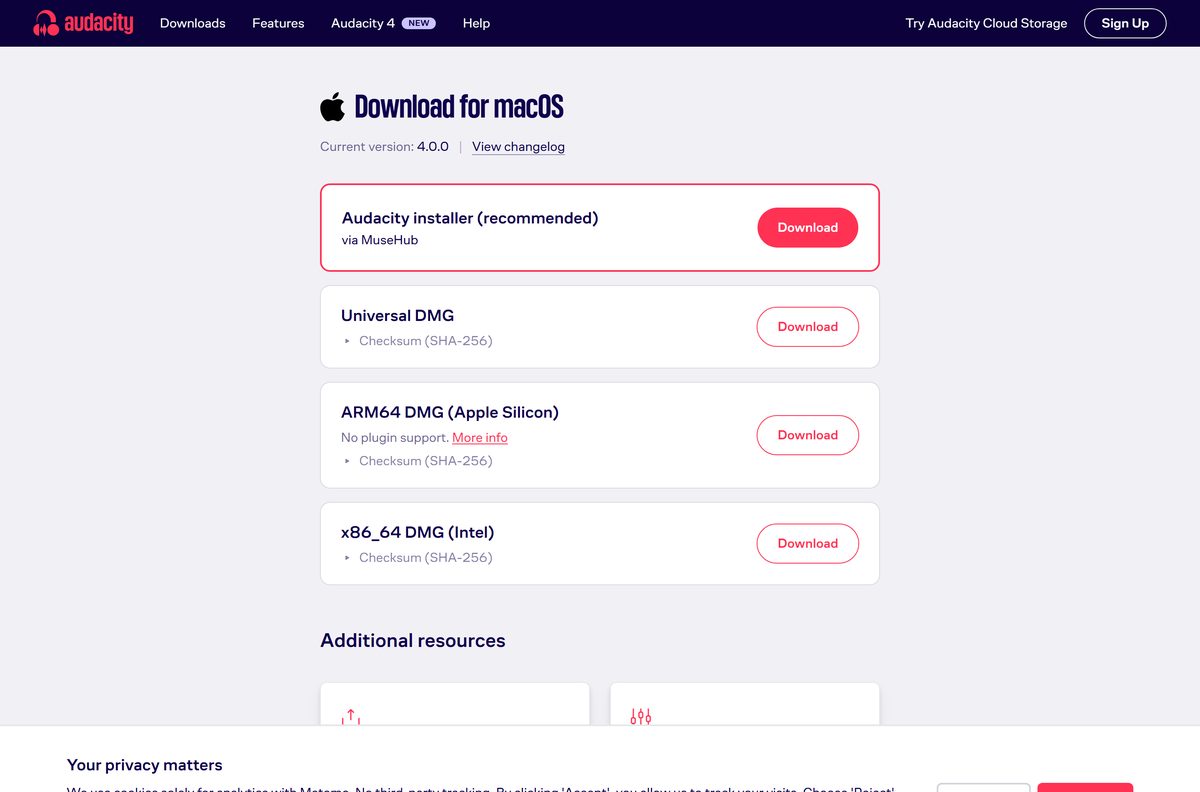
| Mac with Apple silicon | audacity-macOS-4.0.0-arm64.dmg | 44.6 MB |
| Mac with an Intel processor | audacity-macOS-4.0.0-x86_64.dmg | 48.7 MB |
| A copy that runs from a folder or USB stick | audacity-win-3.7.9-64bit.zip | 27.3 MB |
Press Windows + I, open System > About and read System type to tell x64 from ARM. The ARM64 build has no plugin support and needs Windows 11.
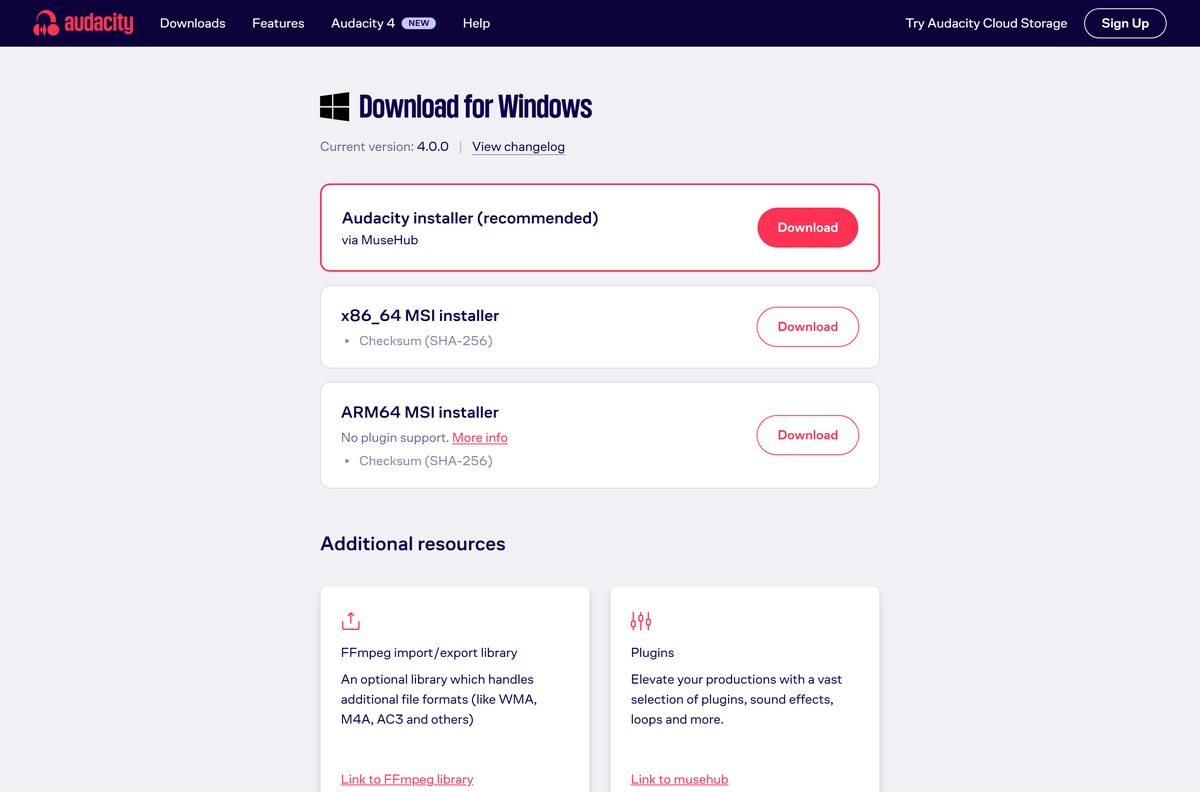
Download Audacity from the official site
Audacity keeps one download page per platform. Every button on them points at the official audacity/audacity release on GitHub.
- Audacity download page for Windows — x86_64 and ARM64 MSI installers, each with its SHA-256
- Audacity download page for macOS — universal, Apple silicon and Intel disk images
- audacity-win-4.0.0-x86_64.msi — 47.2 MB · the standalone Windows installer
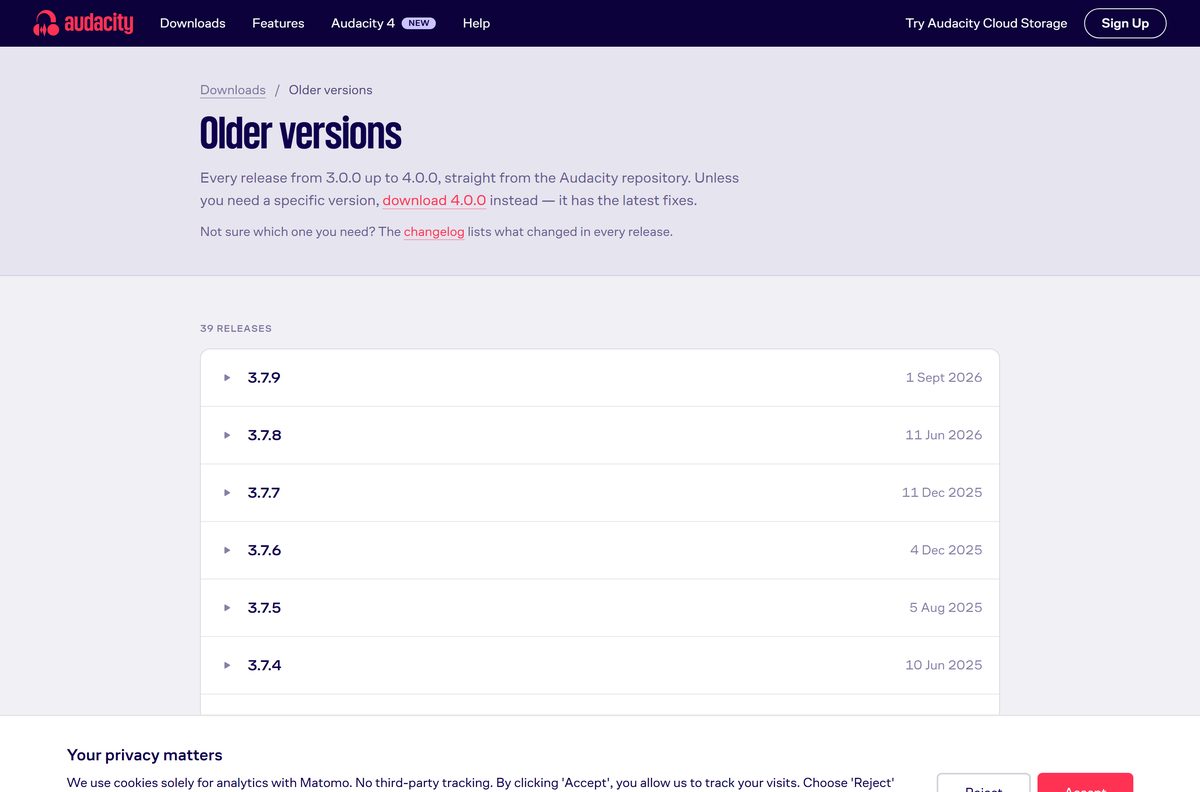
- Older Audacity versions — the 3.x releases, including 3.7.9
The main homepage button downloads Audacity_Installer_via_MuseHub.exe , which installs Muse Hub and then pulls Audacity down. Download without MuseHub gives you the MSI directly.

How to install Audacity on Windows 11 and 10
The MSI is the complete 47.2 MB package rather than a small web stub. Once it is on your disk, setup needs no internet connection.
- Open the Audacity download page for Windows.
- Select Download under the x86_64 MSI installer, or under ARM64 on an ARM PC.
- Open your Downloads folder and double-click the MSI.
- Select Next to move through the setup wizard pages.
- Accept the licence agreement when the wizard shows it, then select Next.
- Keep the suggested install folder, or choose another, then select Install.
- Select Yes when User Account Control asks to allow changes.
- Select Finish, then open Audacity from the Start menu.
Windows 11 can warn that the app is not verified by Microsoft. Audacity’s own guidance is to select Install anyway when the file came from its site.
Install Audacity with winget or from the Microsoft Store
Audacity is published to Windows Package Manager under the ID Audacity.Audacity , and winget checks the installer hash for you.
- Right-click Start and select Terminal.
- Run winget install Audacity.Audacity .
- Type Y if winget asks you to accept the source agreements.
- Wait for Successfully installed, then close the terminal.
- For the Store instead, open the Audacity Microsoft Store listing and select Get in Store app.
- Select Install in the Microsoft Store app, then Yes at the prompt.
For a silent install, run msiexec /i audacity-win-4.0.0-x86_64.msi /qn /norestart . Test it on one machine first.
How to verify the Audacity installer checksum
The Windows download page prints a SHA-256 beside each button. Matching it takes under a minute.
- Open Terminal in your Downloads folder.
- Run Get-FileHash audacity-win-4.0.0-x86_64.msi -Algorithm SHA256 .
- Compare the output with the checksum on the Audacity page for Windows.
- Delete the file and download it again if a single character differs.
The x86_64 MSI should hash to 2aecc44d28a004d15ae7c23c099f232ba8c5b3e6b19ebdbaf7d6c596316dc5b3 . The ARM64 MSI should hash to a5b222a9cf8f03cccef57c912428427eb9387f0e88fa590d9c2b1d83794b222c .
Run Audacity from a folder without installing it
The current Windows page offers MSI installers only. The 3.7.9 release still carries a ZIP build you can copy anywhere.
- Download audacity-win-3.7.9-64bit.zip, which is 27.3 MB.
- Right-click the archive and select Extract All.
- Pick a folder on your drive or USB stick and select Extract.
- Create a folder named Portable Settings beside audacity.exe .
- Double-click audacity.exe to run it.
Audacity needs read and write rights on that folder, because preferences go there. Without it, settings are stored per user on each PC.
Which Audacity DMG do you need for your Mac?
Open the Apple menu and select About This Mac. The chip or processor line tells you which row applies.
| About This Mac says | Download | Size |
|---|---|---|
| Apple M-series chip | audacity-macOS-4.0.0-arm64.dmg | 44.6 MB |
| An Intel processor | audacity-macOS-4.0.0-x86_64.dmg | 48.7 MB |
| Either chip, one file for several Macs | audacity-macOS-4.0.0-universal.dmg | 85.1 MB |
| macOS 10.14 Mojave or earlier | The Intel disk image | 48.7 MB |
Double-click the DMG and drag the Audacity icon into the Applications folder. Launch it from Applications, never from inside the disk image.
The Apple silicon build is marked no plugin support. Take the Intel or universal image if you depend on Audio Units plugins.
Is Audacity free?
Yes. Audacity is free for everyone, with no paid tier, trial or licence key. Audacity is open source under the GNU General Public License, and its source code is open to anyone. Muse Group oversees development alongside its sister service Audio.com, whose cloud features stay off until you sign up. Any site charging for an Audacity licence or a pro unlock is selling something the project gives away.
Should you install Audacity 4 or 3.7.9?
Install Audacity 4 unless you rely on a feature it has not brought over yet. Time Tracks, Note and MIDI tracks, the Mixer, Macro Manager with the scripting pipe, VAMP and LADSPA plugin hosting, and Play-at-speed are missing from this release. Anyone who needs those, a 32-bit build or the ZIP copy should take 3.7.9, released on 1 September 2026. Your projects are safe either way: Audacity 4 opens an .aup3 file and converts it to .aup4 without touching the original, though the converted copy cannot go back to .aup3.
How to check your Audacity version and update it
- Press Windows + I and open Apps > Installed apps.
- Search for Audacity and read the version shown beside it.
- Run winget upgrade Audacity.Audacity in Terminal to move to the newest build.
- Without winget, download the current MSI from the official page and run it.
- To stop Audacity checking for updates, open Preferences > General and clear the update checkboxes.
On a Mac, drag the new build into Applications and select Replace when Finder asks.
Check the Audacity system requirements
Audacity asks very little of a modern computer. The one firm need is a fast local disk.
| Field | Value |
|---|---|
| Software | Audacity |
| Developer | Muse Group and the Audacity contributors (MuseCY SM Ltd.) |
| Latest version | 4.0.0 |
| Licence | Free and open source, GNU General Public License |
| Download size | 47.2 MB x86_64 MSI, 36.2 MB ARM64 MSI |
| Supported Windows | Tested on Windows 10 and Windows 11 |
| Supported macOS | Tested on macOS 14 and 15; supported from 10.11 El Capitan |
| Architecture | x86_64 and ARM64 on Windows; Apple silicon, Intel and universal on Mac |
| CPU and GPU | No specific requirement |
| Storage | Fast, uninterrupted access to a hard drive or SSD |
| Offline installer | Yes, the MSI |
| Official download source | audacityteam.org |
| Last verified | 2026-09-13 |
Network storage, consumer external drives and USB thumbdrives can be unreliable for recording.
Fix Audacity not installing or not working on Windows and Mac
The download installs something called Muse Hub
You selected the main homepage button instead of the link beneath it.
- Open the Audacity download page for Windows.
- Select Download under the x86_64 MSI installer.
- Check that the file ends in .msi and is about 47 MB.
- Remove Muse Hub under Settings > Apps > Installed apps if you do not want it.
Windows 11 warns the app is not verified by Microsoft
Windows is set to prefer Store apps, and the MSI comes from the web.
- Confirm the file came from audacityteam.org.
- Match its SHA-256 against the download page.
- Select Install anyway to continue.
The installer will not start or reports a damaged file
A partial download.
- Run Get-FileHash on the MSI and compare it with the published checksum.
- Delete the file if the hashes differ.
- Download it again from the official page and rerun it.
Plugins are missing on an ARM PC or an Apple silicon Mac
The ARM64 builds ship without plugin support.
- On a Mac, uninstall the ARM64 build and install the universal or Intel DMG.
- On Windows on ARM, use Audacity without plugins, or run the tools you need on an x64 PC.
The Mac disk image will not open on macOS 10.14 or earlier
Those releases cannot run the universal DMG.
- Delete the universal DMG.
- Download audacity-macOS-4.0.0-x86_64.dmg instead.
- Drag Audacity into Applications and launch it from there.
How to uninstall Audacity from Windows and Mac
- On Windows, press Windows + I and open Apps > Installed apps.
- Select the three dots beside Audacity, then Uninstall.
- Confirm with Uninstall, then Yes at the User Account Control prompt.
- Or run winget uninstall Audacity.Audacity in Terminal.
- Remove Muse Hub separately if you installed it, because it is a different application.
- On a Mac, open Applications and drag Audacity to the Trash.
Uninstalling leaves your projects alone. Your .aup4 and .aup3 files stay wherever you saved them.
Which Audacity alternative should you use?
| Tool | Where it comes from | Best for |
|---|---|---|
| Audacity 3.7.9 | audacityteam.org, free | Macros, MIDI tracks, VAMP and LADSPA plugins, 32-bit Windows |
| GarageBand | Apple, free on the Mac App Store | Multitrack music on macOS 15.6 or later |
| Windows Sound Recorder | Microsoft, free in the Microsoft Store | Quick voice recordings with no editing |
Stay with Audacity for editing. Use Sound Recorder only for capture, and GarageBand when you are building songs rather than cleaning up audio.
Frequently asked questions
Is Audacity free to download?
Yes. Audacity is free for everyone and open source under the GNU General Public License. There is no paid tier, no trial and no licence key to buy, on Windows or on a Mac.
What is the official Audacity download page?
It is audacityteam.org/download, which splits into pages for Windows, macOS and Linux. The buttons link to the official audacity/audacity release on GitHub, and the Windows page prints a SHA-256 beside each installer.
Does Audacity work on Windows 11?
Yes. Audacity is tested on Windows 11 and Windows 10. Take the x86_64 MSI on Intel and AMD PCs, or the ARM64 MSI on ARM PCs, which requires Windows 11 and has no plugin support.
Can I download Audacity without Muse Hub?
Yes. The Download without MuseHub link on audacityteam.org goes straight to the MSI on Windows and the DMG on a Mac. The main button installs Muse Hub, which then downloads Audacity.
Is there an Audacity offline installer?
Yes. The Windows MSI is the full 47.2 MB package, so it installs without a connection once downloaded. Only the Muse Hub route needs the internet during setup.
Is there a 64-bit, 32-bit or ARM64 version of Audacity?
The current Windows release comes in 64-bit x86_64 and ARM64 MSI builds. There is no 32-bit build of it, but Audacity 3.7.9 still offers a 17.6 MB 32-bit installer on its GitHub release.
Is Audacity safe to download?
It is when the file comes from audacityteam.org or the GitHub release it links to. Check the SHA-256 printed on the download page with Get-FileHash before you run the installer.
Is there an Audacity download for Mac?
Yes. Audacity ships three disk images: universal at 85.1 MB, Apple silicon at 44.6 MB and Intel at 48.7 MB. macOS 10.14 Mojave and earlier need the Intel image.
What is the Audacity download size?
The Windows installer is 47.2 MB for x86_64 and 36.2 MB for ARM64. The Mac disk images run from 44.6 MB for Apple silicon to 85.1 MB for the universal build.
Which Audacity version is current?
Audacity 4.0.0 is the current release on audacityteam.org. The previous branch, 3.7.9, remains on the older versions page for anyone who needs 32-bit Windows or features not yet in version 4.
Why will the Audacity installer not run?
Usually the download is incomplete. Compare the file’s SHA-256 with the value on the download page, download it again if it differs, and select Install anyway if Windows 11 shows its unverified-app warning.







Download Logic Pro for Mac and iPad (Free Trial) - Techdows
[…] No. Apple states the app requires macOS 15.6 or later with Apple silicon, or iPadOS 26 on an iPad. Windows producers use Ableton Live or Audacity. […]