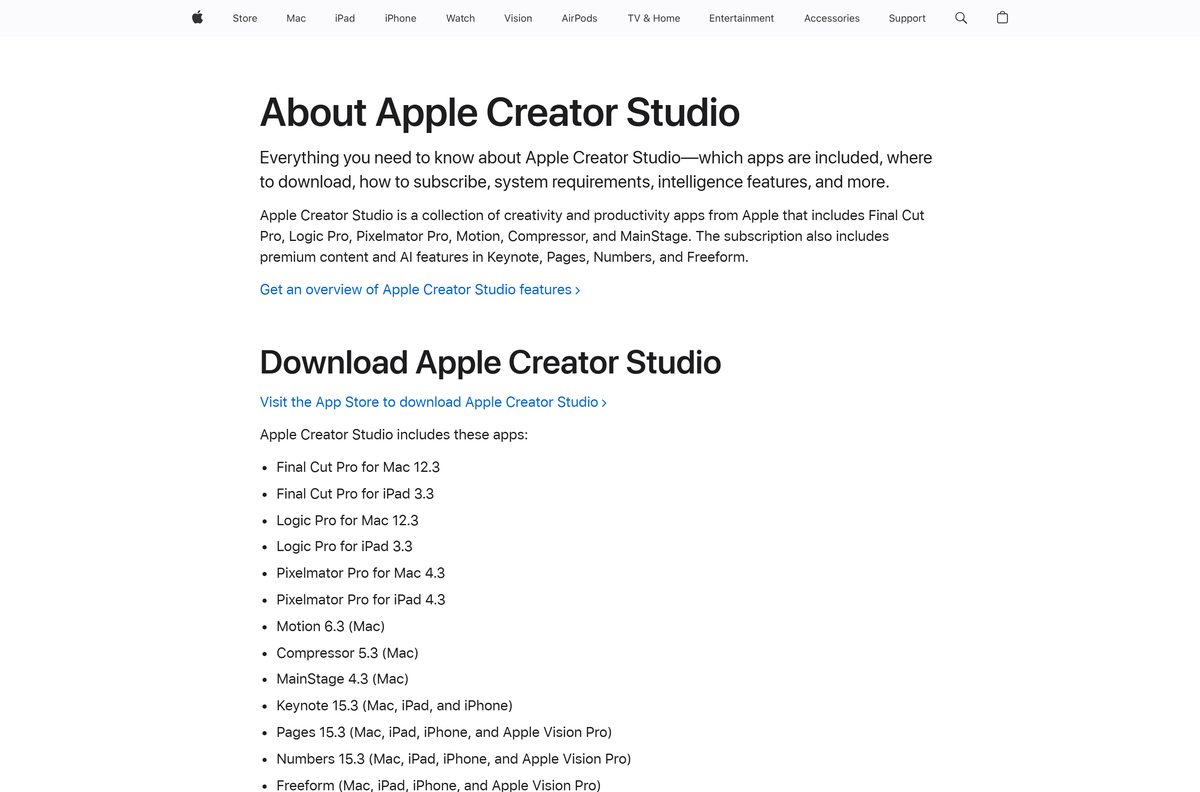
Logic Pro downloads from the App Store: $199.99 as a one-time purchase on a Mac with Apple silicon, or a free app on iPad that runs with an Apple Creator Studio subscription. A 30-day free trial opens the door to both before any money changes hands.
Apple builds Logic Pro for macOS 15.6 and iPadOS 26 only, so a Windows 11 or Windows 10 PC runs a different digital audio workstation instead.
Below are the official App Store links, the install steps, the price breakdown, the system requirements, the Windows options, and fixes for a download that stalls.
Which Logic Pro download do you need?
Match the device on your desk to a row. The purchase and the subscription give the same app.
| Your device and plan | What to get | What it costs |
|---|---|---|
| Mac with Apple silicon, and you want to own it outright | Logic Pro on the Mac App Store | $199.99 once, 1.4 GB download |
| Mac or iPad, and you want to try before paying | Apple Creator Studio on the App Store | Free for 30 days, then $12.99 a month |
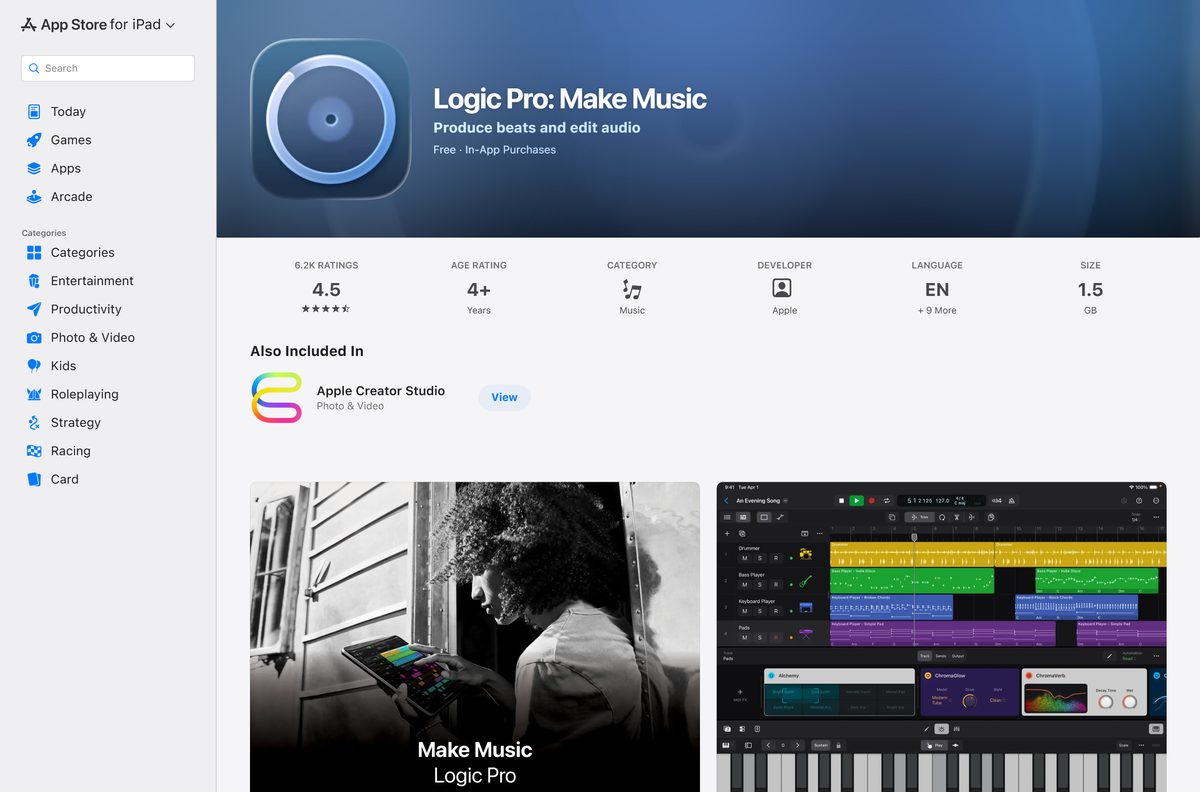
| iPad with an A12 Bionic chip or later | Logic Pro: Make Music on the App Store | Free download, subscription to use |
| Windows 11 or Windows 10 PC | Ableton Live 12 trial, or another Windows DAW | See the alternatives table below |
One subscription covers Mac and iPad together, so a project started on the iPad opens on the Mac.
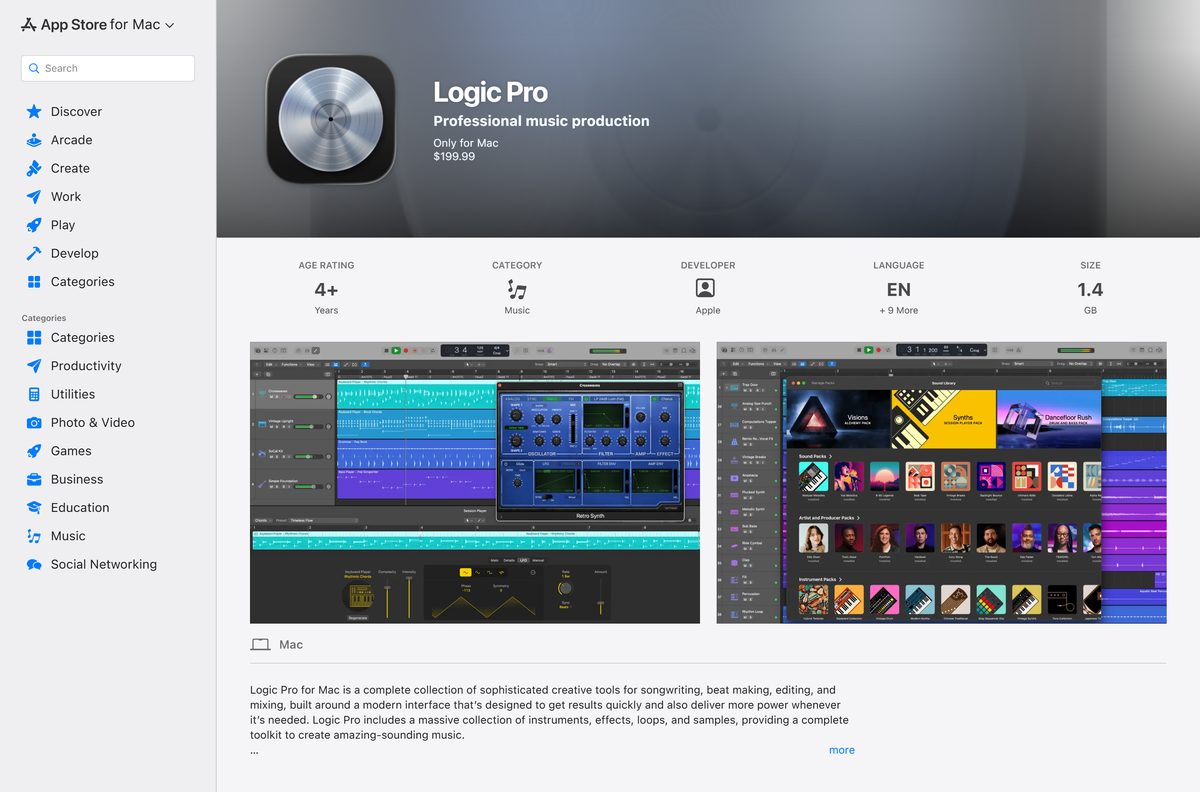
Download Logic Pro from Apple’s official App Store pages
Apple sells Logic Pro only through the App Store. No installer file is published anywhere else, on any platform.
- Logic Pro for Mac, App Store product 634148309 — 1.4 GB · $199.99 one-time purchase, developer Apple
- Logic Pro: Make Music for iPad — 1.51 GB · free download, version 3.3, needs a subscription to use
- Apple Creator Studio bundle — the 30-day trial route to Logic Pro and MainStage
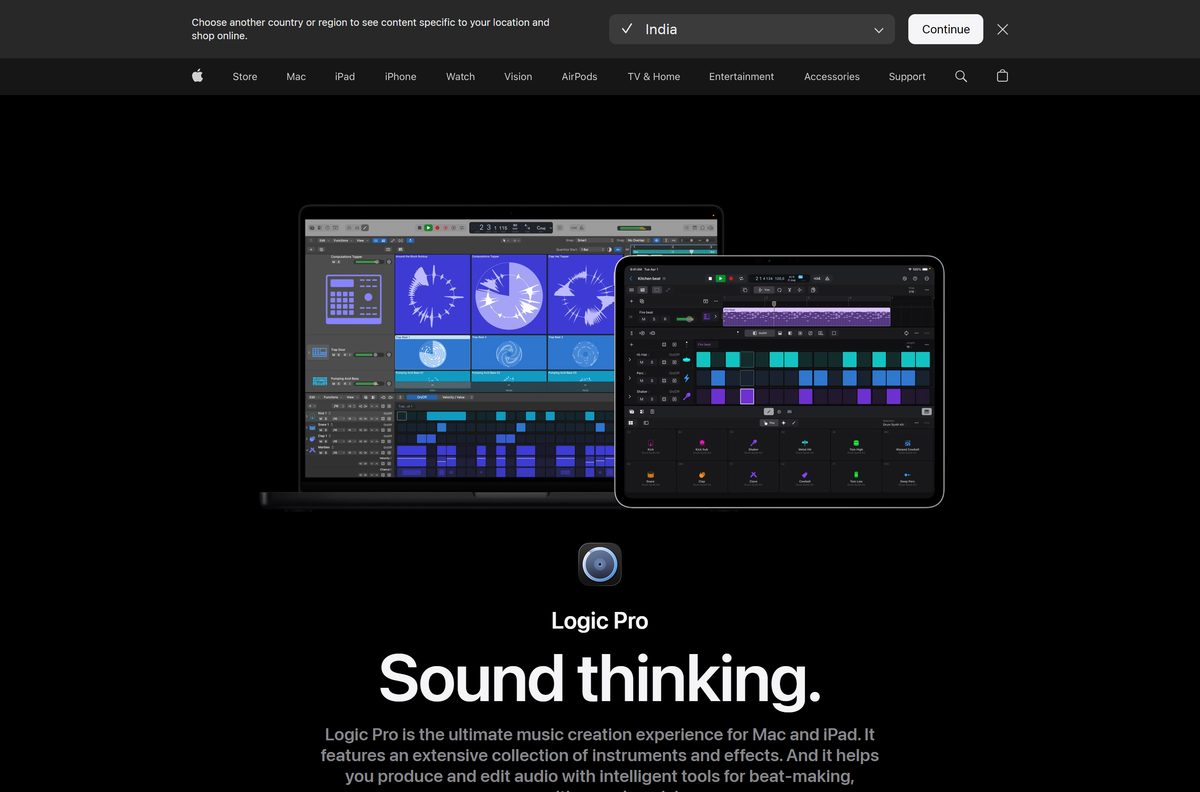
- Logic Pro product page on apple.com — pricing, feature list and the system requirements answer
- Logic Remote for iPad and iPhone — free companion controller for a Mac running the app
Any site offering a setup file for Windows is distributing something Apple never built. Check that the listing names Apple on the developer line.
Check the Logic Pro system requirements before you buy
The hardware floor is strict: an Intel Mac cannot run the current release. Storage is the other trap, because the sound library dwarfs the app.
| Field | Value |
|---|---|
| Software | Logic Pro |
| Developer | Apple Inc. |
| Latest version | 12.3.1 for Mac, released 13 August 2026 |
| iPad version | 3.3 |
| License | Paid: $199.99 one-time on Mac, or an Apple Creator Studio subscription |
| Supported OS | macOS 15.6 or later; iPadOS 26 or later |
| Architecture | Apple silicon only; no Intel Mac, no Windows build |
| iPad hardware | A12 Bionic chip or later; some features need A17 Pro or later |
| Download size | 1.4 GB on Mac, 1.51 GB on iPad |
| Disk space | 6 GB for the minimum install, 44 GB or more for the full Sound Library |
| Official download source | Mac App Store, product 634148309 |
| Offline installer | No |
| Last verified | 2026-09-22 |
Choose Apple menu > About This Mac to read the chip name and the macOS version on the machine in front of you.
How to install Logic Pro on your Mac from the App Store
The purchase runs through the App Store app, and the 1.4 GB download starts the moment payment clears.
- Open the App Store app from the Dock, or choose App Store from the Apple menu.
- Sign in with the Apple Account that will own the licence.
- Search for Logic Pro, then open the result whose developer line reads Apple.
- Click the $199.99 price button, then confirm with Touch ID or your Apple Account password.
- Wait for the 1.4 GB download, then click Open when the button changes.
- Accept the software licence agreement on first launch.
- Choose Logic Pro > Sound Library and click Get on the packs you want, or click Manage Packs and then Get All.
- Create a new project from the Choose a Project window to confirm playback works.
Trial users follow the same route through the Apple Creator Studio bundle, then click Accept Free Trial when the app first opens.
Is Logic Pro free?
No. Logic Pro costs $199.99 once on the Mac, and the iPad app is a free download that stops working without an Apple Creator Studio subscription. The subscription runs $12.99 a month or $129 a year after a 30-day free trial, and drops to $2.99 a month or $29.99 a year for verified college students and educators. A new Mac or iPad comes with three months at no charge. Free means the trial, the student rate or GarageBand — never a Windows installer sold as a free Logic Pro, because no such build exists.
Cancelling keeps your projects. Apple states that you keep access to files created with the subscription apps after the billing period ends.
Logic Pro for Mac or Logic Pro for iPad: which should you install?
Buy the Mac version if you mix with plug-ins and a control surface; take the iPad app if you write on the move. The Mac release reaches version 12.3.1, hosts third-party plug-ins and exports ADM BWF masters for Dolby Atmos. The iPad app sits at version 3.3 and needs an A12 Bionic chip or later. Round-trip support moves a song between the two.
Which Mac can run Logic Pro?
Apple silicon is the dividing line. The chip matters more than the model year or the amount of memory.
| About This Mac says | Can it run the app? | What to do |
|---|---|---|
| Apple M1, M2, M3, M4 or later, on macOS 15.6 or newer | Yes | Buy it on the Mac App Store |
| Apple silicon, but macOS 15.5 or older | Not yet | Update macOS first, then install |
| Intel Core i5, i7 or i9 | No | Use GarageBand, which stays free on Mac |
| No Mac at all, but an iPad with A12 Bionic or later | Yes, the iPad app | Install Logic Pro: Make Music |
A Mac short on storage still installs the app. Skip the extra sound packs and the footprint stays near 6 GB.
How to verify your copy came from Apple
Search results for this app are crowded with portals promising a Windows build. Four checks separate the real thing from the rest.
- Confirm the listing you opened sits on apps.apple.com and shows Only for Mac.
- Read the DEVELOPER field on the listing: it reads Apple, not a reseller name.
- Check the price reads $199.99, the figure apple.com publishes for the standalone app.
- Open the installed app and choose Logic Pro > About Logic Pro to read the version number.
- Reject any .exe, .zip or torrent claiming to be this app for Windows, because Apple ships no Windows build to copy.
Purchases stay tied to the Apple Account that paid. Redownload from Account > Purchased in the App Store.
How to check your Logic Pro version and update it
Two things update separately: the application, and the sound packs it draws on.
- Open the app and choose Logic Pro > About Logic Pro to read the installed version.
- Compare it with 12.3.1, the current Mac release.
- Open the App Store, then click Updates in the sidebar.
- Click Update next to the app, or Update All to catch everything at once.
- Reopen the app and choose Logic Pro > Sound Library.
- Click Manage Packs in the upper-left corner, then click Update All next to All Installed Packs.
A numbered badge next to Get More Sounds is the signal that new or updated packs are waiting.
What Logic Pro can open and export
Imported audio can arrive at any supported bit depth and sample rate: 16, 20, 24 and 32 bits, at 44.1 through 192 kHz.
| Format | What it carries | Typical use |
|---|---|---|
| WAVE, AIFF and Broadcast Wave | Uncompressed audio up to 192 kHz, with timestamps | Recording and delivery masters |
| MP3, AAC and Apple Lossless | Compressed audio, lossy or lossless | Reference tracks and archived takes |
| Apple Loops | Loops tagged with key, tempo, mood and chords | Loops that follow your project key |
| Standard MIDI File (SMF) | Note, lyric, controller and SysEx data | Moving parts between sequencers |
| ADM BWF | The Dolby Atmos master format | Sending a spatial mix to mastering |
| Final Cut Pro XML | Timeline and edit information | Scoring against a video edit |
Projects also travel between Mac and iPad, and GarageBand songs open directly in the Mac app.
Fix Logic Pro not downloading or installing on your Mac
Almost every failure here traces to one of four causes: the chip, the account, the connection or the disk.
The App Store will not let you buy it on this Mac
The current release requires Apple silicon and macOS 15.6 or later.
- Choose Apple menu > About This Mac and read the chip line.
- Install any pending macOS update if the chip is Apple silicon but the system is older than 15.6.
- Switch to GarageBand on an Intel Mac, because no Intel-compatible release of this app is on sale.
The download stalls, restarts or never finishes
App Store downloads fail on a flaky connection or an unpaid order.
- Check Apple’s System Status page for an App Store outage in your region.
- Open the App Store, click your name, then Account Settings, and clear any unpaid order.
- Restart the Mac, then start the download again.
- Connect to a different network, then redownload from Account > Purchased.
The install fails part-way with a storage warning
The app needs 6 GB free, and the full sound library needs 44 GB or more.
- Open Apple menu > System Settings > General > Storage and free space.
- Install the app first, then add sound packs one at a time from the Sound Library.
- Move Logic Pro Library.bundle out of ~/Music/ to an external drive.
- Point the app at the new location under Logic Pro > Settings > General > Sound Library.
A project refuses to open and asks for a sound pack
Projects from an iPad or another Mac reference content that is not installed locally.
- Accept the prompt offering to download the required sound pack.
- Choose Logic Pro > Sound Library if no prompt appears.
- Click Manage Packs, then click Get beside the pack the project names.
How to uninstall Logic Pro and reclaim the disk space
Dragging the app to the Trash frees about 6 GB. The sound library is the larger prize, and it lives elsewhere.
- Open the app and choose Logic Pro > Sound Library.
- Click Manage Packs, then click Delete next to All Installed Packs.
- Quit the app, then open the Applications folder in the Finder.
- Drag Logic Pro to the Trash, or select it and choose File > Move to Trash.
- Open ~/Music/ and remove any Logic Pro Library.bundle the uninstall left behind.
- Choose Finder > Empty Trash to release the space.
The purchase survives the uninstall. The app returns from Account > Purchased in the App Store at no extra cost.
Which Logic Pro alternative should you install on Windows?
No Windows build exists, so a PC needs a different workstation. These four come from their makers’ own download pages.
| Alternative | Runs on | Price | Official page |
|---|---|---|---|
| Ableton Live 12 Suite | Windows 10 version 22H2 or Windows 11, and macOS 11 or later | Paid, with a 30-day free trial | ableton.com trial |
| Audacity 4.0.0 | Windows, macOS and Linux, x86_64 and ARM64 | Free | audacityteam.org download |
| GarageBand 10.4.14 | Mac on macOS 15.6 or later | Free | Mac App Store listing |
| Logic Pro: Make Music 3.3 | iPad on iPadOS 26 or later | Free download, subscription to use | App Store listing |
Ableton Live is the closest match for a PC producer. Audacity handles recording and editing rather than arranging.
Frequently asked questions
Is Logic Pro free?
No. Logic Pro for Mac is a $199.99 one-time purchase on the Mac App Store. The iPad app downloads free but needs an Apple Creator Studio subscription.
Where is the official Logic Pro download page?
The Mac App Store listing, product 634148309, published by Apple. The product page at apple.com links to it, and no other site distributes the app.
Can you download Logic Pro for Windows 11 or Windows 10?
No. Apple states the app requires macOS 15.6 or later with Apple silicon, or iPadOS 26 on an iPad. Windows producers use Ableton Live or Audacity.
How big is the Logic Pro download?
The Mac App Store lists 1.4 GB, and the iPad app is 1.51 GB. Plan for 6 GB free storage, or 44 GB with the full Sound Library.
Is there a Logic Pro offline installer?
No. Apple ships the app only through the App Store, so the Mac needs an internet connection to install it and to pull down sound packs.
Does Logic Pro run on an Intel Mac?
No. Version 12.3.1 requires a Mac with Apple silicon. An Intel Mac runs GarageBand, which Apple still offers free on the Mac App Store.
What is the latest Logic Pro version?
Logic Pro 12.3.1 for Mac, released on 13 August 2026. The iPad app sits at version 3.3. Choose Logic Pro then About Logic Pro to read yours.
How long is the Logic Pro free trial?
Thirty days, through Apple Creator Studio, which also includes Final Cut Pro, MainStage, Motion, Compressor and Pixelmator Pro on the same plan.
Is Logic Pro free on iPad?
The download is free, but making music needs an Apple Creator Studio subscription at $12.99 a month or $129 a year after the trial ends.
Is it safe to download Logic Pro?
Yes, from the App Store, where the developer line reads Apple. Files offered elsewhere as a Windows version of this app are not Apple software.
Why will Logic Pro not install on my Mac?
Usually the chip, the disk or the account. The app needs Apple silicon, macOS 15.6 or later and 6 GB free, and an unpaid order blocks downloads.
Do students get a discount on Logic Pro?
Yes. Verified college students and educators pay $2.99 a month or $29.99 a year for Apple Creator Studio, which includes the app on Mac and iPad.