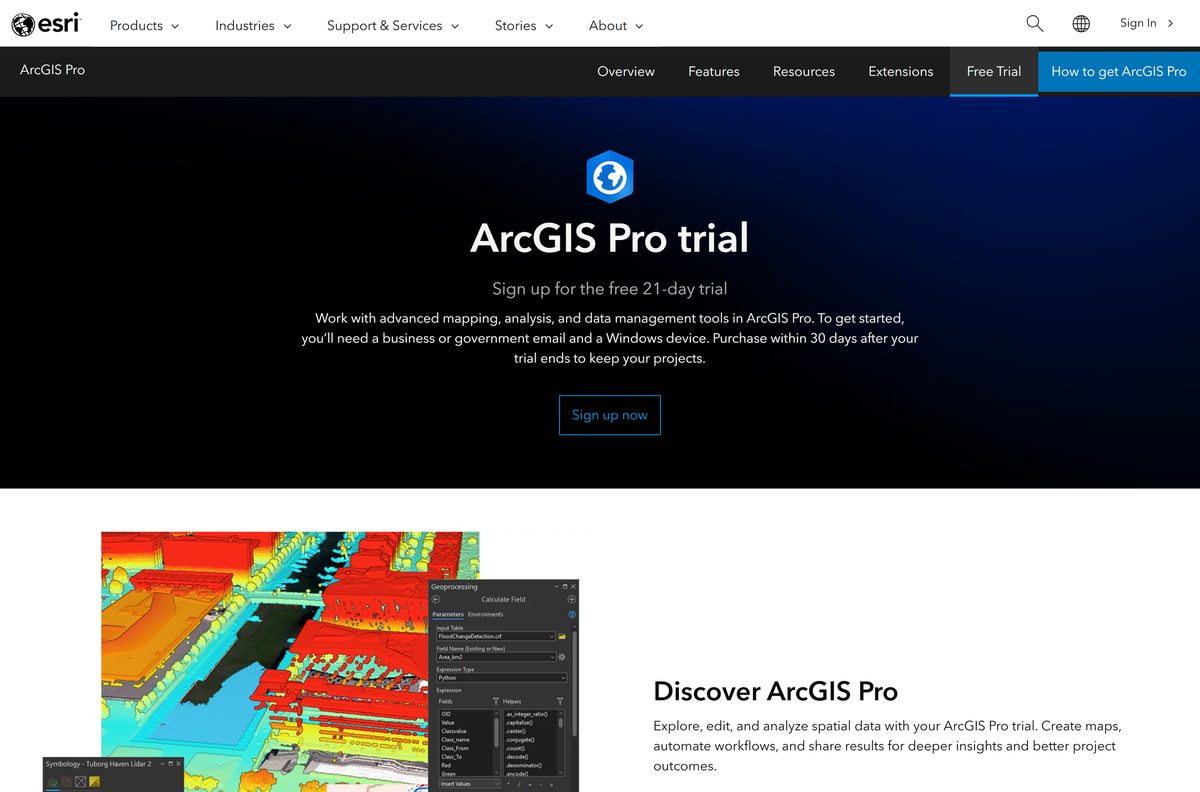
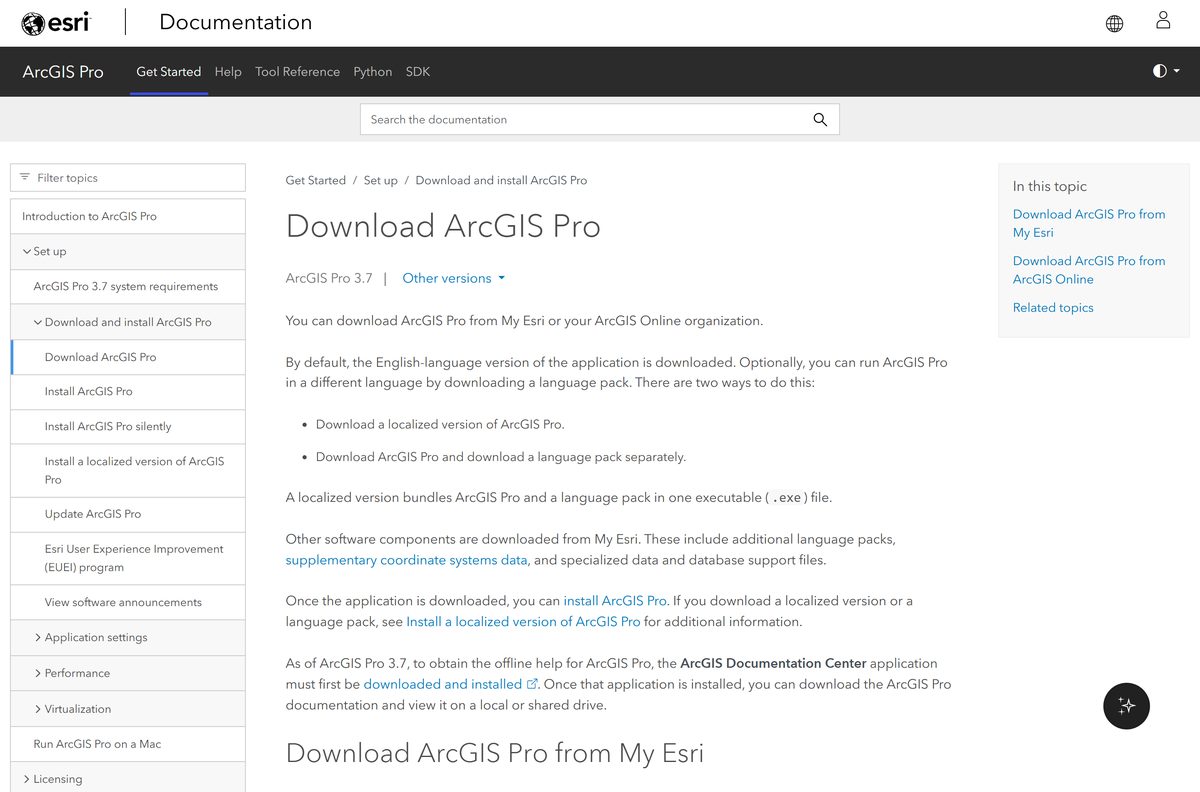
You start the ArcGIS Pro download at Esri, and a 21-day free trial covers the first three weeks. Esri hands over a single Windows .exe once you sign in to My Esri or to your ArcGIS Online organization.
This guide covers the route that fits your licence, installing on Windows 11, silent deployment, what the software costs, the hardware it needs, running it on a Mac, and fixes for a setup that stops partway.
Which ArcGIS Pro download do you need?
Esri ships one Windows installer. What changes is the account you use to reach it.
| Your situation | Start here | What you get |
|---|---|---|
| No licence yet, and you want to try it | ArcGIS Pro free trial | 21 days, one Professional Plus and three Viewer user types, 400 credits |
| Your organization already licenses it | Sign in and open My Settings > Licenses | The installer, if your user type licenses the app |
| You administer the licences | My Esri downloads | The installer, language packs and coordinate systems data |
| You are a student or a hobbyist | ArcGIS for Student Use and Personal Use | A low-cost licence for noncommercial work |
| You are on a Mac | Run it inside a Windows virtual machine | The same Windows .exe, installed in the guest |
Download ArcGIS Pro from the official Esri links
Every link below sits on an Esri domain. Nothing outside those two hosts is an Esri build.
- ArcGIS Pro free trial sign-up — needs a business or government email address
- My Esri downloads — sign-in required, plus download permission
- Download ArcGIS Pro (Esri documentation) — both download routes, step by step
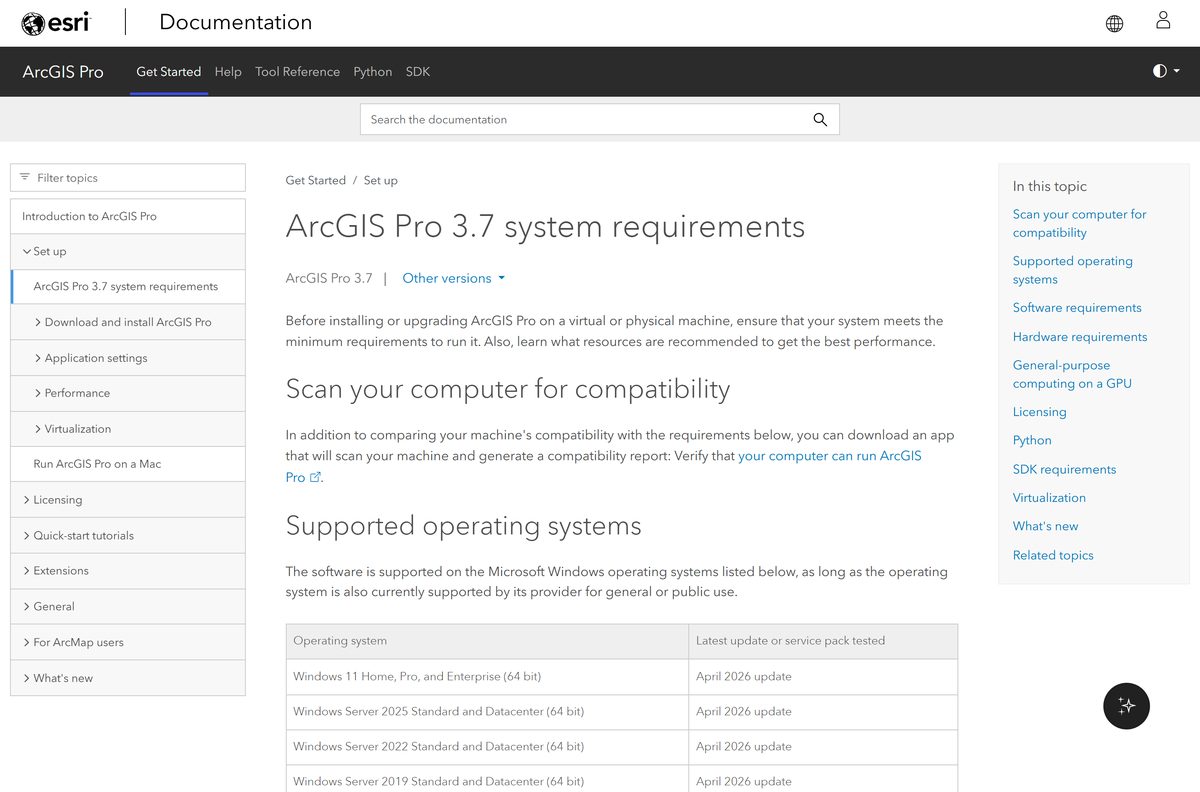
- ArcGIS Pro 3.7 system requirements — supported Windows builds and hardware
- Release notes — what changed and the matching ArcGIS Enterprise version
- Licensing and purchase options — user types, Personal Use and Student Use
Esri states no file size, and neither route exposes a link a browser can reach without signing in.
How to install ArcGIS Pro on Windows 11
Install the Microsoft .NET Desktop Runtime 10.0.0 or later (x64) and Microsoft Edge WebView2 Runtime 132 or later first. Setup needs both.
- Sign in at My Esri or open My Settings > Licenses in your ArcGIS Online organization.
- Download the ArcGIS Pro .exe for your release.
- Double-click the file. Accept the extraction folder or select Browse to pick another one.
- Select Next on the setup splash screen, then Next on the welcome screen.
- Accept the licence agreement.
- Choose Anyone who uses this computer for a per-machine install, or Only for me for a per-user install.
- On Select Features, set which AI models install, then select Next.
- Accept the install location or select Change, then select Install.
- Select Finish, leaving Run ArcGIS Pro now ticked.
- Sign in with your ArcGIS Online or ArcGIS Enterprise account to activate the Named User licence.
A per-machine install needs administrator rights and lands in C:\Program Files\ArcGIS\Pro . A per-user install goes to C:\Users\
Install ArcGIS Pro silently on many machines
Run the downloaded .exe once to extract the setup files. That staging folder holds ArcGISPro.msi , which is what you deploy.
msiexec.exe /i
Add AUTHORIZATION_TYPE=NAMED_USER with LICENSE_URL=”
DISABLE_EXTERNAL_TRAFFIC stops the application calling ArcGIS Online, which secure networks need. Test the command on one machine before it reaches a deployment tool.
Which ArcGIS Pro setup do you need on a Mac?
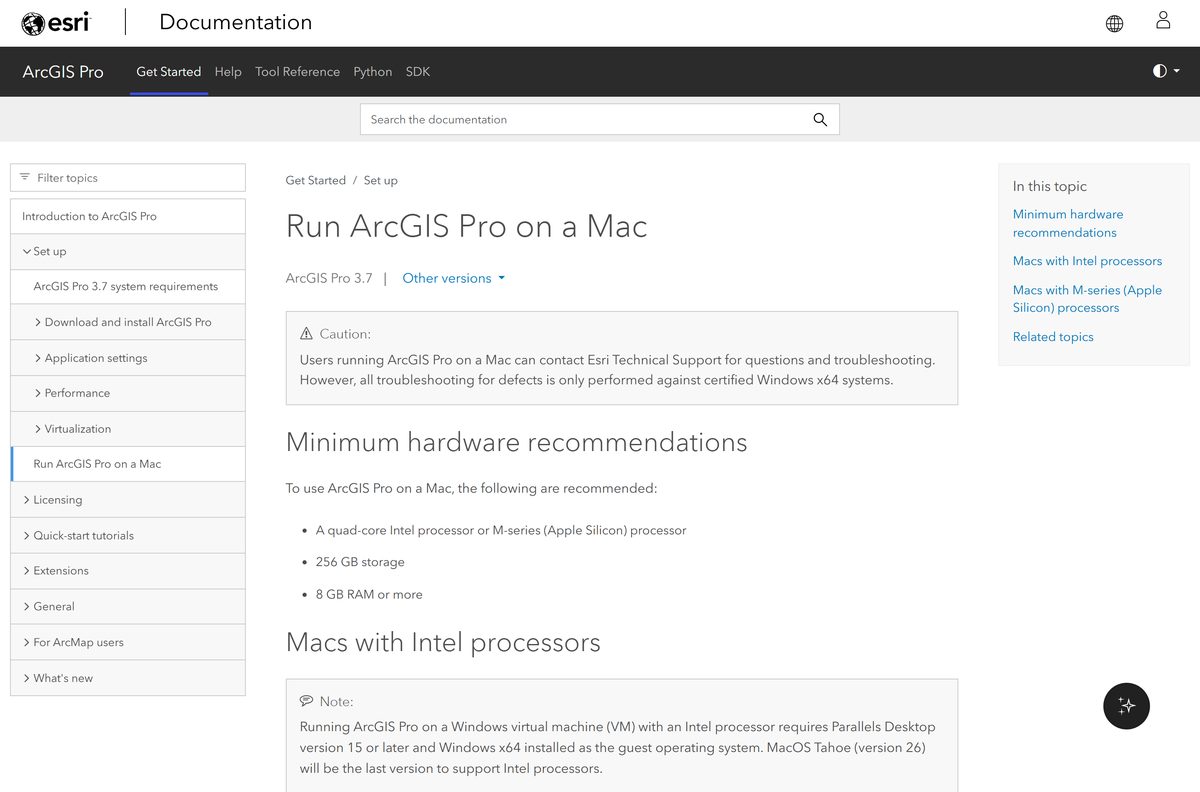
Esri publishes no macOS build. Macs run the Windows application inside Windows, and Esri documents the certified ways.
| Your Mac | Supported route | What to watch |
|---|---|---|
| Apple silicon M1 to M4 | Parallels Desktop 18 or later, Windows 11 Arm guest | AVX tools fail, DirectX 12 and Vulkan are unavailable, deep learning is uncertified |
| Intel Mac, virtual machine | Parallels Desktop 15 or later, Windows x64 guest | GPU performance depends on what the guest can see |
| Intel Mac, no virtual machine | Boot Camp with Windows x64 | macOS Tahoe 26 is the last release to support Intel chips |
Esri support takes Mac cases, but troubleshoots defects only against certified Windows x64 systems.
Is ArcGIS Pro free?
No. Only the 21-day trial is free, and after that the software needs a paid ArcGIS user type. The Creator user type includes Basic, Professional includes Standard, and Professional Plus includes Advanced plus the extension products. Esri lists no price on its buy page and routes you to user type pricing or to sales. ArcGIS for Personal Use and ArcGIS for Student Use cost far less, and both bar work that benefits a third party. Buy within 30 days of the trial ending to keep the projects you made during it.
The trial needs a business or government email address. Educators and nonprofits without one apply through Esri’s noncommercial programs.
Should you install ArcGIS Pro on Windows 10?
Move to Windows 11 first. The current release lists Windows 11 and Windows Server 2019, 2022 and 2025 as its supported systems, and not Windows 10. Esri supports a Windows release only while Microsoft still supports it for general public use. Windows Server needs the Desktop Experience option installed. On a Windows 10 machine that cannot move yet, stay on the release whose requirements page still names Windows 10, and plan the upgrade: each new version replaces the old one rather than sitting beside it.
How to check your ArcGIS Pro version and update it
Updates arrive as a toast notification at startup.
- Open the application and select the Settings tab on the start page, or the Project tab inside an open project.
- Select About in the side tabs list.
- Read the version on the About ArcGIS Pro page.
- Select Download Now if an update is offered, while signed in to ArcGIS Online with an organizational account.
- Accept the user agreement and select Yes at the User Account Control prompt.
- Let the update finish, then reopen the application.
- Clear Check for updates on startup on the same page if you would rather manage updates yourself.
A patch leaves the current version in place, so add-ins, customizations and documents keep working. A major or minor release removes the old version first, because one machine holds one installation.
Check the ArcGIS Pro system requirements before you download
The minimum column runs the current release. The recommended column is what real projects need.
| Field | Value |
|---|---|
| Software | ArcGIS Pro |
| Developer | Esri |
| Latest version | 3.7 |
| Licence | Paid ArcGIS user type, with a 21-day free trial |
| Supported OS | Windows 11 Home, Pro, Enterprise (64-bit); Windows Server 2019, 2022, 2025 with Desktop Experience |
| Architecture | x64 only; no 32-bit build; no native macOS build |
| Prerequisites | .NET Desktop Runtime 10.0.0 or later (x64); Edge WebView2 Runtime 132 or later |
| Processor | 2 cores with simultaneous multithreading minimum; 4 recommended; 10 optimal |
| Memory | 8 GB minimum; 32 GB recommended; 64 GB or more optimal |
| Disk space | 32 GB free minimum; 32 GB or more on an SSD recommended |
| Display | 1024 x 768 minimum; 1080p or higher recommended |
| Graphics | Discrete GPU with 8 GB or more recommended; NVIDIA CUDA 5.0 or higher for deep learning |
| Installer | One .exe from My Esri; size not published by Esri |
| Offline installer | Yes, the .exe extracts ArcGISPro.msi for staged deployment |
| Official source | esri.com |
| Last verified | 2026-09-22 |
Deep learning tools want an NVIDIA GPU with CUDA compute capability 7.5 or higher.
Fix ArcGIS Pro not installing on Windows 11
Setup will not start or closes immediately
The .NET Desktop Runtime or the WebView2 Runtime is missing or too old.
- Install the Microsoft .NET Desktop Runtime 10.0.0 or later using the Windows x64 installer.
- Install the Microsoft Edge WebView2 Runtime version 132 or later.
- Restart the PC and run the .exe again.
The installer stops with a disk space error
Extraction and installation are separate writes, and 32 GB must stay free on top of the staging folder.
- Free at least 32 GB on the system drive.
- Select Browse during extraction and stage the files on a drive with room to spare.
- Select Change on the install location page to put the application on another internal drive.
- Run setup again.
Setup says another version is already installed
One machine holds one installation, so a major or minor release cannot sit beside the old one.
- Open Settings > Apps > Installed apps.
- Select the existing ArcGIS Pro entry and select Uninstall.
- Restart the PC.
- Run the new installer.
It installs, then refuses to open a project
The Named User licence has not activated, or your user type does not license the application.
- Sign in with the ArcGIS Online or ArcGIS Enterprise account that holds your licence.
- Open My Settings > Licenses in the portal and confirm the application is listed.
- Ask your administrator to assign a Creator, Professional or Professional Plus user type.
- Take the licence offline before you disconnect, or use a Single Use licence instead.
A per-machine install is refused
Installing for every user writes to Program Files and needs administrator rights.
- Right-click the .exe and select Run as administrator.
- Choose Only for me instead if you have no administrator account.
- Ask IT to deploy it with the silent command if the policy blocks both.
How to uninstall ArcGIS Pro cleanly
Remove the application before a major or minor upgrade. A patch does not need it.
- Close the application and any add-in that loads it.
- Open Settings > Apps > Installed apps.
- Select ArcGIS Pro, select the three-dot menu and select Uninstall.
- Uninstall any language pack and the coordinate systems data package the same way.
- Restart the PC.
- Delete the extraction folder at C:\Users\
\Documents\ArcGIS Pro to recover the staged setup files.
For a scripted removal, read the product code from HKEY_LOCAL_MACHINE\SOFTWARE\Esri for a per-machine install, or HKEY_CURRENT_USER\SOFTWARE\Esri for a per-user install, then run msiexec.exe /x {product code} /qb .
Which Esri app should you use instead?
Each covers a slice of the work, and none replaces the desktop application for analysis.
| App | Price | Best for |
|---|---|---|
| ArcGIS Earth | Free, included with every user type | Viewing 3D data on Windows, iOS and Android |
| ArcGIS Online | Paid user type | Browser mapping with nothing to install |
| ArcGIS Enterprise | Paid, self-hosted | Running the platform on your own servers |
| Google Earth Pro | Free | Measuring, printing and basic imagery on Windows and Mac |
Stay on the desktop application when the job needs geoprocessing tools, a file geodatabase or cartographic output.
Frequently asked questions
Is the ArcGIS Pro download free?
The 21-day trial is free, and the software is not. After the trial you need a paid ArcGIS user type: Creator for Basic, Professional for Standard, or Professional Plus for Advanced. Personal Use and Student Use licences cost less for noncommercial work.
Where is the official ArcGIS Pro download page?
Esri distributes it from My Esri and from the Licenses tab of an ArcGIS Online organization account. New users start at the trial page on esri.com, and no other site hosts an Esri build.
Does ArcGIS Pro work on Windows 11?
Yes. The current release supports 64-bit Windows 11 Home, Pro and Enterprise, plus Windows Server 2019, 2022 and 2025 with the Desktop Experience option. You also need the .NET Desktop Runtime 10.0.0 or later and WebView2 Runtime 132 or later.
Does ArcGIS Pro still support Windows 10?
The current release does not list Windows 10 among its supported operating systems. Esri supports a Windows release only while Microsoft supports it for general public use, so plan a move to Windows 11 before you upgrade the software.
How big is the ArcGIS Pro download?
Esri publishes no installer size, and the file sits behind a sign-in, so no figure can be read from it. Plan for the install instead: 32 GB of free disk space minimum, plus room for the folder the setup files extract into.
Is there an ArcGIS Pro offline installer?
Yes, in effect. The downloaded .exe is the full setup and extracts ArcGISPro.msi, which you can stage and install without another download. A Single Use licence then works offline by default.
Is there an ArcGIS Pro download for Mac?
No native macOS version exists. Esri certifies it on Windows x64 only, and documents two Mac routes: Boot Camp on Intel Macs, and Parallels Desktop with a Windows guest on Intel and Apple silicon.
Does ArcGIS Pro run on 64-bit and ARM64 PCs?
It is an x64 application with no 32-bit build. Esri certifies it on Windows x64, and the only Arm configuration it documents is a Windows 11 Arm guest in Parallels Desktop 18 or later on an Apple silicon Mac.
Is the ArcGIS Pro installer safe to download?
Yes, when it comes from My Esri or your ArcGIS Online organization. Both need a sign-in, so a free public installer offered elsewhere was repackaged by someone else.
What is the latest version of ArcGIS Pro?
Version 3.7 is the current release on Esri’s documentation site, and ArcGIS Enterprise 12.1 is its companion release. Esri numbers releases as major.minor.patch, so a third number marks a patch.
Why will ArcGIS Pro not install?
The usual causes are a missing .NET Desktop Runtime or WebView2 Runtime, less than 32 GB of free space, an older version still installed, or no administrator rights for a per-machine install.