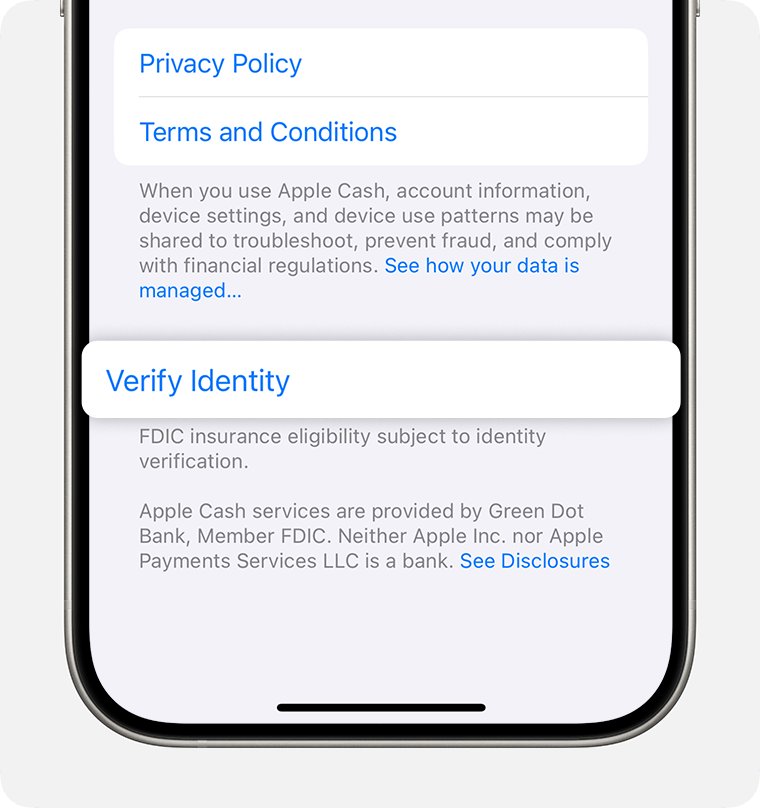
If Apple Pay is unable to verify your identity on iPhone, open Wallet, tap your Apple Cash card, tap Verify Identity and enter your details exactly as they appear on your ID; for a debit or credit card, the check is run by your bank, so contact the card issuer.
This guide covers Apple Cash, Apple Card and card issuer verification, the Cannot Add Card security review, two-factor authentication, and what a restricted or locked Apple Cash account can still do.
How to verify your identity for Apple Cash on iPhone
Apple Cash asks for identity verification to protect the account and to unlock every feature. Apple Cash is available only to people 18 or older who live in the United States.
- Open the Wallet app on your iPhone and tap your Apple Cash card. You can also open Settings, tap Wallet & Apple Pay, then tap the Apple Cash card.
- Scroll down and tap Verify Identity.
- In iOS 27, tap Continue with ID in Wallet if your driver's license is already in Wallet.
- Otherwise, follow the onscreen steps and enter your personal information accurately.
- Wait for the confirmation on the Apple Cash card before you try to send, receive or add money again.
If Verify Identity is not listed on the card, your identity is already verified. Apple can still prompt you to verify again later, even after a successful check.
Why Apple Pay is unable to verify your identity
Apple Pay identity checks come from three different places, and each one has its own fix. Apple does not approve or decline cards for Apple Pay; the card issuer does.
| Where the check comes from | When you see it | Who resolves it |
|---|---|---|
| Your bank or card issuer | Adding a debit or credit card to Wallet | The card issuer, which may ask for more information or its own app |
| Green Dot Bank (Apple Cash) | Setting up or using Apple Cash | You, through Verify Identity, or an Apple Cash Specialist at Green Dot Bank |
| Goldman Sachs (Apple Card) | Applying for Apple Card | An Apple Card Specialist at Goldman Sachs |
| Apple security checks | Cannot Add Card when Apple Pay activity on your account or device looks unusual | Apple, after you request a review on the device |
| Apple Account settings | Apple Pay will not set up at all | You: Apple Pay requires two-factor authentication |
Green Dot Bank and Goldman Sachs require identity verification for fraud protection and regulatory reasons, so the request itself is not a sign that anything is wrong.
Apple Pay card verification with your bank or card issuer
When you add a debit or credit card, some banks run extra authentication before approving it for Apple Pay. That step happens inside the Wallet setup flow.
- Open Wallet and tap the Add Card button.
- Tap Debit or Credit Card, or Cards Found For You for a card you used before, then tap Continue.
- Hold the card close to your iPhone, or tap Enter Card Details Manually and follow the onscreen instructions.
- If the bank asks for more information or tells you to download its app, finish that step; the card is not approved until you do.
- If you see Could Not Add Card, Invalid Card or Card Device Limit, contact your bank or card issuer; Apple does not approve or decline cards.
If you need to update the bank details on a card in Apple Pay, remove the old card and add the new one so the issuer verifies it again.
Apple Cash unable to verify identity
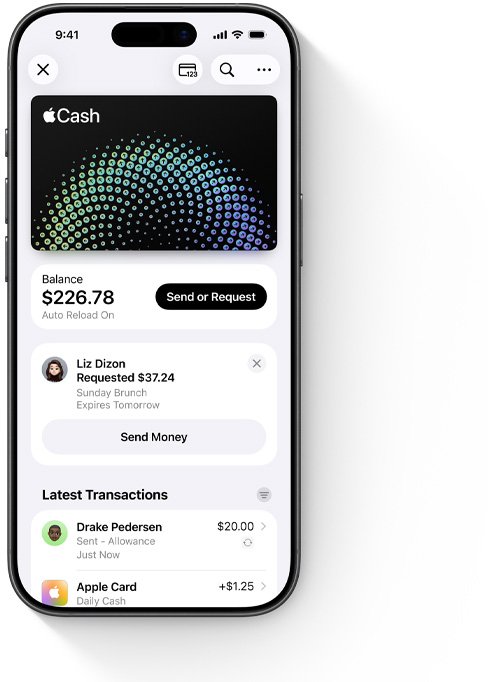
If Green Dot Bank cannot verify your identity, Apple Cash stays partly usable. You cannot send, receive or add money, but you can still spend your balance with Apple Pay in stores, apps and on the web, and transfer it to your bank.
- Check that you are 18 or older, live in the United States, and have the latest version of iOS.
- Check that you are signed in to iCloud with the same Apple Account on every device you use for Apple Cash.
- Open Wallet, tap the Apple Cash card and tap Verify Identity again, entering your details accurately.
- Do not keep retrying with different details: repeated failed verification can restrict the account.
- If verification still fails, contact an Apple Cash Specialist at Green Dot Bank from the Apple Cash support page.
On iPad, start from Settings > Wallet & Apple Pay > your Apple Cash card. For Apple Watch, open the Apple Watch app on your iPhone, tap Wallet & Apple Pay, then tap the Apple Cash card.
Apple Card unable to verify identity
An Apple Card application asks for your birth date, home address, annual income and the last four digits of your Social Security number. Apple Card is issued by Goldman Sachs Bank USA and is available only to qualifying applicants in the United States.
- Update your iPhone to the latest version of iOS before you apply.
- Enter your birth date, home address, annual income and the last four digits of your Social Security number accurately.
- If you are asked for more information, scan your driver's license or state-issued photo ID when prompted.
- If the scan or the details are rejected, contact an Apple Card Specialist at Goldman Sachs.
Cannot Add Card in Apple Wallet: how to request a review
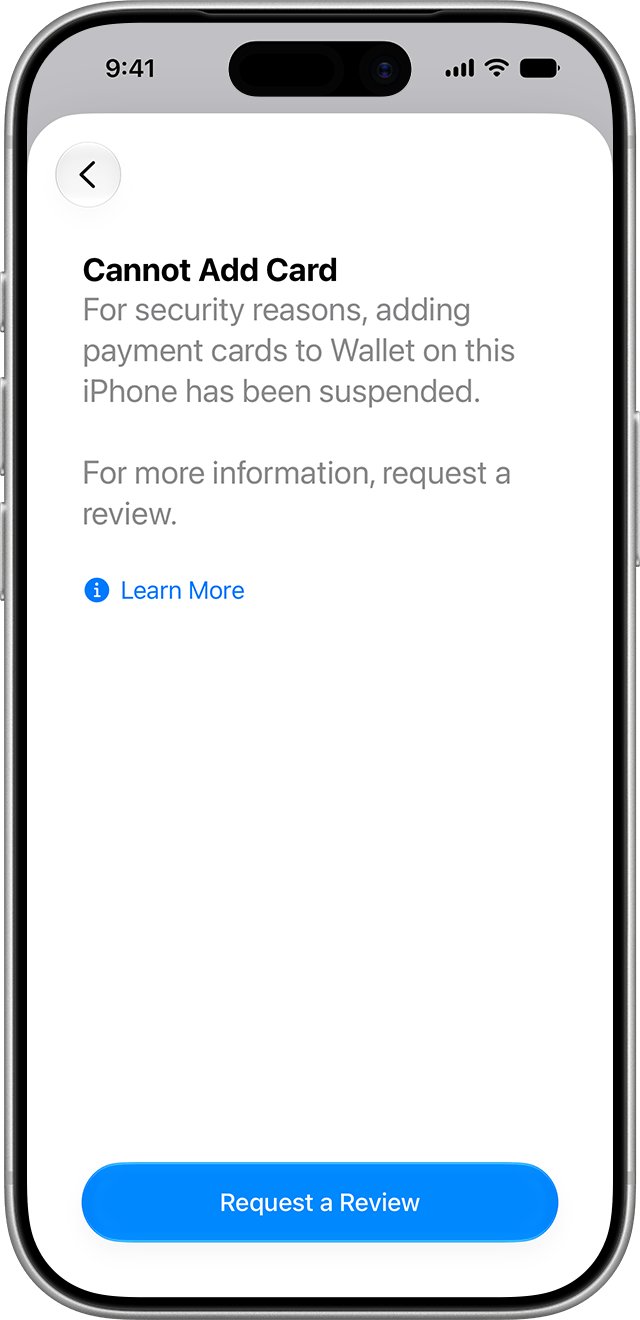
For security reasons, Apple can block new payment cards on an iPhone when Apple Pay activity related to your Apple Account or device appears unusual. Cards already in Wallet keep working, and you can still add transit cards, IDs, access cards and keys.
- Update the iPhone to iOS 27 or later; earlier versions prompt you to update before a review can be requested.
- Open Wallet, tap the Add Card button and try to add the card again.
- When Cannot Add Card appears, tap Request a Review.
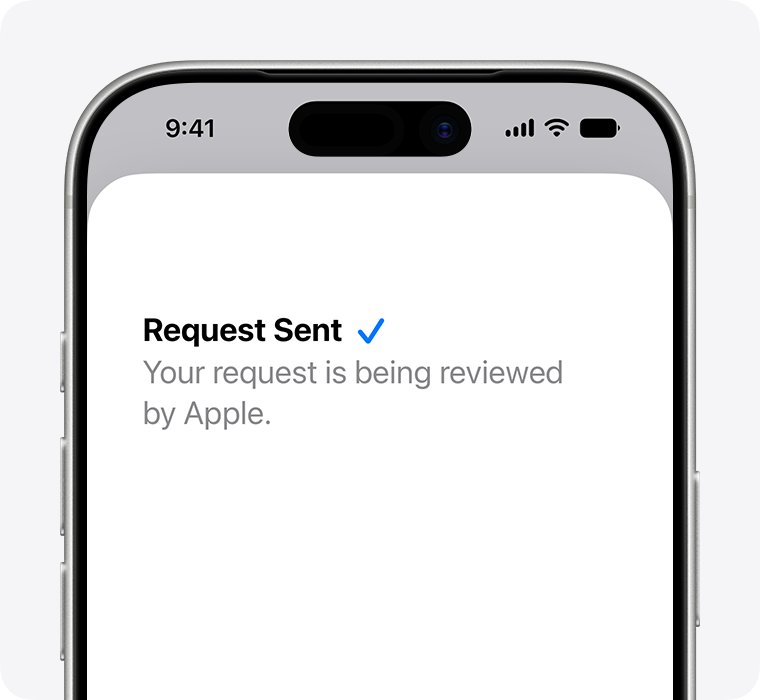
- Read the guidance on screen, then tap Send to Apple.
- Wait for Apple to finish the review; adding a card on the same iPhone in the meantime shows that the review is in progress.
The review can only be requested on the affected device, not by calling Apple, and it is managed by Apple rather than your card issuer. It can take a few days, after which the ability to add cards is reinstated or stays revoked. For Apple Watch, request it from the Watch app on the paired iPhone with watchOS 27 or later.
Apple account failed to verify identity: turn on two-factor authentication
Apple Pay requires two-factor authentication on your Apple Account. Without it, cards cannot be added to Wallet and Apple Cash cannot be set up.
- Open Settings on your iPhone and tap your name.
- Tap Sign-In & Security.
- Turn on two-factor authentication and follow the onscreen instructions.
- Make sure Face ID, Touch ID or a passcode is set on the iPhone, because Apple Pay needs one of them.
- Return to Wallet and add the card or set up Apple Cash again.
On the web, go to account.apple.com, sign in, tap Upgrade Account Security and follow the onscreen instructions. Wallet cards can also fail to add while your Apple Account is locked, inactive or disabled.
Apple Cash account restricted or locked after identity verification
An Apple Cash account can be held while Green Dot Bank reviews it, restricted after repeated failed identity checks, or locked over suspected fraud. What you can still do depends on the status shown on the card.
| Status on the Apple Cash card | Common reason | What still works | What to do |
|---|---|---|---|
| Requires identity verification | Identity not yet confirmed | Depends on the prompt | Tap Verify Identity and enter accurate details |
| In review | Account security check | Restricted review: purchases and bank transfers. Locked review: nothing | Wait; reviews take up to 2 business days |
| Restricted | Identity verification failed several times, several accounts on one Social Security number, or suspected fraud | Transfers to your bank and Apple Pay purchases | Follow the card's instructions, or contact Green Dot Bank |
| Locked | Suspected fraud or extra security checks | Nothing: no purchases, payments or transfers | Contact an Apple Cash Specialist at Green Dot Bank |
A chargeback after you dispute a transaction with your bank can also restrict the account. While Apple Cash is restricted or locked, Daily Cash from Apple Card purchases builds up in your Apple Card account instead.
Apple Pay identity verification still failing on iPhone
Waiting for Apple to verify my identity
The Apple Cash account or a Cannot Add Card request is under review.
- For Apple Cash, wait up to 2 business days for the review to finish.
- Check the Apple Cash card afterwards: the account is either active or shows a status message.
- For a Cannot Add Card review, allow a few days; the review can only be requested on the affected iPhone.
Apple Cash unable to verify identity again after it worked before
Apple Cash can ask for verification again even after a previous success.
- Open Wallet, tap the Apple Cash card and look for Verify Identity.
- Complete the check again with the same accurate details.
- Restart the iPhone and try the payment again.
Verification screen will not load or times out
A service outage or a connection problem.
- Check Apple's System Status page for Apple Pay or Apple Cash outages or scheduled maintenance.
- Switch between Wi-Fi and cellular data, then try again.
- Install the latest iOS update from Settings > General > Software Update.
Apple Cash option is missing or will not turn on
The account does not meet the requirements, or the Apple Account is flagged for security reasons.
- Open Settings, tap Wallet & Apple Pay and make sure Apple Cash is turned on.
- Confirm you are 18 or older and in the United States; under-18s need Apple Cash Family from the family organizer.
- If Apple Cash still cannot be turned on, follow Apple's prompt to request a review of the flagged account.
Apple Pay identity verification FAQ
Why can't I verify my Apple ID?
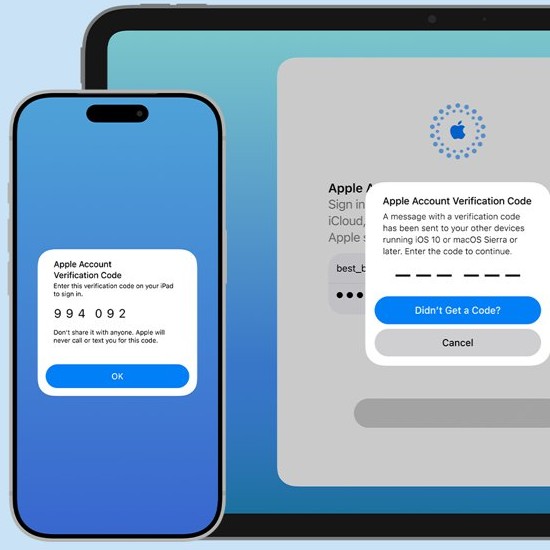
Apple Account verification relies on two-factor authentication: a six-digit code appears on your trusted devices or is sent to your trusted phone number. If no code arrives, check that you can reach a trusted device or phone number, and that two-factor authentication is on under Sign-In & Security.
Why does Apple Pay say unable to verify your identity?
The check failed at the bank behind the service. Green Dot Bank verifies Apple Cash, Goldman Sachs verifies Apple Card, and your card issuer verifies debit and credit cards. Apple asks you to make sure the personal information you enter is accurate.
How long does it take for Apple to verify my identity?
An Apple Cash account review takes up to 2 business days, after which the card shows that it is active or shows a status message. A Cannot Add Card review requested from the iPhone can take a few days.
Can I use Apple Cash without verifying my identity?
Only partly. Without verification you cannot send or receive money or add money to Apple Cash, but you can still spend your existing balance with Apple Pay in stores, apps and on the web, and transfer it to your bank account.
Who do I contact when Apple Cash fails to verify my identity?
Contact an Apple Cash Specialist at Green Dot Bank, which provides Apple Cash services. For Apple Card, contact an Apple Card Specialist at Goldman Sachs. For a debit or credit card that will not verify, call your bank or card issuer.
Does setting up Apple Cash affect my credit?
No. Apple says setting up Apple Cash does not affect your credit and is not affected by credit freezes. Identity verification for Apple Cash is a fraud and regulatory check by Green Dot Bank, not a credit application.
Is "Cannot verify server identity" the same as Apple Pay identity verification?
No. Cannot Verify Server Identity is a separate iPhone error that has nothing to do with Apple Pay. Apple Pay identity checks happen in Wallet, through your card issuer, Green Dot Bank or Goldman Sachs.
If a call or text asks you to verify your identity for Apple Pay outside the Wallet app, treat it with suspicion and keep Apple Pay secure by starting any check from Wallet yourself.