Techdows

Windows how-to guides, fixes and software downloads

  • Home
  • Settings and hardware

    • Printers
    • Sound and microphone
    • Wi-Fi and network
    • Bluetooth
    • Display and monitors
    • Drivers
    • Keyboard shortcuts and symbols

    Using Windows

    • File Explorer
    • Storage and disk space
    • Taskbar, Start and desktop
    • Apps and default programs
    • Accounts and sign-in
    • Copilot in Windows
    • Command Prompt and PowerShell

    Updates and fixes

    • Windows Update
    • Windows 11 26H2
    • Error codes and BSOD
    • Boot, BIOS and recovery
    • Security and Defender
    • Task Manager and performance
    • DLL and runtime errors

    Popular fixes

    • Get help in Windows 11
    • Connect a wireless printer
    • Re-pair Bluetooth earbuds for stereo sound
    • Cancel a stuck print job
    • Change default programs

    All Windows guides →

  • Browse by type

    • Web browsers
    • Office and productivity apps
    • PC games and launchers
    • Phone and media apps
    • Developer tools
    • Creative apps
    • CAD software
    • System utilities and drivers

    Popular downloads

    • GTA V for PC
    • YouTube app for PC
    • Google Meet for PC
    • Cisco Packet Tracer
    • TikTok for PC

    Windows tools

    • PC Health Check app
    • HEVC Video Extension
    • DirectX 12
    • Cinebench R23

    All download guides →

  • Browser guides

    • Microsoft Edge
    • Google Chrome
    • Firefox
    • Web browsers for PC

    Microsoft Edge

    • Fix WebView2 using too much memory
    • Internet Explorer mode in Edge
    • Manage Edge favorites
    • Set or remove Edge as default

    Chrome and Firefox

    • Make Chrome the default browser
    • Restore closed tabs
    • Change the default web browser

    All browser guides →

  • Office guides

    • Outlook
    • Excel
    • Word and PowerPoint
    • OneDrive
    • Install Microsoft 365

    Meetings and other tools

    • Teams, Zoom and Google Meet
    • Google Docs and Sheets
    • PDF tools

    Office apps

    • Office product key
    • Office Deployment Tool
    • What is OneDrive?
    • Turn off OneDrive in Windows 11

    Outlook and Teams

    • Outlook inbox view changed
    • Schedule an email in Outlook
    • Outlook dark mode
    • Teams breakout rooms

    All Office and productivity guides →

  • PHP security

    • PHP2Shell patch download
    • PHP critical RCE security update
    • CVE-2026-109618 fix
    • CVE-2026-109619 explained
    • Mitigations if you can't update

    Update PHP

    • Update PHP to the latest version
    • Check your PHP version
    • Update PHP on Ubuntu and Debian
    • Restart PHP-FPM

    Hosting and local servers

    • Update PHP in XAMPP
    • Change PHP version in cPanel
    • Update PHP in Laragon and WampServer
    • Update PHP Docker images
    • WordPress PHP version check

    PHP downloads

    • PHP 8.5.12 download
    • PHP 8.4.27 download
    • PHP 8.3.36 and 8.2.35 download
    • Download PHP for Windows

    PHP2Shell by platform

    • PHP 8.3 fix on Ubuntu 24.04
    • PHP 8.1 fix on Ubuntu 22.04
    • PHP 8.2 and 8.4 fix on Debian
    • Update PHP on IIS
    • Cloudflare PHP2Shell WAF rule

    All PHP guides →

  • Sections

    • Gaming
    • Apple
    • Android
    • Apps and services
    • Developer and IT

    Apple

    • iPhone tips and fixes
    • Reset and restore iPhone
    • iPad
    • Mac and macOS
    • Apple Account and iCloud
    • Apple devices on Windows

    Apps, Android and gaming

    • Gmail and Google account
    • YouTube
    • Social media accounts
    • Streaming TV
    • Android and Samsung Galaxy
    • PC gaming and Xbox
    • Roblox and Minecraft on PC

    Developer and IT

    • WSL and developer setup
    • Virtual machines
    • Group Policy and Intune
    • Windows Server
    • Website error codes
  • News
Home›Office and productivity

Office and productivity

196 articles

Microsoft 365, Office apps and other productivity tools: Outlook, Excel, Word and PowerPoint, OneDrive, installing and activating Microsoft 365, Teams, Zoom and Google Meet, Google Docs and Sheets and PDF tools.

How to
How to install the Mail app again on Windows 11
How to install the Mail app again on Windows 11

October 20, 2026 by Philip Celasco Leave a Comment
How to install the Mail app again on Windows 11

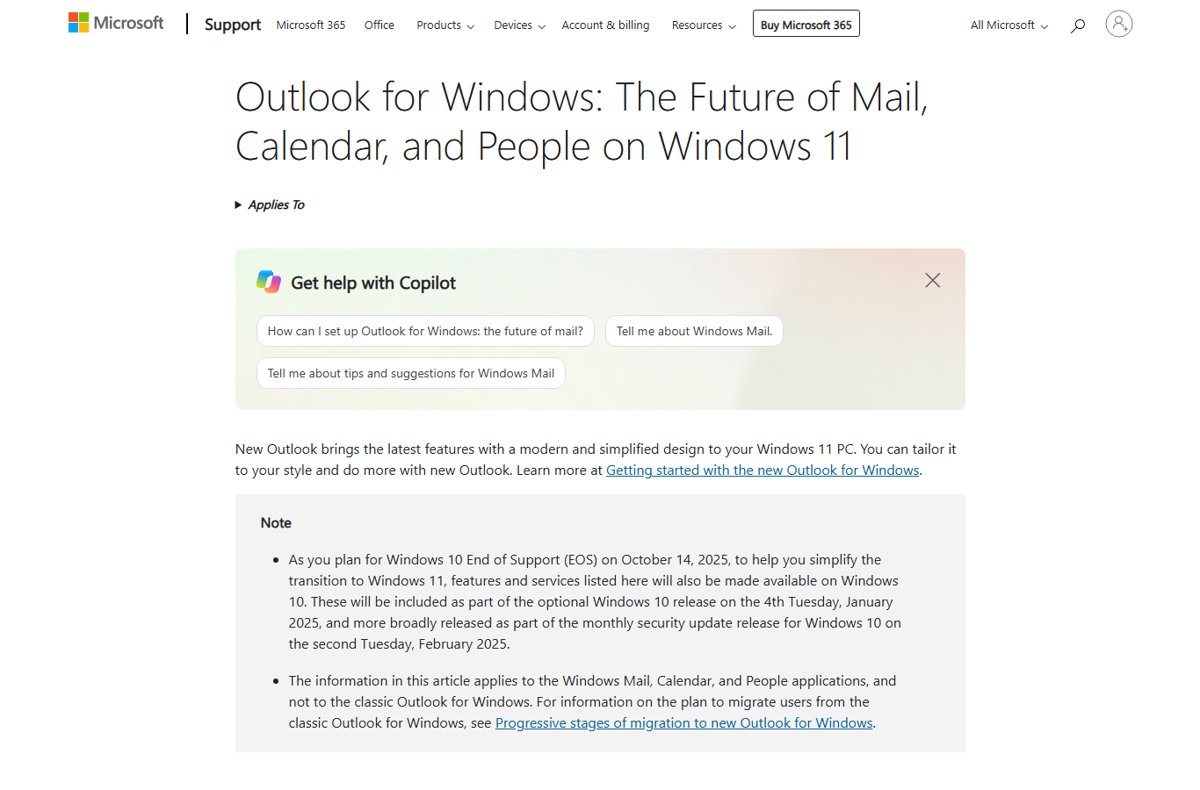
The Windows Mail app can’t be installed again in working form: support ended on December 31, 2024. Get new Outlook instead and export your old Mail data.
Posted in: How to, Office and productivity
How to
How to find recently closed Word/Excel files in Windows 10/11

How to find recently closed Word/Excel files in Windows 10/11

October 20, 2026 by Philip Celasco Leave a Comment
How to find recently closed Word/Excel files in Windows 10/11

Find recently closed Word and Excel files in Windows 10/11 from the taskbar jump list, File > Open, File Explorer, Start and search, plus unsaved file recovery.

Posted in: How to, Office and productivity
How to
How to install classic Outlook on Windows 11 (get old Outlook back)

How to install classic Outlook on Windows 11 (get old Outlook back)

October 20, 2026 by Philip Celasco Leave a Comment
How to install classic Outlook on Windows 11 (get old Outlook back)

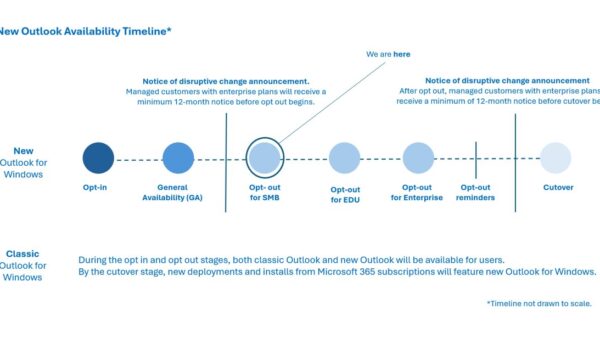
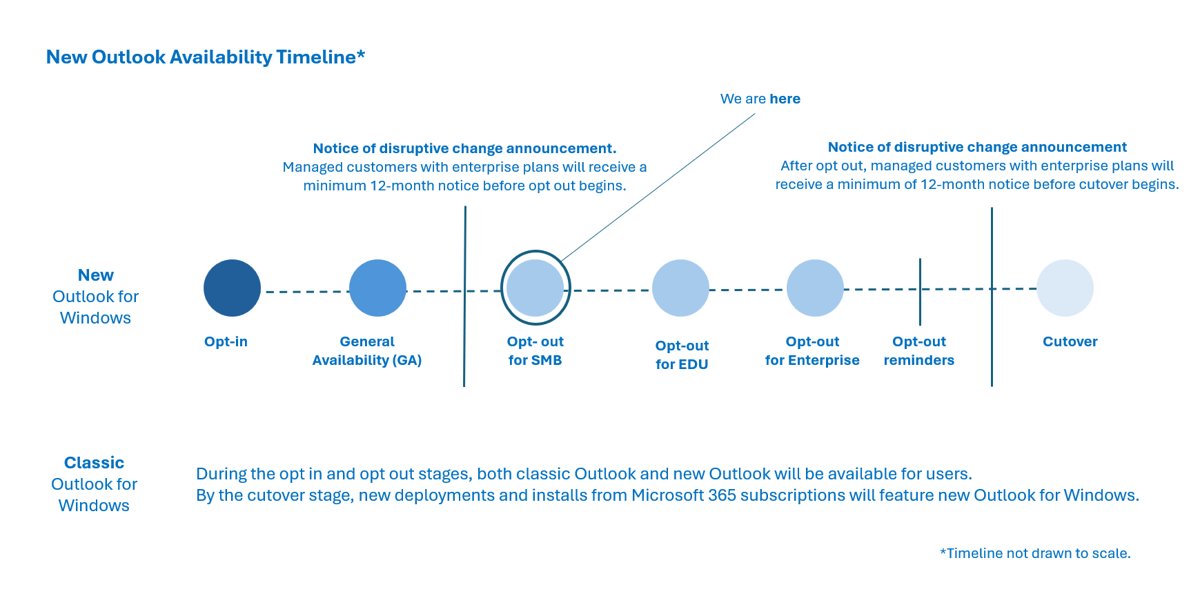
Install classic Outlook on Windows 11 from Microsoft’s download page, Microsoft 365 or the toggle in new Outlook, stop auto-switching, and fix it when it won’t open.
Posted in: How to, Office and productivity
How to
New Outlook vs old Outlook: Key differences explained

New Outlook vs old Outlook: Key differences explained

October 20, 2026 by Philip Celasco Leave a Comment
New Outlook vs old Outlook: Key differences explained

New Outlook vs old Outlook: new Outlook adds snooze, pin, undo send and faster updates, while classic Outlook keeps COM add-ins, VBA macros and full PST support.
Posted in: How to, Office and productivity
How to
15 essential OneNote tips for enhanced note-taking productivity

15 essential OneNote tips for enhanced note-taking productivity

October 19, 2026 by Philip Celasco Leave a Comment
15 essential OneNote tips for enhanced note-taking productivity

OneNote tips for faster note-taking: organize notebooks, use templates, tags, Web Clipper, ink to text, audio notes, shortcuts, sharing and recovery.
Posted in: How to, Office and productivity
How to
How to password protect Excel workbook from opening

How to password protect Excel workbook from opening

October 19, 2026 by Philip Celasco Leave a Comment
How to password protect Excel workbook from opening

Password protect an Excel workbook from opening with File > Info > Protect Workbook > Encrypt with Password. Windows, Mac and Save As steps, plus fixes.
Posted in: How to, Office and productivity
How to
How to create a group shared calendar in Outlook (2026 update!)

How to create a group shared calendar in Outlook (2026 update!)

October 19, 2026 by Philip Celasco Leave a Comment
How to create a group shared calendar in Outlook (2026 update!)

Create a group shared calendar in Outlook by making a Microsoft 365 group: every group gets its own calendar. Steps for web, new and classic Outlook, plus fixes.
Posted in: How to, Office and productivity
How to
How to recover unsaved Word document

How to recover unsaved Word document

October 19, 2026 by Philip Celasco Leave a Comment
How to recover unsaved Word document

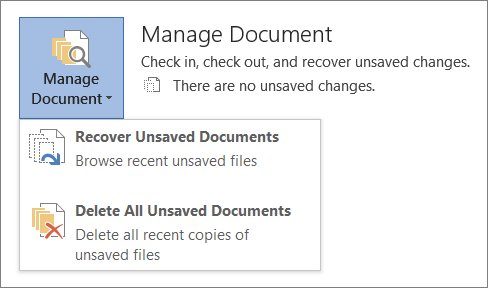
Recover an unsaved Word document from File > Info > Manage Document > Recover Unsaved Documents, or find AutoRecover .asd, .tmp and .wbk files on PC and Mac.
Posted in: How to, Office and productivity
How to
Open source alternatives to Adobe Acrobat for PDFs

Open source alternatives to Adobe Acrobat for PDFs

October 19, 2026 by Philip Celasco Leave a Comment
Open source alternatives to Adobe Acrobat for PDFs

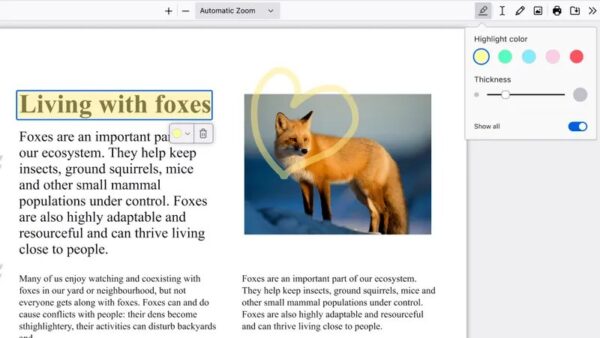
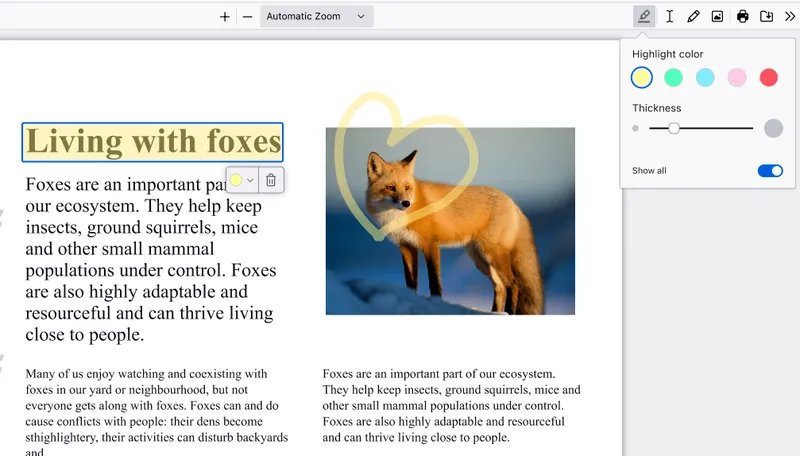
Open source alternatives to Adobe Acrobat: read, edit, fill and sign PDFs in Firefox, and create, protect and redact PDFs with LibreOffice, all free.
Posted in: How to, Office and productivity
How to
What is Microsoft Visio and what does it do?

What is Microsoft Visio and what does it do?

October 19, 2026 by Philip Celasco Leave a Comment
What is Microsoft Visio and what does it do?

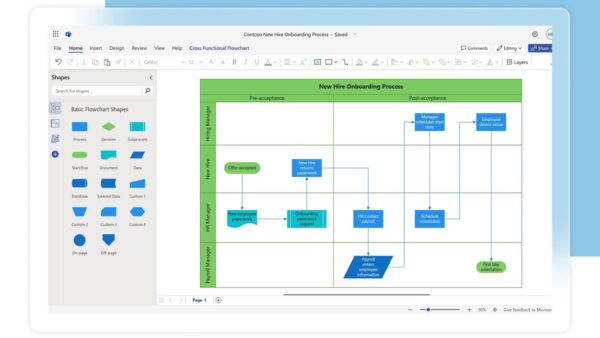
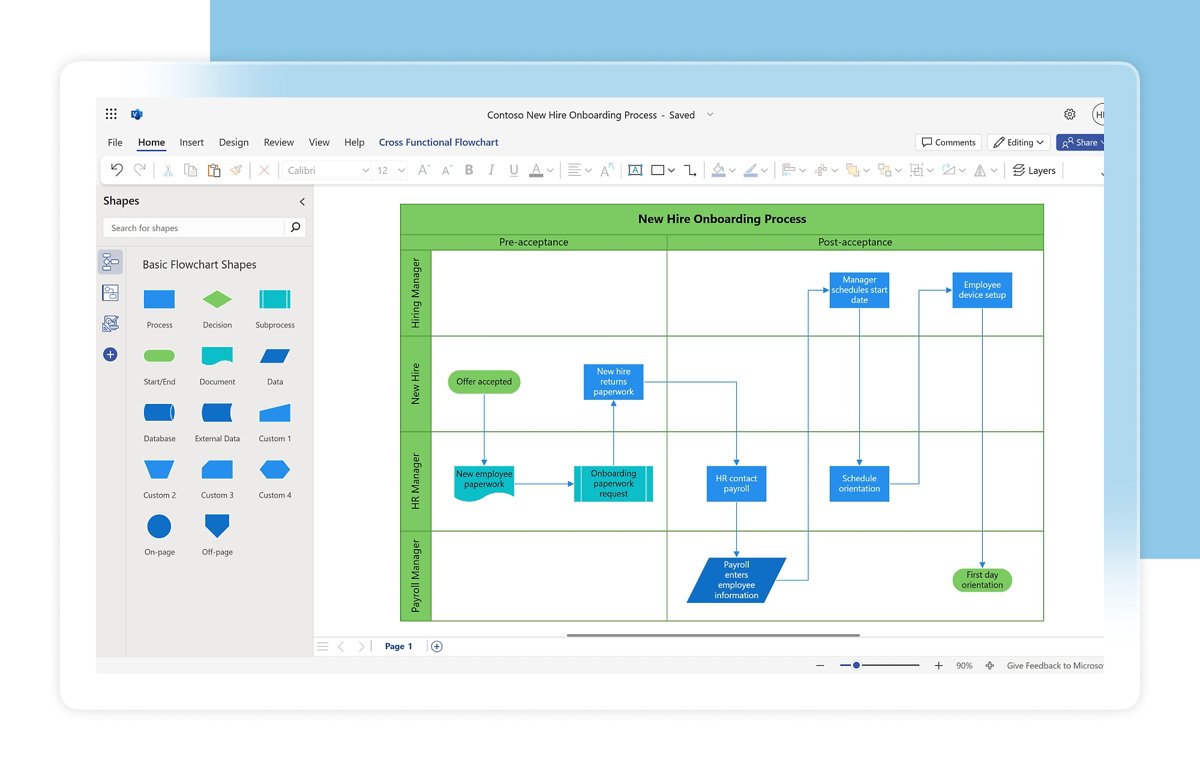
Microsoft Visio is Microsoft’s diagramming app for flowcharts, org charts, network diagrams and floor plans. See what it does, its plans and Visio in Microsoft 365.
Posted in: How to, Office and productivity
How to
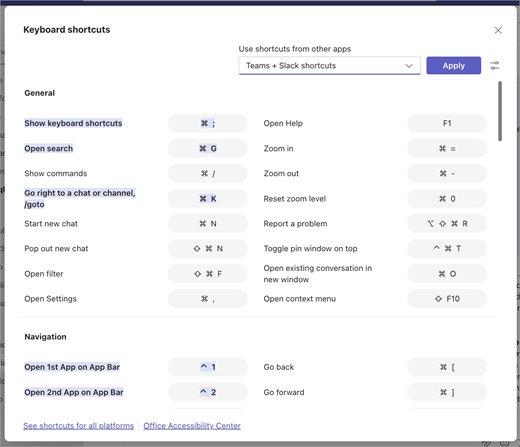
Microsoft Teams keyboard shortcuts panel on Mac

Microsoft Teams keyboard shortcuts

October 19, 2026 by Philip Celasco Leave a Comment
Microsoft Teams keyboard shortcuts panel on Mac

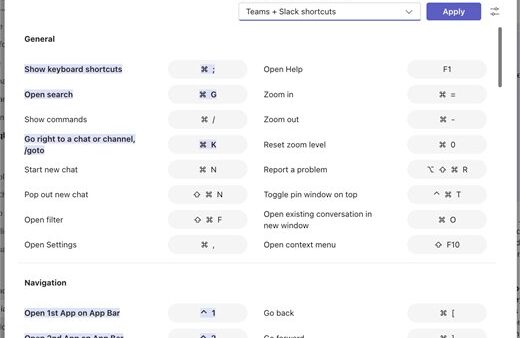
Teams shortcuts for Windows, web and Mac: open the full list with Ctrl+Period, mute with Ctrl+Shift+M, plus messaging, meeting, call and slash command keys.
Posted in: How to, Office and productivity
How to
Deploy and install the new Microsoft Teams for VDI

Deploy and install the new Microsoft Teams for VDI

October 19, 2026 by Philip Celasco Leave a Comment
Deploy and install the new Microsoft Teams for VDI

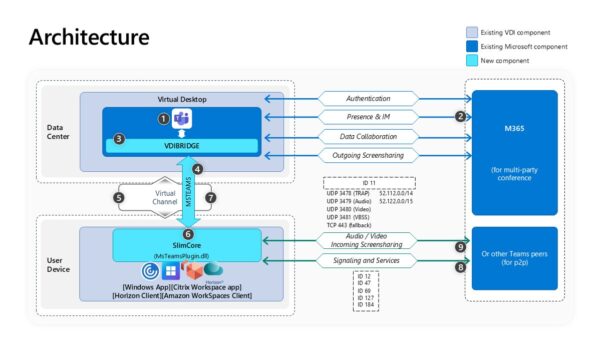
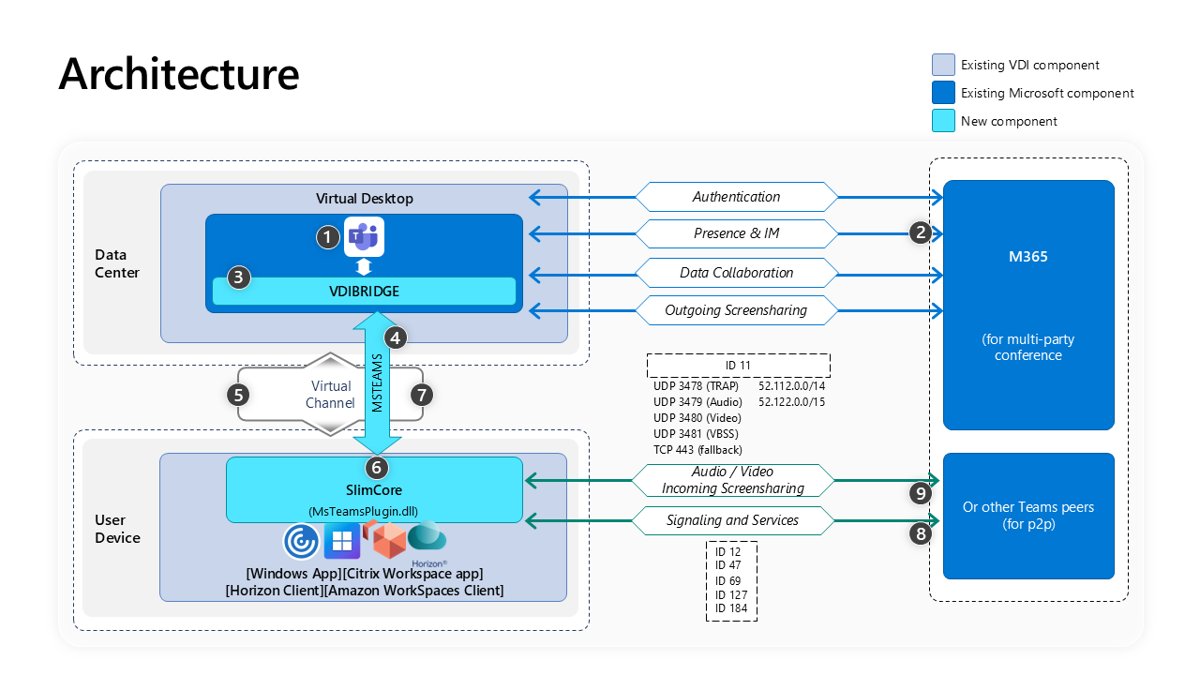
Deploy the new Microsoft Teams for VDI with teamsbootstrapper.exe, turn on SlimCore optimization for AVD, Citrix and Omnissa, stop auto-updates and verify it.

Posted in: How to, Office and productivity
« Previous 1 … 5 6 7 … 17 Next »

More from Techdows

HP laptop keyboard not working - HP Envy laptop keyboard close-up
HP laptop keyboard not working? Try these fixes
How to · 5 hours ago
OST file open, find and convert - email envelope
What is an OST file? How to open, find & convert OST files
How to · 5 hours ago
mdnsNSP.dll blocked from loading into the Local Security Authority - laptop with green code on screen
mdnsNSP.dll blocked from loading into the Local Security Authority? How to fix it
How to · 4 hours ago
UEFI Secure Boot certificates on Windows devices - motherboard microprocessor close-up
Updating UEFI Secure Boot certificates on Windows devices explained
How to · 4 hours ago
Monitor going to sleep randomly - Windows PC with multiple monitors
Monitor going to sleep randomly? 9 ways to fix it
How to · 4 hours ago
Use Microsoft Office without paying - documents and a laptop on a desk
7 ways you can legally use Microsoft Office without paying for it
How to · 4 hours ago
Spotify not working - Spotify app page open on an iPad
Spotify not working? How to fix common app issues
How to · 3 hours ago
Microsoft Exchange on iPhone keeps asking for a password - iPhone on a wooden table
Microsoft Exchange on iPhone keeps asking for a password? How to fix it
How to · 2 hours ago

© 2009–2026 Techdows · About · Contact · Privacy Policy

Copyright © 2026 Techdows.

Techdows WordPress Theme by Techdows