The only real fix for a cracked phone screen is a screen replacement, done by the phone maker, an authorized repair shop or yourself with genuine parts.
This guide covers backing up first, what each route costs, the temporary fixes that only hold glass in place, and how to stop the next crack.
How to fix a cracked phone screen
Glass does not heal, so tape, nail polish and screen protectors only contain the damage. A replaced display is the finished state.
- Stop pressing on the cracked area and keep your fingers off loose glass. Apple warns not to use an iPhone with cracked glass because it may cause injury.
- Back up the phone while the touch screen still responds (steps below).
- Check whether a protection plan covers accidental damage: AppleCare+ for iPhone, Samsung Care+ for Galaxy phones.
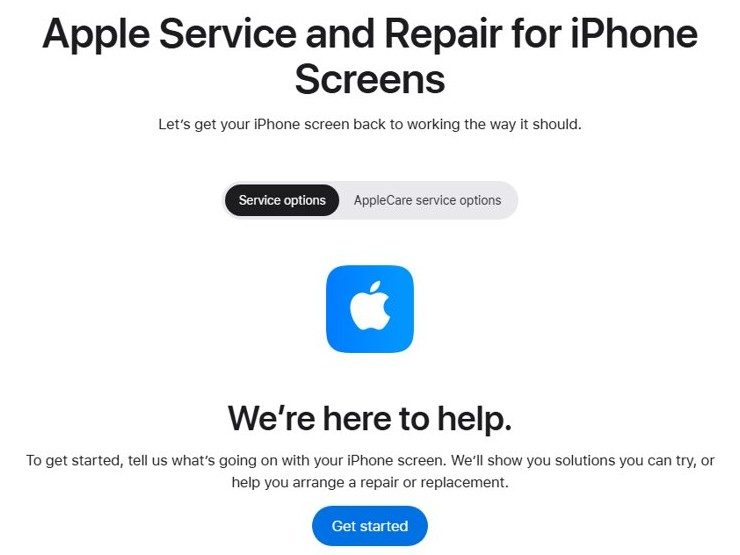
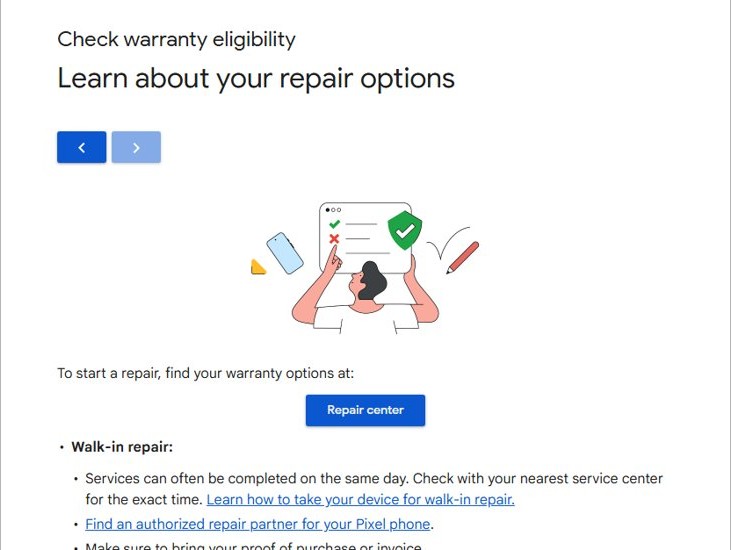
- Get an estimate from the maker: Apple's iPhone screen repair page, Samsung's Cracked screen repair page, or store.google.com/repair for Pixel.
- Book a walk-in, mail-in or on-site repair and bring your proof of purchase.
- Test the new screen before you leave the counter or sign off the repair.
Back up a phone with a cracked screen before repair
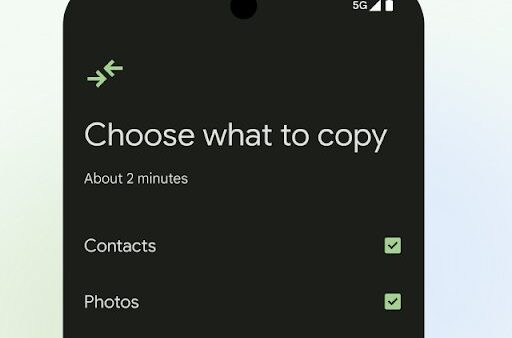
A screen repair should not erase your data, but a phone that dies mid-repair or gets swapped for a replacement will arrive empty. Back up while the touch screen still works.
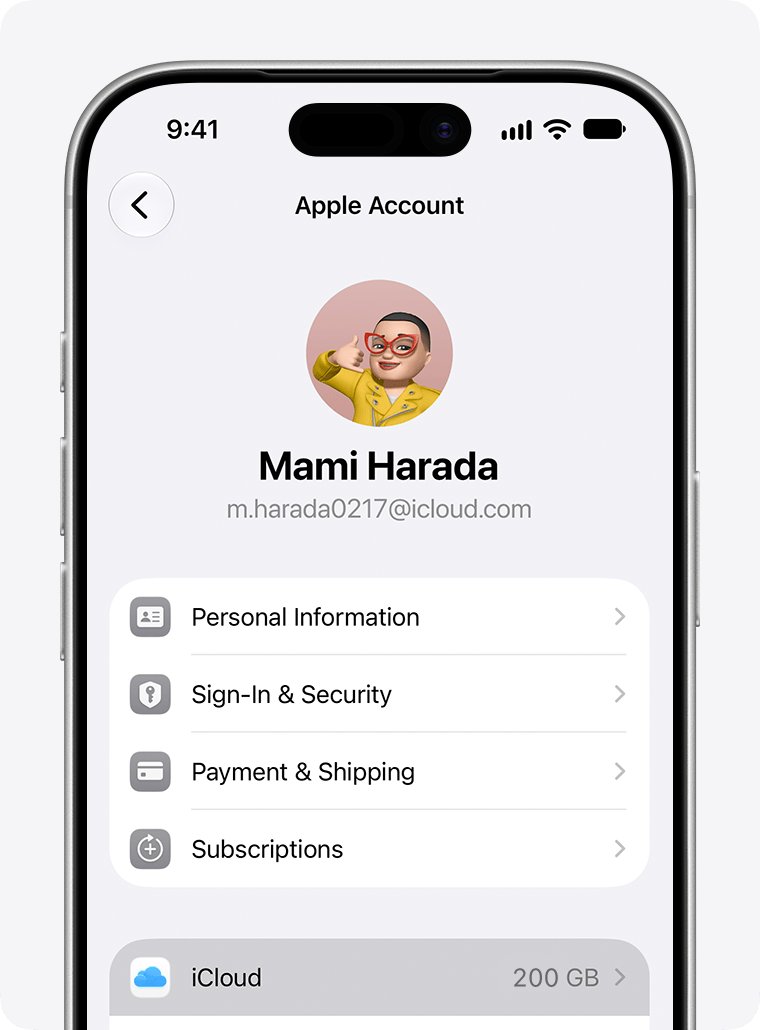
- iPhone: Connect to Wi-Fi, open Settings, tap your name, then tap iCloud.
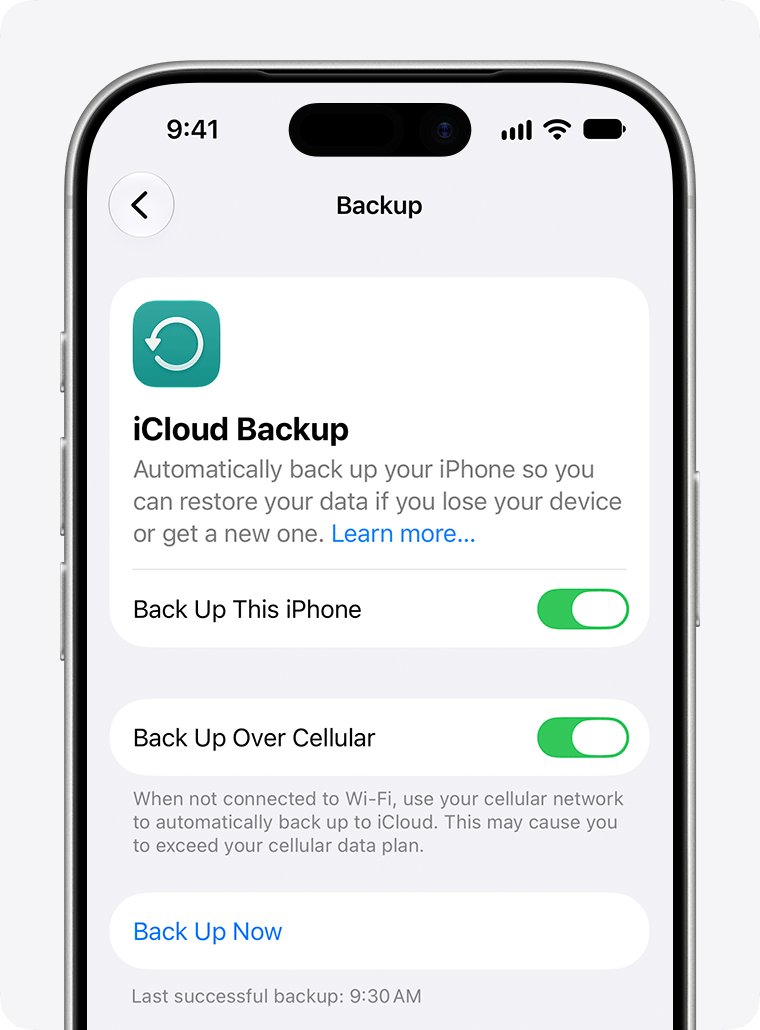
- iPhone: Tap iCloud Backup, then tap Back Up Now, and stay on Wi-Fi until it finishes.
- Android: Open Settings, tap Google, then All services.
- Android: Under Backup and restore, tap Backup, then Back up now.
- Confirm the backup finished: iPhone shows the date and time of the last backup under Back Up Now; Android shows On under the data types you selected.
- Pixel only: Open Settings, tap System, then Repair mode, follow the prompts, enter your lock screen PIN and let the phone restart. Do not give that PIN to the technician.
Google notes that an Android backup can take up to 24 hours, so start it as early as you can.
How to fix a cracked phone on my own
Home fixes split into two groups: temporary measures that keep a cracked phone usable for a few days, and a full DIY screen replacement with genuine parts.
- Clean the screen: Power the phone off, then wipe the glass gently with a soft, lint-free cloth so no grit is ground into the cracks.
- Apply a screen protector: A tempered-glass or film protector over minor cracks holds loose splinters in place and protects your fingertips. It does not restore broken glass.
- Packing tape: On a badly shattered screen, a strip of clear packing tape stops shards from falling out until the repair. Peel it off before the technician starts.
- Clear nail polish: Polish can fill a hairline chip at the edge of the glass, but it smears across the touch area and can be hard to remove. Use it only on a small chip, never on the display area.
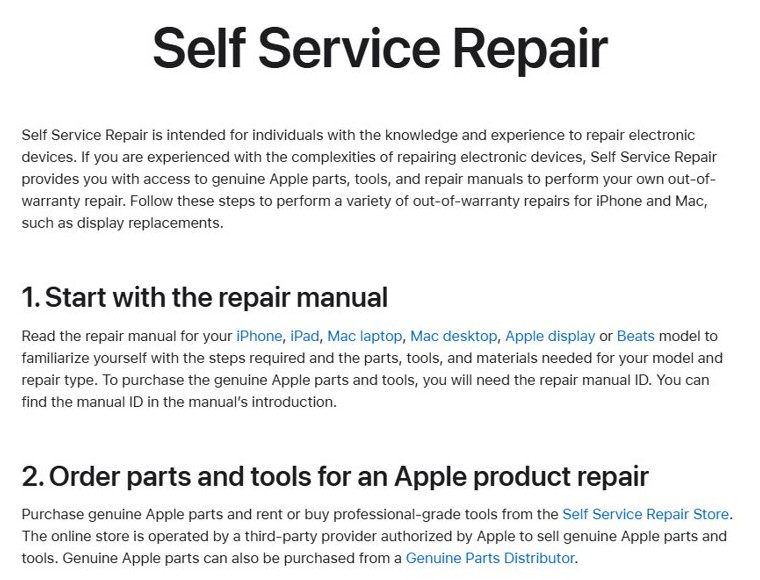
- DIY screen replacement (iPhone): Read the repair manual for your model on Apple's Self Service Repair page, note the manual ID, then order genuine parts and tools from the Self Service Repair Store.
- Follow the manual's steps, then run Repair Assistant or System Configuration if the manual recommends a postrepair tool.
- DIY screen replacement (Galaxy): Buy genuine parts from Samsung's authorized parts distributor, which Samsung links from its repair support page.
Apple describes Self Service Repair as intended for people with experience repairing electronic devices. Apple also warns that disassembling iPhone can remove water resistance or cause injury.
What causes a cracked screen to crack?
| Cause | What happens to the glass | How to avoid it |
|---|---|---|
| A drop onto a hard surface | The impact energy concentrates at one point, often a corner or edge, and starts a crack | Use a case with raised edges around the screen |
| Pressure or crushing | Sitting on the phone or packing it under heavy items bends the glass until it fails | Keep the phone out of back pockets and the bottom of bags |
| Keys, coins and grit | Hard objects chip the glass, and a chip spreads into a crack later | Carry the phone in its own pocket |
| An existing chip or hairline crack | Small damage grows with every knock or temperature change | Get small cracks fixed before they reach the display area |
Apple's safety guidance lists dropping, crushing and puncturing as the ways iPhone glass and internals get damaged.
Should I fix my phone screen or leave it to a professional?
| Your situation | Do this | Why |
|---|---|---|
| Phone is covered by AppleCare+ or Samsung Care+ | File a claim with the maker | Accidental damage is covered for a service fee instead of the full repair price |
| Hairline crack, touch works, no loose glass | Fit a screen protector now and book a repair soon | The protector contains the crack while you wait |
| Shattered glass, touch still works | Back up today, tape the glass and book a repair | The display may stop responding at any time |
| Display shows lines, black areas or no touch | Go straight to a professional repair | The panel underneath the glass is damaged, not just the glass |
| Out of warranty and experienced with electronics | Consider Self Service Repair for iPhone or genuine Samsung parts | You pay for parts and tools instead of labor |
| Phone still under the maker's warranty | Use the maker or an authorized provider | Apple warns that repairs by untrained people or with non-genuine parts can affect safety and function |
DIY vs. professional repair: Making the right choice
| Factor | DIY replacement | Professional repair |
|---|---|---|
| Parts | Genuine parts from Apple's Self Service Repair Store or Samsung's parts distributor | Genuine parts at Apple, Samsung and Google authorized partners |
| Skill needed | Experience opening sealed electronics | None |
| Water resistance | Can be lost if the seal is not replaced correctly | Restored by the technician |
| Repair warranty | None on your own labor | Apple: 90 days or the remaining warranty term; Samsung: 90-day repair warranty |
| Turnaround | Depends on parts shipping | Same day at many walk-in centers; Samsung mail-in 5 to 7 business days; Pixel mail-in 7 to 10 business days |
| Risk | Damaging cables, the battery or the new panel | Covered by the provider's guarantee |
How much does it cost to fix a cracked phone screen?
The price depends on the model, the repair type and whether a protection plan applies. Samsung publishes suggested walk-in prices; Apple and Google give a model-specific estimate on their repair pages.
| Phone | Screen repair (front screen only) | Where to get the exact price |
|---|---|---|
| Galaxy S26 Ultra | $289 | Samsung Cracked screen repair page |
| Galaxy S26 | $209 | Samsung Cracked screen repair page |
| Galaxy S25 Ultra | $279 | Samsung Cracked screen repair page |
| Galaxy S25 | $189 | Samsung Cracked screen repair page |
| Galaxy S24 Ultra | $259 | Samsung Cracked screen repair page |
| Galaxy S24 | $174 | Samsung Cracked screen repair page |
| Galaxy S24 FE | $99 | Samsung Cracked screen repair page |
| iPhone (any model) | Varies by model | Apple's iPhone screen repair page: choose your model under How much will it cost? |
| Pixel (any model) | Varies by model and damage | Sign in at store.google.com/repair, enter your IMEI and select the issue |
Samsung's prices are suggested walk-in prices, vary by region and store, and exclude taxes and fees. Samsung's Screen Module Replacement, which also replaces the frame and battery, costs more on most models.
Apple's estimates are for out-of-warranty service and may add tax and shipping. Apple Authorized Service Providers set their own fees.

How to fix a cracked phone screen (when it can't be fixed)
Samsung will not do a front-screen-only repair on a phone with a bent or broken frame or a swollen battery, and discontinued models lose repair support. When a screen repair is refused, the phone needs a bigger repair or a replacement.
- Ask the repair center whether a full module or whole-unit service is available for your model.
- Compare that price with a replacement phone. Apple notes that an ineligible device can cost the full value of a replacement.
- Check protection-plan or carrier insurance coverage for a replacement device.
- Make sure your iCloud or Google backup completed before you hand the phone over.
- Set up the new phone and restore from the backup during setup.
- Return replaced iPhone parts to Apple for recycling after a Self Service Repair; some returns earn a credit.
How to check a phone screen repair worked
- Unlock the phone and drag one finger slowly across every edge and corner; icons should follow without gaps.
- Open a white page and a black page and look for lines, dead pixels or tinted patches.
- Turn brightness to full and to minimum to confirm the backlight works across the range.
- Unlock with Face ID or the fingerprint sensor if your phone has one.
- Make a call and hold the phone to your ear; the screen should switch off and back on when you move it away.
- Pixel only: Exit Repair mode and confirm your data is still there.
Proactive measures: Preventing future screen damage
| Measure | What it protects against |
|---|---|
| Case with a raised lip around the screen | Face-down drops onto flat surfaces |
| Tempered-glass screen protector | Scratches and chips that turn into cracks |
| AppleCare+ or Samsung Care+ | The cost of the next accidental-damage repair |
| Separate pocket from keys and coins | Scratches and edge chips |
| Automatic iCloud Backup or Google backup | Losing data if the next drop kills the display |
Cracked phone screen problems after a drop
Back of phone cracked
The rear glass broke; the display itself may be fine.
- Cover the back with a case so loose glass stays in place.
- Choose Back glass damage in Apple's repair estimate, or ask Samsung or Google for a back-glass quote.
- Book a professional repair; the rear glass is bonded to the frame.
Cracked screen no longer responds to touch
The touch layer under the glass is damaged.
- Remove any case or screen protector that presses on the cracked area.
- Restart the phone.
- If touch is still dead, book a screen repair; there is no software fix for a broken digitizer.
Screen went black after the drop
The display panel or its connection is damaged, or the phone is stuck.
- Force restart the phone.
- Plug it in and listen for a charging sound or vibration.
- If the phone rings or vibrates but shows nothing, book a display repair.
Need a temporary fix for a cracked phone screen
Glass is splintering before you can get a repair.
- Apply clear packing tape or a screen protector over the cracks.
- Back up the phone the same day.
- Book the earliest walk-in or mail-in repair.
If the phone shows nothing after a drop, these steps for an iPhone black screen rule out a frozen phone before you pay for a display. A screen that lights up but ignores taps may also be a touch screen that stopped responding for software reasons.
Cracked phone screen: frequently asked questions (FAQs)
How do I fix a cracked phone screen at home?
You can only replace the screen at home, using genuine parts and the maker's repair manual, such as Apple's Self Service Repair. Tape and screen protectors hold the glass together but do not repair it.
How do I fix a cracked phone screen on Android?
Back up through Settings > Google > All services > Backup, then book a repair with your phone's maker. Samsung offers walk-in, mail-in and We Come to You repairs; Google offers walk-in and mail-in Pixel repairs.
How do I fix a cracked iPhone 11 screen?
Book a screen repair with Apple or an Apple Authorized Service Provider, or use Self Service Repair if you have repair experience. Choose iPhone 11 on Apple's screen repair page to see the out-of-warranty estimate.
How much does it cost to fix a cracked phone screen?
It depends on the model. Samsung lists suggested front-screen repair prices such as $189 for the Galaxy S25 and $279 for the S25 Ultra. Apple and Google show a model-specific estimate on their repair pages.
Does a DIY kit fix a cracked phone screen?
A kit with genuine parts can, if you follow the maker's manual and have experience with electronics. Apple warns that opening an iPhone can remove water resistance or cause injury, so a professional repair is safer for most people.
Can clear nail polish or tape fix cracks in a phone screen?
No. Clear packing tape keeps shards in place and nail polish can fill a tiny edge chip, but neither restores the glass or the touch layer. Treat both as stopgaps until a repair.
Is it safe to use a phone with a cracked screen?
Apple advises against using an iPhone with cracked glass because it may cause injury. Loose glass can cut your fingers, so cover it with tape or a protector and get it repaired soon.
Does the warranty cover a cracked phone screen?
No. Standard manufacturer warranties, including Apple's, exclude accidental damage. AppleCare+ and Samsung Care+ do cover accidental damage such as a cracked screen.
Will I lose my data when the screen is repaired?
A screen repair is not meant to erase data, but back up first in case the phone needs replacing. On a Pixel, turn on Repair mode so the technician cannot see your data.
How long does a cracked phone screen repair take?
Walk-in repairs are often finished the same day. Samsung's mail-in repair takes about 5 to 7 business days, and Google's Pixel mail-in repair takes 7 to 10 business days.
Your next step to a flawless screen
Back up the phone today, then book a screen repair with the maker or an authorized provider, using your protection plan if you have one. Temporary fixes only hide the crack, a damaged touch layer can fail without warning, and genuine-part repairs come with a 90-day guarantee from Apple and Samsung.