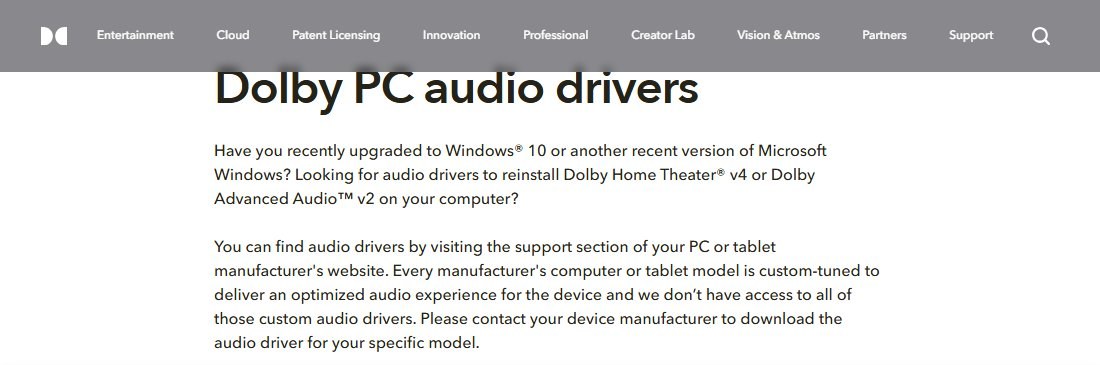
To install Dolby Audio on Windows 11, download the audio driver for your exact PC model from the manufacturer's support site, because Dolby Audio is licensed to PC makers and ships inside their custom-tuned drivers rather than as a standalone download from Dolby.
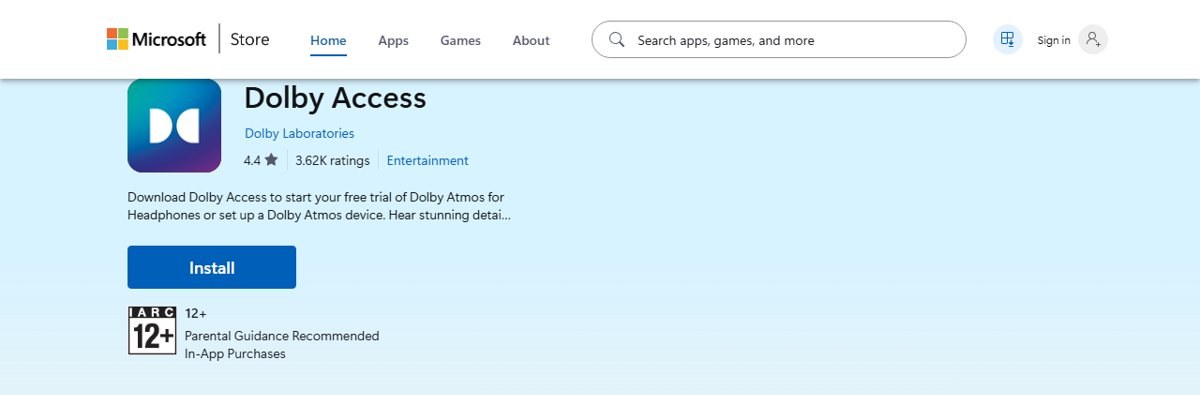
If your PC never had Dolby Audio, the free Dolby Access app from Microsoft Store adds Dolby Atmos for headphones or HDMI devices instead; this guide covers both routes, how to confirm Dolby is active, and fixes when sound disappears.
Install Dolby Audio on Windows 11/10
Dolby says it does not have access to each manufacturer's custom audio drivers, so the driver for your model is the only source of Dolby Audio for built-in speakers.
- Find your PC's exact model name or serial number on the label under the laptop or in the box.
- Open your PC manufacturer's support website (for example HP, Dell, Lenovo, ASUS or Acer).
- Search for your model and open its drivers and downloads page.
- Select Windows 11 as the operating system and download the latest Audio driver.
- Run the installer and follow the manufacturer's on-screen instructions.
- Restart your PC.
- Open the Dolby app your maker supplies (for example Dolby Audio or Dolby Atmos) from the Start menu and pick a sound profile.
HP owners can start from the HP audio driver packages and pick the package listed for their model.
Dolby Audio driver vs Dolby Access app: which one to install
| Your situation | Install this | Why |
|---|---|---|
| Your laptop shipped with a Dolby logo or Dolby app and lost it after a reset or upgrade | Manufacturer's audio driver for your model | The Dolby Audio tuning lives in that driver and only the PC maker distributes it |
| Your PC never had Dolby, and you use headphones | Dolby Access from Microsoft Store | It adds Dolby Atmos for Headphones to any headset |
| You connect a Dolby Atmos TV, soundbar or AV receiver over HDMI | Dolby Access from Microsoft Store | It sets up Dolby Atmos for home theater output |
| You only want free virtual surround on headphones | Windows Sonic for Headphones (built in) | No download needed; turn it on under Spatial sound |
| A website offers a "Dolby Audio driver for all PCs" | Nothing | Dolby does not publish a universal PC driver; such packages are not official |
What is Dolby Audio on a Windows laptop?
Dolby creates and licenses audio technologies; it does not make the laptops. A Dolby logo on a PC or in its manual means the manufacturer licensed a Dolby technology and tuned it for that model's speakers.
| Feature | What Dolby Audio does |
|---|---|
| Speaker tuning | Each manufacturer's driver is custom-tuned for the model's speakers |
| Automatic volume control | Evens out volume jumps when content changes, for example between shows and adverts |
| Surround sound | Up to 7.1 channels, including virtual surround through headphones |
| Enhanced volume | Raises loudness and clarity on small laptop speakers |
| Older versions | Dolby Home Theater v4 and Dolby Advanced Audio v2 were earlier PC versions, also delivered through the maker's driver |
What's the difference between Dolby Audio and Dolby Atmos?
| Dolby Audio | Dolby Atmos (via Dolby Access) | |
|---|---|---|
| Where it comes from | Built into the PC maker's audio driver | Free Dolby Access app from Microsoft Store, or built into some PCs |
| Works on | Only PCs that licensed it | Any Windows 11 PC with headphones, or an HDMI Dolby Atmos device |
| Sound | Tuned stereo and virtual surround up to 7.1 | Spatial audio that places sound around and above you |
| Cost | Included with the PC | App is free; Dolby Atmos for Headphones is a free trial with an in-app purchase |
| Where to switch it on | The maker's Dolby app | Settings > System > Sound > device > Spatial sound |
Download and install Dolby Access from Microsoft Store
Use this route when your PC has no Dolby driver. Dolby Access is published by Dolby Laboratories and runs on x64 and ARM64 PCs.
- Open Microsoft Store from the Start menu.
- Search for Dolby Access and open the listing from Dolby Laboratories.
- Select Get and wait for the install to finish.
- Open Dolby Access.
- Follow the prompts to start the Dolby Atmos for Headphones trial or set up your Dolby Atmos device.
- Go to Start > Settings > System > Sound, select your output device, and pick the Dolby Atmos option under Spatial sound.
Download and install Dolby Audio as a desktop driver package
Use this clean reinstall when the manufacturer's installer runs but Dolby still does not appear, for example after Windows swapped in a generic audio driver.
- Download the Windows 11 audio driver for your model from the manufacturer's support site.
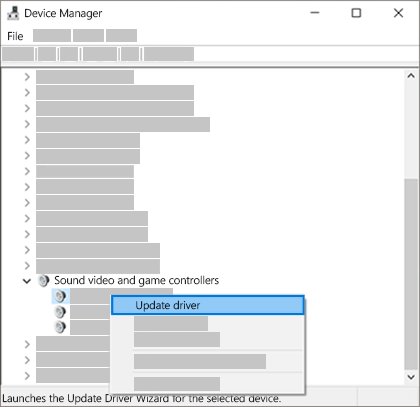
- Select Start, type Device Manager and open it.
- Expand Sound, video and game controllers.
- Right-click your audio device and select Uninstall device, then confirm.
- Run the manufacturer's audio driver installer you downloaded.
- Restart your PC and open the Dolby app from the Start menu.
On PCs with Realtek audio, the maker's package may also add the Realtek Audio Console for jack and speaker settings.
Get the Dolby audio driver through Windows Update
- Select Start > Settings > Windows Update.
- Select Check for updates.
- Install any audio driver updates that appear, including optional or recommended ones.
- Restart your PC.
- If nothing new arrives, open Device Manager, right-click your audio device, select Update driver, then Search automatically for drivers.
If Windows says the best driver is already installed, the manufacturer's site may still have a newer driver with the Dolby tuning.
Check if Dolby Audio is installed on Windows 11
- Open the Start menu and look for Dolby Audio, Dolby Atmos or Dolby Access in the app list.
- Open Device Manager > Sound, video and game controllers and confirm your audio device shows no warning icon.
- Go to Settings > System > Sound, select your speakers or headphones, and check whether a Dolby option is listed under Spatial sound.
- Play a video or game and switch the Dolby profile on and off; a change in width and loudness confirms it is active.
No speakers or headphones are plugged in on Windows 11 [Fix]
This message, or "No audio output device is installed", usually appears after a driver change such as installing or removing a Dolby driver.
Windows shows no output device after the Dolby driver install
The audio driver is missing, disabled or not loading.
- Open Device Manager and expand Sound, video and game controllers.
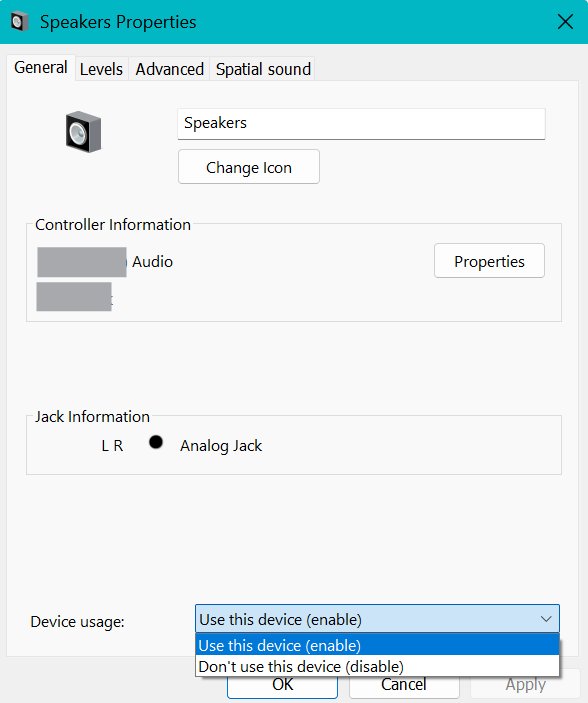
- If the device is there, right-click it and select Enable device if offered.
- If it is missing, select View > Show hidden devices, then Action > Scan for hardware changes.
- Reinstall the manufacturer's audio driver for your model and restart.
Speakers are detected but Windows plays to the wrong device
Another output, such as an HDMI monitor, is set as the default.
- Select Start > Settings > System > Sound.
- Under Output, select your speakers or headphones.
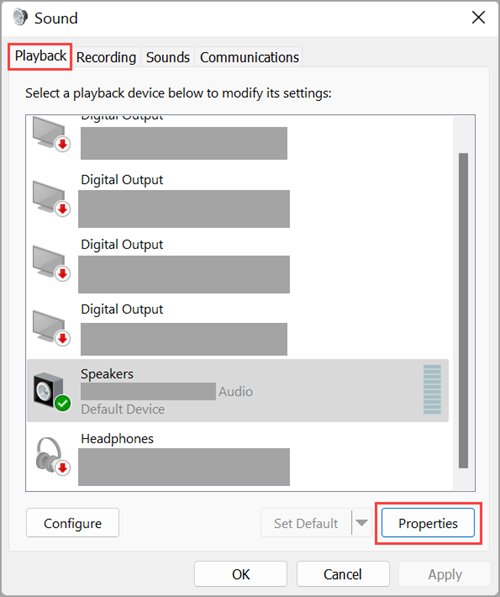
- Select More sound settings > Playback, right-click the device and select Set as default.
Still no sound after the driver and device checks
A temporary fault in the audio stack.
- Run the Audio troubleshooter in the Get Help app.
- Select Start > Power > Restart and test again.
Windows Audio service stuck on stopping
When the Windows Audio service hangs while stopping, sound and the Dolby app stop responding until the audio stack restarts.
Windows Audio shows Stopping in Services and never finishes
The audio service cannot shut down cleanly, which usually points to the audio driver or a related audio service.
- Select Start > Power > Restart to reset the service.
- After the restart, select Start, type
services.mscand press Enter. - Right-click Windows Audio and select Restart.
- Right-click Windows Audio Endpoint Builder and select Restart.
- If it hangs again, update or reinstall the audio driver from the manufacturer's site.
Sound is distorted or crackling with Dolby turned on
Audio enhancements, an unsupported format or an outdated driver.
- Go to Settings > System > Sound, select your device, and turn Audio enhancements off.
- Select Advanced and choose a different Default format.
- Update the audio driver in Device Manager, then restart.
Uninstall Dolby Access or turn off Dolby on Windows 11
- Go to Settings > System > Sound, select your device and set Spatial sound to Off.
- To remove the app, go to Settings > Apps > Installed apps.
- Find Dolby Access, select the More (three dots) button and choose Uninstall.
- To keep the driver but silence the Dolby processing, open your maker's Dolby app and turn the Dolby effect off.
Dolby Audio on Windows 11 FAQ
Can I download Dolby Audio directly from Dolby for my PC?
No. Dolby says it does not have access to the custom audio drivers each PC maker builds, and it directs owners to the manufacturer's support site for the audio driver of their specific model.
Can I install Dolby Audio on a PC that did not come with it?
Not the manufacturer-tuned Dolby Audio, because only PC makers license and ship it. You can add Dolby Atmos for headphones or HDMI devices with the free Dolby Access app from Microsoft Store.
Is Dolby Access free on Windows 11?
The Dolby Access app is free in Microsoft Store. Dolby Atmos for Headphones starts as a free trial and is unlocked with an in-app purchase; Windows Sonic for Headphones is a free built-in alternative.
Why did Dolby Audio disappear after a Windows update?
Windows can replace the manufacturer's audio driver with a generic one, which removes the Dolby tuning. Reinstall the Windows 11 audio driver for your model from the manufacturer's support site and restart.
What is the difference between Dolby Audio and Dolby Atmos?
Dolby Audio is speaker tuning and virtual surround up to 7.1 built into a PC maker's driver. Dolby Atmos adds spatial sound that moves around and above you, through Dolby Access or Atmos-enabled hardware.
Does Dolby Access work with any headphones?
Yes. Dolby Atmos for Headphones in the Dolby Access app works with any wired or wireless headset, and you turn it on per device under Spatial sound in Settings.
Do I need a Dolby codec to play Dolby audio in videos?
Dolby codecs such as AC-3 are usually preinstalled. If they are not, Dolby says you need a player program from a licensed partner such as Corel, CyberLink or Fluendo.