To get in touch with Apple Pay, call Apple Support at 1-800-275-2273 in the United States, start a request at getsupport.apple.com, or chat in the Apple Support app; questions about a specific charge or a declined card go to your bank or card issuer.
This guide shows which contact fits your problem, what to have ready, the official US phone lines, fixes to try first, and how to spot a fake Apple Pay support call.
The fastest way to reach Apple Pay support
Apple has no separate Apple Pay hotline. Apple Pay questions go through the main Apple Support line and the online Get Support flow.
- Go to support.apple.com/apple-pay and check the Quick actions list first; it covers cards, balances, transactions and preauthorized payments.
- If that does not solve it, select Get started under Still need help? to open Apple's Get Support flow.
- Describe the problem and follow the options Apple offers for your case.
- To talk to someone now in the US, call Apple Support at 1-800-275-2273.
- For a charge you do not recognize or a card that was declined, call the number on the back of your card instead, because the card issuer handles those.
Outside the US, open Apple's Contact Apple Support page and choose your country or region under Connect with live support to see your local number.
Why Might You Need to Contact Apple Pay Support?
Apple Pay involves three parties: Apple, your bank or card issuer, and the merchant. Apple's own pages send each type of problem to a specific one of them, so match your situation to a row before you call.
| Your situation | Contact | Why |
|---|---|---|
| Card will not add to Wallet, or you see Could Not Add Card, Invalid Card or Card Device Limit | Your bank or card issuer | Apple says it does not approve or decline cards for Apple Pay; the issuer does |
| Question about a charge made with Apple Pay | Your bank or card issuer | Apple states that transactions can look different from the final charge and directs charge questions to the issuer |
| Store will not accept Apple Pay | The merchant | Apple says to confirm with the merchant; the terminal needs NFC contactless turned on and must accept your card's network |
| Apple Pay or Wallet itself misbehaves on your iPhone, Apple Watch, iPad or Mac | Apple Support (phone, chat or Get Support) | Device and software issues are Apple's side |
| Apple Cash or sending money to a person (US) | Apple Cash line: 1-877-233-8552 | Apple lists a dedicated number for Apple Cash and person-to-person payments |
| Apple Card question | Apple Card support (Goldman Sachs Bank USA, the issuer) | Apple's Apple Card pages send card help to an Apple Card Specialist at Goldman Sachs |
| Device lost or stolen | Find My first, then your issuer | Lost Mode suspends Apple Pay without canceling your cards |
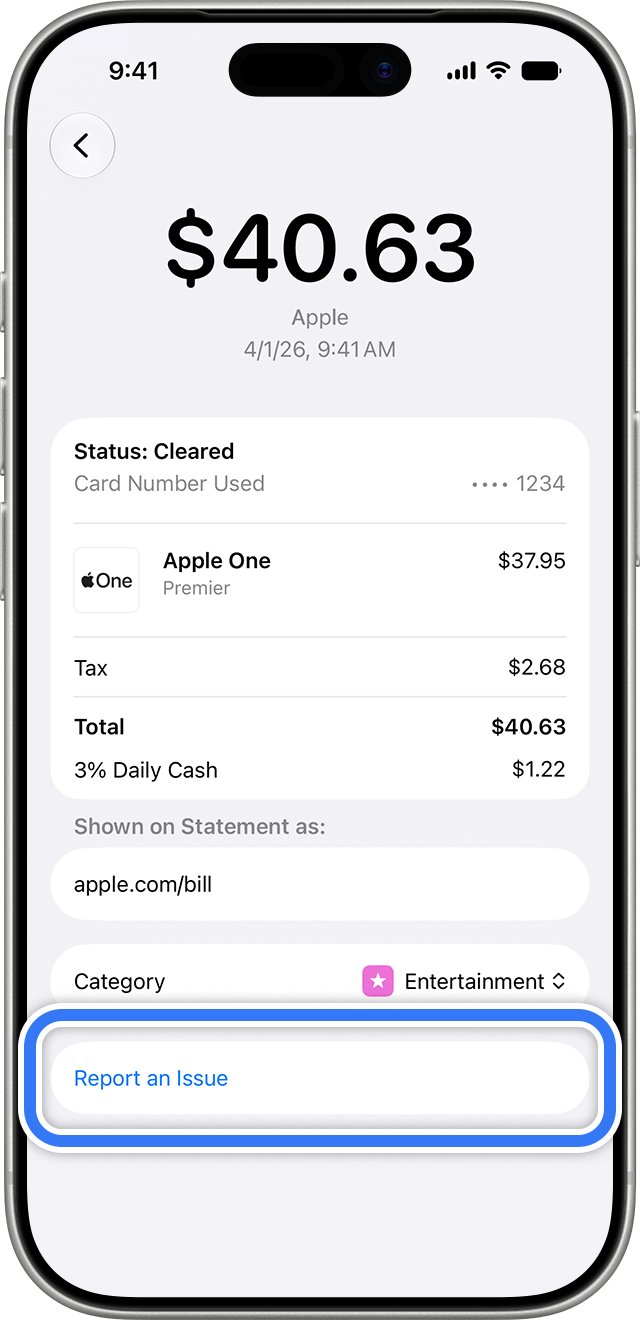
| Unrecognized Apple Services charge (apple.com/bill) | Wallet Report an Issue, or Apple Support | The charge came from an Apple purchase or subscription, not a merchant |
How to Get Started: Pre-Contact Preparations
Run through these checks before you reach out. They are the same checks Apple lists for cards that will not add, and each one can end the problem without a call.
| Check or item | How to confirm it | Why it matters |
|---|---|---|
| Device compatibility and software | Update to the latest iOS, iPadOS, watchOS, macOS or visionOS; check Apple's compatible devices list | Apple Pay needs a compatible device on current software |
| Apple Pay is set up correctly | Confirm a card appears in Wallet, you are signed in with an Apple Account, and Face ID, Touch ID, Optic ID or a passcode is set | Removing the passcode or signing out of iCloud removes cards from that device |
| Two-factor authentication | Confirm it is turned on for your Apple Account | Apple lists it as a requirement when a card will not add |
| Supported country and card | Check Apple's countries and regions list; ask your issuer whether your card supports Apple Pay | Apple Pay is not available in all markets or with every card |
| Internet connection and service status | Check Wi-Fi or cellular, then look at Apple Pay and Wallet on Apple's System Status page | An outage cannot be fixed from your side |
| Basic troubleshooting | Try a second card in Wallet, and for a store payment ask whether the terminal takes contactless payments | Shows whether the problem is one card, one merchant or Apple Pay itself |
| Information to have ready | Device model, software version, the exact error message, the card's last four digits, the transaction date and amount | Support and your issuer ask for these first |
Never gather or share your full card number, passcode, Apple Account password or verification codes. Apple states it never asks for these to provide support.
How To Contact Apple Pay Support: Step-by-Step Methods
Method 1 is the Apple Support website, which routes you to the right contact option for your issue. Methods 2 to 4 follow below.
- Open support.apple.com/apple-pay in any browser.
- Scroll to Still need help? and select Get started.
- Describe the Apple Pay problem in a sentence, including any exact error text.
- Pick one of the contact options offered for your issue and follow the prompts.
Method 2: Chat in the Apple Support app
Apple describes the Apple Support app as the place to ask questions over chat, get guided step-by-step solutions and book an in-store reservation.
- Install Apple Support from the App Store on your iPhone or iPad.
- Open the app and sign in with your Apple Account.
- Choose the device that has the Apple Pay problem.
- Select the Apple Pay or Wallet topic that matches your issue.
- Start a chat, or ask the app to find a nearby Apple Store or Apple Authorized Service Provider to book a reservation.
Method 3: Call the Apple Support hotline
These numbers come from Apple's Contact Apple Support page for the United States. For any other country, pick it from the list on that page.
| You need help with | Call | Source |
|---|---|---|
| Apple Pay, Wallet or any Apple device (US) | 1-800-275-2273 | Apple Contact Apple Support page |
| Apple Cash and person-to-person payments (US) | 1-877-233-8552 | Apple Contact Apple Support page |
| Apple Card from US territories (U.S. Virgin Islands, American Samoa, Guam, Northern Mariana Islands, U.S. Minor Outlying Islands) | Goldman Sachs at 877-255-5923 | Apple Card support page |
| Apple Business Manager or Apple School Manager | 1-866-902-7144 | Apple Contact Apple Support page |
| Education customers | 1-800-800-2775 | Apple Contact Apple Support page |
Dial these numbers yourself. Apple warns that scammers spoof real Apple numbers on caller ID, so an incoming call that shows an Apple number proves nothing.
Method 4: Contact your bank or card issuer from Wallet
Apple states that for the most accurate record of your transactions, and for any question about a charge, you contact your card issuer. Wallet takes you to the transaction first.
- On your iPhone, open the Wallet app.
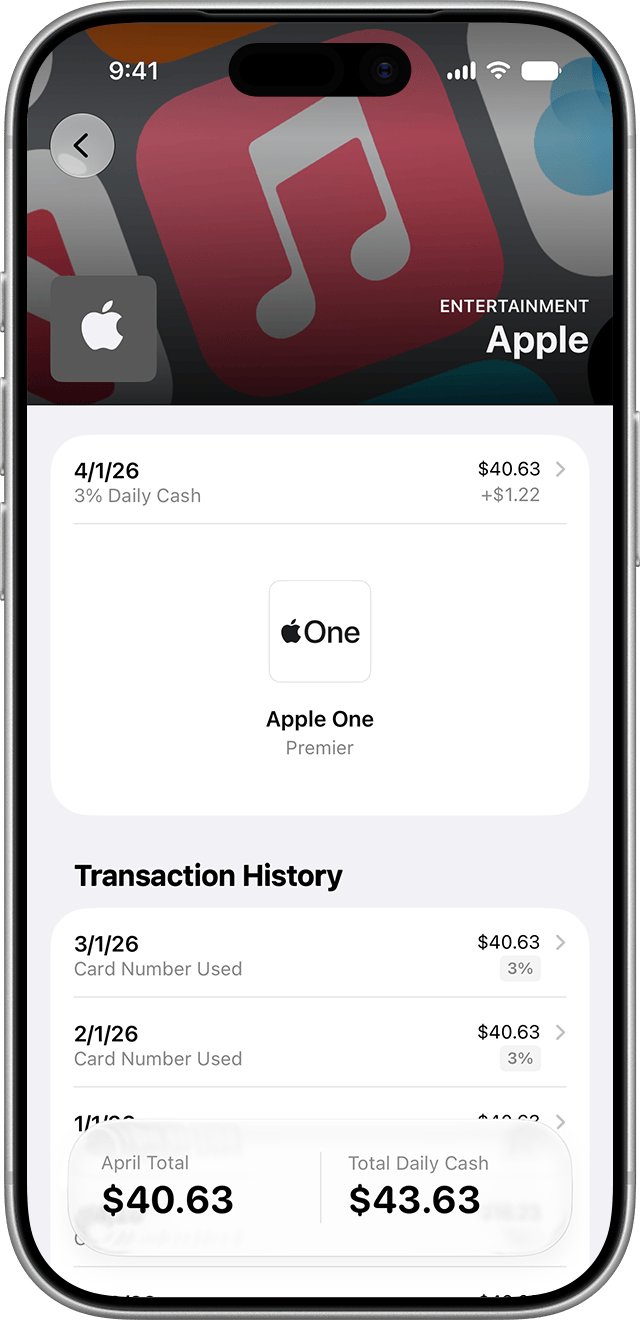
- Tap the card used for the payment to see its latest transactions.
- Tap the transaction to see more details or report an issue.
- Note the merchant name, date and amount shown.
- Call the number on the back of your physical card, or use your bank's app, and quote those details.
On a Mac with Touch ID, iPad or Apple Vision Pro, open Wallet & Apple Pay in Settings, select the card, then the Transactions tab. Apple says some transactions can look different from the final charge, so compare with your statement before you dispute.
Understanding Apple Pay: An Overview
Knowing who runs which part of Apple Pay tells you who can actually fix your problem.
| Part of Apple Pay | Who provides it | What that means for support |
|---|---|---|
| Apple Pay service (US) | Apple Payments Services LLC, a subsidiary of Apple Inc. | Apple says neither Apple Inc. nor Apple Payments Services LLC is a bank |
| The cards in Wallet | Your card issuer | Card approval, declines, limits and disputes sit with the issuer |
| Apple Cash (US only) | Green Dot Bank, Member FDIC | Separate phone line: 1-877-233-8552 |
| Apple Card | Goldman Sachs Bank USA | Help comes from an Apple Card Specialist at Goldman Sachs |
| Card numbers | Stored as a Device Account Number in the Secure Element | Apple does not store your original card number, so Apple Support cannot read it back to you |
| Where it works | Stores, apps, the web and transit in some regions | Merchants must accept Apple Pay and your card's payment network |
Troubleshooting Common Apple Pay Issues
These are the problems that most often lead people to look for Apple Pay support, each with what Apple says to do.
Payment declined or failing
The merchant may not accept your card's network, the terminal may not have NFC contactless turned on, or the issuer declined the charge.
- Check that the store shows the contactless or Apple Pay symbol, and ask the cashier whether contactless payments are switched on.
- Try a different card in Wallet to see whether the problem follows one card.
- Check Apple Pay on Apple's System Status page for an outage.
- If only one card fails, call that card's issuer; the issuer approves or declines charges.
Unable to add card
The card issuer does not support Apple Pay, the device is not set up correctly, or the account is locked.
- Update to the latest iOS, iPadOS, watchOS, macOS or visionOS.
- Confirm Face ID, Touch ID, Optic ID or a passcode is set, and two-factor authentication is on for your Apple Account.
- Confirm you are in a supported country or region and your device is compatible.
- If you see Could Not Add Card, Invalid Card or Card Device Limit, contact your bank or card issuer.
- If your Apple Account is locked, inactive or disabled, contact Apple Support to restore it first.
Transaction not recognized or suspected fraud
A charge can show a different amount or name than expected, belong to a Family Sharing member, or be genuinely unauthorized.
- Open Wallet, tap the card, then tap the transaction to see details.
- For an Apple Services charge on Apple Card, tap the transaction again and tap Report an Issue.
- Ask anyone in your Family Sharing group whether they made the purchase.
- For any other unrecognized charge, call your bank or card issuer.
- If you think your Apple Account was compromised, change your Apple Account password right away.
Apple Pay not working after software update
An incomplete update, a removed passcode or an iCloud sign-out can remove cards or stop payments.
- Make sure the update finished and the device is on the latest version of iOS, iPadOS, watchOS, macOS or visionOS.
- Confirm your passcode and Face ID or Touch ID are still set.
- Confirm you are still signed in to iCloud; signing out removes payment cards from that device.
- Open Wallet and add the card again if it is missing.
- If it still fails, contact Apple Support by phone or chat.
iPhone or Apple Watch lost or stolen
Anyone holding the device should not be able to pay, but your cards still exist on it until suspended.
- Use Find My to mark the device as lost; Apple says this turns off Apple Pay on it.
- To remove the cards entirely, remove them from your Apple Account page or erase the device in Find My.
- Call your bank or card issuer if you also want the cards suspended from Apple Pay.
Best Practices When Reaching Out to Support
| Practice | Why it helps |
|---|---|
| Start from support.apple.com or the Apple Support app | You reach the real Apple, and your devices are already attached to the case |
| Pick the right party first (Apple, issuer or merchant) | Apple cannot approve a card or reverse a merchant charge |
| Give the exact error text, e.g. Card Device Limit | It points support straight to the cause |
| Have the transaction date, amount and card's last four digits ready | Issuers look up charges by these details |
| Keep a note of the case number and the agent's name | You can continue the same case instead of starting over |
| Never read out passwords, passcodes or verification codes | Apple says it never asks for them to provide support |
Privacy and Security Concerns When Contacting Support
Apple specifically warns about scammers who claim someone made unauthorized charges using Apple Pay and offer to reverse them. They spoof real Apple phone numbers, create urgency and then ask for account details or security codes.
| What Apple says | What to do |
|---|---|
| Apple never asks you to log in to a website, tap Accept in a two-factor dialog, or share your password, device passcode or verification code | End the conversation if anyone asks for these |
| Apple never asks you to disable a security feature such as two-factor authentication or Stolen Device Protection | Treat that request as a scam |
| If you get an unsolicited call claiming to be from Apple or Apple Support, just hang up | Call Apple back yourself on 1-800-275-2273 (US) |
| Never use Apple Gift Cards to make payments to other people | No real support agent will ask for gift cards |
| Forward suspicious Apple emails to [email protected] | Send screenshots of suspicious texts to the same address |
| Report suspicious FaceTime calls to [email protected] | Include a screenshot of the call information |
| Report scam calls to the FTC at reportfraud.ftc.gov (US) | Or to your local law enforcement agency |
On the privacy side, Apple says it does not store the original card numbers you add to Apple Pay and does not retain transaction information that can be tied back to you when you pay with a credit, debit or prepaid card.
Additional Resources
- Apple Pay Support — Quick actions and the Get started link to Apple's support flow
- Contact Apple Support — Phone numbers by country, plus the Apple Cash line
- If you can't add a card to Apple Wallet — Apple's checklist and the error messages that mean call your issuer
- See your Apple Pay transaction history — Where to find transactions on iPhone, Apple Watch, iPad and Mac
- Apple Pay security and privacy overview — What Apple stores and what to do with a lost device
- Recognize and avoid social engineering schemes — Apple's scam warning and reporting addresses
- Apple System Status — Check Apple Pay and Wallet for outages
- Apple Pay countries and regions — Where Apple Pay is available
Frequently Asked Questions
Does Apple Pay have its own customer service number?
No. Apple Pay support in the United States runs through the main Apple Support line, 1-800-275-2273. Apple lists a separate number, 1-877-233-8552, only for Apple Cash and person-to-person payments.
Can I chat with Apple Pay support online?
Yes. The Apple Support app offers chat for troubleshooting, and the Get started link on Apple's Apple Pay support page opens the Get Support flow, which lists the contact options Apple offers for your issue.
Who do I contact about a charge I don't recognize on Apple Pay?
Contact your bank or card issuer. Apple states that for questions about a charge made with Apple Pay, the issuer is the right contact. Check the transaction in Wallet first, since some transactions look different than the final charge.
Why was my card declined when adding it to Apple Pay?
Your bank or card issuer declined it. Apple says it does not approve or decline cards for use with Apple Pay, so errors such as Could Not Add Card or Invalid Card have to be resolved by the issuer.
Will Apple Support ever call me about Apple Pay fraud?
Treat any unexpected call as a scam. Apple warns that scammers pose as Apple Support, claim unauthorized Apple Pay charges and spoof Apple's number. Apple's advice is to hang up and contact Apple directly yourself.
What should I do if my iPhone with Apple Pay is lost?
Mark it as lost in Find My, which turns off Apple Pay on that device. You can also remove the cards from your Apple Account page, erase the device in Find My, or call your card issuer to suspend the cards.
Can I get Apple Pay help at an Apple Store?
Yes, for device problems. The Apple Support app can find a nearby Apple Store or Apple Authorized Service Provider and book a reservation. Card approvals, declines and disputes still go to your bank or card issuer.
Is Apple Pay a bank?
No. In the United States, Apple Pay is provided by Apple Payments Services LLC, a subsidiary of Apple Inc., and Apple states that neither company is a bank. Any card used in Apple Pay is offered by the card issuer.
Conclusion
Send card and charge problems to your card issuer, and everything about the Apple Pay app or device to Apple Support at 1-800-275-2273 or through the Apple Support app. Apple does not approve cards or handle charge disputes, so calling Apple about a declined card or unknown charge only adds a step before you are sent to the issuer.