To chat with Apple Support, go to getsupport.apple.com, pick your product and issue, then choose Chat from the contact options Apple offers.
This guide covers live chat on the website and in the Apple Support app, the US phone numbers, sales chat, and what to do when chat is not listed.

How to chat with Apple Support online
Apple's Get Support page lets you connect by phone, chat, email and more after you describe the problem. Signing in is optional, but it shows your devices and repair coverage.
- Open getsupport.apple.com in any web browser.
- Select Sign in and enter your Apple Account, or select See all products to continue without signing in.
- Choose the product you need help with, such as iPhone, Mac or Apple Account.
- Pick the topic that matches your issue, or type a short description in Tell us what's happening.
- On the contact options page, select Chat if it is offered for that issue.
- Type your question in the chat window and keep the browser tab open until an advisor joins.
Apple shows only the contact methods available for the issue you picked, so the list changes from one topic to another.
Apple support chat vs phone vs Genius Bar
| Your situation | Use this | Why |
|---|---|---|
| Software, account or settings question | Chat on getsupport.apple.com or the Apple Support app | You can type, paste error text and keep working |
| Billing or a charge you do not recognise | reportaproblem.apple.com, then chat if needed | Refund requests go through that site first |
| You prefer to talk | Call 1-800-275-2273 in the US | Apple's main US support line |
| Hardware damage or a repair | Book a Genius Bar or service provider visit in the Apple Support app | A technician has to see the device |
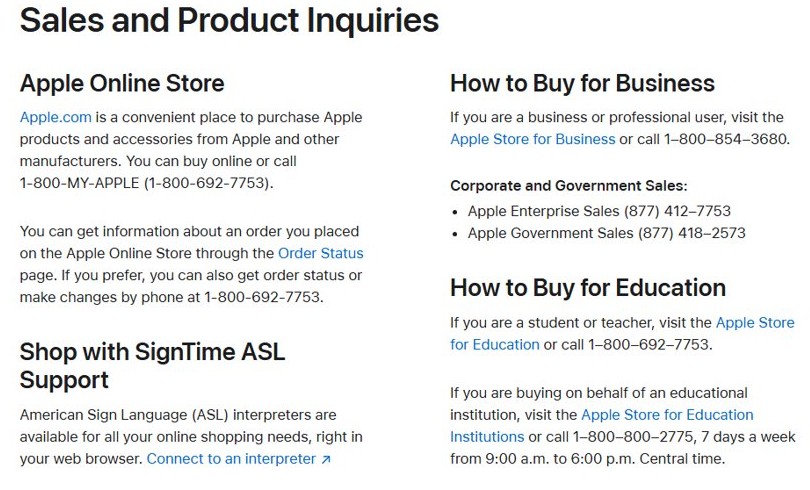
| Buying a product or checking an order | Apple Online Store or 1-800-MY-APPLE | Sales questions are handled separately from tech support |
Apple support chat on app for iPhone and iPad
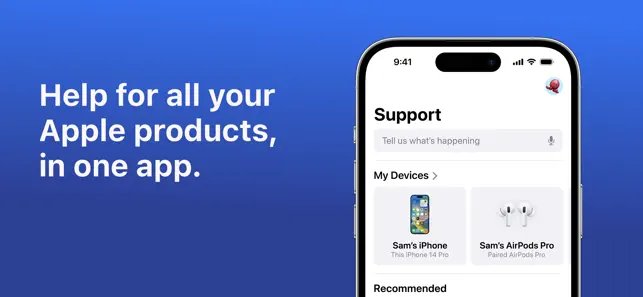
The free Apple Support app runs on iPhone, iPad and Apple Vision. Apple says you can ask questions over chat, start a repair and watch videos in it.
- Open the App Store and search for Apple Support.
- Install the app published by Apple and open it.
- Sign in with your Apple Account if asked.
- Tap the device or service that has the problem.
- Choose the topic, then tap Chat when it appears in the contact options.
- Describe the issue and wait for an advisor to reply.
The app and some of its features are available only in select countries or regions.
Apple support chat on website for sales and orders
Questions about buying a product, an order or Apple Trade In go to Apple's sales team, not technical support.
- Go to apple.com/contact.
- Under Sales and Product Inquiries, use the Apple Online Store link, or call 1-800-MY-APPLE (1-800-692-7753).
- For an existing order, open the Order Status page and sign in.
- For business purchases, call 1-800-854-3680.
- For tech problems with a product you already own, return to getsupport.apple.com instead.
Apple support phone numbers in the US
If chat is not offered, these are the numbers Apple publishes for the United States.
| Need | Number |
|---|---|
| General Apple product and service support | 1-800-275-2273 |
| Apple Online Store sales and order status | 1-800-692-7753 |
| Education customers | 1-800-800-2775 |
| Apple Business and Apple School Manager | 1-866-902-7144 |
| Apple Cash and person-to-person payments | 1-877-233-8552 |
Outside the US, open Apple's Contact Apple Support page and choose your country or region to see the local number. Wallet questions have their own Apple Pay support contacts.
View your Apple support chat history
Apple keeps a record of your recent and upcoming contacts on the Get Support site.
- Open getsupport.apple.com and select Sign in.
- Select View activity.
- Check the list for your recent chats, calls, repairs and reservations.
- Open an entry to see its details or continue the case.

Does Apple offer chat support for free?
| Question | Answer |
|---|---|
| Do you need AppleCare+ to use the Apple Support app? | No. Apple states the app does not require an AppleCare+ plan |
| Is chat offered for every issue? | No. Get Support lists only the options available for the product and topic you choose |
| Do you have to sign in? | No for browsing products and solutions; signing in shows your devices and repair coverage |
| Where do refunds for apps start? | reportaproblem.apple.com, where you choose Request a refund |
Apple support chat not showing or not working
Chat is not listed as a contact option
Apple offers chat only for some products, topics and regions.
- Go back and choose a different, closer topic for your issue.
- Sign in with your Apple Account so Apple can match your device.
- Use the phone number for your country if chat still does not appear.
Can't chat with Apple support without signing in
Some account and device options appear only after Apple can identify you.
- Select Sign in on getsupport.apple.com.
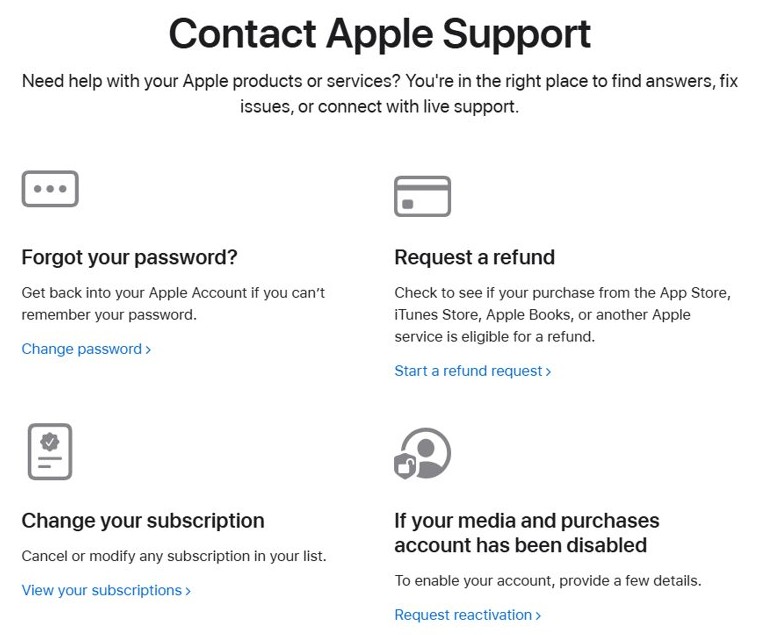
- If you forgot your password, select Change password on the Contact Apple Support page first.
- Call 1-800-275-2273 if you cannot sign in at all.
The problem is a charge or subscription
Billing requests have their own self-service pages.
- Sign in to reportaproblem.apple.com.
- Select I'd like to, then Request a refund.
- Wait 24 to 48 hours for an update, then contact Apple Support if needed.
To flag a bad purchase instead of chatting, you can report a problem to Apple directly.
Apple support chat FAQ
Is there an Apple support chat?
Yes. Apple offers chat through getsupport.apple.com and the Apple Support app. After you choose a product and topic, Chat appears among the contact options when it is available for that issue.
Does Apple offer chat support?
Yes. Apple's Get Support page says you can connect by phone, chat, email and more. The exact options depend on the product, the problem you pick and your country or region.
Can I chat with Apple support online?
Yes. Open getsupport.apple.com in a browser, choose your product and issue, then select Chat. You can sign in with your Apple Account to see your devices and repair coverage.
How do I live chat with Apple support?
Start at getsupport.apple.com, pick the product and topic, then choose Chat on the contact options page. An Apple advisor joins the conversation in the browser window.
How to chat with Apple support team from iPhone?
Install the free Apple Support app from the App Store, sign in, choose your device and topic, then tap Chat. The app also handles repairs and Genius Bar reservations.
Can I chat with Apple support without an AppleCare plan?
Yes. Apple states that you do not need to buy an AppleCare+ plan to use the Apple Support app, and Get Support is open to any Apple customer.
What is the Apple support phone number?
In the United States, call 1-800-275-2273 for product and service support. Sales and order questions go to 1-800-MY-APPLE (1-800-692-7753).
Best way to chat with Apple support
Use getsupport.apple.com on a computer or the Apple Support app on iPhone, and sign in first. Signing in matches your devices and coverage, so Apple can offer chat for the right product faster.