Origin is now the EA app, and your Origin library comes with it. Download it free for Windows 11, Windows 10 and Mac, and your games and saves carry across.
Windows and Mac each get one official file. The Windows installer is 2.04 MB and pulls the app down as it runs. The Mac package is a 327 MB download covering Apple silicon and Intel.
Two other products share the name: OriginLab’s graphing software and the uBlock Origin content blocker. This guide separates the three, then covers the official EA app files, install steps, pricing, Mac builds and the errors that follow an old Origin install.
Which Origin download do you actually need?
Three unrelated products answer to the name Origin. Match your case before downloading anything.
| What you call Origin | What to download now | Size |
|---|---|---|
| EA’s launcher for The Sims, Battlefield, FIFA or Apex on Windows | EAappInstaller.exe | 2.04 MB |
| EA’s launcher on a Mac | EA app.pkg | 327 MB |
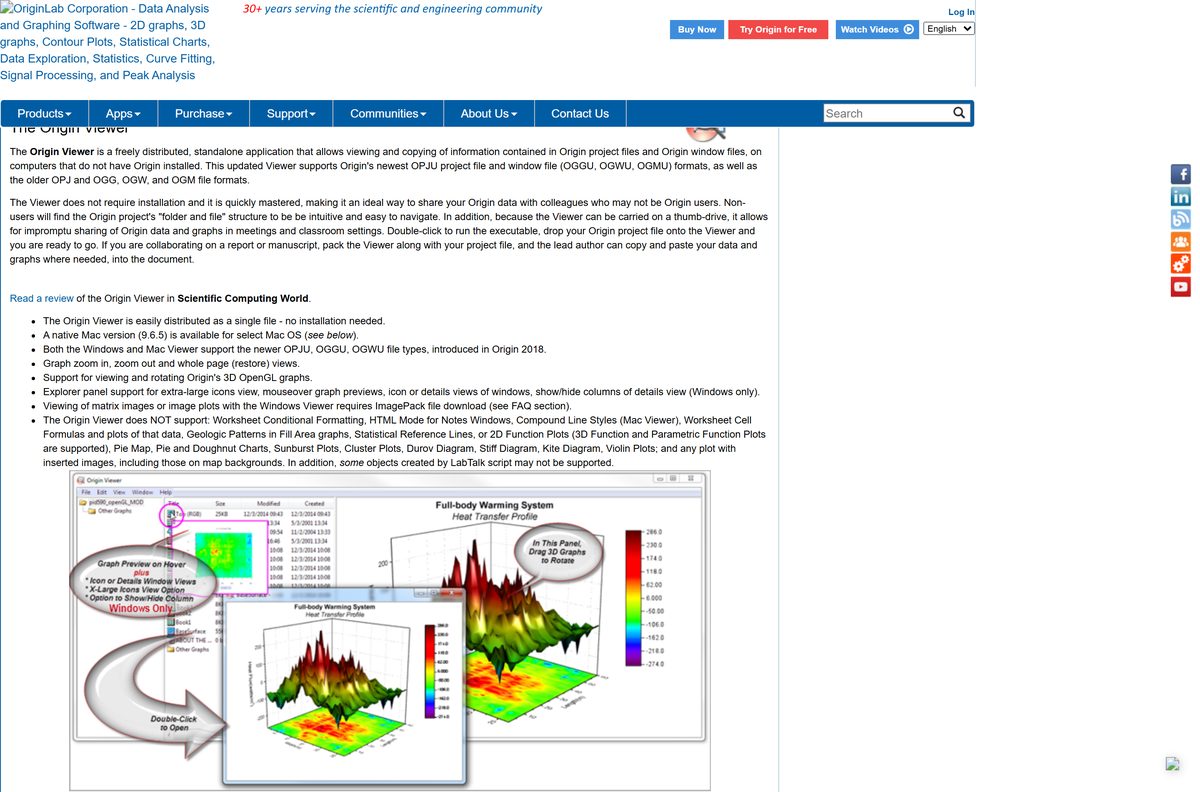
| OriginLab’s data analysis and graphing software | Origin trial from originlab.com | Paid, 21-day trial licence |
| Opening an Origin project file somebody sent you | Origin Viewer, free | About 30 MB |
| The uBlock Origin browser extension | ublockorigin.com | Free |

Download the EA app from the official EA source
EA publishes two installers and one page. The Windows and macOS buttons on that page point at the two files below.
- EAappInstaller.exe for Windows 11 and Windows 10 — 2.04 MB · 64-bit only
- EA app.pkg for macOS — 327 MB · one universal package for Apple silicon and Intel
- The EA app page on ea.com — the Download the EA app button, then Windows or macOS
- EA’s PC games library — where origin.com sends you now
The Windows file is a bootstrapper: it fetches the app during setup, so there is no EA app offline installer and no standalone Origin setup left. The Mac package carries the whole app and needs about 794 MB of disk.
Check the EA app system requirements and download size
EA sets one bar for the launcher itself. Each game adds its own requirements, listed at the bottom of its Game Hub in the EA app Store.
| Field | Value |
|---|---|
| Developer | Electronic Arts Inc. |
| Latest version | 13.788.2.6298 (Windows installer) |
| Price | Free; games and EA Play sold separately |
| Windows download | 2.04 MB, EAappInstaller.exe |
| Mac download | 327 MB, EA app.pkg |
| Supported OS | Windows 10 and 11, macOS 10.15.8 Catalina or later |
| Architecture | 64-bit Windows; universal on Mac, x86_64 and arm64 |
| 32-bit Windows | Not supported |
| Offline installer | No, the Windows file downloads the app during setup |
| Origin status | Retired on Windows and Mac |
| Official download source | ea.com/ea-app |
| Last verified | 2026-09-11 |
Press Windows + I and open System > About. The System type line has to say 64-bit.
How to install the EA app on Windows 11 and 10
Keep the machine online throughout. The 2.04 MB file downloads the application as it goes.
- Open the EA app page on ea.com and select Download the EA app.
- Select Windows to save EAappInstaller.exe.
- Double-click the file, then select Yes at the User Account Control prompt.
- Wait while the installer downloads and unpacks the app into C:\Program Files\Electronic Arts\EA Desktop\EA Desktop.
- Launch the EA app when setup finishes.
- Sign in with your EA Account, or select the option to create one.
- Open Library and confirm your games are listed.
The same EA Account that worked in Origin works here. If setup stalls, add EADesktop.exe, EALauncher.exe and EABackgroundService.exe to the allow lists in your firewall and antivirus.

Install the EA app when your game came from Steam or Epic
- Install the EA game in Steam or the Epic Games Store as normal.
- Select Play, and let the store hand off to EA’s installer prompt.
- Follow the prompt to download and install the EA app.
- Sign in with your EA Account when the EA app opens.
- Go back to Steam or Epic and select Play again.
EA states plainly that the EA app is required to play EA games on PC, whichever store sold the licence. Its help sends every reader to ea.com for the file.
How to check the EA app installer is genuine
The download is code-signed. Checking the signature takes ten seconds and rules out a repackaged copy from a download portal.
- Right-click EAappInstaller.exe and select Properties.
- Open the Digital Signatures tab.
- Select the signature in the list and click Details.
- Confirm the signer name reads Electronic Arts, Inc.
- Click View Certificate and confirm DigiCert issued the certificate.
- Check the file is about 2 MB. A 60 MB file called Origin Setup did not come from EA.
A copy taken from ea.com on 11 September 2026 carried a valid Authenticode signature for CN=Electronic Arts, Inc., Redwood City, California. No Digital Signatures tab means the file is not EA’s.
Which Origin download works on a Mac?
Origin for Mac went the same way as the Windows client. One universal package covers every supported Mac.
| Your Mac | Download | Size |
|---|---|---|
| Apple M1, M2, M3 or M4 on macOS Catalina or later | EA app.pkg | 327 MB |
| Intel Mac on macOS Catalina or later | EA app.pkg, the same file | 327 MB |
| macOS older than 10.15.8 | Update macOS first | Not supported |
| You wanted OriginLab’s Origin on a Mac | Origin Viewer 9.6.5, macOS 10.10 to 10.15 only | About 30 MB |
Open the package, drag the EA app icon onto the Applications icon, then sign in. It installs to /Applications/EA app.app.
Is Origin free?
Yes, and so is the EA app that replaced it. Neither the app nor an EA Account costs anything. Games are bought one at a time, and EA Play is the optional membership at $5.99 a month or $39.99 a year, with EA Play Pro at $16.99 a month or $119.99 a year. Any site charging for an Origin setup file is selling something EA gives away. OriginLab’s Origin is the paid product with this name, sold by licence with a 21-day trial and a free viewer.

Should you install Origin or the EA app?
Install the EA app. Origin is not an option any more. EA’s own text for error EC:20:403 says the error happens because Origin is no longer available for Windows, and the fix it gives is to install the EA app. The ea.com FAQ answers “Has the EA app replaced Origin on PC and Mac?” with one word: yes. The Origin installer URLs return HTTP 404, and a page still offering an Origin setup file is serving its own copy of a dead client.
How to check your EA app version and update it
The EA app updates itself when you sign in. It skips an update that lands while it is running, so restart it.
- Quit the EA app completely, then start it again to pick up a pending update.
- Select the menu icon at the top left, hover over Help, then select Restart app if it stalls.
- Open Settings, select Application, and confirm Application updates is switched on.
- To read the installed version on Windows, right-click EADesktop.exe in the install folder and select Properties > Details.
- On a Mac, select EA app in Applications, press Command + I, and read the version line.
The installer on ea.com reports 13.788.2.6298 and the Mac package reports 13.783.0.6296.
Which games still need the EA app
| Where the game came from | What to install | How it starts |
|---|---|---|
| Bought on Origin before it closed | EA app | Sign in with the same EA Account and it is in Library |
| Bought in the EA app Store | EA app | Library, then Download |
| Bought on Steam | Steam and the EA app | Press Play in Steam; the EA app opens behind it |
| Bought on the Epic Games Store | Epic and the EA app | Press Launch in Epic |
| A retail key or gift code | EA app | Redeem the product code first, then it appears in Library |
Only full games appear as tiles. Expansion packs sit under Manage add-ons, behind the three dots on a tile.
Fix Origin errors and EA app install failures on Windows and Mac
Origin is not installed, or error EC:20:403
The game is looking for a client EA has retired.
- Download the EA app from ea.com.
- Run EAappInstaller.exe and sign in with your EA Account.
- Start the game again from Steam, Epic or the EA app Library.
INST-14-1603, INST-14-1460 or INST-14-1612 during setup
The Microsoft Visual C++ Redistributables the installer depends on are missing or damaged.
- Install the Visual C++ Redistributables for Visual Studio 2015 through 2022 from Microsoft.
- Restart the PC.
- Download the EA app again and run the fresh installer.
macOS blocks the EA app installer
Gatekeeper stopped a package that came from outside the App Store.
- Open System Settings and select Privacy & Security.
- Scroll to Security and find Allow applications downloaded from.
- Select Open Anyway on the blocked EA app notice, then run the installer again.
EC:10701, the EA app will not launch
Port 3216, which the EA app launches through, is blocked or already in use.
- Restart the computer and open the EA app again.
- Disable virtual network adapters such as Hyper-V, TAP-Windows and VMware, along with any VPN.
- On a Mac, close Origin fully if it is still installed, then launch the EA app.
Games bought on Origin are missing from Library
The app is showing a stale library, or the purchase sits on a different EA Account.
- Clear the EA app cache, then select Restart app under Help.
- Sign out and back in, or try another email address you have used with EA.
- Redeem the product code if the game came from a retailer.
How to uninstall the EA app and remove Origin leftovers
Removing the EA app blocks every installed EA game until it is back. The game files stay on disk.
- Search for Control Panel in the Start menu and open it.
- Under Programs, select Uninstall a program.
- Right-click EA app, choose Uninstall, then confirm with Uninstall.
- Right-click Origin in the same list and uninstall it as well if the old entry is still there.
- Restart the PC if either uninstall stalls.
- On a Mac, open Applications, right-click EA app and select Move to Trash.
Uninstalling one game is separate: open the EA app, pick the game, select Manage, then Uninstall.
What to install instead of the EA app
Nothing substitutes for it on EA’s own games. These are the launchers worth keeping alongside it.
| Launcher | Publisher | What it gives you |
|---|---|---|
| EA app | Electronic Arts Inc. | Required for every EA game on PC and Mac |
| Steam | Valve | Largest PC store; EA titles there still open the EA app |
| Epic Games Store | Epic Games | Weekly giveaways; the same EA app handoff |
| Xbox app | Microsoft Corporation | PC Game Pass titles, including EA Play content |
Steam, GTA V and Call of Duty each have their own download guide for Windows 11 and 10.
Other PC games and game launchers include Microsoft Flight Simulator and Gorilla Tag.
Frequently asked questions
Is there still an Origin download for PC?
No. EA retired Origin and replaced it with the EA app on Windows and Mac. The old Origin installer URLs return HTTP 404, and origin.com redirects to ea.com.
Is the EA app free?
Yes. The download and the EA Account cost nothing. Games are bought individually, and EA Play is optional at $5.99 a month or $39.99 a year.
What is the official Origin download page now?
The EA app page on ea.com. It carries a Windows button and a macOS button, linking to EAappInstaller.exe and EA app.pkg. EA’s help pages point to the same page.
Is there an Origin or EA app offline installer?
No. The Windows file is 2.04 MB and downloads the app while it runs, so it needs an internet connection. The Mac package is different: it holds the full application.
How big is the EA app download?
The Windows installer is 2.04 MB. The Mac package is 327 MB and needs roughly 794 MB of disk once installed. Games download separately after that.
Does the EA app work on Windows 11?
Yes. EA supports Windows 10 and Windows 11 on 64-bit hardware. There is no separate Windows 11 download and no 32-bit build.
Is there an Origin download for Mac?
No. The EA app replaced Origin on Mac as well. One universal package covers Apple silicon and Intel Macs running macOS 10.15.8 Catalina or later.
Is the EA app 64-bit?
Yes. EA supports 64-bit Windows only and states that 32-bit versions of Windows will not run it. The Mac package is universal, carrying x86_64 and arm64 code.
Why does a game say Origin is not installed?
The title is looking for the retired client. EA’s error EC:20:403 says Origin is no longer available for Windows. Install the EA app and start the game again.
Which version is current, and can I download an old Origin build?
The installer on ea.com reports 13.788.2.6298 and the Mac package reports 13.783.0.6296. EA does not distribute Origin at all now, so copies offered elsewhere are third-party files.
Is the EA app safe to download?
Take it from ea.com. The installer is signed by Electronic Arts, Inc., and the signature shows under Properties, then Digital Signatures. Portal copies of Origin Setup are not EA’s file.







Download GOG GALAXY for PC, Windows 11/10 & Mac (Free) - Techdows
[…] EA app […]