Opera GX runs on Windows 11, Windows 10 and macOS, and Opera charges nothing for it. The Download Opera GX button on opera.com hands you a 3.9 MB online installer, not the browser itself.
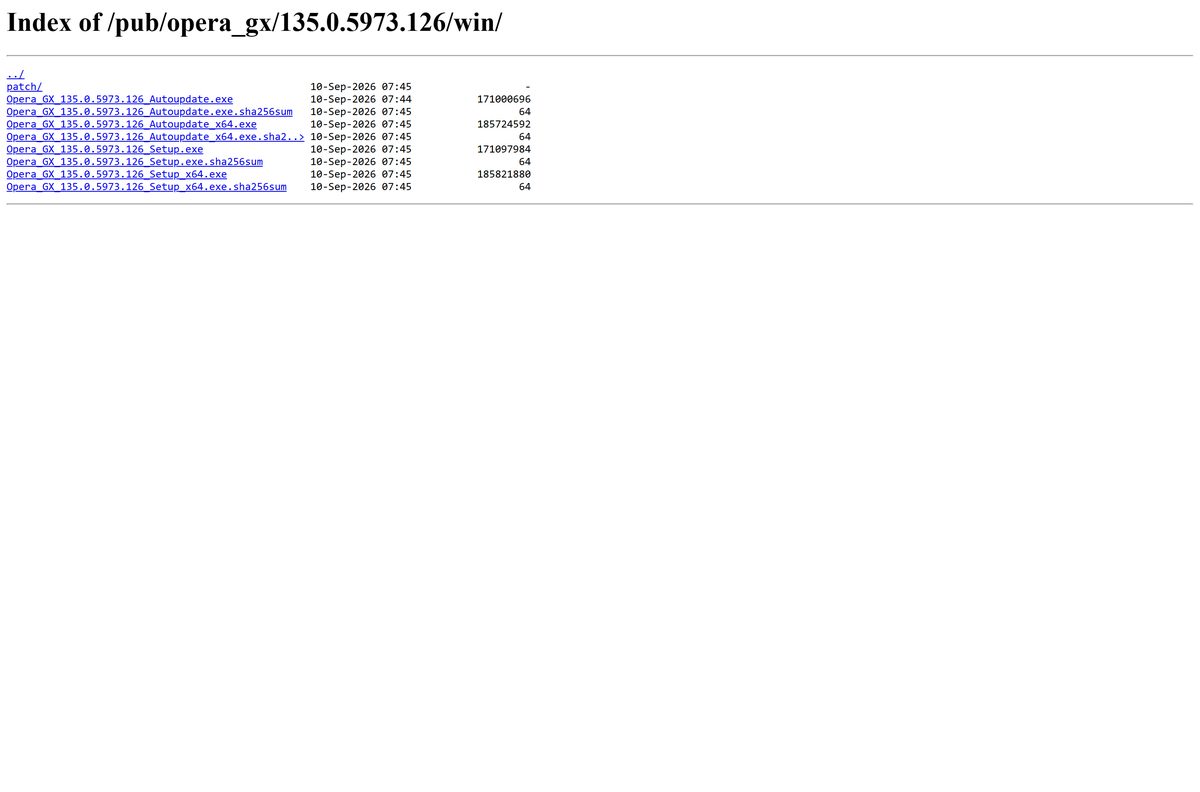
The full standalone setup is a separate file: 177 MB for 64-bit Windows, 163 MB for 32-bit and 288 MB for Mac. Opera publishes all three in its own release directory with a SHA-256 file beside each one.
This guide covers which file matches your machine, installing on Windows and Mac, the Microsoft Store and winget routes, the offline installer, and fixes for each error the installer shows.
Which Opera GX download do you need?
Match your machine to a row. Every file below comes from Opera’s own release directory or download service.
| Your machine | File to download | Size |
|---|---|---|
| Windows 11 or 10, 64-bit | Opera_GX_135.0.5973.126_Setup_x64.exe | 177 MB |
| Windows 11 or 10, 32-bit | Opera_GX_135.0.5973.126_Setup.exe | 163 MB |
| Windows on Arm PC | No ARM64 build exists. Take the 64-bit setup | 177 MB |
| Any Windows PC, smallest file | OperaGXSetup.exe, the online installer | 3.9 MB |
| Mac, Apple silicon or Intel | Opera_GX_135.0.5973.126_Setup.dmg | 288 MB |
| Ubuntu, Debian or Linux Mint | opera-gx-stable_amd64.deb | 176 MB |
| Fedora or openSUSE | opera-gx-stable_amd64.rpm | 167 MB |
| Steam Deck or any Flatpak desktop | Opera GX on Flathub | Handled by Flatpak |
To read your Windows build, press Windows + I, open System > About and look at the System type line.
The 32-bit setup runs on a 64-bit PC, but it stays a 32-bit browser. Take it only on a genuinely 32-bit machine.

Download Opera GX from the official Opera sources
Opera distributes the browser from three places: the product page, a download service pinned to the current build, and a public release directory.
- Opera GX product page — the Download Opera GX button serves the small online installer
- Windows online installer, OperaGXSetup.exe — 3.9 MB · tracks the current stable build
- Mac online installer, OperaGXSetup.zip — 2.9 MB
- Release directory for the current build — full offline setups for Windows, Mac and Linux, each with its own .sha256sum file
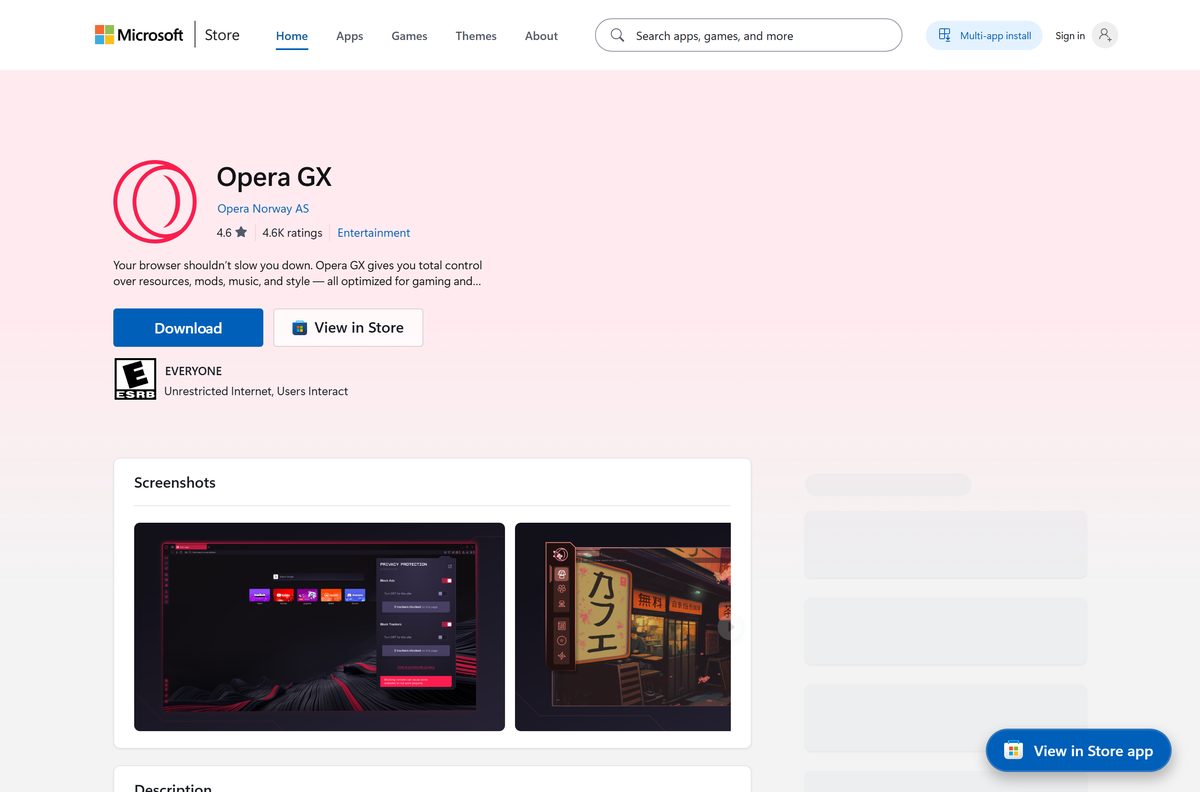
- Opera GX on the Microsoft Store — product XPDBZ4MPRKNN30, publisher Opera Norway AS
- Opera GX on the Snap Store — publisher Opera, verified account
Both Windows installers are signed by Opera Norway AS through DigiCert. No download portal republishes Opera’s SHA-256 files, so a copy from one cannot be checked.
How to install Opera GX on Windows 11 and 10
The online installer and the offline setup open the same window, so these steps cover both.
- Open opera.com/gx and select Download Opera GX, or take the offline setup from the table above.
- Run the downloaded file.
- Select Options before you install anything.
- Set Install for to Current user, which needs no administrator rights, or All users on this computer, which does.
- Select Change beside Install path if the default folder does not suit you.
- Clear Import bookmarks and data from the default browser if you want an empty profile.
- Select Accept & Install.
- Watch the progress line move through Downloading, Extracting and Installing.
- Open Opera GX from the Start menu when the installer closes.
The offline setup skips Downloading and starts at Extracting, because the browser is already inside the file. Install for carries a third option, Stand-alone installation (USB), covered further down.
Install Opera GX from the Microsoft Store or with winget
Both routes work, and they do not fetch the same build.
- Open Microsoft Store and search for Opera GX, or open product XPDBZ4MPRKNN30 directly.
- Check the publisher line reads Opera Norway AS.
- Select Get, then Install.
- For a command line instead, open Terminal and run winget install Opera.OperaGX .
- To pull the Store copy from the command line, run winget install XPDBZ4MPRKNN30 –source msstore .
- Add –silent to either command for an install with no prompts.
The Store listing trails the direct download by a full release and offers the 64-bit build only. The Opera.OperaGX package points straight at Opera’s release directory, so winget installs the file the website serves.
How to verify the Opera GX installer before you run it
Opera puts a .sha256sum file next to every installer it publishes. One command turns that into a real check.
- Open the .sha256sum file that sits beside your download.
- Open Terminal in the folder holding the installer.
- On Windows, run certutil -hashfile Opera_GX_135.0.5973.126_Setup_x64.exe SHA256 .
- On a Mac, run shasum -a 256 Opera_GX_135.0.5973.126_Setup.dmg instead.
- Compare the output with the published hash, character for character.
- Right-click the Windows installer, open Properties, then the Digital Signatures tab.
- Confirm the signer name reads Opera Norway AS, issued by DigiCert.
The 64-bit Windows setup for this build hashes to 782c58feab338c923a1e6e5a730e38f71c6a946989acaadc1d6e2d9a6b455936 , and the Mac disk image to 40db0b0d2ff4d8ef983fece18a435f0cd7fe20c0ba0952f6cacd8d2ed2294b4c .
A Windows file with no Digital Signatures tab did not come from Opera. Delete it and download again.
Run Opera GX from a USB stick without installing it
Opera’s installer builds this in. It writes every file to one folder, on a local disk or on external media, without touching the registry or creating shortcuts.
- Download the 64-bit offline setup rather than the online installer.
- Run it and select Options.
- Set Install for to Stand-alone installation (USB).
- Select Change and point Install path at a folder on the USB drive.
- Select Accept & Install and wait for it to finish.
- Open opera.exe from that folder on any Windows PC you plug the drive into.
A stand-alone copy keeps its profile on the stick, so bookmarks and logins travel with it. It also updates itself, so expect the folder to grow past the 177 MB the setup took.
Which Opera GX download do you need for your Mac?
One disk image covers every supported Mac. Open the Apple menu and select About This Mac to find your row.
| Your Mac | What to download | Size |
|---|---|---|
| Apple M1, M2, M3 or M4 | Opera_GX_135.0.5973.126_Setup.dmg | 288 MB |
| Intel Mac on macOS 13 or later | Opera_GX_135.0.5973.126_Setup.dmg | 288 MB |
| Slow connection, either chip | OperaGXSetup.zip, the online installer | 2.9 MB |
| macOS 12 Monterey or older | Not supported. Upgrade macOS first | 0 |
There is no separate Apple silicon download because none is needed. The executable inside Opera GX.app is a universal binary, carrying an Intel slice and an Apple silicon slice in one file.
To install it, open the disk image, drag Opera GX onto your Applications folder, then eject the image. The bundle refuses to launch below macOS 13.
Is Opera GX free?
Yes. Opera GX is free to download and free to keep, with no paid tier and no trial period. Microsoft’s Store listing records the price as Free and the free trial as No. Opera’s EULA licenses the browser to you rather than selling it, and it requires anyone who redistributes the software to pass it on free of charge. The built-in VPN costs nothing either: Opera’s help states that VPN is a free service and the amount of data you are allowed to transfer is unlimited. Any page selling an Opera GX licence key is selling something Opera gives away.
Should you take the Opera GX online installer or the offline setup?
Take the offline setup unless your connection is metered or you are installing on one machine only. The 3.9 MB online installer pulls another 173 MB while it runs, so a dropped connection sends it back to the start. The offline setup is the whole browser in one signed file and installs with the network unplugged. It is also the file to keep for several PCs, because you download it once. The online installer concedes the point: when its download fails it offers a Get full installer button, which fetches the standalone setup.
How to check your Opera GX version and update it
Opera GX updates itself in the background. A manual check confirms your build and pulls the next one early.
- Open the O Menu button in the browser, or Opera in the toolbar on a Mac.
- Select Update & Recovery….
- Read the version number written at the top of the page.
- Select Check for Update.
- Select Update once the download finishes.
- Relaunch the browser when it asks.
- Type opera:about in the address bar for the same version number plus your profile and data paths.
Opera’s release directory published 135.0.5973.126 on 10 September 2026. A lower number in Update & Recovery… means the rollout has not reached your machine yet.
Check the Opera GX system requirements and download sizes
Opera states the processor and operating system floors for its desktop browsers. The Mac floor comes from the Opera GX app bundle, which sits one release higher.
| Field | Value |
|---|---|
| Software | Opera GX |
| Developer | Opera Norway AS |
| Latest version | 135.0.5973.126 |
| Released | 10 September 2026 |
| Licence | Free, freeware, no paid tier |
| Windows | Windows 10 or later, Intel Pentium 4 or AMD Athlon 64 or newer with SSE2 support |
| macOS | macOS 13 or later |
| Linux | 64-bit Ubuntu 18.04+, Debian 10+, openSUSE 15.2+ or Fedora 32+ with SSE3 support |
| Architecture | Windows x64 and 32-bit x86; Mac universal binary; Linux amd64 |
| ARM64 | No Windows ARM64 build; Apple silicon is native in the universal Mac build |
| Online installer size | 3.9 MB on Windows, 2.9 MB on Mac |
| Offline installer size | 177 MB 64-bit, 163 MB 32-bit, 288 MB Mac |
| Linux package size | 176 MB deb, 167 MB rpm |
| Offline installer | Yes, one per release |
| Microsoft Store product | XPDBZ4MPRKNN30 |
| winget package | Opera.OperaGX |
| Official download source | opera.com/gx |
| Last verified | 2026-09-10 |
Windows 10 reached end of support on 14 October 2025. Opera GX still installs there, but the operating system under it stops receiving security updates unless the PC is enrolled in consumer Extended Security Updates.
How to make Opera GX your default browser on Windows 11
Windows 11 assigns defaults per file type, and one button does what used to take eight clicks.
- Press Windows + I to open Settings.
- Select Apps, then Default apps.
- Search for Opera GX and open it.
- Select Set default at the top of the page.
- Check that .htm, .html, HTTP and HTTPS all now list Opera GX.
- From inside the browser instead, open Settings, then Basic, and select Make default under Default browser.
On Windows 10 the equivalent screen is Settings > Apps > Default apps > Web browser, which sets everything in one click.
Fix Opera GX not installing on Windows 11 or 10
The installer names its own failure on screen. Find the message you saw and work down.
Failed to download Opera
The online installer could not fetch the browser package. It retries on its own with a countdown first, then gives up.
- Select Try again once.
- Select Get full installer if the retry fails. That button fetches the standalone setup instead.
- Download the 64-bit offline setup by hand if the button does nothing.
- Run that file. It needs no connection at all.
Package extraction failed
The temporary folder is full, locked, or being scanned while the installer writes to it.
- Press Windows + R, type %temp% and select OK.
- Delete everything Windows lets you delete.
- Restart the PC.
- Run the installer from a local drive, never from a network share or a mounted image.
Another instance of the Opera installer is already working on this folder
An earlier run is still open, or its process never exited.
- Press Ctrl + Shift + Esc to open Task Manager.
- End every Opera installer entry you find.
- Wait a few minutes, then start the installer again.
- Select Options and point Install path at a different folder if it repeats.
Some files are locked in installation folder
Opera GX is still running, or something else is holding a file open in the target folder.
- Close every Opera GX window.
- End any remaining Opera GX process in Task Manager.
- Restart the PC, which releases the locks.
- Run the installer again.
Insufficient space on drive
The message states how many megabytes are missing. A finished install takes far more room than the setup file.
- Open Settings > System > Storage and free space on the target drive.
- Or select Options, then Change, and install to another drive.
Cannot install on top of an existing installation
Another Opera product or another release channel already owns that folder.
- Select Options and choose an empty folder in Install path.
- Or uninstall the existing copy first, then install again.
- Keep Opera GX and Opera in separate folders. They run side by side without conflict.
Opera GX installs but will not start
The profile is damaged. Opera has a built-in repair for exactly this.
- Open the O Menu, select Update & Recovery…, then Recover….
- Choose Keep my data and only reset Opera settings and select Recover.
- Choose Reset my data and Opera only if that fails. It deletes extensions, bookmarks, history and saved passwords.
- Uninstall, then reinstall with the offline setup if the browser still will not open.
How to uninstall Opera GX and remove its data
Removing the app and removing the profile are separate choices, and the uninstaller asks about both.
- Close Opera GX, including anything left in the notification area.
- Press Windows + I, open Apps, then Installed apps.
- Select the three dots beside Opera GX, then Uninstall.
- Tick Delete my Opera user data to clear bookmarks, history and saved passwords as well.
- Tick Remove Live Wallpapers companion App if the dialog offers it.
- Select Uninstall and let it finish.
- On a Mac, quit the browser and drag Opera GX from Applications to the Trash instead.
Leaving Delete my Opera user data unticked keeps the profile, so a later reinstall picks up your bookmarks and logins. Type opera:about first to note the profile path and back it up. On a Mac, follow the steps to uninstall apps on Mac instead.
Which browser to install instead of Opera GX
GX Control, GX Corner and the mods are what separate Opera GX from everything else. If none of them matter to you, one of these is lighter.
| Browser | Where it comes from | Why you would pick it |
|---|---|---|
| Opera | opera.com | The same Chromium core and the same free VPN, without the gaming interface |
| Opera Air | opera.com | Opera’s quieter build, for people who want the opposite of GX |
| Microsoft Edge | Already in Windows 11 and 10 | Nothing to download, and Windows keeps it updated for you |
| Google Chrome | google.com | The widest extension catalogue, with no RAM or network limiter |
| Mozilla Firefox | mozilla.org | A non-Chromium engine, if you want off the Chromium monoculture |
GX inherits Opera’s desktop features, including the sidebar music player and the built-in AI chat.
Frequently asked questions
Is Opera GX free to download?
Yes. Opera GX is free to download and free to use. The Microsoft Store listing records the price as Free with no free trial, and there is no paid tier, subscription or licence key to buy.
What is the official Opera GX download page?
opera.com/gx is the product page, and its Download Opera GX button serves the online installer. Full offline setups sit in Opera’s public release directory at get.geo.opera.com, one folder per release.
How big is the Opera GX download?
The installer from the website is 3.9 MB on Windows and 2.9 MB on Mac, because it fetches the browser while it runs. The full offline setup is 177 MB for 64-bit Windows, 163 MB for 32-bit and 288 MB for Mac.
Is there an Opera GX offline installer?
Yes. Opera publishes a full standalone setup for Windows, Mac and Linux with every release, each with a SHA-256 file beside it. The online installer also offers a Get full installer button when its own download fails.
Does Opera GX work on Windows 11?
Yes. Opera lists Windows 10 or later as the requirement, so Windows 11 is covered. The processor floor is an Intel Pentium 4 or AMD Athlon 64 or newer with SSE2 support.
Is there an Opera GX 64-bit or ARM64 download?
Opera ships 64-bit and 32-bit Windows builds and no ARM64 build. On a Windows on Arm PC, install the 64-bit setup and let Windows emulate it. Apple silicon is native, through the universal Mac build.
Is there an Opera GX version for Mac?
Yes. One disk image covers Intel and Apple silicon Macs, because the executable inside Opera GX.app carries both architectures. It needs macOS 13 or later and weighs 288 MB.
Can I install Opera GX from the Microsoft Store?
Yes, as product XPDBZ4MPRKNN30 published by Opera Norway AS. The Store copy is 64-bit only and trails the direct download by a release, so take the website file if you want the newest build.
Which Opera GX version is current?
Opera’s release directory published 135.0.5973.126 on 10 September 2026, and the installer behind the download button carries the same version. Check your own copy under Update and Recovery, or at opera:about.
Why is Opera GX not installing?
The installer names the reason on screen. Failed to download Opera means the network dropped, so switch to the offline setup. Locked files in the installation folder means the browser is still running, so restart the PC and try again.
Is Opera GX safe to download?
The Windows installers are signed by Opera Norway AS through DigiCert, and every file in Opera’s release directory has a published SHA-256 hash. Check the signature and the hash before running anything that did not come from opera.com.
Is the Opera GX VPN free?
Yes. Opera’s help states that VPN is a free service and the amount of data you are allowed to transfer is unlimited. Turn it on under Settings, then Advanced, then Features, and switch on Enable VPN.
Can I download an old version of Opera GX?
Yes. Opera’s release directory keeps every past build in its own folder, with the same installers and checksums. Older builds miss later security fixes, so treat them as a fallback rather than a default.
Is there an Opera GX download for Linux?
Yes. Opera publishes a 176 MB deb and a 167 MB rpm with each release, and ships Opera GX on the Snap Store and Flathub. The Flatpak build is the simplest route on a Steam Deck.







Download Opera Browser for PC, Windows 11/10 & Mac (Free) - Techdows
[…] Opera Air, Opera GX and Opera Developer sit on the same opera.com page with their own buttons. For the gaming build, see Download Opera GX for PC, Windows 11/10 & Mac. […]
Download Opera Mini for Android Phones and Tablets (Free) - Techdows
[…] Opera for Windows offers 64 bit, 32 bit and ARM offline packages under the main Download now button. For GX setup steps, see the Opera GX download guide. […]