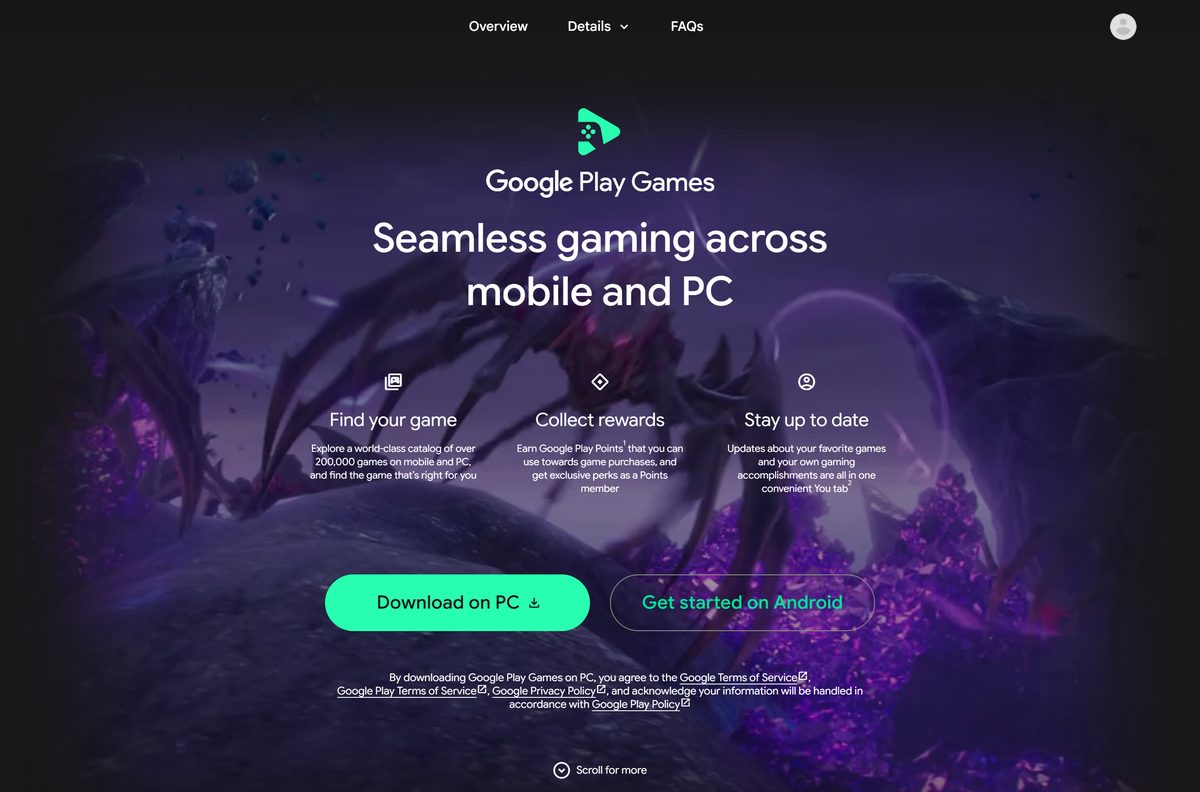
The Google Play Games download for PC is free, and it comes straight from Google at play.google.com/googleplaygames. The client installs Android games on Windows 11 and Windows 10 and runs them with a keyboard and mouse.
Your gamer profile, saved progress and Play Points follow you between the PC and your phone when you sign in with the same Google Account.
This guide covers the official download links, the Windows install, the hardware requirements, game compatibility badges, updates, uninstalling and fixes for installs that fail.
Which Google Play Games download do you need?
Match your device to a row. Google ships one Windows client and one Android app, and nothing else.
| Your device | What to get | What it needs |
|---|---|---|
| Windows 11 or Windows 10 PC | Google Play Games on PC | Windows 10 (v2004) or later, 8 GB RAM, SSD with 10 GB free, virtualization on |
| Android phone or tablet | Google Play Games on Google Play | An Android device with the Play Store and a Google Account |
| Mac, Linux or Chromebook | Windows requirements page | No client exists; Google lists Windows as the only desktop platform |
Both products share one gamer profile and one saved-game history.
Download Google Play Games from the official Google pages
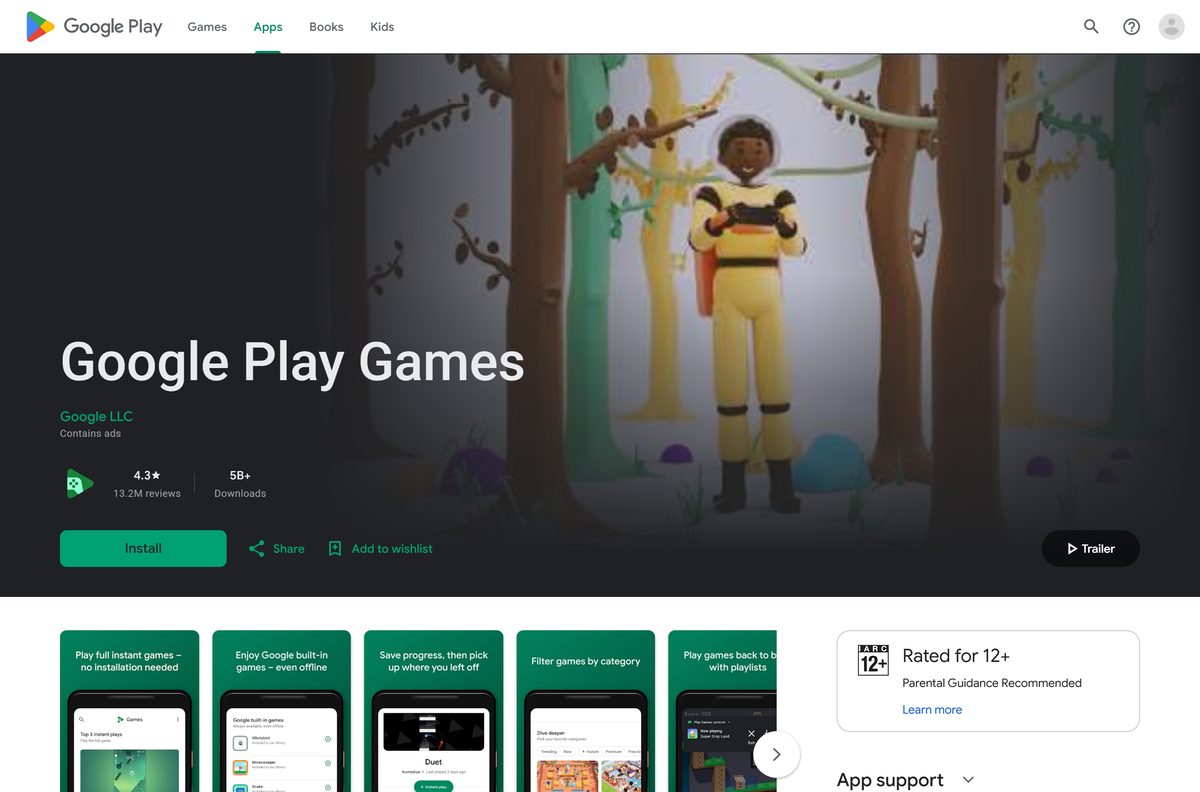
Google hosts the Windows setup file behind the Download button on its own page. Any other site offering the file is not a Google source.
- Google Play Games on PC — The Windows 11 and Windows 10 client, free
- Google Play Games for Android — Listed by Google LLC, updated May 7, 2026
- Install and set up the PC client — Google’s own setup instructions and error fixes
- Check whether your PC qualifies — Minimum specs plus the list of supported countries
- Release notes — What each monthly client update changed
The service reaches more than 140 countries and regions. Your Play country has to be one of them, and the account has to be a personal Google Account.
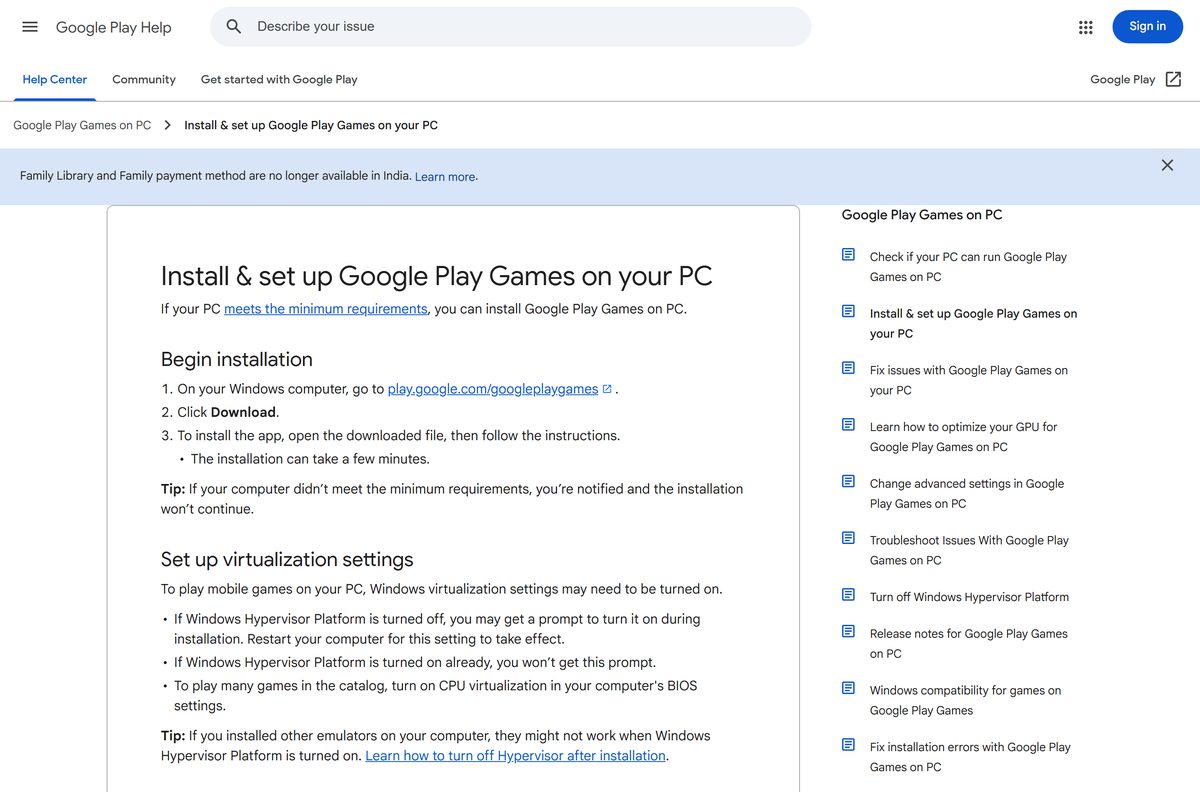
How to install Google Play Games on Windows 11 and Windows 10
Setup checks your hardware first and stops if the PC falls short, naming the item that failed.
- On your Windows computer, open the Google Play Games page and click Download.
- Open the downloaded file and follow the on-screen instructions.
- Leave setup running for a few minutes while it unpacks the client.
- When prompted, turn on Windows Hypervisor Platform, then restart the PC.
- Open the client and sign in with the Google Account you use on your phone.
- Search for a game and click Install.
- Click Play, then press Shift + Tab during the game to open the controls menu.
To play many titles in the catalogue, also turn on CPU virtualization in the BIOS. Only the Windows user who ran the installation can open the client afterwards.
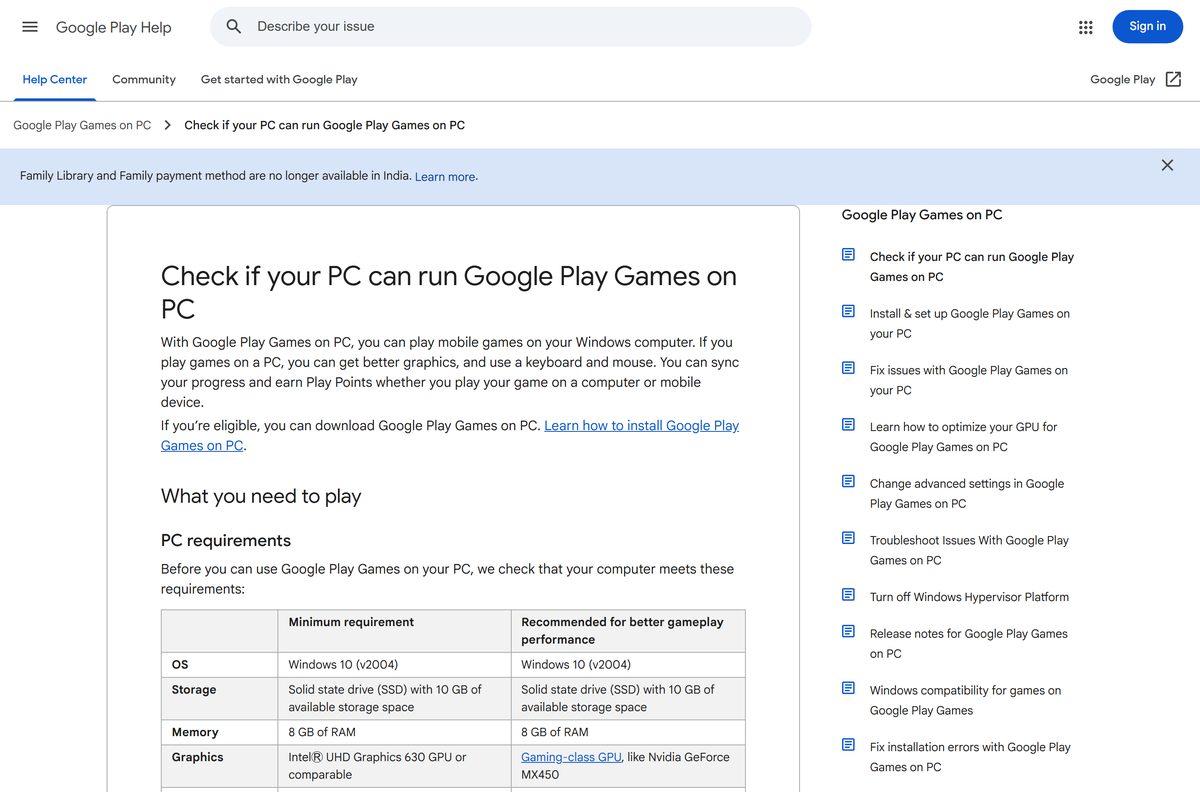
Check the Google Play Games system requirements before you download
| Field | Value |
|---|---|
| Software | Google Play Games on PC |
| Developer | Google LLC |
| Latest version | Auto-updating client; newest release notes dated July 2026 |
| Price | Free; games may be paid or carry in-app purchases |
| Supported OS | Windows 10 version 2004 or later, and Windows 11 |
| Processor | 4 physical CPU cores (8 logical cores recommended) |
| Memory | 8 GB of RAM |
| Graphics | Intel UHD Graphics 630 or comparable; a gaming-class GPU such as an Nvidia GeForce MX450 for better performance |
| Storage | SSD with 10 GB of available space, set as the main drive |
| Other requirements | Windows admin account and hardware virtualization turned on |
| macOS | No Mac client |
| Download size | Not published by Google |
| Offline installer | No |
| Availability | More than 140 countries and regions, personal Google Account required |
| Official download source | play.google.com/googleplaygames |
| Last verified | 2026-09-22 |
To read your Windows build, press Windows + R, type winver and press Enter. To read your GPU, press Ctrl + Shift + Esc, open Performance and select GPU.
Is Google Play Games free to download?
The client, the gamer profile and the account cost nothing on Windows and on Android.
Yes. Download it free, and pay only for the games you choose. Google charges nothing for the PC client. Individual titles can be paid or carry in-app purchases, and since the March 2026 update a single purchase of a select game unlocks it on phone, tablet and PC. Play Pass subscribers reach selected paid, ad-free titles on the PC at no extra cost.
No paid edition of the client exists. A site charging for the setup file, or asking for your Google password in exchange for coins, is a scam.
Which games run well on Google Play Games on a PC?
Google tests titles on Windows hardware and badges each one in search, in browse and on its details page.
| Badge | What it means | Where the game appears |
|---|---|---|
| Optimized | The developer tuned the game for Windows | Search, browse and details pages |
| Playable | Tested at 30 fps or higher with mouse or keyboard support | Search, browse and details pages |
| Untested | Not tested on a PC; some of these titles still run fine | Name searches only |
| Unsupported | Known technical issues, crashes or poor performance | Name searches only |
| Not available | Absent from the service, or blocked by your hardware | Not listed |
A Syncs across devices label means saved progress carries between the PC and your phone. Popular strategy titles such as Clash of Clans and Clash Royale install through this route.
The catalogue filter hides titles that run badly on your hardware.
Should you install Google Play Games on PC or the Android app?
The two products carry the same name and share one profile, but they run on different hardware.
Install the PC client for a big screen and keyboard controls, and the Android app for Instant play and the built-in games. The Windows client runs full Android games on the desktop with remappable keyboard and mouse controls. The Android app adds Instant play titles that start without an install, plus Solitaire, Minesweeper, Snake, PAC-MAN, Cricket and Whirlybird, which work offline.
Sign in to both with the same Google Account so achievements, XP and saved progress stay in one profile.
How to check your Google Play Games version and update it
The client updates itself, and a manual check lives in the Windows notification area.
- In the taskbar notification area, click the up arrow to show hidden icons.
- Right-click the Google Play Games on PC icon.
- Click Check for updates and follow the on-screen instructions.
- To read the build number, open the client, click your Gamer name at the top right, then Settings.
- Read the app version number in the About area.
- If an update fails, uninstall the client, download it again from Google’s page and install it.
An out-of-date client is one reason a game reports that it will not run on your PC. The other common reason is a stale graphics driver.
Can you download Google Play Games on a Mac?
Google lists Windows as the only desktop system for the client, so there is no macOS, Linux or Chromebook build to install.
| Your setup | What to do | Link |
|---|---|---|
| Mac only | Install the Android app on a phone or tablet and play there; the same profile and saved progress apply | Google Play listing |
| Mac plus a Windows PC | Install the Windows client on that PC and sign in with the same Google Account | Google Play Games on PC |
| Unsure whether a machine qualifies | Compare the machine against Google’s published minimum specs | PC requirements |
Progress syncs through your Google Account, so a phone game continues on a PC later.
Fix Google Play Games not installing on Windows 11 or 10
Each failure has one cause. Work through the symptom that matches the message on screen.
Setup stops and reports missing minimum requirements
The installer names the item that failed, such as the drive type, the RAM or the CPU core count.
- Read the item named on the installation screen.
- Move the installation to an SSD set as the main drive, with 10 GB free.
- Confirm the PC has 8 GB of RAM and 4 physical CPU cores.
- Turn on hardware virtualization in the BIOS, then restart.
- Sign in to Windows with an admin account and run setup again.
Error NU8001008: upgrade Windows
The Windows build is older than the client supports.
- Press Windows + I and open Windows Update.
- Click Check for updates and install everything offered.
- Install the feature update as well, for example Windows 11 23H2 to 24H2.
- Restart the PC and run the installation again.
Error NU80040801 or NU80040804 during download
The connection dropped, or the setup file did not arrive intact.
- Check the network connection and reconnect.
- Download the setup file again from Google’s page.
- Run it again, and try later if the error repeats.
Errors 10901, 99999, NC99999 or NU00002A95
Google reports these as errors on its own side.
- Run the installation again.
- Restart the PC if the error returns, then retry.
- Run the installer, click Send feedback, tick Send system information and add the tag #gpginstall.
A game reports that it cannot run on your PC
Either the client is out of date, or the graphics driver is.
- Right-click the taskbar icon and click Check for updates.
- Press Ctrl + Shift + Esc, open Performance and select GPU to read the model.
- Install the current driver from the GPU maker for that model.
- Restart the PC and open the game again.
- Note that a few titles run only on PCs with Intel processors.
Another emulator stopped working after installation
Windows Hypervisor Platform conflicts with some virtualization software.
- Open Control Panel and select Programs, then Programs and Features.
- Click Turn Windows features on or off.
- Expand Hyper-V, then Hyper-V Platform.
- Clear Hyper-V Hypervisor, and on Windows 10 Home clear Windows Hypervisor Platform.
- Restart the computer.
Turning the hypervisor off stops games that depend on it, so re-enable the feature before you play again.
How to uninstall Google Play Games from Windows
Removing the client also removes every game it installed.
- In the taskbar notification area, right-click the client icon and click Exit.
- Press Windows + I to open Settings.
- Open Apps, then Installed apps on Windows 11 or Apps & features on Windows 10.
- Find Google Play Games, click the three dots and select Uninstall.
- Confirm the removal and wait for it to finish.
- Restart the PC before you reinstall.
A clean reinstall from the official page clears most update failures. Your profile and saved progress live in your Google Account, not on the PC.
What to use if your PC cannot run Google Play Games
Microsoft retired its own Android layer for Windows, which narrows the official options.
Play on an Android phone or tablet, or upgrade the PC to meet the published minimum. Microsoft states that Windows Subsystem for Android and the Amazon Appstore left the Microsoft Store on March 5, 2025, so Windows has no other first-party route for Android games. The requirement that usually blocks an older PC is the SSD, not the GPU, and moving the install to a solid state drive fixes it.
Its built-in titles, including Solitaire and PAC-MAN, run without an internet connection.
Frequently asked questions
Is Google Play Games free to download?
Yes. The Windows client and the Android app cost nothing, and a personal Google Account is all you need. Individual games can be paid or carry in-app purchases, and Play Pass covers a selection of them.
What is the official Google Play Games download page?
play.google.com/googleplaygames is the page Google publishes for the Windows client. Click Download there, then open the file. The Android app comes from its Google Play listing instead.
Does Google Play Games work on Windows 11?
Yes. Google supports Windows 10 version 2004 or later, which covers Windows 11. The PC also needs 8 GB of RAM, 4 physical CPU cores, an SSD with 10 GB free and hardware virtualization turned on.
How big is the Google Play Games download?
Google publishes no size for the Windows setup file. It does require an SSD with 10 GB of available space, which covers the client plus the games you install on top of it.
Is there a Google Play Games offline installer?
No. The file from play.google.com/googleplaygames pulls the client and every game over the internet, and Google publishes no standalone package. A site offering one is not an official source.
Can you install Google Play Games on a Mac?
No. Google lists Windows as the only supported desktop platform, so no macOS build exists. Use an Android phone or tablet, or a Windows PC, and sign in with the same Google Account.
Does Google Play Games need a 64-bit PC and virtualization?
It needs hardware virtualization turned on, an admin account, 4 physical CPU cores and 8 GB of RAM. Turn on CPU virtualization in the BIOS as well to reach the full game catalogue.
Is it safe to download Google Play Games?
Yes, from play.google.com/googleplaygames or the Google Play listing, where Google LLC is the publisher. Avoid mirrors, modified packages and any page asking for your Google password in return for coins.
What is the latest version of Google Play Games on PC?
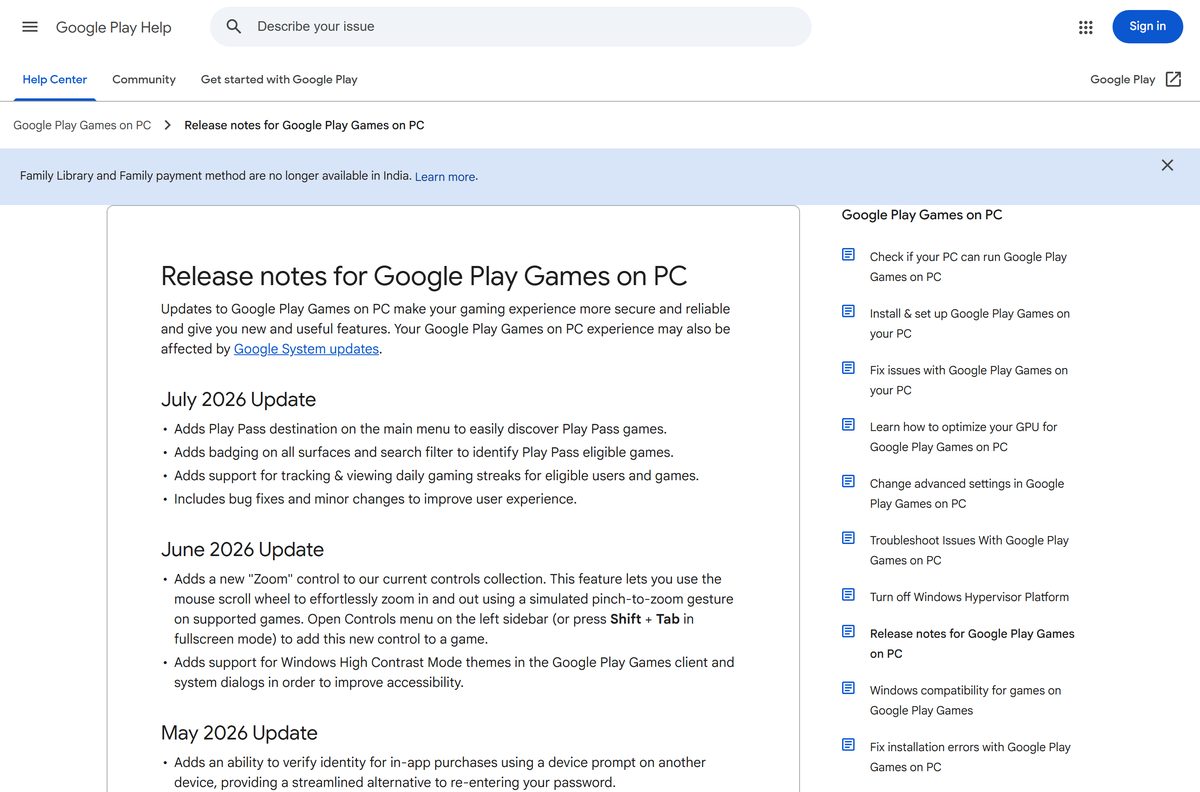
The client updates itself, and Google dates its release notes by month rather than by version. The July 2026 update added a Play Pass destination, Play Pass badges and daily gaming streaks.
Why will Google Play Games not install on my PC?
Setup stops when a minimum requirement is missing and names the item on screen. The usual causes are a hard drive instead of an SSD, virtualization turned off, an old Windows build or a standard rather than admin account.
Which countries can download Google Play Games on PC?
More than 140 countries and regions, including the United States, the United Kingdom, Canada, Australia and India. Your Play country has to be set to a supported one, on a personal Google Account.
Does game progress sync between PC and phone?
Yes. Sign in with the same Google Account on both and progress, achievements, XP and Play Points carry across. Games carrying a Syncs across devices label state this on their listing.