The difference between SATA, SATA 2 and SATA 3 is the maximum link speed: the first generation runs at up to 1.5 Gb/s, the second at up to 3 Gb/s, and the third at up to 6 Gb/s.
This guide maps the everyday names to the official ones, shows what happens when you mix generations, and explains how to check which SATA drive your Windows PC has.
The short answer: SATA 1, SATA 2 and SATA 3 side by side
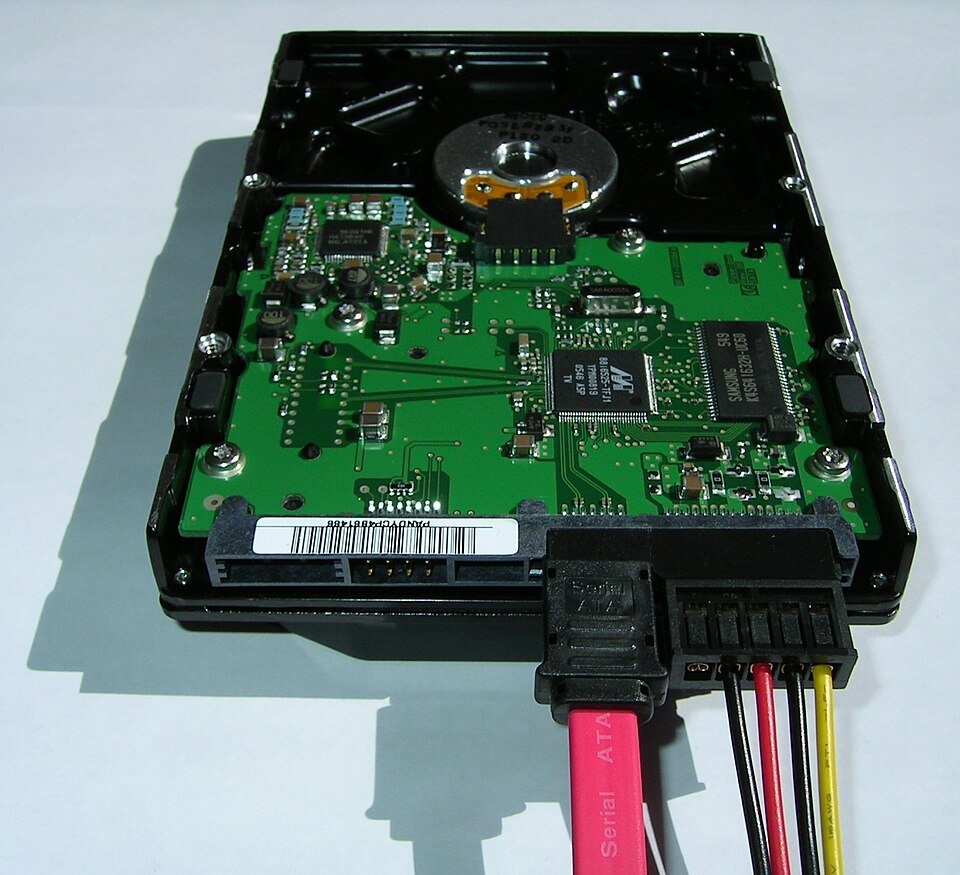
Each generation doubles the top speed of the one before it. Newer ports and drives also work with the older ones.
| Common name | Official revision | Official product name | Maximum link speed | Works with |
|---|---|---|---|---|
| SATA, SATA 1, SATA I | SATA Revision 1.x | SATA 1.5Gb/s | 1.5 Gb/s | Other 1.5 Gb/s devices, and newer ports at 1.5 Gb/s |
| SATA 2, SATA II | SATA Revision 2.x | SATA 3Gb/s | 3 Gb/s | 1.5 Gb/s and 3 Gb/s devices |
| SATA 3, SATA III | SATA Revision 3.x | SATA 6Gb/s | 6 Gb/s | 1.5 Gb/s, 3 Gb/s and 6 Gb/s devices |
A link always runs at the speed of the slower end. A SATA 3 drive on a SATA 2 port gets SATA 2 speed.
Understanding SATA
SATA (Serial ATA) connects hard drives, SSDs and optical drives to the motherboard. It replaced the older IDE and parallel ATA (PATA) connection.
The first generation, often called SATA I, set the 1.5 Gb/s baseline that every later revision still supports.
| Point | SATA |
|---|---|
| How data moves | Serially, one bit at a time over a single data line (PATA sent several bits at once over separate lines) |
| What it connects | Hard drives, SATA SSDs, DVD and Blu-ray drives |
| First-generation speed | 1.5 Gb/s (SATA Revision 1.x) |
| Drivers | Built into modern operating systems, including Windows |
| Physical drive sizes | 2.5-inch (laptops, small PCs) and 3.5-inch (desktops), with the same performance |
| Several drives at once | Most motherboards have multiple SATA ports, one cable per drive |
Key features of SATA I carried forward into every later revision: the serial link, the same drive types and the 1.5 Gb/s fallback speed.
SATA II: The Evolution Begins
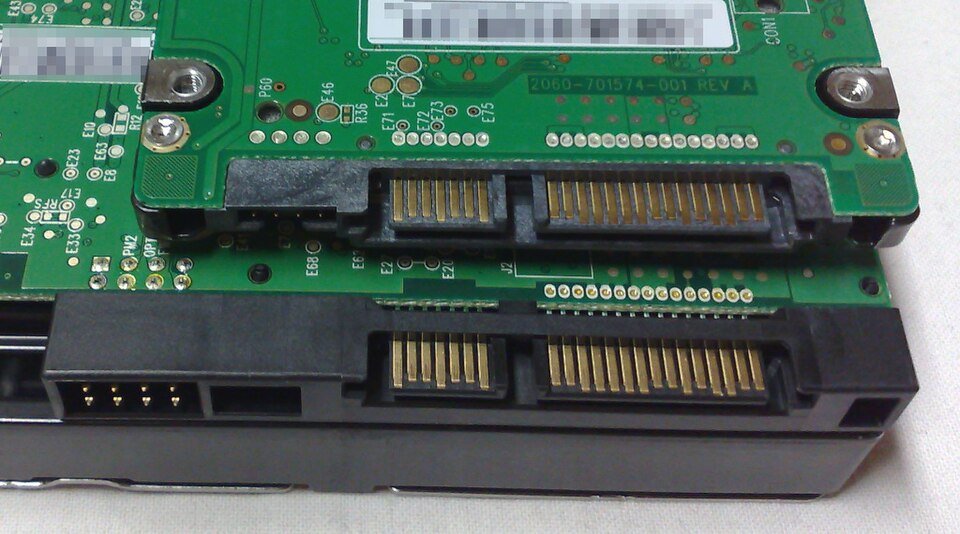
The second generation doubled the link speed to 3 Gb/s. Its official product name is SATA 3Gb/s, defined in SATA Revision 2.x.
The name "SATA II" is not a specification at all. According to SATA-IO, SATA II was the name of the committee that wrote the 3 Gb/s standard, and that group is now SATA-IO.
| Question | Answer from SATA-IO |
|---|---|
| What speed is "SATA II"? | Up to 3 Gb/s. The correct name is SATA 3Gb/s (Revision 2.x). |
| Why do people call it SATA II? | The committee that wrote the 3 Gb/s standard was named SATA II, so buyers linked that name to the speed. |
| Does SATA 3Gb/s work with 1.5 Gb/s devices? | Yes. SATA 3Gb/s stays compatible with SATA 1.5Gb/s. |
| Should product names say SATA II or Gen2? | No. SATA-IO tells makers not to use SATA II, SATA 1 or generation numbers in product names. |
Key features of SATA II, as buyers use the term, are simply the 3 Gb/s link and backward compatibility with 1.5 Gb/s drives and ports.
SATA III: The Current Standard
The third generation runs at up to 6 Gb/s. Its official name is SATA 6Gb/s, and every SATA Revision 3.x specification uses that speed.
SATA-IO asks makers not to write "SATA III" or "SATA 3.0" because the names cause confusion. Retail listings still use them, so treat SATA III and SATA 6Gb/s as the same thing.
| Key feature of SATA III | Detail | Source |
|---|---|---|
| Top link speed | 6 Gb/s | SATA-IO naming guidelines |
| Backward compatibility | Works with SATA 3Gb/s and SATA 1.5Gb/s devices | SATA-IO naming guidelines |
| M.2 cards | SATA M.2 is described in the SATA 3.2 specification; M.2 replaced the larger mSATA card | SATA-IO SATA M.2 page |
| Latest specification | Serial ATA Revision 3.5a, released March 2021 | SATA-IO specification page |
| Still in current chipsets | Intel's Z790 chipset (launched Q4 2022) lists up to 8 SATA 6.0 Gb/s ports | Intel product specifications |
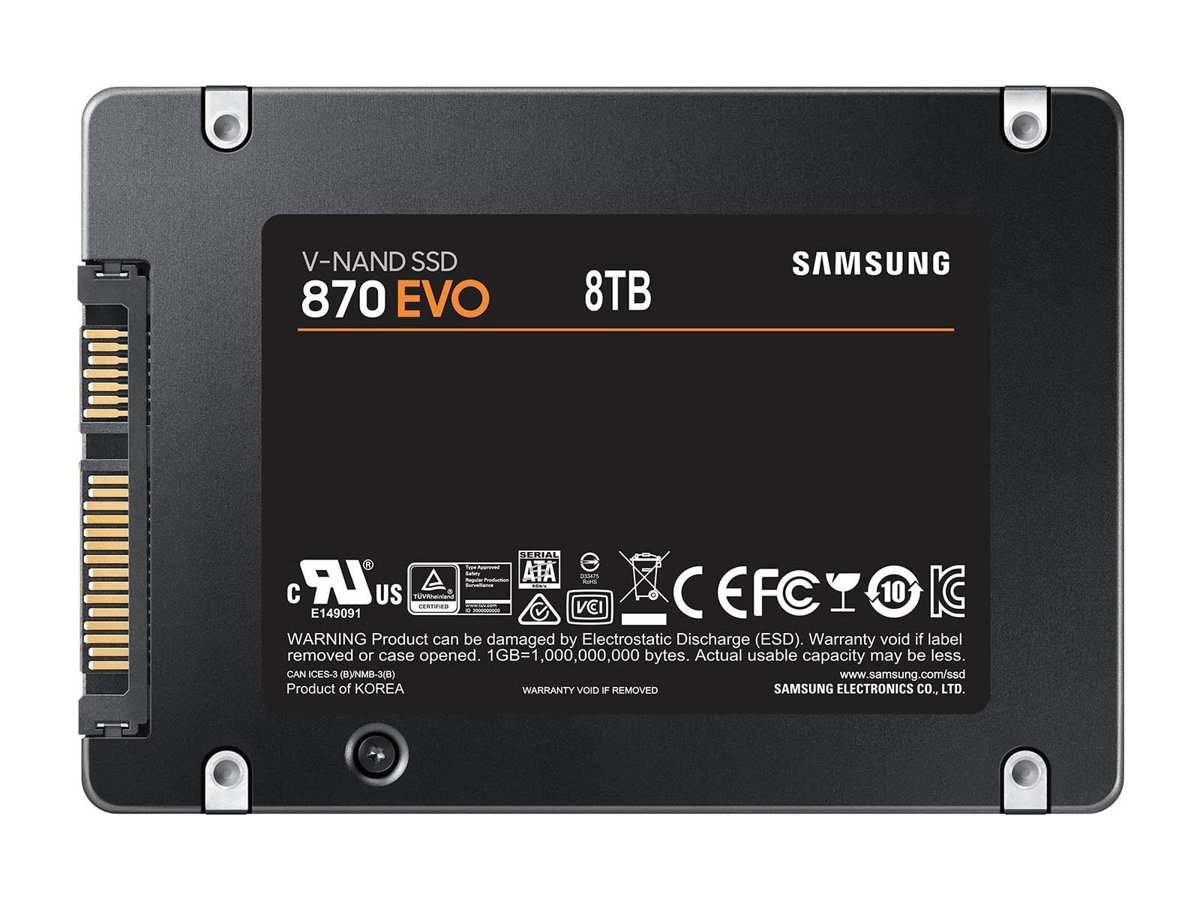
| Typical drive label | Samsung's 870 EVO: "SATA 6 Gb/s Interface, compatible with SATA 3 Gb/s & SATA 1.5 Gb/s interface" | Samsung product page |
Native Command Queuing (NCQ) lets a drive reorder queued commands to work more efficiently. SATA-IO notes that both the host controller and the drive must support NCQ to use it.
Performance Comparison
The link speeds are raw line rates in gigabits per second. Dividing by 8 gives the most any link could carry in megabytes per second, before protocol overhead takes its share.
| Your setup | Link runs at | Raw ceiling before overhead | What a 560 MB/s SATA SSD delivers |
|---|---|---|---|
| SATA 3 drive on a SATA 3 (6Gb/s) port | 6 Gb/s | 750 MB/s | Its rated speed, such as the 870 EVO's 560 MB/s read |
| SATA 3 drive on a SATA 2 (3Gb/s) port | 3 Gb/s | 375 MB/s | Less than its rating; the port is the bottleneck |
| SATA 3 drive on a SATA 1 (1.5Gb/s) port | 1.5 Gb/s | 187.5 MB/s | Well under its rating |
| SATA 2 drive on a SATA 3 port | 3 Gb/s | 375 MB/s | No SATA 3 SSD involved; the SATA 2 drive caps the link at 3 Gb/s |
Samsung notes that real performance varies with system hardware and configuration. Rated figures are the ceiling, not a guarantee.
Practical Implications for Consumers and Professionals
Mixing generations never stops a drive from working. It only changes the speed you get.
| Your situation | What to do | Why |
|---|---|---|
| Buying a new SATA SSD for an older PC | Buy a SATA 6Gb/s drive anyway | It works on 3 Gb/s and 1.5 Gb/s ports and keeps full speed if you move it to a newer PC |
| SSD feels slower than its rated speed | Check the motherboard manual and plug the drive into a 6 Gb/s port | A SATA 3 SSD on a SATA 2 port is capped by the port |
| Upgrading a laptop from a hard drive | Fit a 2.5-inch SATA SSD | Most laptops use 2.5-inch SATA drives, and an SSD is much faster than a hard drive |
| Video editing or large game libraries | Consider an NVMe SSD if the board has a slot | NVMe SSDs are significantly faster than SATA SSDs |
| Bulk storage, backups, RAID arrays | SATA hard drives remain a cost-effective choice | SATA drives are widely used in RAID for capacity and redundancy |
| Adding more drives | Use the free SATA ports and a separate cable per drive | Most motherboards have several SATA ports |
Compatibility and upgrades come down to one rule: check the port generation in your motherboard or laptop specifications before blaming the drive.
How to check which SATA drive your Windows PC has
Windows shows the drive model and bus type but not the SATA generation. Use the model number to look up the interface on the maker's page.
- Right-click Start and select Terminal or Windows PowerShell.
- Run
Get-PhysicalDisk | Format-Table FriendlyName, BusType, MediaTypeand press Enter. - Find rows where BusType reads SATA. Those drives use a SATA connection; NVMe means a PCIe NVMe drive.
- Note the FriendlyName, which is the drive's model name, and the MediaType (SSD or HDD).
- Search the drive maker's site for that model and read the Interface line, for example SATA 6 Gb/s.
- Look up your motherboard or chipset specifications and confirm the ports are listed as SATA 6.0 Gb/s.
If both the drive and the port say 6 Gb/s, the link runs at SATA 3 speed. If either says 3 Gb/s, expect SATA 2 speed.
Check the drive bus type in PowerShell
Get-PhysicalDisk | Format-Table FriendlyName, BusType, MediaTypeGet-PhysicalDisk lists every physical disk Windows can see. The table shows the model name, the storage bus (SATA, NVMe, USB and others) and whether the drive is an SSD or HDD.
You should see: A table with one row per drive. A SATA drive shows SATA in the BusType column.
Future of SATA Technology
SATA's top speed has stayed at 6 Gb/s since Revision 3.0. Later 3.x revisions added features such as M.2 support in 3.2 rather than a faster link.
Treat SATA 6Gb/s as the final SATA speed tier and choose NVMe when you need more than about 560 MB/s. The newest specification, Revision 3.5a from March 2021, still tops out at 6 Gb/s, while current chipsets such as Intel's Z790 still ship with SATA 6.0 Gb/s ports for hard drives and SATA SSDs.
Frequently Asked Questions
These questions come from real Bing searches on this topic.
What is the difference between SATA 1, SATA 2 and SATA 3?
Speed. SATA 1 runs at up to 1.5 Gb/s, SATA 2 at up to 3 Gb/s and SATA 3 at up to 6 Gb/s. The official names are SATA 1.5Gb/s, SATA 3Gb/s and SATA 6Gb/s, and each newer generation works with the older ones.
What is the difference between SATA 2 and SATA 3?
SATA 3 doubles the link speed of SATA 2, from 3 Gb/s to 6 Gb/s. A SATA 3 drive works in a SATA 2 port, but it runs at SATA 2 speed. That matters for SSDs, which can exceed what a 3 Gb/s link carries.
Is SATA III the same as SATA 6Gb/s?
Yes. SATA III is the common name for the third generation, which SATA-IO officially calls SATA 6Gb/s. SATA-IO discourages the terms SATA III and SATA 3.0 because they cause confusion, but retailers still use them.
Is SATA 3 the same as SATA 6?
Yes, when people say SATA 6 they mean SATA 6Gb/s, which is SATA 3. Do not confuse SATA 3 with SATA 3Gb/s: SATA 3Gb/s is the second generation, often called SATA 2.
Can I use a SATA 3 SSD on a SATA 1 or SATA 2 port?
Yes. SATA 6Gb/s is backward compatible with 3 Gb/s and 1.5 Gb/s ports. The drive works normally, but the link runs at the port's slower speed, so a fast SSD will not reach its rated transfer rate.
What is the difference between SATA and PATA?
SATA sends data serially, one bit at a time over a single data line, while PATA (IDE) sends several bits in parallel over separate lines. SATA replaced PATA and brought faster transfers and simpler cabling.
What is the difference between an SSD and SATA?
An SSD is a type of drive, and SATA is a connection. A SATA SSD uses flash memory over a SATA link and is much faster than a hard drive, but slower than an NVMe SSD, which uses a different interface.