AOL Mail usually stops working in Safari because of stale AOL website data, a Safari extension or content blocker, a strict privacy setting, or an outdated copy of Safari, and each of these has a direct fix.
This guide covers the quick fix, removing AOL data on Mac and iPhone, the Safari settings that break webmail, updating Safari, using the Mail app instead, and fixes for AOL Mail that will not load, send or open attachments.
Fix AOL Mail not working on Safari
Run these steps in order and test AOL Mail after each one. Most readers are finished by step 3.
- Reload the AOL Mail tab with View > Reload Page or Command-R on a Mac, or the reload button on iPhone and iPad.
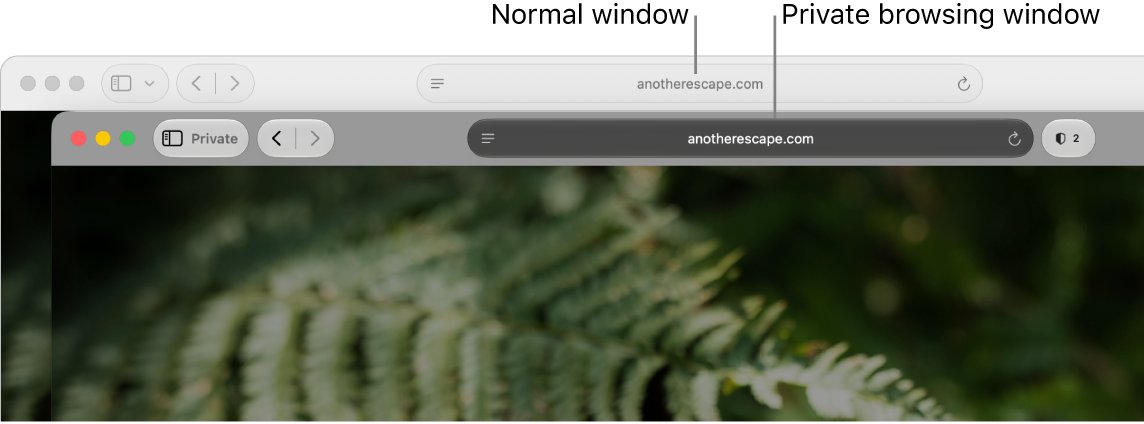
- On a Mac, choose File > New Private Window (Shift-Command-N) and sign in to AOL Mail there. If it works, the problem is stored AOL data.
- Remove AOL's cookies and cache: on a Mac choose Safari > Settings > Privacy > Manage Website Data, select the AOL entries and click Remove.
- Turn off every Safari extension in Safari > Settings > Extensions, then reload AOL Mail.
- Install the latest macOS, iOS or iPadOS update, because Safari only updates with the operating system.
- Restart the Mac, iPhone or iPad and open AOL Mail in a normal, non-private window.
Make sure you know your AOL password before you remove website data, because removing it signs you out. If you cannot get back in, the AOL Mail sign-in steps walk through the login and recovery screens.
Why AOL Mail is incompatible with Safari
Apple lists the same causes for any website that loads blank, will not let you sign in or asks you to reset cookies. AOL Mail is a heavy web app, so it hits all of them.
| Cause | What you see in AOL Mail | Fix |
|---|---|---|
| Damaged cookies or cache for AOL | Blank inbox, sign-in loop, page keeps reloading | Remove AOL website data |
| Safari extension or content blocker | Buttons do nothing, messages will not send, parts of the page missing | Turn extensions off, then back on one at a time |
| Block all cookies turned on | You cannot sign in even with the right password | Deselect Block all cookies |
| Advanced tracking and fingerprinting protection | Features fail or the page reloads | Reload with reduced privacy protections |
| JavaScript turned off | AOL Mail does not load at all | Turn JavaScript back on |
| iCloud Private Relay, VPN or proxy | Only AOL fails, other sites load | Reload without Private Relay or pause the VPN |
| Old Safari version | AOL says your browser is not supported | Update macOS, iOS or iPadOS |
Clear AOL cookies and cache in Safari on Mac
Removing only AOL's data keeps your other websites signed in. AOL then creates fresh data the next time you sign in.
- Open Safari and choose Safari > Settings.
- Click Privacy, then click Manage Website Data.
- Select each AOL entry, then click Remove.
- Click Done and close the settings window.
- Open AOL Mail again in a normal window and sign in.
To clear every site's cookies in Safari instead, choose History > Clear History and pick a time range. That removes history and site data for every website, and it syncs to your other Apple devices that use iCloud for Safari.
AOL Mail not working on iPhone or iPad Safari: clear website data
iPhone and iPad keep Safari data in the Settings app, not inside Safari.
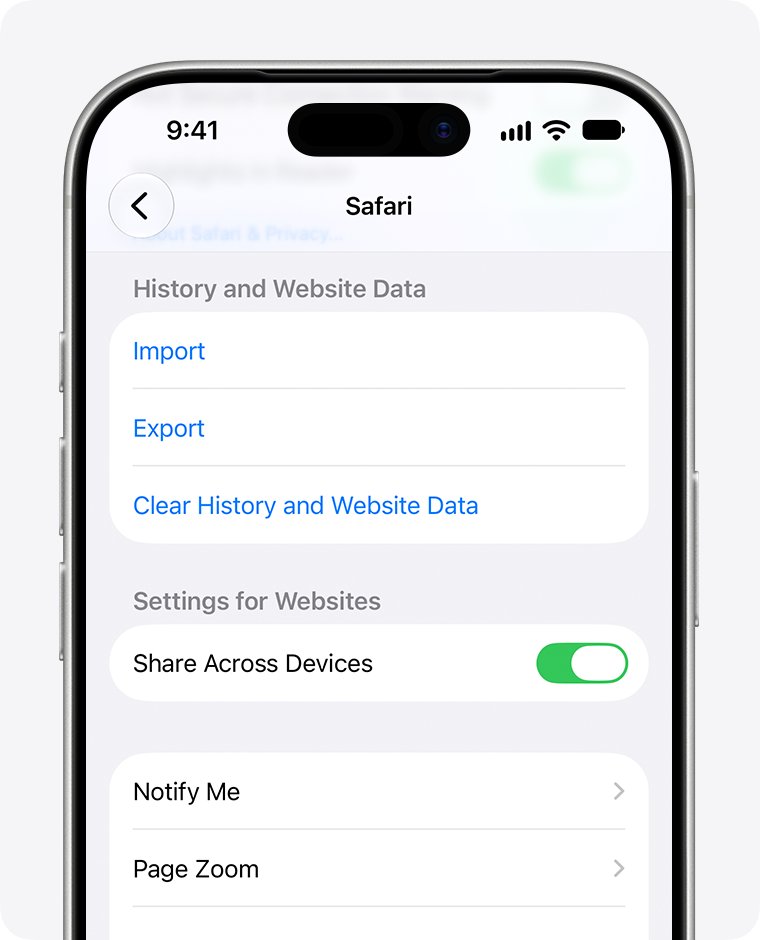
- Open Settings, tap Apps, then tap Safari.
- Tap Advanced, then tap Website Data.
- Tap Remove All Website Data, then tap Remove Now.
- To clear history as well, go back to Safari settings and tap Clear History and Website Data.
- Restart the iPhone or iPad.
- Open Safari and sign in to AOL Mail again.
If Clear History and Website Data is gray, either there is nothing to clear or Screen Time web content restrictions are blocking it.
Turn off Safari extensions and content blockers for AOL Mail
Ad blockers and privacy extensions often block the scripts AOL Mail uses to send messages and load attachments.
- On a Mac, choose Safari > Settings > Extensions and deselect the checkbox next to each extension.
- On a Mac, click Websites in the same window, select Content Blockers, and set AOL to Off.
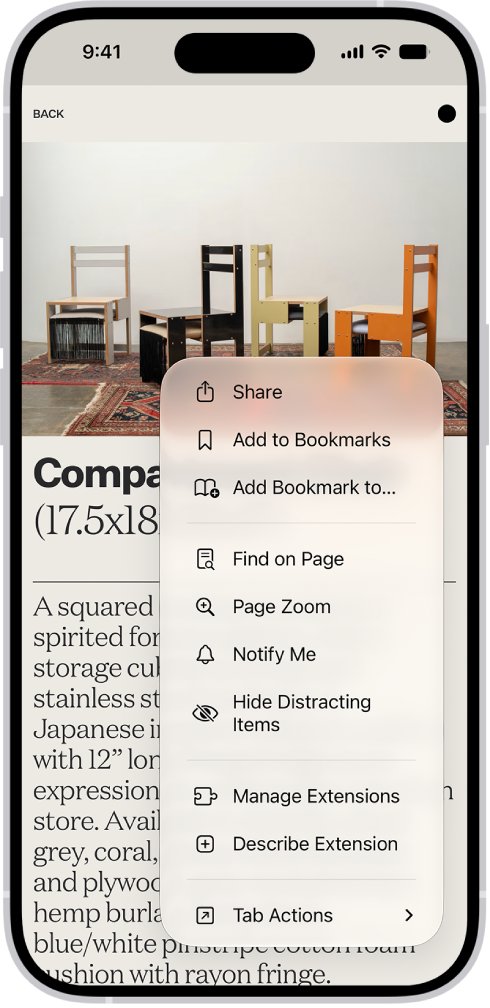
- On iPhone or iPad, open AOL Mail in Safari, tap the Page Menu button on the left of the search field, tap Manage Extensions and turn each extension off for that site.
- To turn an extension off everywhere on iPhone, go to Settings > Apps > Safari > Extensions, tap the extension and turn off Allow Extension.
- Reload AOL Mail and test the feature that failed.
- Turn extensions back on one at a time to find the one that breaks AOL, then leave it off for AOL or update it.
Safari settings that stop AOL Mail from loading
Change one setting at a time and reload AOL Mail after each change. On a Mac, every pane below is under Safari > Settings.
| Setting | Where on Mac | Where on iPhone and iPad | What to set for AOL Mail |
|---|---|---|---|
| Block all cookies | Advanced > Block all cookies | Settings > Apps > Safari > Advanced > Block All Cookies | Off, or AOL cannot keep you signed in |
| JavaScript | Security > allow JavaScript | Settings > Apps > Safari > Advanced > JavaScript | On |
| Advanced tracking and fingerprinting protection | Advanced > Use advanced tracking and fingerprinting protection | Not listed separately | If AOL fails, choose View > Reload Reducing Privacy Protections on Mac |
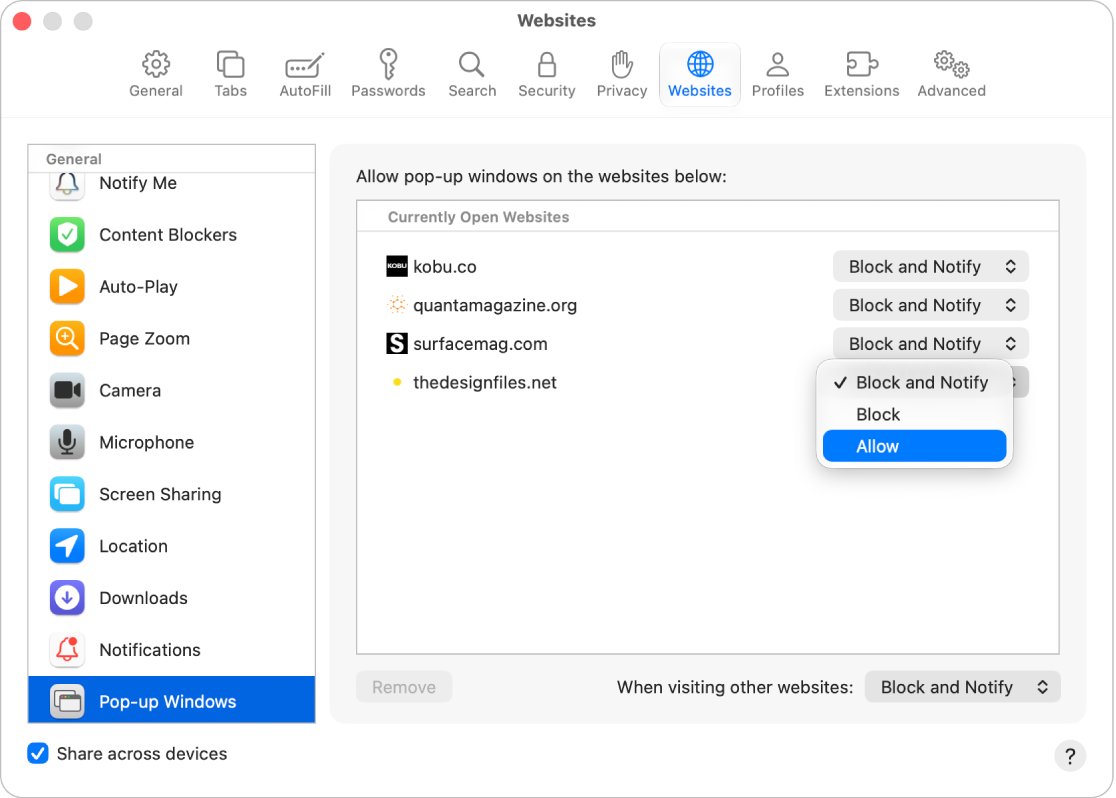
| Pop-up windows | Websites > Pop-up Windows | Not listed separately | Allow for AOL if attachments or print views do not open |
| Downloads | Websites > Downloads | Settings > Apps > Safari > Downloads sets the save location | Allow for AOL on Mac so attachments save |
| iCloud Private Relay | View > Reload and Show IP Address | Turn Private Relay off temporarily in iCloud settings | Test AOL without Private Relay |
Update Safari on Mac, iPhone and iPad
Safari is part of the operating system, so there is no separate Safari download. Apple stopped making Safari for Windows after version 5.1.7, which is far too old for AOL Mail.
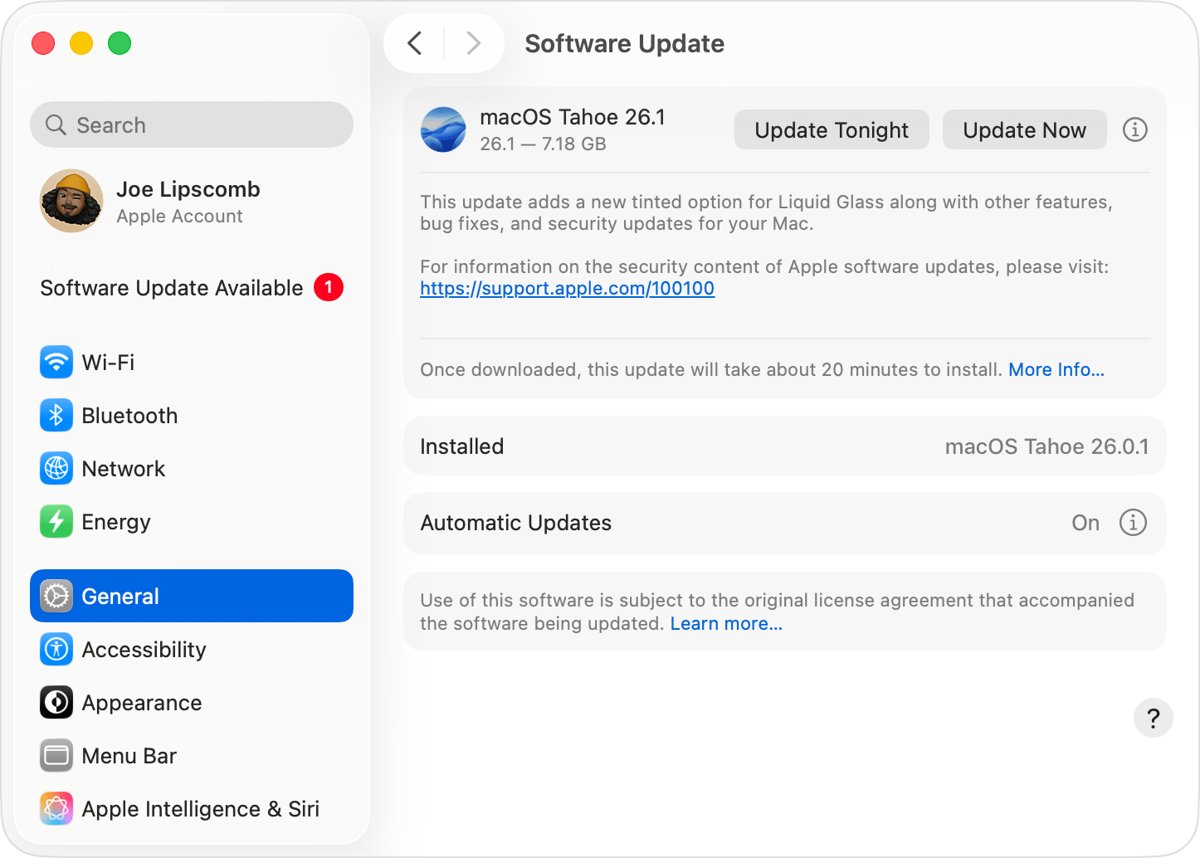
- On a Mac, choose Apple menu > System Settings > General > Software Update.
- Click the button to update or upgrade, and enter your administrator password when asked.
- On iPhone or iPad, open Settings > General > Software Update.
- Tap Download and Install if an update is listed, with the device on Wi-Fi and power.
- Restart the device after the update, then open AOL Mail in Safari.
If AOL still says Safari is out of date after you install the newest update your device supports, the problem is on AOL's side. Report it to AOL, and on Safari 26 or later you can also use Page Menu > Report a Website Issue to tell Apple.
Use AOL Mail in the Mail app instead of Safari
Apple Mail reads your AOL inbox without Safari, which sidesteps browser compatibility completely. Choose Aol. as the provider for both @aol.com and @aim.com addresses.
- On iPhone or iPad, open Settings > Apps > Mail > Mail Accounts.
- Tap Add Account and choose Aol. from the provider list.
- Enter your AOL email address and password, then tap Next and Save.
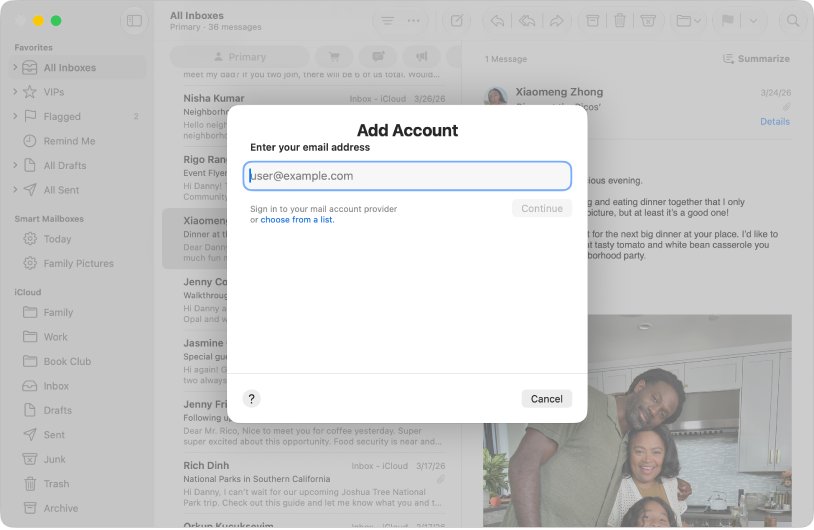
- On a Mac, open Mail and choose Mail > Add Account.
- Click choose from a list, select Aol., click Continue and sign in.
- Open the Mail app and wait for the AOL inbox to sync.
Check AOL Mail works in Safari again
- Close every Safari window and open a new, non-private window.
- Sign in to AOL Mail and confirm the inbox list loads fully.
- Open a message, then send a short test email to yourself.
- Open or download an attachment from any message.
- Close Safari, reopen it and check that AOL still shows you as signed in.
If AOL works in a private window but not a normal one, repeat the website data removal. If it fails in every window and in another browser on the same network, the issue is the network or AOL itself.
AOL Mail not loading, sending or opening attachments in Safari
AOL Mail is not loading or displaying in Safari
Stored AOL data, a disabled JavaScript setting, or a network-level block.
- Open AOL Mail in a private browsing window to rule out stored data.
- Check JavaScript is turned on in Safari settings.
- Load another website such as
www.apple.com; if that also fails, switch Wi-Fi network or use cellular data. - Pause any VPN and reload AOL Mail.
AOL Mail keeps reloading on Safari
A sign-in cookie that will not save, or privacy protections blocking AOL's scripts.
- Deselect Block all cookies in Safari > Settings > Advanced.
- Remove AOL's entries in Manage Website Data.
- On a Mac, choose View > Reload Reducing Privacy Protections.
- Turn off extensions and reload.
AOL Mail is not sending on Mac or iPhone Safari
An extension or content blocker stops the send request, or the session has expired.
- Copy the message text so you do not lose it.
- Turn off content blockers for AOL and reload the page.
- Sign out of AOL Mail, remove its website data and sign back in.
- Send the message again, or send it from the Mail app.
AOL Mail attachments or messages will not open in Safari
Downloads or pop-ups are blocked for AOL, or the download did not finish.
- On a Mac, set Pop-up Windows to Allow for AOL in Safari > Settings > Websites.
- Check Downloads is allowed for AOL in the same pane.
- Click the downloads button in the toolbar and wait for the file to finish, or resume it if paused.
- Make sure you have an app that opens that file type, then download it again.
AOL Mail is not responding on Safari
Safari itself has stalled, often after long use or a heavy extension.
- On a Mac, press Option-Command-Esc and force quit Safari.
- Hold Shift while you open Safari so old tabs do not reopen.
- Turn extensions off, then open AOL Mail again.
- Install pending software updates and restart.
Safari AOL Mail FAQ
Why is AOL Mail not working on Safari?
AOL Mail usually fails in Safari because of damaged AOL cookies or cache, an extension or content blocker, blocked cookies, strict tracking protection or an old Safari version. Test it in a private window first, then remove AOL's website data.
Why is AOL Mail not sending on Safari?
An extension or content blocker is the usual reason AOL Mail will not send in Safari. Turn content blockers off for AOL, reload the page and send again. If it still fails, sign out, remove AOL website data and sign back in.
Why won't AOL Mail attachments open in Safari?
Safari can block AOL attachments when downloads or pop-up windows are not allowed for the site. On a Mac, open Safari Settings, click Websites, and allow Pop-up Windows and Downloads for AOL, then download the attachment again.
Why does AOL Mail keep reloading on Safari?
AOL Mail reloads in a loop when Safari cannot save its sign-in cookie or privacy protections block its scripts. Turn off Block all cookies, remove AOL's website data, and on a Mac use View, Reload Reducing Privacy Protections.
Why is AOL not working on iPhone Safari?
On iPhone, AOL Mail most often breaks because of old website data, an extension, JavaScript being off or a VPN. Clear AOL data in Settings, Apps, Safari, Advanced, Website Data, check JavaScript is on, and restart the iPhone.
Does AOL Mail work on iPad Safari?
Yes. AOL Mail runs in Safari on iPad with the same fixes as iPhone if it fails. Keep iPadOS updated, clear AOL website data in Safari settings, and turn off extensions if pages do not load fully.
How do I log in to AOL Mail automatically on Safari?
Safari keeps you signed in to AOL Mail when cookies are allowed and you do not use a private window. Turn off Block all cookies, and turn on AutoFill for user names and passwords in Safari Settings so Safari fills your AOL login.
Is there an AOL Mail login shortcut on Safari?
Yes. Open AOL Mail in Safari, use the toolbar button that offers Add Bookmark, and save it to Favorites, the default folder. The AOL Mail bookmark then appears in the Safari sidebar.
Can I update Safari separately to fix AOL Mail?
No. Safari only updates with macOS, iOS or iPadOS, so install the latest update in Software Update. If AOL still says Safari is out of date after updating, report the issue to AOL.
Can I read AOL Mail without Safari on a Mac or iPhone?
Yes. Add your AOL address to the Apple Mail app and choose Aol. as the provider. Mail syncs your AOL inbox directly, so browser settings and extensions no longer affect it.