To sign in to Outlook.com securely, go to outlook.com, select Sign in, enter your Microsoft account email or phone number, and approve the sign-in with a passkey, Microsoft Authenticator or your password plus two-step verification.
This guide covers the sign-in steps, how to lock down the account, how to spot unusual sign-ins, safe use on public computers, and fixes for blocked or failed logins.
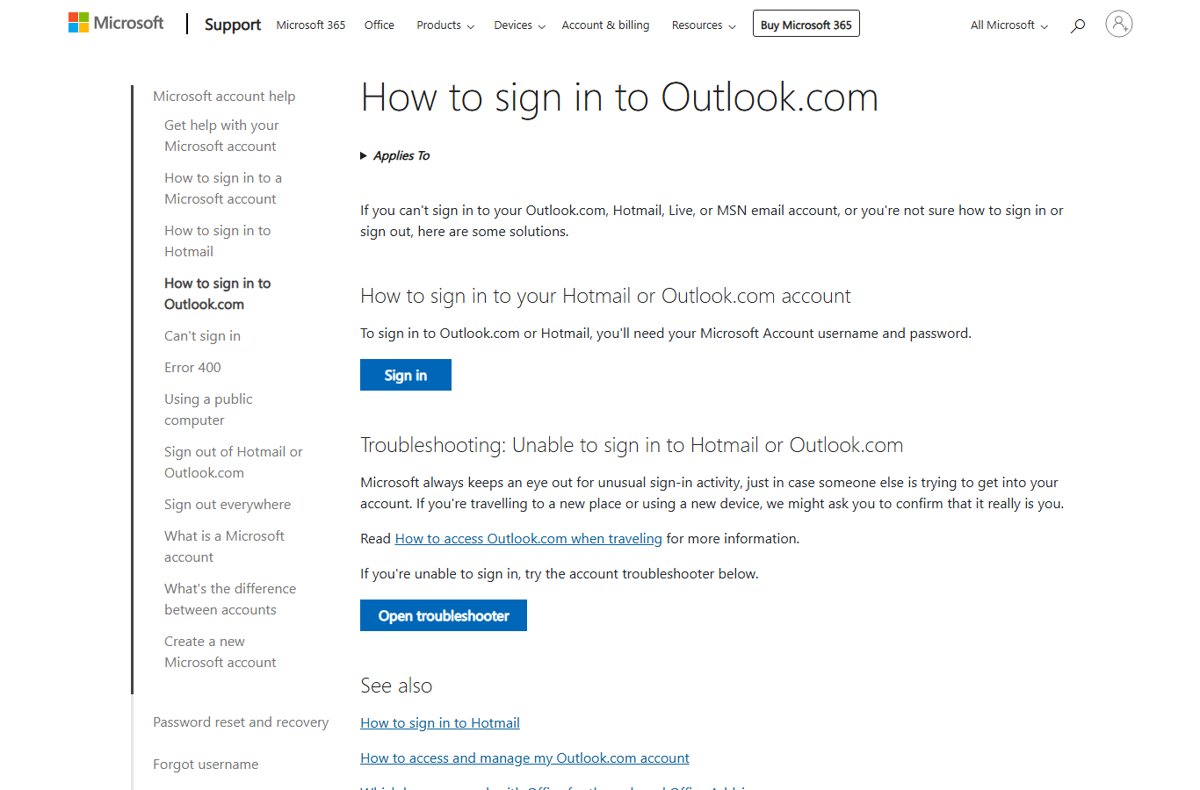
How to sign in to Outlook.com
Outlook.com, Hotmail, Live and MSN addresses all sign in with the same Microsoft account.
- Type
outlook.cominto the browser address bar yourself rather than following a link in an email. - Select Sign in.
- Enter the email address or phone number for your Microsoft account and select Next.
- Enter your password and select Sign in, or approve the request with your passkey or Microsoft Authenticator if you set one up.
- If you have several accounts, pick the right one under Choose the account you want to sign in with.
- Enter the security code if Microsoft asks you to verify your identity.
On a phone already signed in to Outlook, you can also sign in to Outlook with a QR code instead of typing a password.
Which Outlook.com sign-in method is most secure?
| Sign-in method | Security level | Best for |
|---|---|---|
| Passkey (face, fingerprint, PIN or security key) | Highest: nothing to type or phish | Your own PC or phone |
| Microsoft Authenticator, passwordless | High: approval on your phone, no password | People who sign in on several devices or travel |
| Password plus two-step verification | Good: a stolen password alone is not enough | Accounts that still need a password |
| Password only | Lowest: one leaked password exposes the inbox | Not recommended |
How to password protect your Outlook login with two-step verification
Two-step verification asks for a second proof, such as a code or app approval, after your password.
- Go to
account.microsoft.com/securityand sign in. - Select Manage how I sign in.
- Under Additional security, find Two-step verification and select Turn on.
- Follow the prompts; if you choose Microsoft Authenticator, scan the QR code with your phone.
- Create app passwords for any older mail app that reports an incorrect password afterwards.
Sign in to Outlook.com with a passkey instead of a password
- On the device that will hold the passkey, open
account.live.com/proofs/manageand sign in. - Select Add a new way to sign in or verify.
- Select Face, Fingerprint, PIN, or Security Key.
- Follow the prompts on your device.
- Select Continue or Create to save it in the suggested place, or Save another way to pick a phone, security key or password manager.
The next time you sign in to Outlook.com, your device asks for your face, fingerprint or PIN instead of the password. To drop the password entirely, select Turn on under Passwordless account on the same security pages and approve the request in Microsoft Authenticator.
Outlook login or sign in tips
| Tip | Why it matters |
|---|---|
| Type outlook.com yourself | Phishing emails link to look-alike sign-in pages |
| Never reply to emails asking for your password | Microsoft never asks for your password by email |
| Check the sender of security alerts | Real alerts come from [email protected] |
| Keep backup phone numbers and emails current | Out-of-date security info can lock you out during recovery |
| Use private browsing on shared PCs | The browser is less likely to remember your sign-in |
| Keep your device updated | Updates close security holes attackers use to steal sessions |
| Sign in regularly | Accounts unused for more than two years may be deleted |
Check Outlook.com recent activity for unusual sign-ins
The Recent activity page lists when and where your Microsoft account was used in the last 30 days.
- Open the Security page of your Microsoft account and select Review activity.
- Look for an Unusual activity section at the top.
- Expand each entry to see the location, IP address, device and app used.
- Select This was me for activity you recognise, or This wasn't me for anything you do not.
- For suspicious items in the Recent activity section, select Secure your account and change your password.
Mobile networks route traffic through other cities, so a phone sign-in can show a location you have never visited.
How to sign in to Outlook.com safely on a public computer
- Open a private window: Ctrl + Shift + N in Edge, Chrome or Opera, or Ctrl + Shift + P in Firefox.
- Sign in to Outlook.com and do not save the password if the browser offers.
- When you finish, select your initials or account picture at the top of the inbox and select Sign out.
- Close every browser window, including all private tabs.
If you left yourself signed in on a device you can no longer reach, use the sign-out-everywhere option in your Microsoft account security settings.
How to connect Google Workspace to Outlook
A work or school Google Workspace account can sync with classic Outlook for Windows through Google Workspace Sync for Microsoft Outlook (GWSMO). Your Workspace administrator must allow it first.
- Ask your administrator to turn on GWSMO for your account.
- Install GWSMO from Google's Workspace help pages and sign in with your Google Account.
- Import data from your existing Outlook profile or a PST file if you want it in Google Workspace.
- Set the Google Workspace profile as the default profile in Outlook.
- Open Outlook; email, calendar events and contacts sync with Google Workspace.
A personal Gmail account does not use GWSMO. If you only need Gmail in a browser, sign in to Gmail directly.
Fix Outlook.com sign-in problems
You forgot your Outlook.com password
The password cannot be recovered, only reset.
- On the sign-in page, select the forgotten password option.
- Choose where to receive a security code and enter it.
- Create a new password you have not used elsewhere.
- If you cannot receive a code, complete the Microsoft account recovery form.
Outlook.com says your account is blocked
Microsoft noticed unusual sign-in activity and paused the account to protect it.
- Open the Microsoft Sign-in Helper from the Unblock my Outlook.com account page.
- Enter the security code sent to your phone or backup email.
- Change your password if prompted.
- Review Recent activity and select This wasn't me for anything unfamiliar.
Someone else changed your password
The account was likely compromised.
- On the sign-in page, select Forgot my password.
- Select I think someone else is using my Microsoft account.
- Follow the recovery instructions.
- Once back in, turn on two-step verification and remove security info you do not recognise.
An older mail app keeps saying your password is wrong
The app cannot handle two-step verification codes.
- Go to the Additional security options page in your Microsoft account.
- Create an app password.
- Enter the app password in the mail app instead of your normal password.
Outlook.com login and security frequently asked questions
Is Outlook.com email secure?
Outlook.com protects mail in transit with opportunistic TLS, which encrypts the connection to the recipient's provider but not the message itself. Microsoft 365 Personal and Family subscribers can encrypt individual messages so they stay protected end to end.
Does Outlook have a secure mail feature?
Yes, with a Microsoft 365 Personal or Family subscription. In a new message, open Options and select Encrypt, or Do Not Forward to stop recipients forwarding it. Recipients on other email services open it with a one-time passcode.
Why does Outlook automatically sign me in?
You likely ticked Keep me signed in, or the browser saved your session. Outlook apps also stay signed in and no longer offer a sign-out button. On shared PCs, use private browsing and sign out when finished.
How do I secure my Outlook email account?
Turn on two-step verification or add a passkey, keep backup phone numbers and emails up to date, check Recent activity for unusual sign-ins, and never enter your password from a link in an email.
How do I sign in to my Outlook email account?
Go to outlook.com, select Sign in, enter your email or phone number, select Next, then enter your password or approve the request with your passkey or Microsoft Authenticator.
How do I add a signature to my email in Outlook.com?
Select Settings, then Accounts > Signatures. Select Add signature, name it, type and format the signature, choose whether it goes on new messages and replies, and select Save.
Can you digitally sign an Outlook email?
Yes, but it needs a digital ID (certificate) set up in Outlook. That is different from a text signature, which only adds your name and contact details to the bottom of each message.
Bottom line: the safest way to log in to Outlook.com
Add a passkey or turn on passwordless sign-in with Microsoft Authenticator, and always type outlook.com yourself. Without a password to steal, phishing pages and leaked password lists cannot get into your inbox, and Recent activity shows you quickly if anyone tries.