@m—–.com is a partly hidden email address: the m is the first letter of the domain, and the dashes stand in for characters that are not shown.
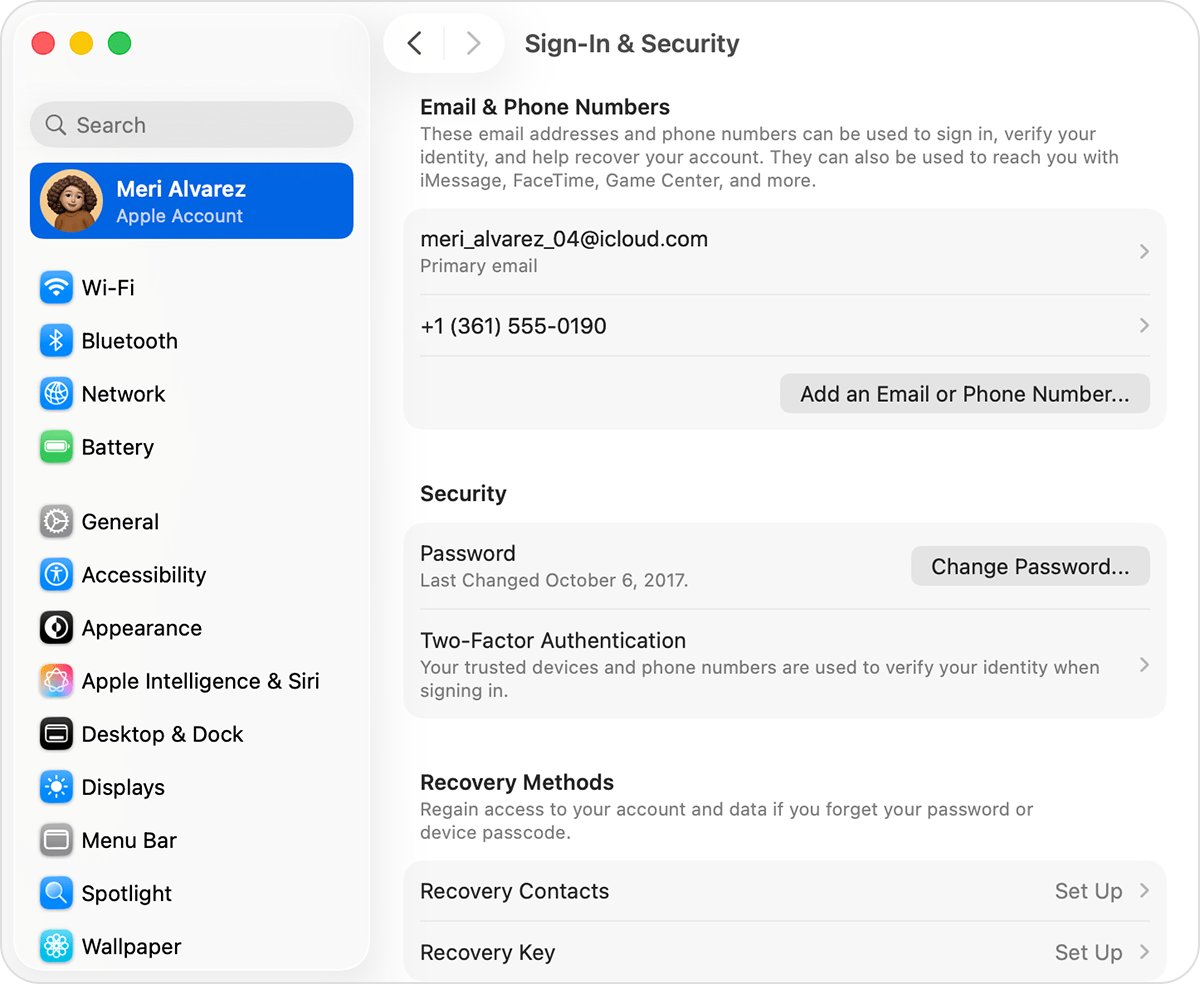
To see the real address, open Settings on your iPhone, tap your name and select Sign-In & Security. This guide also covers finding the address on a Mac or Windows PC, the common email domains that start with m, and what to do when you can't open that mailbox.
What email address is @m—–.com on my Apple Account
Apple sends its emails to the primary email address on your Apple Account, so the full address is listed on any device already signed in to that account.
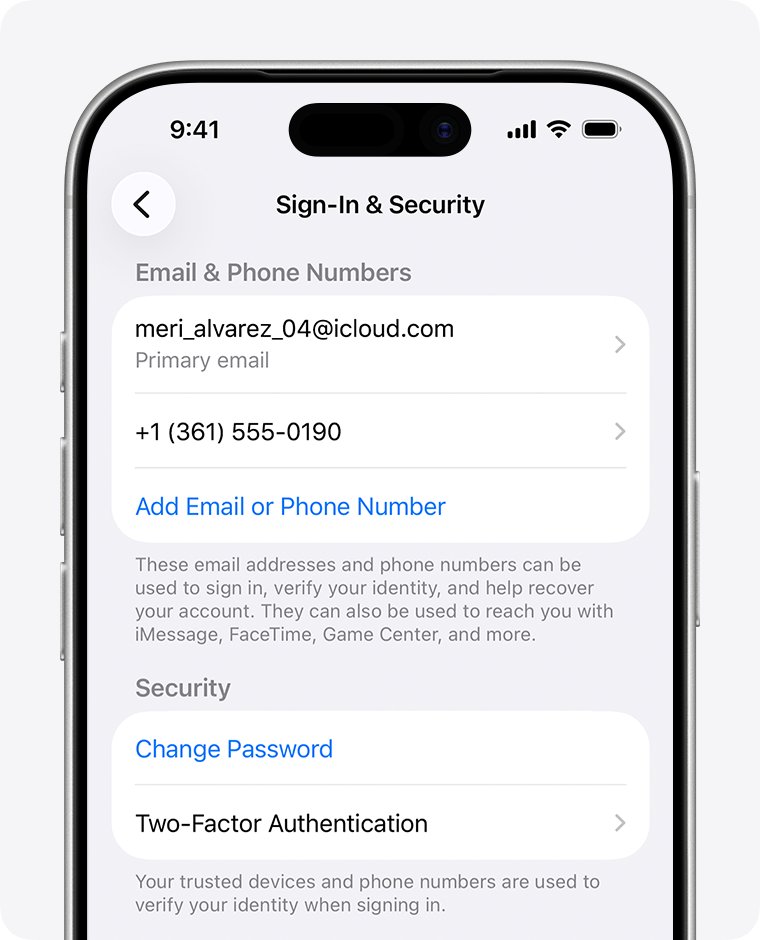
- Open the Settings app on your iPhone or iPad.
- Tap your name at the top of the list.
- Select Sign-In & Security.
- Read the email addresses and phone numbers shown there.
- Look for an address whose domain starts with m. That is the address behind @m—–.com.
If no address on the list starts with m after the @ sign, the masked address might belong to another Apple Account, or the message might be a scam. Check whether you use a second Apple Account before you change anything.
What does a masked email address like @m—–.com mean
Apple hides part of an address on some screens and in some emails. Its own example, j∗∗∗∗∗@icloud.com, hides most of the name, and Apple warns that the number of asterisks might not match the number of characters in the real address.
| Part of the address | What it tells you | What it does not tell you |
|---|---|---|
| The letter m | The first letter of the domain, the part after the @ sign | Which email provider it is |
| The dashes or symbols | Some characters are hidden | How many characters the domain has, because the count might not match |
| .com | The address ends in .com | Whether it is a personal, work or school address |
| The part before the @ sign | Nothing while it is hidden | Your username, which a signed-in device shows in full |
What email address starts with m
Use this table to narrow down the mailbox to try first, then confirm the match in Sign-In & Security.
| Address ending | Who runs it | Where to check it |
|---|---|---|
| @me.com | Apple. A me.com address still works as iCloud Mail | icloud.com/mail |
| @mac.com | Apple. Treated the same way as @me.com and @icloud.com in iCloud Mail | icloud.com/mail |
| @msn.com | Microsoft. MSN email accounts sign in through Outlook.com | outlook.com |
| A custom domain that starts with m | Your employer, school, internet provider or your own domain host | That organization's webmail, or ask its IT help desk |
Addresses that end in privaterelay.appleid.com are a different case. Those are forwarding addresses from Sign in with Apple, and you can log in to a privaterelay address through the mailbox behind it.
How to find my Apple ID email on Mac, Windows PC or the web
Apple ID is now called Apple Account, and the same email address still signs you in. Pick the row that matches the device you can reach.
| What you can use | Where to look | What you will see |
|---|---|---|
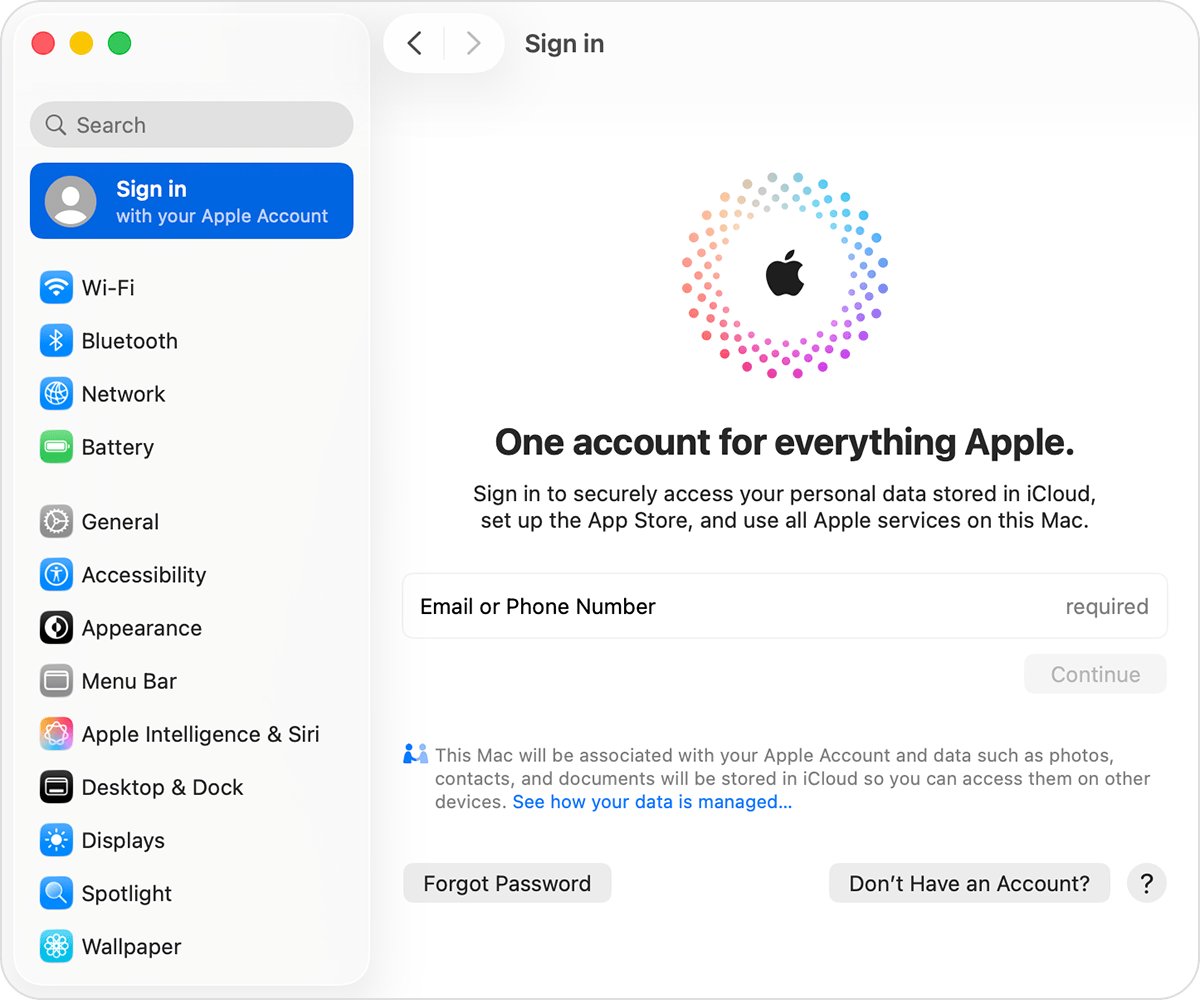
| Mac | Apple menu > System Settings, click your name, then select Sign-In & Security | The email addresses and phone numbers you can use to sign in |
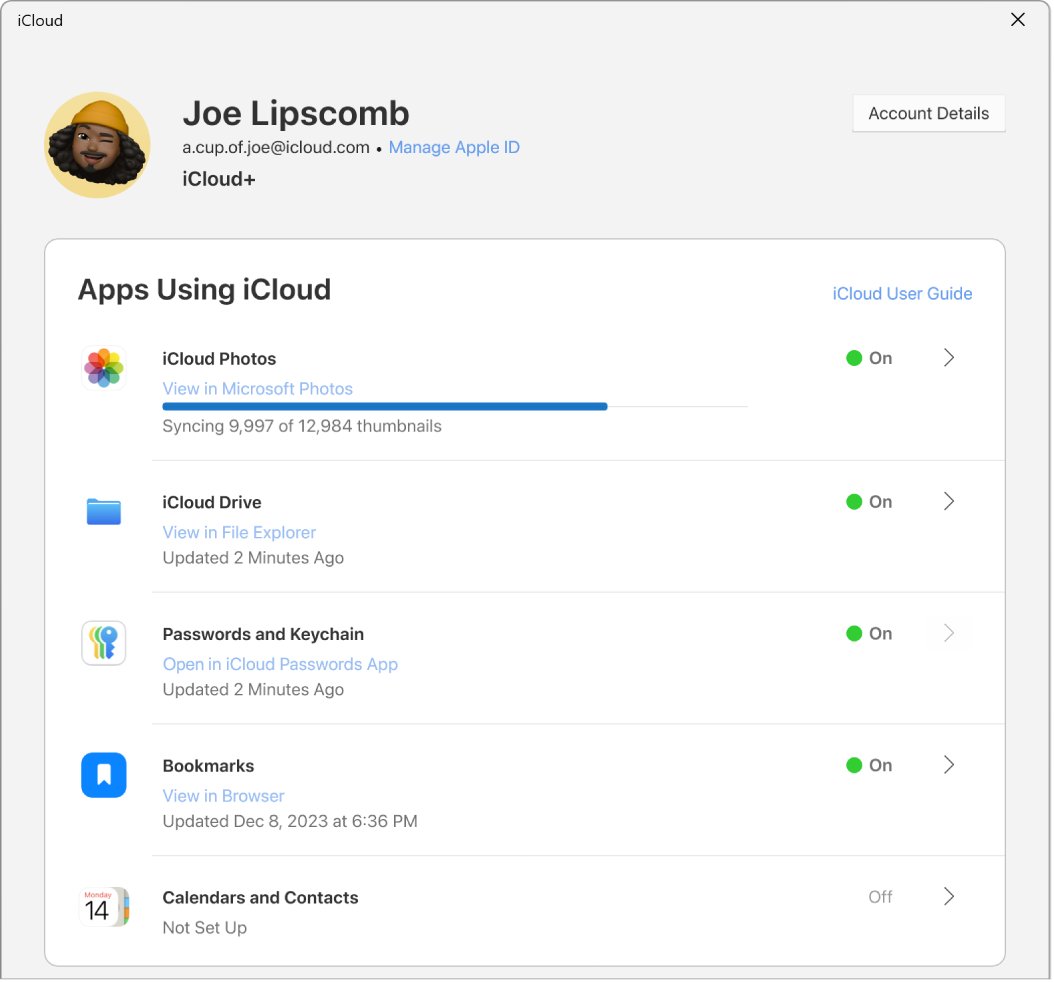
| Windows PC | Open iCloud for Windows and look under your name | Your primary email address or phone number |
| Any web browser | Go to account.apple.com | The sign-in screen might remember your email address or phone number |
| App Store, FaceTime or Messages on an Apple device | Check whether you are signed in to these apps | The account the device is using |
| A Family Sharing group | Ask a family member to check their Family Sharing settings | Your Apple Account information |
Find my email address in Apple receipts and old emails
Apple's receipts and service emails sometimes print your primary address in the message body, which helps when no signed-in device is left.
- Open each mailbox you use now or have used in the past.
- Search for Apple to bring up receipts and repair, support or billing emails.
- Open a few of these messages and read the body text for an email address.
- Compare any address you find with @m—–.com.
- Try that address on the account.apple.com sign-in screen.
Any email address or phone number on the account signs you in, so a secondary address you remember can open the account too.
How to check if @m—–.com is my me.com or mac.com address
iCloud Mail lists every address the account can send from, so this check also settles whether the mailbox belongs to you.
- Go to icloud.com/mail and sign in to your Apple Account.
- Select the settings icon at the top of the Mailboxes list, then choose Settings.
- Select the email address shown below Send From.
- Read the list of addresses for one that ends in @me.com or @mac.com.
- Close the panel without changing anything if you only wanted to look.
How to tell if an email from Apple about @m—–.com is real
Apple does send real messages about your account, but scammers copy them. These checks work without clicking anything, and you can also check an Apple ID security alert email in more depth.
- Look at the sender's address. It should match Apple, and Apple's help page names email.apple.com for verification and password reset emails.
- Press and hold or hover over any link and check that it leads to Apple's website, without opening it.
- Compare the style and format of the message with earlier emails from Apple.
- Treat any request for your password, device passcode or two-factor authentication code as a scam, because Apple never asks for these.
- Open Settings yourself and go to Sign-In & Security instead of following a link in the message.
- Forward anything suspicious to [email protected].
How to change my Apple ID email if I can't access @m—–.com
The primary address receives Apple's emails, so replace it if you no longer use it. You keep your contacts, purchases and other account information.
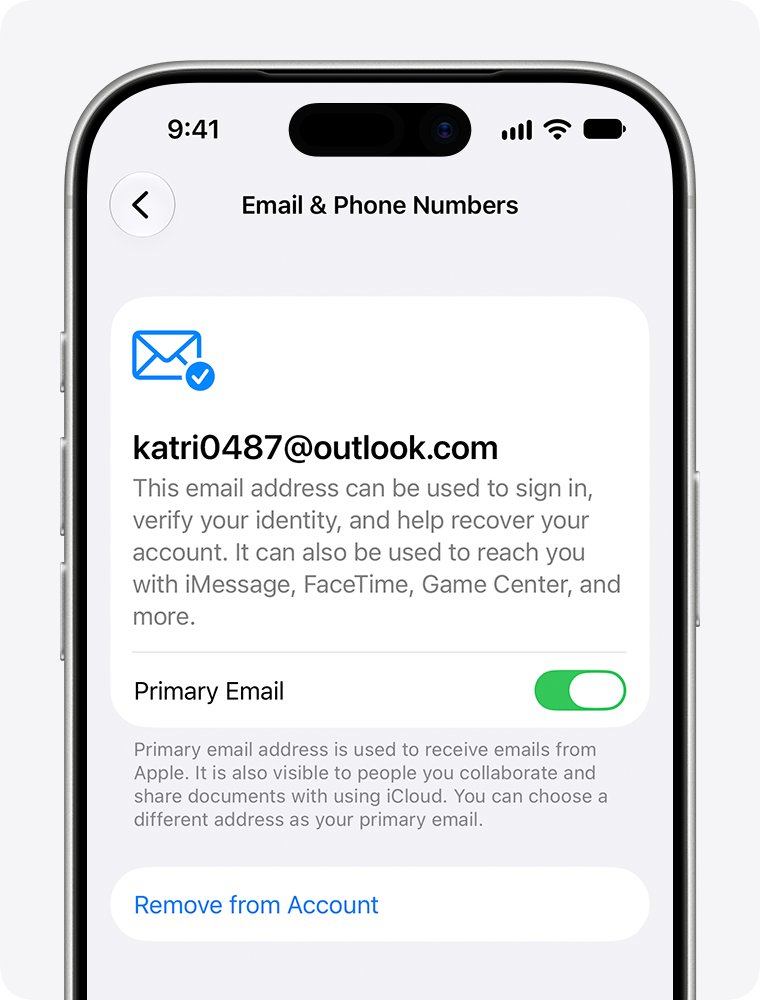
- Open Settings on an iPhone or iPad, or System Settings on a Mac, and choose your name.
- Tap or click Sign-In & Security.
- Tap or click your primary email address.
- Select Remove from Account to remove it, or turn off Primary Email to keep it on the account as a secondary address.
- Choose another address already on the account, or add a new one.
- Follow the onscreen steps to enter and verify the new primary email address.
On the web, go to account.apple.com, sign in, open Sign-In and Security and choose Email & Phone Numbers. A removed address that isn't an iCloud address can't join another Apple Account for 30 days, and after that someone else might be able to use it. If an iCloud address is the only email on the account, you see Change Email Address instead of Remove from Account, on iOS 18.1, iPadOS 18.1, macOS 26.4 or later.
Apple ID email not received at @m—–.com
The verification email never arrives
A spam filter or email rule moved it, or it went to another address on the account.
- Search your mailbox for Apple, the sender name on these messages.
- Check the Spam, Junk, Trash, Deleted Items and Archive folders.
- Allow messages from email.apple.com in your email settings.
- If you use iCloud Mail and blocked a sender earlier, unblock that email address.
You need Apple to send the email again
Verification and password reset emails use different routes.
- For verification, sign in at account.apple.com and click Resend next to the address.
- Fix the address first if it is spelled incorrectly, then send another verification email.
- For a password reset, repeat the reset steps. The new email goes to your primary address, so check every address on the account.
No email reaches the mailbox at all
The problem sits with the mailbox rather than with Apple, for example full iCloud storage, which stops new iCloud Mail.
- Ask someone to send a test message to the address.
- If it is an iCloud Mail address, sign in at icloud.com/mail and look for the test message.
- If it belongs to another provider, contact that email service provider for help.
You can't sign in and don't know the address
You have no signed-in device, and the password or address is forgotten.
- Try the email addresses and phone numbers you regularly use for Apple services.
- Select Forgot password? on the sign-in screen and follow the onscreen instructions.
- Have your trusted phone number, recovery contact or the card on the account ready.
- If you still can't get in, start account recovery at iforgot.apple.com in Safari on a device with iOS 17 or later or macOS 27 or later, or use the Apple Support app on a borrowed device.
Apple Account recovery can take several days or more, so wait for a trusted device or number if you will have one soon.
@m—–.com email address FAQ
What email address is me.com?
A me.com address is an Apple iCloud Mail address. It works like an @icloud.com address, so you read it at icloud.com/mail or in the Mail app on a device signed in to that Apple Account.
Is me.com a real email address?
Yes. Apple lists @me.com alongside @icloud.com and @mac.com as an iCloud Mail address, and iCloud Mail's own servers still use the mail.me.com name. Mail sent to a valid me.com address goes to an Apple inbox.
Is @m—–.com the same as me.com?
Not necessarily. The m shows only the first letter of the domain, and the hidden characters can't be counted reliably. It could be @me.com, @mac.com, @msn.com or another domain, so check Sign-In & Security to be sure.
What is .me in an email address?
In @me.com the word me is the domain name and .com is the ending, so the address is an ordinary .com address that Apple runs. It is the name left over from Apple's older MobileMe mail service.
What email address starts with m?
Common ones include @me.com and @mac.com from Apple and @msn.com from Microsoft. Work, school and custom domains can also start with m, which is why the list on your Apple Account is the only reliable check.
What's my email address on my iPhone?
Open Settings, tap your name and select Sign-In & Security to see the email addresses on your Apple Account. Addresses used in the Mail app appear separately under Settings, Apps, Mail, Mail Accounts.
Why is Apple sending emails to an address I don't recognize?
The primary email address on your Apple Account receives Apple's messages, so an old address might still be set as primary. Sign in, check Sign-In & Security and change the primary address if you no longer use it.
Is @m—–.com a mailing address?
No. It is the masked end of an email address, shown after the @ sign, and it has nothing to do with a postal address. The full address takes the form [email protected], and only part of it is showing.