You cannot track a stolen iPhone with its IMEI number yourself; locate it with Find My, and give the IMEI or serial number to your carrier and the police, who can act on it.
This guide covers finding the IMEI without the phone, tracking with Find My on another device or icloud.com, Lost Mode, reporting the theft and what to do if Find My was off.
Track a stolen iPhone with Find My on icloud.com
This works from any web browser, including a Windows PC or a borrowed phone.
- Open icloud.com/find in a web browser.
- Sign in with the Apple Account used on the stolen iPhone.
- Select the iPhone in the device list.
- Read its position on the map if it is online.
- If it shows Offline, select Notify me when found to get an email once it reconnects.
An offline iPhone shows its last known location on icloud.com for up to 24 hours. With the Find My network turned on, the Find My app on another Apple device keeps the last known location for up to 7 days.
Can you track an iPhone by IMEI number?
| Who | What the IMEI or serial number lets them do |
|---|---|
| You | Prove ownership and identify the phone; it gives you no location. |
| Your wireless carrier | Disable your account on the missing iPhone and handle a carrier-plan claim. |
| Local police | Record the theft against the serial number they may ask for. |
| Apple | Find My tracks by Apple Account, not by IMEI. |
Treat any website or app that promises a live location from an IMEI number as a scam, and never pay for one.
Find the IMEI of a stolen iPhone without the phone
- Go to account.apple.com and sign in with the Apple Account used on the iPhone.
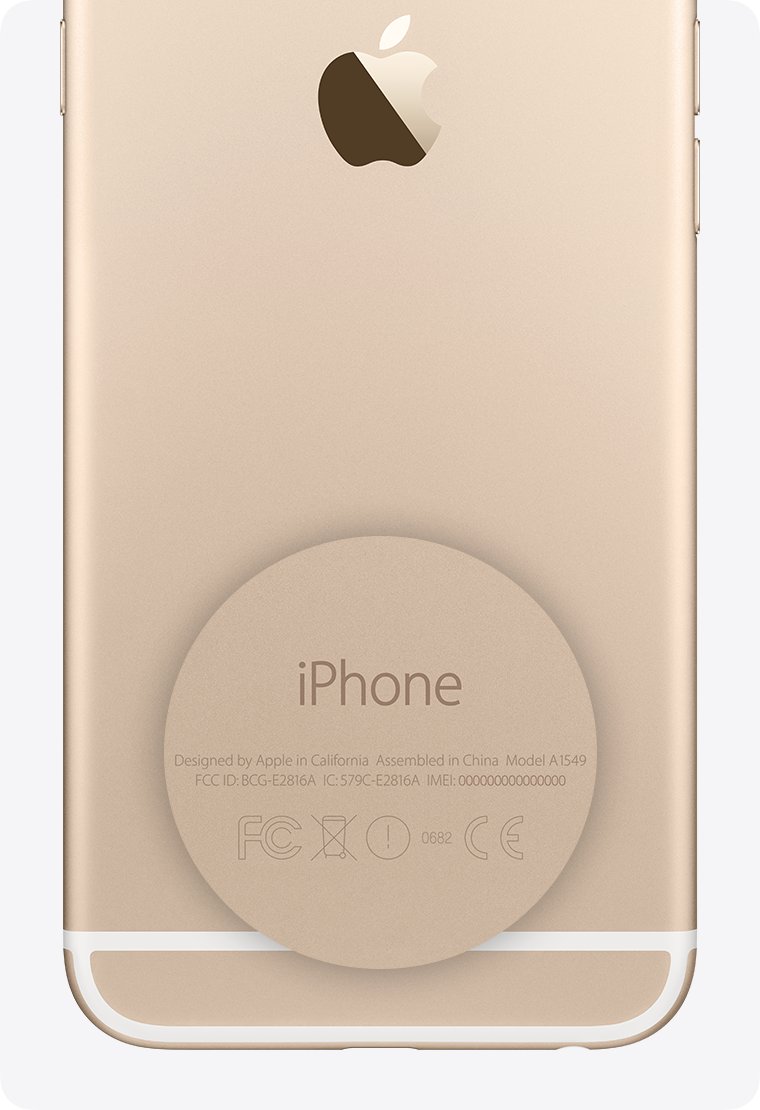
- Open the Devices section and select the stolen iPhone to see its serial number and IMEI/MEID.
- Alternatively, check the barcode label on the original box, which lists the serial number and IMEI/MEID.
- If you synced the phone to a computer, open Finder, the Apple Devices app or iTunes and select the device; click Phone Number under its name to show the IMEI.
Track a stolen iPhone from another Apple device with Find My
- Open the Find My app on another iPhone, iPad or Mac signed in to your Apple Account, or a Family Sharing member's device.
- Go to the Devices tab.
- Select the stolen iPhone to see its location on the map.
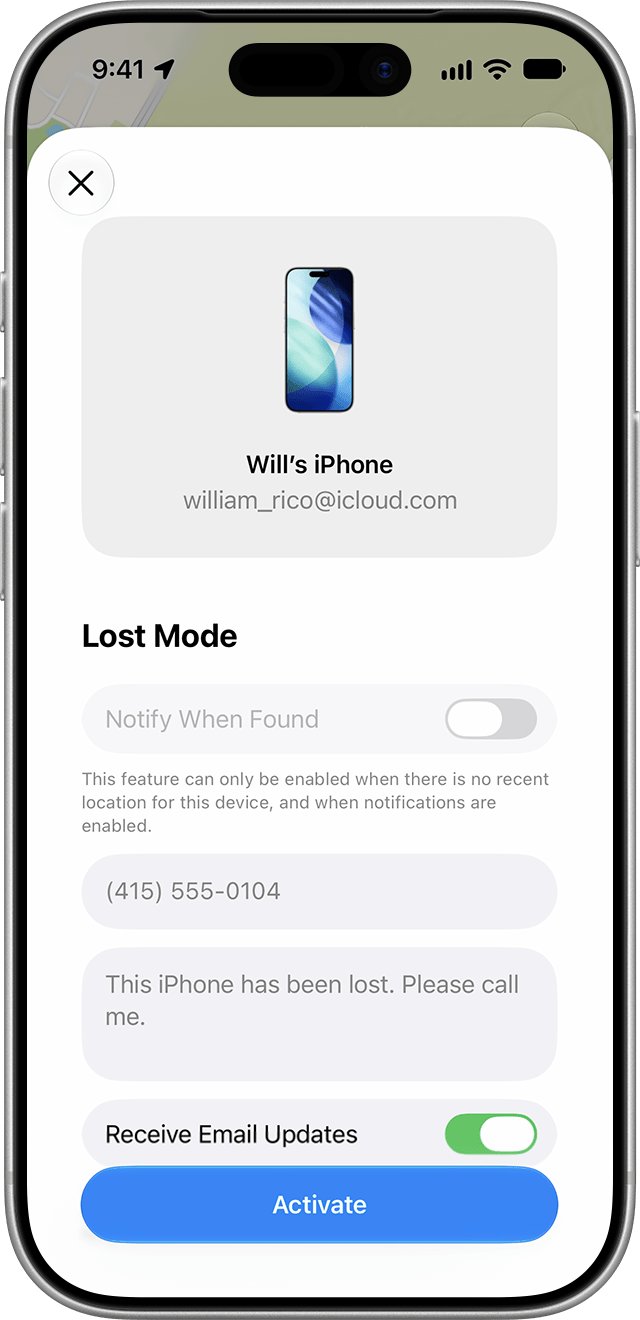
- Tap More, scroll to Lost iPhone and turn on Lost Mode.
- Add a contact message if you want, then tap Activate.
Lost Mode locks the iPhone with your passcode and suspends Apple Pay cards and passes. Do not try to recover the phone from a location yourself; give it to the police.
Report a stolen iPhone to your carrier and police
- File a report with local law enforcement and give them the serial number and IMEI.
- Call your wireless carrier, say the iPhone is stolen and ask them to disable your account.
- Ask the carrier about a claim if the phone is covered by your plan.
- If you have AppleCare+ with Theft and Loss, file a replacement claim with Apple.
- Keep the iPhone in Find My and on your Apple Account until any claim is fully approved.
Should you erase a stolen iPhone remotely?
Erase the iPhone only after Lost Mode and tracking have failed, and never remove it from Find My. Erasing cannot be undone, and removing the device from Find My removes Activation Lock, which is what keeps a thief from reusing the phone.
Track stolen iPhone without Find My or location
The iPhone does not appear in Find My
Find My was not turned on before the theft, so it cannot be located, locked or erased remotely.
- Report the theft to the police with the serial number and IMEI.
- Ask your carrier to disable your account.
- File an AppleCare+ claim if you have theft cover.
- Change your Apple Account password at account.apple.com if you see anything unfamiliar.
The stolen iPhone shows Offline
It is switched off or has no Wi-Fi or cellular connection.
- Note the last known location on the map.
- Select Notify me when found.
- Check the Find My app on another Apple device, which keeps a last location for up to 7 days with the Find My network on.
Stolen iPhone tracking FAQ
How do I track a stolen iPhone with an IMEI number?
You cannot get a location from an IMEI yourself. Track the phone with Find My at icloud.com/find, and give the IMEI to your carrier and the police so they can disable your account and record the theft.
How do I track a stolen iPhone with iCloud?
Go to icloud.com/find, sign in with your Apple Account and select the iPhone. If it is online, it appears on the map; if offline, select Notify me when found to get an email when it reconnects.
Can Apple track a stolen iPhone?
Apple does not trace phones for you. Find My, linked to your Apple Account, shows the location, and Lost Mode locks the iPhone. Police and your carrier handle the theft report and account blocking.
How do I track a stolen iPhone when it is offline?
icloud.com/find shows an offline iPhone's last known location for up to 24 hours. With the Find My network on, the Find My app on another Apple device can keep it for up to 7 days.
Can I track a stolen iPhone without Find My iPhone?
No. If Find My was off before the theft, the iPhone will not appear on icloud.com/find or in the app. Report it to police and your carrier, and claim on AppleCare+ if covered.
How do I track a stolen iPhone 16?
The steps are the same as for any iPhone. Use icloud.com/find or the Find My app on another device, turn on Lost Mode, then report the IMEI to your carrier and the police.
Where do I find my iPhone IMEI if the phone is stolen?
Sign in at account.apple.com, open Devices and select the iPhone. The IMEI is also printed on the barcode label of the original box.
Should I remove a stolen iPhone from my Apple Account?
No. Removing it from Find My turns off Activation Lock, and Apple says to keep it on your account until any AppleCare+ claim is approved.