To create an iCloud email address, go to Settings > [your name] > iCloud on your iPhone or iPad, tap iCloud Mail (or Mail), then follow the onscreen instructions to pick an address.
This guide covers the same job on a Mac, a PC and iCloud.com, how to get a free address while setting up a new Apple Account, what you can change later, and fixes for the errors that block it.
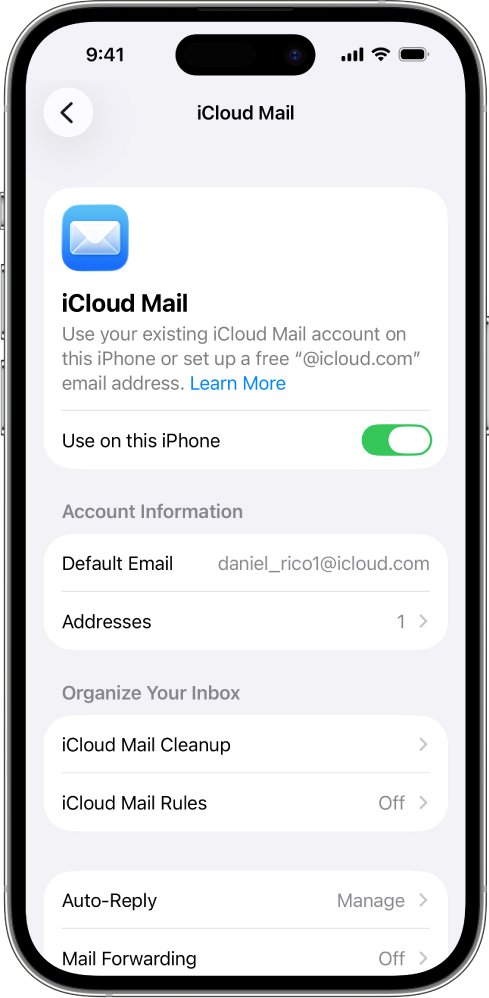
How to create an iCloud email address on iPhone or iPad
You need to be signed in to your Apple Account on the device. The address you create becomes your primary iCloud Mail address.
- Open Settings and tap your name at the top.
- Tap iCloud.
- Tap iCloud Mail (or Mail).
- Turn on Use on this iPhone or Use on this iPad if you see it.
- Follow the onscreen instructions, then pick a suggested address or type your own.
No onscreen instructions after you turn on iCloud Mail means you already have a primary iCloud email address. Open the Mail app and tap a mailbox in the iCloud section to see it.
Where to create an iCloud email: iPhone, iPad, Mac or iCloud.com
| Your situation | Do this | Why |
|---|---|---|
| iPhone or iPad signed in to your Apple Account | Settings > [your name] > iCloud > iCloud Mail | Shortest route, and the Mail app is ready on that device |
| Mac running macOS 13 or later | System Settings > your name > iCloud > Mail | Apple's steps change slightly at macOS 13.3 |
| PC or borrowed computer, with an Apple Account already used on an Apple device | icloud.com/mail > Create Email Address | Needs only a web browser |
| New iPhone, iPad or Apple Vision Pro, and no email address at all | Don't have an email address? during device setup | Creates the Apple Account and a free iCloud address together |
| Windows PC or Android phone only, with no Apple device | Create an Apple Account at account.apple.com with an email you already own | You get web-only access, and Apple's web-only list does not include Mail |
How to create an iCloud email address on Mac
- Choose the Apple menu > System Settings, then click your name at the top of the sidebar.
- Click Sign in and enter your Apple Account details if your name is not there.
- Click iCloud, then click Mail (or iCloud Mail).
- On macOS 13.3 or later, turn on Sync this Mac. On macOS 13 to 13.2, click Turn On.
- Follow the onscreen instructions to create the address.
As on iPhone, no instructions at this point means the account already has a primary iCloud address. Open the Mail app and click a mailbox in the iCloud section to use it.
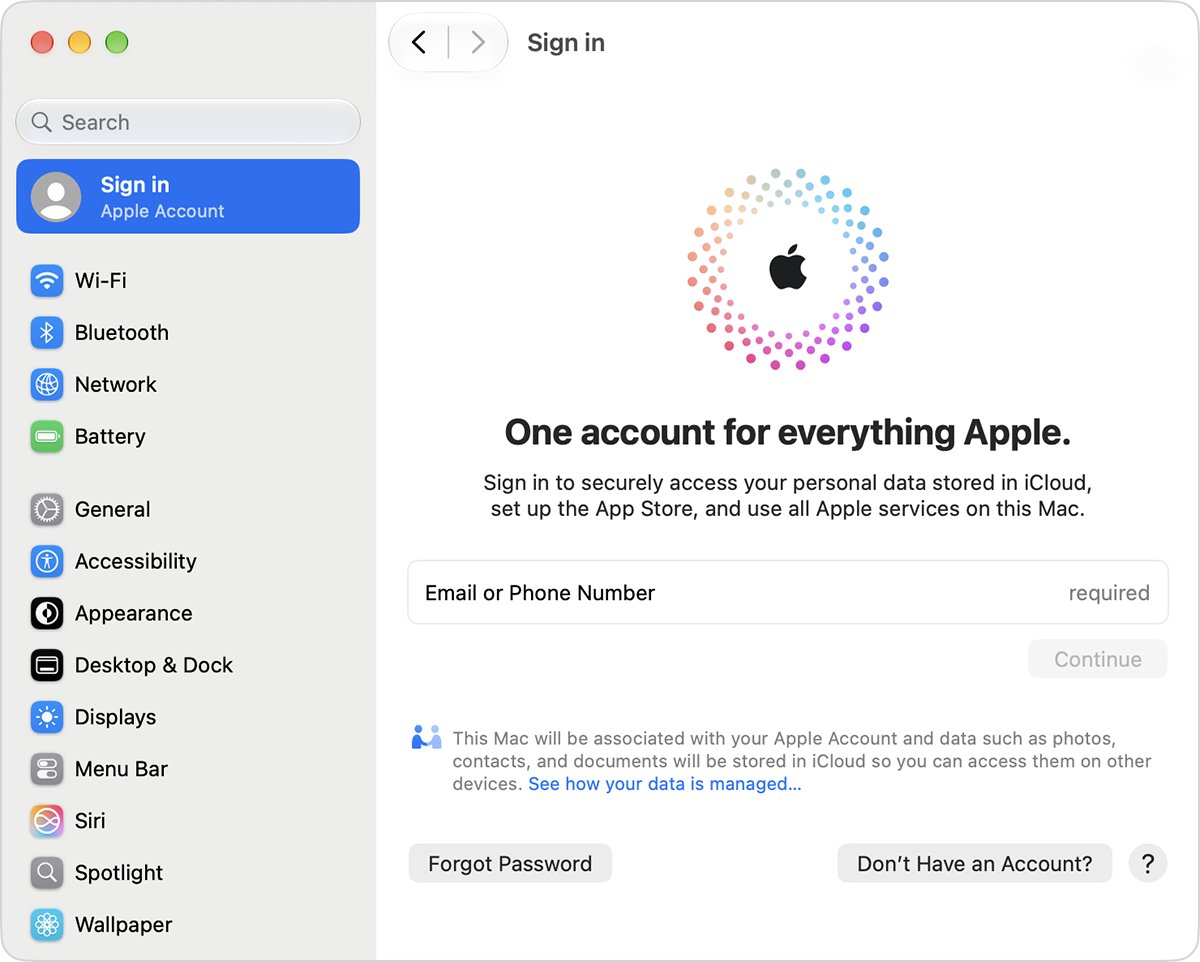
How to create an iCloud email address on PC
A Windows PC needs no iCloud app for this job, because the option sits on iCloud.com. Your Apple Account needs to have been signed in on an Apple device, because Apple's list for web-only accounts leaves out Mail.
- Open a web browser and go to icloud.com/mail.
- Sign in to your Apple Account with your email address or phone number and password.
- Enter the verification code sent to your trusted device or phone number if asked.
- Select Create Email Address.
- Follow the onscreen instructions to choose the address.
An inbox instead of Create Email Address means you already have a primary iCloud Mail address. Once it exists, you can use it to sign in to iCloud.com and your devices as well as your Apple Account email.
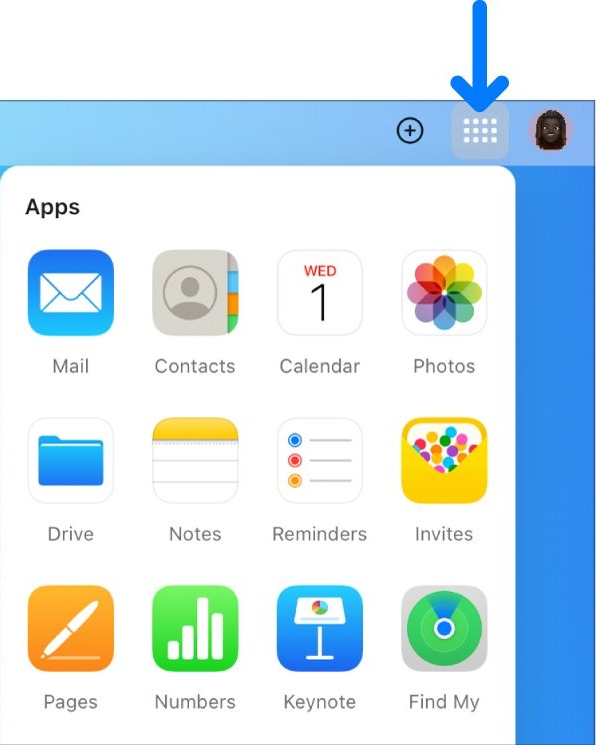
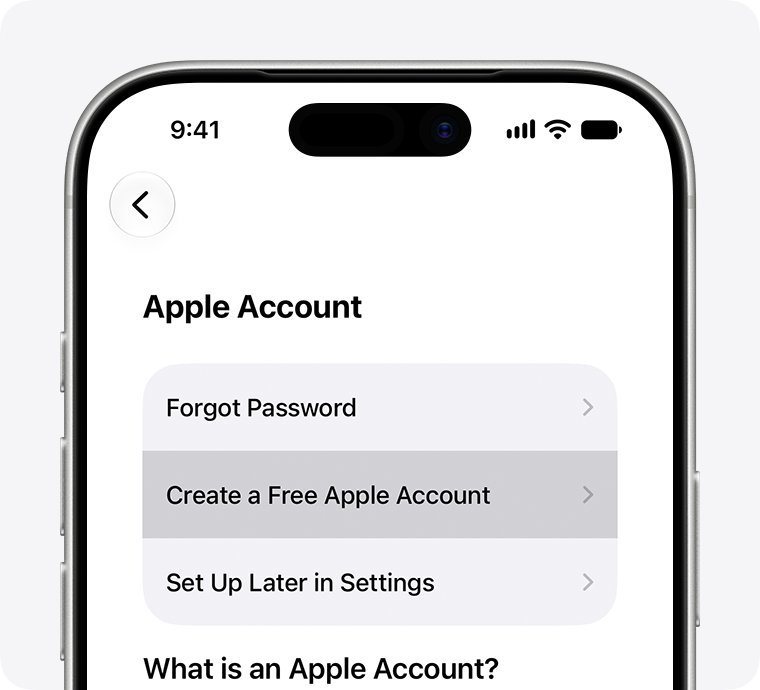
How to make an Apple Account with a free iCloud email address
Apple offers the free address in the Apple Account setup on iPhone, iPad and Apple Vision Pro. Use this route when you have no account and no other email address.
- During device setup, tap Forgot password or don't have an account?
- Tap Create a Free Apple Account.
- Select your birthday, enter your name and tap Continue.
- On the email screen, tap Don't have an email address? to get a free iCloud email address.
- Follow the onscreen steps to create a strong password, set your country or region, and set up two-factor authentication.
This address becomes your Apple Account sign-in as well as your mailbox. In certain states, countries or regions, you might be asked to confirm that you're an adult.
Can I create an iCloud email without an iPhone?
Yes, if you have another Apple device or an account already signed in on one. A Windows PC or Android phone alone is where it stops working.
| What you have | Can you create an iCloud email? | How |
|---|---|---|
| iPad | Yes | Settings > [your name] > iCloud > iCloud Mail |
| Mac | Yes | System Settings > your name > iCloud > Mail |
| Apple Vision Pro | Yes, for a new account | Don't have an email address? while creating the Apple Account |
| PC, with an account already signed in on an Apple device | Yes | icloud.com/mail > Create Email Address |
| PC or Android only, with an account never signed in on an Apple device | Not on web-only access | Sign in on an iPhone, iPad or Mac to move past web-only access |
Web-only access includes Notes, iCloud Drive, Pages, Numbers, Keynote, Contacts and Photos with 1 GB of storage. Mail is not on Apple's list for those accounts.
How to create an Apple Account on PC for iCloud email
You need an Apple Account before any of the iCloud Mail steps work. Apple's web form asks for an email address you already own and does not offer a free iCloud address.
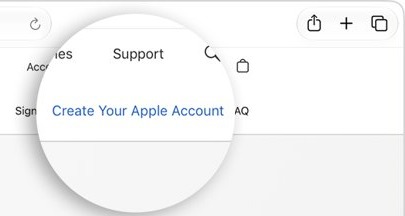
- Go to account.apple.com and click Create Your Apple Account.
- Enter an email address, create a password and choose your device region.
- Enter your birthday and a phone number you can always access.
- Click Continue.
- Verify your email address and phone number.
On Windows, the Apple Music and Apple TV apps also have a Create New Apple Account option under Sign In. Signing in to an account created this way on an iPhone, iPad or Mac is what lets you set it up with iCloud.
iCloud email address rules: length, availability and renaming
| Rule | What applies |
|---|---|
| Length | More than three characters for a primary address |
| Availability | The name must be free; Apple suggests addresses based on your Apple Account and name, and you can edit them |
| Existing addresses | An @icloud.com, @me.com or @mac.com address already counts, so you skip creation and just set up Mail |
| Renaming in iCloud Mail | Not available; Apple suggests adding an email alias if you change your mind |
| Replacing the address | If an iCloud address is the only email on your Apple Account, Change Email Address appears under Sign-In & Security |
| Software for that change | iOS 18.1, iPadOS 18.1 or macOS 26.4, or later; your iCloud Mail and existing messages stay |
| Storage | Mail counts toward your iCloud storage, which starts at 5 GB free |
Choose the name carefully, since it is also what other people see. You can still delete an iCloud email address later if you stop using it.
How to tell if you already have an iCloud email address
- Go to icloud.com/mail and sign in to your Apple Account.
- Look at what opens: an inbox means you have a primary address, and Create Email Address means you don't.
- On iPhone or iPad, go to Settings > [your name] > iCloud > Mail and see whether setup instructions appear.
- Send a test message from your new address to another mailbox you own, then reply to it.
The reply should land in the iCloud section of the Mail app and at iCloud.com. Addresses ending in @me.com or @mac.com are iCloud Mail addresses too.
How does iCloud email work?
iCloud Mail keeps your messages in the cloud rather than on one device. Your Apple Account is what connects each device to the mailbox.
| Question | Answer |
|---|---|
| Where is mail stored? | In iCloud, which frees up space on your device |
| What syncs between devices? | Folder moves, read and unread status, and deletions appear everywhere |
| Which devices work? | iPhone, iPad, Mac and Windows devices with iCloud Mail on, plus iCloud.com in a browser |
| What does each device need? | The same Apple Account signed in, with iCloud Mail turned on |
| What syncs with iCloud Drive on? | Mail settings such as VIPs, signatures and Smart Mailboxes, depending on the device |
| What happens when storage is full? | You can't receive new email at the address until you free up or buy more space |
How to set up iCloud email on your other devices
| Device | Do this | Where the mail appears |
|---|---|---|
| iPhone or iPad | Settings > [your name] > iCloud > Mail, then turn on Use on this iPhone or Use on this iPad | A mailbox in the iCloud section of Mail |
| Mac | System Settings > your name > iCloud > Mail, then turn on Sync this Mac (or click Turn On) | A mailbox in the iCloud section of Mail |
| Any browser | Go to icloud.com/mail and sign in | iCloud.com, on a phone, tablet or computer |
| Other email apps | Enter the IMAP and SMTP settings in the next section | That email app's inbox |
iCloud email IMAP and SMTP settings for other email apps
Third-party email apps need these server settings and an app-specific password, not your Apple Account password. Your account must use two-factor authentication to create one.
| Setting | Incoming (IMAP) | Outgoing (SMTP) |
|---|---|---|
| Server | imap.mail.me.com |
smtp.mail.me.com |
| Port | 993 | 587 |
| Security | SSL required; try TLS if SSL gives errors | SSL required; try TLS or STARTTLS if SSL gives errors |
| Username | The part before @icloud.com, or the full address if that fails | Your full iCloud Mail address |
| Password | App-specific password | The same app-specific password |
To create the password, sign in at account.apple.com, open Sign-In and Security, select App-Specific Passwords, then select Generate an app-specific password.
How to create an iCloud email alias
An alias is a free extra @icloud.com address on the same account, and you create it on iCloud.com after the primary address exists. It's also the simplest way to add a second iCloud email address without a new Apple Account.
- Go to icloud.com/mail and sign in to your Apple Account.
- Select the settings button at the top of the Mailboxes list, then choose Settings.
- Select Add Alias.
- Enter an Alias Address of 3 to 20 characters, a Label and the Full Name to show in the From field.
- Select Create.
Apple's alias steps allow up to nine aliases. An alias can't be used to create a separate Apple Account, and if you delete one while at nine, you wait 7 days before creating another.
iCloud email alias vs custom email domain vs private relay address
| Type of address | Needs | What it does |
|---|---|---|
| Primary iCloud address | Apple Account | Your main @icloud.com mailbox |
| Email alias | A primary iCloud address | Another @icloud.com address, for sending and receiving |
| Hide My Email with Sign in with Apple | An app or website that supports Sign in with Apple | A unique random address that forwards to the verified email on your Apple Account |
| Custom Email Domain | iCloud+, two-factor authentication and iCloud Mail set up | Up to five domains with up to 10 personalized addresses per domain |
Sign in with Apple addresses end in @private.icloud.com or @privaterelay.appleid.com, and a relay address has no inbox to log in to. Its messages arrive in the mailbox on your Apple Account.
Why can't I create an iCloud email account?
"The maximum number of free accounts have been activated"
This device has set up more accounts with iCloud in one year than Apple allows. It also appears when you sign in with an account created on the web or with web-only access.
- Try setting up iCloud with your Apple Account on another iPhone, iPad or Mac.
- Sign in and follow the onscreen steps to start using iCloud.
- If you already have an Apple Account set up with iCloud, sign in with that account instead.
"Your account cannot be created at this time"
Apple gives no single reason for this message. It suggests trying again later or creating the account a different way.
- Update your device or Apple app to the latest software.
- Create the account in Settings or System Settings on an Apple device, or at account.apple.com on a Windows PC or Android device.
- Switch to cellular data or a different Wi-Fi network and try again later.
- Check Apple's System Status page for an outage.
The email address or phone number is unavailable or can't be used
An Apple Account already uses that email address or phone number.
- Try a different email address or phone number.
- Reset the password for the existing account if the address is yours.
- Add an alias to that account if you only wanted one more @icloud.com address.
No Create Email Address option on iCloud.com
Either you already have a primary address, or your Apple Account has web-only access, which does not include Mail.
- Check whether an inbox opens at icloud.com/mail; if it does, the address already exists.
- Sign in to the same Apple Account on an iPhone, iPad or Mac if it has never been used on one.
- Turn on iCloud Mail on that device and follow the onscreen instructions.
The iCloud email name you want is taken
Addresses must be available, and Apple's suggestions come from your Apple Account and name.
- Edit the suggested address instead of accepting it as shown.
- Add a word or number to your preferred name, keeping it above three characters.
- Create the address, then add a shorter or more personal alias later if one is free.
iCloud email address FAQ
How to create an iCloud email account?
Go to Settings > [your name] > iCloud on an iPhone or iPad, tap iCloud Mail (or Mail) and follow the onscreen instructions. On a Mac, use System Settings. On a computer, select Create Email Address at icloud.com/mail.
How to create an iCloud email account on PC?
Go to icloud.com/mail in a web browser, sign in to your Apple Account and select Create Email Address. This works when your account has been signed in on an Apple device. An account used only on the web has web-only access, which leaves out Mail.
Can I create an iCloud email without an iPhone?
Yes, an iPad, Mac or Apple Vision Pro can do it, and so can iCloud.com when your account has already been signed in on an Apple device. With only a Windows PC or Android phone, you get web-only iCloud access, and Apple does not list Mail there.
How to create an iCloud email alias?
Sign in at icloud.com/mail, open Settings from the top of the Mailboxes list and select Add Alias. Enter an alias of 3 to 20 characters, a label and a full name, then select Create. You need a primary iCloud address first, and Apple allows up to nine aliases.
Why can't I create an iCloud email account?
The usual blocks are a device that has reached its yearly limit of new iCloud accounts, an email or phone number already on another Apple Account, or web-only access. Apple also suggests updating your software, changing network and trying again later when account creation fails.
How does iCloud email work?
Your messages are stored in iCloud, and any device signed in to the same Apple Account with iCloud Mail on can read them. Changes such as deleting a message or moving it to a folder appear everywhere. Mail counts toward your iCloud storage, which starts at 5 GB free.
Why do I need an iCloud email?
You don't need one for an Apple Account, which can use another email address. You do need a primary iCloud address before you can use iCloud Mail, and when an @icloud.com address is required depends on what you want to do with it.
How to make an Apple iCloud email?
Turn on iCloud Mail on an Apple device, or select Create Email Address at iCloud.com, then choose an available address. On a new iPhone, iPad or Apple Vision Pro, tap Don't have an email address? during Apple Account setup to get a free iCloud email address.