When Find My stops working, the cause is usually a setting that is off: check that Find My iPhone is on, that Location Services is allowed for Find My, and that the device is online and running the latest iOS.
This guide matches each Find My message (No location found, Offline, Not sharing location) to its fix, and covers friends who disappear, your location not showing for others, and AirTags or AirPods that stop appearing.
Quick fix when Find My stops working
- Open Settings, tap your name, then tap Find My.
- Tap Find My iPhone and make sure Find My iPhone, Find My network and Send Last Location are all on.
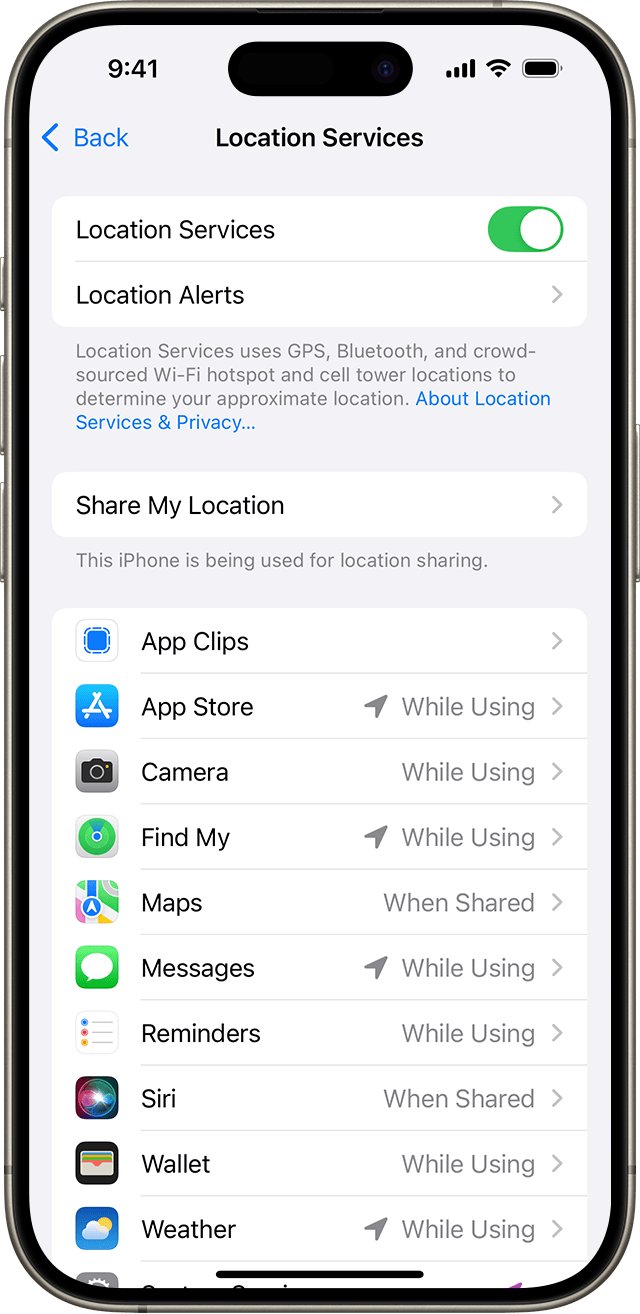
- Go back to Settings > Privacy & Security > Location Services and check that Location Services is on.
- Scroll down, tap Find My and allow location access, with Precise Location turned on.
- Update the iPhone to the latest iOS under Settings > General > Software Update.
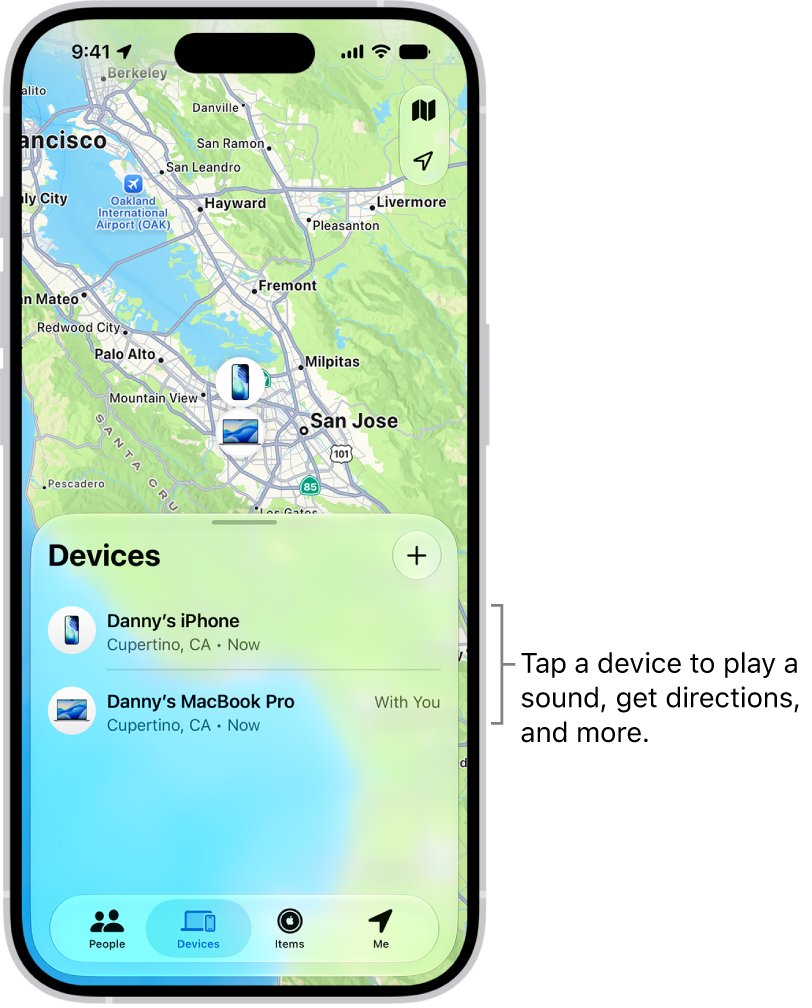
- Open the Find My app, tap Devices and check that your iPhone now shows a location.
If the problem is a friend's location or an AirTag, use the table below to jump to the right fix.
Find My not working: what each message means
| What Find My shows | What it means | Fix |
|---|---|---|
| "No location found" under a device | More than seven days since it last sent a location, or Find My was not on | Turn on Find My for the device and the Find My network |
| Offline with an old location | Battery ran out or no Wi-Fi or cellular; last location is kept for up to seven days | Charge it or reconnect it; turn on Notify When Found |
| "Not sharing location • Online" | The device is online but cannot send its location, often a Location Services problem | Allow Location Services for Find My |
| "No location found" under a friend | Your friend's device cannot be located right now | Ask them to check Share My Location and Location Services |
| "Can see your location" under a friend | You share with them, but they do not share with you | Ask to see their location |
| AirTag or item not listed | iOS out of date; AirTag (2nd generation) needs iOS 26.2.1 or later | Update iOS, iPadOS, macOS or watchOS |
| Find button missing for an AirTag | No Ultra Wideband, Location Access off, or out of range | Check requirements and Location Access |
| Device not on icloud.com/find | Find My was off before it was lost, or the location is older than 24 hours | Turn on Find My; use the Find My app for older locations |
Turn Find My iPhone back on
A device only appears in Find My if Find My [device] was on before it went missing. Updates, account changes or a restore can leave it off.
- Open Settings and tap your name.
- Tap Find My, then sign in with your Apple Account if asked.
- Tap Find My iPhone and turn on Find My iPhone.
- Turn on Find My network so Find My can locate the iPhone when it is offline.
- Turn on Send Last Location so the location is sent to Apple when the battery is critically low.
On a supported iPhone, the Find My network can locate it for up to 24 hours after it is turned off, or up to 5 hours in power reserve mode.
Fix Find My location not working with Location Services
Find My needs location access to place your iPhone on the map and to share your location. Without it, others see "Not sharing location" even though the phone is online.
- Open Settings and tap Privacy & Security.
- Tap Location Services and turn it on.
- Scroll down and tap Find My.
- Choose how Find My can access your location.
- Turn on Precise Location so distances to devices, friends and AirTags are accurate.
Find My friends stopped working: share your location again
If friends say your location has vanished, location sharing on your iPhone is off or is set to a different device, such as an old iPad.
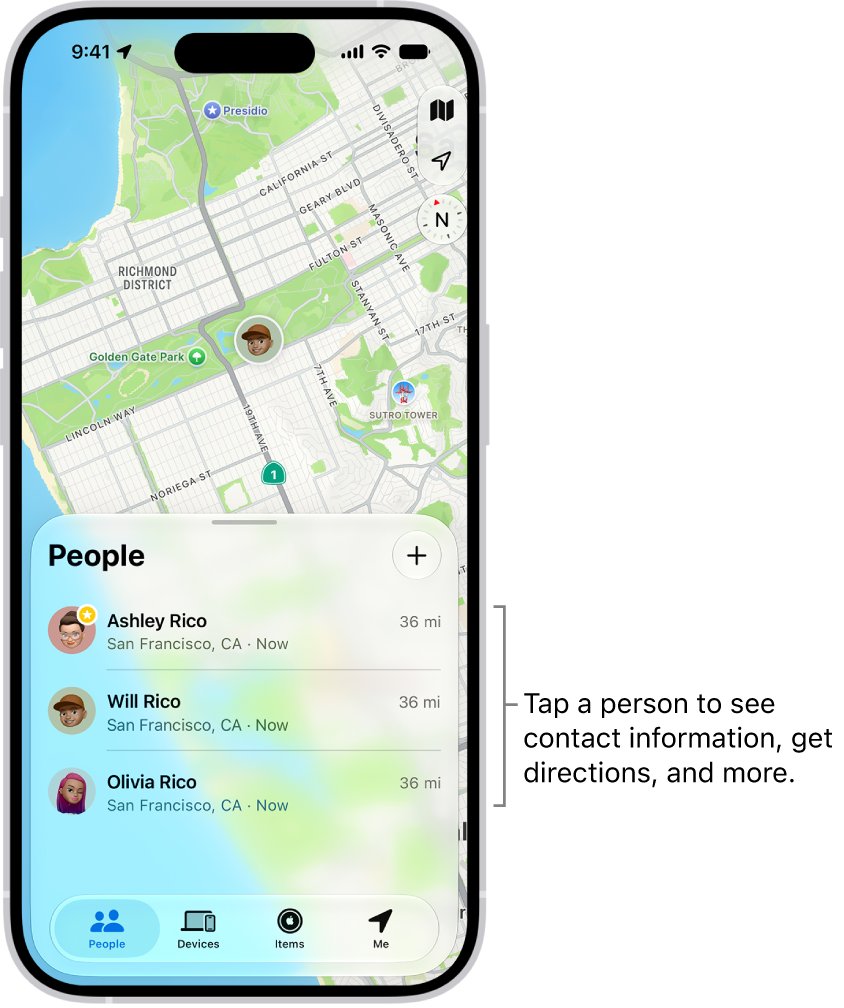
- Open the Find My app and tap Me.
- Turn on Share My Location.
- Check the device listed next to Sharing From.
- If it is not this iPhone, tap Use This iPhone as My Location.
- Tap People, select the friend and confirm you are still sharing with them; tap the Add button and choose Share My Location to start again.
Live Location sharing needs an iPhone with iOS 15 or later on both sides.
Can't see a friend's location in Find My
- Open Find My, tap People and tap your friend's name.
- If you see "Can see your location", ask to see their location, since they are not sharing with you.
- If you see "No location found", ask them to open Find My > Me and turn on Share My Location.
- Ask them to check Settings > Privacy & Security > Location Services > Find My on their iPhone.
- Ask them whether they set a time limit when they shared, such as an hour or until the end of the day.
Find My not working for Mac, AirPods or Apple Watch
| Device | Where to turn Find My back on |
|---|---|
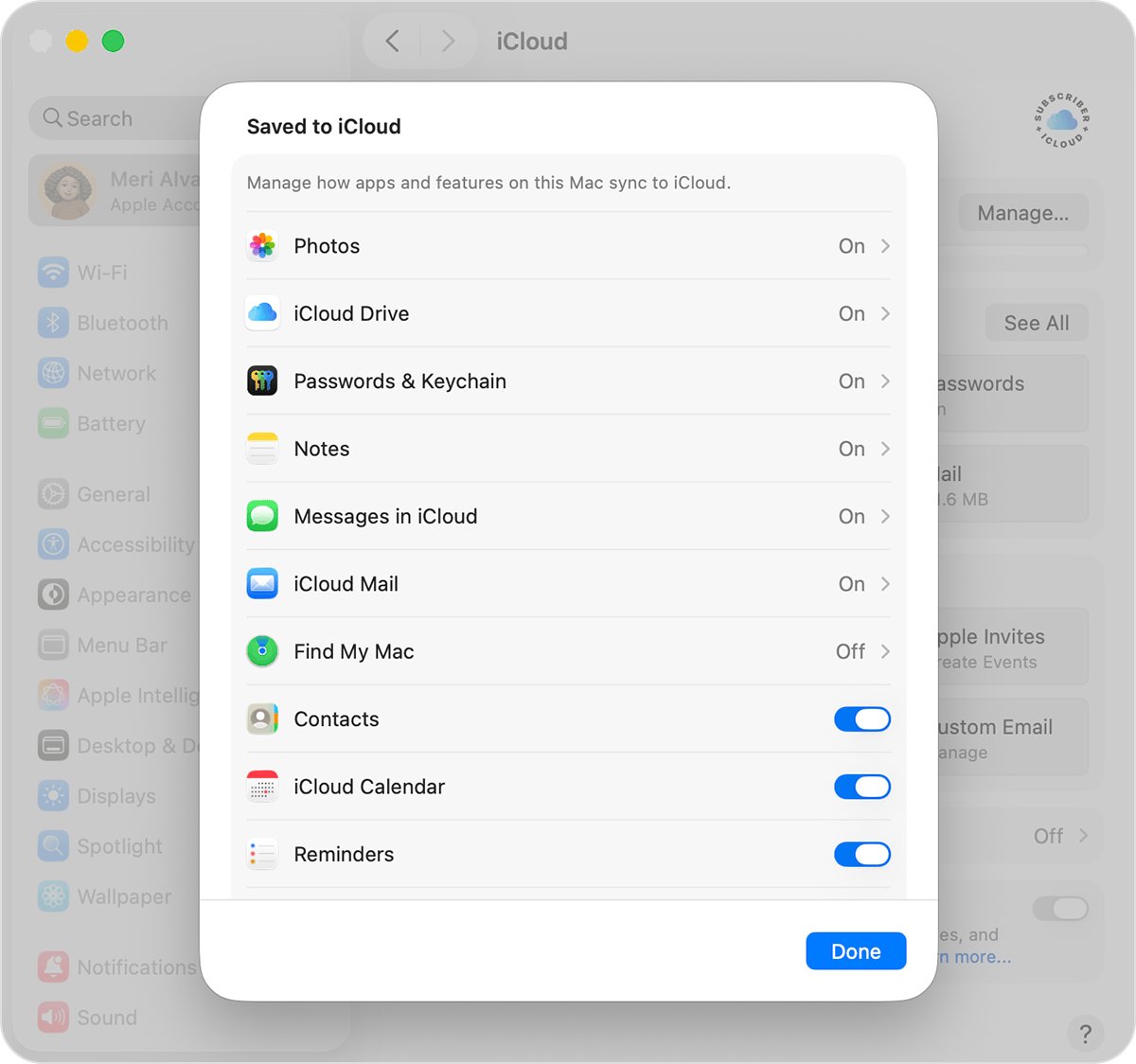
| Mac | Apple menu > System Settings > your name > iCloud > See All > Find My Mac > Turn On, then click Allow for location |
| AirPods, AirPods Pro, AirPods Max | Connect them, open Settings > Bluetooth, tap the More Info button next to them and turn on Find My network |
| Apple Watch | On the watch, open Settings, tap your name, tap your watch name, tap Find My Watch and turn on Find My network |
| Family member's device | Set up Family Sharing; their devices then appear below yours in Devices |
AirPods and supported Beats headphones show a live location only when they are near your device and connected over Bluetooth. Supported AirPods show a Find My network location for up to 24 hours after they last connected.
AirTag not showing in Find My or Find button missing
- Update your iPhone to the latest iOS; AirTag (2nd generation) needs iOS 26.2.1 or later.
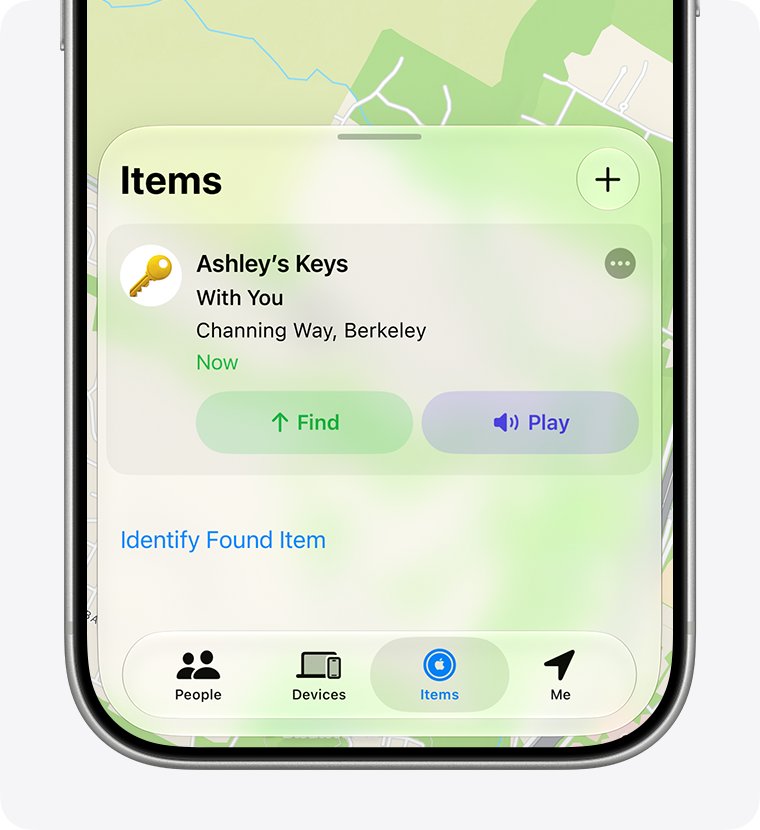
- Open Find My, tap Items and select the AirTag.
- If Find (Find Nearby) is missing, check that your iPhone supports Ultra Wideband.
- Go to Settings > Privacy & Security > Location Services > Find My and turn on Precise Location.
- If you are out of range, use Directions or Play from the map, then try Find again when closer.
AirTags are not shown on icloud.com/find. Use the Find My app on an iPhone, iPad, Mac or Apple Watch to locate them.
Check that Find My is working again
- Open Find My, tap Devices and select your iPhone; it should show on the map.
- Tap Play on another of your devices; an online device plays a sound and you receive a confirmation email.
- Tap Me and confirm Share My Location is on and Sharing From names this iPhone.
- Sign in at icloud.com/find and check that your devices are listed under All Devices.
If a device shows Sound Pending, it is offline. The sound plays the next time it connects to Wi-Fi or cellular.
Why has Find My iPhone stopped working? More fixes
Find My iPhone stopped working after the battery died
A device with no power cannot report a new location.
- Open the device in Find My to see its last known location, kept for up to seven days.
- Turn on Notify When Found below Notifications.
- Allow notifications for the Find My app so the alert reaches you.
Find My location not working on icloud.com
iCloud.com shows a location only while the device is on and connected, and only for up to 24 hours.
- Open the Find My app on another Apple device, which keeps locations for longer.
- If you changed your Apple Account password in an unfamiliar location with Stolen Device Protection on, expect device locations to be hidden on icloud.com/find.
- If asked for a verification code on icloud.com, select Find Devices instead.
Find My app stopped working for a lost device that was never added
If Find My was not on before the device was lost, it cannot appear in Find My.
- Report the device to local law enforcement and your wireless carrier.
- Review your account at account.apple.com and change your Apple Account password.
- Turn on Find My on every device you still have.
Can't erase a lost device from the Find My app
Remote erase in the app needs two-factor authentication on your Apple Account.
- Sign in to icloud.com/find and choose the device.
- Select Erase [Device], then Erase to confirm.
- Do not remove the device from Find My afterwards, which would remove Activation Lock.
Find My stopped working FAQ
Why has Find My iPhone stopped working?
Usually Find My iPhone, Location Services for Find My or Share My Location has been turned off, or the iPhone is offline. Check Settings > [your name] > Find My, then Settings > Privacy & Security > Location Services > Find My.
Why is my Find My not working?
Find My can only show a device that has Find My turned on, power and a connection, or the Find My network enabled. A device that is online but cannot send its location shows "Not sharing location • Online".
Why won't Find My work for my friends?
Your friend must share their location with you, and their iPhone needs Location Services on for Find My. "Can see your location" means they are not sharing back; "No location found" means their device cannot be located.
What does No location found mean in Find My?
It means more than seven days have passed since the device last sent its location through the Find My network, or the device cannot be located now. Turn on Notify When Found to get an alert when it reappears.
Can Find My locate an iPhone that is turned off?
Yes, on supported iPhones with the Find My network on. It can locate the iPhone for up to 24 hours after it is turned off, or up to 5 hours in power reserve mode.
Why does Find My show my location on the wrong device?
Share My Location is set to another device, such as an iPad. Open Find My, tap Me, check Sharing From and tap Use This iPhone as My Location.
Why is my AirTag not showing in Find My?
Your iPhone may need an update; AirTag (2nd generation) requires iOS 26.2.1 or later. AirTags also never appear on icloud.com/find, only in the Find My app on Apple devices.
Can I use Find My without an iPhone?
Yes. Sign in at icloud.com/find to locate devices, play a sound, mark one as lost or erase it. You do not need a verification code to sign in there, so it works even if your trusted device is lost.
Bottom line: getting Find My working again
Turn on Find My iPhone, the Find My network and Send Last Location, and allow Location Services with Precise Location for Find My on every device. Almost every Find My failure maps to one of those settings being off or the device being offline. With them on, Find My can show a device for up to seven days after it goes dark.