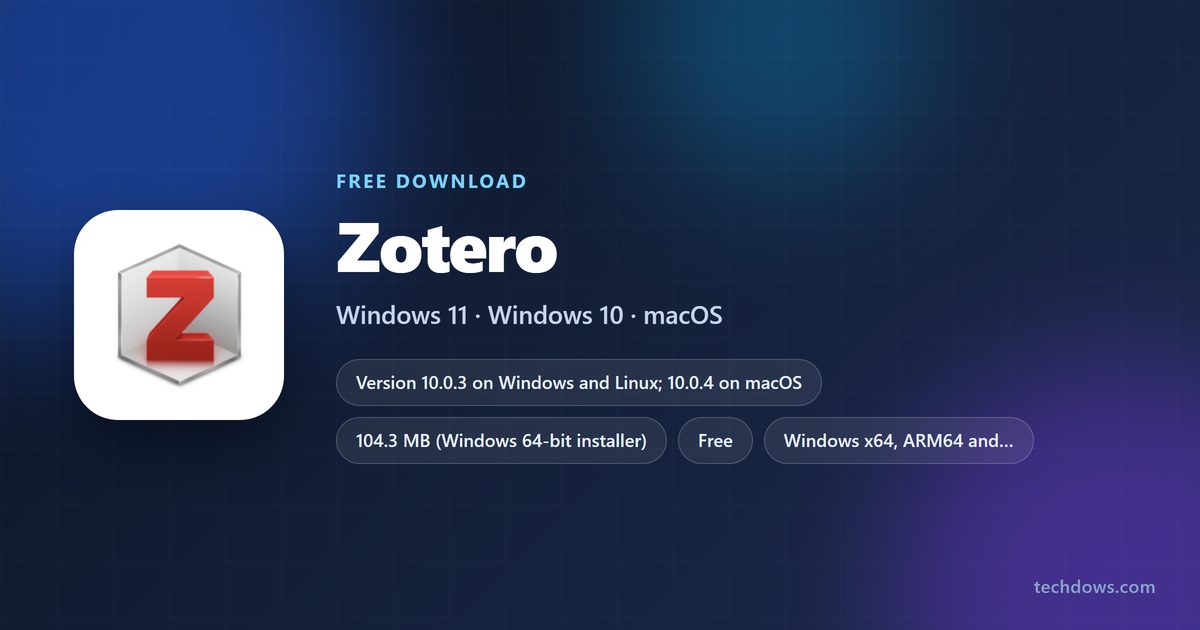
The official Zotero download installs a free, open-source reference manager on Windows 11, Windows 10, macOS and Linux. Zotero 10 is the current release, and every build comes from zotero.org.
Windows gets a 104.3 MB setup file for 64-bit PCs, plus separate ARM and 32-bit installers. Macs get one DMG, Linux gets a tarball, and free iPhone and Android apps sync the same library.
Below you will find which file to take, how to install and update it, the browser Connector and Word plugin, what Zotero Storage costs, and fixes for a missing Zotero tab in Word.
Which Zotero download do you need?
Open Settings > System > About on Windows and read System type. A line ending in ARM-based processor means you need the ARM build. Most PCs with Intel or AMD chips take the 64-bit installer.
| Your computer | Download | Size |
|---|---|---|
| 64-bit Windows 10 or Windows 11 on Intel or AMD | Zotero-10.0.3_x64_setup.exe | 104.3 MB |
| Windows 11 on a Snapdragon or other ARM laptop | Zotero-10.0.3_arm64_setup.exe | 100.4 MB |
| 32-bit Windows 10 | Zotero-10.0.3_win32_setup.exe | 100.4 MB |
| Any Mac on macOS 10.15 or later | Zotero-10.0.4.dmg | 184.3 MB |
| 64-bit Linux | Zotero-10.0.3_linux-x86_64.tar.xz | 112.7 MB |
| Linux on ARM64 | Zotero-10.0.3_linux-arm64.tar.xz | 104.0 MB |
The Mac build is one DMG for both Apple Silicon and Intel. Its 10.0.4 number reflects a Mac-only fix for the Safari Connector on macOS 11 and 12.
Download Zotero from the official page
The Corporation for Digital Scholarship publishes every desktop build on zotero.org. The download page detects your system and shows the matching installer first, with the other platforms under Other versions.
- Zotero download page — Windows, macOS and Linux builds, plus the browser Connectors
- Zotero Connector for Chrome — saves articles and pages to your library in one click
- Zotero Connector for Microsoft Edge — Edge Add-ons listing
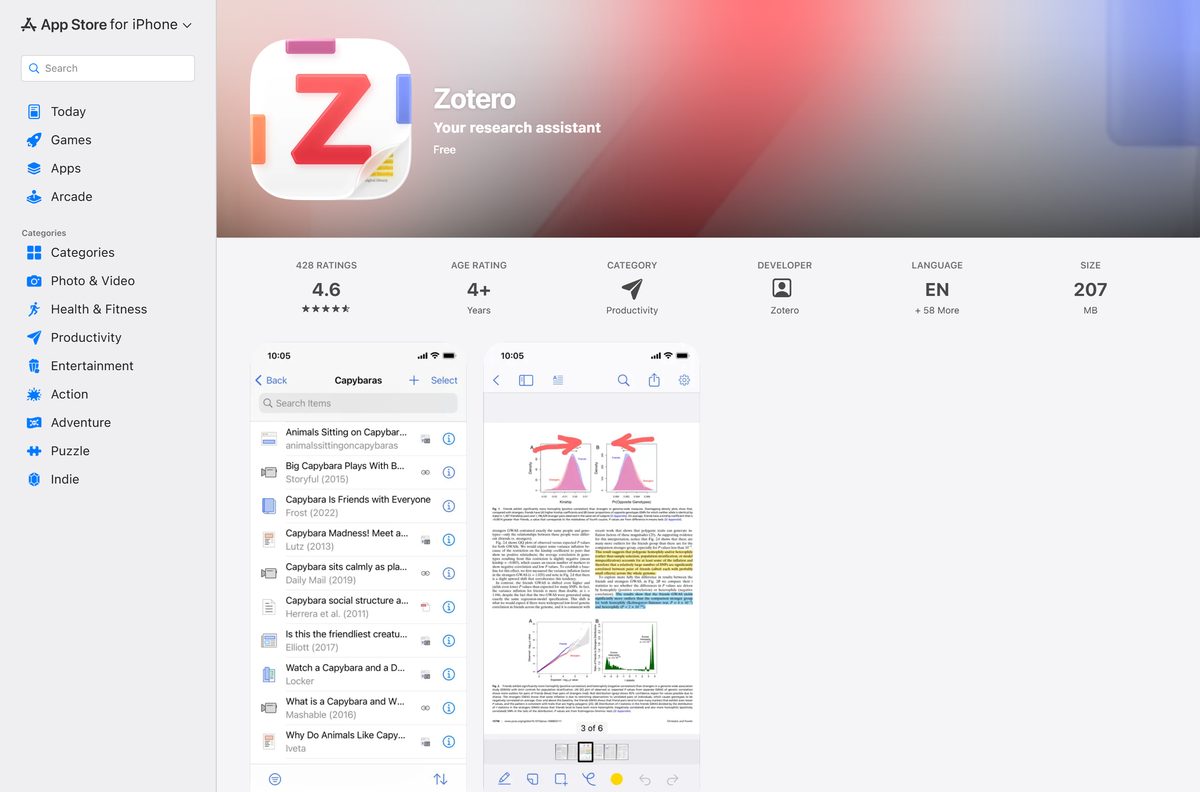
- Zotero for iPhone and iPad — free, 207 MB
- Zotero for Android — free on Google Play
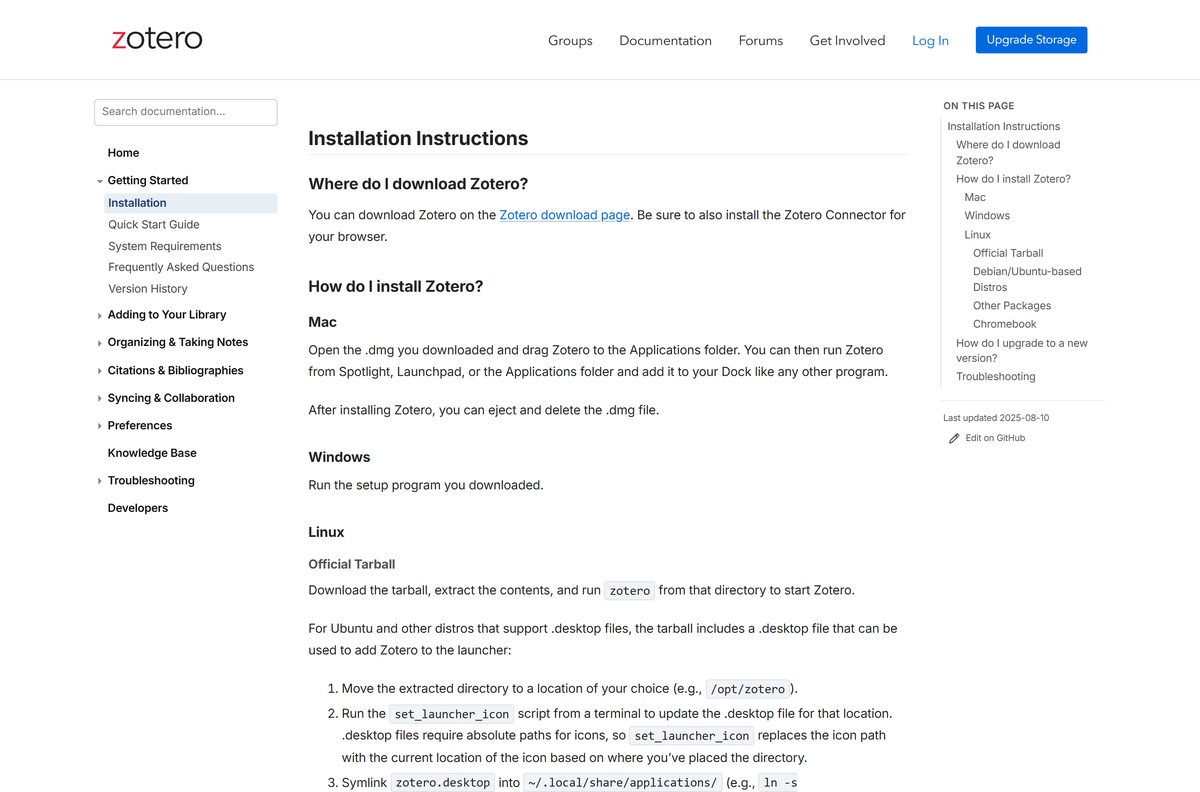
- Zotero installation instructions — Windows, Mac, Linux and Chromebook
The Firefox Connector installs from the same download page. Safari users need nothing extra, because the Safari Connector ships inside the Mac app.
How to install Zotero on Windows 11 and 10
Zotero needs Windows 10 or later. The setup file installs the app and the Word plugin together.
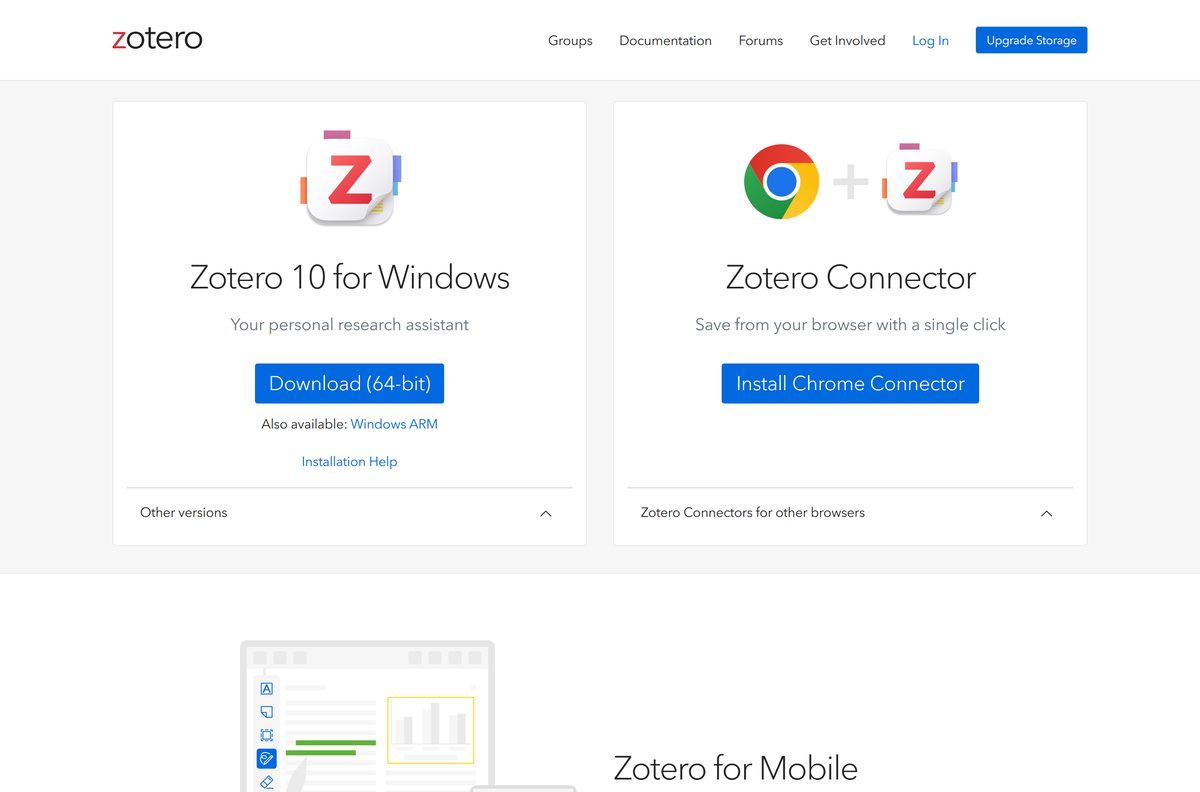
- Open zotero.org/download and select Download (64-bit), or Windows ARM on an ARM laptop.
- Save Zotero-10.0.3_x64_setup.exe to your Downloads folder.
- Double-click the file and follow the setup prompts.
- Start Zotero from the Start menu. It installs the Word and LibreOffice plugins on first launch.
- Back on the download page, select Install Chrome Connector, or pick your browser under Zotero Connectors for other browsers.
- Restart Word so the Zotero tab appears in the ribbon.
Your library lives in C:\Users\
Run Zotero from a ZIP without the installer
The download page also carries ZIP builds for Windows x64 (131.3 MB) and Windows ARM (123.9 MB). Use one when you cannot run a setup program on the PC.
- Download the Windows x64 ZIP or the Windows ARM ZIP.
- Right-click the ZIP file and select Extract All.
- Choose a folder you can write to, such as your Documents folder, and select Extract.
- Open the extracted folder and double-click zotero.exe.
- Open Edit > Settings > Cite and install the Word add-in if you need citations in Word.
Which Zotero download do you need for your Mac?
Zotero runs on macOS 10.15 Catalina or later. One DMG covers both Apple Silicon and Intel Macs.
| Your Mac | Take this | Source |
|---|---|---|
| macOS 13 Ventura or later | Zotero-10.0.4.dmg, which includes the full Safari Connector | zotero.org/download |
| macOS 11 Big Sur or macOS 12 Monterey | The same DMG; Safari gets an older Connector with fewer features | zotero.org/download |
| macOS 10.15 Catalina | The same DMG; save pages from Chrome, Edge or Firefox | Connector downloads |
| macOS 10.14 or earlier | Update macOS first; Zotero 10 does not support it | System requirements |
To install, open the DMG and drag Zotero to the Applications folder. Start it from Spotlight, Launchpad or Applications, then eject and delete the DMG.
Is Zotero free?
Yes. The desktop app, the mobile apps, the Connectors and the Word plugin cost nothing. The code is open source under the AGPLv3 licence.
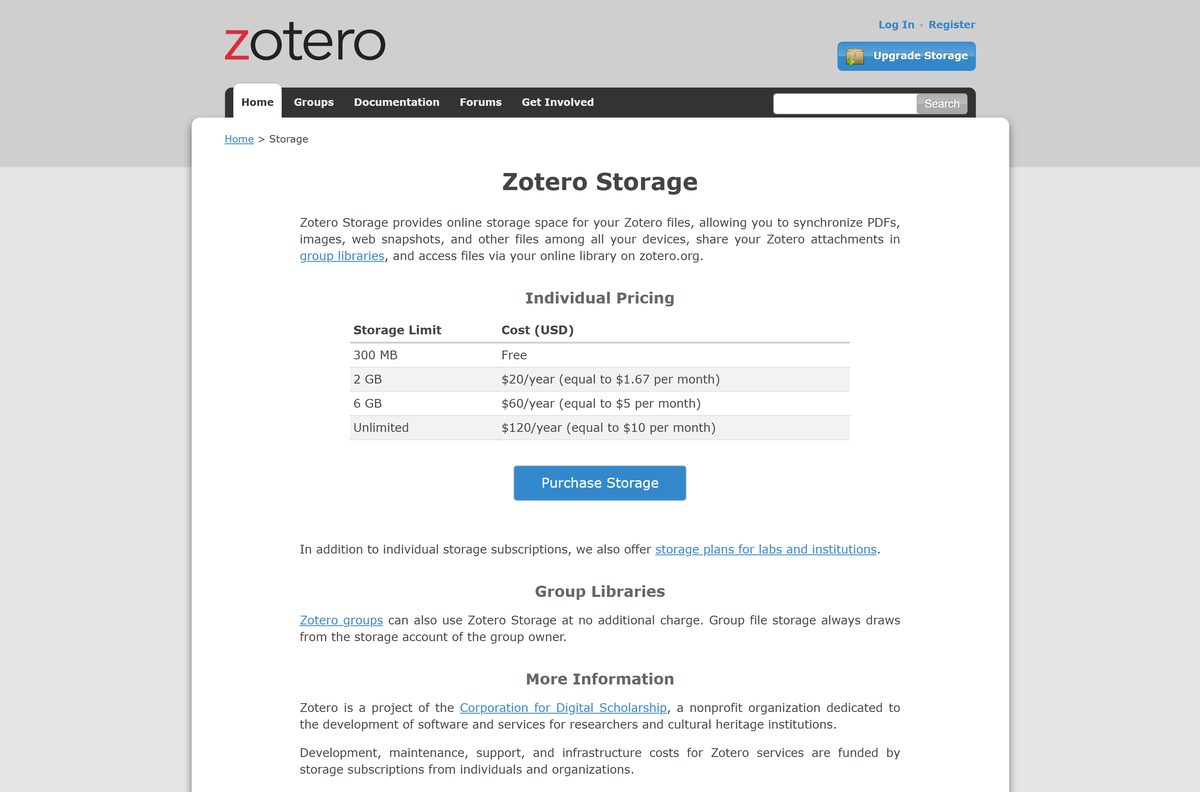
Syncing your library data between devices is also free. The only paid part is Zotero Storage, which syncs attached files such as PDFs once you pass the free 300 MB.
Storage plans cost $20 a year for 2 GB, $60 a year for 6 GB and $120 a year for unlimited space. Group libraries draw from the group owner’s storage at no extra charge.
Install the free desktop app and add a storage plan only when your PDFs outgrow 300 MB. Citations, notes, collections and library sync all work on the free tier. The paid plans fund Zotero’s development and pay only for extra file storage.
How to check your Zotero version and update it
Zotero updates itself by default, so most people never run an installer twice. A manual check takes seconds.
- Open Zotero and select Help > Check for Updates.
- Follow the prompts to install any update Zotero finds.
- To update by hand, download the current installer from zotero.org/download.
- Run it over your existing copy. Your library and attachments stay in place.
Zotero 10.0 arrived on August 17, 2026. The version history lists every fix since then.
Check the Zotero system requirements and specifications
| Specification | Detail |
|---|---|
| Software | Zotero (desktop) |
| Developer | Corporation for Digital Scholarship |
| Latest version | 10.0.3 on Windows and Linux; 10.0.4 on macOS |
| Licence / price | Free and open source (AGPLv3) |
| Windows | Windows 10 or later |
| Windows architecture | x64, ARM64 and 32-bit installers |
| macOS | macOS 10.15 or later, Apple Silicon or Intel |
| Linux | Same library requirements as Firefox 140; x86_64, ARM64 and i686 |
| Installer type | EXE or ZIP on Windows, DMG on macOS, tar.xz on Linux |
| Download size (Windows 64-bit) | 104.3 MB |
| Data folder (Windows) | C:\Users\ |
| Mobile apps | Free for iPhone, iPad and Android |
| Official download source | zotero.org/download |
| Last verified | 2026-09-25 |
Check which browsers and word processors work with Zotero
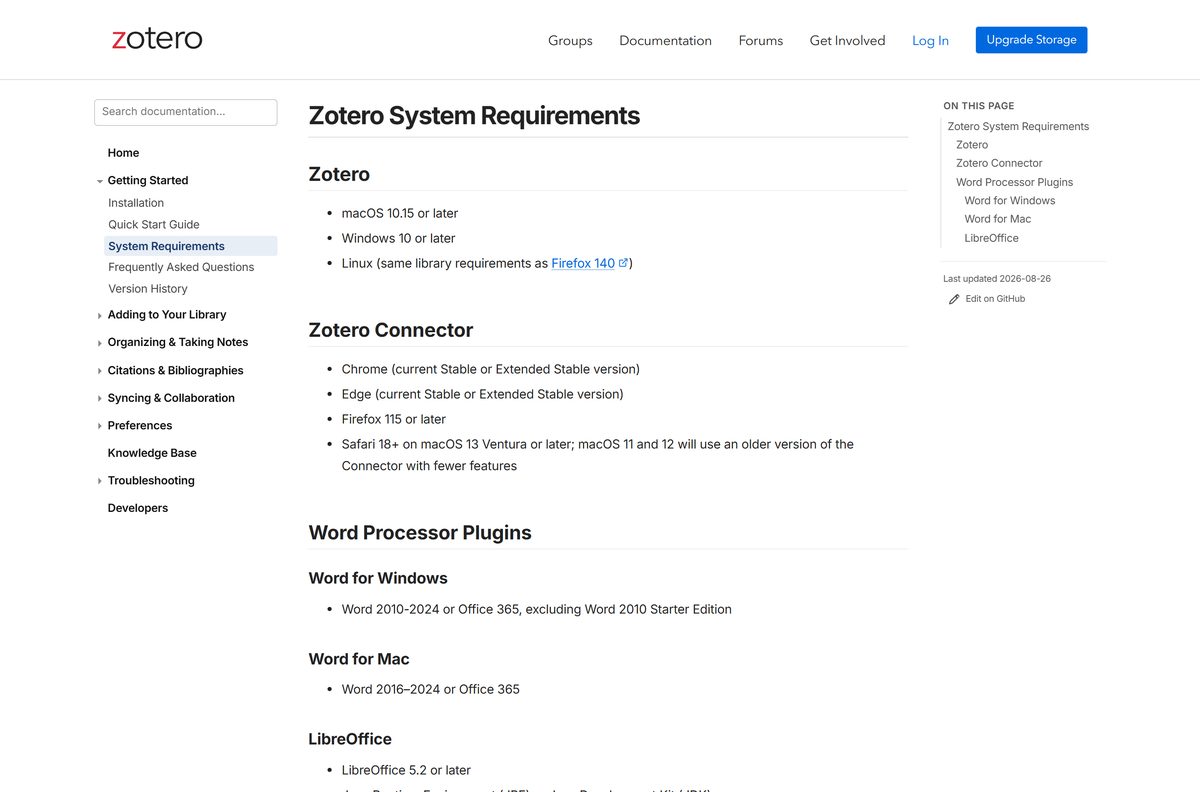
The Connector saves sources from your browser, and the plugins insert citations into your documents. Each has its own version floor.
| Program | Supported versions | How you get it |
|---|---|---|
| Google Chrome | Current Stable or Extended Stable | Chrome Web Store |
| Microsoft Edge | Current Stable or Extended Stable | Edge Add-ons |
| Firefox | Firefox 115 or later | zotero.org/download |
| Safari | Safari 18 on macOS 13 or later | Bundled with the Mac app |
| Word for Windows | Word 2010-2024 or Office 365, not 2010 Starter | Installed with Zotero |
| Word for Mac | Word 2016-2024 or Office 365 | Installed with Zotero |
| LibreOffice | LibreOffice 5.2 or later with Java | Installed with Zotero |
On macOS, the LibreOffice plugin needs the Java JDK rather than the JRE.
Fix the Zotero Word plugin not working on Windows 11 or 10
Most install problems show up in Word, not in Zotero itself. Test the plugin in a new, empty document after each fix.
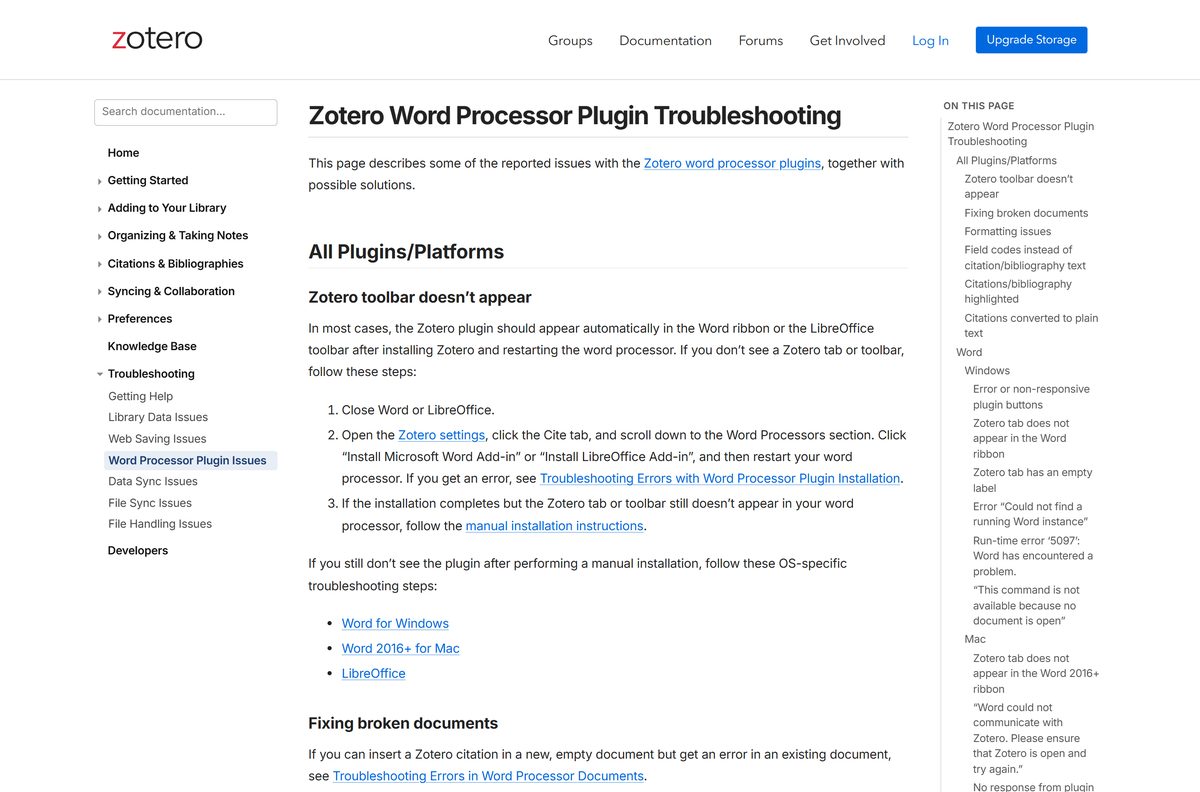
The Zotero tab does not appear in Word
The add-in did not install, or Word was open during setup.
- Close Word.
- In Zotero, open Edit > Settings, select the Cite tab and scroll to Word Processors.
- Select Install Microsoft Word Add-in.
- Start Word again and look for the Zotero tab.
Word says it could not communicate with Zotero
Zotero is closed, or one of the two programs runs as administrator.
- Close Word, restart Zotero, then start Word.
- If that fails, restart the PC and open Zotero before Word.
- Right-click each program, open Properties > Compatibility and clear Run this program as an administrator.
- Temporarily turn off security software that could block the connection.
The plugin buttons still do nothing
A damaged copy of the add-in template stays loaded in Word.
- Close Word and open your Word Startup folder.
- Delete Zotero.dotm .
- Start Word and confirm the Zotero tab is gone.
- Reinstall the add-in from Edit > Settings > Cite.
Zotero will not install at all
The PC runs Windows 8.1 or earlier.
- Open Settings > System > About and check your Windows version.
- Upgrade to Windows 10 or Windows 11 before running the installer.
How to uninstall Zotero without losing your library
Uninstalling removes the program but never deletes your Zotero data folder. Sync or back up that folder first if you plan to erase it.
- On Windows, open Settings > Apps > Installed apps.
- Select the three dots next to Zotero, then Uninstall.
- To remove your library too, delete C:\Users\
\Zotero with Zotero closed. - On a Mac, quit Zotero and drag Zotero from Applications to the Trash.
- To remove Mac data too, delete /Users/
/Zotero . - Remove the Connector from your browser’s Extensions page.
Uninstalling Zotero leaves the Word tab behind. Delete Zotero.dotm from the Word Startup folder to remove it.
Choose the right Zotero app for each device
Every official Zotero app reads the same library through a free zotero.org account. Pick by device.
| App | Runs on | Price | Get it |
|---|---|---|---|
| Zotero desktop | Windows, macOS, Linux | Free | zotero.org/download |
| Zotero for iOS | iPhone and iPad | Free | App Store |
| Zotero for Android | Android phones and tablets | Free | Google Play |
| Zotero Connector | Chrome, Edge, Firefox, Safari | Free | zotero.org/download |
The iPhone app scans book barcodes and DOIs with the camera, and supports Apple Pencil annotations on PDFs.
Other office and productivity apps for PC include Scrivener.
Frequently asked questions
Is Zotero free for students?
Yes. Zotero is free for everyone, students included, on Windows, Mac, Linux, iPhone and Android. Only extra file storage beyond the free 300 MB costs money, starting at $20 a year for 2 GB.
Where is the official Zotero download page?
The official page is zotero.org/download. It offers the Windows, macOS and Linux builds, the Chrome and Edge Connectors, and links to the iOS and Android apps. The Corporation for Digital Scholarship publishes all of them.
Is there a 64-bit Zotero for Windows 11?
Yes. The main Windows download is a 64-bit installer, and it runs on Windows 10 and Windows 11. ARM laptops get a separate ARM64 installer, and a 32-bit build remains available.
Does Zotero have an offline installer?
Yes. The Windows setup file is a full 104.3 MB installer, not a small web bootstrapper. You can copy it to another PC and install without an internet connection.
How do I install Zotero on a Mac?
Download the DMG from zotero.org/download, open it and drag Zotero to the Applications folder. The same file works on Apple Silicon and Intel Macs running macOS 10.15 or later.
How do I add Zotero to Microsoft Word?
Zotero installs the Word plugin automatically the first time it starts. If the Zotero tab is missing, close Word, open Edit > Settings > Cite in Zotero, and select Install Microsoft Word Add-in.
Can I download Zotero on Linux?
Yes. Zotero offers tarballs for 64-bit, ARM64 and 32-bit Linux. Extract the archive and run zotero from that folder, or use the set_launcher_icon script to add it to your launcher.
Will uninstalling Zotero delete my library?
No. Uninstalling removes the program only. Your database and attachments stay in the Zotero folder in your user directory, so reinstalling picks them up again.