Your Scrivener download comes from Literature & Latte’s own download page: Scrivener-installer.exe for Windows 11 and Windows 10, or Scrivener.dmg for macOS. Both start a free trial of the full writing app with no features removed.
The trial counts 30 days of actual use, not 30 calendar days. After that, one licence unlocks the version you installed.
Below: which file fits your computer, install steps, Mac and iPad options, licence rules, requirements, fixes and a clean uninstall.
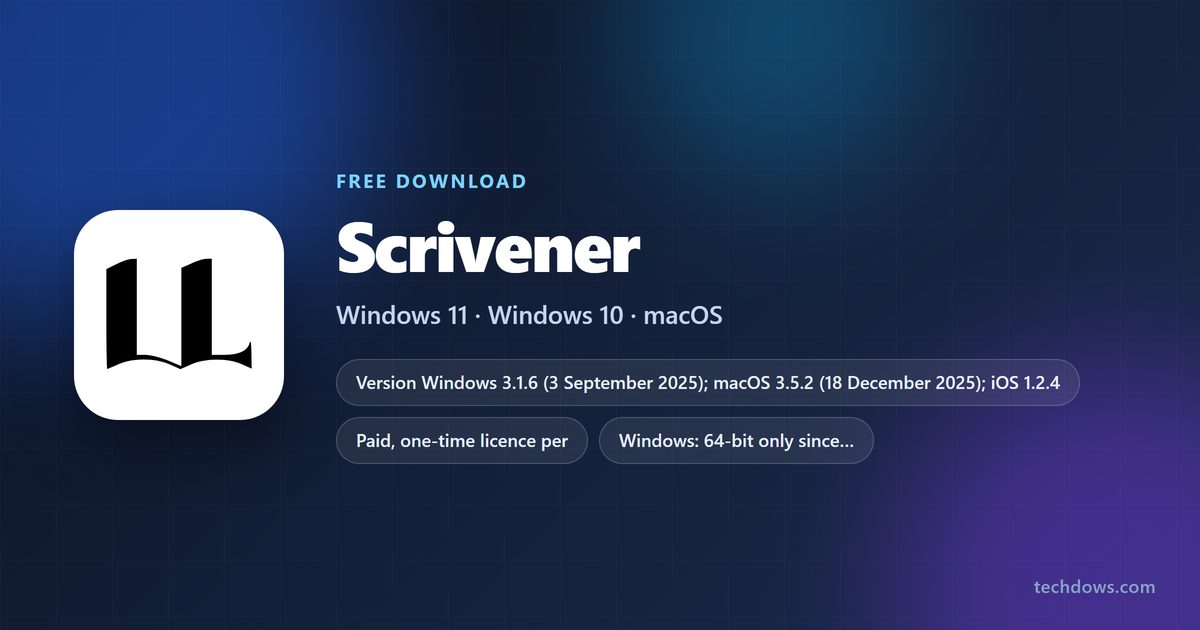
Which Scrivener download do you need?
Scrivener has a separate build and licence for each platform. Match your device to a row.
| Your device | What to get | Where |
|---|---|---|
| Windows 11 or Windows 10, 64-bit | Scrivener 3.1.6 (Scrivener-installer.exe) with the free trial |
Scrivener download page |
| Mac on macOS 11 or later, want to try first | Scrivener 3.5.2 (Scrivener.dmg) with the free trial |
Scrivener download page |
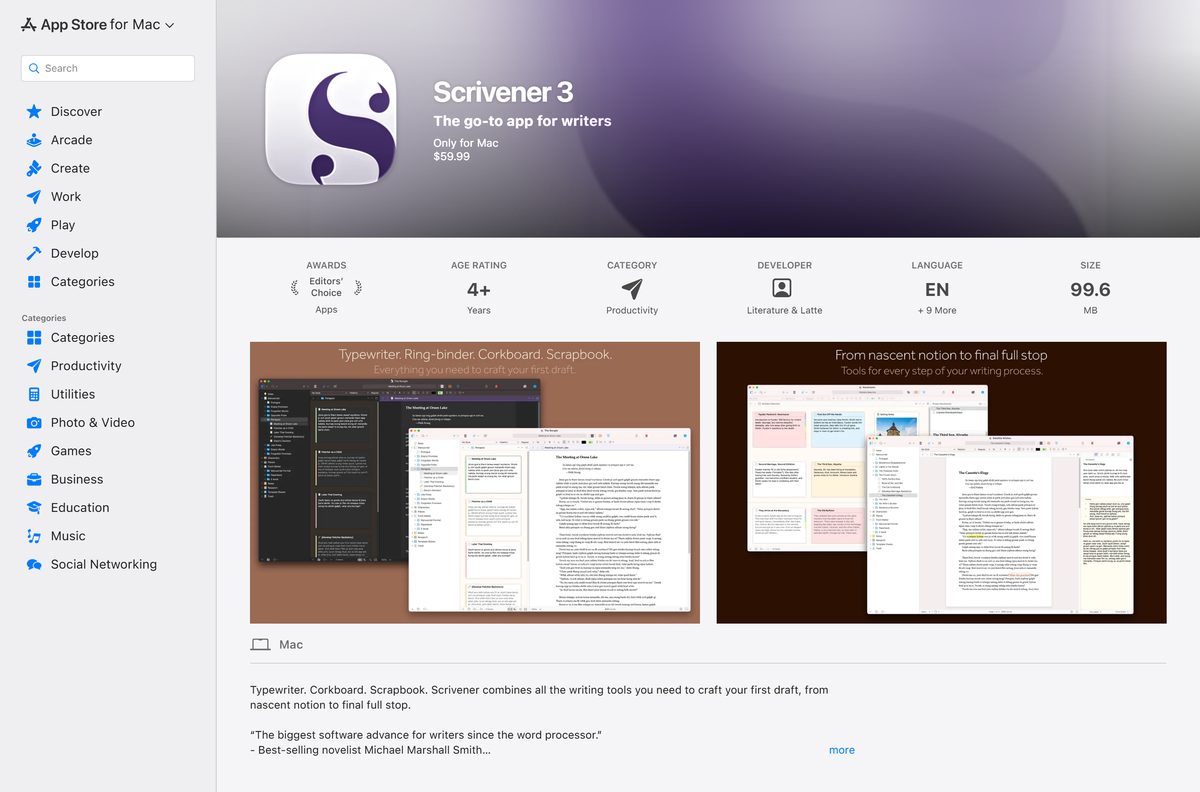
| Mac, buying through Apple | Scrivener 3 on the Mac App Store, $59.99, no trial | Mac App Store listing |
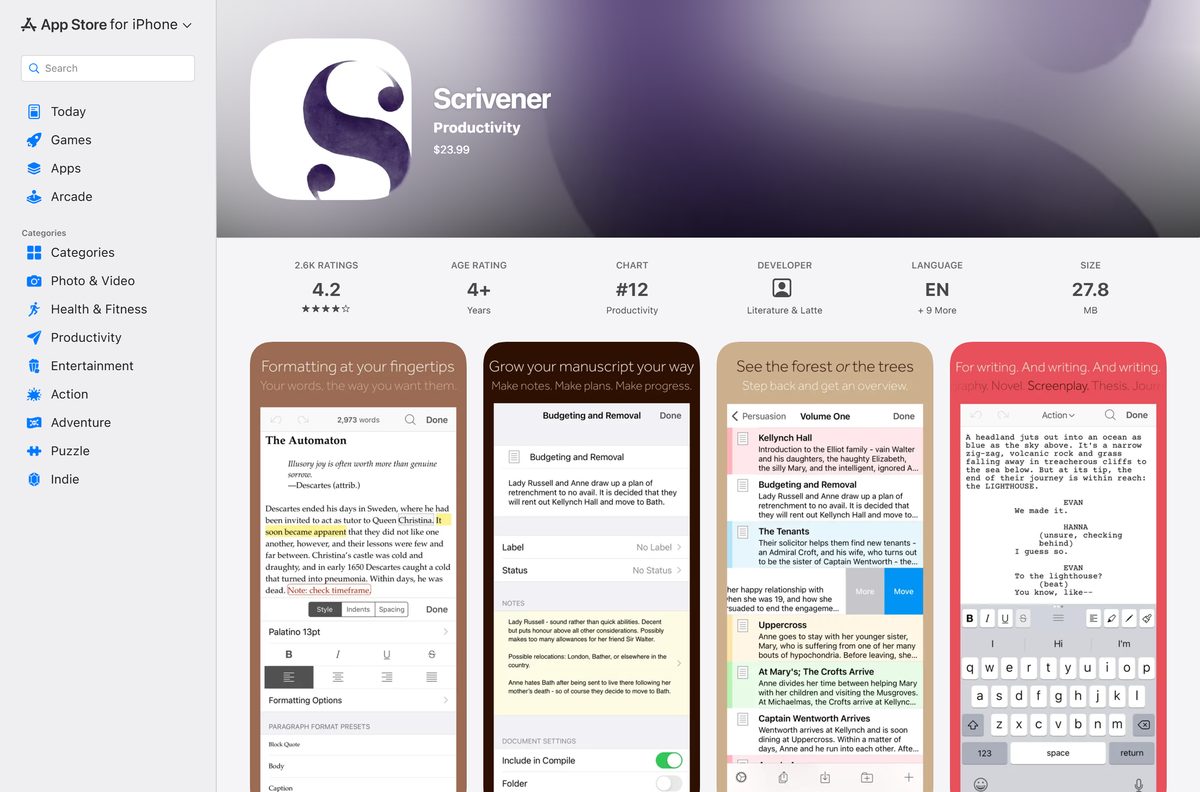
| iPhone or iPad | Scrivener 1.2.4 on the App Store, $23.99 | App Store listing |
| Older or 32-bit Windows | An older release from the Previous Versions link | Scrivener download page |
A licence bought for one platform does not unlock another, so pick the build for the computer you write on most.
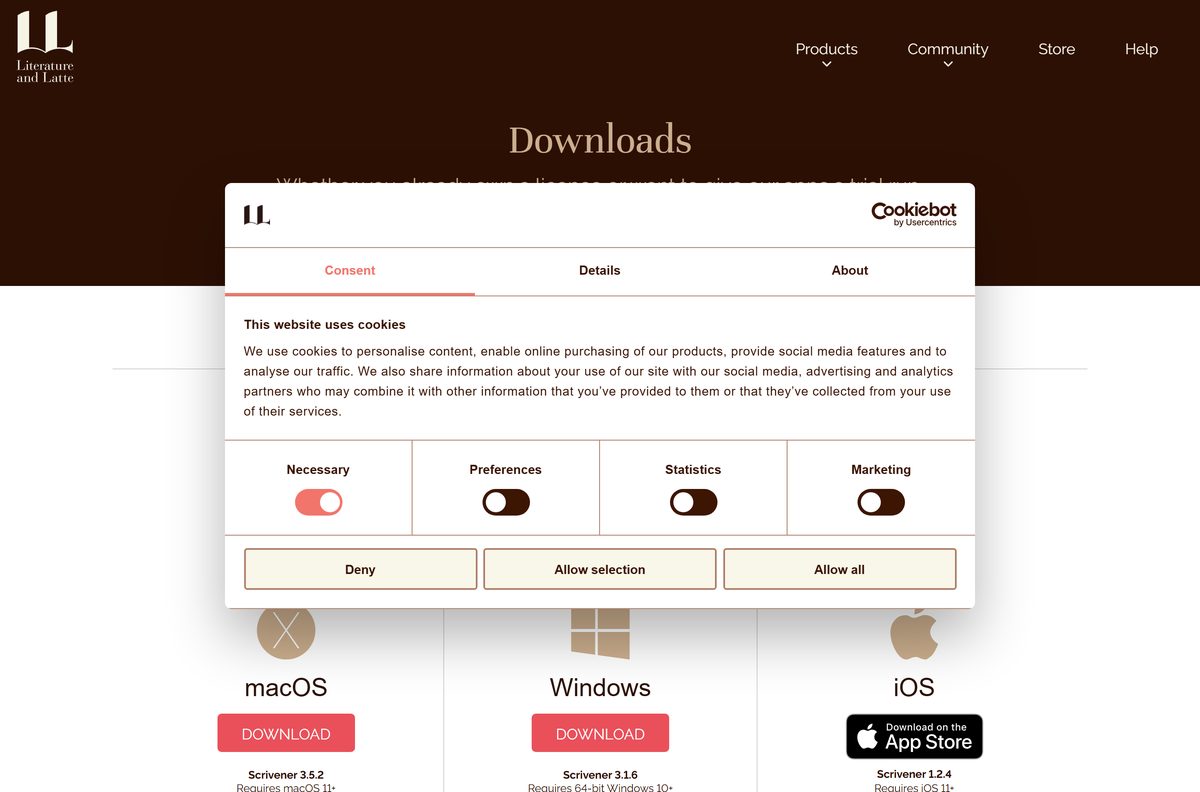
Download Scrivener for Windows 11 and Windows 10
The Download button under the Windows heading fetches Scrivener 3.1.6. The same page carries the Mac download and the older releases.
- Scrivener download page — Windows 3.1.6 and macOS 3.5.2 trials, plus previous versions
- Scrivener for Windows release notes — changes in 3.1.6 and earlier builds
- Literature & Latte store — standard, educational and Mac+Windows bundle licences
- Scrivener 3 on the Mac App Store — macOS 11 or later
- Scrivener on the App Store for iPhone and iPad — sold separately
Download only from literatureandlatte.com or Apple’s App Store. A “full version” Scrivener file on any other site is not from the developer.
How to install Scrivener on Windows 11 and 10
The same installer serves trial users and licence owners. Your serial number is what turns the trial into the full product.
- Open the Scrivener download page at literatureandlatte.com.
- Select Download under the Windows heading to save Scrivener-installer.exe .
- Double-click Scrivener-installer.exe in your Downloads folder.
- Select Yes if User Account Control asks for permission.
- Follow the setup wizard pages and select Finish when it completes.
- Open Scrivener from the Start menu. Without a licence it runs in trial mode.
- To unlock it, enter the serial number Literature & Latte e-mailed you after purchase.
Beta testers who ran 3.1.5.0 beta 3 had to uninstall it before installing the release, because registry changes blocked a clean update.
Which Scrivener download do you need for your Mac?
Both Mac routes install the same Scrivener 3.5.2 and need macOS 11 or later. The difference is the trial and the licence.
| You want | Get it from | What changes |
|---|---|---|
| A free trial before you pay | Scrivener.dmg from literatureandlatte.com | 30 days of use, then a serial number unlocks it |
| A household licence for family Macs | Literature & Latte store | Covers machines you own and family members in the same house |
| To buy and reinstall through Apple | Scrivener 3 on the Mac App Store | $59.99, no trial, no serial number; reinstall from Purchased |
| Refunds handled by the developer | Literature & Latte FAQ | Web-store refunds within 30 days; App Store refunds go through Apple |
If you bought from the Mac App Store, reinstall from the Purchased area of the App Store app rather than the website.
Is Scrivener free?
No. Scrivener is paid, one-time-purchase software, but the Windows and Mac trials are the full version and last 30 days of actual use. Use it every day and the trial ends after 30 days; use it every other day and it lasts 60. After that you buy a standard or educational licence for your platform, or the discounted Mac+Windows bundle. The Mac App Store version costs $59.99 and the iPhone and iPad app $23.99, neither with a trial.
Minor updates within Scrivener 3, such as 3.1 to 3.1.6, are free. A future major version like Scrivener 4 would be a paid upgrade. The educational licence requires a student or academic institutional affiliation.
Choose between Scrivener 3.1.6 and an older release
Install Scrivener 3.1.6 on any 64-bit Windows 10 or Windows 11 PC. Use an older release only if your PC cannot run it. Scrivener 3.1.5 moved to the Qt 6 framework and became a 64-bit application only, with Windows 10 as the minimum. If an update leaves you with a copy that no longer runs on an older system, Literature & Latte’s advice is to uninstall it and fetch an older copy from its legacy downloads.
3.1.6 adds a remembered compile file name, toggleable styles and fixes for crashes with wiki-style links in Scratchpad notes.
Check if your computer meets the Scrivener system requirements
Scrivener is a writing app, so the operating system and screen size matter more than processor speed.
| Field | Value |
|---|---|
| Software | Scrivener 3 |
| Developer | Literature & Latte Ltd |
| Latest version | Windows 3.1.6, macOS 3.5.2, iOS 1.2.4 |
| License | Paid, one-time licence per platform; free 30-day-of-use trial on Windows and Mac |
| Windows | 64-bit Windows 10 or later, including Windows 11 |
| Architecture | 64-bit only; no 32-bit or separate ARM64 build listed |
| Display | 1024 x 768 pixels minimum on Windows |
| macOS | macOS 11 or later |
| iPhone and iPad | iOS and iPadOS 12.0 or later on the App Store |
| Installer files | Scrivener-installer.exe (Windows), Scrivener.dmg (macOS) |
| Official download | literatureandlatte.com |
| Last verified | September 25, 2026 |
Check your Windows edition under Settings > System > About. System type must read 64-bit operating system.
Fix Scrivener not installing or not working on Windows 11
Scrivener stopped running after an update
Scrivener 3.1.5 and later need 64-bit Windows 10 or later.
- Uninstall Scrivener from Settings > Apps > Installed apps.
- Open the Scrivener download page and select Previous Versions under Windows.
- Install the older release that supports your version of Windows.
Your Mac licence will not unlock Scrivener for Windows
Each licence covers only one platform.
- Check which platform your serial number was sold for in your purchase e-mail.
- Buy a Windows licence, or the Mac+Windows bundle, from the Literature & Latte store.
- Enter the new serial number in Scrivener for Windows.
The trial ended sooner or later than you expected
The trial counts days of use, not calendar days.
- Buy a licence from the Literature & Latte store to keep working.
- Enter the serial number from your purchase e-mail to remove the time limit.
Mac project text shows in Arial on Windows
The project uses fonts that are not installed on the Windows PC.
- Install the missing fonts on Windows, or keep writing; the original font returns when the project opens on a device that has it.
Keyboard shortcuts behave differently after updating
Version 3.1.5 changed several default shortcuts for Windows 11.
- Open File > Options.
- Go to the Keyboard tab.
- Select Reset All to load the current default shortcuts.
How to uninstall Scrivener
Uninstalling removes the app. Save a backup of any project you still need first.
- Close Scrivener.
- On Windows, select Start > Settings > Apps > Installed apps.
- Find Scrivener, select More > Uninstall and confirm.
- To clear your custom spelling list too, delete %LOCALAPPDATA%\LiteratureAndLatte\Scrivener\wordlists.txt .
- On a Mac, open Applications in Finder and drag Scrivener to the Trash.
- Choose Finder > Empty Trash to finish removing it.
Microsoft’s uninstall guide and Apple’s Delete or uninstall apps on Mac cover the same steps.
Scrivener alternatives
Scrivener suits long projects split into many sections. For short documents a word processor is simpler.
| App | Best for | Where to get it |
|---|---|---|
| Scapple | Brainstorming and mapping connections between ideas, from the same developer | Literature & Latte downloads |
| Google Docs | Writing in a browser and editing with other people in real time | Google Docs |
Pick Scrivener for novels, theses and scripts you want to reorganise section by section.
Frequently asked questions
Is Scrivener free?
No. Scrivener is paid software with a one-time licence per platform. The Windows and Mac versions include a free trial that lasts 30 days of actual use, so using it every other day stretches the trial to 60 days.
Where is the official Scrivener download?
The official download is on the Literature & Latte download page at literatureandlatte.com. It offers Scrivener-installer.exe for Windows and Scrivener.dmg for macOS, plus App Store links for iPhone and iPad.
Does Scrivener work on Windows 11?
Yes. Scrivener 3.1.6 needs 64-bit Windows 10 or later, which includes Windows 11. Version 3.1.5 also changed several Windows-key shortcuts to avoid clashes with shortcuts Windows 11 now uses.
How big is the Scrivener download?
Literature & Latte does not list an installer size on its download page. The Windows file is Scrivener-installer.exe and the Mac file is Scrivener.dmg, both linked from the official download page.
Is there a Scrivener offline installer?
The download page offers one Windows setup file, Scrivener-installer.exe, and one Mac disk image, Scrivener.dmg. Literature & Latte lists no separate web installer or offline variant for either platform.
Is Scrivener available for Mac?
Yes. Scrivener 3.5.2 for macOS needs macOS 11 or later. Download Scrivener.dmg from literatureandlatte.com for the free trial, or buy Scrivener 3 on the Mac App Store for $59.99.
Does Scrivener run on 32-bit or ARM64 Windows?
Scrivener for Windows is a 64-bit application only since version 3.1.5, so 32-bit Windows cannot run it. Literature & Latte lists one Windows installer and no separate ARM64 build.
Can one Scrivener licence cover Windows and Mac?
No. Each licence covers one platform, so a macOS licence does not unlock the Windows version. Buy the Mac+Windows bundle from the Literature & Latte store if you need both.
Can I install Scrivener on more than one computer?
Yes. A licence from the Literature & Latte store is a household licence for every machine you own and mainly use, plus family members in the same house. Mac App Store copies follow your Apple account instead.
Is Scrivener safe to download?
Yes, when you download it from literatureandlatte.com or the App Store. Scrivener is made by Literature & Latte Ltd, and the download page links the official installers directly.
What is the latest version of Scrivener?
Scrivener 3.1.6 for Windows was released on 3 September 2025. Scrivener 3.5.2 for macOS was released on 18 December 2025, and the iOS app is at version 1.2.4.
Is there a Scrivener trial for iPhone or iPad?
No. Literature & Latte cannot offer an iOS trial because the App Store does not allow it. Scrivener for iOS and iPadOS costs $23.99 on the App Store.
Why won’t Scrivener run after I updated it?
Scrivener 3.1.5 and later need 64-bit Windows 10 or later. On an older system, uninstall the new copy and download an older version from the Previous Versions link on the download page.






